• Categories
    Category
    {{ postCtrl.tags }}
    • {{ category.tag_type }}

      • {{tag.tag_name}}
      • View more
  • Categories
    Category
    {{ postCtrl.tags }}
    • {{ category.tag_type }}

      • {{tag.tag_name}}
      • View more
  • News
  • Tutorials
  • Forums
  • Tags
  • Users
Tutorial News Comments FAQ Related Articles

How To Install Foxit Reader V 2.4.1 On Linuxmint-18.03

{{postValue.id}}

To Install Foxit Reader V 2.4.1 On Linuxmint-18.3

Foxit Reader is a multi-lingual, freemium PDF tool that is used to view, edit, create, digitally sign, and print PDF files. It is available for both 64 bit and 32-bit architectures. In this tutorial, the method to install Foxit Reader version 2.4.1 on Linux Mint 18.3

Installation

Download the Foxit reader package using wget command as follows.

linuxhelp ~ # wget http://cdn01.foxitsoftware.com/pub/foxit/reader/desktop/linux/2.x/2.4/en_us/FoxitReader2.4.1.0609_Server_x64_enu_Setup.run.tar.gz
--2018-05-31 04:56:16--  http://cdn01.foxitsoftware.com/pub/foxit/reader/desktop/linux/2.x/2.4/en_us/FoxitReader2.4.1.0609_Server_x64_enu_Setup.run.tar.gz
Resolving cdn01.foxitsoftware.com (cdn01.foxitsoftware.com)... 64.62.208.6, 184.105.233.248, 64.62.153.144, ...
Connecting to cdn01.foxitsoftware.com (cdn01.foxitsoftware.com)|64.62.208.6|:80... connected.
HTTP request sent, awaiting response... 200 OK
Length: 73664057 (70M) [application/x-gzip]
Saving to: ‘ FoxitReader2.4.1.0609_Server_x64_enu_Setup.run.tar.gz’ 

FoxitReader2.4.1.0609_Se 100%[=================================> ]  70.25M   992KB/s    in 76s     

2018-05-31 04:57:33 (952 KB/s) - ‘ FoxitReader2.4.1.0609_Server_x64_enu_Setup.run.tar.gz’  saved [73664057/73664057]

After downloading extract the downloaded package

linuxhelp ~ # tar -zxvf FoxitReader2.4.1.0609_Server_x64_enu_Setup.run.tar.gz 
FoxitReader.enu.setup.2.4.1.0609(r08f07f8).x64.run

Run the extracted file.

linuxhelp ~ # ls
FoxitReader2.4.1.0609_Server_x64_enu_Setup.run.tar.gz
FoxitReader.enu.setup.2.4.1.0609(r08f07f8).x64.run
linuxhelp ~ # ./FoxitReader.enu.setup.2.4.1.0609(r08f07f8).x64.run 

Foxit installer wizard will appear. just specify the folder where you want to install Foxit.
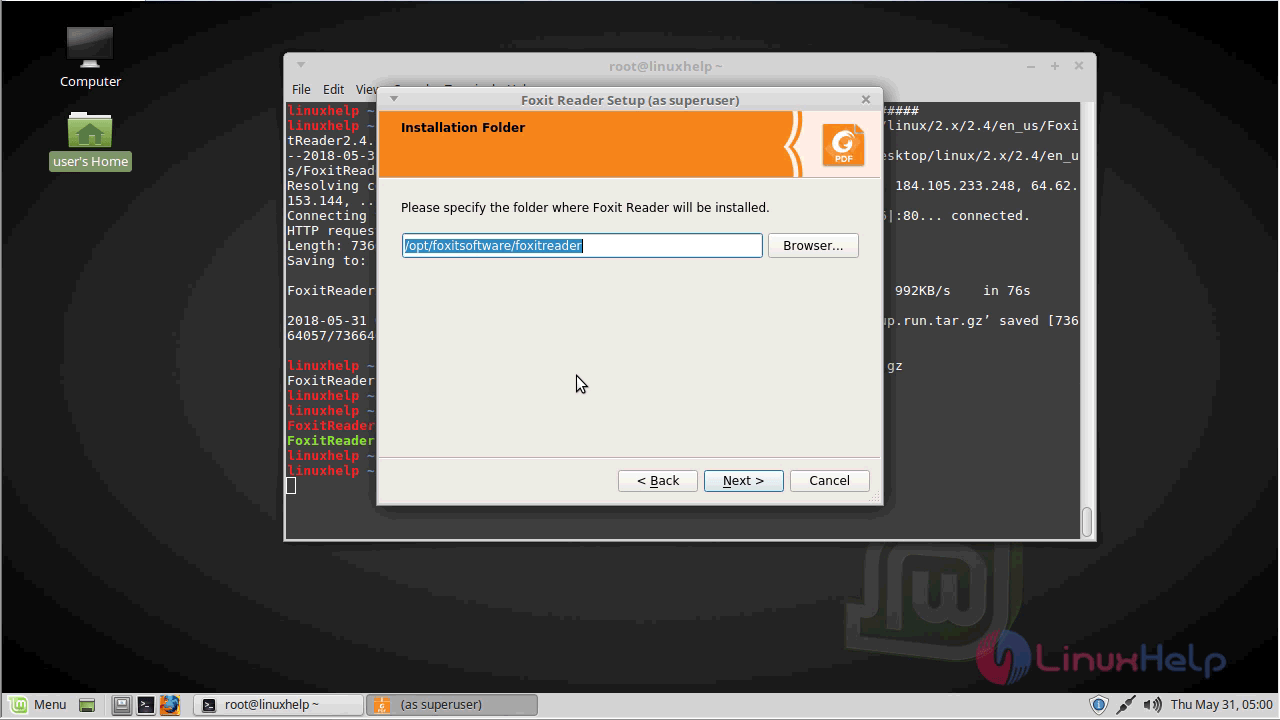
foxit_installer

Accept the license terms and continue.
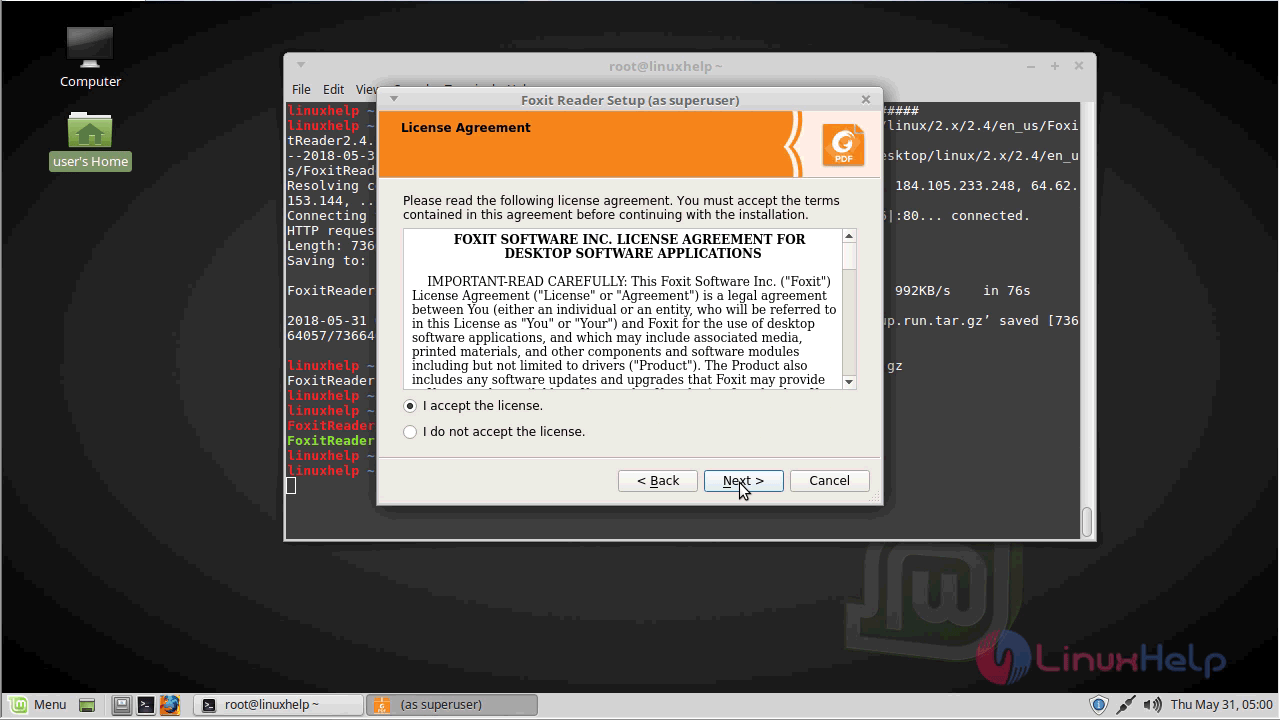
license_agreement


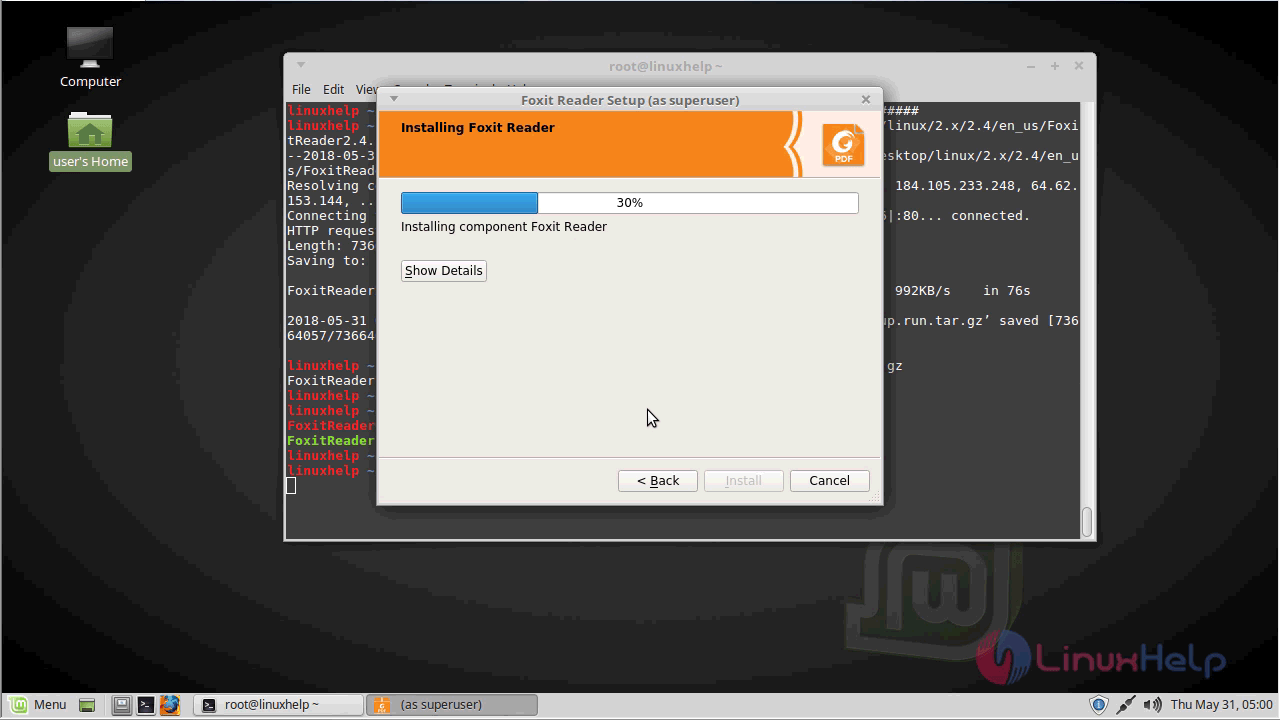
foxit_installation_status


Click on the finish, when the installation complete.
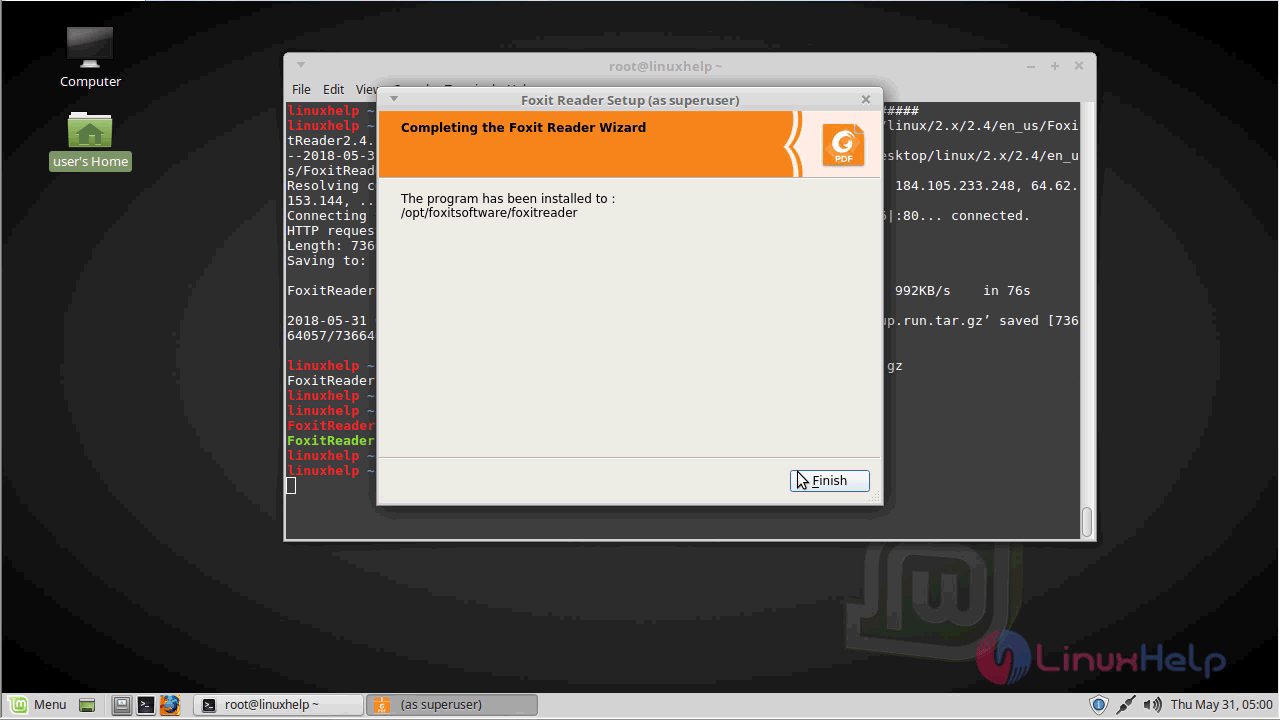
installation_completed

After the installation, You can access the application from the menu.
access_foxit_from_menu

The Foxit reader application now appears on your screen.
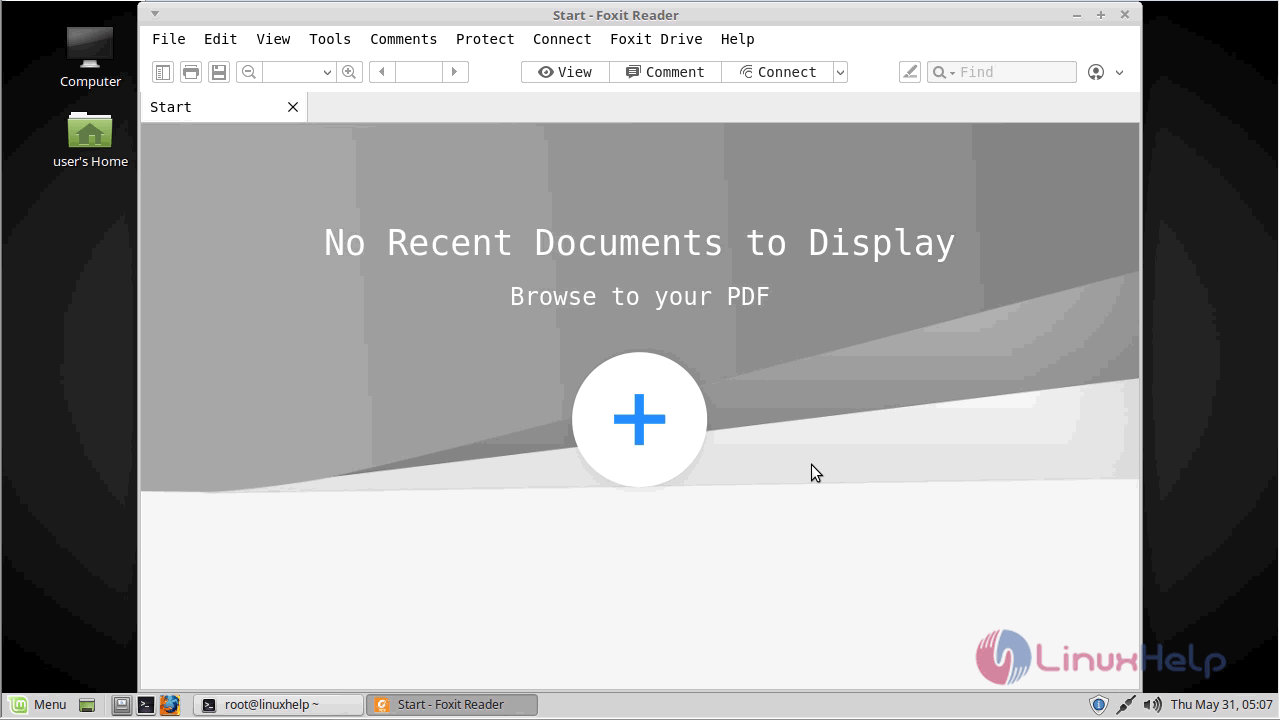
foxit_application


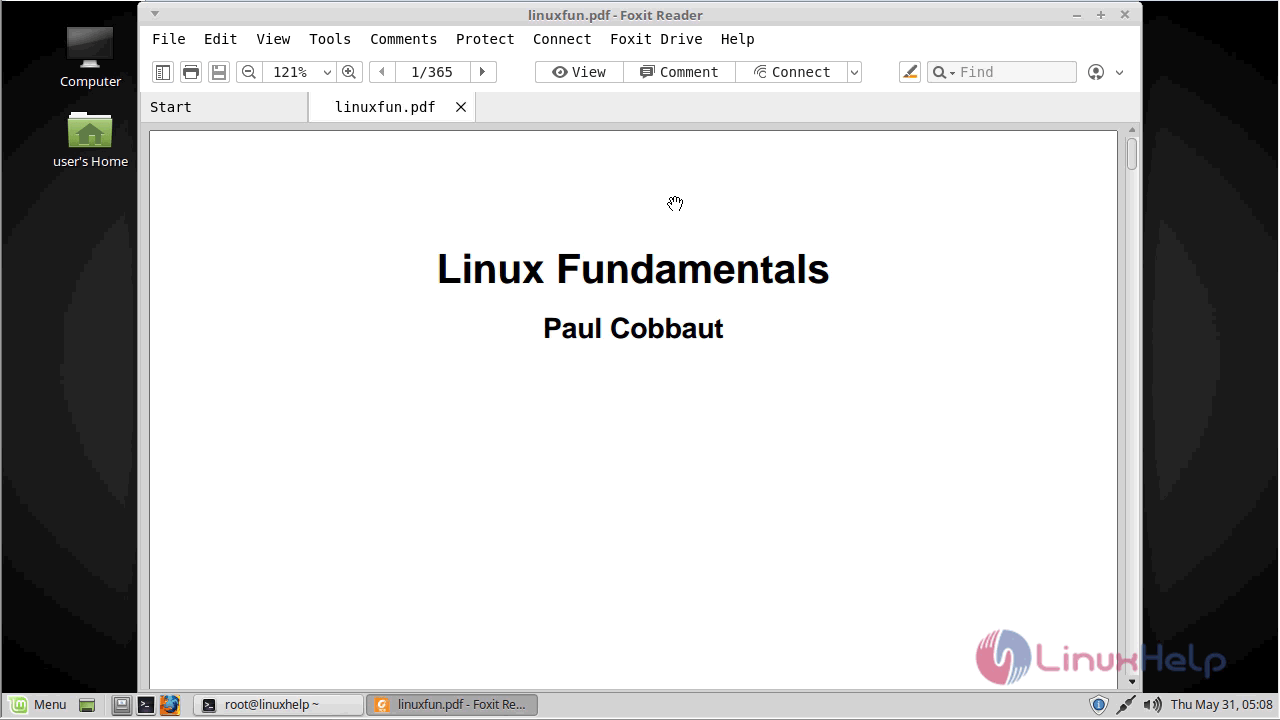
sample_document

You can verify the version of Foxit reader from the help menu.
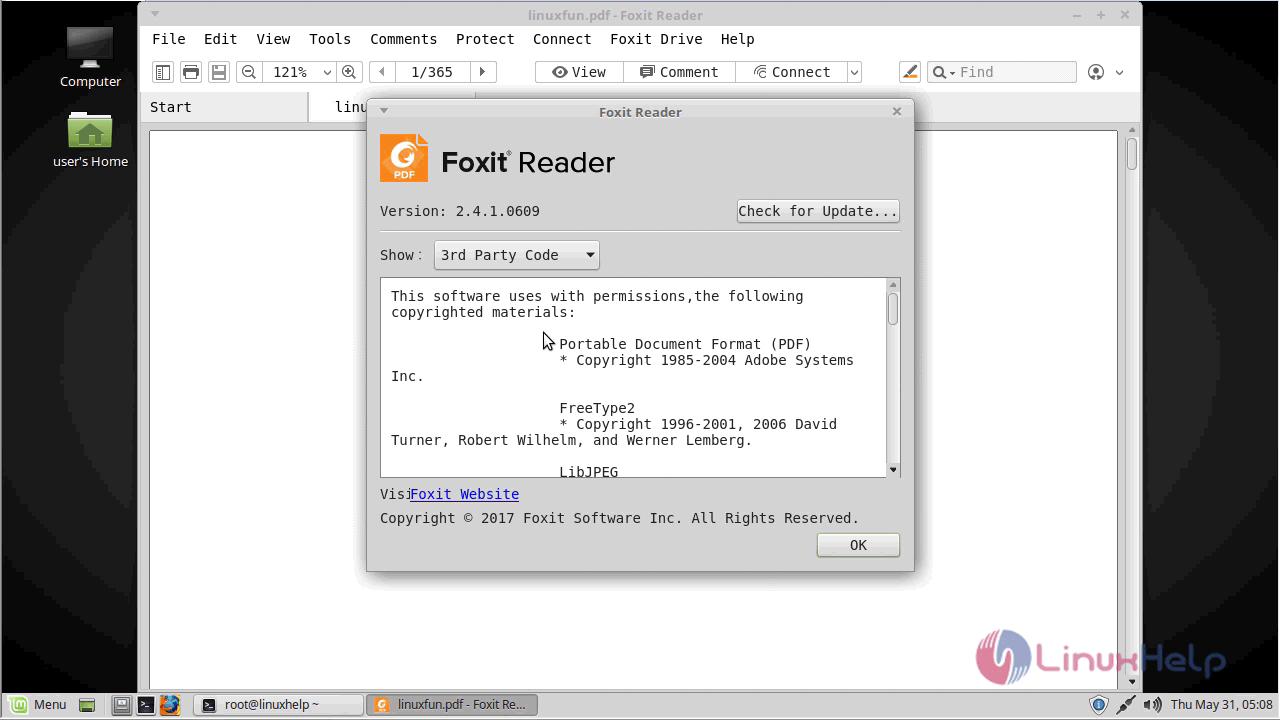
foxit_version

With this, the method to Install Foxit Reader V 2.4.1 On Linuxmint-18.03 comes to an end.

Tags:
matthew
Author: 

Comments ( 1 )

naas
Run the extracted file. linuxhelp ~ # ls FoxitReader2.4.1.0609_Server_x64_enu_Setup.run.tar.gz FoxitReader.enu.setup.2.4.1.0609(r08f07f8).x64.run linuxhelp ~ # ./FoxitReader.enu.setup.2.4.1.0609(r08f07f8).x64.run Problems were experienced from here on. This is the message i received: "naas@naas-Lenovo ~ $ FoxitReader.enu.setup.2.4.1.0609(r08f07f8).x64.run bash: syntax error near unexpected token `r08f07f8'" Please can some help from here ? Thanks Naas
Add a comment
{{postCtrl.cmtErrMsg}}

Frequently asked questions ( 5 )

Q

I delete annotations and pages in the document, how can I keep the file size the same?

A

The data of the annotations and pages is still saved in the document; you can reduce the file size from any way below: FILE- > PDF Optimizer -> Save as FILE -> Reduce File Size -> Save as

Q

How do I upgrade from Foxit PhantomPDF 5.x to the latest version?

A

Current paid and registered customers will receive an e-mail from Foxit Software Inc. explaining the upgrade process. You can get the download link from the mail.

Q

Is there a cost associated with this upgrade?

A

Yes. If you want to upgrade to Foxit PhantomPDF standard/business 6.0, please go to http://www.foxitsoftware.com/shopping/upgrade.php to get detailed upgrade price.

Q

How come Foxit PhantomPDF is so much faster than other companies' tools?

A

Foxit PhantomPDF is built on the award winning PDF rendering technology inside of Foxit Reader, allowing you to view any PDF document at faster speeds with greater fidelity regardless of sour

Q

How to install the downloaded foxit reader package in ubunt?

A

you can use the following command to install the downloaded package of foxit reader in ubuntu
# ./FoxitReader.enu.setup.1.1.0.0225(r205262).x64.run

Back To Top!
Rank
User
Points

Top Contributers

userNamenaveelansari
135850

Top Contributers

userNameayanbhatti
92510

Top Contributers

userNamehamzaahmed
32150

Top Contributers

1
userNamelinuxhelp
31040

Top Contributers

userNamemuhammadali
24500
Can you help Gibbson ?
How do i run both nginx and apache in same instance on centos

Hi...,

my server is based centos operating system and my webserver is already running on Apache.... i need to run both apache and nginx on same instance ... please help me to implement this concept...

Networking
  • Routing
  • trunk
  • Netmask
  • Packet Capture
  • domain
  • HTTP Proxy
Server Setup
  • NFS
  • KVM
  • Memory
  • Sendmail
  • WebDAV
  • LXC
Shell Commands
  • Cloud commander
  • Command line archive tools
  • last command
  • Shell
  • terminal
  • Throttle
Desktop Application
  • Linux app
  • Pithos
  • Retrospect
  • Scribe
  • TortoiseHg
  • 4Images
Monitoring Tool
  • Monit
  • Apache Server Monitoring
  • EtherApe 
  • Arpwatch Tool
  • Auditd
  • Barman
Web Application
  • Nutch
  • Amazon VPC
  • FarmWarDeployer
  • Rukovoditel
  • Mirror site
  • Chef
Contact Us | Terms of Use| Privacy Policy| Disclaimer
© 2025 LinuxHelp.com All rights reserved. Linux™ is the registered trademark of Linus Torvalds. This site is not affiliated with linus torvalds in any way.