How to install FreeCAD on linuxmint-18.03
{{postValue.id}}
To install FreeCAD on linuxmint-18.03
Freecad is a free and open source general-purpose parametric 3D CAD modeller.it is widely used in mechanical engineering and product design fields.
Installation
Update the system repository using the following command.
linuxhelp ~ # apt-get update
Get:1 http://archive.canonical.com/ubuntu xenial InRelease [11.5 kB]
Hit:2 http://archive.ubuntu.com/ubuntu xenial InRelease
Ign:3 http://packages.linuxmint.com sylvia InRelease
Get:4 http://archive.canonical.com/ubuntu xenial/partner amd64 Packages [3,124 B]
Get:5 http://archive.canonical.com/ubuntu xenial/partner i386 Packages [3,124 B]
Get:6 http://security.ubuntu.com/ubuntu xenial-security InRelease [107 kB]
Get:7 http://packages.linuxmint.com sylvia Release [24.2 kB]
Get:8 http://archive.ubuntu.com/ubuntu xenial-updates InRelease [109 kB]
Get:9 http://packages.linuxmint.com sylvia Release.gpg [819 B]
Get:10 http://packages.linuxmint.com sylvia/main amd64 Packages [18.4 kB]
Get:11 http://archive.ubuntu.com/ubuntu xenial-backports InRelease [107 kB]
Get:12 http://packages.linuxmint.com sylvia/main i386 Packages [17.7 kB]
.
.
.
Get:36 http://archive.ubuntu.com/ubuntu xenial-updates/multiverse amd64 Packages [16.4 kB]
Get:37 http://archive.ubuntu.com/ubuntu xenial-updates/multiverse i386 Packages [15.5 kB]
Get:38 http://archive.ubuntu.com/ubuntu xenial-updates/multiverse Translation-en [8,344 B]
Get:39 http://archive.ubuntu.com/ubuntu xenial-backports/main amd64 Packages [4,844 B]
Get:40 http://archive.ubuntu.com/ubuntu xenial-backports/main i386 Packages [4,836 B]
Get:41 http://archive.ubuntu.com/ubuntu xenial-backports/universe amd64 Packages [7,400 B]
Get:42 http://archive.ubuntu.com/ubuntu xenial-backports/universe i386 Packages [7,080 B]
Get:43 http://archive.ubuntu.com/ubuntu xenial-backports/universe Translation-en [3,996 B]
Fetched 5,836 kB in 11s (500 kB/s)
Reading package lists... Done
Install the Free CAD application as shown below
linuxhelp ~ # apt-get install freecad -y
Reading package lists... Done
Building dependency tree
Reading state information... Done
The following additional packages will be installed:
  fonts-lyx libboost-program-options1.58.0 libboost-regex1.58.0 libboost-signals1.58.0 libcoin80v5
  libfreeimage3 libgl2ps0 libjs-jquery libjs-jquery-ui libjs-sphinxdoc libjs-underscore libjxr0
  liboce-foundation10 liboce-modeling10 liboce-ocaf-lite10 liboce-ocaf10 liboce-visualization10
  libopenjp2-7 libphonon4 libpyside1.2 libshiboken1.2v5 libsoqt4-20 libspnav0 libxerces-c3.1
  libzipios++0v5 phonon phonon-backend-gstreamer phonon-backend-gstreamer-common pyside-tools
  python-collada python-cycler python-dateutil python-matplotlib python-matplotlib-data python-numpy
  python-pivy python-ply python-pyparsing python-pyside python-pyside.phonon python-pyside.qtcore
  python-pyside.qtdeclarative python-pyside.qtgui python-pyside.qthelp python-pyside.qtnetwork
.
.
.
Setting up python-pivy (0.5.0~v609hg-3.1) ...
Setting up liboce-foundation10:amd64 (0.17.1-1ubuntu0.1) ...
Setting up liboce-modeling10:amd64 (0.17.1-1ubuntu0.1) ...
Setting up liboce-ocaf-lite10:amd64 (0.17.1-1ubuntu0.1) ...
Setting up libopenjp2-7:amd64 (2.1.0-2.1ubuntu0.1) ...
Setting up libfreeimage3:amd64 (3.17.0+ds1-2) ...
Setting up liboce-visualization10:amd64 (0.17.1-1ubuntu0.1) ...
Setting up liboce-ocaf10:amd64 (0.17.1-1ubuntu0.1) ...
Setting up libspnav0 (0.2.3-1) ...
Setting up freecad (0.15.4671+dfsg1-4) ...
Processing triggers for libc-bin (2.23-0ubuntu9) ...
Once Installation is done you can access the application from the Menu as shown here
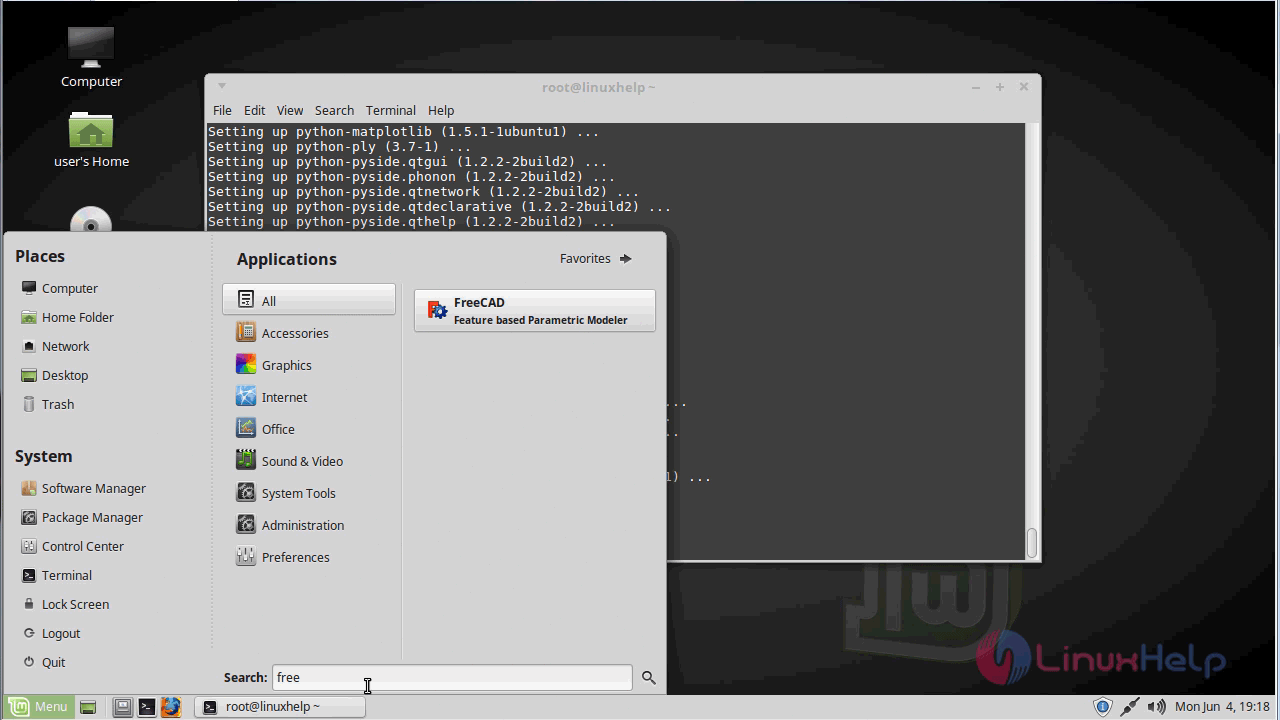
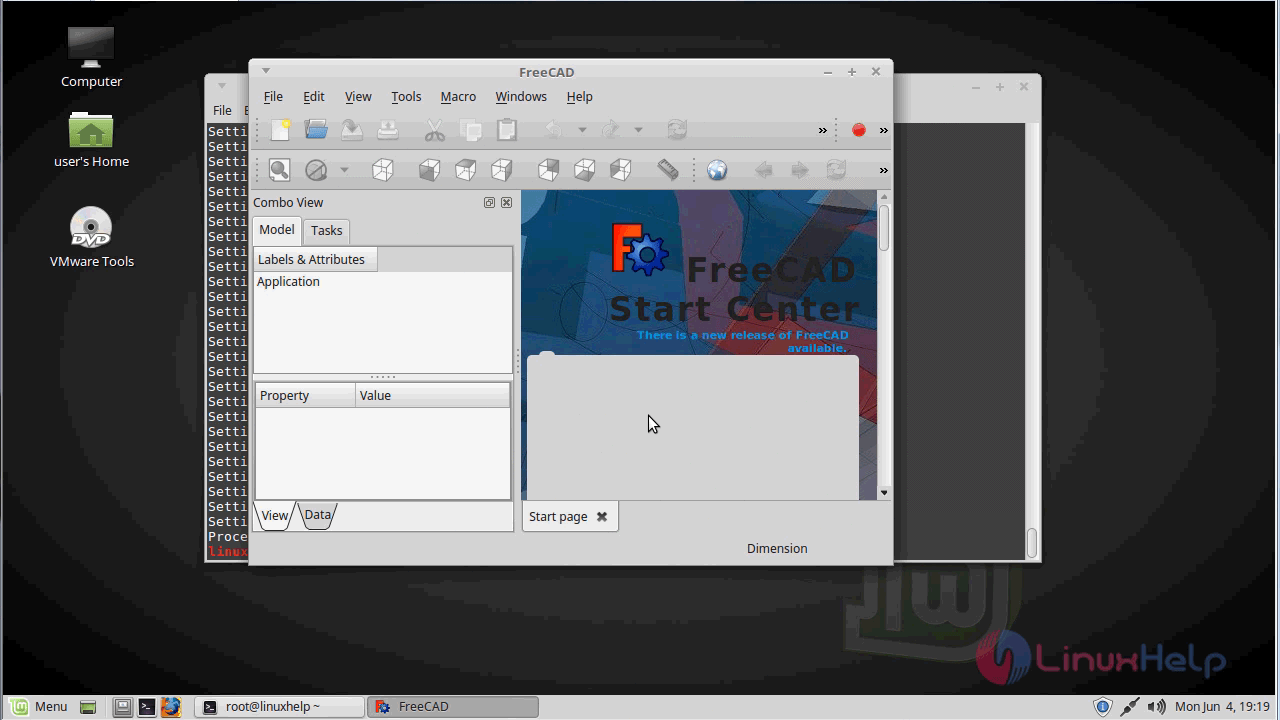
Freecad application.
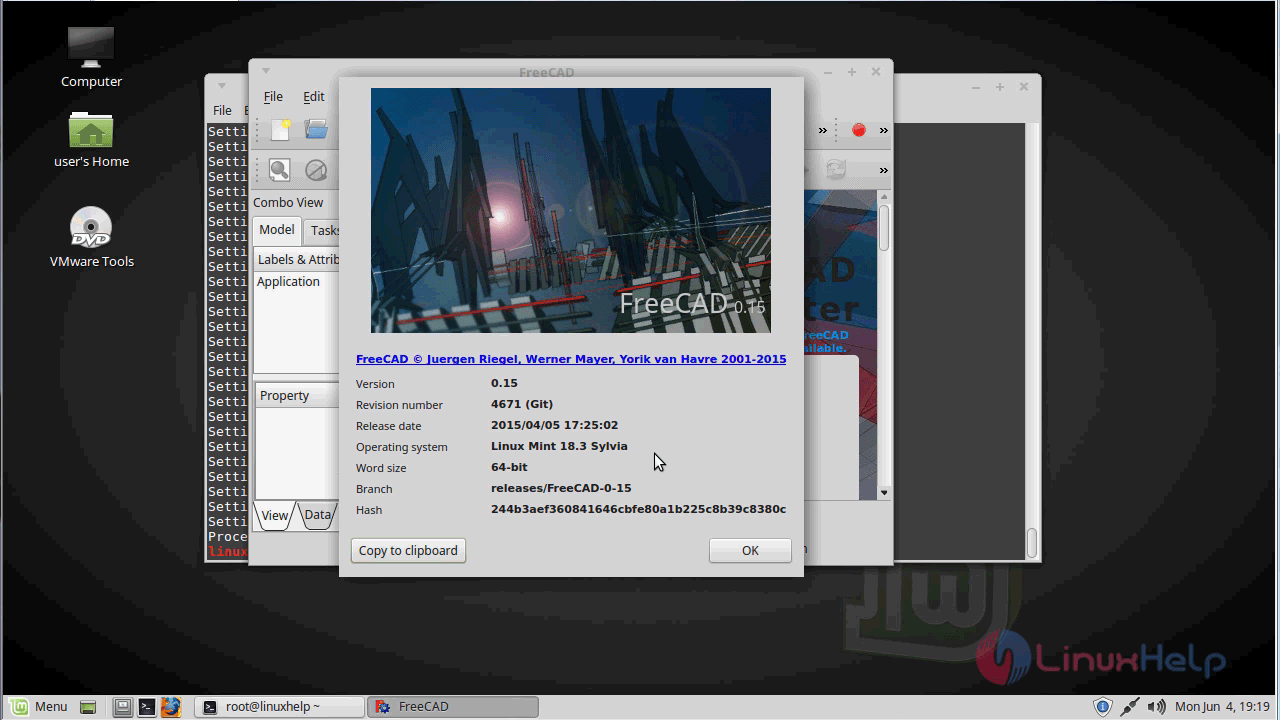
The version of freecad
With this, the method to install FreeCAD on linuxmint-18.03 comes to an end
Comments ( 0 )
No comments available