• Categories
    Category
    {{ postCtrl.tags }}
    • {{ category.tag_type }}

      • {{tag.tag_name}}
      • View more
  • Categories
    Category
    {{ postCtrl.tags }}
    • {{ category.tag_type }}

      • {{tag.tag_name}}
      • View more
  • News
  • Tutorials
  • Forums
  • Tags
  • Users
Tutorial News Comments FAQ Related Articles

How to install FreeCAD on Ubuntu 16.04

{{postValue.id}}

To install FreeCAD on Ubuntu 16.04

FreeCAD is a general purpose 3D Computer-Aided Design preferably used in the fields of engineering and architecture. Since FreeCAD is FOSS, it is easily customizable and extensible through the use of Python scripts. In this tutorial, you will be briefed about the method to install FreeCAD on Ubuntu 16.04.

Installation FreeCAD

Before you begin the installation make sure you add the necessary repositories by making use of the following command.

root@linuxhelp:~# add-apt-repository ppa:freecad-maintainers/freecad-daily
Ubuntu daily builds of FreeCAD. These packages are generated by Launchpad' s automatic system, and are untested.
.
. gpg: Total number processed: 1
gpg:               imported: 1  (RSA: 1)
OK

And once it is done, you need to update newly added repository by making use of the following command.

root@linuxhelp:~# apt-get update
Get:1 http://security.ubuntu.com/ubuntu xenial-security InRelease [102 kB]
Hit:2 http://ppa.launchpad.net/ansible/ansible/ubuntu xenial InRelease  
.
Fetched 6,004 kB in 24s (247 kB/s)                                             
Reading package lists... Done


Once it is done, you need to update dist-upgrade with the help of the following command.

root@linuxhelp:~# apt-get dist-upgrade
Reading package lists... Done
Building dependency tree       
Reading state information... Done
.
.
Processing triggers for ureadahead (0.100.0-19) ...
Processing triggers for resolvconf (1.78ubuntu5) ...

And then proceed with the package installation by running the following command.

root@linuxhelp:~# apt-get install freecad-daily freecad-daily-doc 
Reading package lists... Done
Building dependency tree       
Reading state information... Done
.
.
Setting up freecad-daily (0.17~alpha1+git201801282113~ubuntu16.04.1) ...
Setting up odbcinst (2.3.1-4.1) ...
Processing triggers for libc-bin (2.23-0ubuntu10) ...

Once it is done, you shall go to your dashboard and search for freecad. When the application icon appears on your screen, click on it to open and launch it.
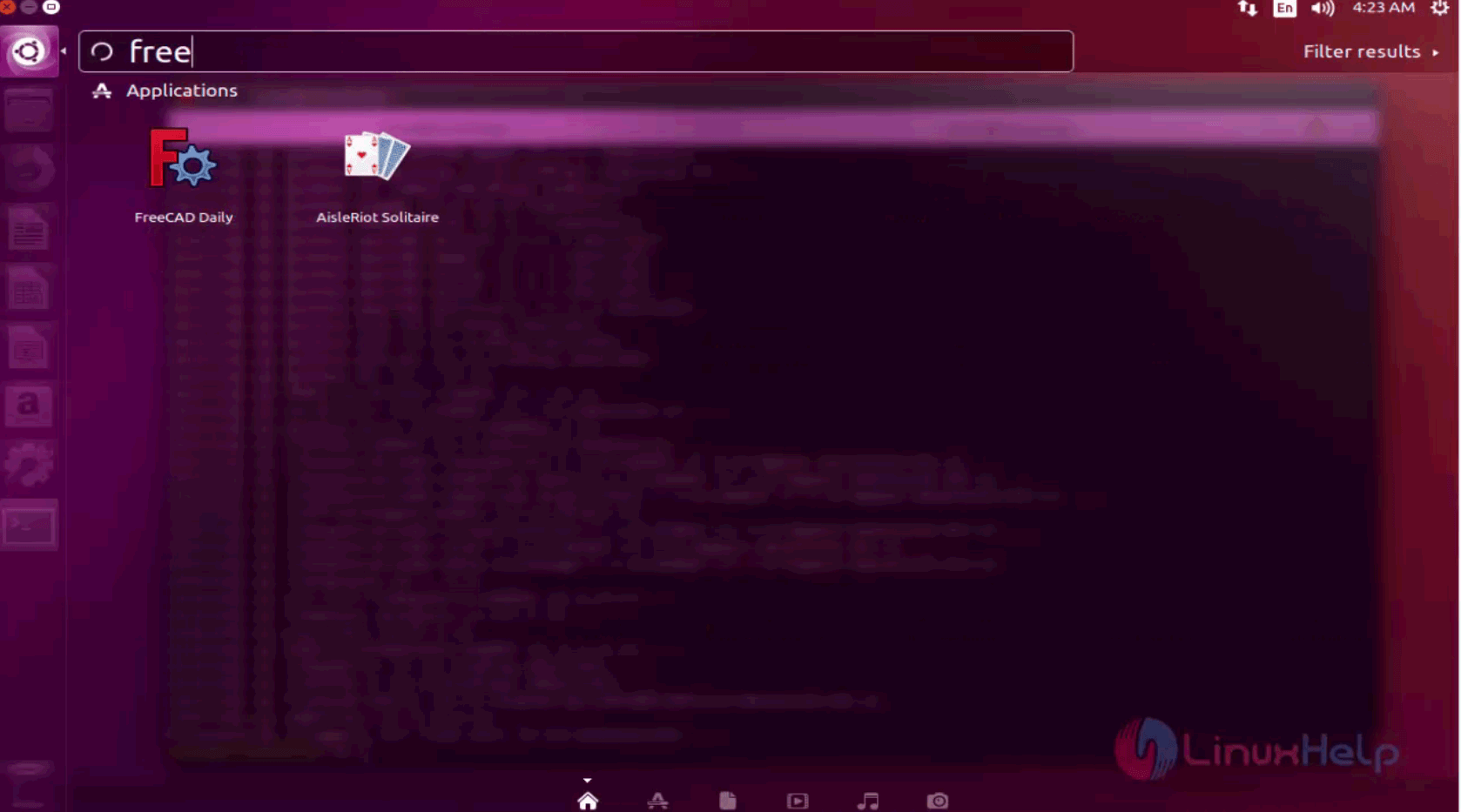
search

With this, the installation of FreeCAD on Ubuntu comes to an end.

Tags:
jayce
Author: 

Comments ( 0 )

No comments available

Add a comment
{{postCtrl.cmtErrMsg}}

Frequently asked questions ( 5 )

Q

What is freecad?

A

FreeCAD is a general purpose 3D Computer-Aided Design preferably used in the fields of engineering and architecture. Since FreeCAD is FOSS, it is easily customizable and extensible through

Q

What is the stable ppa For freecad ?

A

Following is stable ppa for freecad
"add-apt-repository ppa:freecad-maintainers/freecad-daily".

Q

what are its depenedent packages of freecad?

A

here you can see the dependent packages of freecad are
"freecad-daily freecad-daily-doc ".

Q

Do I have to pay something to use FreeCAD?

A

No. FreeCAD is totally free to use, to download, to redistribute, or to modify. It is open-source software, published under the terms of 2 free software licenses (GPL and LGPL), which guarantee you those freedoms, and, even more important, guarantee you that these freedoms will never be taken from you.

Q

Can I reuse pieces of FreeCAD in another application?

A

Yes, with a few minor considerations because some parts of the code are LGPL while others are GPL, and the fact that the third-parties used by FreeCAD may have other conditions as well. More details on the Licence page.

Back To Top!
Rank
User
Points

Top Contributers

userNamenaveelansari
135850

Top Contributers

userNameayanbhatti
92510

Top Contributers

userNamehamzaahmed
32150

Top Contributers

1
userNamelinuxhelp
31040

Top Contributers

userNamemuhammadali
24500
Can you help Ganesh Konka ?
Zentya 6.1 http proxy configuration

please send link for creating zentyal 6.1 for http proxy and firewall as gateway.

Networking
  • Routing
  • trunk
  • Netmask
  • Packet Capture
  • domain
  • HTTP Proxy
Server Setup
  • NFS
  • KVM
  • Memory
  • Sendmail
  • WebDAV
  • LXC
Shell Commands
  • Cloud commander
  • Command line archive tools
  • last command
  • Shell
  • terminal
  • Throttle
Desktop Application
  • Linux app
  • Pithos
  • Retrospect
  • Scribe
  • TortoiseHg
  • 4Images
Monitoring Tool
  • Monit
  • Apache Server Monitoring
  • EtherApe 
  • Arpwatch Tool
  • Auditd
  • Barman
Web Application
  • Nutch
  • Amazon VPC
  • FarmWarDeployer
  • Rukovoditel
  • Mirror site
  • Chef
Contact Us | Terms of Use| Privacy Policy| Disclaimer
© 2025 LinuxHelp.com All rights reserved. Linux™ is the registered trademark of Linus Torvalds. This site is not affiliated with linus torvalds in any way.