• Categories
    Category
    {{ postCtrl.tags }}
    • {{ category.tag_type }}

      • {{tag.tag_name}}
      • View more
  • Categories
    Category
    {{ postCtrl.tags }}
    • {{ category.tag_type }}

      • {{tag.tag_name}}
      • View more
  • News
  • Tutorials
  • Forums
  • Tags
  • Users
Tutorial News Comments FAQ Related Articles

How to install FreeSentral

{{postValue.id}}

To install FreeSentral

FreeSentral is a free Mandriva based Linux operating system designed for IP PBX server and it is very similar to Elastix. It is a web based GUI interface for managing telephone network. It is really so simple to install FreeSentral, and in this article you’ ll be briefed about the same process.

Installing FreeSentral

Go to FreeSentral official website and download the iso and boot it. Choose Boot Mandriva Linux 2010.
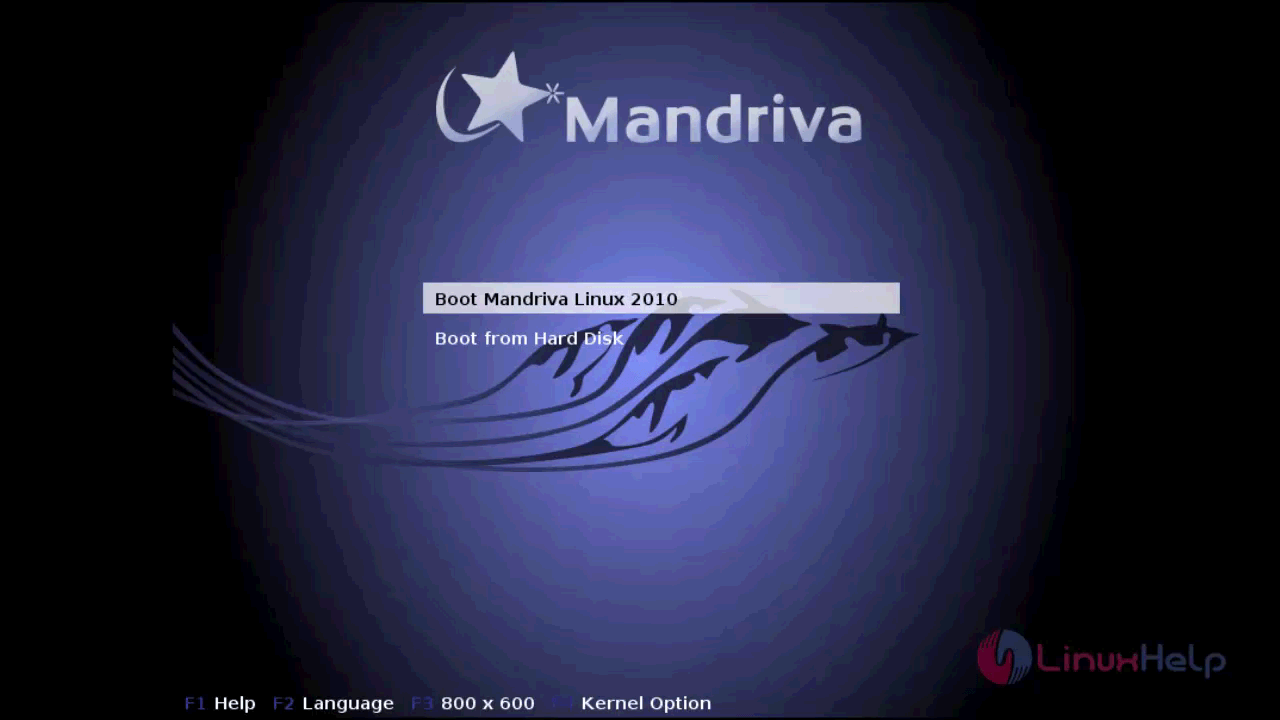
Freesentral

In the Mandriva Live wizard that appears, click the option live install from FreeSentral desktop.
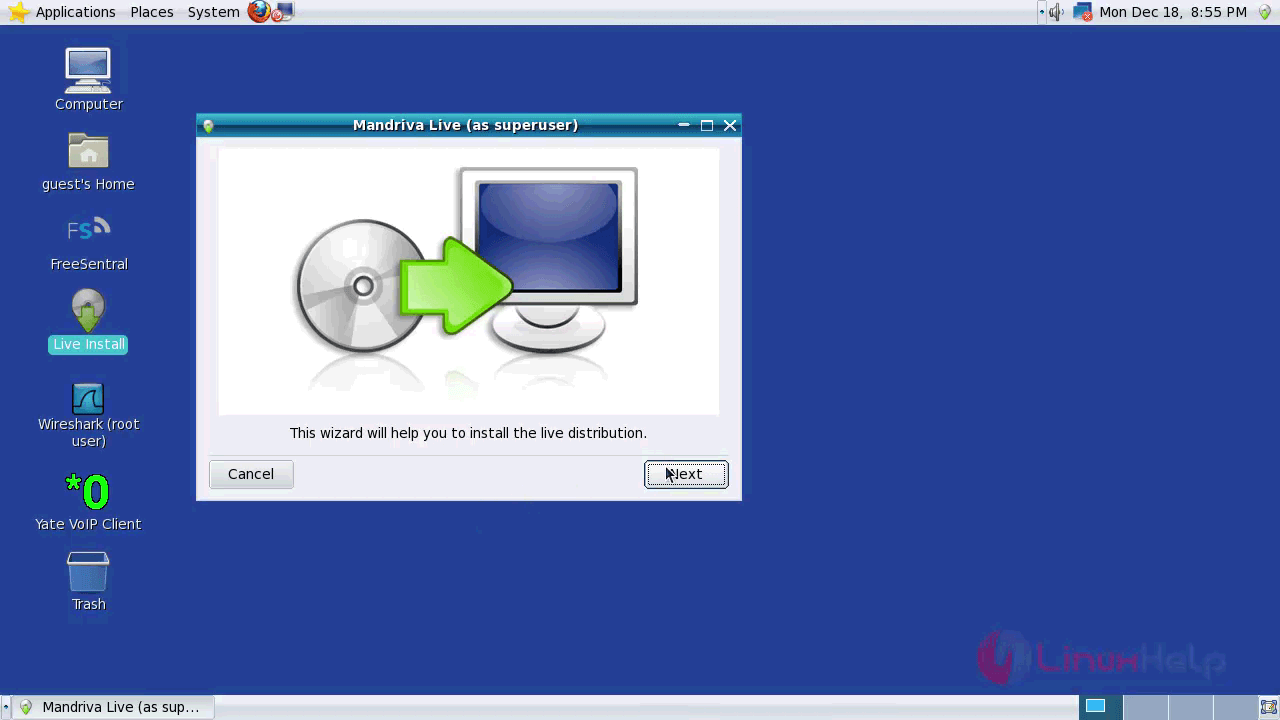
Install

Next, you need to choose custom partitioning if you wish to create a partition with your custom size. Proceed further by clicking Next.
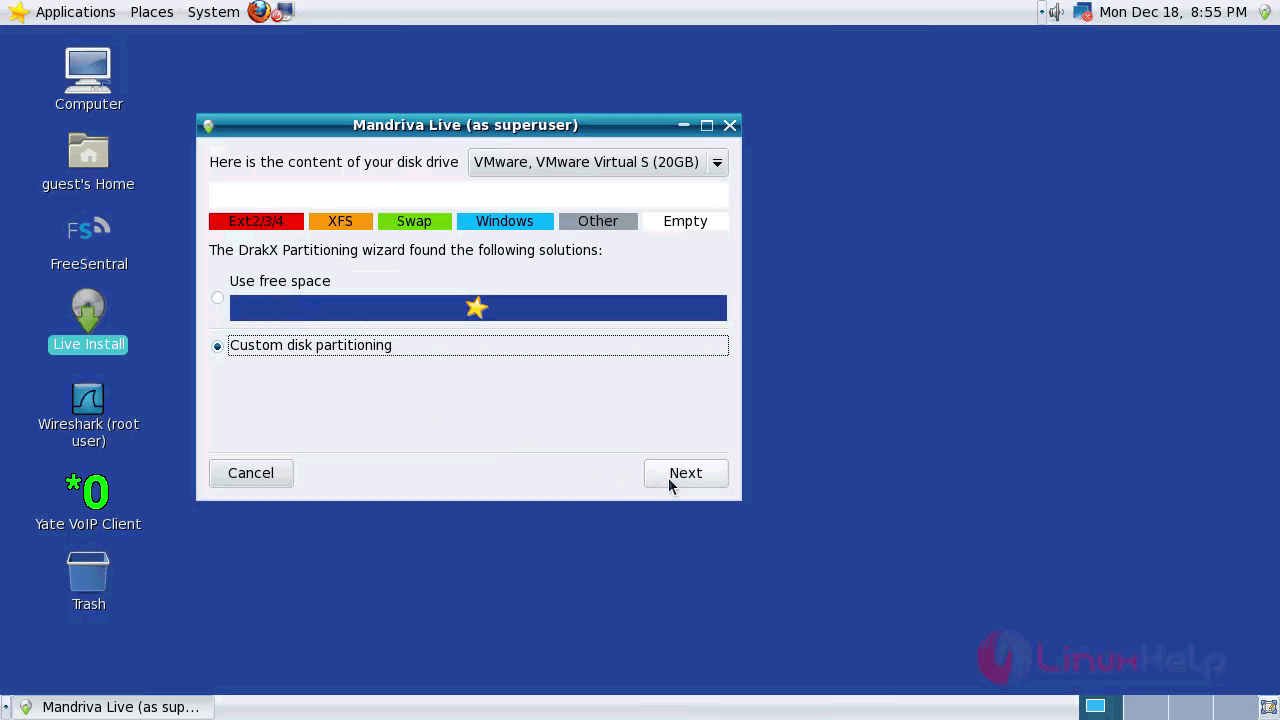
Custom

Now, create partitions for /boot, swap and /. Proceed further by clicking Next.
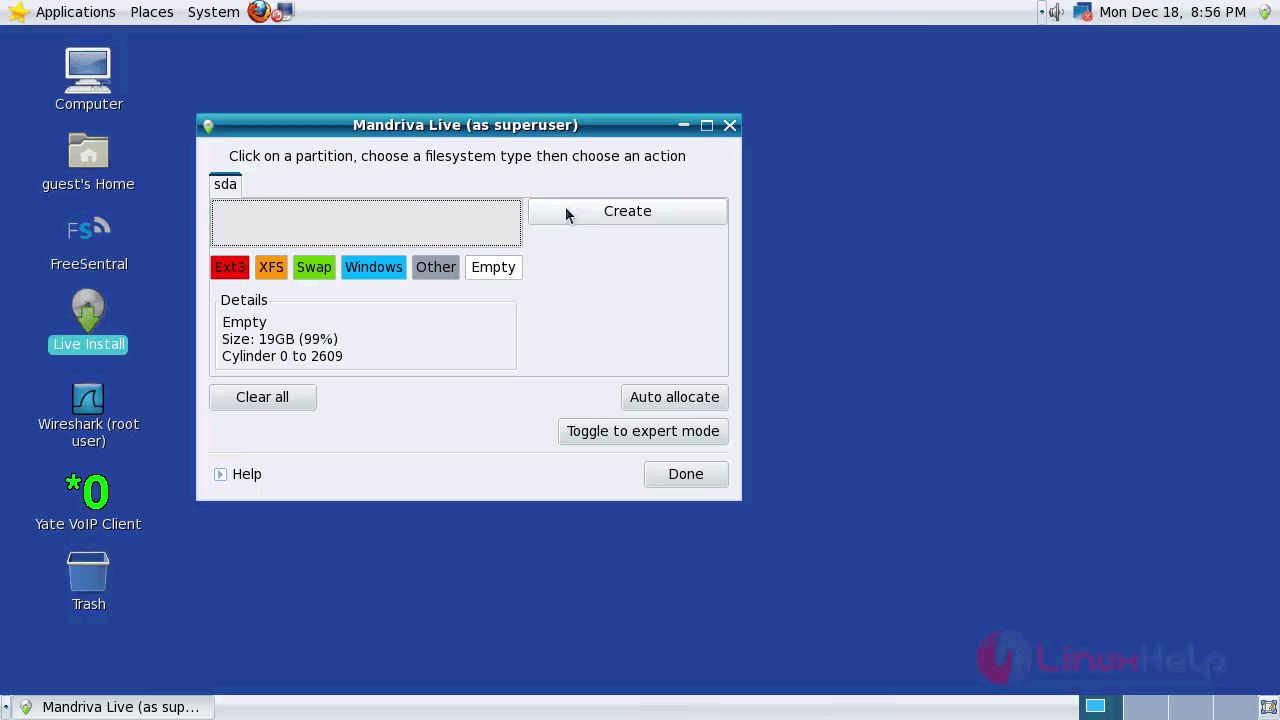
Boot

Create a new partition by choosing the Filesystem type and Mount point. Click on the OK option to advance to the next step.
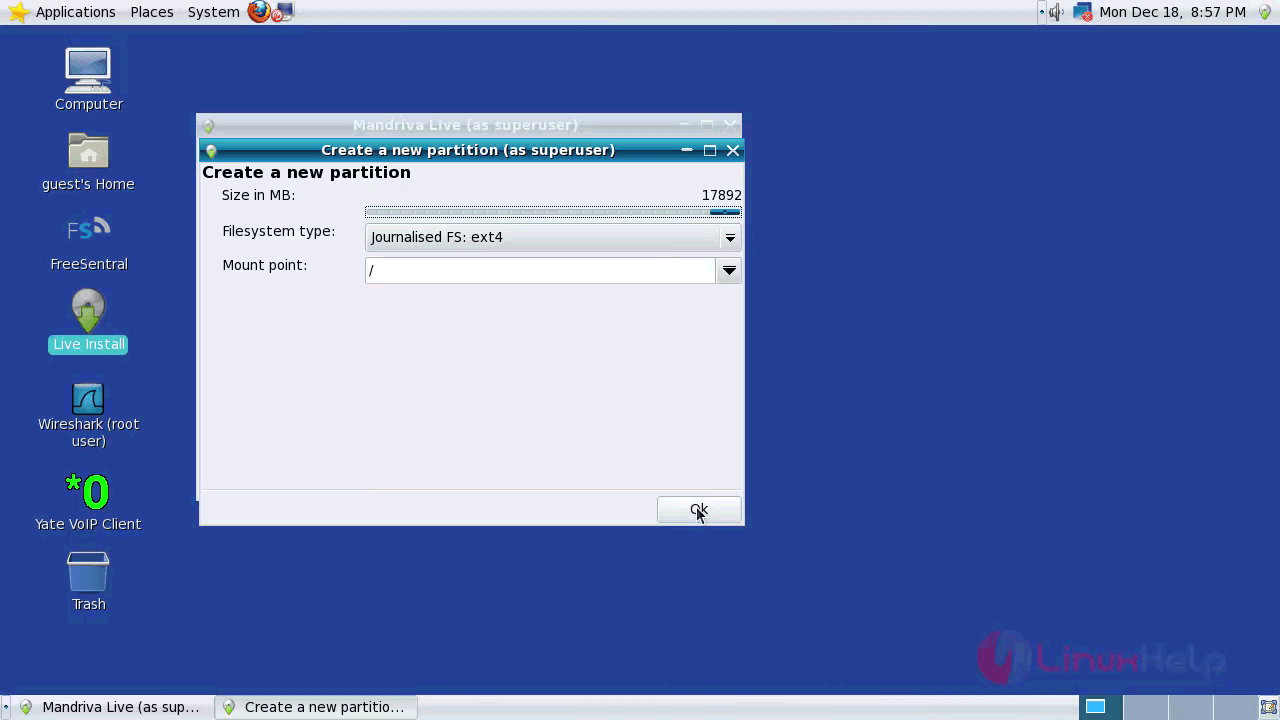
Empty

Click a partition and choose a filesystem type. Also choose an action and proceed further by choosing the Done button.
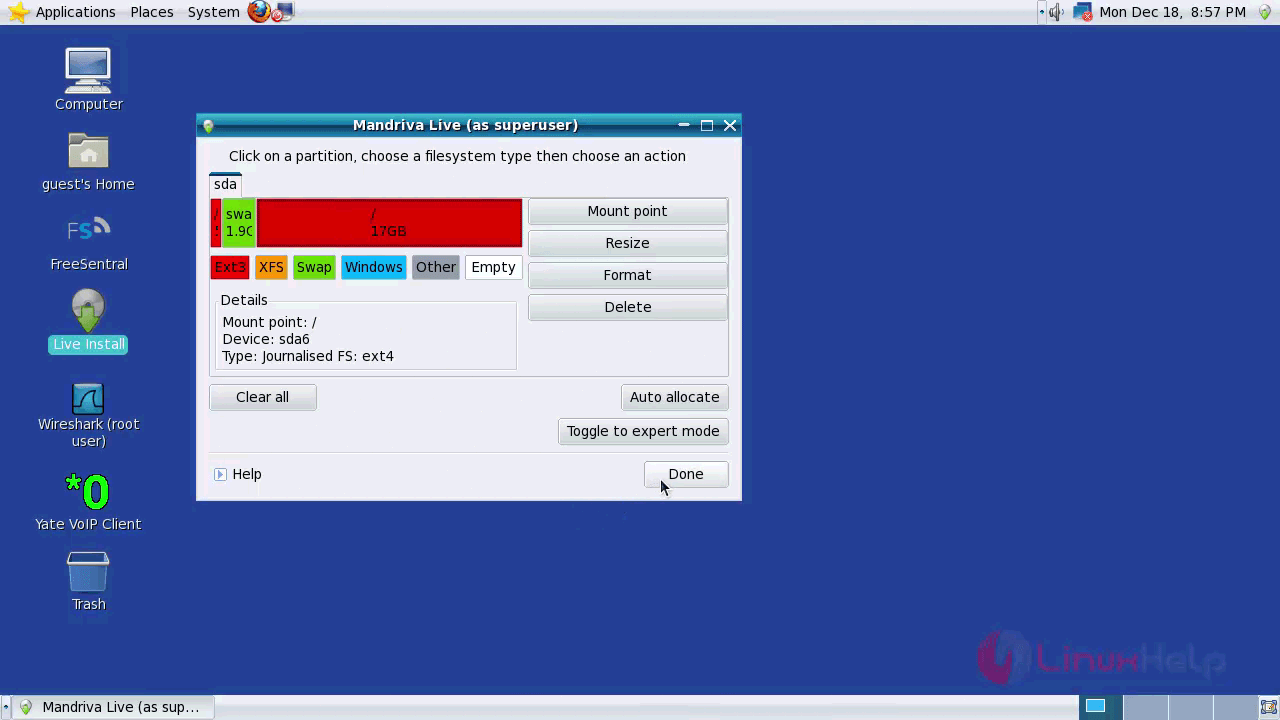
Mandrive

In the next part, you need to check the unused hardware support and click on the Next option.
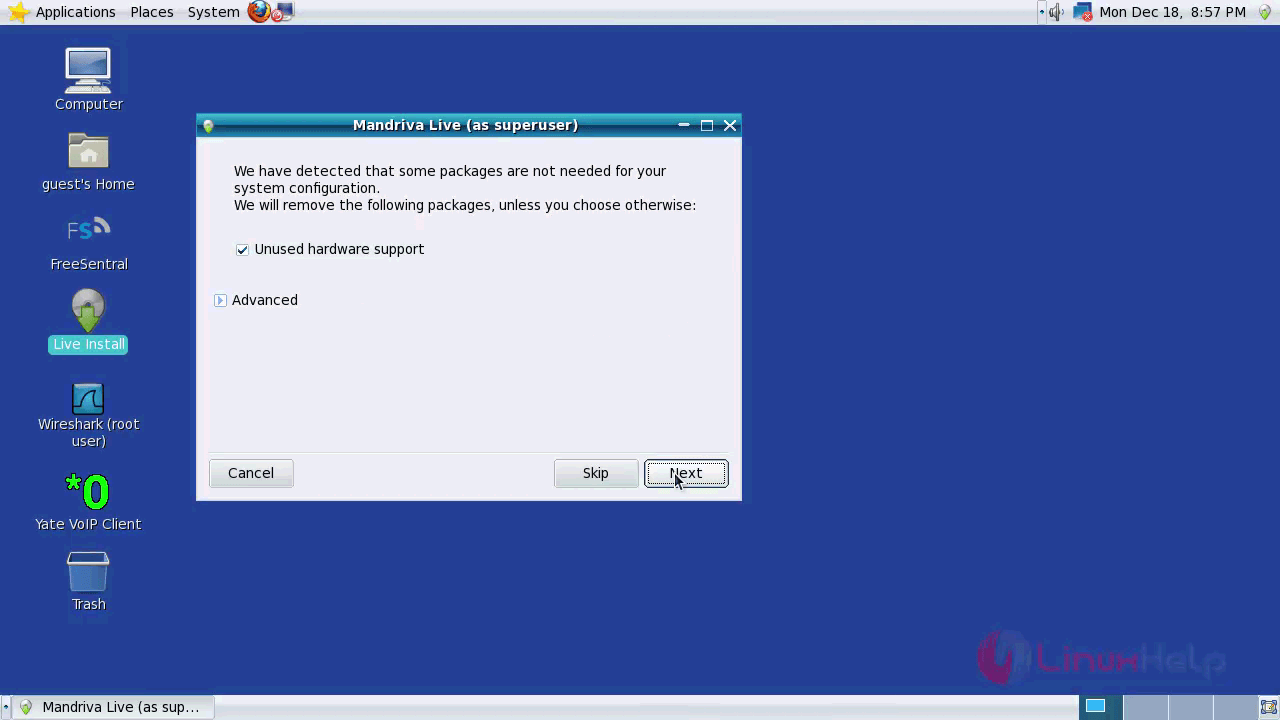
Setup

Package

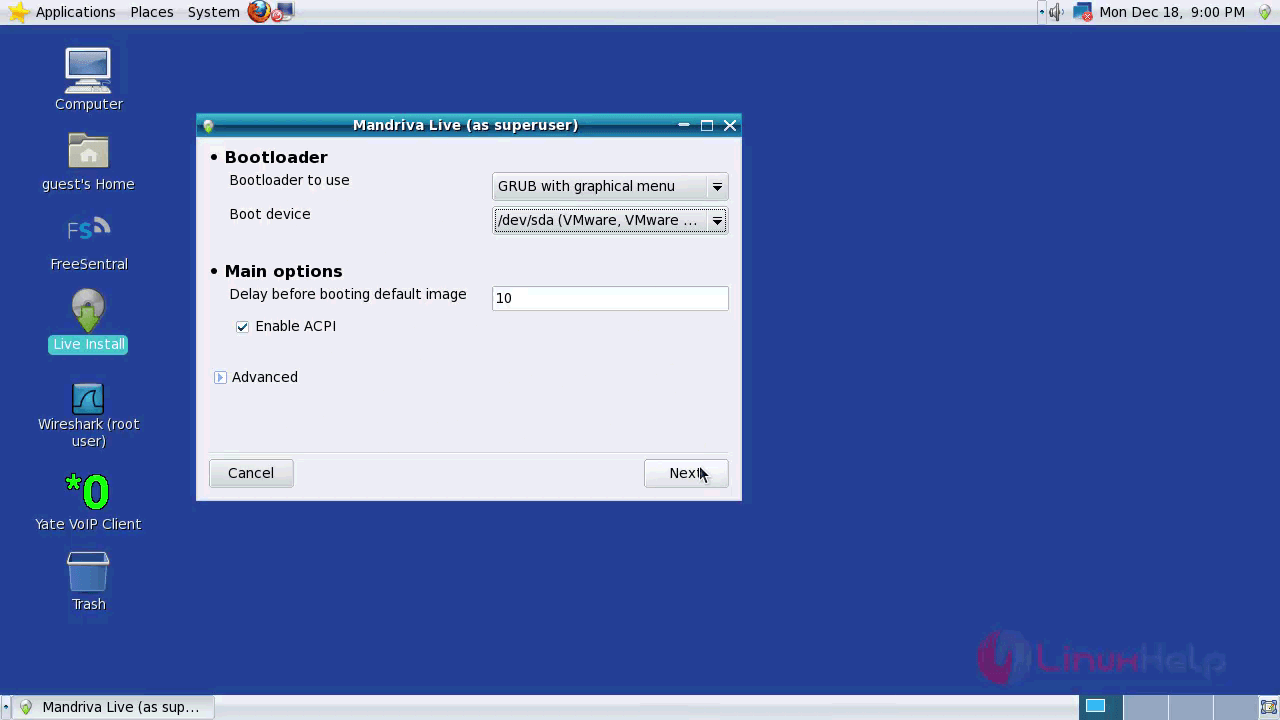
Later, you need to configure bootloader and proceed further.

Bootloader

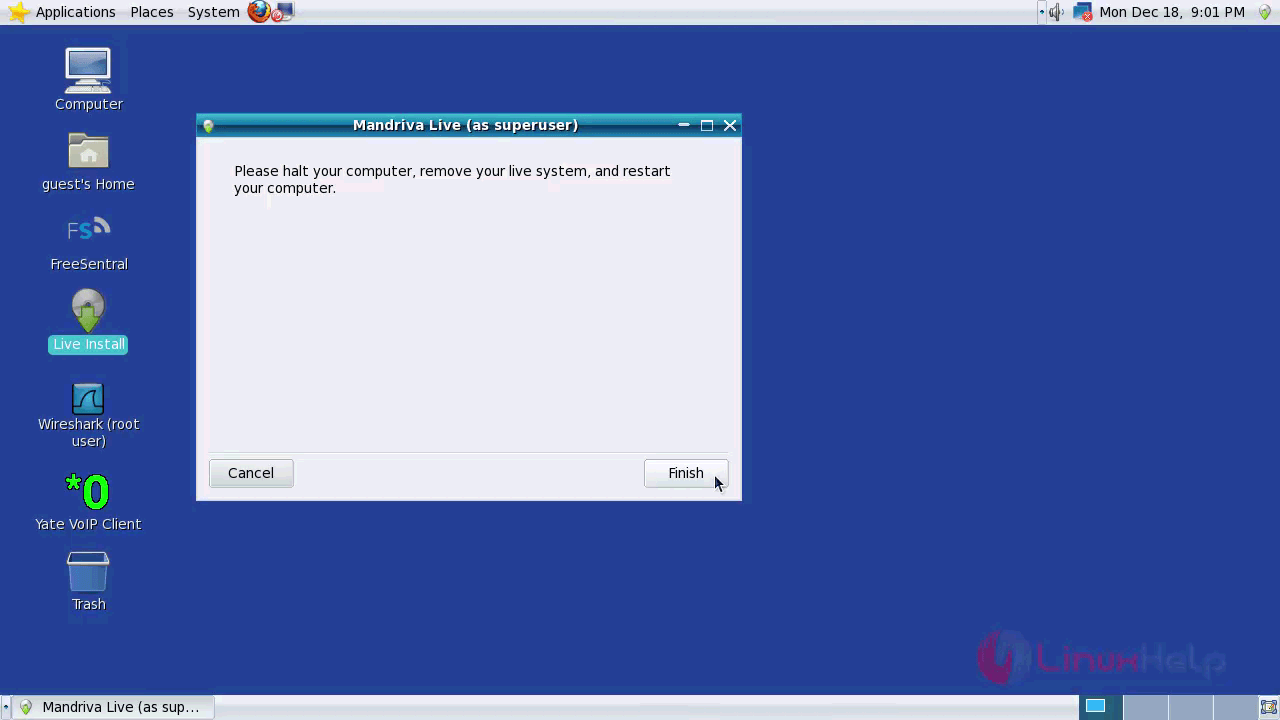
You can now click the Finish button now.

Loader

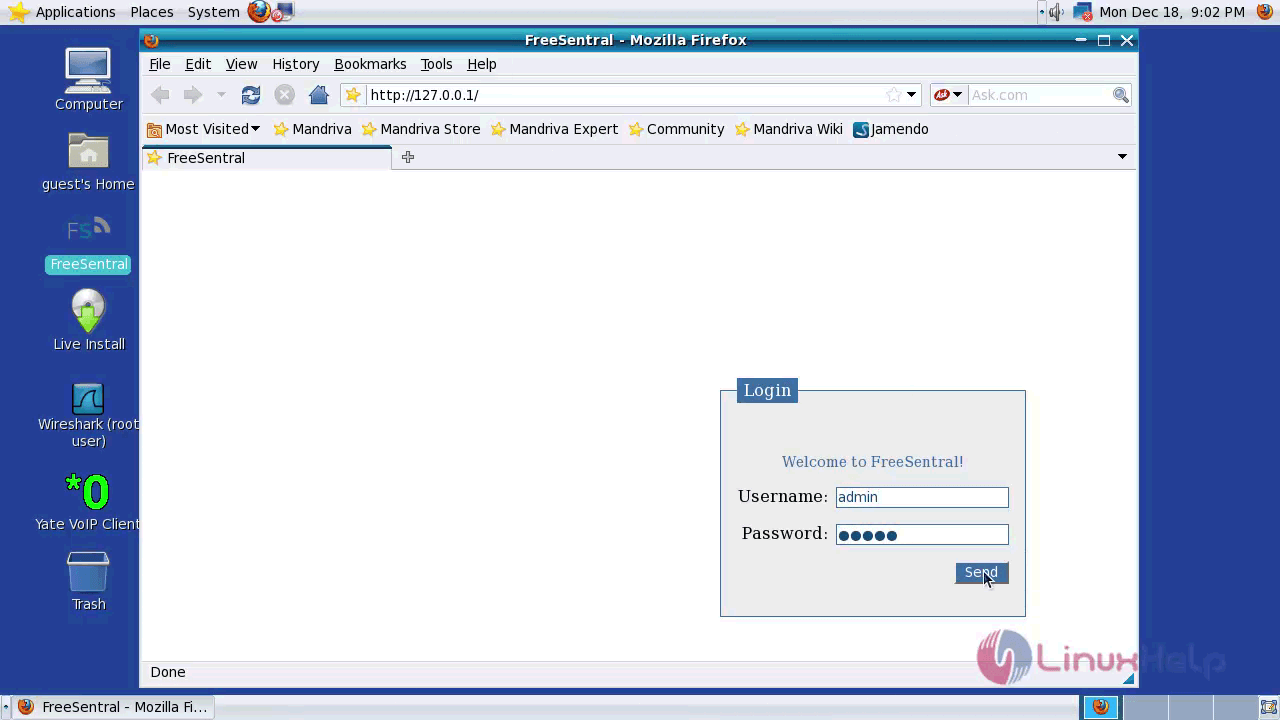
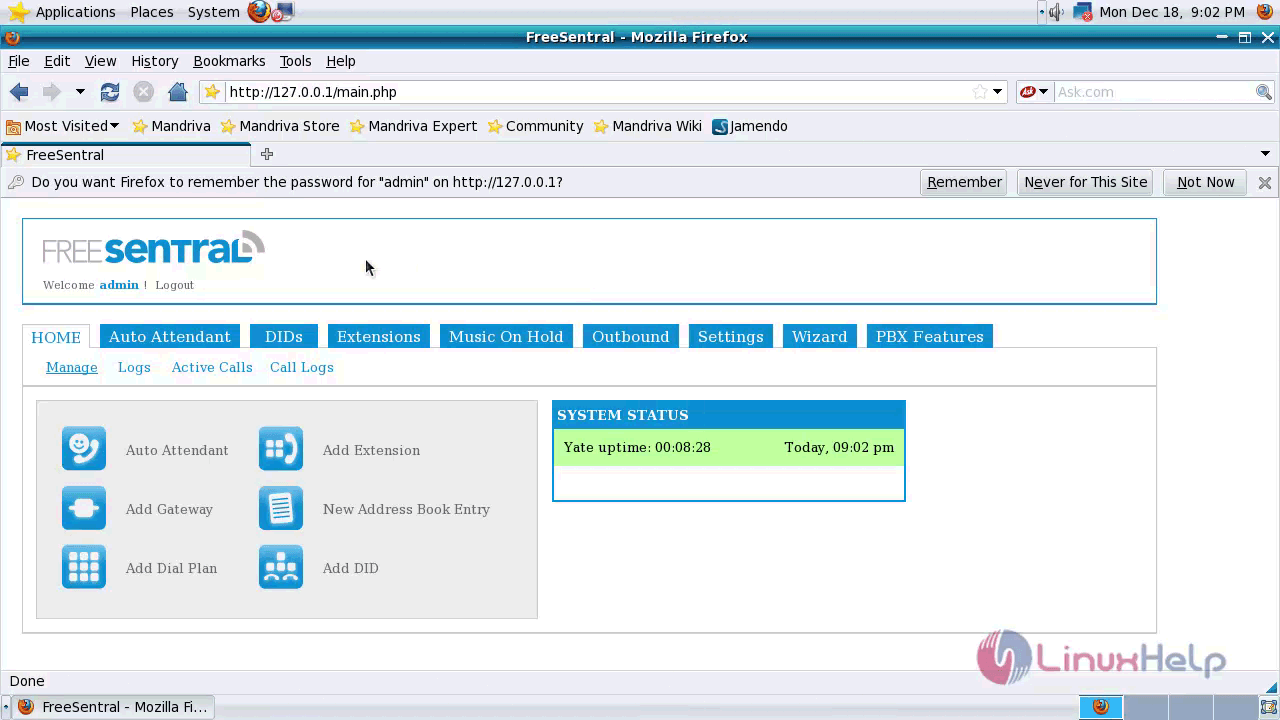
You can choose the option FreeSentral from FreeSenral desktop or open any browser and type ip address of your freesentral server to access the web console. Once the FreeSentral web console appears, you need to login by giving both the username and password as admin.

Username

Admin

With this, the installation of FreeSentral comes to an end.


Tags:
owen
Author: 

Comments ( 0 )

No comments available

Add a comment
{{postCtrl.cmtErrMsg}}

Frequently asked questions ( 5 )

Q

Give me the official site to get FreeSentral?

A

Please refer the link as follow "http://www.freesentral.com/index.php/Download/Download"

Q

is there any Alternative for FreeSentral?

A

The alternatives are,
Wazo,
FreeSWITCH,
XiVO,
Elastix,
AsteriskNOW, etc.,

Q

Whether its possible to install FreeSentral on Android?

A

No, it is not available for mobile.

Q

What is FreeSentral?

A

FreeSentral is a free Mandriva based Linux operating system designed for IP PBX server and it is very similar to Elastix. It is a web-based GUI interface for managing telephone network. It is really so simple to install FreeSentral, and in this article, you&rsquo ll be briefed about the same process.

Q

How to Create a new partition in FreeSentral?

A

Follow the instruction:
1.choosing the Filesystem type and Mount point. Click on the OK option to advance to the next step.
2. Click a partition and choose a filesystem type. Also, choose an action and proceed further by choosing the Done button.
3. In the next part, you need to check the unused hardware support and click on the Next option.
Back To Top!
Rank
User
Points

Top Contributers

userNamenaveelansari
135850

Top Contributers

userNameayanbhatti
92510

Top Contributers

userNamehamzaahmed
32150

Top Contributers

1
userNamelinuxhelp
31040

Top Contributers

userNamemuhammadali
24500
Can you help Luk Van De Looverbosch ?
How to create a root ?

Hello,
How to create root@linuxhelp in Linux Mint 20.1 64-bit ?
Thanks in advance for your reply.
Best regards.

Networking
  • Routing
  • trunk
  • Netmask
  • Packet Capture
  • domain
  • HTTP Proxy
Server Setup
  • NFS
  • KVM
  • Memory
  • Sendmail
  • WebDAV
  • LXC
Shell Commands
  • Cloud commander
  • Command line archive tools
  • last command
  • Shell
  • terminal
  • Throttle
Desktop Application
  • Linux app
  • Pithos
  • Retrospect
  • Scribe
  • TortoiseHg
  • 4Images
Monitoring Tool
  • Monit
  • Apache Server Monitoring
  • EtherApe 
  • Arpwatch Tool
  • Auditd
  • Barman
Web Application
  • Nutch
  • Amazon VPC
  • FarmWarDeployer
  • Rukovoditel
  • Mirror site
  • Chef
Contact Us | Terms of Use| Privacy Policy| Disclaimer
© 2025 LinuxHelp.com All rights reserved. Linux™ is the registered trademark of Linus Torvalds. This site is not affiliated with linus torvalds in any way.