• Categories
    Category
    {{ postCtrl.tags }}
    • {{ category.tag_type }}

      • {{tag.tag_name}}
      • View more
  • Categories
    Category
    {{ postCtrl.tags }}
    • {{ category.tag_type }}

      • {{tag.tag_name}}
      • View more
  • News
  • Tutorials
  • Forums
  • Tags
  • Users
Tutorial News Comments FAQ Related Articles

How to install Froxlor in Ubuntu

{{postValue.id}}

To Install Froxlor in Ubuntu

In this tutorial we are going to learn the installation procedure of Froxlor. It is a server management tool to manage multiple-user services and manage domain services, web server, email accounts etc. It allows the user to store the ssl certificates for each domain.

Features

  • Determine which ports should use SSL.
  • Store dedicated FTP, HTTP, and Mail traffic.
  • To create support tickets and reply directly within Froxlor - with online/offline indictator for the customers.
  • Save different PHP-configurations
  • Database Directory protection & settings Quota management.

To Install Froxlor

Append the Froxlor package into your repository.

root@user1-linuhelp:/home/user1# add-apt-repository " deb http://debian.froxlor.org wheezy main" 

Update the system

root@user1-linuhelp:/home/user1# apt-get update
Hit http://in.archive.ubuntu.com wily InRelease
Get:1 http://security.ubuntu.com wily-security InRelease [65.9 kB]                                                       
Get:2 http://in.archive.ubuntu.com wily-updates InRelease [65.9 kB]
.
.
.
.
W: GPG error: http://debian.froxlor.org wheezy Release: The following signatures couldn' t be verified because the public key is not available: NO_PUBKEY F6B4A8704F9E9BBC

Enable the GPG key

root@user1-linuhelp:/home/user1# apt-key adv --keyserver pool.sks-keyservers.net --recv-key FD88018B6F2D5390D051343FF6B4A8704F9E9BBC
Executing: gpg --ignore-time-conflict --no-options --no-default-keyring --homedir /tmp/tmp.X1gncm1L9D --no-auto-check-trustdb --trust-model always --keyring /etc/apt/trusted.gpg --primary-keyring /etc/apt/trusted.gpg --keyserver pool.sks-keyservers.net &ndash rec
.
.

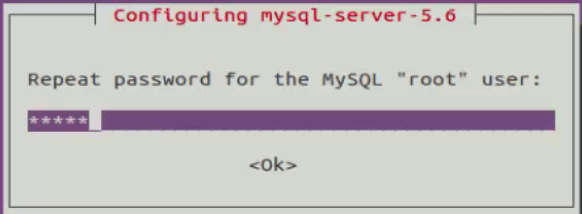
installation-Froxlor-server-management-tool-manage-multiple-user-services-domain-services-web-server-email-accounts-Ubuntu-configure-mysql-server
installation-Froxlor-server-management-tool-manage-multiple-user-services-domain-services-web-server-email-accounts-Ubuntu-password
installation-Froxlor-server-management-tool-manage-multiple-user-services-domain-services-web-server-email-accounts-Ubuntu-create-directories
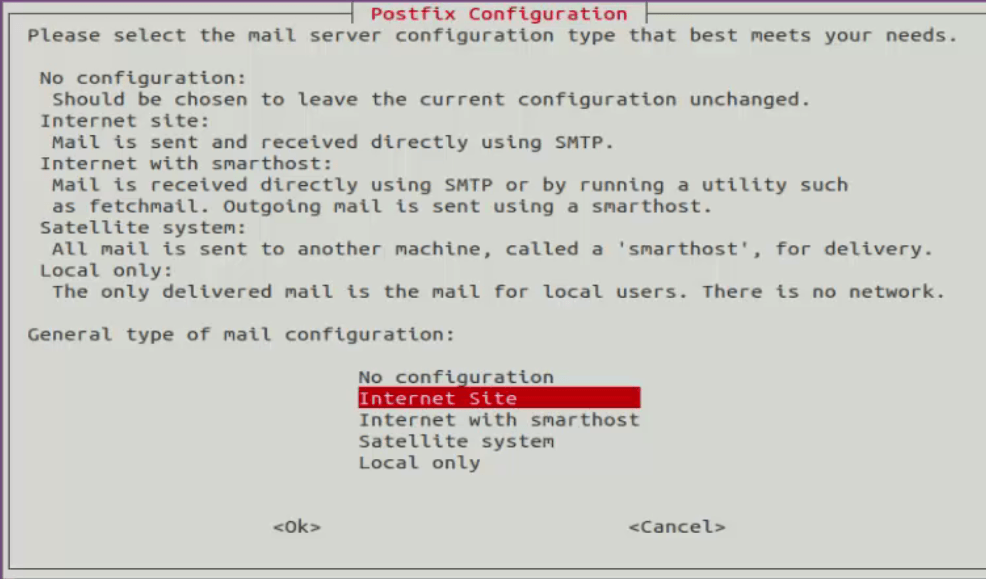
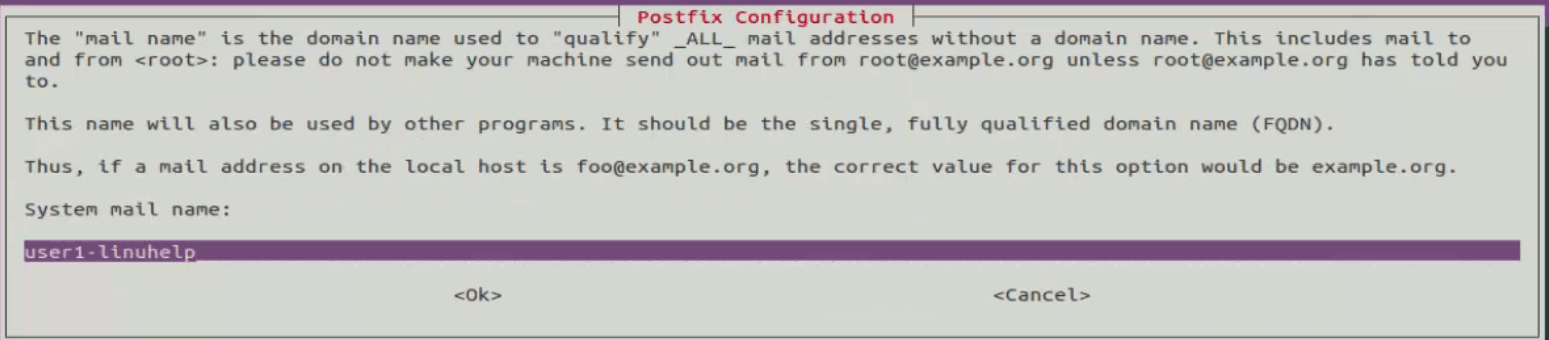
installation-Froxlor-server-management-tool-manage-multiple-user-services-domain-services-web-server-email-accounts-Ubuntu-mail-configuration
installation-Froxlor-server-management-tool-manage-multiple-user-services-domain-services-web-server-email-accounts-Ubuntu-posrfix-configuration
installation-Froxlor-server-management-tool-manage-multiple-user-services-domain-services-web-server-email-accounts-Ubuntu-postFTPD-configuration
.
.
gpg: Total number processed: 1
gpg:               imported: 1

Run the following command to install the Froxlor package

root@user1-linuhelp:/home/user1# apt-get install froxlor php5-curl
Reading package lists... Done
Building dependency tree      
Reading state information... Done
.
.
.
Processing triggers for ureadahead (0.100.0-19) ...
Processing triggers for systemd (225-1ubuntu9) ...

Move the froxlor directory into webroot directory.

root@user1-linuhelp:/home/user1# cd  /var/www
root@user1-linuhelp:/var/www# mv froxlor /var/www/html

Open the web-browser and navigate to http://< IP_address> /froxlor/
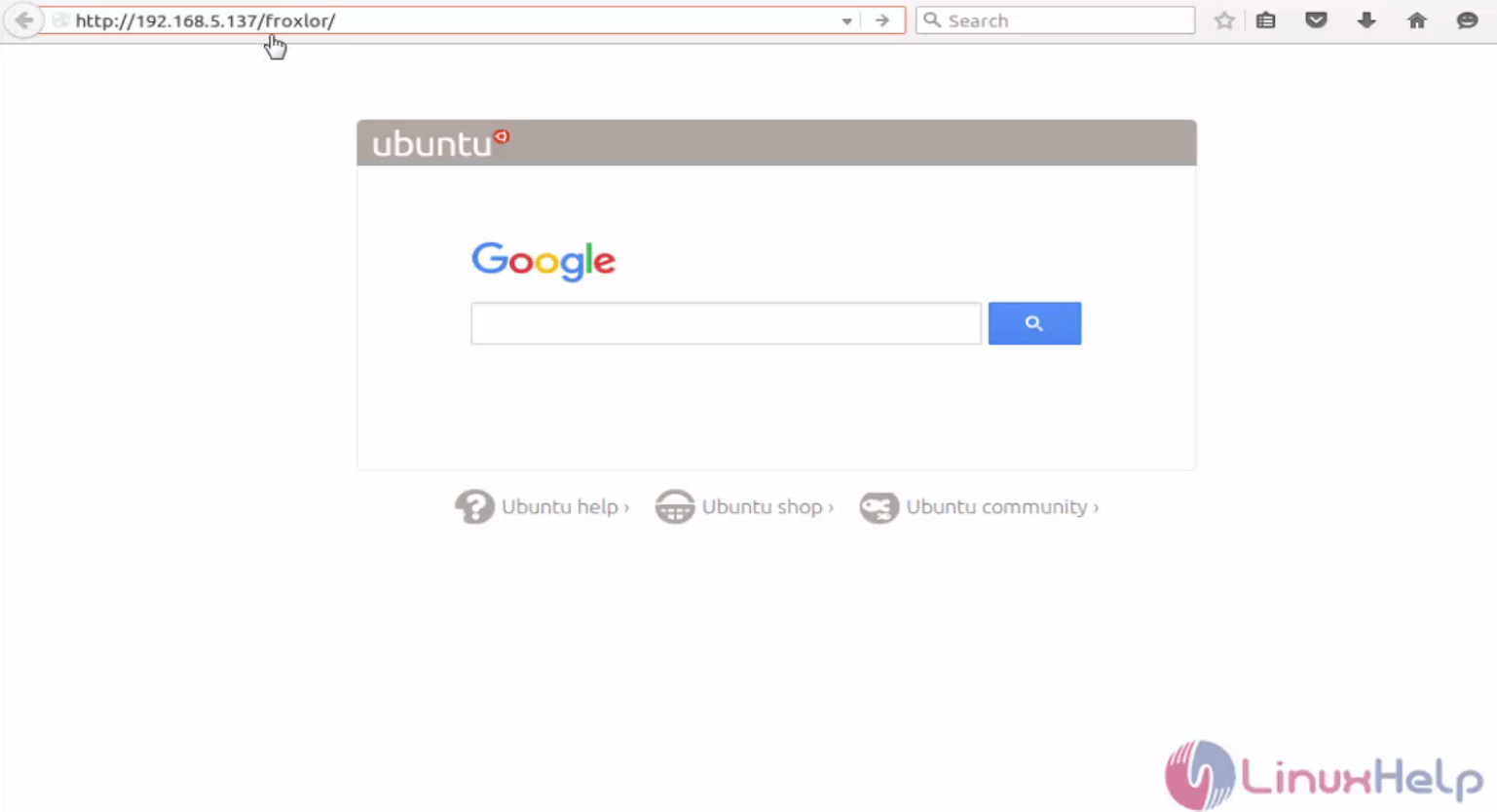
installation-Froxlor-server-management-tool-manage-multiple-user-services-domain-services-web-server-email-accounts-Ubuntu-Open-web-browser
Welcome page of froxlor appears and click Start install.
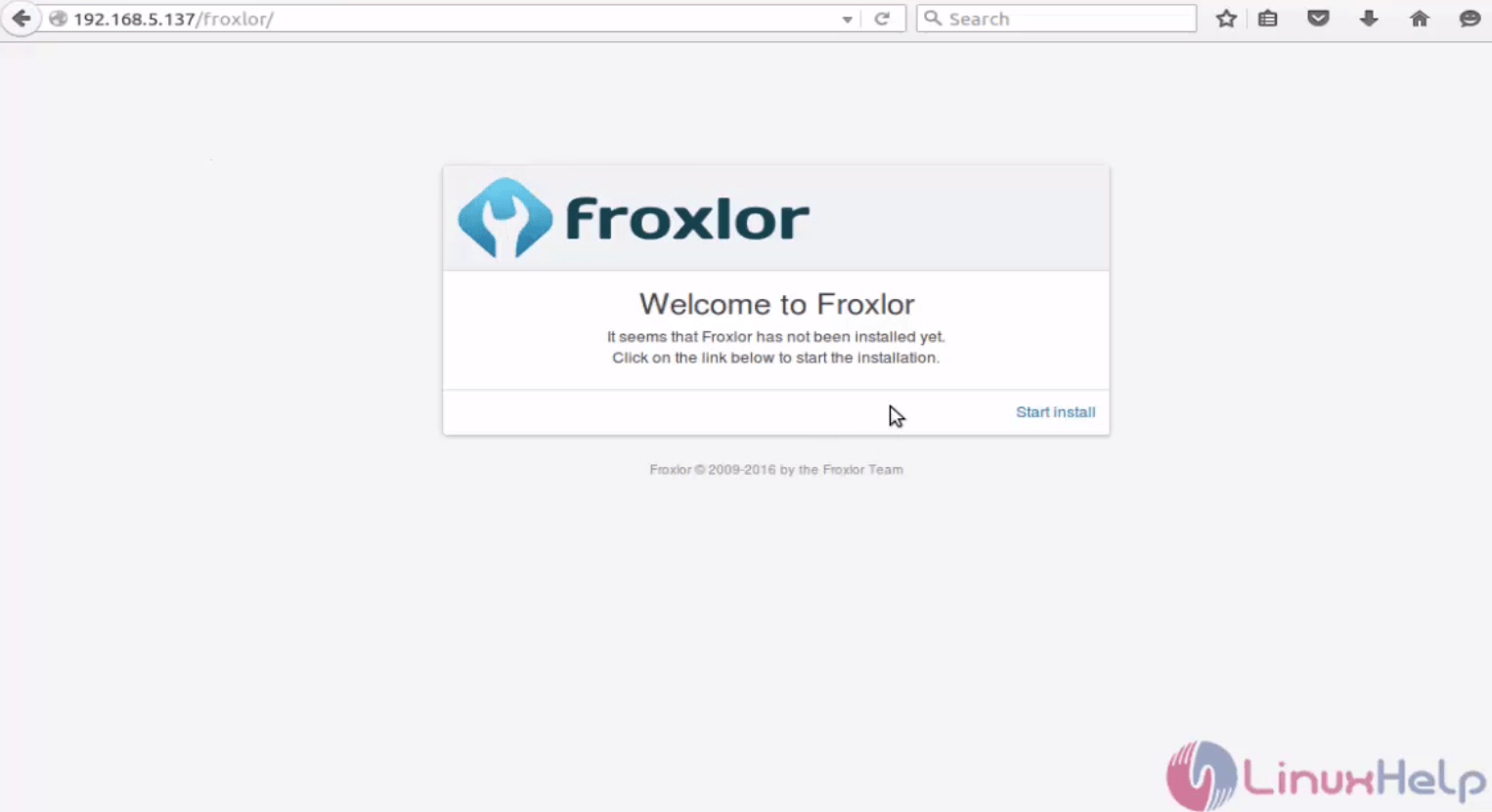
installation-Froxlor-server-management-tool-manage-multiple-user-services-domain-services-web-server-email-accounts-Ubuntu-Welcome-page
Requirement of installation will be shown, trigger click here to continue.
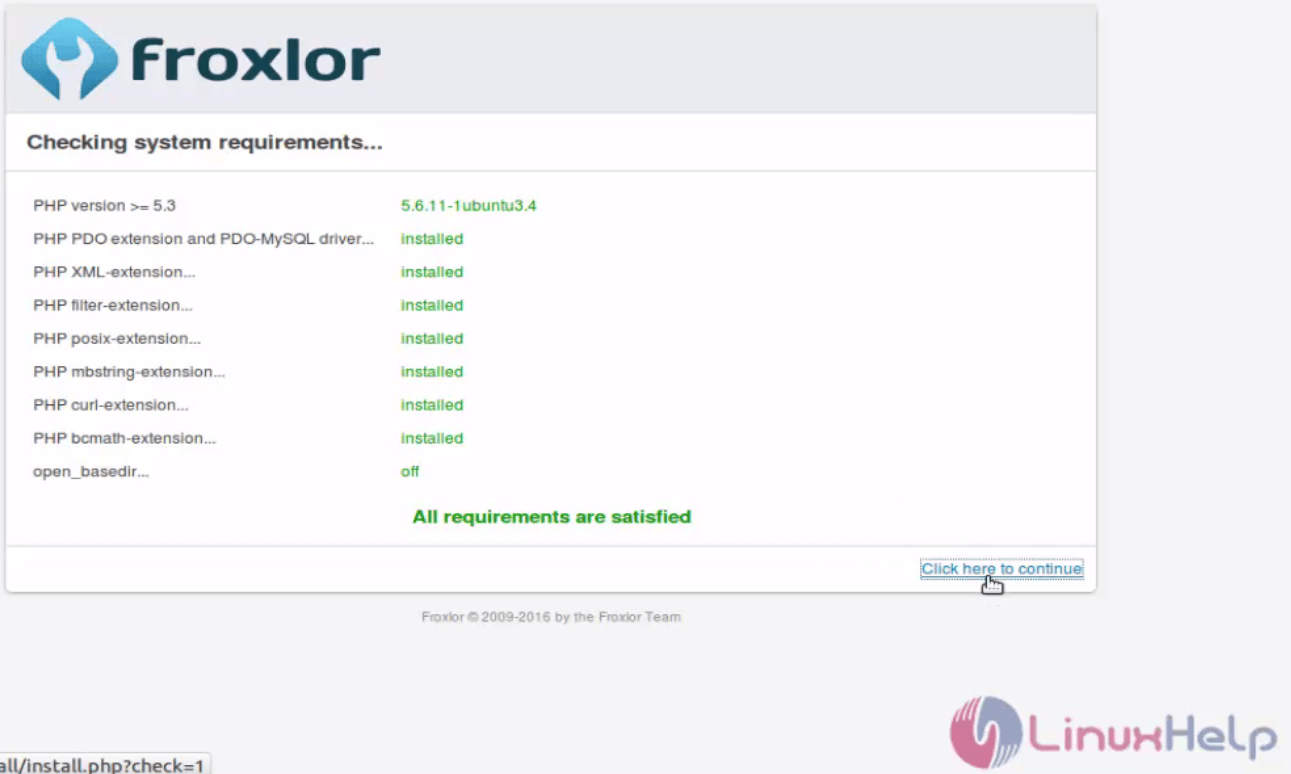
installation-Froxlor-server-management-tool-manage-multiple-user-services-domain-services-web-server-email-accounts-Ubuntu-Requirement
Enter the all authentication fields for database connections.
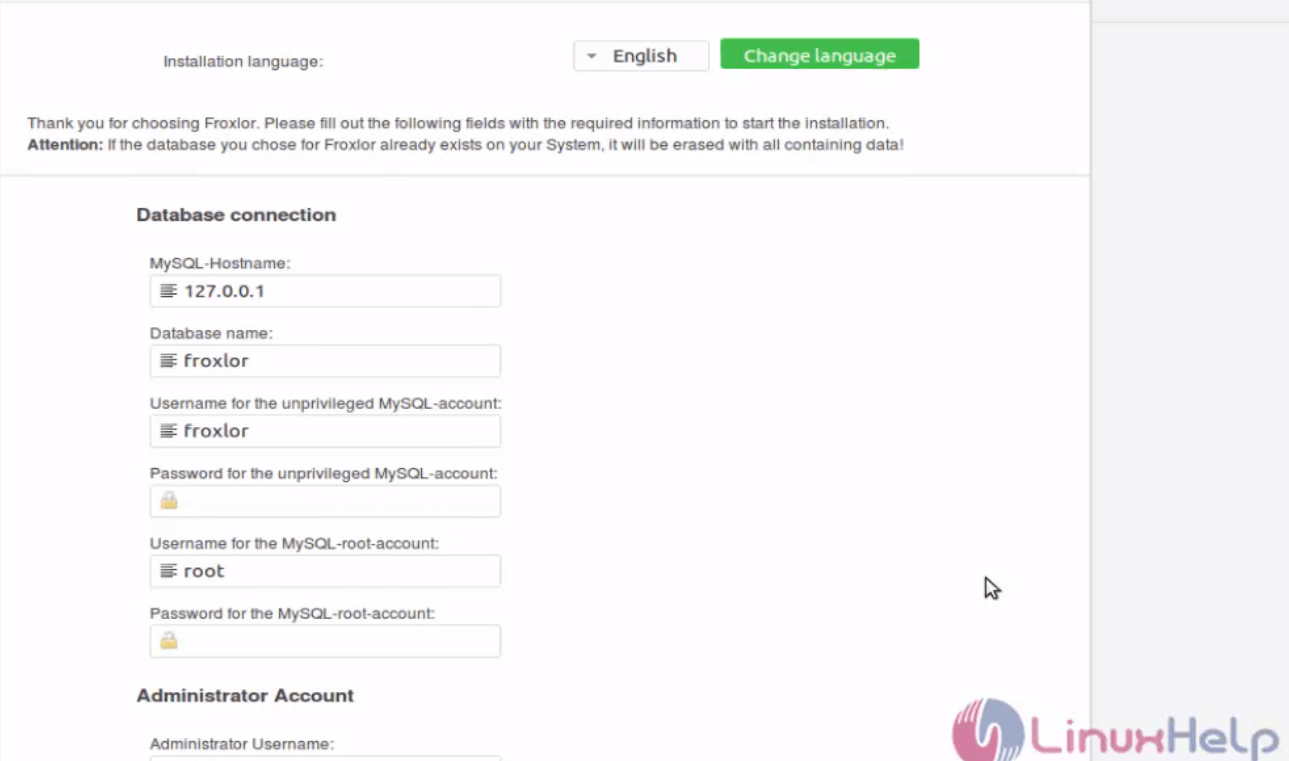
installation-Froxlor-server-management-tool-manage-multiple-user-services-domain-services-web-server-email-accounts-Ubuntu-authentication-database-connections
Installation is successfully completed and then " click here to login" .
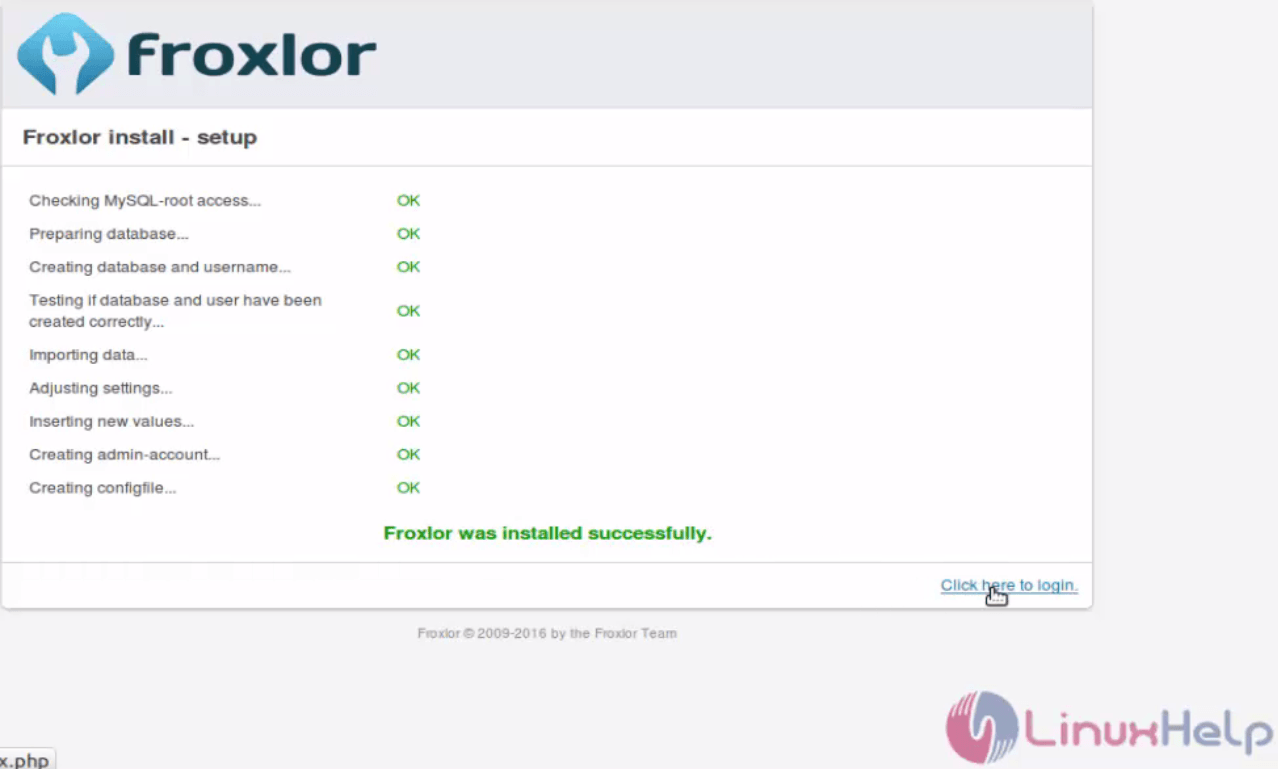
installation-Froxlor-server-management-tool-manage-multiple-user-services-domain-services-web-server-email-accounts-Ubuntu-Installation-completed
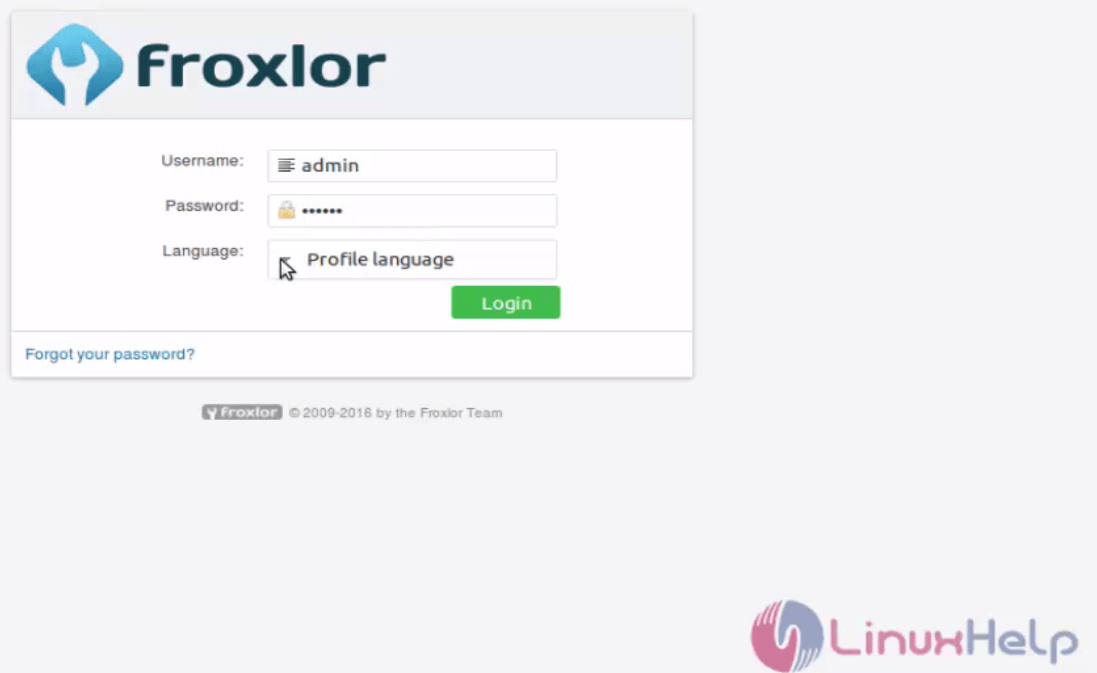
Login with the user credentials.
installation-Froxlor-server-management-tool-manage-multiple-user-services-domain-services-web-server-email-accounts-Ubuntu-Login
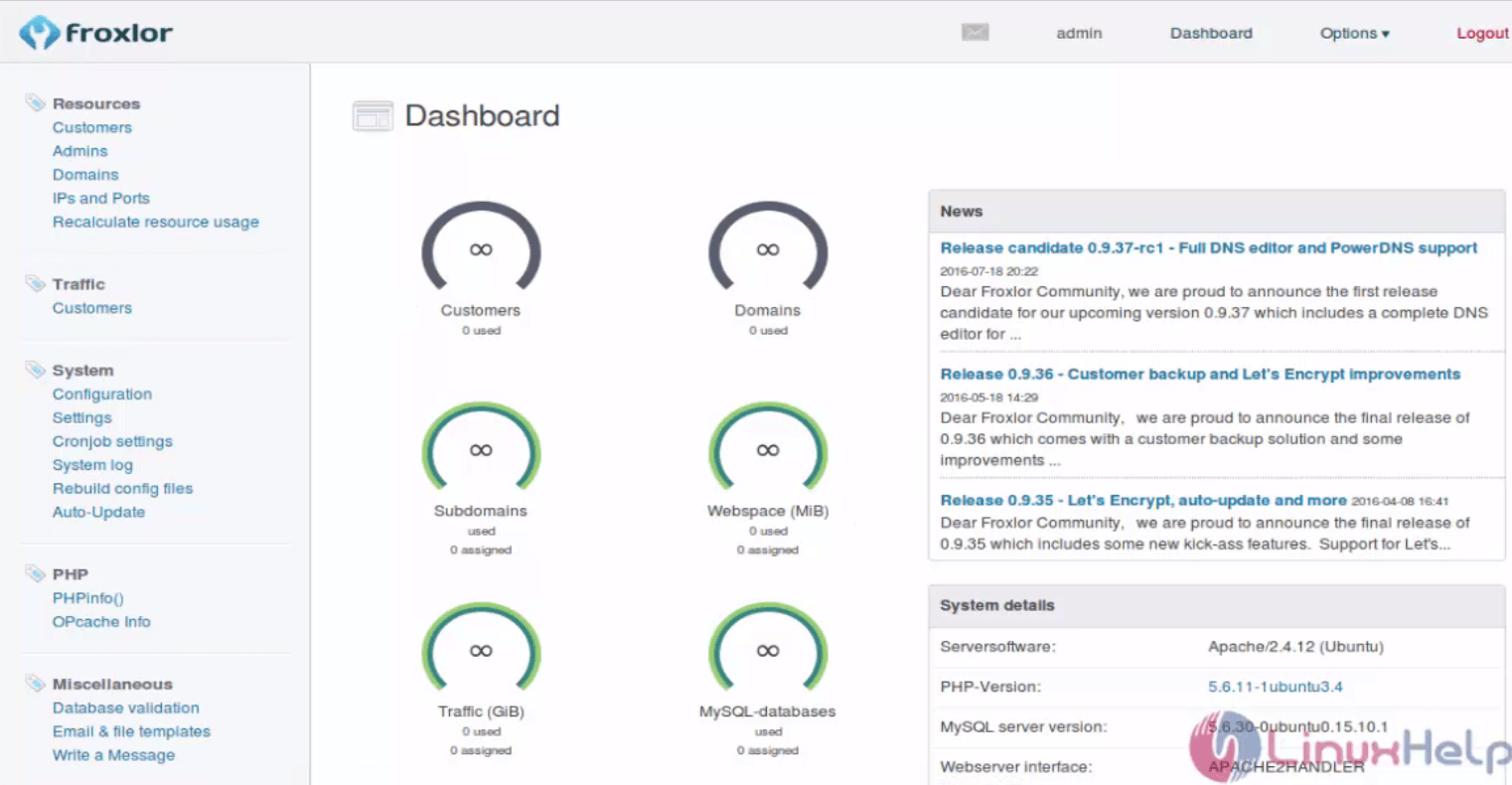
The dashboard of froxlog opens.
installation-Froxlor-server-management-tool-manage-multiple-user-services-domain-services-web-server-email-accounts-Ubuntu-dashboard
Click settings option in system menu. Change the settings as per your requirement and enable quota option.
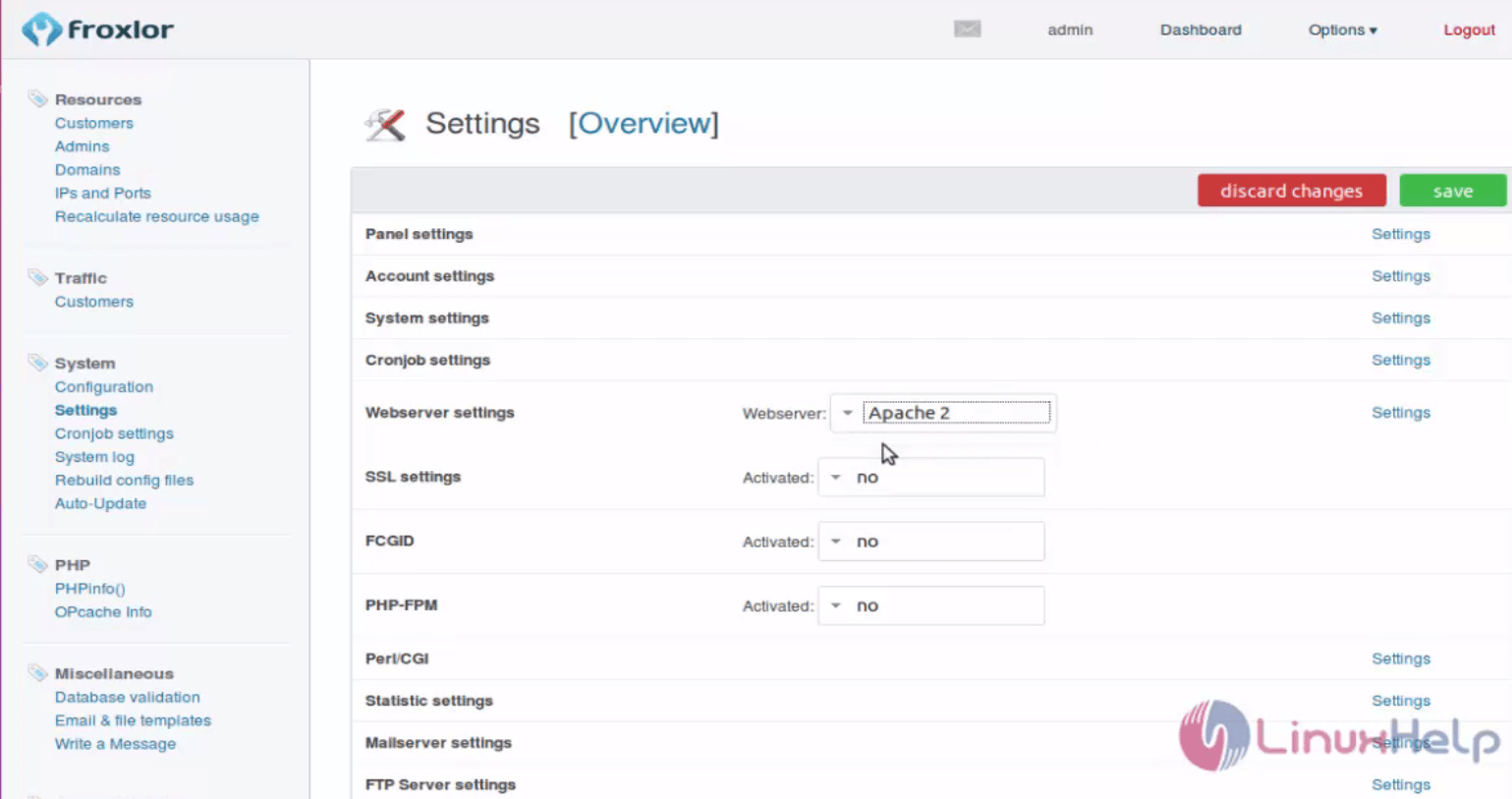
installation-Froxlor-server-management-tool-manage-multiple-user-services-domain-services-web-server-email-accounts-Ubuntu-settings

To add customer

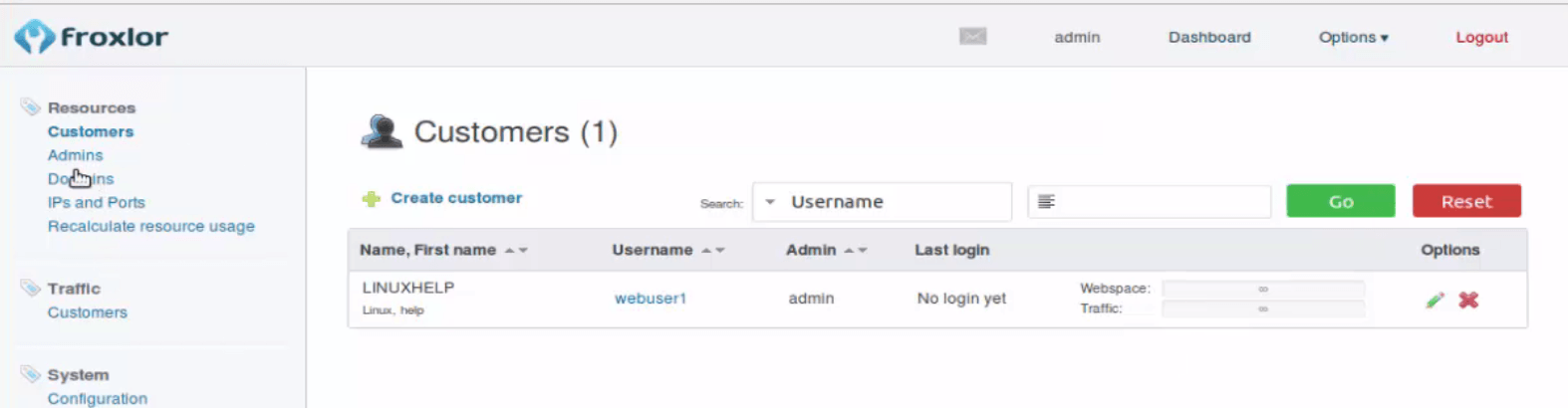
Click Resource &rarr customer option and click create customer
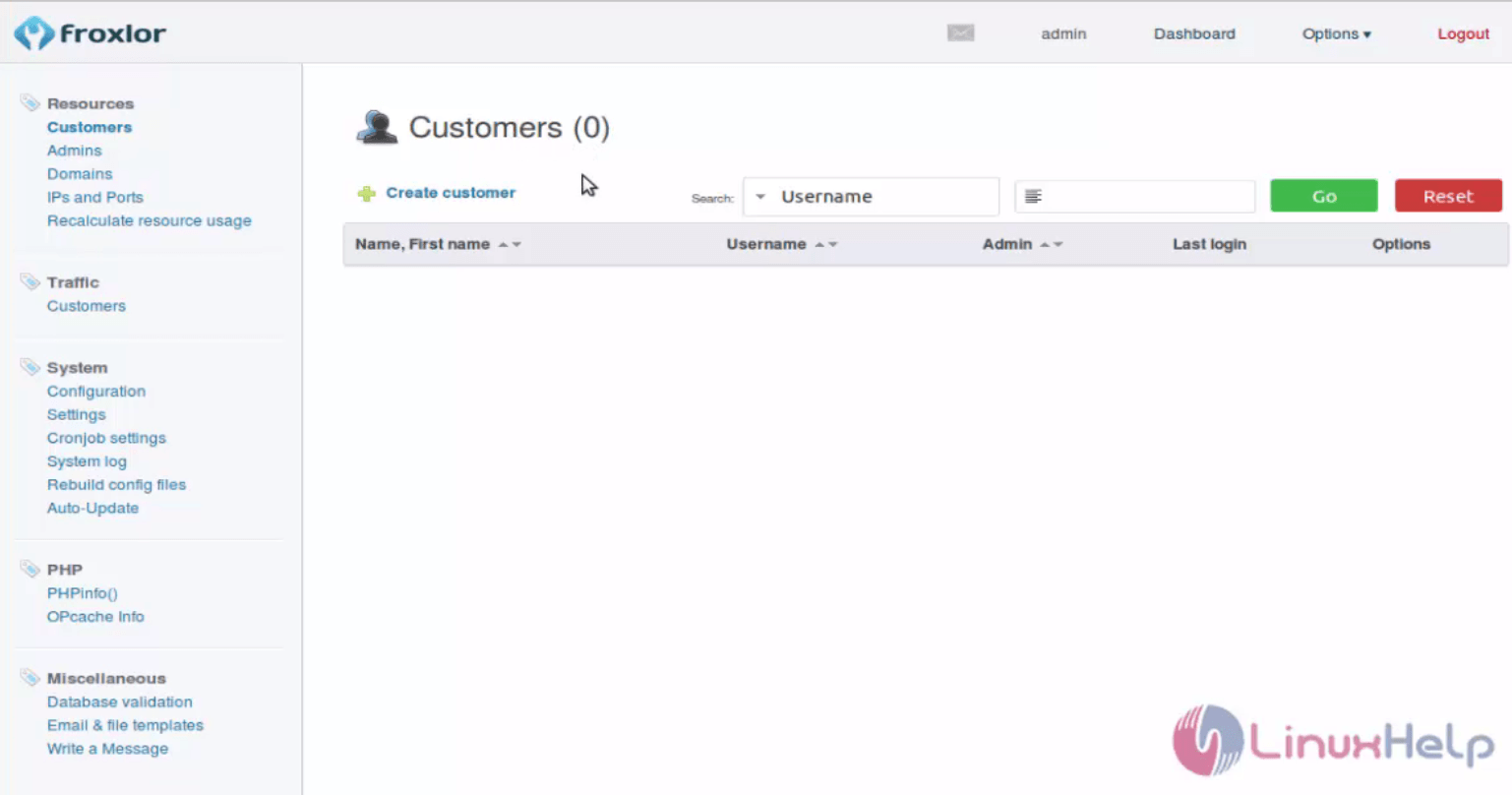
installation-Froxlor-server-management-tool-manage-multiple-user-services-domain-services-web-server-email-accounts-Ubuntu-create-customer
Enter the customer details as show below.
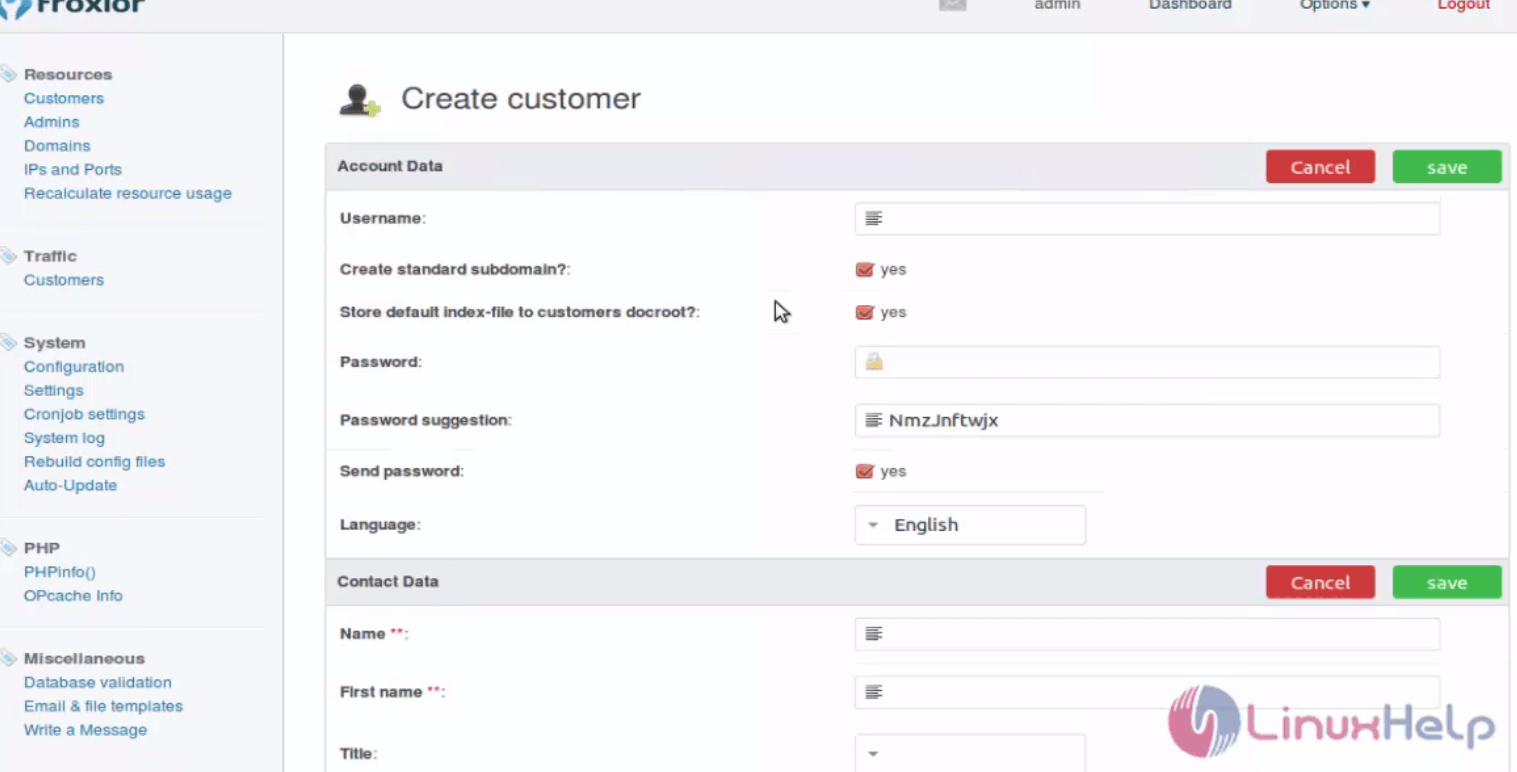
installation-Froxlor-server-management-tool-manage-multiple-user-services-domain-services-web-server-email-accounts-Ubuntu-customer-details
Now the customer will be created.
installation-Froxlor-server-management-tool-manage-multiple-user-services-domain-services-web-server-email-accounts-Ubuntu-customer-created

To Create the domain for the customer

Click domain option at Resource menu and select create domain.
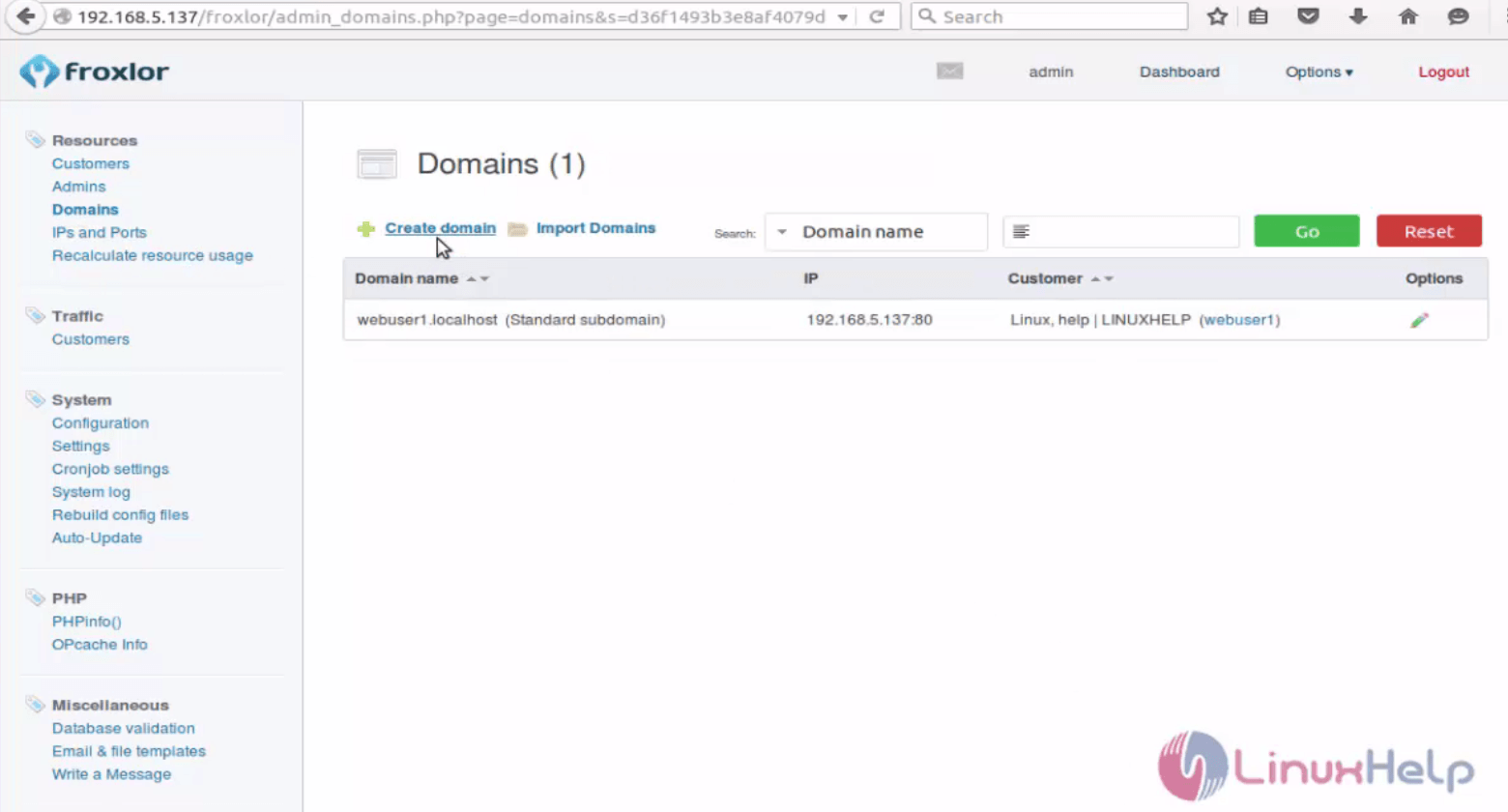
installation-Froxlor-server-management-tool-manage-multiple-user-services-domain-services-web-server-email-accounts-Ubuntu-create-domain
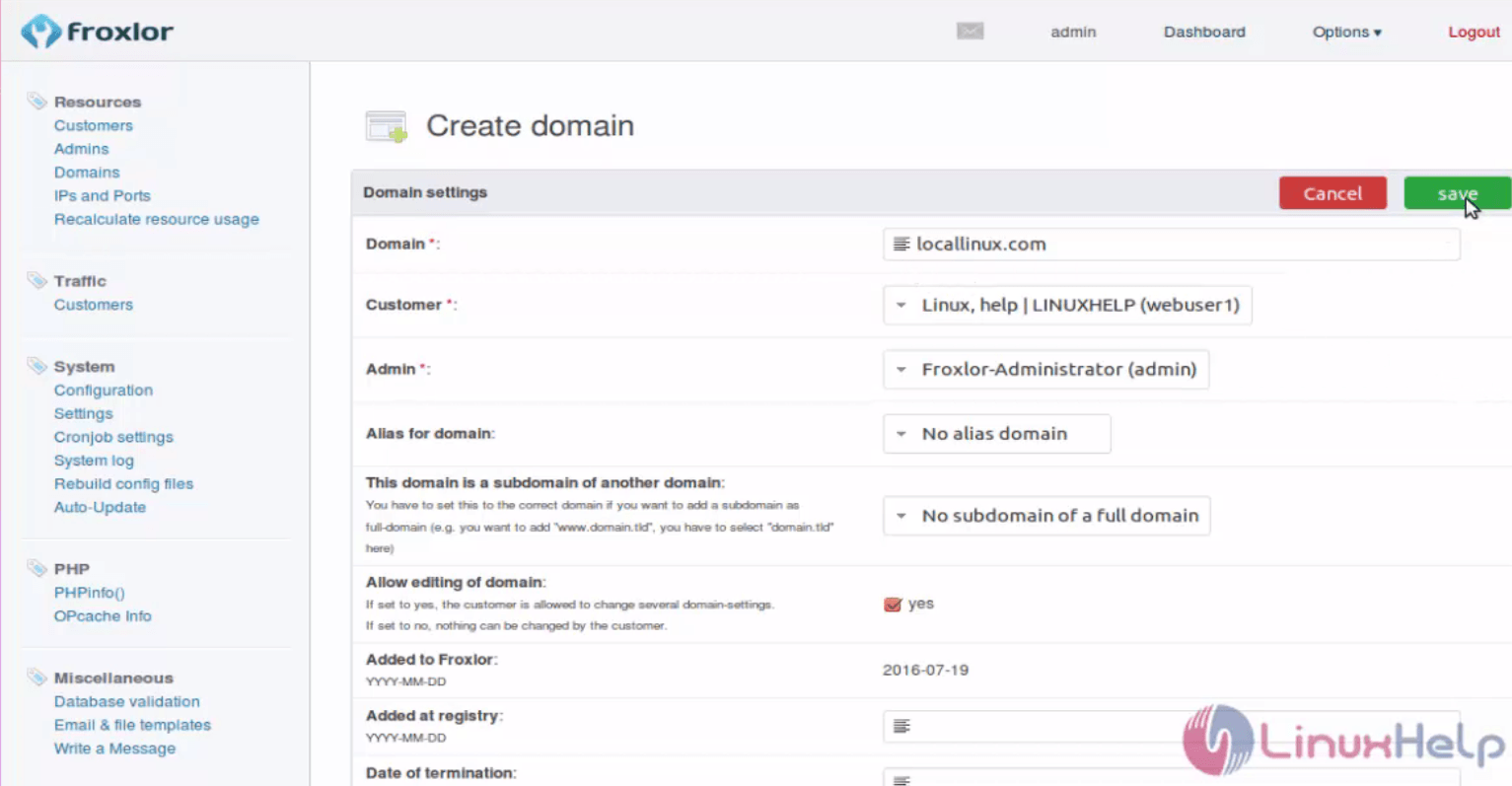
Enter the Domain settings fields.
installation-Froxlor-server-management-tool-manage-multiple-user-services-domain-services-web-server-email-accounts-Ubuntu-Domain-settings
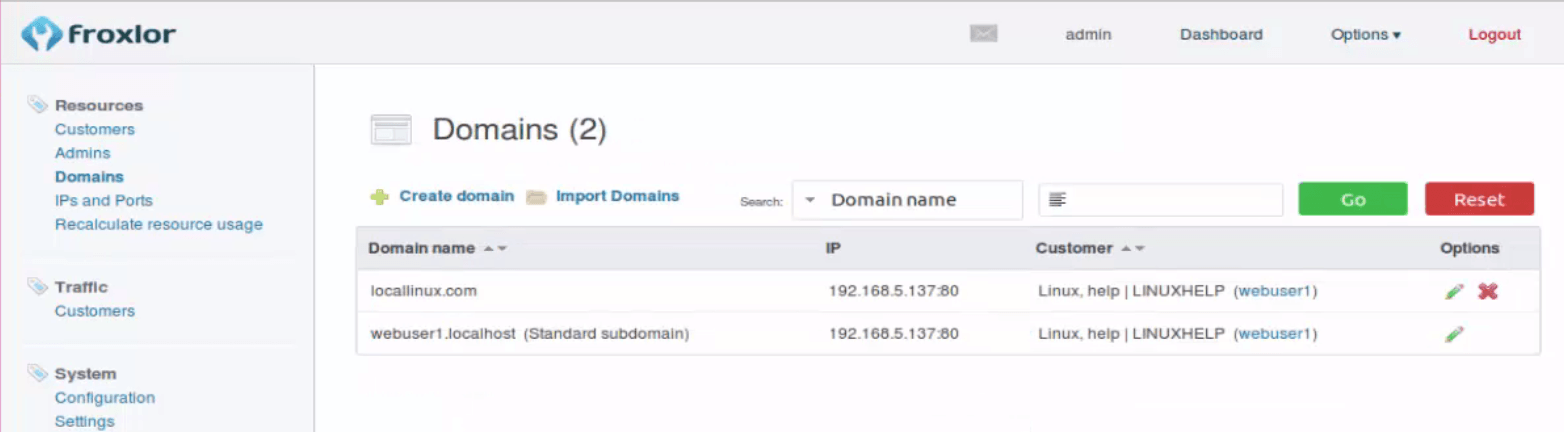
Now the domain will be created.
installation-Froxlor-server-management-tool-manage-multiple-user-services-domain-services-web-server-email-accounts-Ubuntu-domain-will-be-created

To view the resource

Click Recalculate resource usage in Resource option to view the usage statistics.
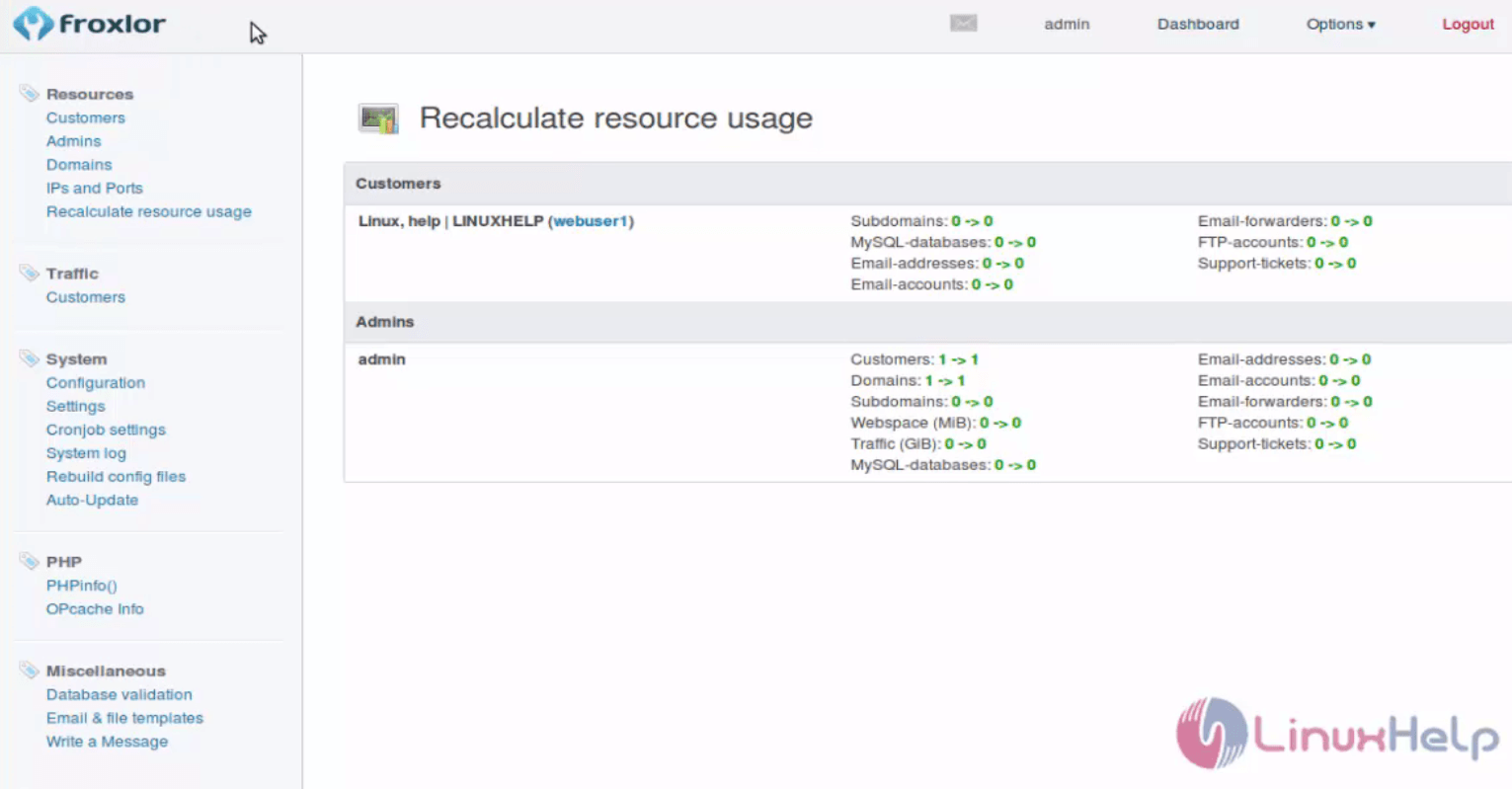
installation-Froxlor-server-management-tool-manage-multiple-user-services-domain-services-web-server-email-accounts-Ubuntu-Recalculate-resource-usage

Tags:
caden
Author: 

Comments ( 0 )

No comments available

Add a comment
{{postCtrl.cmtErrMsg}}

Frequently asked questions ( 5 )

Q

After installation, How do we open a web interface of Froxlor?

A

The full URL should be http://your_server_ip/froxlor.

Q

Can I try this tool before I directly configure into my server?

A

You can use this link, https://demo.froxlor.org/ to try the live demo for this tool. It's kind of cloud you don't need to install it on your server

Q

what is the latest version available?

A

0.9.39.5 is latest till date

Q

What is Froxlor?

A

The Froxlor is a lightweight server management control panel which is developed by experienced Server Administrators to simplify the effort of managing your hosting platform. This open source software offers multi-user account feature including reseller accounts which can manage reseller resources and limit what the customers may use in the dedicated customer panel. You can also manage domain names, FTP accounts, email accounts, support tickets and customers that are associated with them. Please note that Froxlor does not come with preinstalled LEMP or LAMP stack. So you need to install the LAMP or LEMP stack on your server before proceeding with Froxlor installation.

Q

Is there any alternative tool available for Froxlor?

A

Try cPanel, ISPmanager, Ajenti, Vesta Control Panel

Back To Top!
Rank
User
Points

Top Contributers

userNamenaveelansari
135850

Top Contributers

userNameayanbhatti
92510

Top Contributers

userNamehamzaahmed
32150

Top Contributers

1
userNamelinuxhelp
31040

Top Contributers

userNamemuhammadali
24500
Can you help Elijah ?
Remote Desktop Connection Has Stopped Working

When accessing my remote machine server using remote desktop on a windows machine I am getting this error

forum (1)

Networking
  • Routing
  • trunk
  • Netmask
  • Packet Capture
  • domain
  • HTTP Proxy
Server Setup
  • NFS
  • KVM
  • Memory
  • Sendmail
  • WebDAV
  • LXC
Shell Commands
  • Cloud commander
  • Command line archive tools
  • last command
  • Shell
  • terminal
  • Throttle
Desktop Application
  • Linux app
  • Pithos
  • Retrospect
  • Scribe
  • TortoiseHg
  • 4Images
Monitoring Tool
  • Monit
  • Apache Server Monitoring
  • EtherApe 
  • Arpwatch Tool
  • Auditd
  • Barman
Web Application
  • Nutch
  • Amazon VPC
  • FarmWarDeployer
  • Rukovoditel
  • Mirror site
  • Chef
Contact Us | Terms of Use| Privacy Policy| Disclaimer
© 2025 LinuxHelp.com All rights reserved. Linux™ is the registered trademark of Linus Torvalds. This site is not affiliated with linus torvalds in any way.