• Categories
    Category
    {{ postCtrl.tags }}
    • {{ category.tag_type }}

      • {{tag.tag_name}}
      • View more
  • Categories
    Category
    {{ postCtrl.tags }}
    • {{ category.tag_type }}

      • {{tag.tag_name}}
      • View more
  • News
  • Tutorials
  • Forums
  • Tags
  • Users
Tutorial News Comments FAQ Related Articles

How to install Geany 1.32 on Ubuntu 18.04

{{postValue.id}}

To install Geany 1.32 on Ubuntu 18.04
Geany is a lightweight IDE (Integrated Development Environment) text editor using the GTK2 toolkit. It was developed to provide a small and faster IDE for users for editing files. It is features of geany Syntax highlighting, code completion, symbol lists and many more.

Installation

Update the system repository using the following command

root@linuxhelp1:~# apt-get update
Hit:1 http://security.ubuntu.com/ubuntu bionic-security InRelease
Hit:2 http://archive.canonical.com/ubuntu bionic InRelease
Hit:3 http://in.archive.ubuntu.com/ubuntu bionic InRelease
Hit:4 http://in.archive.ubuntu.com/ubuntu bionic-updates InRelease
Hit:5 http://in.archive.ubuntu.com/ubuntu bionic-backports InRelease
Reading package lists... Done

Install Geany from the terminal using the following command

root@linuxhelp1:~# apt-get install geany -y
Reading package lists... Done
Building dependency tree       
Reading state information... Done
The following additional packages will be installed:
  geany-common
Suggested packages:
  libvte9 doc-base
The following NEW packages will be installed:
.
.
Processing triggers for mime-support (3.60ubuntu1) ...
Processing triggers for desktop-file-utils (0.23-1ubuntu3) ...
Setting up geany-common (1.32-2) ...
Processing triggers for libc-bin (2.27-0ubuntu2) ...
Processing triggers for man-db (2.8.2-1) ...
Processing triggers for gnome-menus (3.13.3-11ubuntu1) ...
Processing triggers for hicolor-icon-theme (0.17-2) ...
Setting up geany (1.32-2) ...
Processing triggers for libc-bin (2.27-0ubuntu2) ...

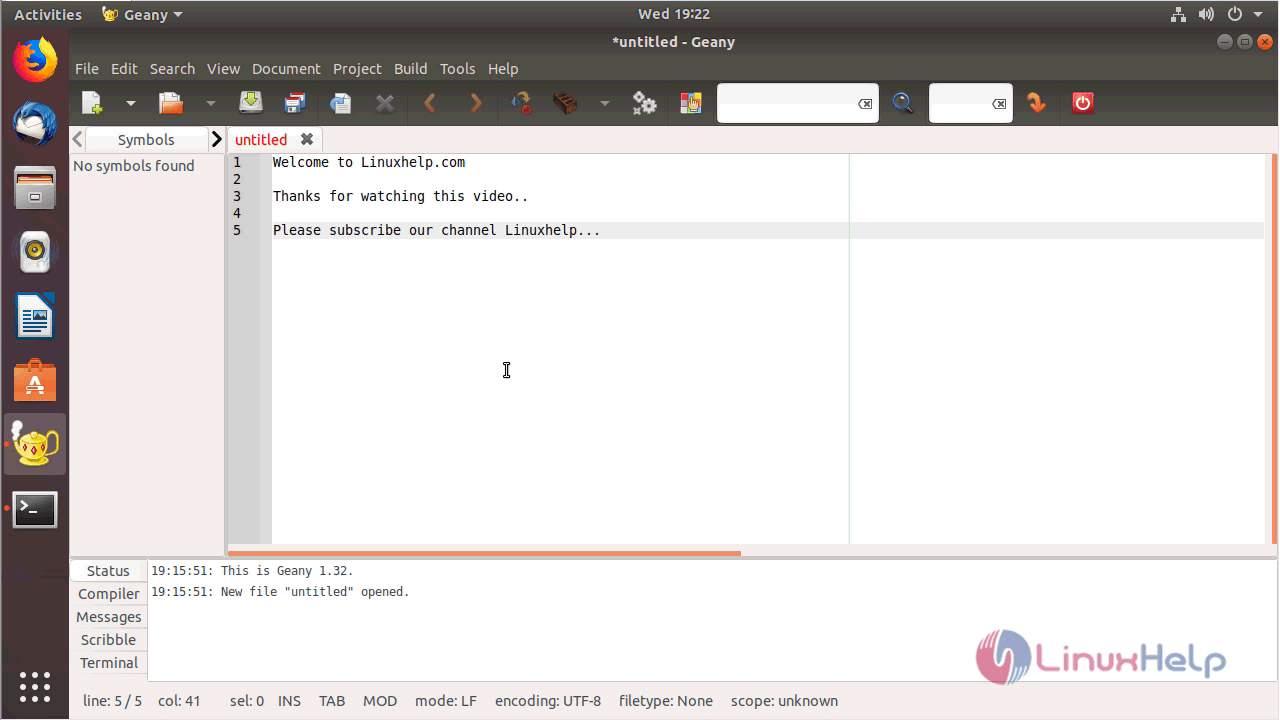
After the installation, you can access the application from the menu as follows.
menu

Geany application
geany

Version of Geany
version

With this, the method to install Geany 1.32 on Ubuntu 18.04 comes to an end.

Tags:
henry
Author: 

Comments ( 0 )

No comments available

Add a comment
{{postCtrl.cmtErrMsg}}

Frequently asked questions ( 5 )

Q

Can I extend Geany myself?

A

Yes! You can write your own plugins in C. You can also write Lua scripts for Geany using the Lua plugin. See the Plugins page. Also note the Format->Send Selection to command is useful for piping text through a script/external program.

Q

Can Geany show me multiple files at the same time?

A

Geany provides a tabbed main editor window but does not support split windows in the core. There is a Split Window plugin which should work fine for viewing another document next to the main editor notebook. You can also run several instances of Geany simultaneously.

Q

Can I add custom filetypes by creating filetypes.foo configuration file?

A

You can add filetypes.Name.conf file with Geany 0.19 and use an existing filetype's syntax highlighting and tag parsing. See http://www.geany.org/manual/dev/index.html#custom-filetypes.

Q

What is Geany in ubuntu?

A

Geany is a lightweight IDE (Integrated Development Environment) text editor using the GTK2 toolkit. It was developed to provide a small and faster IDE for users for editing files. It is features of geany Syntax highlighting, code completion, symbol lists and many more.

Q

How can I install Geany on Ubuntu?

A

Run the following command:
# apt-get install geany

Back To Top!
Rank
User
Points

Top Contributers

userNamenaveelansari
135850

Top Contributers

userNameayanbhatti
92510

Top Contributers

userNamehamzaahmed
32150

Top Contributers

1
userNamelinuxhelp
31040

Top Contributers

userNamemuhammadali
24500
Can you help Isaiah ?
What is the use of SUID & SGID commands

How to set the special permissions to the files and folders using SUID and SGID commands...

Networking
  • Routing
  • trunk
  • Netmask
  • Packet Capture
  • domain
  • HTTP Proxy
Server Setup
  • NFS
  • KVM
  • Memory
  • Sendmail
  • WebDAV
  • LXC
Shell Commands
  • Cloud commander
  • Command line archive tools
  • last command
  • Shell
  • terminal
  • Throttle
Desktop Application
  • Linux app
  • Pithos
  • Retrospect
  • Scribe
  • TortoiseHg
  • 4Images
Monitoring Tool
  • Monit
  • Apache Server Monitoring
  • EtherApe 
  • Arpwatch Tool
  • Auditd
  • Barman
Web Application
  • Nutch
  • Amazon VPC
  • FarmWarDeployer
  • Rukovoditel
  • Mirror site
  • Chef
Contact Us | Terms of Use| Privacy Policy| Disclaimer
© 2025 LinuxHelp.com All rights reserved. Linux™ is the registered trademark of Linus Torvalds. This site is not affiliated with linus torvalds in any way.