How to install Geany text editor on linuxmint-18.03
{{postValue.id}}
To install Geany text editor on linuxmint-18.03
Geany is a lightweight IDE (Integrated Development Environment) text editor using the GTK2 toolkit. It was developed to provide a small and faster IDE for users for editing files. It is features of geany Syntax highlighting, code completion, symbol lists and many more.
Installation
Update your system repository using the apt-get command.
linuxhelp ~ # apt-get update
Hit:1 http://archive.ubuntu.com/ubuntu xenial InRelease
Hit:2 http://security.ubuntu.com/ubuntu xenial-security InRelease
Hit:3 http://ppa.launchpad.net/ondrej/php/ubuntu xenial InRelease
Hit:4 http://archive.ubuntu.com/ubuntu xenial-updates InRelease
Hit:5 http://archive.canonical.com/ubuntu xenial InRelease
Ign:6 http://packages.linuxmint.com sylvia InRelease
Hit:7 http://archive.ubuntu.com/ubuntu xenial-backports InRelease
Hit:8 http://packages.linuxmint.com sylvia Release
Reading package lists... Done

.
Install the Geany text editor application using the following command.
linuxhelp ~ # apt-get install geany -y
Reading package lists... Done
Building dependency tree
Reading state information... Done
The following NEW packages will be installed:
  geany
0 upgraded, 1 newly installed, 0 to remove and 353 not upgraded.
Need to get 0 B/977 kB of archives.
After this operation, 2,956 kB of additional disk space will be used.
Selecting previously unselected package geany.
(Reading database ... 221463 files and directories currently installed.)
Preparing to unpack .../geany_1.27-1_amd64.deb ...
Unpacking geany (1.27-1) ...
Processing triggers for libc-bin (2.23-0ubuntu9) ...
Processing triggers for desktop-file-utils (0.22+linuxmint1) ...
Processing triggers for mime-support (3.59ubuntu1) ...
Processing triggers for man-db (2.7.5-1) ...
Setting up geany (1.27-1) ...
Processing triggers for libc-bin (2.23-0ubuntu9) ...
linuxhelp ~ #
Once Installation is done you can access the application from the Menu as shown here

Geany text editor application is shown below.
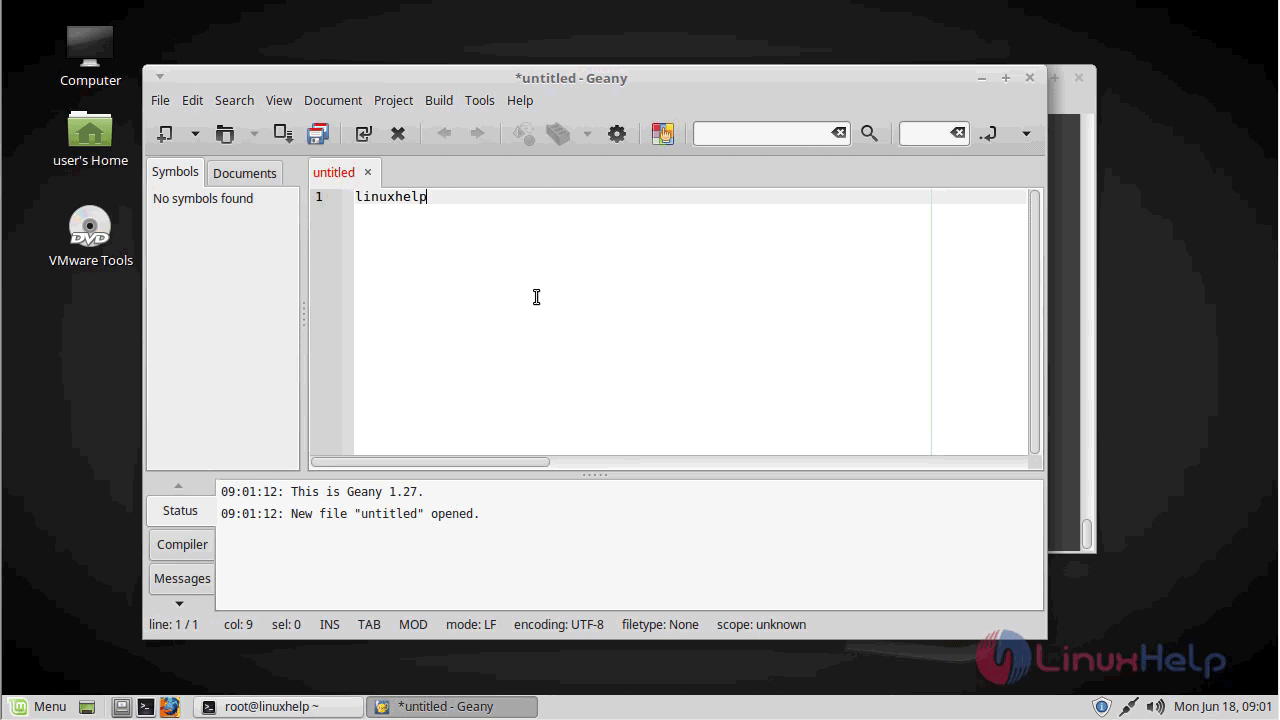
The version of Geany text editor application is available in the Help menu

With this, the method to install Geany text editor on linuxmint-18.03 comes to an end.
Comments ( 0 )
No comments available