• Categories
    Category
    {{ postCtrl.tags }}
    • {{ category.tag_type }}

      • {{tag.tag_name}}
      • View more
  • Categories
    Category
    {{ postCtrl.tags }}
    • {{ category.tag_type }}

      • {{tag.tag_name}}
      • View more
  • News
  • Tutorials
  • Forums
  • Tags
  • Users
Tutorial News Comments FAQ Related Articles

How To Install Gftp On Linux Mint 18.03

{{postValue.id}}

To Install Gftp on Linux mint 18.03

GFTP is a free/open source multithreaded File Transfer Protocol client program. It is most used on Unix-like systems, such as Linux, Mac OS X and Sony PlayStation 3. It includes both a graphical user interface, which utilizes the GTK+ graphical toolkit and a command-line interface. In this tutorial, we will cover the installation of Gftp on linuxmint-18.03.

Installation.

Let's first start with updating the system repositories

linuxhelp ~ # apt-get update
Hit:1 http://archive.ubuntu.com/ubuntu xenial InRelease                                               
Hit:2 http://security.ubuntu.com/ubuntu xenial-security InRelease                                     
Hit:3 http://ppa.launchpad.net/ondrej/php/ubuntu xenial InRelease                                     
Hit:4 http://archive.ubuntu.com/ubuntu xenial-updates InRelease                                       
Ign:5 http://packages.linuxmint.com sylvia InRelease                                                  
Hit:6 http://archive.canonical.com/ubuntu xenial InRelease                                            
Hit:7 http://archive.ubuntu.com/ubuntu xenial-backports InRelease                                     
Hit:8 http://ppa.launchpad.net/webupd8team/java/ubuntu xenial InRelease                       
Hit:9 http://packages.linuxmint.com sylvia Release                                            
Reading package lists... Done

Install the Gftp application.

linuxhelp ~ # apt-get install gftp
Reading package lists... Done
Building dependency tree       
Reading state information... Done
The following NEW packages will be installed:
  gftp
0 upgraded, 1 newly installed, 0 to remove and 461 not upgraded.
Need to get 0 B/1,846 B of archives.
After this operation, 33.8 kB of additional disk space will be used.
Selecting previously unselected package gftp.
(Reading database ... 239154 files and directories currently installed.)
Preparing to unpack .../gftp_2.0.19-4ubuntu2_all.deb ...
Unpacking gftp (2.0.19-4ubuntu2) ...
Setting up gftp (2.0.19-4ubuntu2) ...

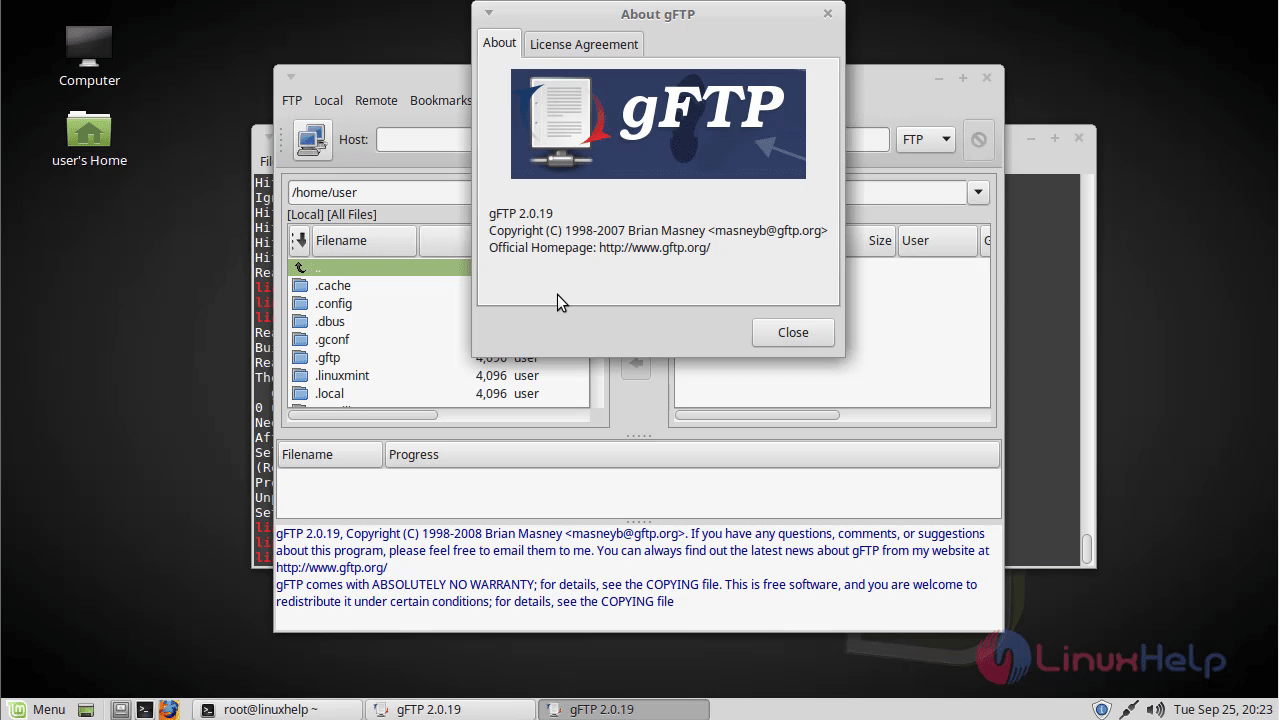
Once Installation is done you can access the Gftp application from the Menu as shown here mint_menu
1

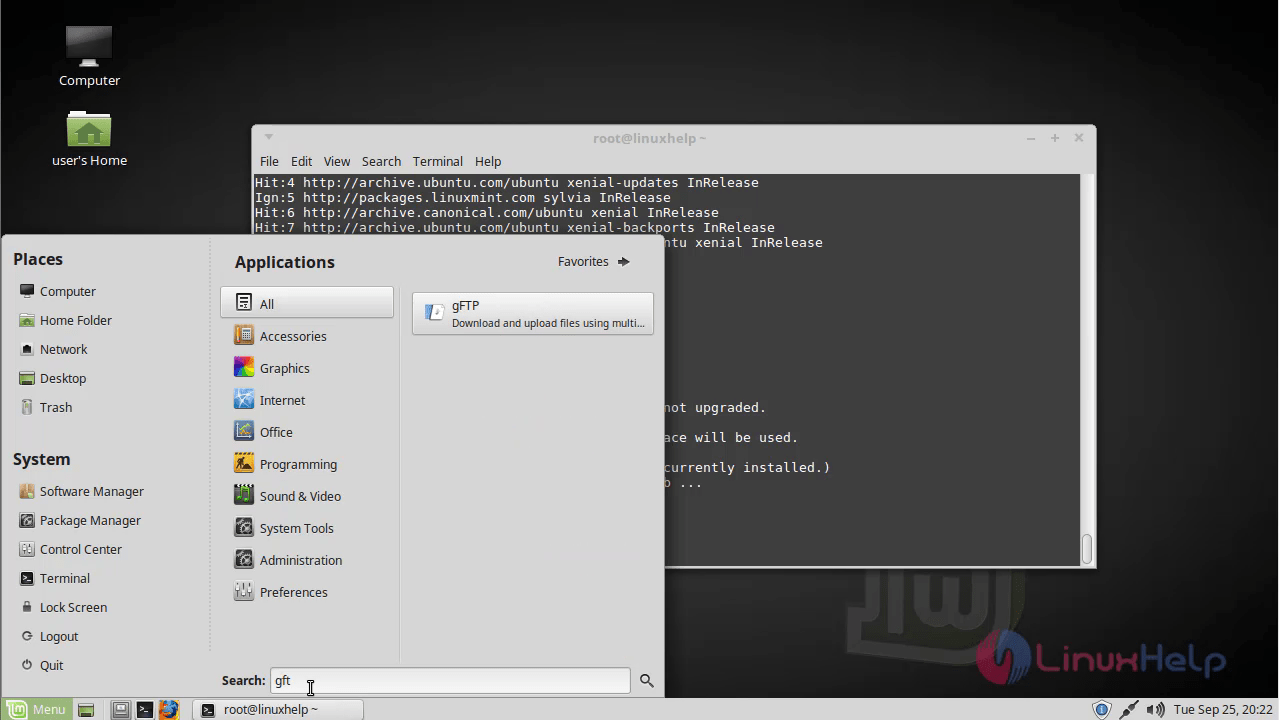
Now, you can able to use the Gftp application. Gftp_application 2
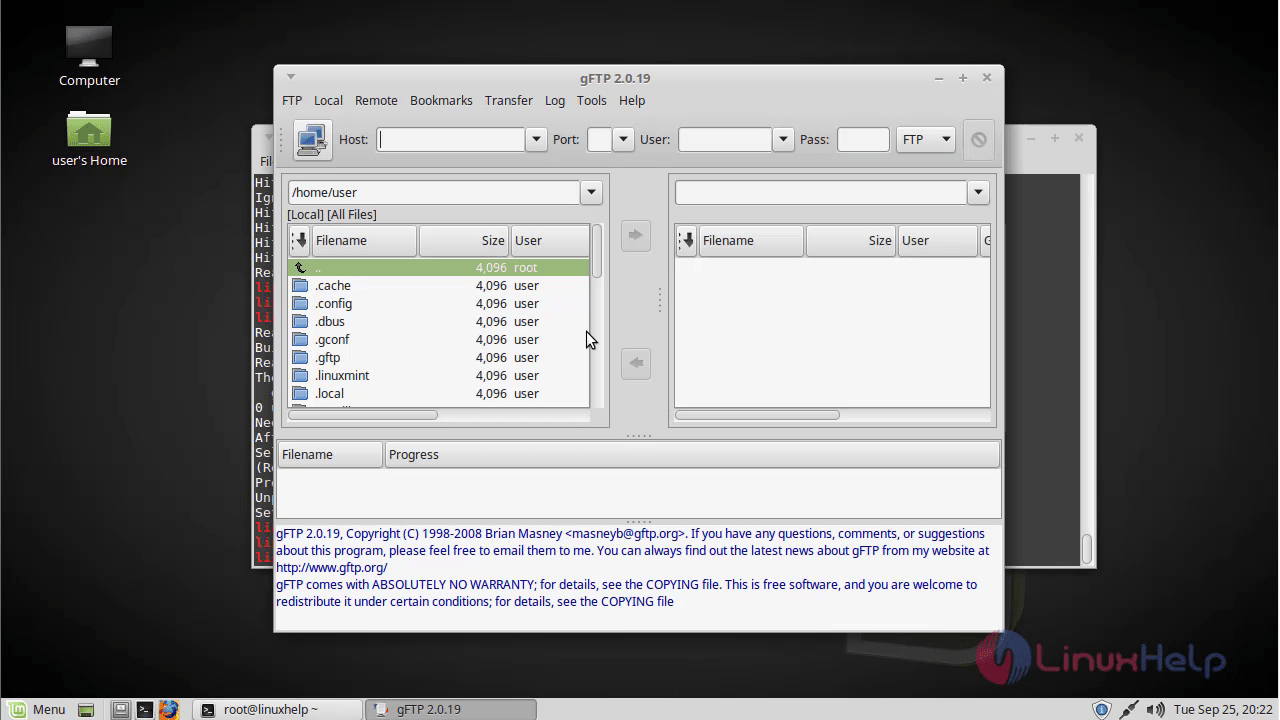
The version of Gftp. version 3 With this, the method to install Gftp on Linuxmint-18.03 comes to an end.

Tags:
ethan
Author: 

Comments ( 0 )

No comments available

Add a comment
{{postCtrl.cmtErrMsg}}

Frequently asked questions ( 5 )

Q

What are the requirements to run gFTP?

A

GFTP is a free/open source multithreaded File Transfer Protocol client program. It is most used on Unix-like systems, such as Linux, Mac OS X and Sony PlayStation 3. It includes both a graphical user interface, which utilizes the GTK+ graphical toolkit and a command-line interface.

Q

What systems is gFTP known to run on?

A

I develop gFTP on a Debian GNU/Linux machine. It should run under any other Linux distributions. Here is a list of other platforms I have received successful compile reports:

FreeBSD/NetBSD/OpenBSD/BSDI

Solaris

IRIX

Digital UNIX

HP/UX 11

Q

How do I force running the text or gtk+ version of gFTP?

A

To run the text port, you can type gftp-text or to run the gtk+ port, you can run the gftp-gtk. The gftp command is just a shell script that checks if your DISPLAY variable is set, and if so it'll run the appropriate version.

Q

Where does gFTP store it's options?

A

gFTP will automatically create a ~/.gftp directory when it is first to run. Your config file is ~/.gftp/gftprc, and this is where all of gFTP's settings are stored. The config file is well commented, so take a glance at it and see if there is anything you want to change. Your bookmarks are stored in the file ~/.gftp/bookmarks.

Every time gFTP is run, it will log the contents of the log window to ~/.gftp/gftp.log. The contents of this file will be automatically purged this file when gFTP is started up.

Q

How can I increase the size of the fonts in gFTP?

A

You can use the gnome-font-properties program to change the fonts used by all GTK+ 2.x applications.

Load more

Back To Top!
Rank
User
Points

Top Contributers

userNamenaveelansari
135850

Top Contributers

userNameayanbhatti
92510

Top Contributers

userNamehamzaahmed
32150

Top Contributers

1
userNamelinuxhelp
31040

Top Contributers

userNamemuhammadali
24500
Can you help Sebastian ?
How to change non required to required field in SuiteCRM Custom/Default Modules

How to change not required to the required field in SuiteCRM Custom/Default Modules?

Networking
  • Routing
  • trunk
  • Netmask
  • Packet Capture
  • domain
  • HTTP Proxy
Server Setup
  • NFS
  • KVM
  • Memory
  • Sendmail
  • WebDAV
  • LXC
Shell Commands
  • Cloud commander
  • Command line archive tools
  • last command
  • Shell
  • terminal
  • Throttle
Desktop Application
  • Linux app
  • Pithos
  • Retrospect
  • Scribe
  • TortoiseHg
  • 4Images
Monitoring Tool
  • Monit
  • Apache Server Monitoring
  • EtherApe 
  • Arpwatch Tool
  • Auditd
  • Barman
Web Application
  • Nutch
  • Amazon VPC
  • FarmWarDeployer
  • Rukovoditel
  • Mirror site
  • Chef
Contact Us | Terms of Use| Privacy Policy| Disclaimer
© 2025 LinuxHelp.com All rights reserved. Linux™ is the registered trademark of Linus Torvalds. This site is not affiliated with linus torvalds in any way.