• Categories
    Category
    {{ postCtrl.tags }}
    • {{ category.tag_type }}

      • {{tag.tag_name}}
      • View more
  • Categories
    Category
    {{ postCtrl.tags }}
    • {{ category.tag_type }}

      • {{tag.tag_name}}
      • View more
  • News
  • Tutorials
  • Forums
  • Tags
  • Users
Tutorial News Comments FAQ Related Articles

How to Install GhostBSD Linux

{{postValue.id}}

To install GhostBSD Linux

GhostBSD is an user friendly Linux based operating system. It allows the users to create a familiar workspace that can be used for data rescue. GhostBSD supports a several lightweight desktop environments like MATE, Xfce, LXDE and Openbox. Installation of GhostBSD Linux is explained in this article.

Installation of GhostBSD Linux

Before installing GhostBSD, go to official site and download the ISO image file for making bootable media like USB or DVD. Then plug it with your system to boot into setup wizard for GhostBSD.

Choose Live Session in the Boot Menu.
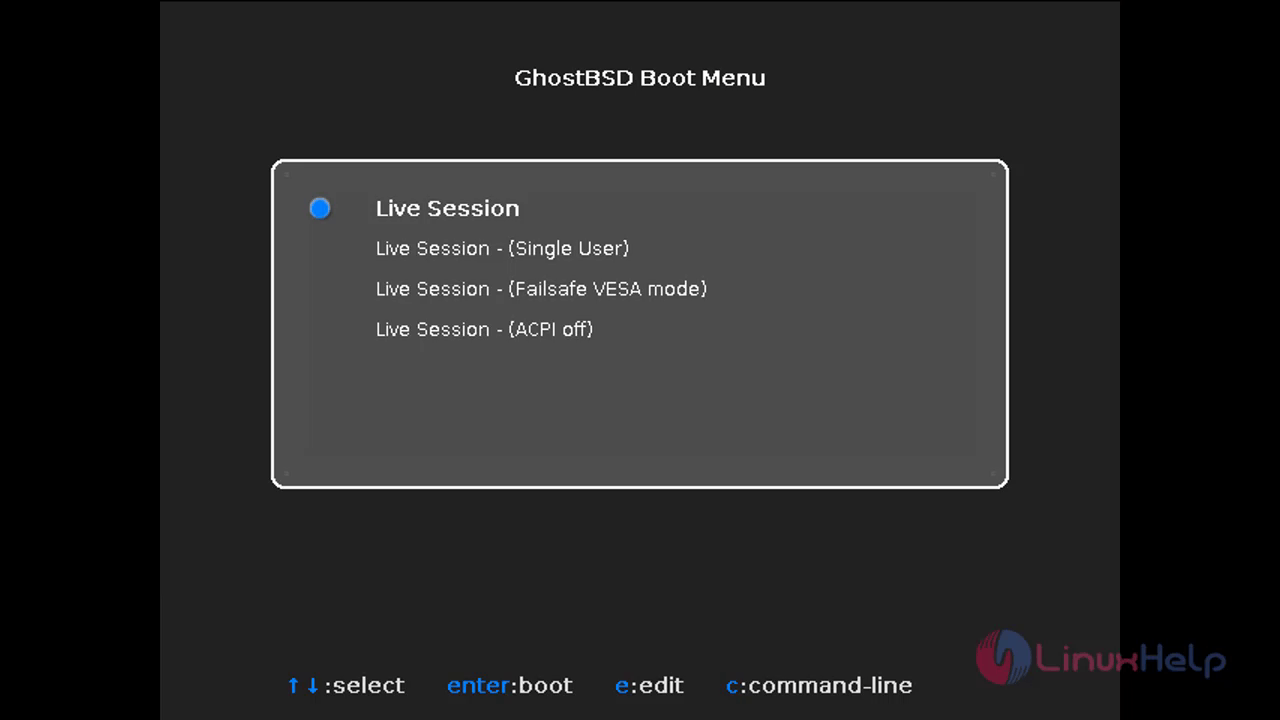
1

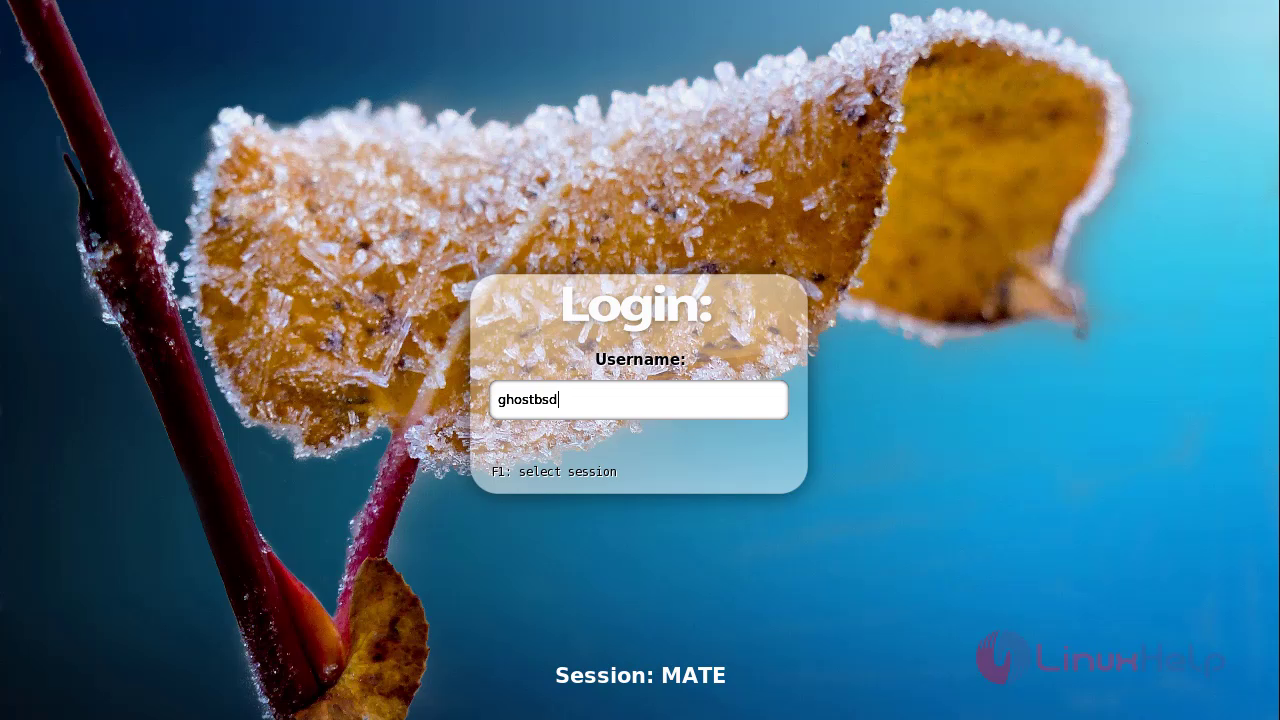
Login with default username.

2

Click on GhostBSD installer icon, which is displayed on the desktop.
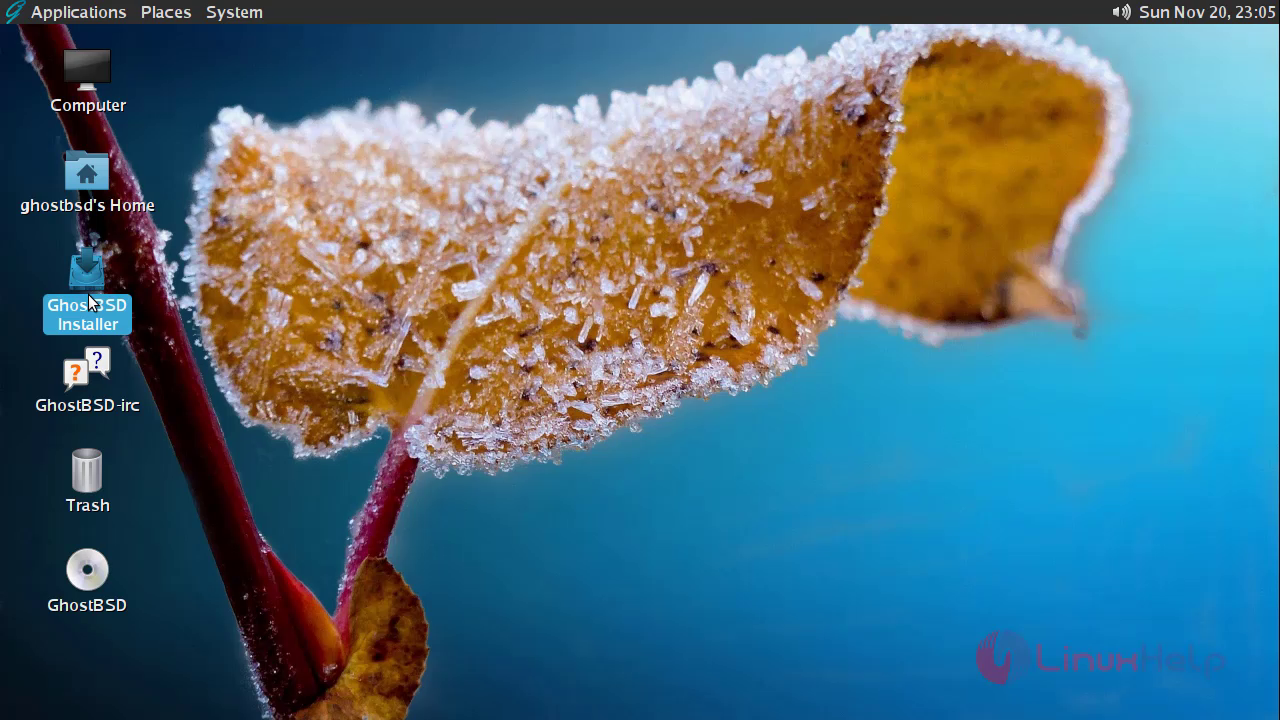
3

Select your language and click on continue option.
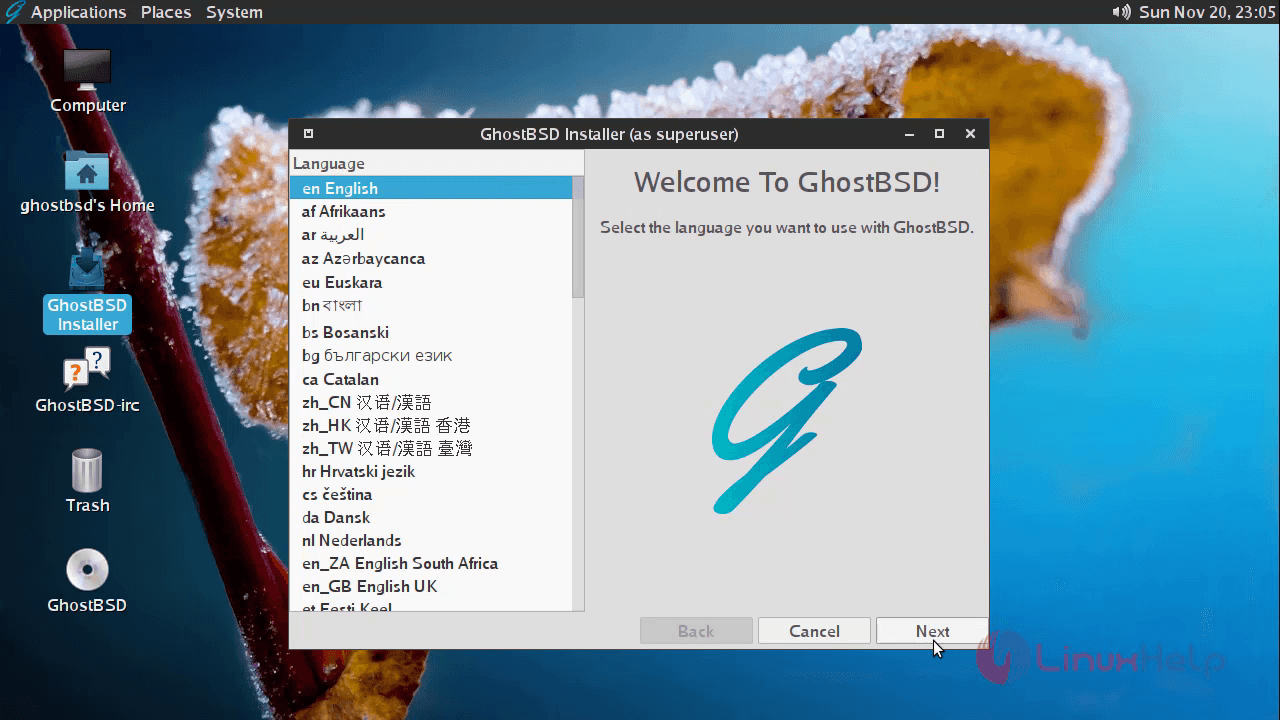
4

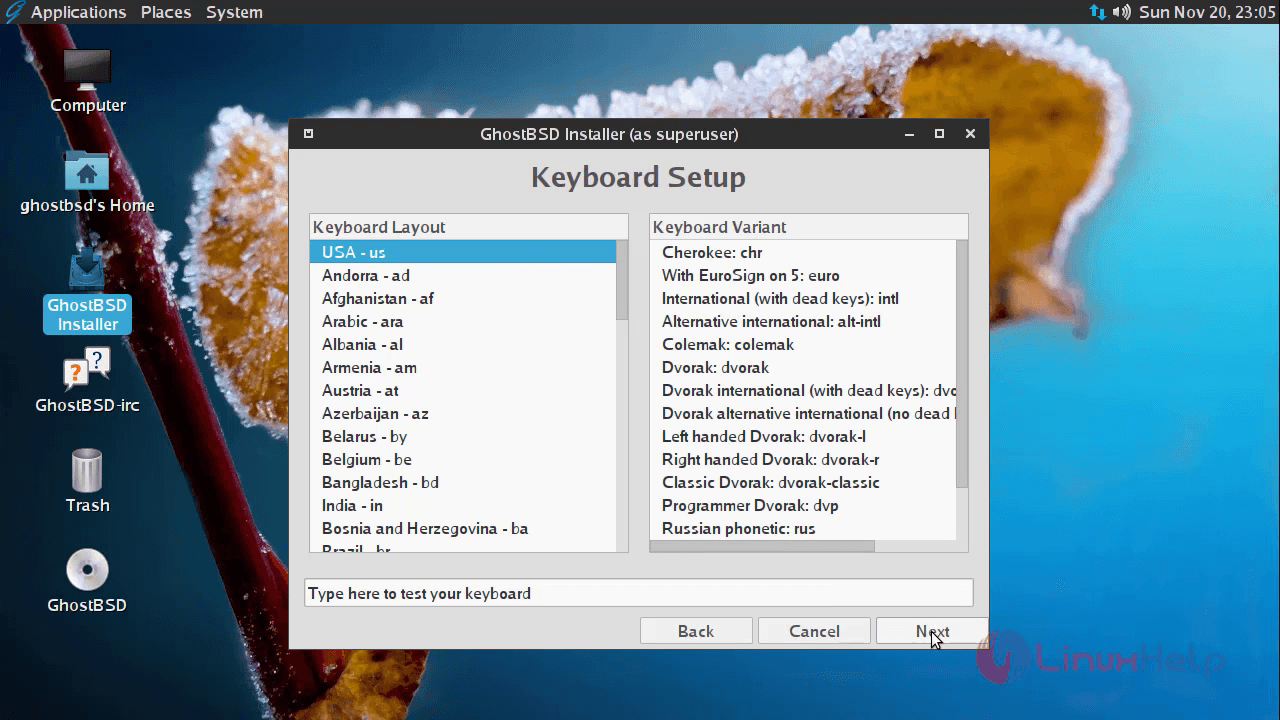
Choose your keyboard layout.

5

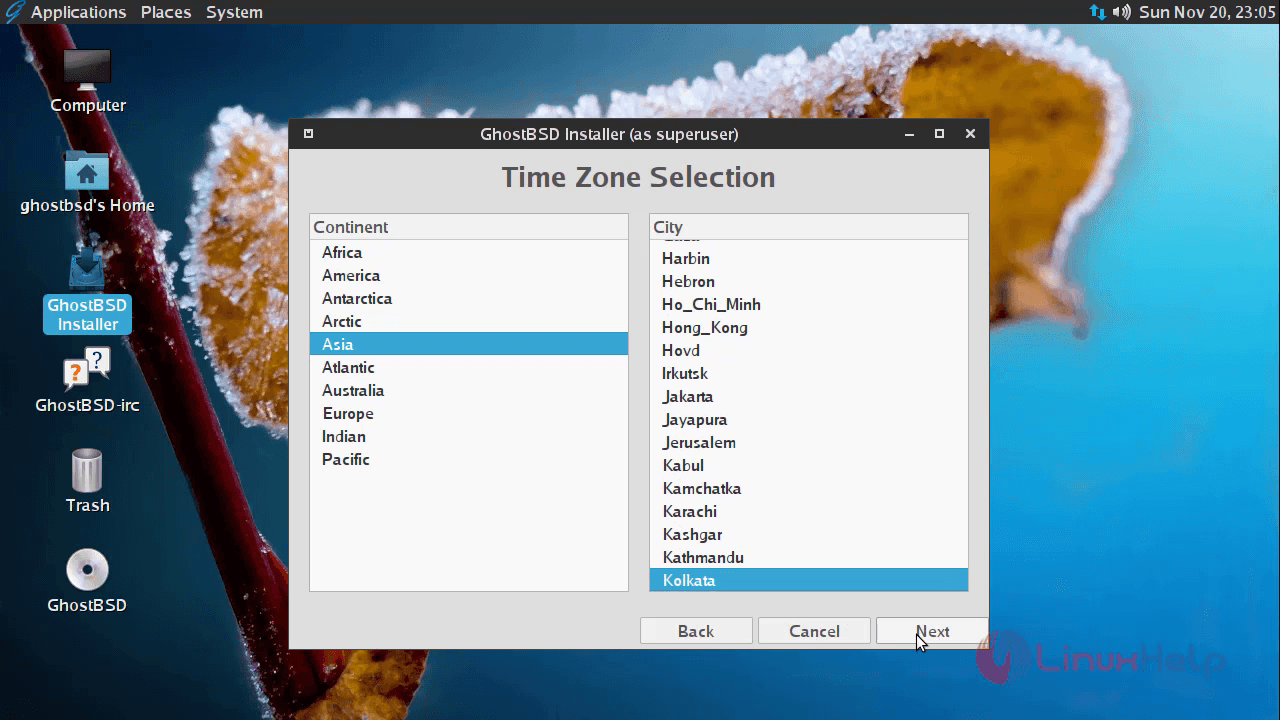
Select your default Time Zone.

6

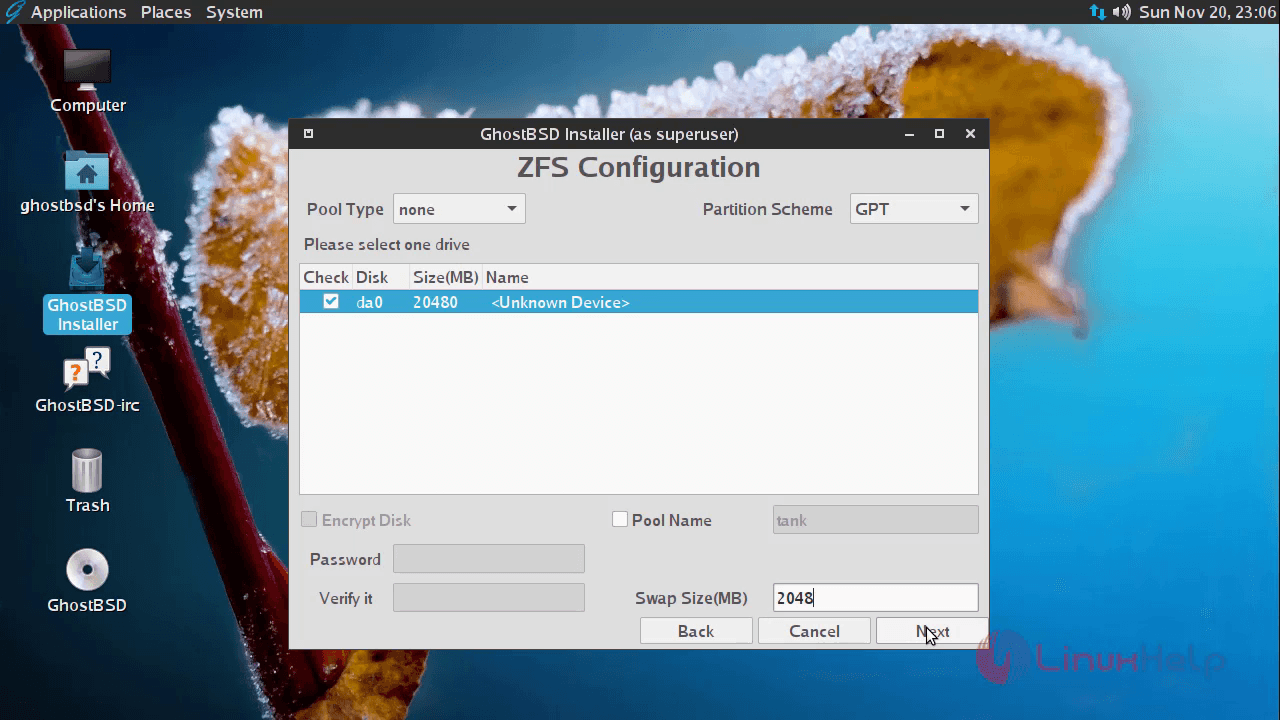
Here you need to select the ZFS Configuration and click on next option

.7
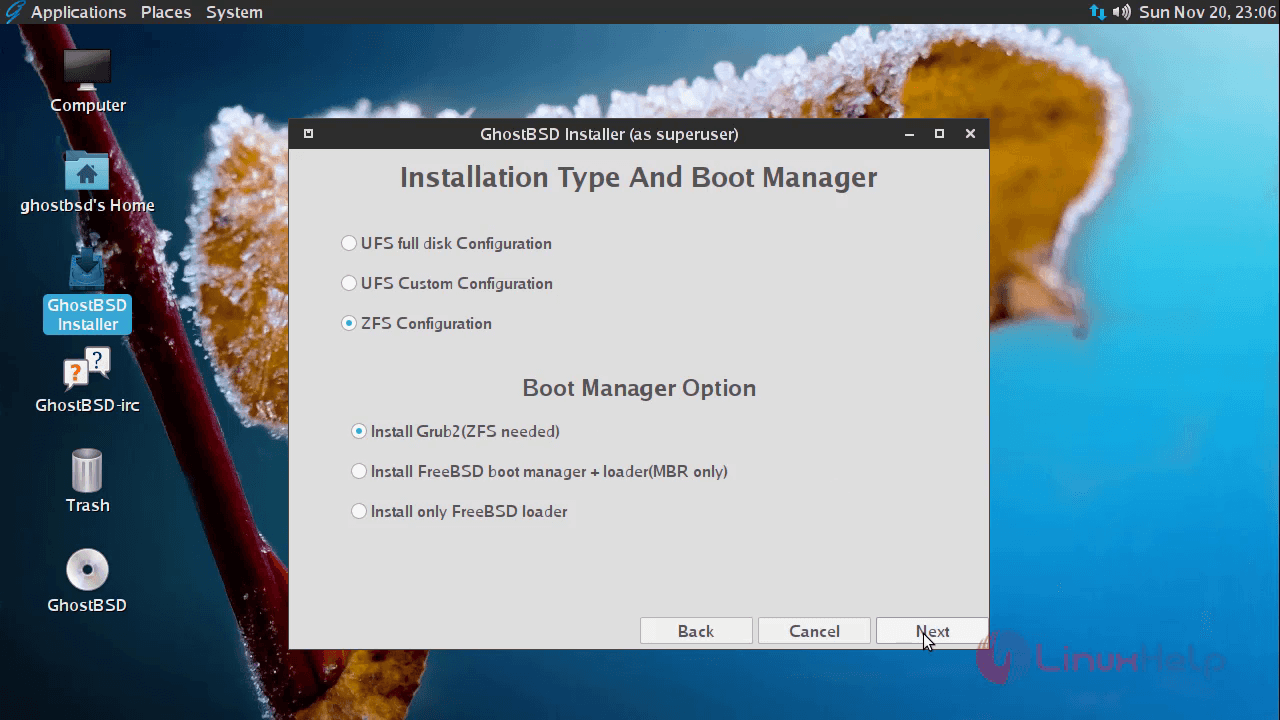
Enter the size for the swap partition and then click next option.
8

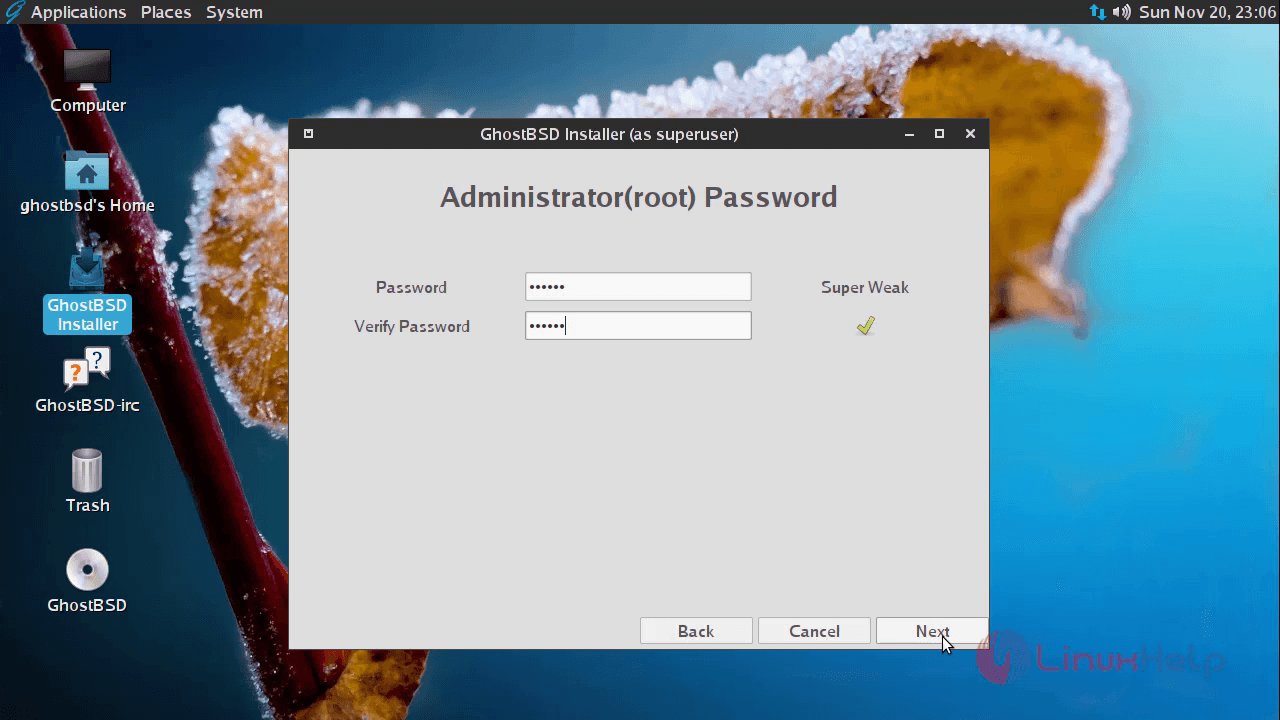
Set password for root user account.

9

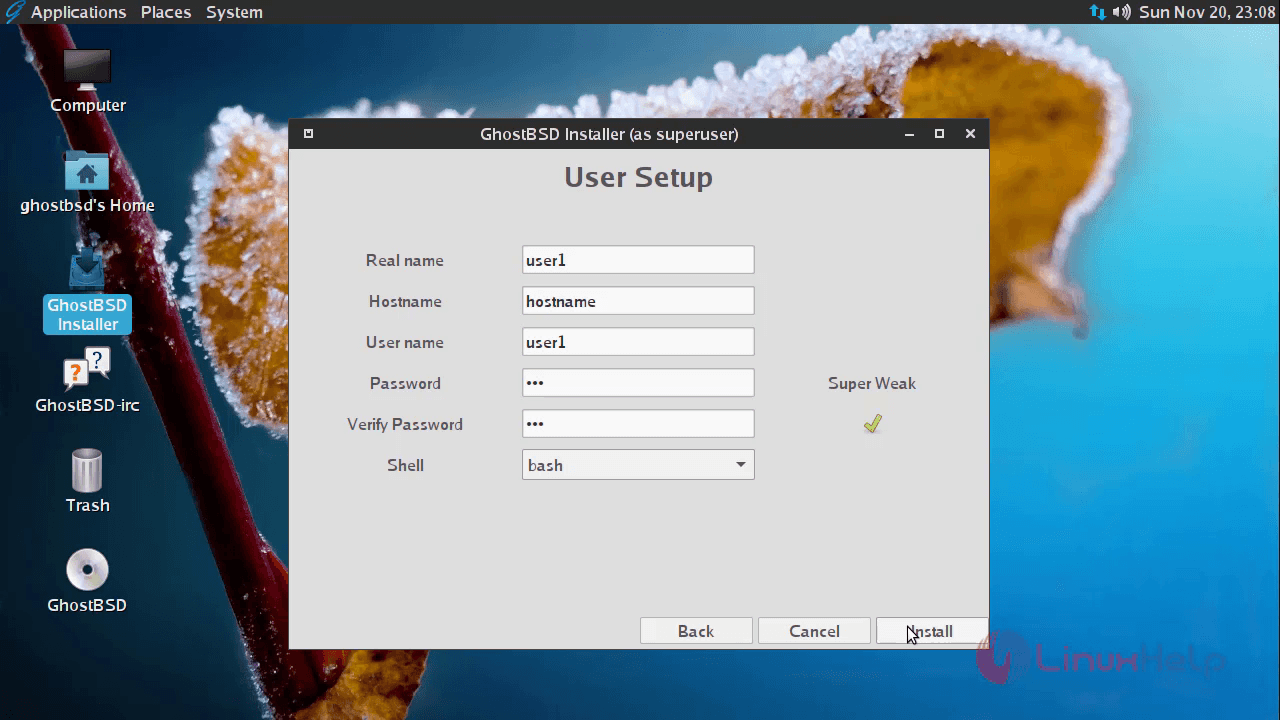
Create new user account.

10

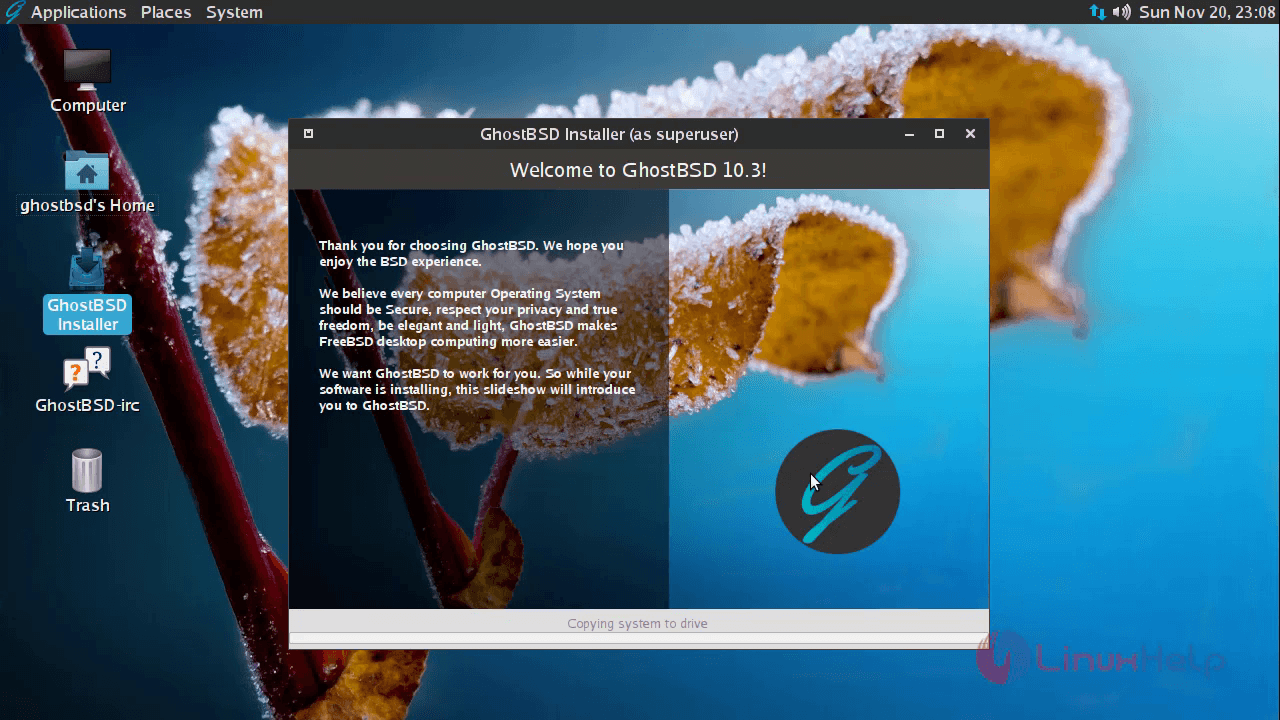
Installation process get started.

11

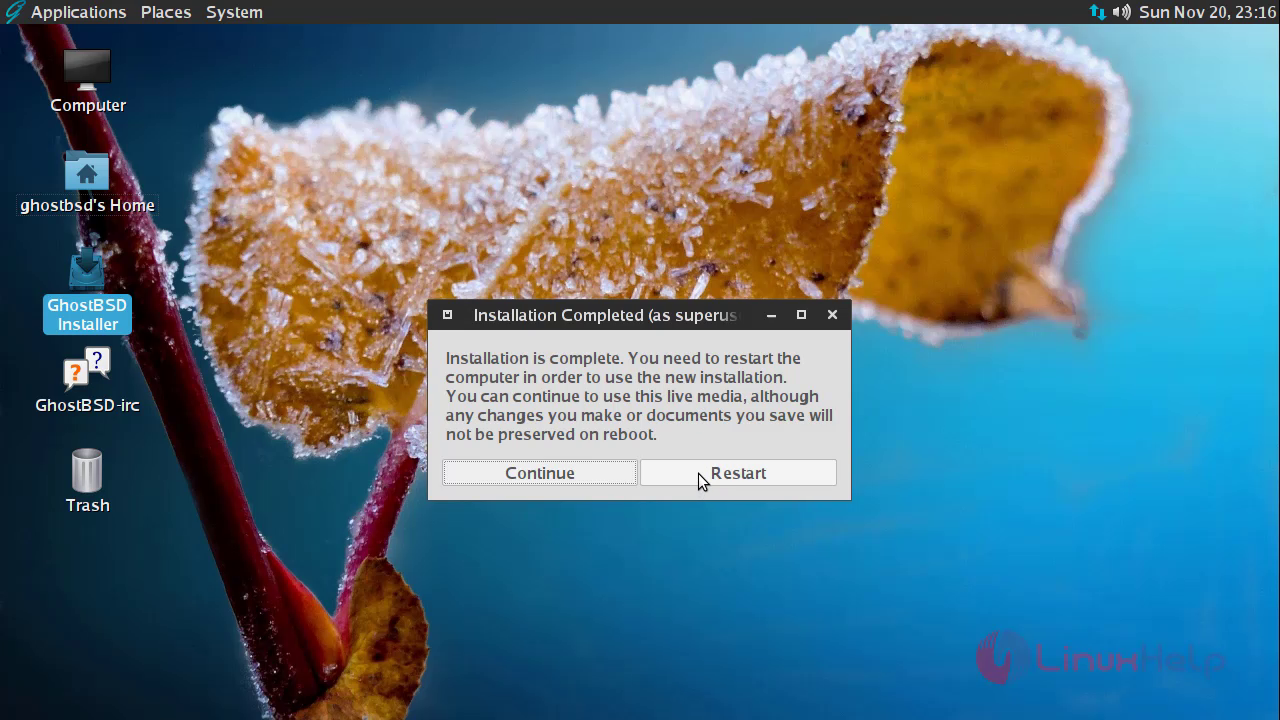
Once the installation is completed, restart your computer to take effect.
12

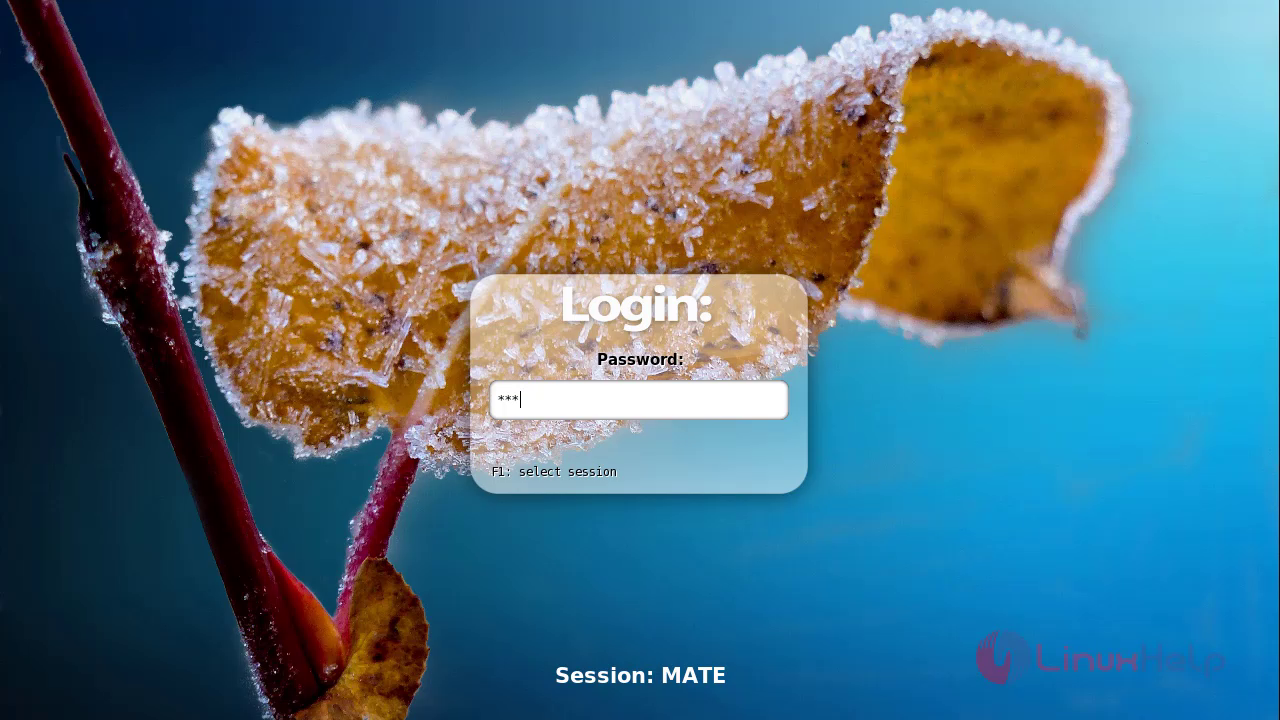
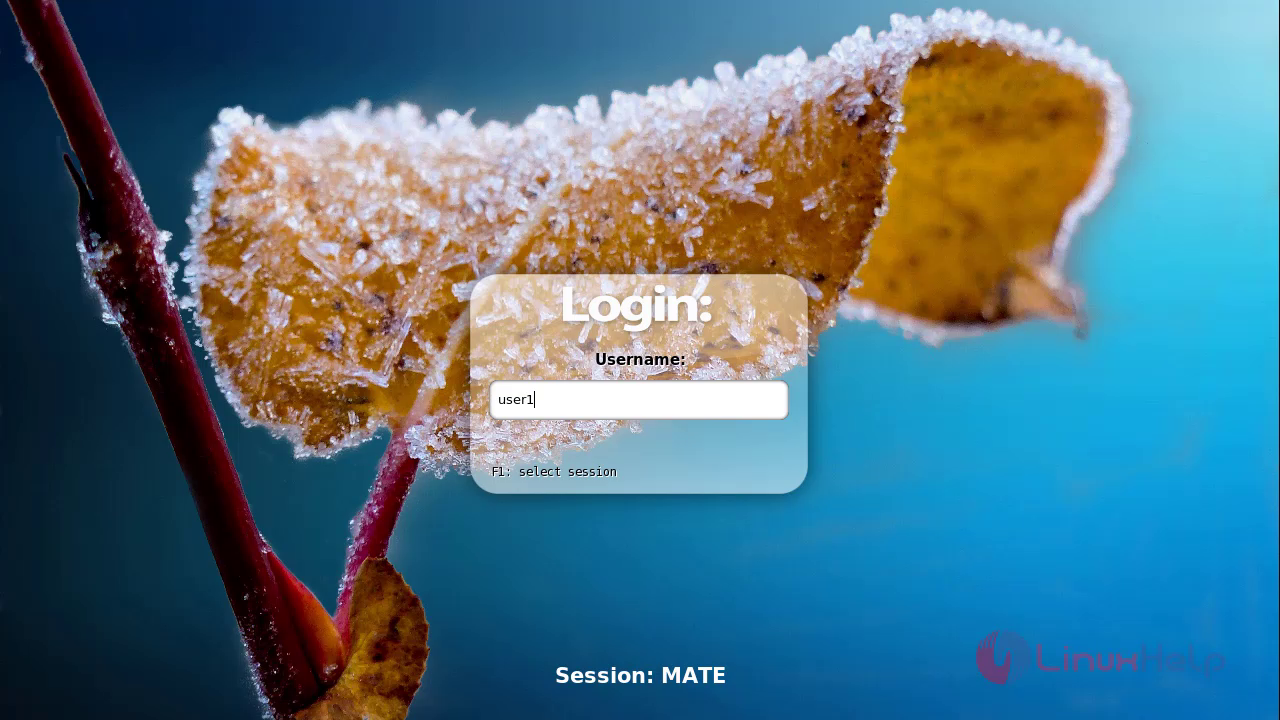
Login with user credential to access GhostBSD.
13

14

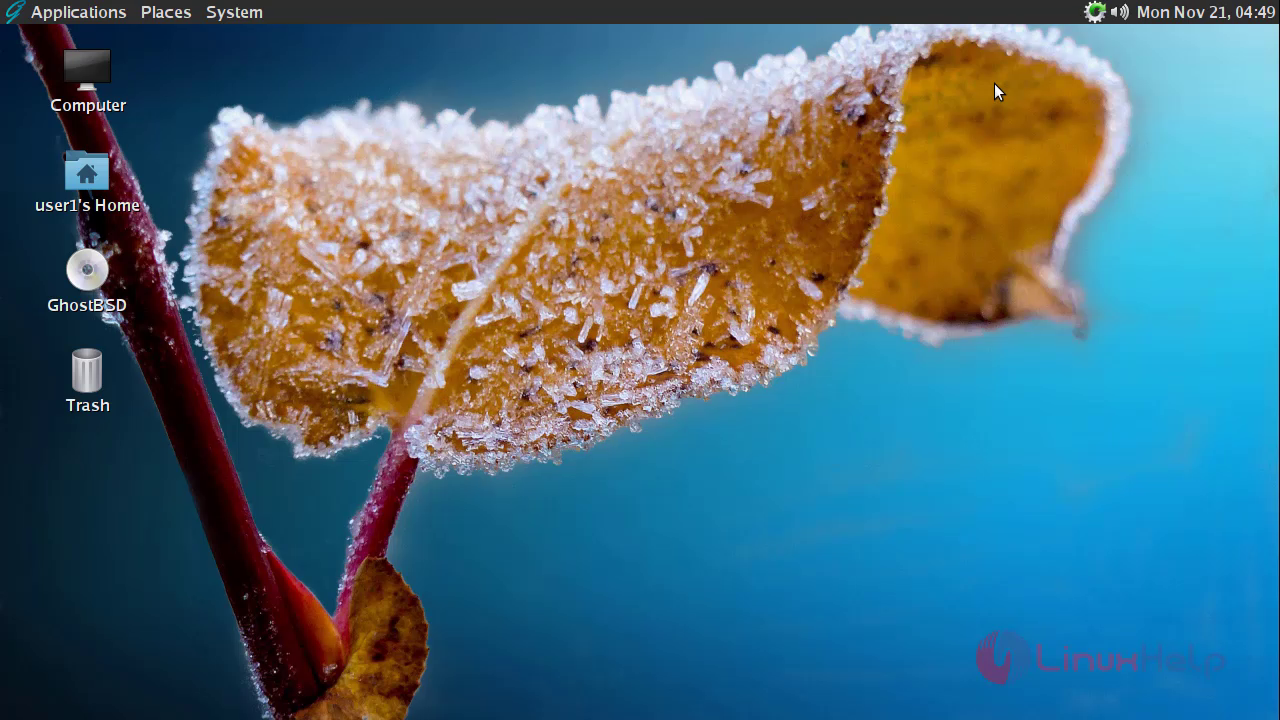
Access GhostBSD and have fun!!!

15

Tags:
john
Author: 

Comments ( 0 )

No comments available

Add a comment
{{postCtrl.cmtErrMsg}}

Frequently asked questions ( 5 )

Q

Who can use GhostBSD?

A

GhostBSD can be used by companies, researchers, computer professionals, students and home users all over the world in their work, education, and recreation.

Q

Bootloader not showing GhostBSD. what to do now?

A

When bootloader not showing GhostBSD, execute the following command and then try
# update-grub.

Q

When are GhostBSD releases made?

A

The developer's team releases a new version more or less every 8 months. GhostBSD follows the release dates of FreeBSD.

Q

Does the GhostBSD license have any restrictions?

A

GhostBSD license has certain restrictions,

Do not claim that you wrote this.
Do not sue us if it breaks.

Q

Why is it called GhostBSD?

A

It is referred to as “Gnome hosted by BSD”, which means that Gnome is hosted on the FreeBSD system.

Back To Top!
Rank
User
Points

Top Contributers

userNamenaveelansari
135850

Top Contributers

userNameayanbhatti
92510

Top Contributers

userNamehamzaahmed
32150

Top Contributers

1
userNamelinuxhelp
31040

Top Contributers

userNamemuhammadali
24500
Can you help David Lopez Guillen ?
Ayuda urgente instale SSL para servidor Opensuse y ahora no funciona tengo servicio web

hola segui este tutorial para tener un certificado ssl y ahora no se ve mi app en la red, espero alguien pueda ayudarme, tengo M9oodle en3.5 en un servidor open suse y ahora no funciona por favor ayuda.

https://www.linuxhelp.com/how-to-create-ssl-certificate-in-opensuse

Networking
  • Routing
  • trunk
  • Netmask
  • Packet Capture
  • domain
  • HTTP Proxy
Server Setup
  • NFS
  • KVM
  • Memory
  • Sendmail
  • WebDAV
  • LXC
Shell Commands
  • Cloud commander
  • Command line archive tools
  • last command
  • Shell
  • terminal
  • Throttle
Desktop Application
  • Linux app
  • Pithos
  • Retrospect
  • Scribe
  • TortoiseHg
  • 4Images
Monitoring Tool
  • Monit
  • Apache Server Monitoring
  • EtherApe 
  • Arpwatch Tool
  • Auditd
  • Barman
Web Application
  • Nutch
  • Amazon VPC
  • FarmWarDeployer
  • Rukovoditel
  • Mirror site
  • Chef
Contact Us | Terms of Use| Privacy Policy| Disclaimer
© 2025 LinuxHelp.com All rights reserved. Linux™ is the registered trademark of Linus Torvalds. This site is not affiliated with linus torvalds in any way.