• Categories
    Category
    {{ postCtrl.tags }}
    • {{ category.tag_type }}

      • {{tag.tag_name}}
      • View more
  • Categories
    Category
    {{ postCtrl.tags }}
    • {{ category.tag_type }}

      • {{tag.tag_name}}
      • View more
  • News
  • Tutorials
  • Forums
  • Tags
  • Users
Tutorial News Comments FAQ Related Articles

How to install GhostWriter 1.7.3 on Ubuntu 18.04

{{postValue.id}}

To install GhostWriter 1.7.3 on Ubuntu 18.04
GhostWriter is a stylish, free and open source, distraction free Markdown editor that runs well on both Windows and Linux. Due to its sleek and clean design, it is getting popular as one of the most sought after Markdown editor among the writing community. It is designed with several built in themes. It has an intuitive and innovative interface which makes editing text using Ghostwriter a seamless activity. In this tutorial, we will cover the installation of GhostWriter on Ubuntu 18.04.

Installation

Add the repository of GhostWriter using PPA

root@linuxhelp1:~# add-apt-repository ppa:wereturtle/ppa
 Ubuntu package archive for http://github.com/wereturtle/
 More info: https://launchpad.net/~wereturtle/+archive/ubuntu/ppa
Press [ENTER] to continue or Ctrl-c to cancel adding it.

Hit:1 http://in.archive.ubuntu.com/ubuntu bionic InRelease
Get:2 http://ppa.launchpad.net/wereturtle/ppa/ubuntu bionic InRelease [15.9 kB]               
Get:3 http://security.ubuntu.com/ubuntu bionic-security InRelease [83.2 kB]   
.
.
Get:15 http://in.archive.ubuntu.com/ubuntu bionic-updates/universe amd64 DEP-11 Metadata [152 kB]
Get:16 http://in.archive.ubuntu.com/ubuntu bionic-updates/universe DEP-11 48x48 Icons [153 kB]
Get:17 http://in.archive.ubuntu.com/ubuntu bionic-updates/universe DEP-11 64x64 Icons [265 kB]
Get:18 http://in.archive.ubuntu.com/ubuntu bionic-updates/multiverse amd64 DEP-11 Metadata [2,468 B]
Get:19 http://in.archive.ubuntu.com/ubuntu bionic-backports/universe amd64 DEP-11 Metadata [5,100 B]
Fetched 1,079 kB in 4s (298 kB/s)             
Reading package lists... Done

Install the GhostWriter package using the following command

root@linuxhelp1:~# apt-get install ghostwriter -y
Reading package lists... Done
Building dependency tree       
Reading state information... Done
The following packages were automatically installed and are no longer required:
  apache2-bin apache2-data apache2-utils libapr1 libaprutil1 libaprutil1-dbd-sqlite3
  libaprutil1-ldap
Use 'sudo apt autoremove' to remove them.
Suggested packages:
  myspell-dictionary
The following NEW packages will be installed:
  ghostwriter
0 upgraded, 1 newly installed, 0 to remove and 7 not upgraded.
Need to get 388 kB of archives.
After this operation, 1,421 kB of additional disk space will be used.
Get:1 http://ppa.launchpad.net/wereturtle/ppa/ubuntu bionic/main amd64 ghostwriter amd64 1.7.3-0ppa1~bionic1 [388 kB]
Fetched 388 kB in 1s (281 kB/s)
Selecting previously unselected package ghostwriter.
(Reading database ... 185048 files and directories currently installed.)
Preparing to unpack .../ghostwriter_1.7.3-0ppa1~bionic1_amd64.deb ...
Unpacking ghostwriter (1.7.3-0ppa1~bionic1) ...
Processing triggers for mime-support (3.60ubuntu1) ...
Processing triggers for desktop-file-utils (0.23-1ubuntu3.18.04.1) ...
Setting up ghostwriter (1.7.3-0ppa1~bionic1) ...
Processing triggers for man-db (2.8.3-2) ...
Processing triggers for gnome-menus (3.13.3-11ubuntu1.1) ...
Processing triggers for hicolor-icon-theme (0.17-2) …

Once Installation is done you can access the GhostWriter from the Menu as shown here
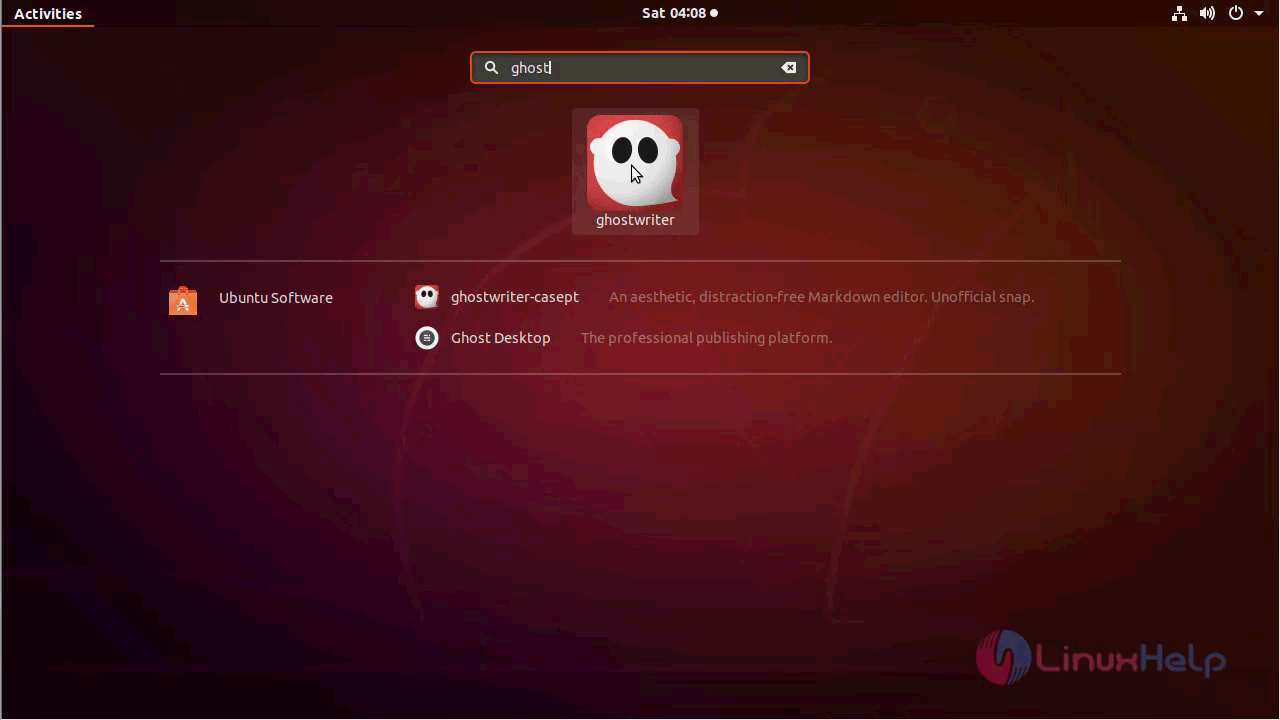
ubuntu_menu


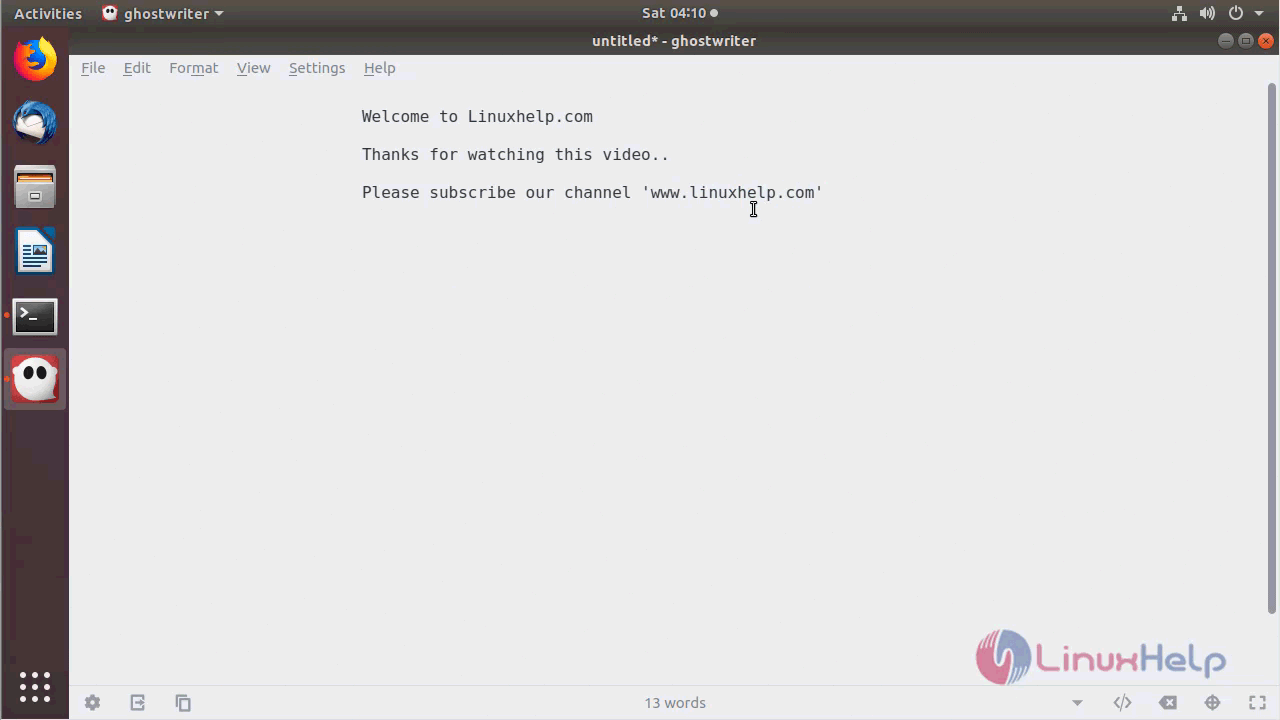
GhostWriter application
open_ghostwriter


The version of GhostWriter can be found in Help-> About
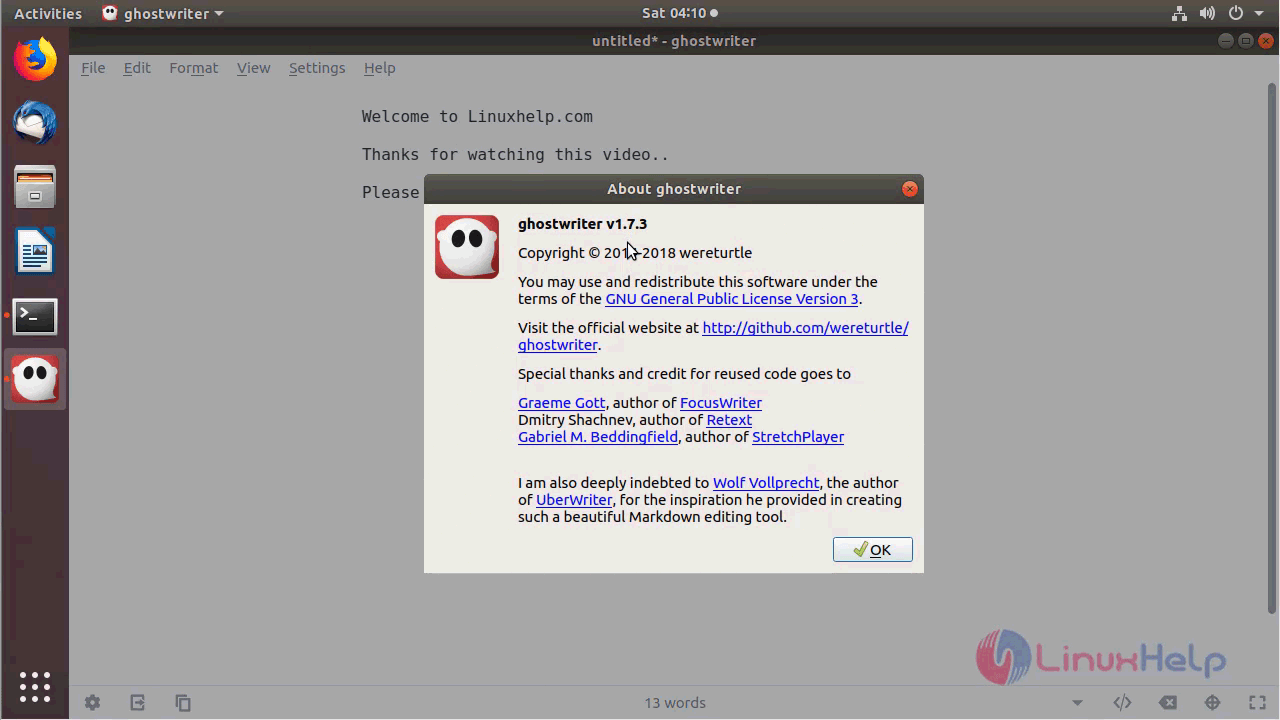
ghostwriter_version

With this, the method to install GhostWriter on Ubuntu 18.04 comes to an end.

Tags:
james
Author: 

Comments ( 0 )

No comments available

Add a comment
{{postCtrl.cmtErrMsg}}

Frequently asked questions ( 5 )

Q

How to install GhostWriter 1.7.3 on Ubuntu?

A

Run the following command:
# apt-get install ghostwriter

Q

What is GhostWriter?

A

GhostWriter is a stylish, free and open source, distraction free Markdown editor that runs well on both Windows and Linux. Due to its sleek and clean design, it is getting popular as one of the most sought after Markdown editor among the writing community.

Q

WHAT KINDS OF GHOST WRITING CREDIT DO CLIENTS OR AUTHORS GIVE GHOSTWRITERS?

A

This can be a brief sentence on an acknowledgments page, stating “This book would not be possible without my Editor, So and So.” Also, if you want to give your ghost writer more credit, you can put on the book cover, “As told to So and So.” Or you can share co-author status, so the book cover or screen credits will feature the ghost writer’s name as prominently as that of the client or author. However, this arrangement is entirely up to you and your ghost writer.

Q

What types of ghost writers exist?

A

Mainly, you’re hiring a professional book ghostwriter or a professional book editor. They are often a freelance professional writer. A ghost will help you create your finished work. The beginnings of which may range from a brief outline with a handful of notes.

Q

What is plagiarism?

A

You can’t use someone else’s copyrighted work (howsoever published) without their written permission. According to this Ghostwriter FAQ, you can’t use anyone other than your ghostwriter’s original work. In addition to using your own original work, and that’s under your name.

Back To Top!
Rank
User
Points

Top Contributers

userNamenaveelansari
135850

Top Contributers

userNameayanbhatti
92510

Top Contributers

userNamehamzaahmed
32150

Top Contributers

1
userNamelinuxhelp
31040

Top Contributers

userNamemuhammadali
24500
Can you help Gibbson ?
How do i run both nginx and apache in same instance on centos

Hi...,

my server is based centos operating system and my webserver is already running on Apache.... i need to run both apache and nginx on same instance ... please help me to implement this concept...

Networking
  • Routing
  • trunk
  • Netmask
  • Packet Capture
  • domain
  • HTTP Proxy
Server Setup
  • NFS
  • KVM
  • Memory
  • Sendmail
  • WebDAV
  • LXC
Shell Commands
  • Cloud commander
  • Command line archive tools
  • last command
  • Shell
  • terminal
  • Throttle
Desktop Application
  • Linux app
  • Pithos
  • Retrospect
  • Scribe
  • TortoiseHg
  • 4Images
Monitoring Tool
  • Monit
  • Apache Server Monitoring
  • EtherApe 
  • Arpwatch Tool
  • Auditd
  • Barman
Web Application
  • Nutch
  • Amazon VPC
  • FarmWarDeployer
  • Rukovoditel
  • Mirror site
  • Chef
Contact Us | Terms of Use| Privacy Policy| Disclaimer
© 2025 LinuxHelp.com All rights reserved. Linux™ is the registered trademark of Linus Torvalds. This site is not affiliated with linus torvalds in any way.