How to Install Ghostwriter on linuxmint-18.03
To Install Ghostwriter on Linux Mint 18.3
Ghostwriter is a stylish, free and open source Markdown editor which supports both Windows and Linux distribution. It is designed with several built-in themes. We have to add the repository of shotcut video editor using PPA. It is so simple to install Ghostwriter on Linux Mint 18.3, and this tutorial covers the ground on the same process.
Installation
First, let' s add the PPA repo that contains Ghostwriter
linuxhelp ~ # add-apt-repository ppa:wereturtle/ppa

You are about to add the following PPA:

 Ubuntu package archive for http://github.com/wereturtle/
 More info: https://launchpad.net/~wereturtle/+archive/ubuntu/ppa

Press Enter to continue or Ctrl+C to cancel

Executing: /tmp/tmp.z30IyqYfNT/gpg.1.sh --keyserver
hkp://keyserver.ubuntu.com:80
--recv-keys
9B3CCB19
gpg: requesting key 9B3CCB19 from hkp server keyserver.ubuntu.com
gpg: key 9B3CCB19: public key " Launchpad PPA for wereturtle"  imported
gpg: Total number processed: 1
gpg:               imported: 1  (RSA: 1)
Update the system repository package as follows
linuxhelp ~ # apt-get update
Hit:1 http://ppa.launchpad.net/ondrej/php/ubuntu xenial InRelease
Hit:2 http://archive.ubuntu.com/ubuntu xenial InRelease
Hit:3 http://archive.canonical.com/ubuntu xenial InRelease
Ign:4 http://packages.linuxmint.com sylvia InRelease
Hit:5 http://ppa.launchpad.net/stebbins/handbrake-releases/ubuntu xenial InRelease
Hit:6 http://packages.linuxmint.com sylvia Release
Get:8 http://archive.ubuntu.com/ubuntu xenial-updates InRelease [109 kB]
Get:9 http://security.ubuntu.com/ubuntu xenial-security InRelease [107 kB]
Get:10 http://ppa.launchpad.net/wereturtle/ppa/ubuntu xenial InRelease [18.0 kB]
Get:11 http://archive.ubuntu.com/ubuntu xenial-backports InRelease [107 kB]
.
.
.
Get:15 http://archive.ubuntu.com/ubuntu xenial-updates/main amd64 Packages [783 kB]
Get:16 http://ppa.launchpad.net/wereturtle/ppa/ubuntu xenial/main Translation-en [528 B]
Get:17 http://archive.ubuntu.com/ubuntu xenial-updates/main i386 Packages [718 kB]
Get:18 http://archive.ubuntu.com/ubuntu xenial-updates/universe amd64 Packages [631 kB]
Get:19 http://archive.ubuntu.com/ubuntu xenial-updates/universe i386 Packages [577 kB]
Fetched 3,053 kB in 5s (540 kB/s)
Reading package lists... Done
You can now install the Ghostwriter application.
linuxhelp ~ # apt-get install ghostwriter
Reading package lists... Done
Building dependency tree
Reading state information... Done

The following packages were automatically installed and are no longer required

  libcurl3 libmcrypt4
Use ' sudo apt autoremove'  to remove them.

The following additional packages will be installed

 libqt5concurrent5

The following NEW packages will be installed:

  ghostwriter libqt5concurrent5
0 upgraded, 2 newly installed, 0 to remove and 359 not upgraded.
Need to get 423 kB of archives.

After this operation, 1,577 kB of additional disk space will be used.


Do you want to continue? [Y/n] y
Get:1 http://archive.ubuntu.com/ubuntu xenial-updates/main amd64 libqt5concurrent5 amd64 5.5.1+dfsg-16ubuntu7.5 [24.3 kB]
Get:2 http://ppa.launchpad.net/wereturtle/ppa/ubuntu xenial/main amd64 ghostwriter amd64 1.6.2-0ppa1~xenial1 [399 kB]
Fetched 423 kB in 1s (289 kB/s)
Selecting previously unselected package libqt5concurrent5:amd64.
(Reading database ... 221659 files and directories currently installed.)
Preparing to unpack .../libqt5concurrent5_5.5.1+dfsg-16ubuntu7.5_amd64.deb ...
Unpacking libqt5concurrent5:amd64 (5.5.1+dfsg-16ubuntu7.5) ...
Selecting previously unselected package ghostwriter.
Preparing to unpack .../ghostwriter_1.6.2-0ppa1~xenial1_amd64.deb ...
Unpacking ghostwriter (1.6.2-0ppa1~xenial1) ...
Processing triggers for libc-bin (2.23-0ubuntu9) ...
Processing triggers for man-db (2.7.5-1) ...
Processing triggers for desktop-file-utils (0.22+linuxmint1) ...
Processing triggers for mime-support (3.59ubuntu1) ...
Processing triggers for hicolor-icon-theme (0.15-0ubuntu1) ...
Setting up libqt5concurrent5:amd64 (5.5.1+dfsg-16ubuntu7.5) ...
Setting up ghostwriter (1.6.2-0ppa1~xenial1) ...
Processing triggers for libc-bin (2.23-0ubuntu9) ...
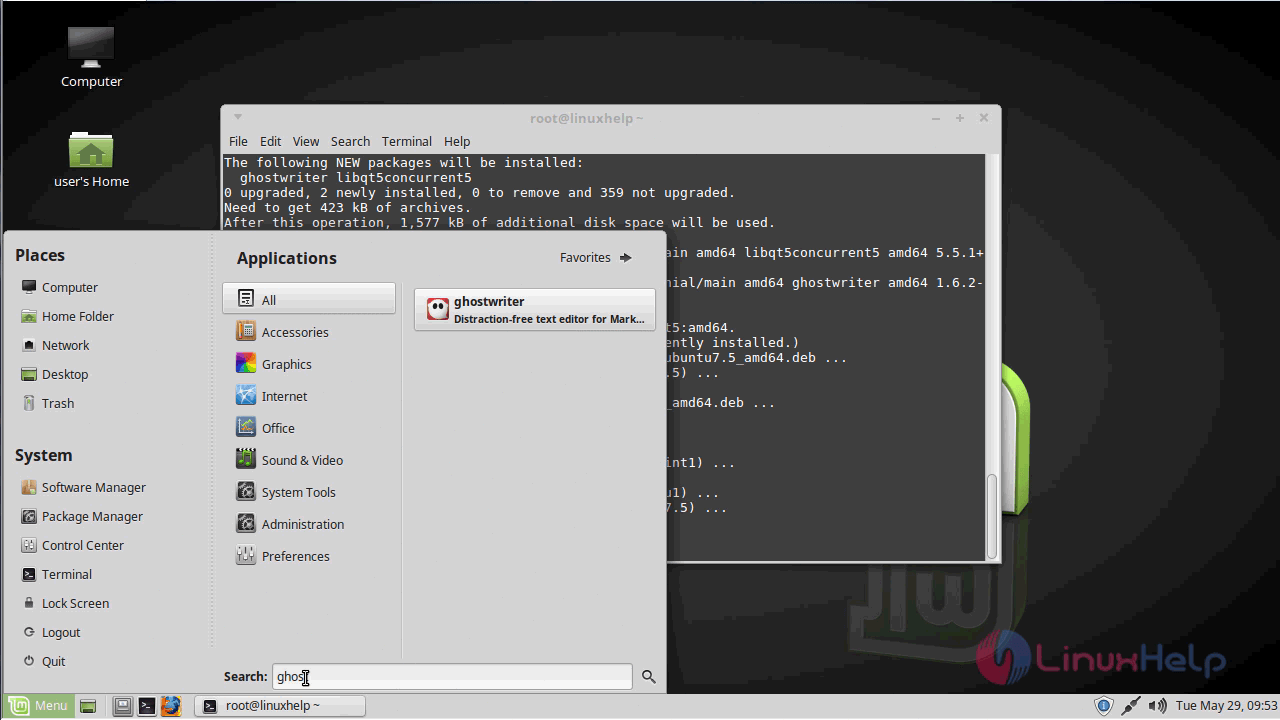
After installation, you can access the application from the menu as follows.
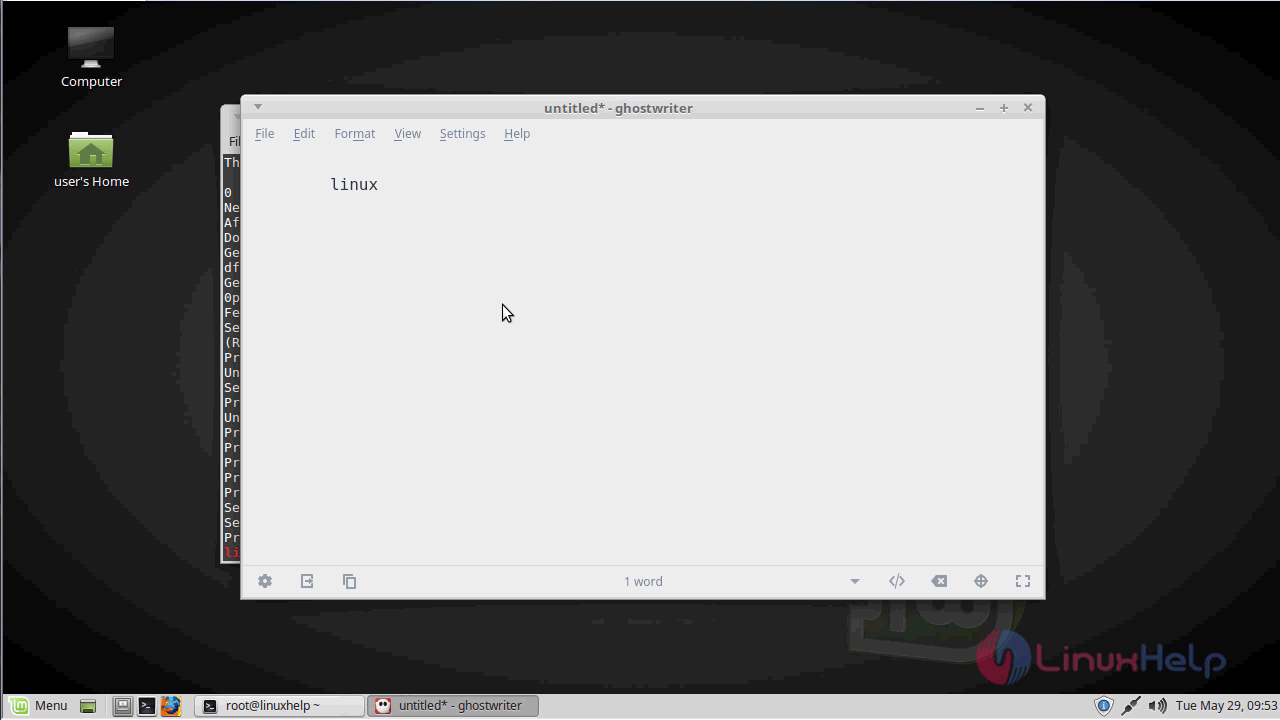
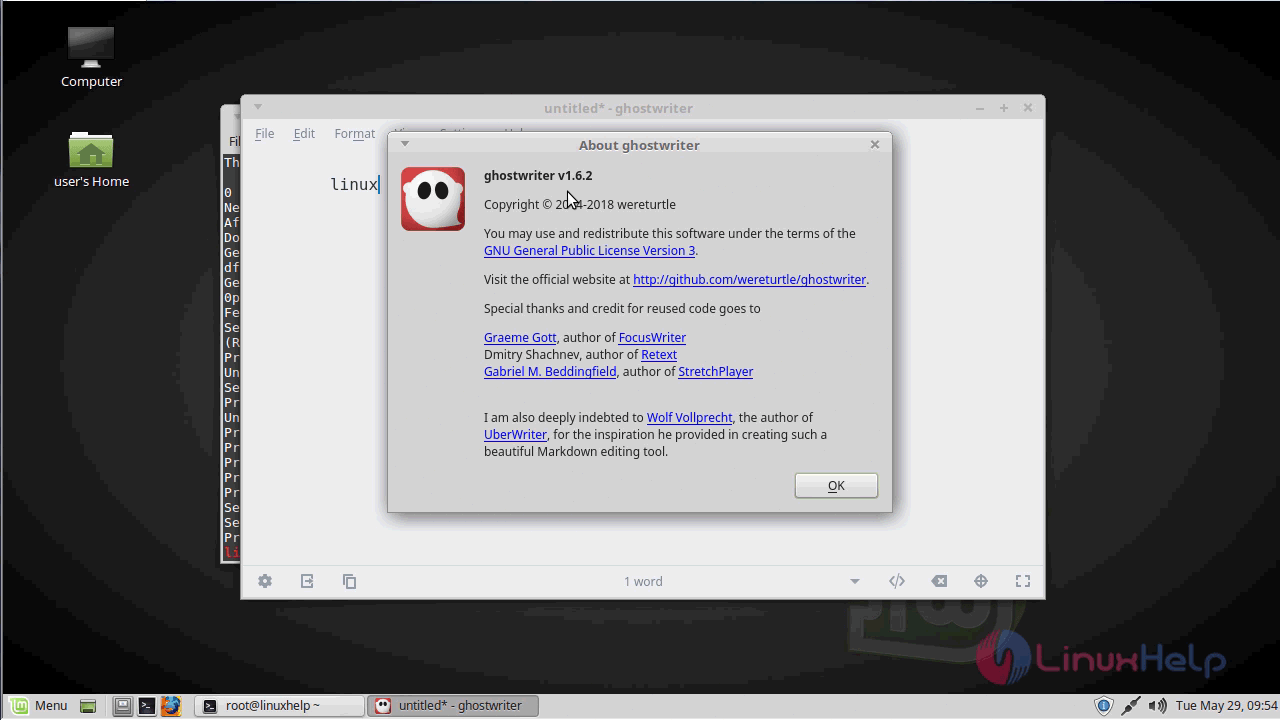
You can verify the version from the help menu.
With this, the method to install Ghostwriter on Linux Mint-18.03 comes to an end.
Comments ( 0 )
No comments available