How to Install Gitlab on Oracle Linux 8.5
- 00:30 cat /etc/os-release
- 00:50 dnf install -y curl policycoreutils openssh-server perl
- 01:07 systemctl disable firewalld
- 01:19 setenforce 0
- 01:32 wget --content-disposition https://packages.gitlab.com/gitlab/gitlab-ce/packages/el/8/gitlab-ce-14.4.2-ce.0.el8.x86_64.rpm/download.rpm
- 01:43 rpm -ivh gitlab-ce-14.4.2-ce.0.el8.x86_64.rpm
- 02:00 gitlab-ctl reconfigure
- 03:17 cat /etc/gitlab/
- 03:35 vim initial_root_password
To Install GitLab on Oracle Linux 8.5
Introduction:
GitLab is an open source code repository and collaborative software development platform for large DevOps and DevSecOps projects. GitLab, the DevOps software that combines the ability to develop, secure, and operate software in a single application.
Installation Procedure:
Step 1: check the installed version of OS by using the below command
[root@linuxhelplinuxhelp]# cat  /etc/os-release
NAME="Oracle Linux Server"
VERSION="8.5"
ID="ol"
ID_LIKE=""
VARIANT="Server"
Step 2: Install the dependency packages by using the below command
[root@linuxhelp ~]# dnf install -y curl policycoreutils openssh-server perl
Updating Subscription Management repositories.
Unable to read consumer identity
AppStream                                       3.1 MB/s | 3.2 kB     00:00
BaseOS                                          2.7 MB/s | 2.8 kB     00:00
Extra Packages for Enterprise Linux 8 - x86_64   10 kB/s | 8.4 kB     00:00
===========================================================
 Package                      Arch   Version                            Repo                                                                           Size
--------------------------------------------------------------------------------
  systemtap-sdt-devel-4.5-3.el8.x86_64
Complete!
Step 3: Disable firewalld and SELinux by using the below command
[root@linuxhelp ~]# systemctl disable firewalld
[root@linuxhelp ~]# setenforce 0

Success
Step 4: Download the GitLab CE Package by using the below command
 [root@linuxhelp ~]# wget --content-disposition https://packages.gitlab.com/gitlab/gitlab-ce/packages/el/8/gitlab-ce-14.4.2-ce.0.el8.x86_64.rpm/download.rpm

--2022-05-14 05:43:55--  https://packages.gitlab.com/gitlab/gitlab-ce/packages/el/8/gitlab-ce-14.4.2-ce.0.el8.x86_64.rpm/download.rpm
2022-05-14 05:44:47 (18.3 MB/s) - ‘gitlab-ce-14.4.2-ce.0.el8.x86_64.rpm’ saved [971743744/971743744]
Step 5: Install the gitlab-ce rpm package by using the below command
[root@linuxhelp ~]# rpm -ivh gitlab-ce-14.4.2-ce.0.el8.x86_64.rpm
Updating Subscription Management repositories.
Unable to read consumer identity
Dependencies resolved.
Installing:
 gitlab-ce       x86_64       14.4.2-ce.0.el8          @commandline       927 M
===========================================================
Installed size: 2.0 G
Is this ok [y/N]: y

Is this ok [y/N]: y
       *.                  *.
      ***                 ***
     *****               *****
    .******             *******
    ********            ********
   ,,,,,,,,,***********,,,,,,,,,
  ,,,,,,,,,,,*********,,,,,,,,,,,
  .,,,,,,,,,,,*******,,,,,,,,,,,,
      ,,,,,,,,,*****,,,,,,,,,.
         ,,,,,,,****,,,,,,
            .,,,***,,,,
                ,*,.
     _______ __  __          __
    / ____(_) /_/ /   ____ _/ /_
   / / __/ / __/ /   / __ `/ __ \
  / /_/ / / /_/ /___/ /_/ / /_/ /
  \____/_/\__/_____/\__,_/_.___/
  gitlab-ce-14.4.2-ce.0.el8.x86_64
Complete!
Step 6 : Reconfigure the GitLab by using the below command
[root@linuxhelp ~]# gitlab-ctl reconfigure
Starting Chef Infra Client, version 15.17.4
resolving cookbooks for run list: ["gitlab"]

Synchronizing Cookbooks
Recipe: monitoring::prometheus
  * runit_service[prometheus] action restart (up to date)
  * execute[reload prometheus] action run
Recipe: monitoring::alertmanager
gitlab Reconfigured!
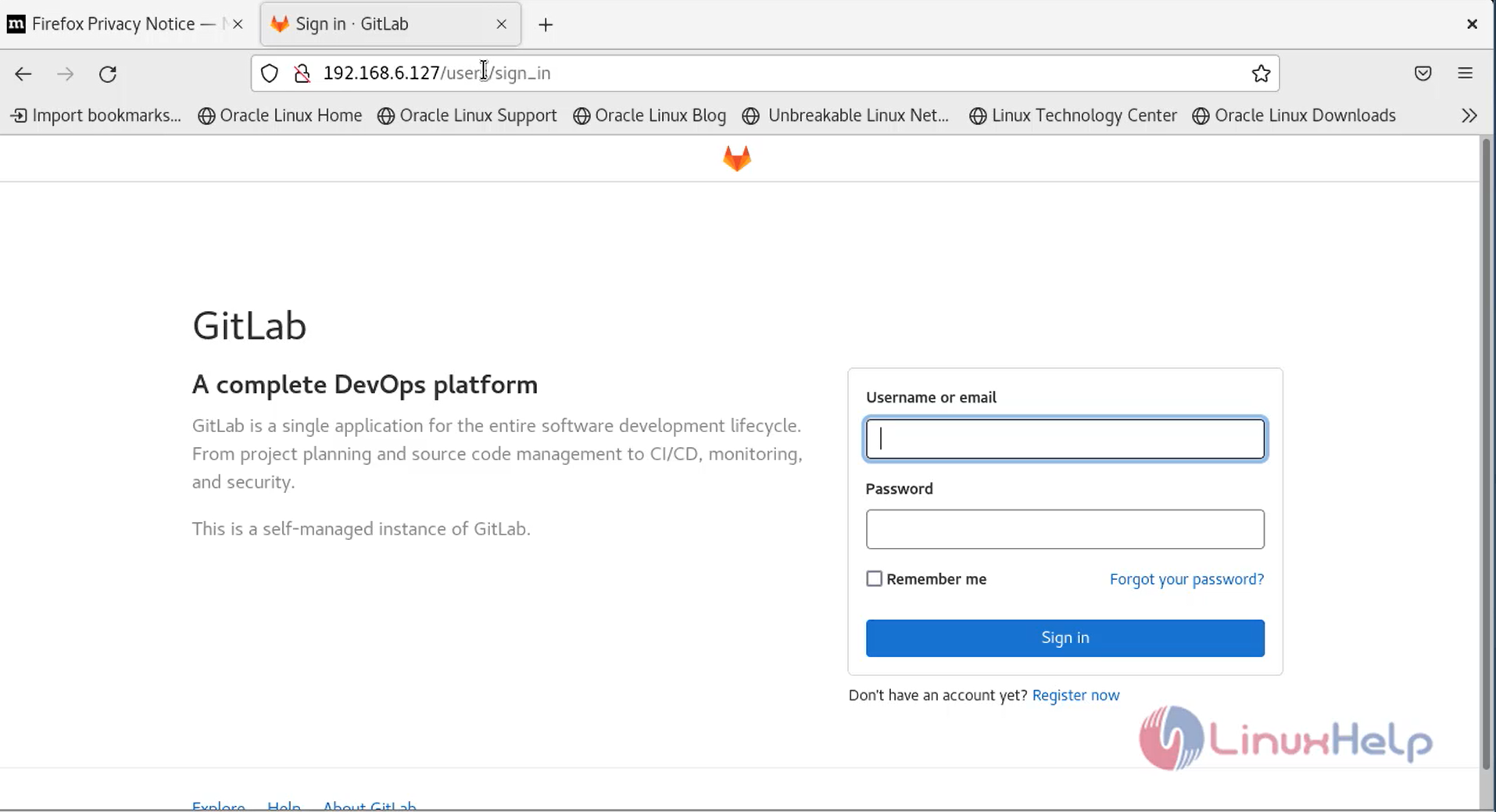
Step 7: login Git as root user as shown in the below image
Step 8: Go to the following path on terminal to get Git default root password by using the below command
[root@linuxhelp ~]# cd /etc/gitlab/
Step 9: List the directory by using the below command
[root@linuxhelp gitlab]# ls
gitlab.rb  gitlab-secrets.json    initial_root_password  trusted-certs
Step 10: Open the following file using Vim Command
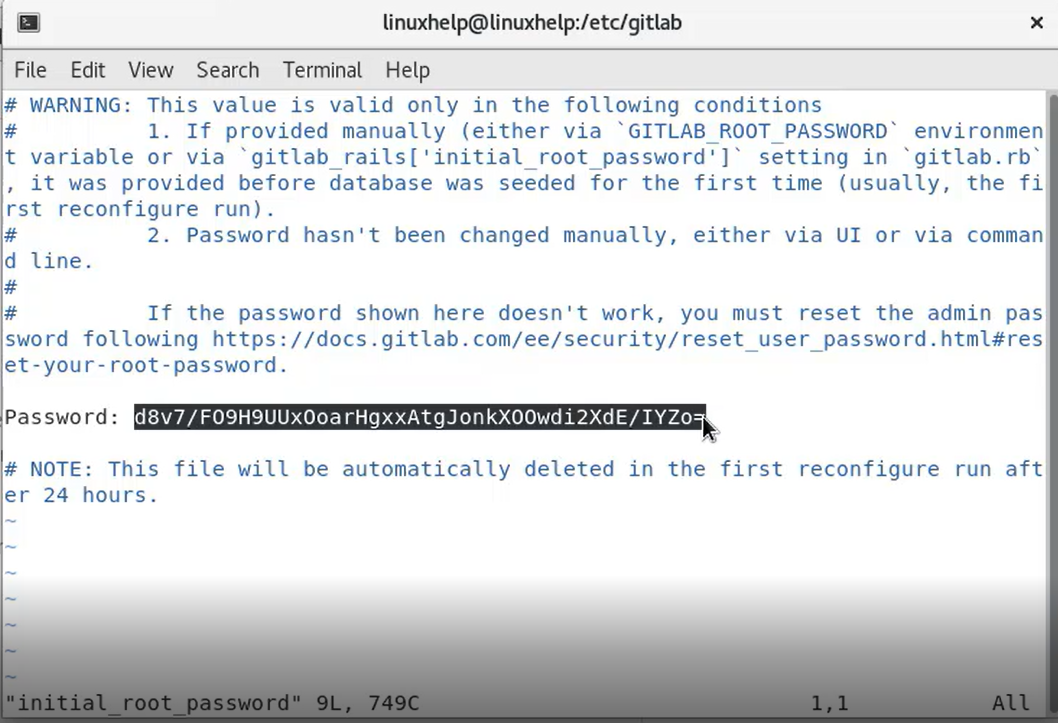
[root@linuxhelp gitlab]# vim initial_root_password
Step 11: copy the root password as shown in the below image
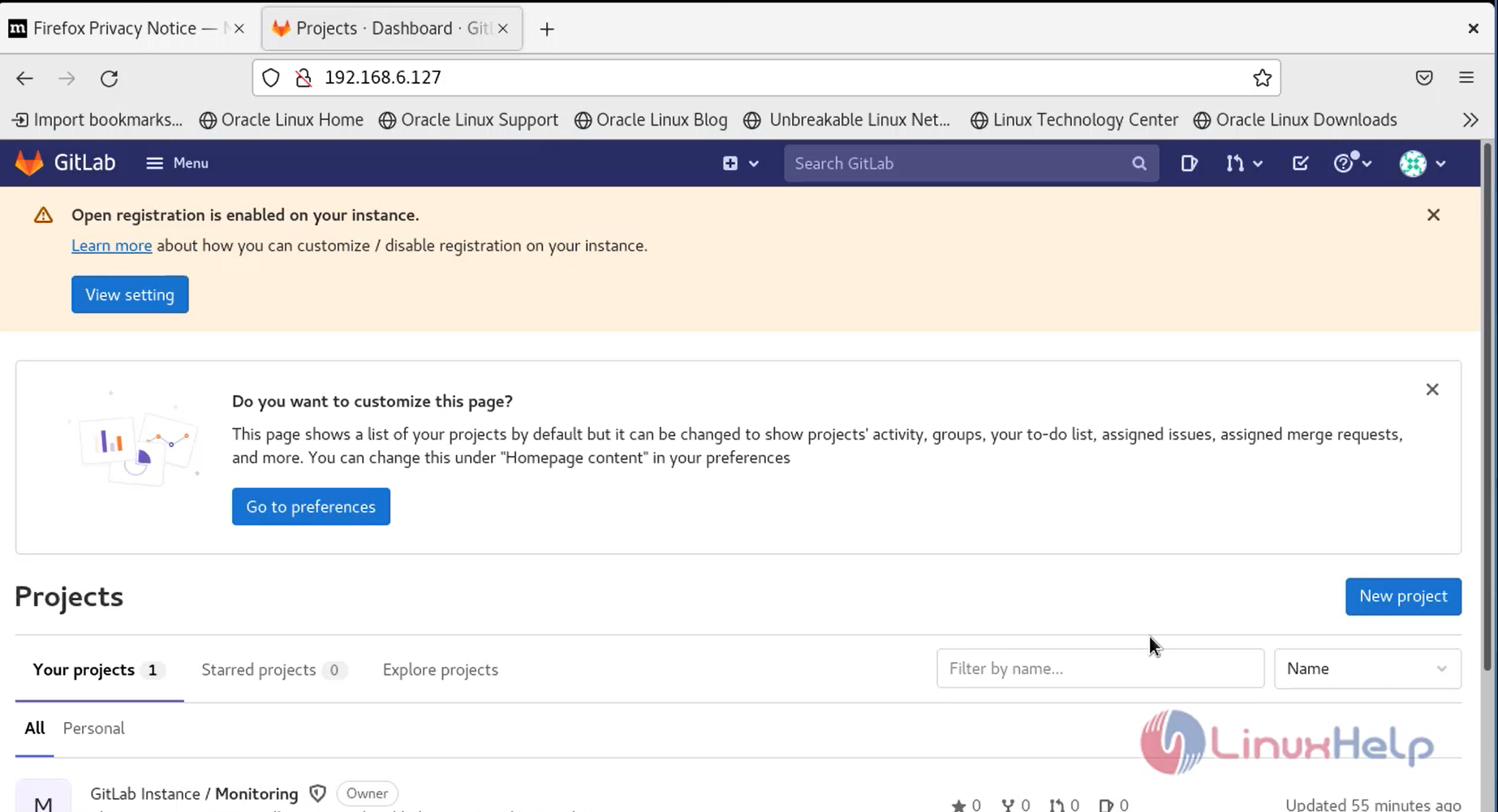
Step 12: login Console as shown in the below image
Conclusion:
Comments ( 0 )
No comments available