How to install GNOME commander with its usage
A Two Panel Graphical File Manager &ndash GNOME Commander
Gnome commander is a two panel graphical file manager released under GNU General Public License was designed for GNOME Desktop Environment. The Gnome commander’ s Graphical User Interface similar to Total Commander, Norton and Midnight Commander. It is developed in GTK-toolkit and GnomeVFS.
Our interaction with File Manager takes place unnoticeable as soon as we login to an Operating System till the time we logout. File Manager is an application program that performs the function of Opening, Creating, Copying, Editing, Renaming, Moving, Viewing, Printing, file permission, changing attributes and properties for files and folders. Several File Managers of today come with a Forward and Backward Navigation. There are several flavors of File Manager such as The Gnome Commander.
Features of Gnome Commander
- Select/De-Select files/folders and Drag & Drop Supported.
- Simple GTK+ and User Friendly End-User Interface with Mouse Integration.
- Send Files via email, Integrated.
- Verify MD5 and SHA-1 hashes.
- User Defined LS_COLORS to get customized colors in output.
- Customizable User Defined context Menu for calling external application viz., viewer, scripts or editors for certain files/folders.
- Gnome Multipurpose Internet Mail Extensions (MIME) type.
- Advance tool for file renaming, searching, symlinking and comparing folders.
- Menu on Mouse Right Click to normal file operations which includes open, run, open with, rename, delete, setting properties, ownership, permissions to files and folders Immediate file viewing for text and images.
- Highly custom, user defined keyboard hotkeys.
- Support for FTP using GnomeVFS ftp module and access to SAMBA.
- Linux Command Line Integrated.
Install GNOME Commander in Ubuntu
user1@linuxhelp:~$ sudo apt-get install gnome-commander
Reading package lists... Done
Building dependency tree
Reading state information... Done
Suggested packages:
libgnomevfs2-extra meld
The following NEW packages will be installed:
gnome-commander
0 upgraded, 1 newly installed, 0 to remove and 7 not upgraded.
Need to get 0 B/409 kB of archives.
After this operation, 1,460 kB of additional disk space will be used.
Selecting previously unselected package gnome-commander.
(Reading database ... 177187 files and directories currently installed.)
Preparing to unpack .../gnome-commander_1.4.7-1build1_amd64.deb ...
Unpacking gnome-commander (1.4.7-1build1) ...
Processing triggers for man-db (2.7.4-1) ...
Setting up gnome-commander (1.4.7-1build1) ...
Usage of Gnome Commander
Launch Gnome Commander from Terminal.
user1@linuxhelp:~$ gnome-commander
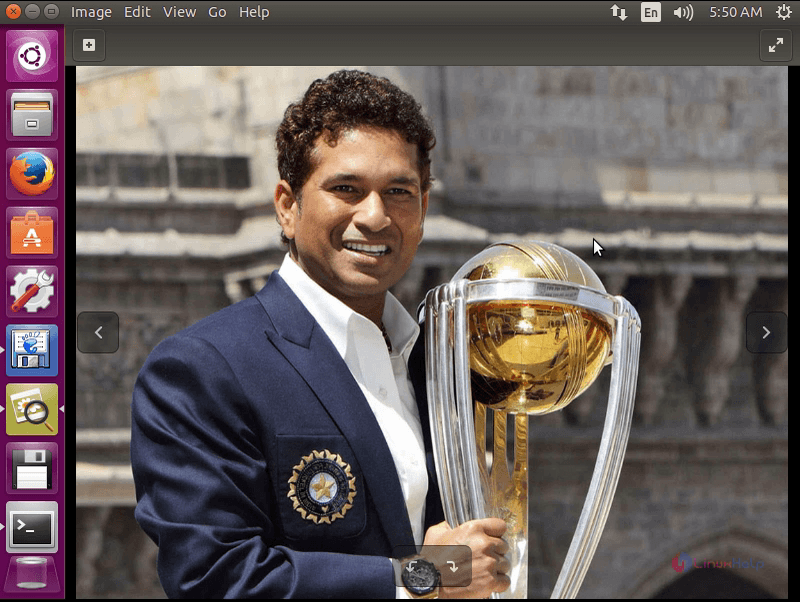
From the file browser,view an image file.
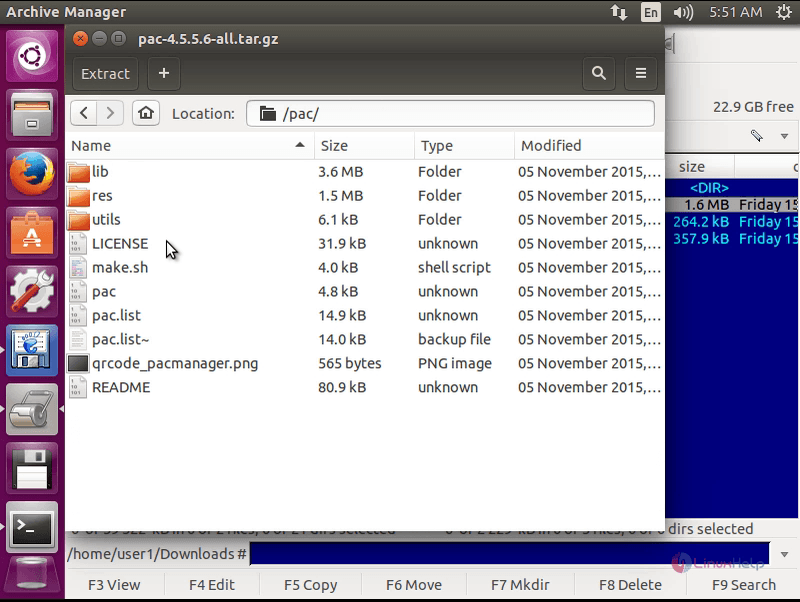
Opening a TAR Ball package.
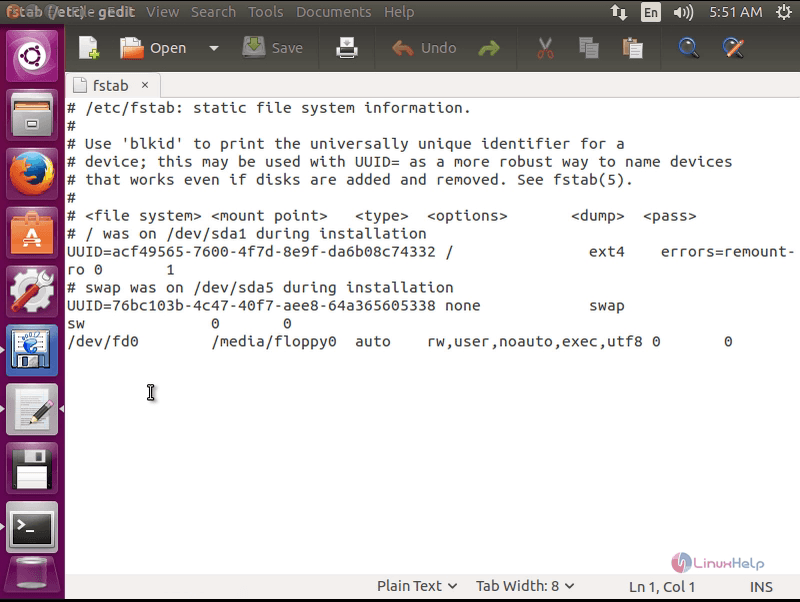
Opening a Configuration file.
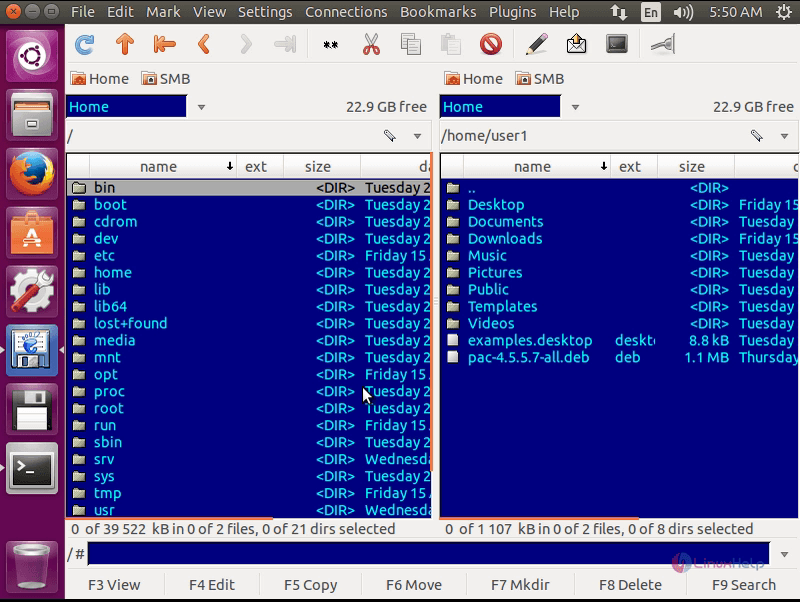
Instant Terminal, which is already embedded just click terminal icon to open the terminal.
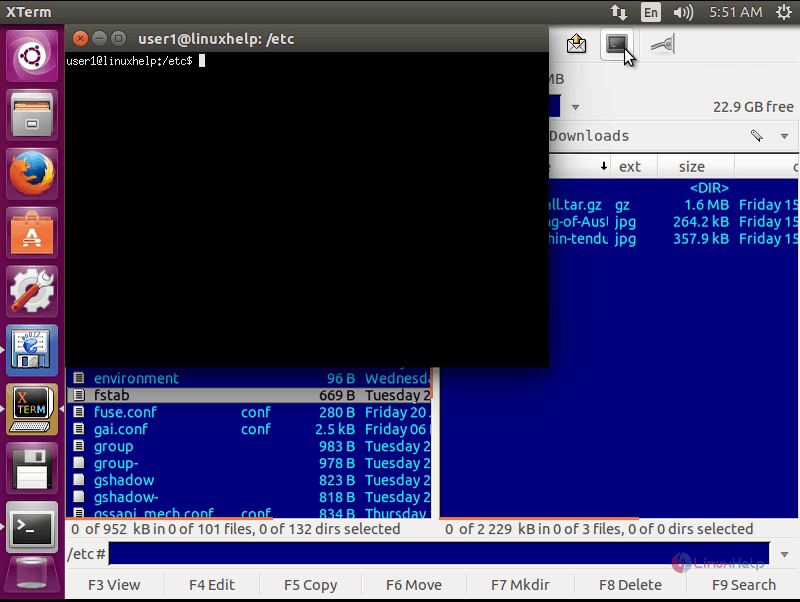
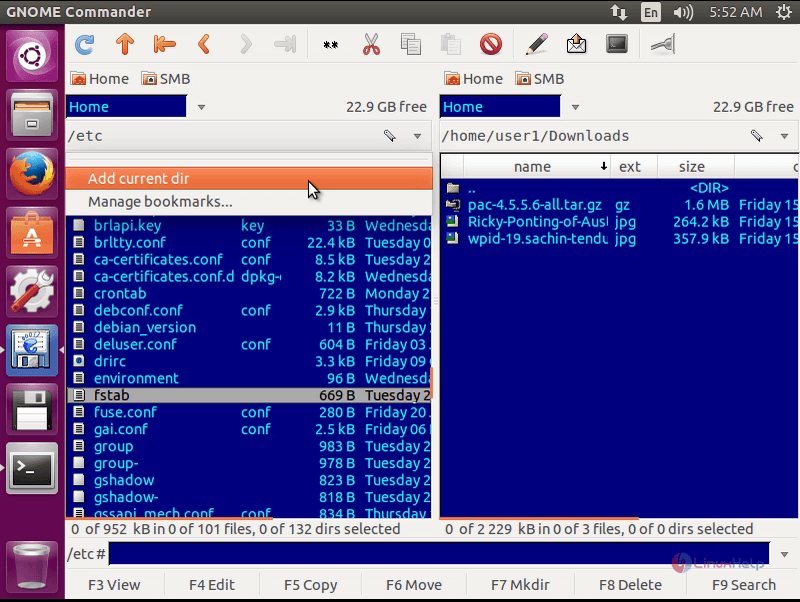
Bookmarking directories in the terminal.
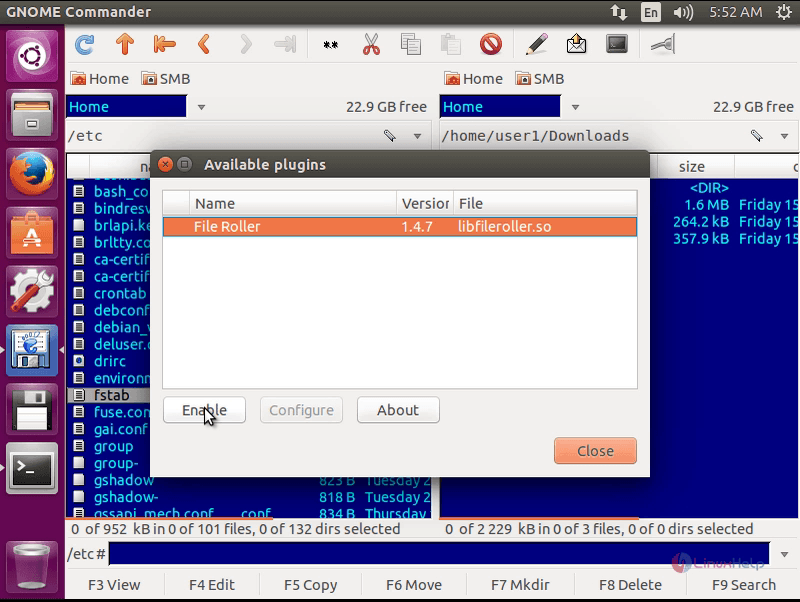
Plug-ins Windows and you can enable/disable it from here.
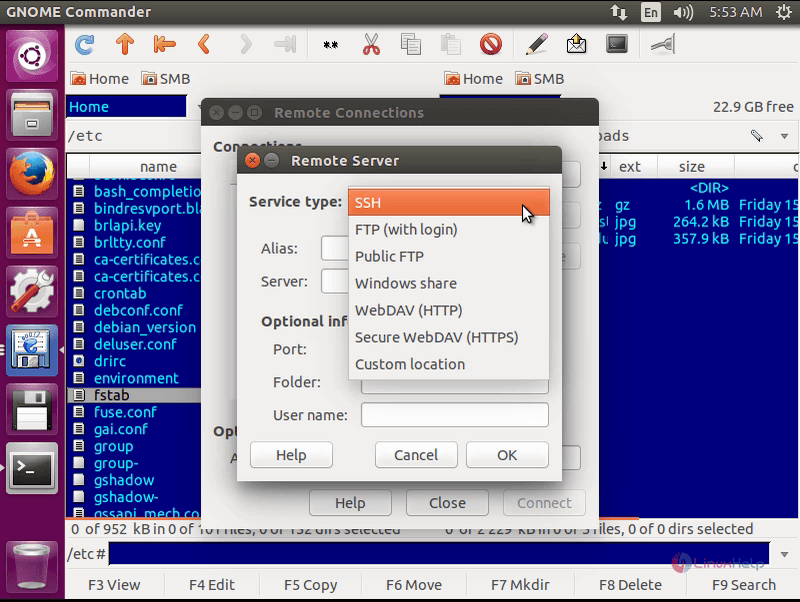
Enter the option to connect remotely is available on the User Interface.you can select your service type and connect to the remote servers.
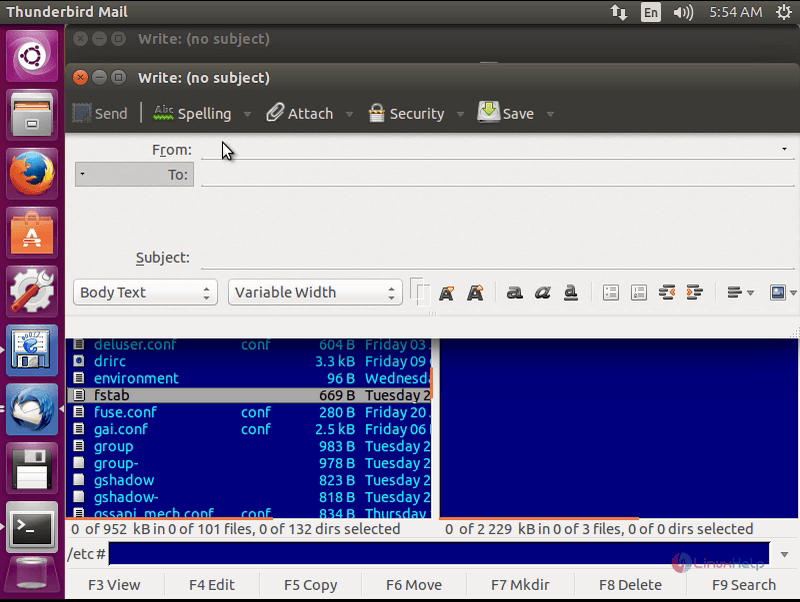
Send a file through email is available on user Interface.select a file and click send email icon.
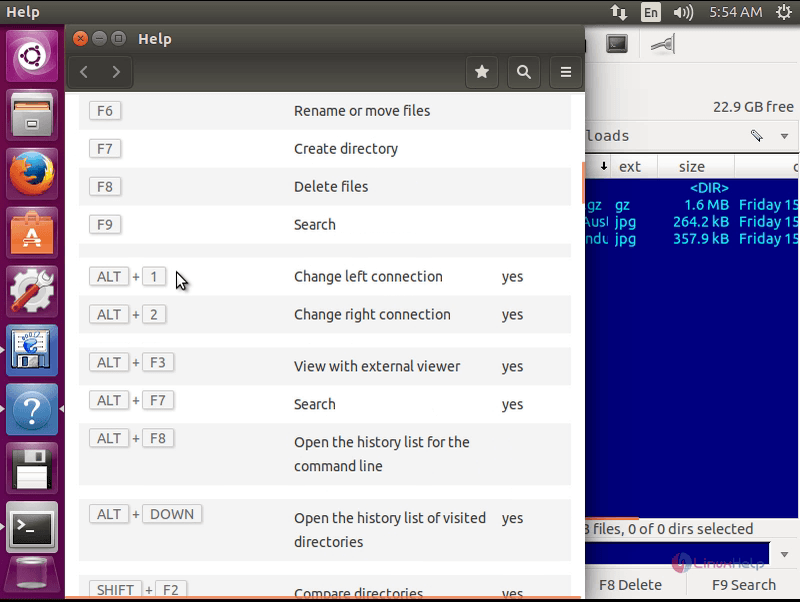
10. Keyboards shortcuts, to work fast when the file management is very important.
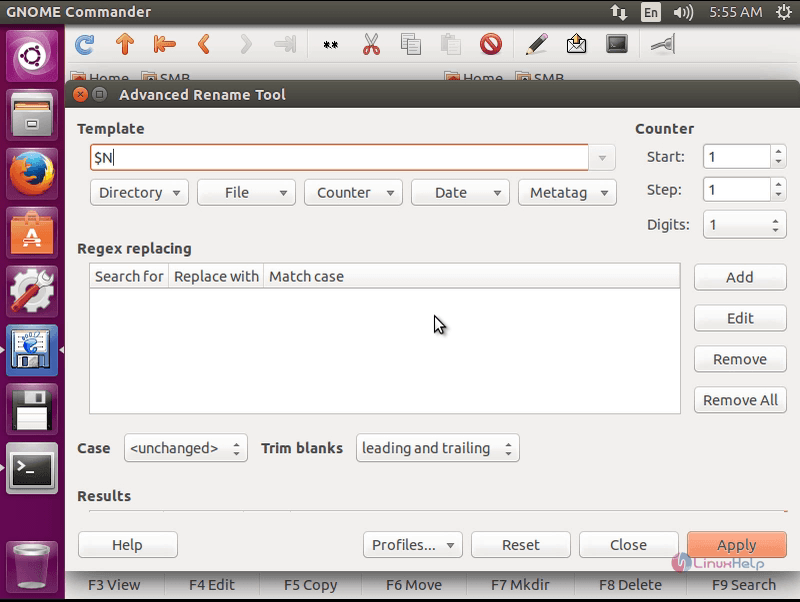
Advanced Rename Tool.
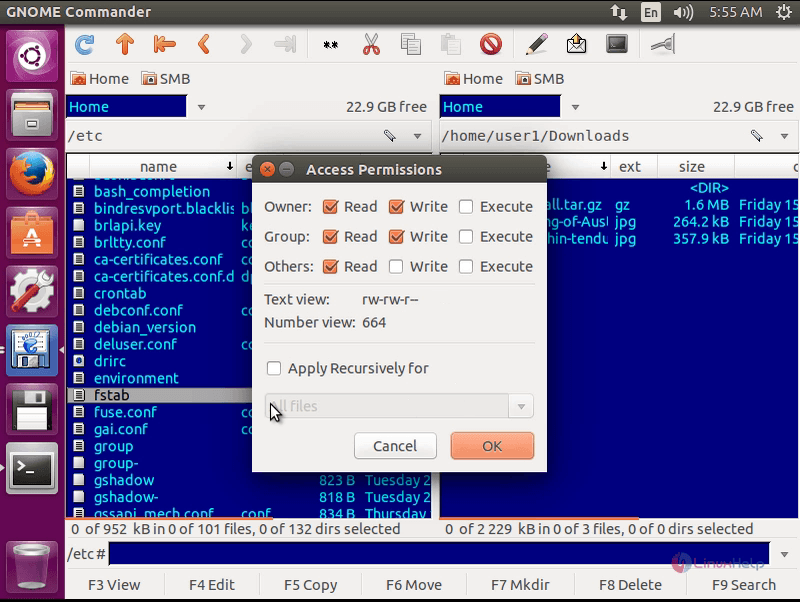
Change the file Access permission in GUI window,which a newbie can understand.select a file and click file in the menu bar and select change permissions
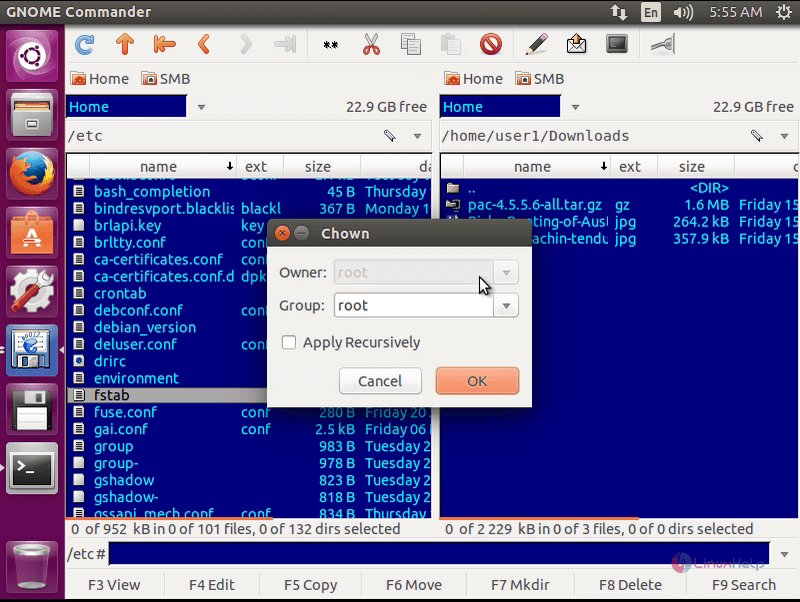
Change ownership chown from GUI.select a file and click file in the menu bar and select change owner/group
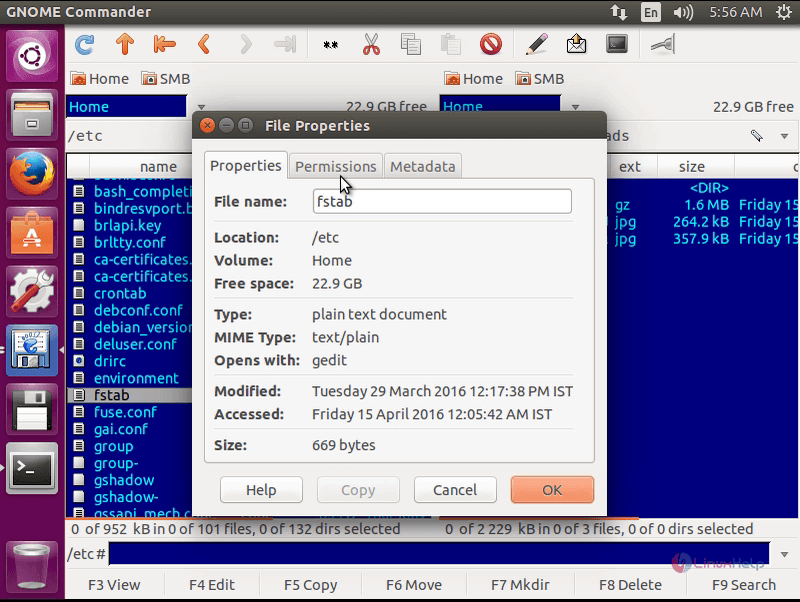
File Properties windows provides properties information of a file or a directory.
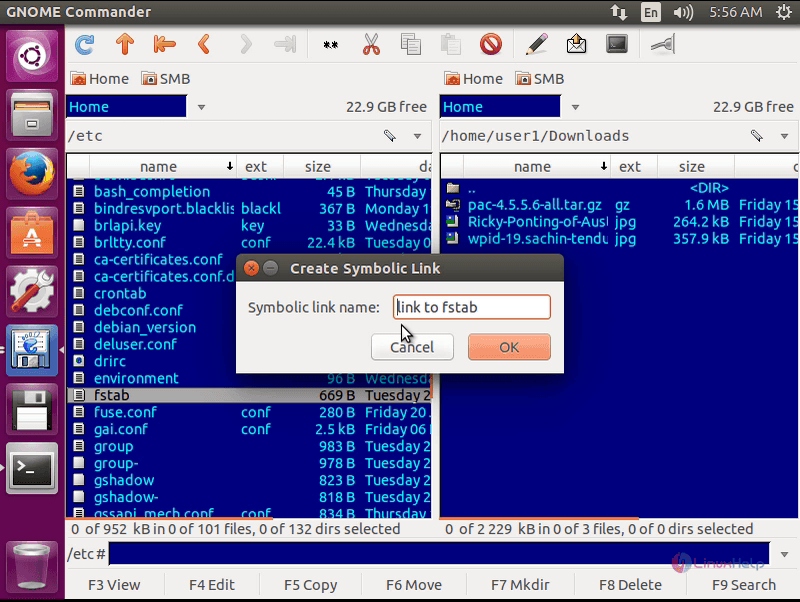
Create symbolic link from GUI.select a file and click file in the menu bar and select create symbolic link.
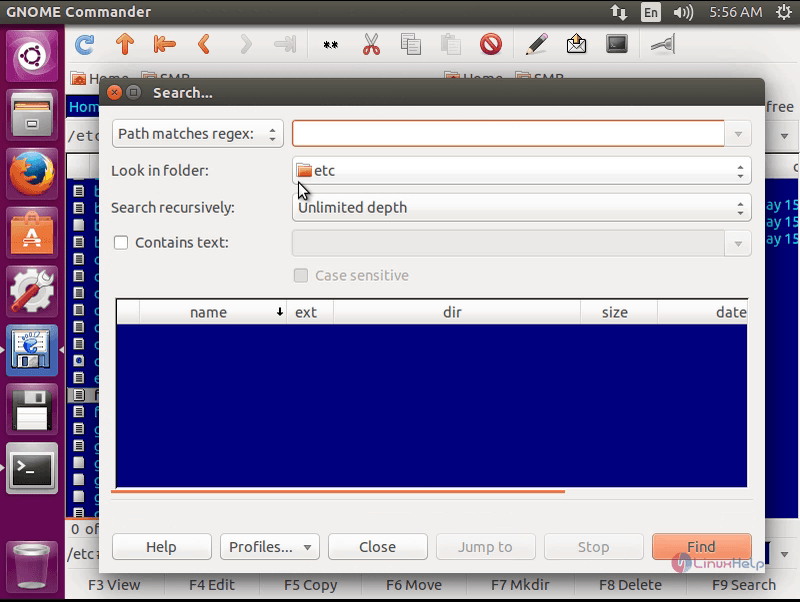
Search Box,select files or directories using this feature.
Area of Application
Gnome Commander is for users whose work concentrates on smart file management. This application is not for those users who want some kind of bright eye candy in their left or top pane. The integration of this project with inbuilt Linux command Line, makes it very powerful and useful.
Comments ( 0 )
No comments available