• Categories
    Category
    {{ postCtrl.tags }}
    • {{ category.tag_type }}

      • {{tag.tag_name}}
      • View more
  • Categories
    Category
    {{ postCtrl.tags }}
    • {{ category.tag_type }}

      • {{tag.tag_name}}
      • View more
  • News
  • Tutorials
  • Forums
  • Tags
  • Users
Tutorial News Comments FAQ Related Articles

How to install GNOME Tweak Tool on Ubuntu 16.04

{{postValue.id}}

To install GNOME Tweak Tool on Ubuntu 16.04

GNOME Tweak Tool is a tool to enable customization of advanced options for the GNOME3. GNOME Tweak Tool allows the adjustment of several advanced GNOME options that can' t be configured in gnome-control-center. Some of the features available on the GNOME Tweak Tool are as follows.

Features

  • Fonts used in user interface elements and titlebar
  • Font hinting and aliasing
  • Alternative user interface themes
  • Changes in window management behaviour
  • Behaviour on laptop lid close
  • File manager desktop icons
  • Icons in menus and buttons

It is really so simple to install GNOME Tweak Tool on Ubuntu 16.04, and this tutorial covers the ground on the same process.


Installing GNOME Tweak Tool

Before you begin with the installation of GNOME Tweak Tool, you need to update your operating system and for that, you need to run the following command.

root@linuxhelp:~# apt-get update
Hit:1 http://ppa.launchpad.net/ondrej/php/ubuntu xenial InRelease   
Hit:2 http://in.archive.ubuntu.com/ubuntu xenial InRelease                                     
Get:3 http://security.ubuntu.com/ubuntu xenial-security InRelease [102 kB]                     
Get:4 http://in.archive.ubuntu.com/ubuntu xenial-updates InRelease [102 kB]   
.
.
.
Get:8 http://in.archive.ubuntu.com/ubuntu xenial-updates/main i386 Packages [657 kB]
Fetched 1,668 kB in 5s (328 kB/s)
Reading package lists... Done

After, you are done updating you shall proceed with the installation of the software by making use of the following.

root@linuxhelp:~# apt-get install gnome-tweak-tool
Reading package lists... Done
Building dependency tree       
Reading state information... Done
.
.
.
Errors were encountered while processing:
Bingwallpaper
Reading package lists... Done

Once the installation is over, you can open this tool via your terminal (or) the Gnome Dashboard. If you wish to use your terminal, you can run the following command.

root@linuxhelp:~# gnome-tweak-tool
WARNING : Shell installed or running
.
.
.
  File " /usr/lib/python2.7/dist-packages/gtweak/tweaks/tweak_group_shell_extensions.py" , line 275, in __init__
    raise Exception(" Shell running or DBus service available" )
Exception: Shell running or DBus service available


After that, you need to initialize screen of the GNOME Tweak Tool, where you can configure its appearance.
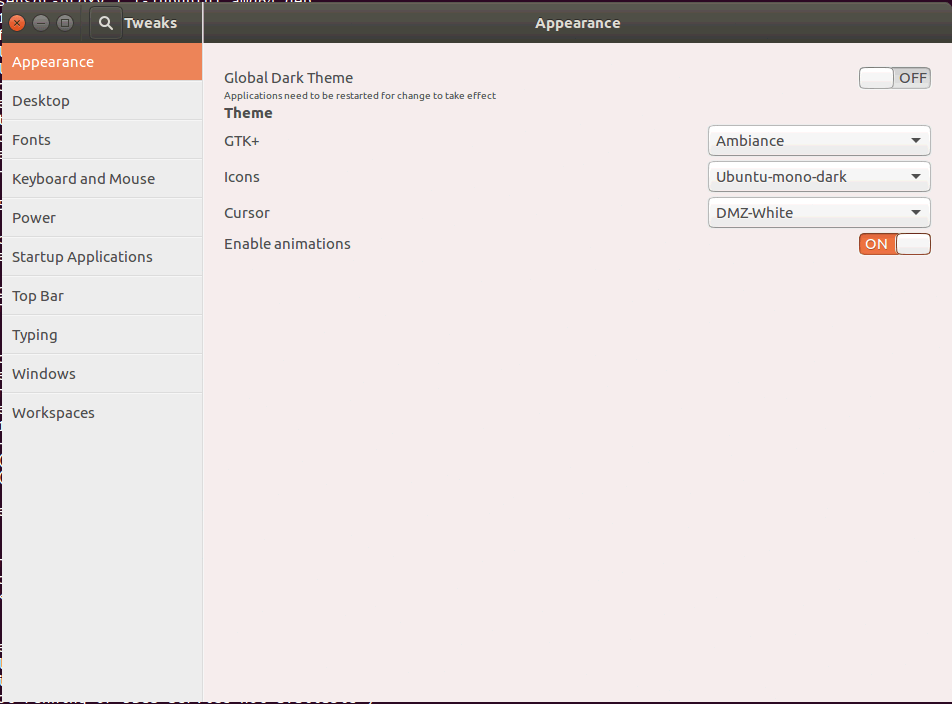
GNOME


You can also make configuration of the desktop.
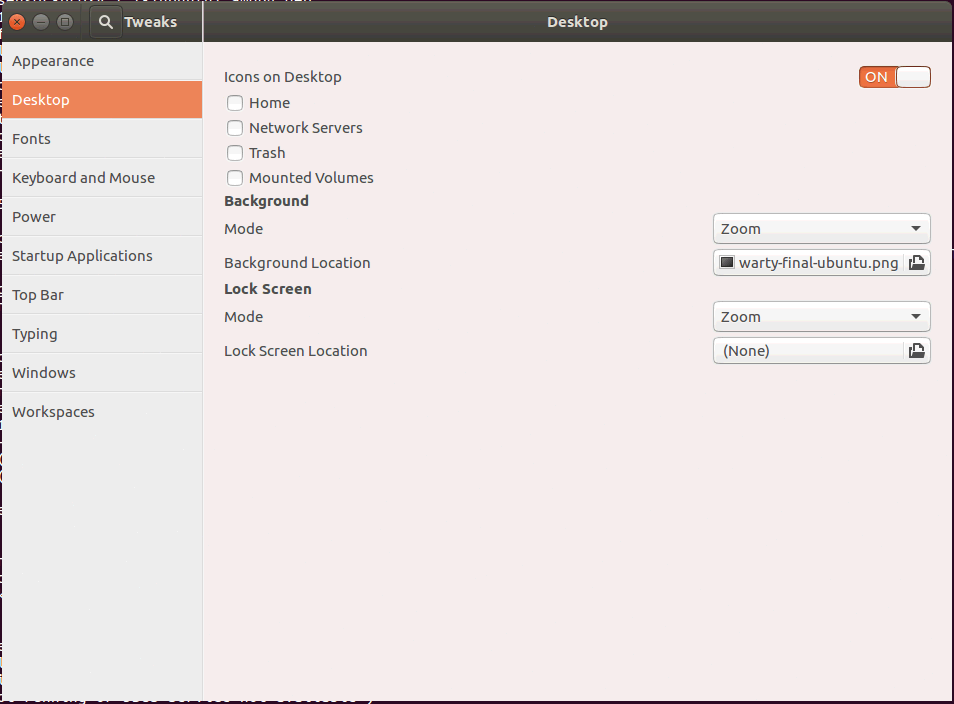
Configure

Also, you can make configuration of the fonts.
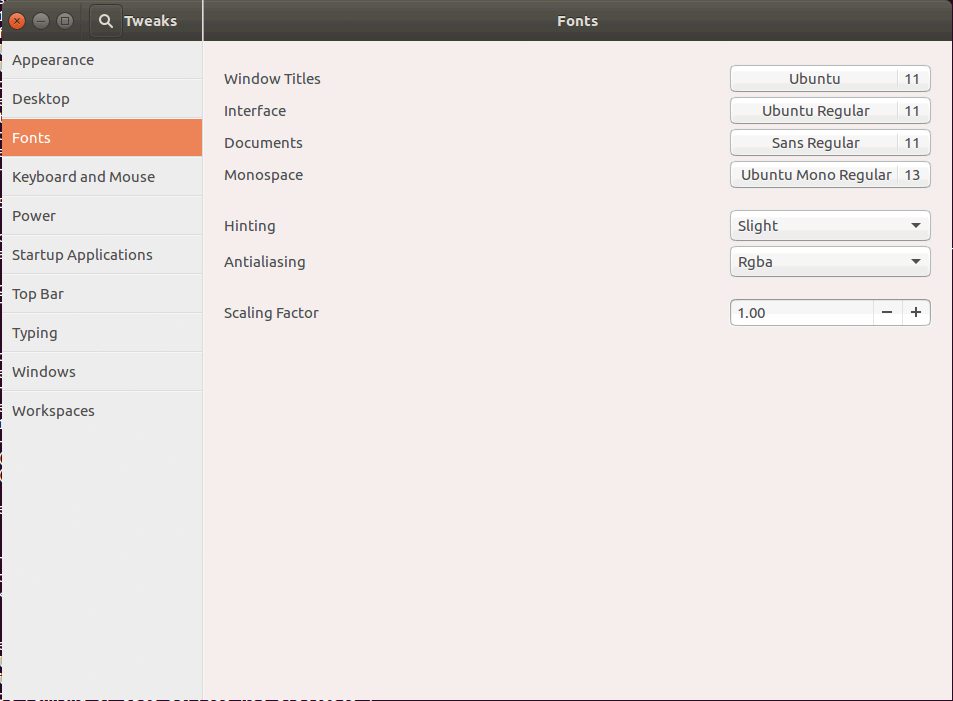
Fonts


You can also configure the keyboard and mouse.
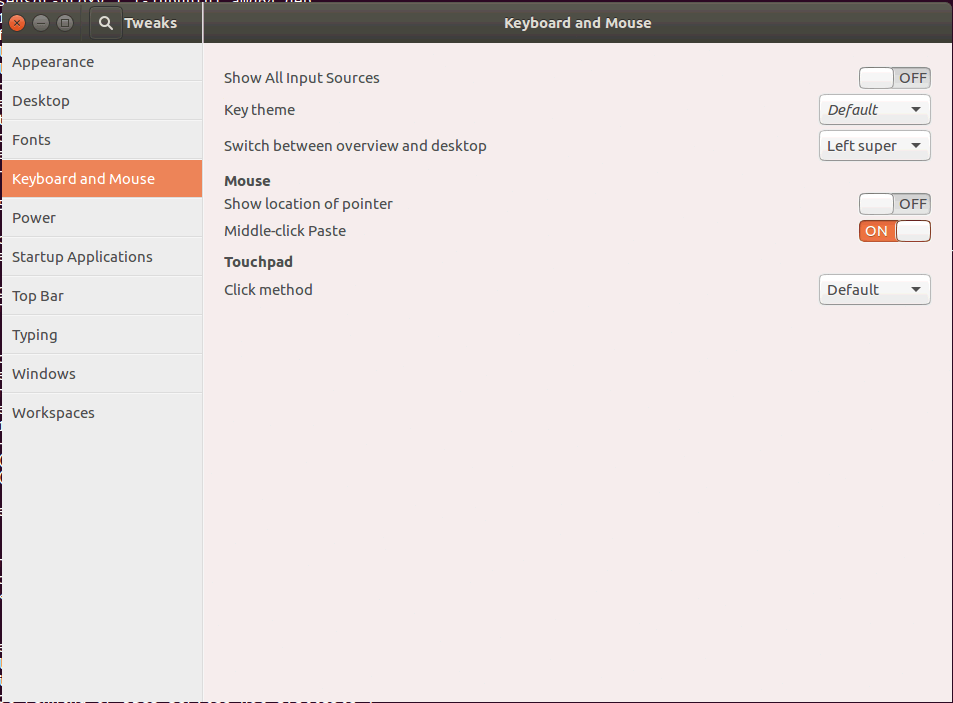
Mouse


With this, the installation of GNOME Tweak Tool on Ubuntu 16.04 comes to an end.

Tags:
jackson
Author: 

Comments ( 0 )

No comments available

Add a comment
{{postCtrl.cmtErrMsg}}

Frequently asked questions ( 5 )

Q

What are its essential features?

A

Fonts used in user interface elements and titlebar Font hinting and aliasing Alternative user interface themes Changes in window management behaviour Behaviour on laptop lid close

Q

What is GNOME tool is this for graphical view?

A

GNOME Tweak Tool is a tool to enable customization of advanced options for the GNOME3. GNOME Tweak Tool allows the adjustment of several advanced GNOME options that can't be configured in g

Q

I can't find GNOME Tweak Tool in Ubuntu Software and it isn't found when I try to install it with APT

package 'gnome-tweak-tool' has no installation candidate
What should I do?

A

This is the same description as the description of the old GNOME Tweak Tool that it replaces. To install it open the terminal and type:

sudo apt install gnome-tweaks

Q

I also tried installing my computer with no difference. I still get:
gnome-tweak-tool: command not found

How do I actually start gnome-tweak-tool?

A

You can see this information when using apt-cache show gnome-tweak-tool. The Depends: line is the package that is pulled in.
So to run it, just enter gnome-tweaks or use dpkg -L gnome-tweaks to list the files that are shipped with that package.

Q

GNOME Shell issue with application icons using themes?

A

As I already had local themes installed in my ~/.themes directory, I didn't realize that a slight change in one css instruction for the new 3.4 theme file (~/.themes/Adwaita-White/gnome-shell/gnome-shell.css)

Back To Top!
Rank
User
Points

Top Contributers

userNamenaveelansari
135850

Top Contributers

userNameayanbhatti
92510

Top Contributers

userNamehamzaahmed
32150

Top Contributers

1
userNamelinuxhelp
31040

Top Contributers

userNamemuhammadali
24500
Can you help David Lopez Guillen ?
Ayuda urgente instale SSL para servidor Opensuse y ahora no funciona tengo servicio web

hola segui este tutorial para tener un certificado ssl y ahora no se ve mi app en la red, espero alguien pueda ayudarme, tengo M9oodle en3.5 en un servidor open suse y ahora no funciona por favor ayuda.

https://www.linuxhelp.com/how-to-create-ssl-certificate-in-opensuse

Networking
  • Routing
  • trunk
  • Netmask
  • Packet Capture
  • domain
  • HTTP Proxy
Server Setup
  • NFS
  • KVM
  • Memory
  • Sendmail
  • WebDAV
  • LXC
Shell Commands
  • Cloud commander
  • Command line archive tools
  • last command
  • Shell
  • terminal
  • Throttle
Desktop Application
  • Linux app
  • Pithos
  • Retrospect
  • Scribe
  • TortoiseHg
  • 4Images
Monitoring Tool
  • Monit
  • Apache Server Monitoring
  • EtherApe 
  • Arpwatch Tool
  • Auditd
  • Barman
Web Application
  • Nutch
  • Amazon VPC
  • FarmWarDeployer
  • Rukovoditel
  • Mirror site
  • Chef
Contact Us | Terms of Use| Privacy Policy| Disclaimer
© 2025 LinuxHelp.com All rights reserved. Linux™ is the registered trademark of Linus Torvalds. This site is not affiliated with linus torvalds in any way.