How to install GPick on Debian 8.3
How to install GPick on Debian 8.3
The Gpick is an advanced color picker used to pick colors from anywhere on the screen, mix them to get new colors, generate shades and tints and also export palettes to common file formats or copy them to clipboard. This tutorial will explain on how to install Gpick on Debian 8.3.
Installation procedure
To start the installation process, use the nano command to open the sources.list file and execute the following command.
root@linuxhelp:~# nano /etc/apt/sources.list
The sources.list file is opened. Now add these lines at end of the file. Save and exit from the file.
deb http://ftp.debian.org/debian/ stable main contrib non-free
deb http://ftp.de.debian.org/debian jessie main
Next execute the apt-get update command to update the apt sources.list configuration file.
root@linuxhelp:~# apt-get update
Get:1 http://ftp.debian.org jessie-updates InRelease [145 kB]
Ign http://ftp.de.debian.org jessie InRelease
Get:2 http://ftp.de.debian.org jessie Release.gpg [2,373 B]
Ign http://ftp.debian.org stable InRelease
Get:3 http://ftp.de.debian.org jessie Release [148 kB]
Get:4 http://ftp.debian.org jessie-updates/main Sources [15.5 kB]
Get:5 http://ftp.debian.org jessie-updates/contrib Sources [32 B]
Get:6 http://ftp.debian.org jessie-updates/main amd64 Packages/DiffIndex [7,900 B]
Get:7 http://ftp.debian.org jessie-updates/contrib amd64 Packages [32 B]
Get:8 http://ftp.debian.org jessie-updates/contrib Translation-en [14 B]
Get:9 http://ftp.debian.org jessie-updates/main Translation-en/DiffIndex [2,704 B]
Get:10 http://ftp.debian.org stable Release.gpg [2,373 B]
Get:11 http://ftp.debian.org jessie-updates/main amd64 2017-03-14-2025.02.pdiff [526 B]
Get:12 http://ftp.debian.org jessie-updates/main amd64 2017-04-15-2027.16.pdiff [528 B]
.
.
Fetched 23.5 MB in 7min 27s (52.5 kB/s)
Reading package lists... Done
The repositories are updated in the target system. Install the Gpick package by running the following command.
root@linuxhelp:~# apt-get install gpick
Reading package lists... Done
Building dependency tree
Reading state information... Done
The following NEW packages will be installed:
  gpick
0 upgraded, 1 newly installed, 0 to remove and 292 not upgraded.
Need to get 370 kB of archives.
After this operation, 1,015 kB of additional disk space will be used.
Get:1 http://ftp.debian.org/debian/ stable/main gpick amd64 0.2.5-1 [370 kB]
Fetched 370 kB in 4s (78.6 kB/s)
Selecting previously unselected package gpick.
(Reading database ... 138158 files and directories currently installed.)
Preparing to unpack .../gpick_0.2.5-1_amd64.deb ...
Unpacking gpick (0.2.5-1) ...
Processing triggers for desktop-file-utils (0.22-1) ...
Processing triggers for gnome-menus (3.13.3-6) ...
Processing triggers for mime-support (3.58) ...
Processing triggers for hicolor-icon-theme (0.13-1) ...
Processing triggers for man-db (2.7.0.2-5) ...
Setting up gpick (0.2.5-1) ...
Once the package is installed, click on the Activities window and type the installed package name in the search bar. Click on the icon to run the application. 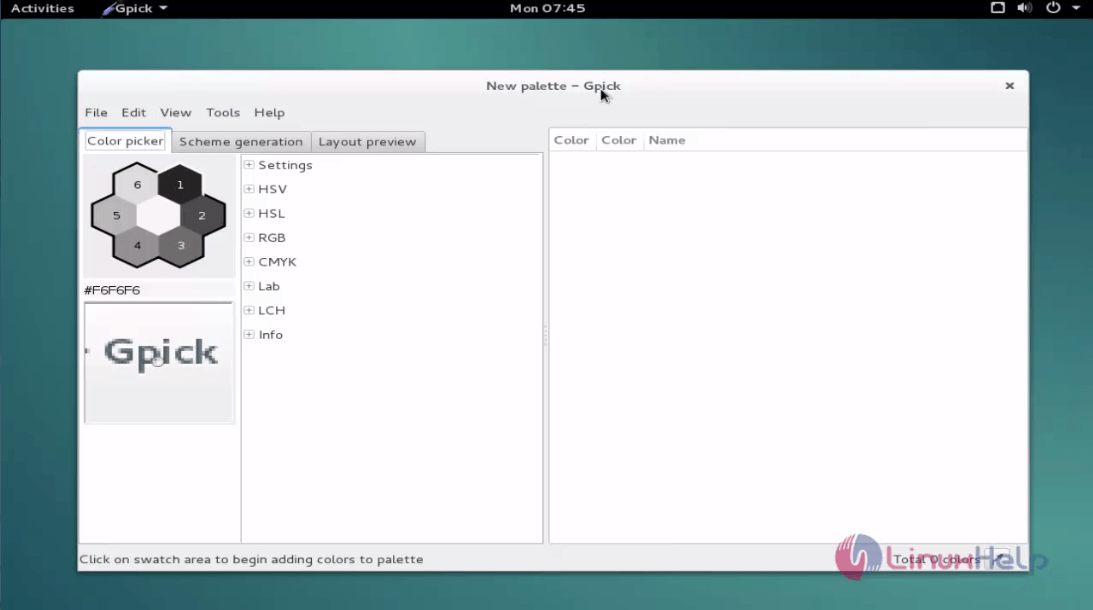
Wasn' t that an easy installation procedure? Gpick also supports automatic color name assignment and saturation variations.
Comments ( 0 )
No comments available