How to install Gradio in Ubuntu 17.04
How to install Gradio in Ubuntu 17.04
Gradio is a radio player application for Linux systems. It lets the user to listen to music from all over the world, from any genre, language or state. It has over 100 stations, and has connections information about the channel. This tutorial explains the installation procedure of Gradio on ubuntu 17.04.
Installation procedure
To start the installation procedure, add the repo to the target system by executing the following command.
root@linuxhelp1:~# add-apt-repository ppa:haecker-felix/gradio-daily
 Please ignore the " daily"  in the name. This PPA is stable.
Homepage: https://github.com/haecker-felix/gradio
Issues: https://github.com/haecker-felix/gradio/issues
Wiki: https://github.com/haecker-felix/gradio/wiki
Stats: https://github.com/haecker-felix/gradio/graphs/contributors
 More info: https://launchpad.net/~haecker-felix/+archive/ubuntu/gradio-daily
Press [ENTER] to continue or ctrl-c to cancel adding it
gpg: keybox ' /tmp/tmpl3i8dcfo/pubring.gpg'  created
gpg: /tmp/tmpl3i8dcfo/trustdb.gpg: trustdb created
gpg: key B89978029F7DC26C: public key " Launchpad PPA for Felix Hä cker"  imported
gpg: Total number processed: 1
gpg:               imported: 1
OK
The repositories are added to the target system. Update the apt source by executing the apt-get update command.
root@linuxhelp1:~# apt-get update
Hit:1 http://ppa.launchpad.net/haecker-felix/gradio-daily/ubuntu zesty InRelease
Get:3 http://security.ubuntu.com/ubuntu zesty-security InRelease [89.2 kB]
Hit:4 http://in.archive.ubuntu.com/ubuntu zesty InRelease
Hit:5 http://ppa.launchpad.net/lazka/ppa/ubuntu zesty InRelease
Get:6 http://in.archive.ubuntu.com/ubuntu zesty-updates InRelease [89.2 kB]
Hit:2 http://screenshots.getdeb.net yakkety-getdeb InRelease
Get:7 http://in.archive.ubuntu.com/ubuntu zesty-backports InRelease [89.2 kB]
Fetched 268 kB in 4s (61.6 kB/s)
Reading package lists... Done
The target system has been updated with the latest repositories. Install the Gradio package by running the following command.
root@linuxhelp1:~# apt install gradio
Reading package lists... Done
Building dependency tree
Reading state information... Done
The following NEW packages will be installed:
  gradio
0 upgraded, 1 newly installed, 0 to remove and 80 not upgraded.
Need to get 114 kB of archives.
After this operation, 516 kB of additional disk space will be used.
Get:1 http://ppa.launchpad.net/haecker-felix/gradio-daily/ubuntu zesty/main amd64 gradio amd64 5.0.12+r344-0~ubuntu17.04.1 [114 kB]
Fetched 114 kB in 1s (103 kB/s)
Selecting previously unselected package gradio.
(Reading database ... 169937 files and directories currently installed.)
Preparing to unpack .../gradio_5.0.12+r344-0~ubuntu17.04.1_amd64.deb ...
Unpacking gradio (5.0.12+r344-0~ubuntu17.04.1) ...
Processing triggers for mime-support (3.60ubuntu1) ...
Processing triggers for desktop-file-utils (0.23-1ubuntu2) ...
Processing triggers for libglib2.0-0:amd64 (2.52.0-1) ...
Processing triggers for bamfdaemon (0.5.3+17.04.20170406-0ubuntu1) ...
Rebuilding /usr/share/applications/bamf-2.index...
Setting up gradio (5.0.12+r344-0~ubuntu17.04.1) ...
Processing triggers for gnome-menus (3.13.3-6ubuntu5) ...
Processing triggers for hicolor-icon-theme (0.15-1) ...
The application is installed successfully. To run the application, type the package name in the ubuntu dashboard and click on the icon to run the application.
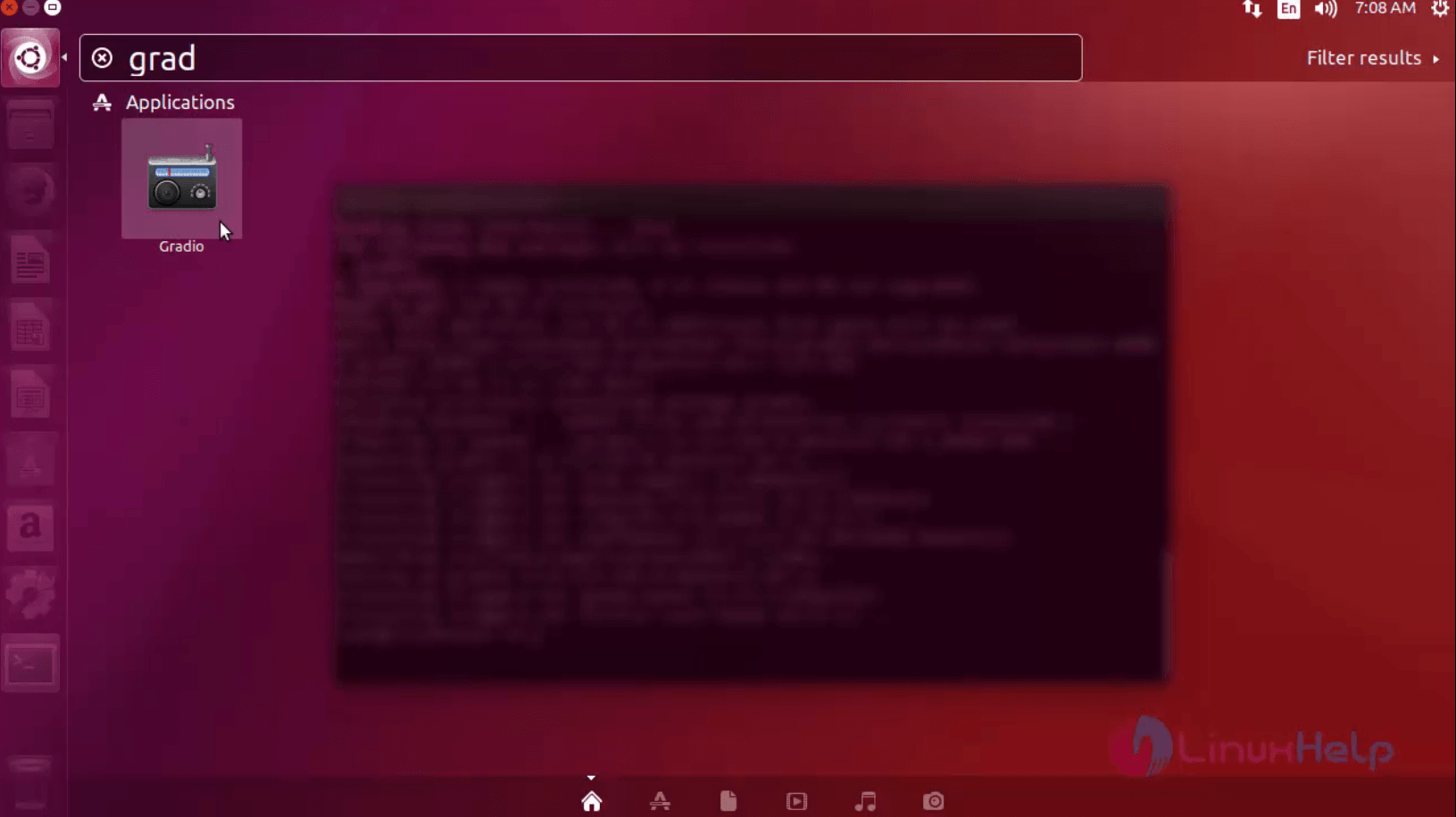
The application is installed successfully. Now the user can tune into any station and listen to music tracks.
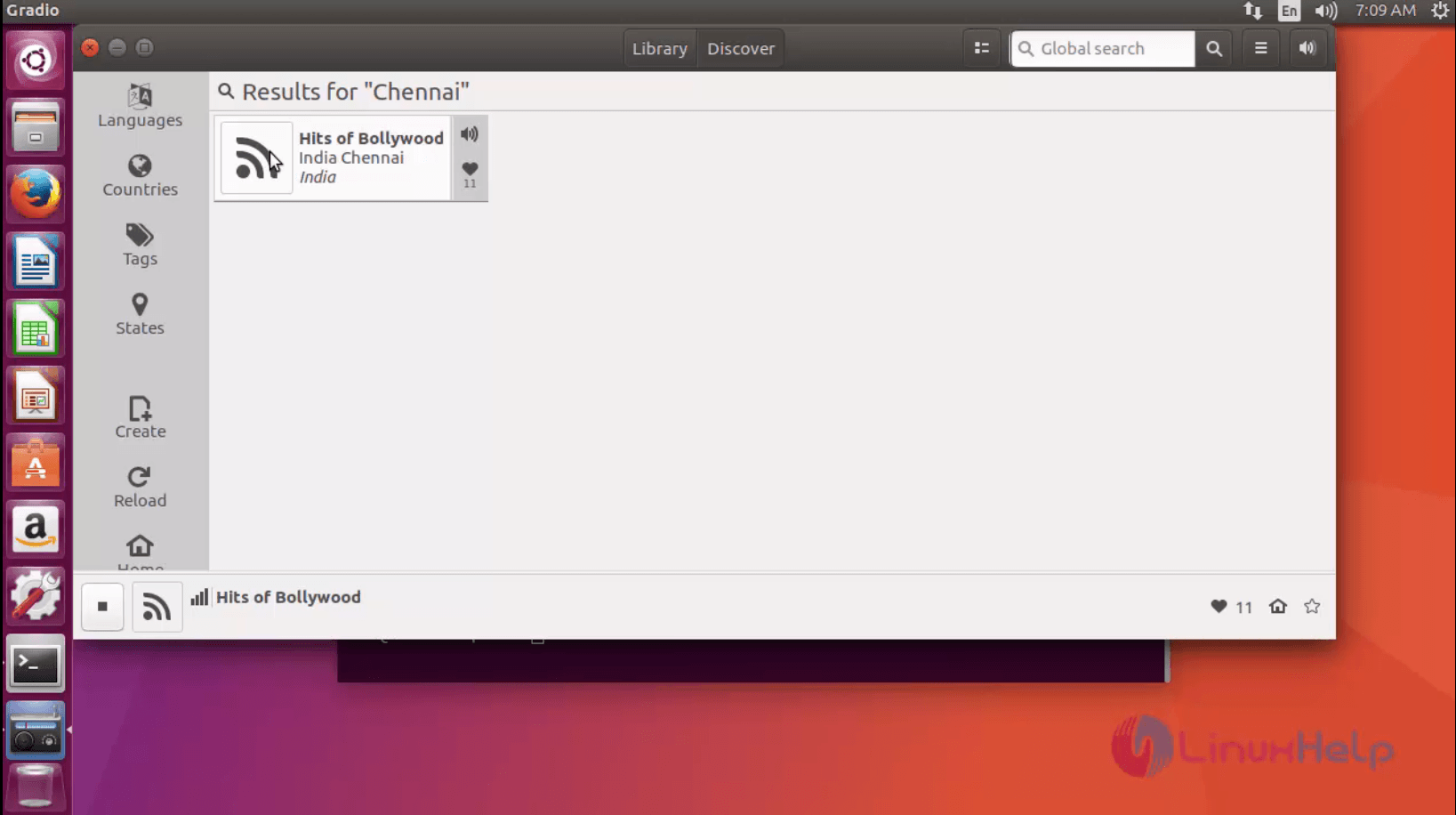
Wasn' t that an easy installation procedure? Gradio allows the user to add the stations to the library, vote for radio stations, and also visit the homepage of a particular station.
Comments ( 1 )