How To Install Grav CMS On Linuxmint 19
- 00:38 lsb_release -a
- 00:54 wget https://github.com/getgrav/grav/releases/download/1.4.3/grav-admin-v1.4.3.zip
- 01:17 unzip grav-admin-v1.4.3.zip
- 01:29 mv grav-admin /var/www/
- 01:41 chown -R www-data.www-data /var/www/grav-admin/
- 02:01 chmod -R 755 /var/www/grav-admin/
- 02:16 vim /etc/apache2/sites-available/grav.conf
- 03:39 a2dissite 000-default.conf
- 03:50 a2ensite grav.conf
- 04:00 a2enmod rewrite
- 04:11 systemctl restart apache2
{{postValue.id}}
Installation Of Grav CMS On Linux Mint 19
Process
Check the Linux Mint version by using the following command
root@linuxhelp:~# lsb_release -a
No LSB modules are available.
Distributor ID:	LinuxMint
Description:	Linux Mint 19 Tara
Release:	19
Codename:	tara
Download the grav cms installation package by using wget command
root@linuxhelp:~# wget https://github.com/getgrav/grav/releases/download/1.4.3/grav-admin-v1.4.3.zip
--2019-11-01 00:32:35--  https://github.com/getgrav/grav/releases/download/1.4.3/grav-admin-v1.4.3.zip
Resolving github.com (github.com)... 13.234.210.38
Connecting to github.com (github.com)|13.234.210.38|:443... connected.
HTTP request sent, awaiting response... 302 Found
Location: https://github-production-release-asset-2e65be.s3.amazonaws.com/22553797/dfdfa9ac-3e6c-11e8-89b0-c47120745211?X-Amz-Algorithm=AWS4-HMAC-SHA256&X-Amz-Credential=AKIAIWNJYAX4CSVEH53A%2F20191031%2Fus-east-1%2Fs3%2Faws4_request&X-Amz-Date=20191031T190303Z&X-Amz-Expires=300&X-Amz-Signature=a18c845712db78719272b2deef72ccc0d10d44d3a1b77ff050bc99b013cfa5d3&X-Amz-SignedHeaders=host&actor_id=0&response-content-disposition=attachment%3B%20filename%3Dgrav-admin-v1.4.3.zip&response-content-type=application%2Foctet-stream [following]
--2019-11-01 00:32:36--  https://github-production-release-asset-2e65be.s3.amazonaws.com/22553797/dfdfa9ac-3e6c-11e8-89b0-c47120745211?X-Amz-Algorithm=AWS4-HMAC-SHA256&X-Amz-Credential=AKIAIWNJYAX4CSVEH53A%2F20191031%2Fus-east-1%2Fs3%2Faws4_request&X-Amz-Date=20191031T190303Z&X-Amz-Expires=300&X-Amz-Signature=a18c845712db78719272b2deef72ccc0d10d44d3a1b77ff050bc99b013cfa5d3&X-Amz-SignedHeaders=host&actor_id=0&response-content-disposition=attachment%3B%20filename%3Dgrav-admin-v1.4.3.zip&response-content-type=application%2Foctet-stream
Resolving github-production-release-asset-2e65be.s3.amazonaws.com (github-production-release-asset-2e65be.s3.amazonaws.com)... 52.216.171.131
Connecting to github-production-release-asset-2e65be.s3.amazonaws.com (github-production-release-asset-2e65be.s3.amazonaws.com)|52.216.171.131|:443... connected.
HTTP request sent, awaiting response... 200 OK
Length: 8757355 (8.4M) [application/octet-stream]
Saving to: ‘grav-admin-v1.4.3.zip’

grav-admin-v1.4.3.zip        100%[===========================================>]   8.35M   993KB/s    in 9.9s

2019-11-01 00:32:47 (866 KB/s) - ‘grav-admin-v1.4.3.zip’ saved [8757355/8757355]
Extract the grav cms by using the unzip command
root@linuxhelp:~# unzip grav-admin-v1.4.3.zip
Archive:  grav-admin-v1.4.3.zip
   creating: grav-admin/
  inflating: grav-admin/.htaccess
  inflating: grav-admin/CHANGELOG.md
  inflating: grav-admin/CODE_OF_CONDUCT.md
  inflating: grav-admin/CONTRIBUTING.md
  inflating: grav-admin/LICENSE.txt
  inflating: grav-admin/README.md
   creating: grav-admin/assets/
 extracting: grav-admin/assets/.gitkeep
   creating: grav-admin/backup/
 extracting: grav-admin/backup/.gitkeep
   creating: grav-admin/bin/
  inflating: grav-admin/bin/composer.phar
  inflating: grav-admin/bin/gpm
  inflating: grav-admin/bin/grav
  inflating: grav-admin/bin/plugin
.
.
.
inflating: grav-admin/vendor/twig/twig/src/TwigTest.php
   creating: grav-admin/vendor/twig/twig/src/Util/
  inflating: grav-admin/vendor/twig/twig/src/Util/DeprecationCollector.php
  inflating: grav-admin/vendor/twig/twig/src/Util/TemplateDirIterator.php
  inflating: grav-admin/vendor/autoload.php
Move the grav cms directory to apache root directory
root@linuxhelp:~# mv grav-admin /var/www/
Set the Ownership for garv cms
root@linuxhelp:~# chown -R www-data.www-data /var/www/grav-admin/
Set the Permission for garv cms
root@linuxhelp:~# chmod -R 755 /var/www/grav-admin/
Configure the virtualhost for grav cms
root@linuxhelp:~# vim /etc/apache2/sites-available/grav.conf
<virtualhost *:80>
servername  www.linuxhelp1.com
Documentroot  /var/www/grav-admin
<Directory /var/www/grav-admin>
AllowOverride all
allow from all
</Directory>
</virtualhost>
Disable the default site access
root@linuxhelp:~# a2dissite 000-default.conf
Site 000-default disabled.
To activate the new configuration, you need to run:
systemctl reload apache2
Enable the site access for grav cms
root@linuxhelp:~# a2ensite grav.conf
Enabling site grav.
To activate the new configuration, you need to run:
systemctl reload apache2
Enable the rewrite module
root@linuxhelp:~# a2enmod rewrite
Enabling module rewrite.
To activate the new configuration, you need to run:
systemctl restart apache2
Restart the apache by using the following command
root@linuxhelp:~# systemctl restart apache2
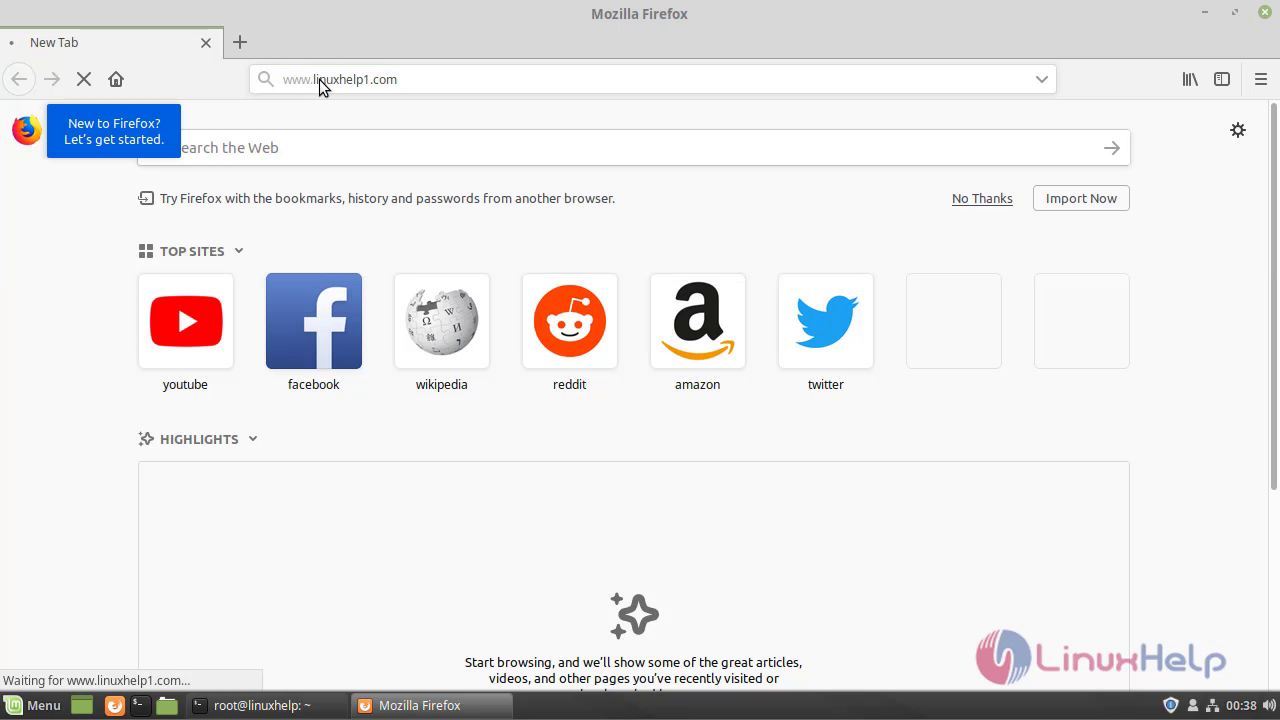
Open the browser and enter your domain name
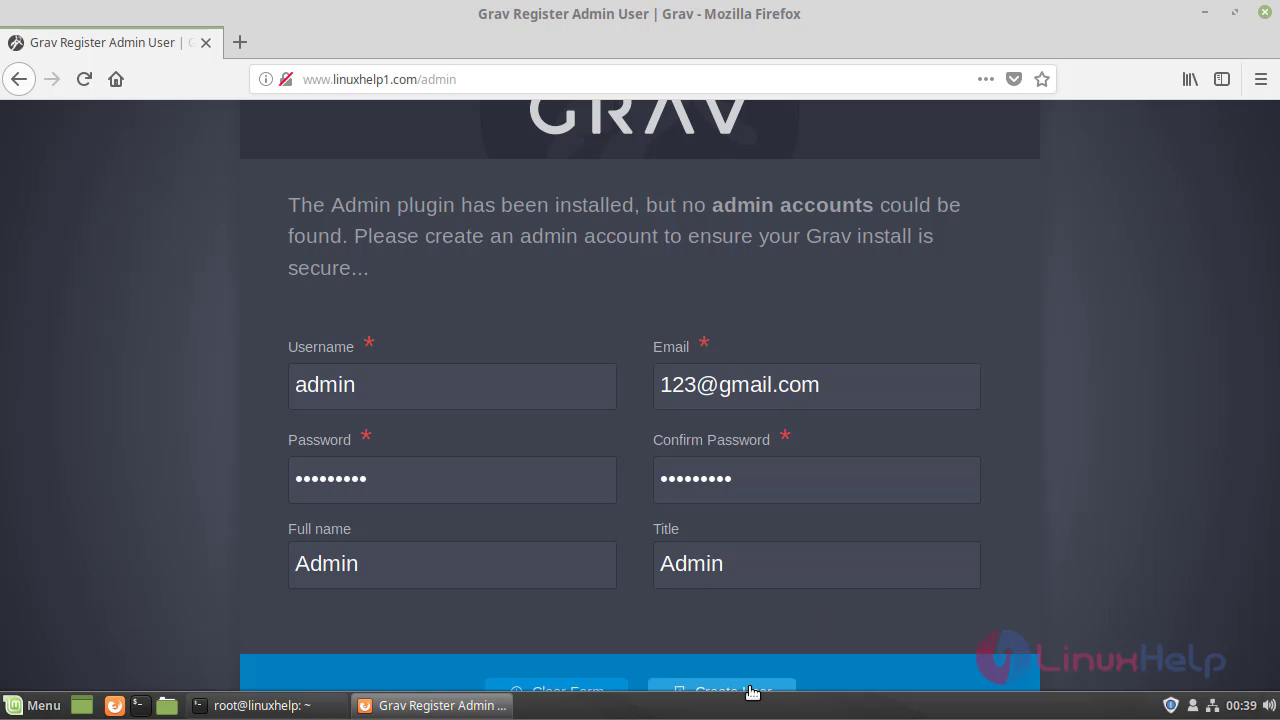
 Enter your admin credentials for garv cms
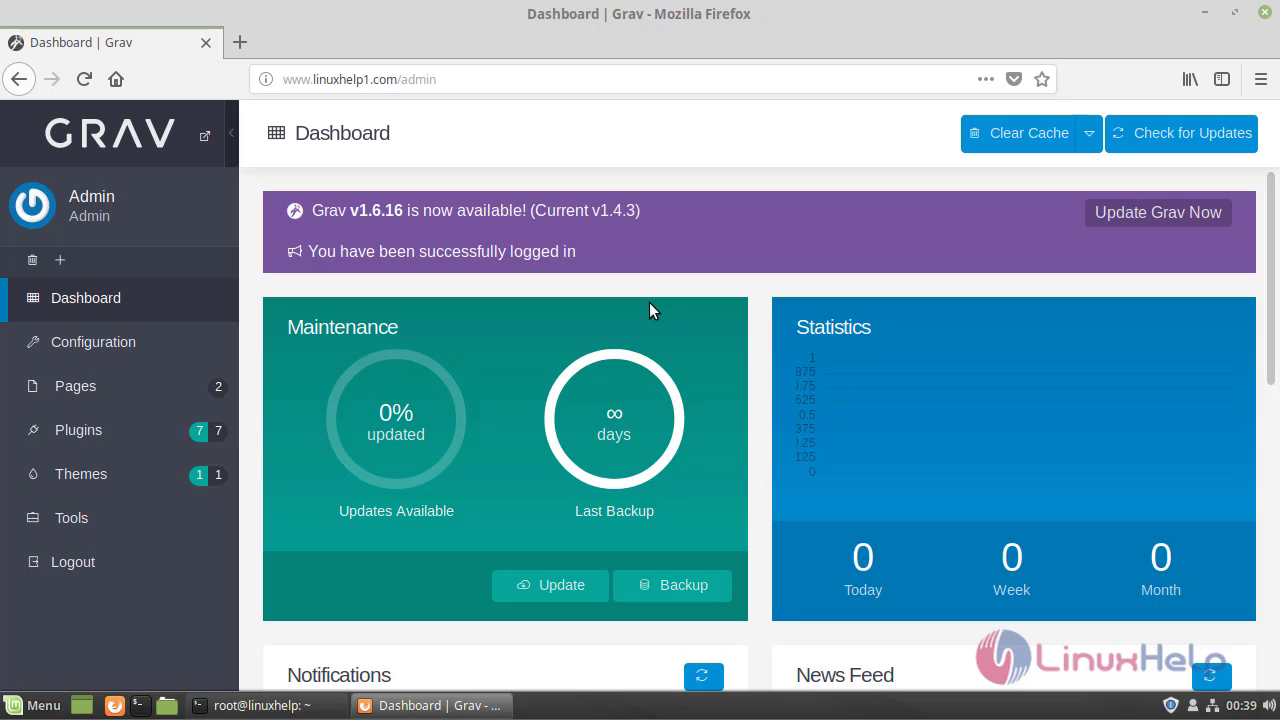
 This is the dashboard of grav cms
 This is the method to install grav cms on Linux Mint 19
Comments ( 0 )
No comments available