How to install Group-Office in Ubuntu
To install Group-Office in Ubuntu
Group Office is a free source groupware and CRM based application. It allows the user to create docs, projects, files for the clients on a centralized server through a network by using the web browser. Installation of Group-Office in Ubuntu is explained in this manual.
To install Group-Office
Before installing Group-Office, run the following command to install the packages to setup LAMP server.
root@linuxhelp:~# apt-get install apache2 apache2-doc apache2-utils libapache2-mod-php5 zip libwbxml2-utils tnef php5-common php5-curl php5-gd php5-imap php5-mcrypt php5-mysql php-pear php5-pspell php5-xmlrpc mysql-server -y
Reading package lists... Done
Building dependency tree
Reading state information... Done
zip is already the newest version.
zip set to manually installed.
The following extra packages will be installed:
  apache2-bin apache2-data libaio1 libapr1 libaprutil1 libaprutil1-dbd-sqlite3 libaprutil1-ldap libc-client2007e libdbd-mysql-perl libdbi-perl libhtml-template-perl
  liblua5.1-0 libmcrypt4 libmysqlclient18 libterm-readkey-perl libwbxml2-0 mlock mysql-client-5.6 mysql-client-core-5.6 mysql-common mysql-server-5.6 mysql-server-core-5.6
  php5-cli php5-json php5-readline
.
.
.
Creating config file /etc/php5/apache2/php.ini with new version
Module mpm_event disabled.
Enabling module mpm_prefork.
apache2_switch_mpm Switch to prefork
apache2_invoke: Enable module php5
Processing triggers for libc-bin (2.21-0ubuntu4) ...
Processing triggers for ureadahead (0.100.0-19) ...
Processing triggers for systemd (225-1ubuntu9) ...
Run the following command to enable PHP mcrypt module.
root@linuxhelp:~# php5enmod mcrypt
Move to the document root and download the package for Group office as shown below.
root@linuxhelp:~# cd /var/www/html
root@linuxhelp:/var/www/html# wget http://downloads.sourceforge.net/project/group-office/6.1/groupoffice-com-6.1.25.tar.gz
--2016-10-12 01:08:25--  http://downloads.sourceforge.net/project/group-office/6.1/groupoffice-com-6.1.25.tar.gz
Resolving downloads.sourceforge.net (downloads.sourceforge.net)... 216.34.181.59
Connecting to downloads.sourceforge.net (downloads.sourceforge.net)|216.34.181.59|:80... connected.
HTTP request sent, awaiting response... 302 Found
Location: http://liquidtelecom.dl.sourceforge.net/project/group-office/6.1/groupoffice-com-6.1.25.tar.gz [following]
--2016-10-12 01:08:26--  http://liquidtelecom.dl.sourceforge.net/project/group-office/6.1/groupoffice-com-6.1.25.tar.gz
Resolving liquidtelecom.dl.sourceforge.net (liquidtelecom.dl.sourceforge.net)... 197.155.77.8
Connecting to liquidtelecom.dl.sourceforge.net (liquidtelecom.dl.sourceforge.net)|197.155.77.8|:80... connected.
HTTP request sent, awaiting response... 200 OK
Length: 34595023 (33M) [application/x-gzip]
Saving to: ‘ groupoffice-com-6.1.25.tar.gz’

groupoffice-com-6.1.25.tar.gz               100%[==========================================================================================> ]  32.99M   718KB/s   in 58s

2016-10-12 01:09:25 (580 KB/s) - ‘ groupoffice-com-6.1.25.tar.gz’  saved [34595023/34595023]
Extract the downloaded package by using the following command.
root@linuxhelp:/var/www/html# tar -xzvf groupoffice-com-6.1.25.tar.gz
groupoffice-com-6.1.25/
groupoffice-com-6.1.25/GO.php
groupoffice-com-6.1.25/robots.txt
groupoffice-com-6.1.25/go/
groupoffice-com-6.1.25/go/GO.php
groupoffice-com-6.1.25/go/base/
.
.
.
groupoffice-com-6.1.25/vendor/guzzle/guzzle/tests/Guzzle/Tests/Parser/Message/MessageParserProvider.php
groupoffice-com-6.1.25/vendor/guzzle/guzzle/tests/Guzzle/Tests/Parser/Message/PeclHttpMessageParserTest.php
groupoffice-com-6.1.25/vendor/guzzle/guzzle/tests/Guzzle/Tests/Parser/ParserRegistryTest.php
groupoffice-com-6.1.25/vendor/guzzle/guzzle/tests/bootstrap.php
groupoffice-com-6.1.25/vendor/guzzle/guzzle/composer.json
groupoffice-com-6.1.25/vendor/guzzle/guzzle/CHANGELOG.md
groupoffice-com-6.1.25/vendor/guzzle/guzzle/LICENSE
groupoffice-com-6.1.25/vendor/autoload.php
groupoffice-com-6.1.25/favicon.ico
After extracting, rename the newly created directory on your document root.
root@linuxhelp:/var/www/html# ls
groupoffice-com-6.1.25  groupoffice-com-6.1.25.tar.gz
root@linuxhelp:/var/www/html# mv groupoffice-com-6.1.25 groupoffice
Change the ownership for the Group office directory by running the following command.
root@linuxhelp:/var/www/html# chown -R www-data:www-data groupoffice
Login to Mysql database, create database and database user for group-office
root@linuxhelp:~# mysql -u root -p
Enter password:
Welcome to the MySQL monitor.  Commands end with   or g.
Your MySQL connection id is 2
Server version: 5.6.31-0ubuntu0.15.10.1 (Ubuntu)

Copyright (c) 2000, 2016, Oracle and/or its affiliates. All rights reserved.

Oracle is a registered trademark of Oracle Corporation and/or its
affiliates. Other names may be trademarks of their respective
owners.

Type ' help '  or ' h'  for help. Type ' c'  to clear the current input statement.

mysql>  create database groupoffice_db
Query OK, 1 row affected (0.00 sec)

mysql>  CREATE USER ' groupoffice_user' @' localhost'  IDENTIFIED BY ' 123'
Query OK, 0 rows affected (0.00 sec)

mysql>  GRANT ALL ON groupoffice_db.* TO ' groupoffice_user' @' localhost'
Query OK, 0 rows affected (0.01 sec)

mysql>  flush privileges
Query OK, 0 rows affected (0.00 sec)

mysql>  exit
Bye
Now create the virtual host for Group-office by following the below steps.
root@linuxhelp:~# touch /etc/apache2/sites-available/groupoffice.conf
root@linuxhelp:~# ln -s /etc/apache2/sites-available/groupoffice.conf /etc/apache2/sites-enabled/groupoffice.conf
root@linuxhelp:~# vim /etc/apache2/sites-available/groupoffice.conf
After creating virtual host add the following entry to the Group office configuration file.
< VirtualHost *:80>
ServerAdmin admin@linuxhelp.com
DocumentRoot /var/www/html/groupoffice/
ServerName linuxhelp.com
ServerAlias www.linuxhelp.com
< Directory /var/www/html/groupoffice/>
Options FollowSymLinks
AllowOverride All
< /Directory>
ErrorLog /var/log/apache2/linuxhelp.com-error_log
CustomLog /var/log/apache2/linuxhelp.com-access_log common
< /VirtualHost>
Restart the Apache services by running the following command.
root@linuxhelp:~# systemctl restart apache2
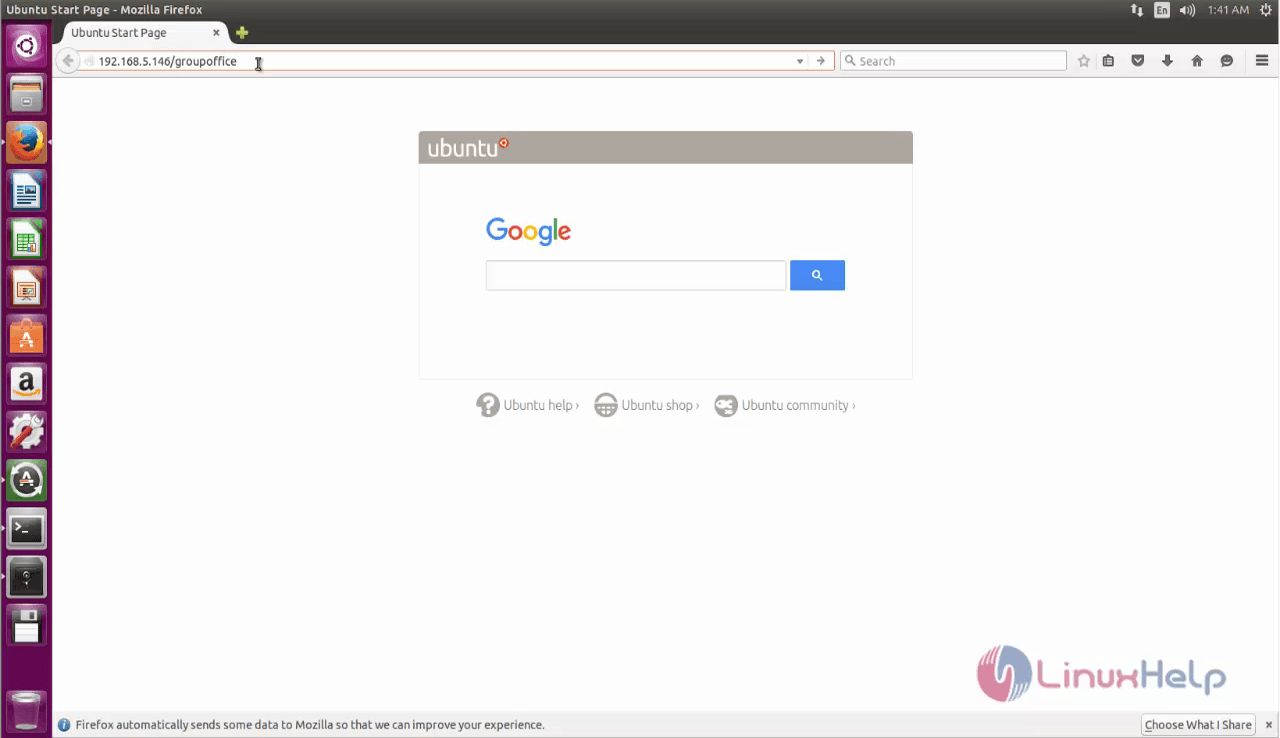
Open the browser and navigate to http://< IP_address> /groupoffice
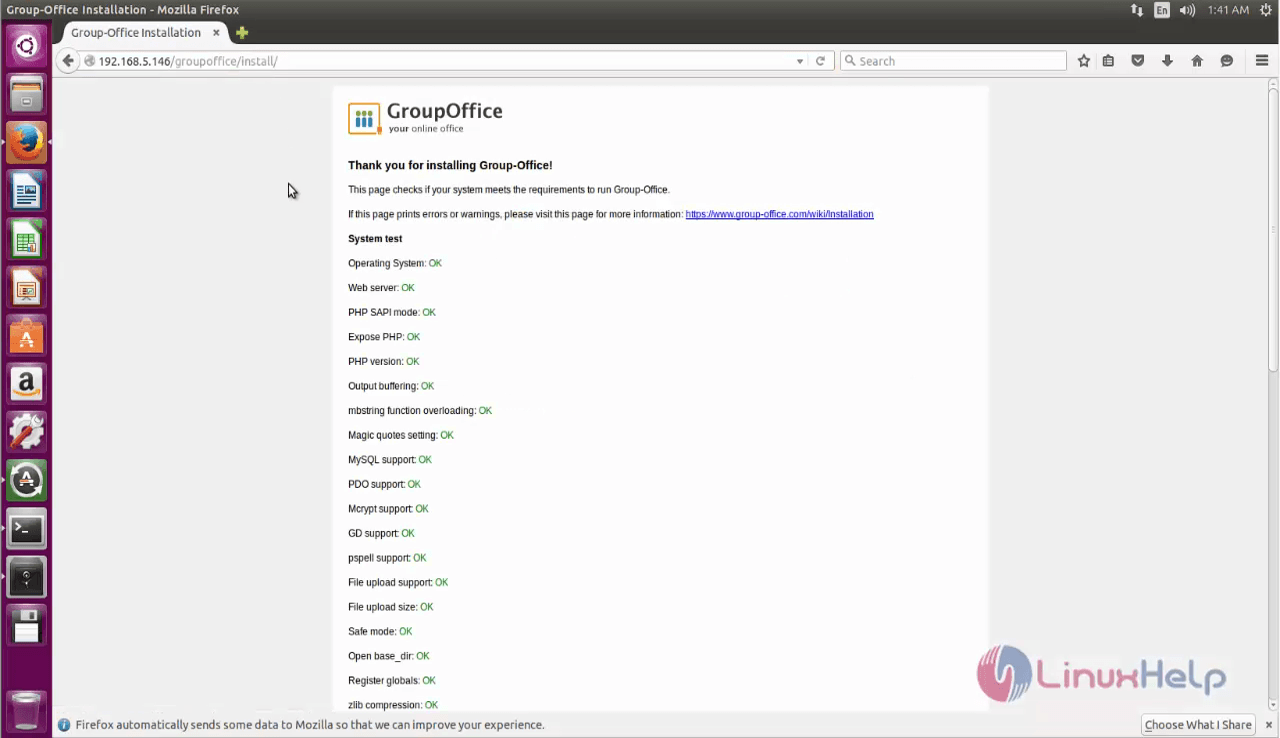
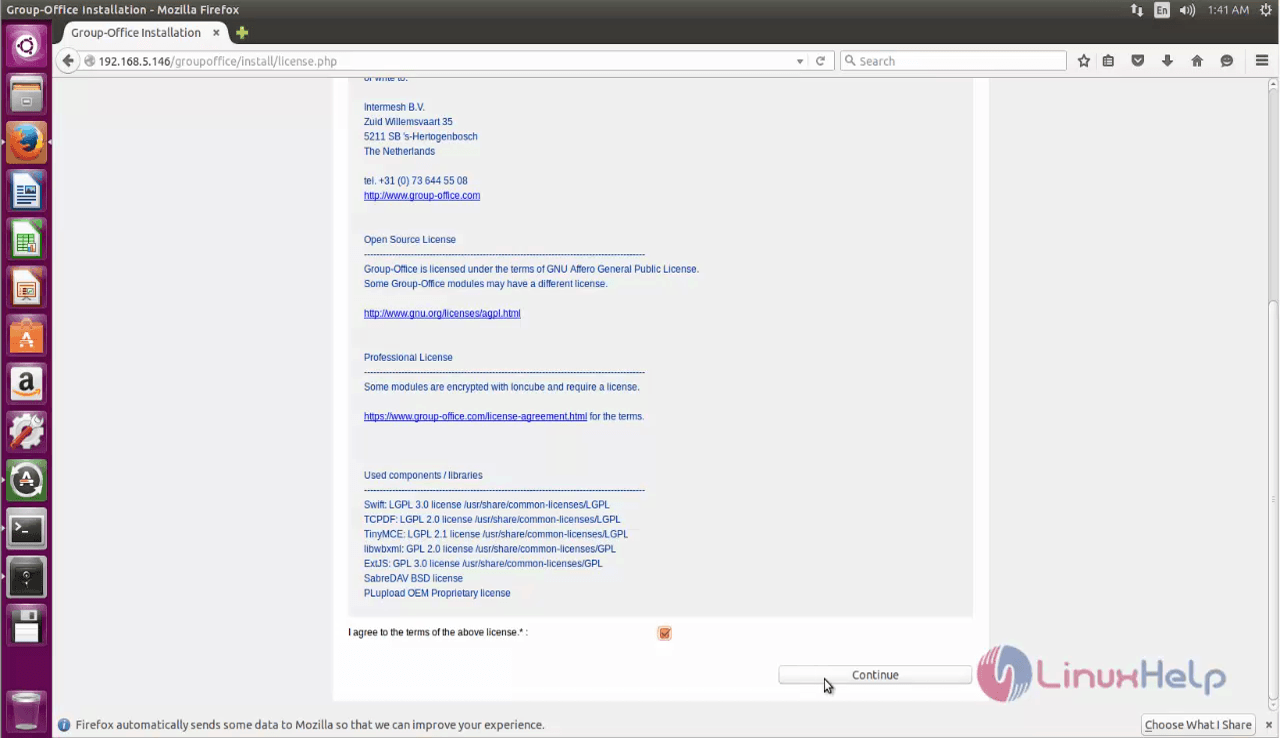
Read the License terms and click continue to proceed further.
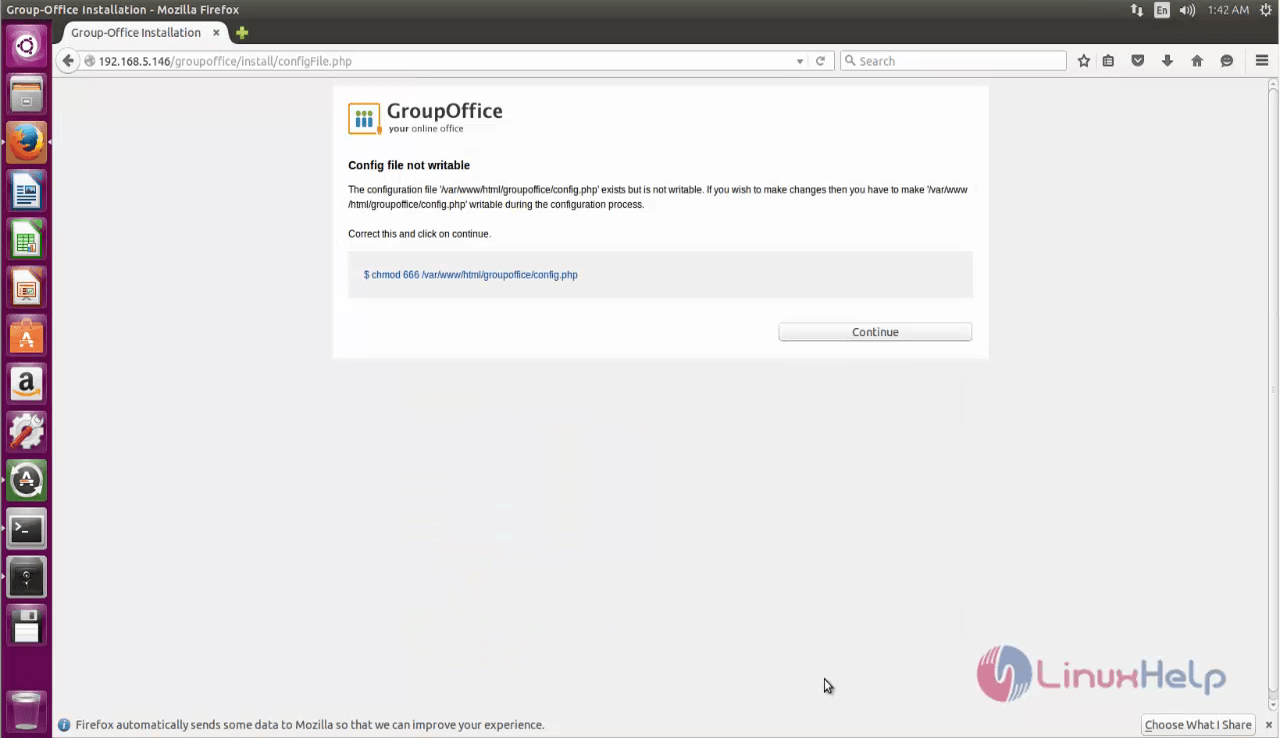
Then set the storage path and click continue.
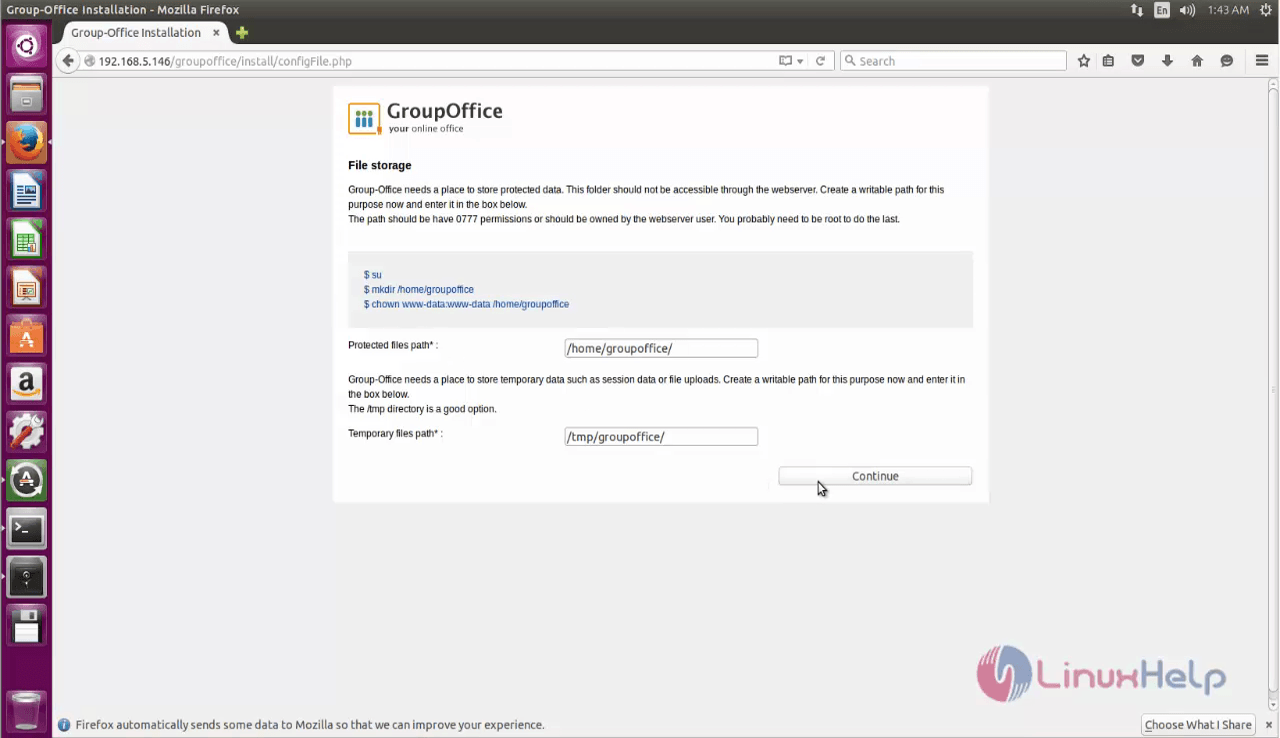
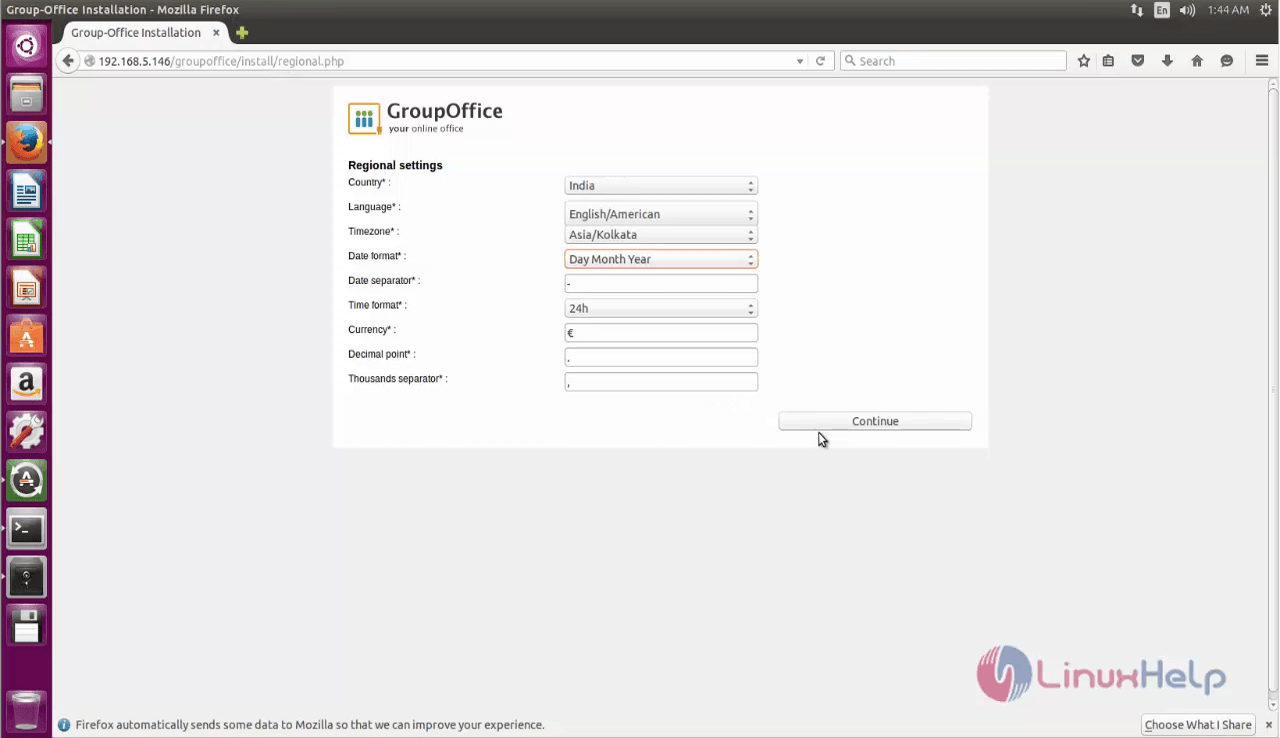
Fill the necessary configuration details and click continue.
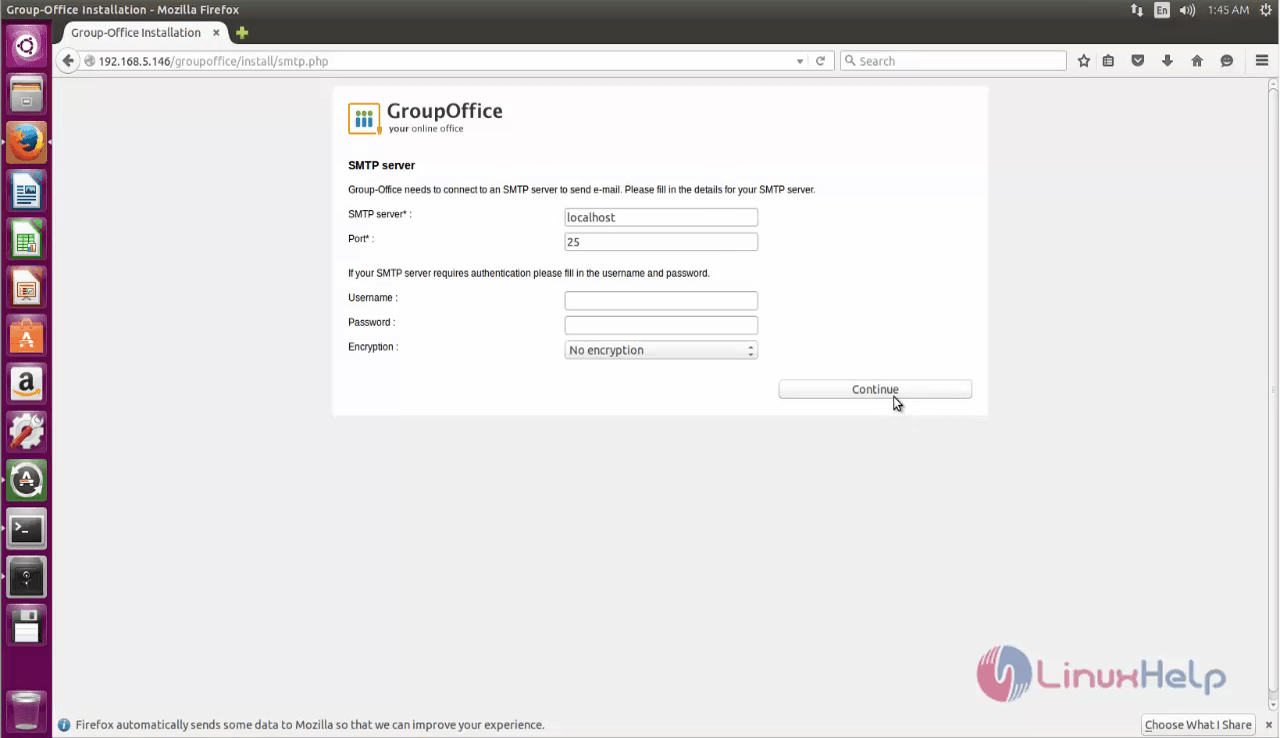
Then fill the SMTP server details and click continue.
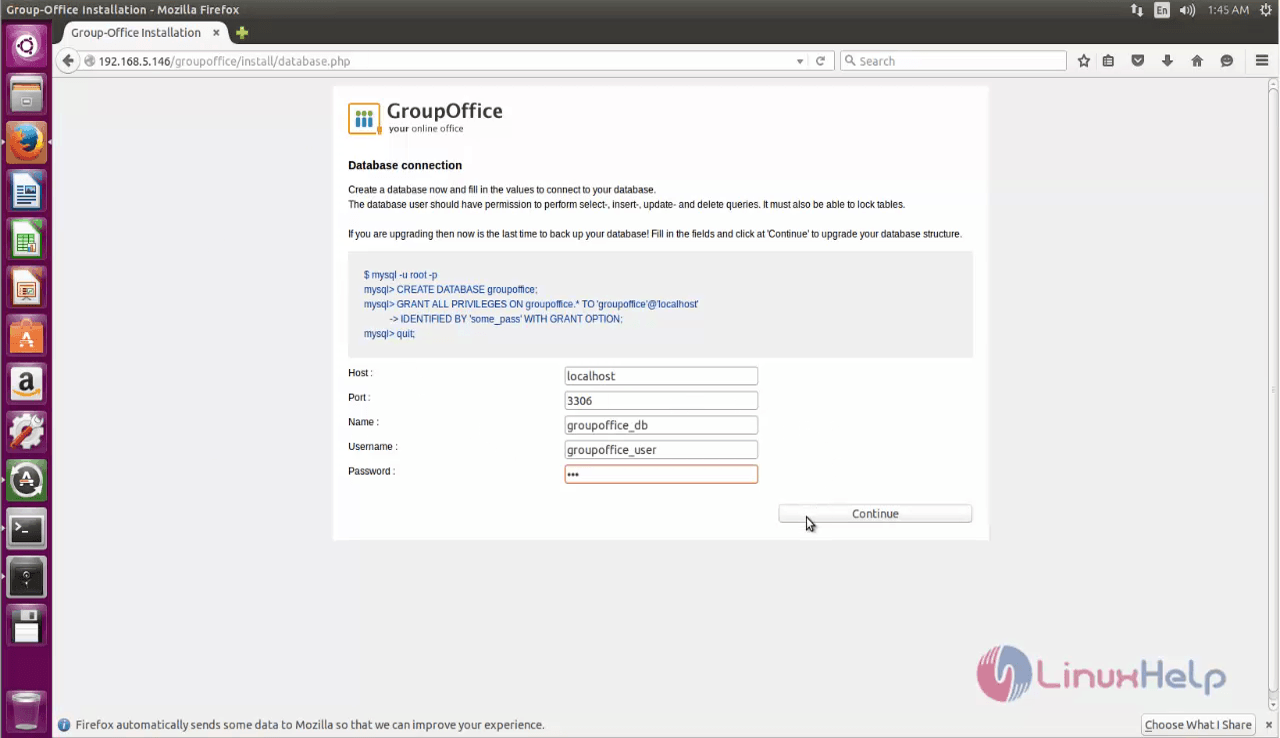
Once the database connection is set, the Group-Office is ready to use.
Comments ( 0 )
No comments available