How to install GScan2PDF on Debian 8.3
How to install GScan2PDF on Debian 8.3
The GScan2PDF is a cross platform GUI application to ease the process of producing a multipage PDF from a scan. It can scan one or several pages in with File/Scan option and can also create PDF of selected pages with File/Save options. This tutorial will explain on how to install GScan2PDF on Debian 8.3.
Installation procedure
To start the installation process, execute the nano command to open the sources.list file.
root@linuxhelp:~# nano /etc/apt/sources.list
The sources.list file opens. Now add these lines at end of the file. Save and exit from the file.
deb http://ftp.debian.org/debian/ stable main contrib non-free
deb http://ftp.de.debian.org/debian jessie main
Next execute the apt-get update command to update the apt sources-list file.
root@linuxhelp:~# apt-get update
Get:1 http://ftp.debian.org jessie-updates InRelease [145 kB]
Ign http://ftp.de.debian.org jessie InRelease
Get:2 http://ftp.de.debian.org jessie Release.gpg [2,373 B]
Get:3 http://ftp.de.debian.org jessie Release [148 kB]
Ign http://ftp.debian.org stable InRelease
Get:4 http://ftp.debian.org jessie-updates/main Sources [15.5 kB]
Get:5 http://ftp.debian.org jessie-updates/contrib Sources [32 B]
Get:6 http://ftp.debian.org jessie-updates/main amd64 Packages/DiffIndex [7,900 B]
Get:7 http://ftp.debian.org jessie-updates/contrib amd64 Packages [32 B]
Get:8 http://ftp.debian.org jessie-updates/contrib Translation-en [14 B]
Get:9 http://ftp.debian.org jessie-updates/main Translation-en/DiffIndex [2,704 B]
Get:10 http://ftp.debian.org stable Release.gpg [2,373 B]
Get:11 http://ftp.debian.org jessie-updates/main amd64 2017-03-14-2025.02.pdiff [526 B]
Get:12 http://ftp.debian.org jessie-updates/main amd64 2017-04-15-2027.16.pdiff [528 B]
Get:13 http://ftp.debian.org jessie-updates/main amd64 2017-04-15-2027.16.pdiff [528 B]
Get:14 http://ftp.debian.org stable Release [148 kB]
.
.
Fetched 23.4 MB in 6min 45s (57.7 kB/s)
Reading package lists... Done
Now install the GScan2PDF package by executing the following command.
root@linuxhelp:~# apt-get install gscan2pdf
Reading package lists... Done
Building dependency tree
Reading state information... Done
The following extra packages will be installed:
  curl djvulibre-bin libconfig-general-perl libcurl3 libdevel-globaldestruction-perl
  libdist-checkconflicts-perl libemail-date-format-perl libextutils-depends-perl
  libextutils-pkgconfig-perl libfont-ttf-perl libgoo-canvas-perl libgoocanvas-common
  libgoocanvas3 libgraphicsmagick++3 libgraphicsmagick3 libgtk2-ex-podviewer-perl
  libgtk2-ex-simple-list-perl libgtk2-imageview-perl libgtkimageview0 libio-stringy-perl
  libipc-shareable-perl liblept4 liblist-moreutils-perl liblog-dispatch-perl
  liblog-log4perl-perl libmail-sendmail-perl libmime-lite-perl libmime-types-perl
  libmodule-implementation-perl libmodule-runtime-perl libopenjp2-7 libparams-classify-perl
  libparams-validate-perl libpdf-api2-perl libproc-processtable-perl libreadonly-perl
  libsane-perl libset-intspan-perl libsub-exporter-progressive-perl libsys-hostname-long-perl
  libtesseract3 libtiff-tools libtry-tiny-perl pdf2djvu pkg-config sane tesseract-ocr
.
.
Setting up unpaper (0.4.2-1) ...
Processing triggers for libc-bin (2.19-18+deb8u2) ...
The GScan2PDF is installed successfully.
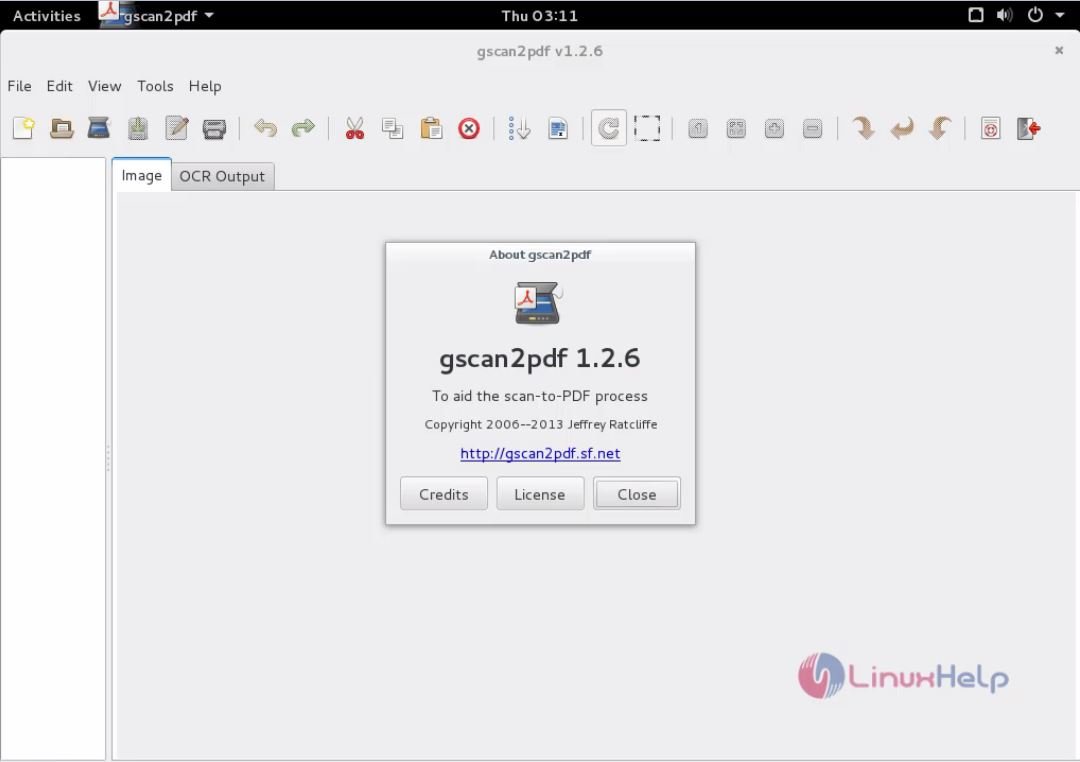
Wasn' t that an easy installation procedure? The GScan2PDF also handles TIFF export by libtiff for faster and smaller memory footprint for multipage files.
Comments ( 0 )
No comments available