How to install Gscan2PDF on Debian 9.0
How to install Gscan2PDF on Debian 9.0
Gscan2PDF is a GUI based application used for creating PDF and DjVu files from scanned documents. You can export the scanned documents one by one, in separate PDF files, or export scans all together, in one PDF. It is very simple to install Gscan2PDF and in this tutorial, you will learn about the method to install Gscan2PDF on Debian 9.0
Installing Gscan2PDF
The first and the foremost thing to do before you begin with the installation process is to add the essential repo. Run the following command to open the sources.list file.
root@debian:~# nano /etc/apt/sources.list
Once it is opened, add the following lines in it.
deb http://deb.debian.org/debian/ stable main contrib non-free
deb-src http://deb.debian.org/debian/ stable main contrib non-free
After that, save and exit from the file.
You should now update the apt sources.list, for that you ought to run the following command.
root@debian:~# apt-get update
Ign:1 http://deb.debian.org/debian stable InRelease
Hit:2 http://deb.debian.org/debian stable-updates InRelease
Hit:3 http://deb.debian.org/debian-security stable/updates InRelease
Hit:4 http://ftp.debian.org/debian stretch-backports InRelease
Get:5 http://deb.debian.org/debian stable Release [118 kB]
Get:6 http://deb.debian.org/debian stable Release.gpg [2,373 B]
Get:7 http://deb.debian.org/debian stable/main Sources [6,749 kB]
Get:8 http://deb.debian.org/debian stable/non-free Sources [79.7 kB]
Get:9 http://deb.debian.org/debian stable/contrib Sources [44.7 kB]
.
.
Fetched 29.7 MB in 37s (796 kB/s)
Reading package lists... Done
Everything has been set for the installation of the Gscan2PDF. Trigger the installation process by running the following command.
root@debian:~# apt-get install gscan2pdf
Reading package lists... Done
Building dependency tree
Reading state information... Done
The following packages were automatically installed and are no longer required:
  libjavascriptcoregtk-3.0-0 libwebkitgtk-3.0-0
Use ' apt autoremove'  to remove them.
The following additional packages will be installed:
  curl djvulibre-bin libbit-vector-perl libcarp-clan-perl libconfig-general-perl libcurl3
  libdate-calc-perl libdate-calc-xs-perl libdevel-globaldestruction-perl libdist-checkconflicts-perl
  libdpkg-perl libemail-date-format-perl libexporter-tiny-perl libextutils-depends-perl
  libextutils-pkgconfig-perl libfile-fcntllock-perl libfilesys-df-perl libfont-ttf-perl
  libgoo-canvas-perl libgoocanvas-common libgoocanvas3 libgraphicsmagick++-q16-12
  libgraphicsmagick-q16-3 libgtk2-ex-podviewer-perl libgtk2-ex-simple-list-perl
  libgtk2-imageview-perl libgtkimageview0 libio-string-perl libio-stringy-perl libipc-shareable-perl
  liblept5 liblist-moreutils-perl liblog-dispatch-perl liblog-log4perl-perl libmail-sendmail-perl
  libmime-lite-perl libmime-types-perl libmodule-implementation-perl libmodule-runtime-perl
.
.
Setting up liblog-dispatch-perl (2.58-1) ...
Processing triggers for libc-bin (2.24-11+deb9u1) ...
The application is now installed in your system. You can use the Activities search bar to find and launch the application. 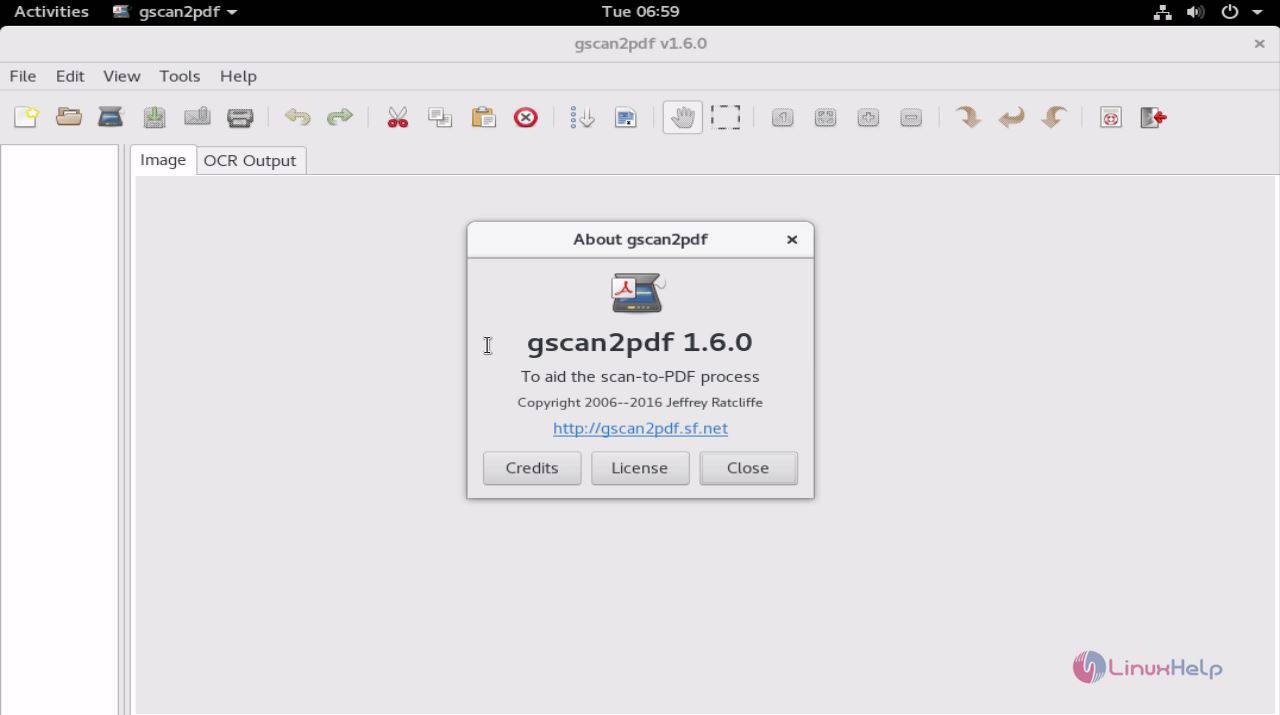
With this, the installation of Gscan2PDF on Debian 9.0 gets completed.
Comments ( 0 )
No comments available