• Categories
    Category
    {{ postCtrl.tags }}
    • {{ category.tag_type }}

      • {{tag.tag_name}}
      • View more
  • Categories
    Category
    {{ postCtrl.tags }}
    • {{ category.tag_type }}

      • {{tag.tag_name}}
      • View more
  • News
  • Tutorials
  • Forums
  • Tags
  • Users
Tutorial News Comments FAQ Related Articles

How to install GScan2PDF on Ubuntu 16.04

{{postValue.id}}

How to install GScan2PDF on Ubuntu 16.04

The GScan2PDF is a cross platform GUI application to ease the process of producing a multipage PDF from a scan. It can scan one or several pages in with File/Scan option and can also create PDF of selected pages with File/Save options. This tutorial will explain on how to install GScan2PDF on Ubuntu 16.04.

Features

  1. Compatible with any SANE-capable scanner
  2. Crop, threshold & clean up scan
  3. Reorder pages via DND
  4. Multi-page scan to PDF, DjVu or TIFF
  5. Single scans to any format supported by ImageMagick
  6. Place OCR output at boundary boxes supplied by Ocropus
  7. Incorporate PDF metadata in filename

Installation procedure

To start the installation procedure, add the GScan2PDF package into repository via ppa by executing the following command.

root@linuxhelpubnt:~# add-apt-repository ppa:jeffreyratcliffe/ppa
 gscan2pdf packages and dependencies
 More info: https://launchpad.net/~jeffreyratcliffe/+archive/ubuntu/ppa
Press [ENTER] to continue or ctrl-c to cancel adding it
.
.
.
gpg: /tmp/tmpx0rc687s/trustdb.gpg: trustdb created
gpg: key 5BC3E400: public key " Launchpad PPA for Jeffrey Ratcliffe"  imported
gpg: Total number processed: 1
gpg:               imported: 1  (RSA: 1)
OK

Update the system by executing the apt-get update command.

root@linuxhelpubnt:~# apt-get update
Get:1 http://ppa.launchpad.net/jeffreyratcliffe/ppa/ubuntu xenial InRelease [17.5 kB]
Hit:2 http://in.archive.ubuntu.com/ubuntu xenial InRelease                     
Get:3 http://in.archive.ubuntu.com/ubuntu xenial-updates InRelease [102 kB]                    
Get:4 http://security.ubuntu.com/ubuntu xenial-security InRelease [102 kB]
.
.
.
ffffffffff600000-ffffffffff601000 r-xp 00000000 00:00 0                  [vsyscall]
Aborted (core dumped)
Reading package lists... Done

The machine is updated with the required repositories. Install the GScan2PDF package by executing the following command.

root@linuxhelpubnt:~# apt-get install gscan2pdf
Reading package lists... Done
Building dependency tree       
Reading state information... Done
The following additional packages will be installed:
  binutils cpp-5 djvulibre-bin g++-5 gcc-5 gcc-5-base gimp gimp-data i965-va-driver libaacs0
  libamd2.4.1 libasan2 libatomic1 libavcodec-ffmpeg56 libavformat-ffmpeg56 libavutil-ffmpeg54
  libbabl-0.1-0 libbdplus0 libbit-vector-perl libblas-common libblas3 libbluray1 libcairo-perl
.
.
.
Setting up va-driver-all:amd64 (1.7.0-1) ...
Setting up vdpau-driver-all:amd64 (1.1.1-3ubuntu1) ...
Setting up pdf2djvu (0.9.3-1build2) ...
Processing triggers for libc-bin (2.23-0ubuntu3) &hellip 

After the installation is complete. Open the Ubuntu dashboard and type the GScan2PDF application name in the search bar. Click on the icon to run the application.
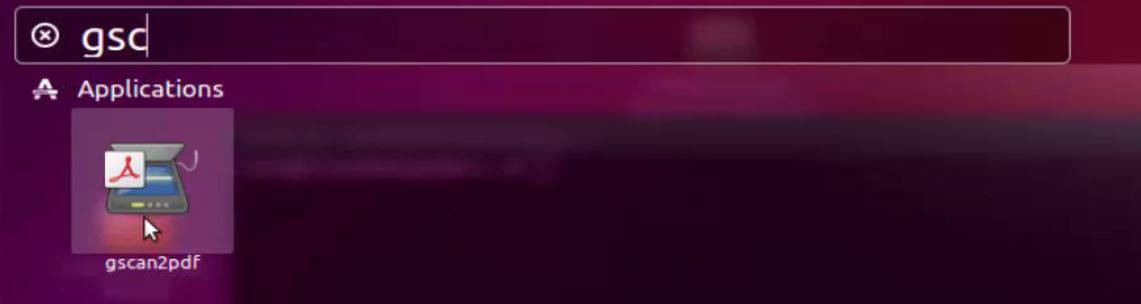
ubuntu dashboard

The GScan2PDF is launched successfully.
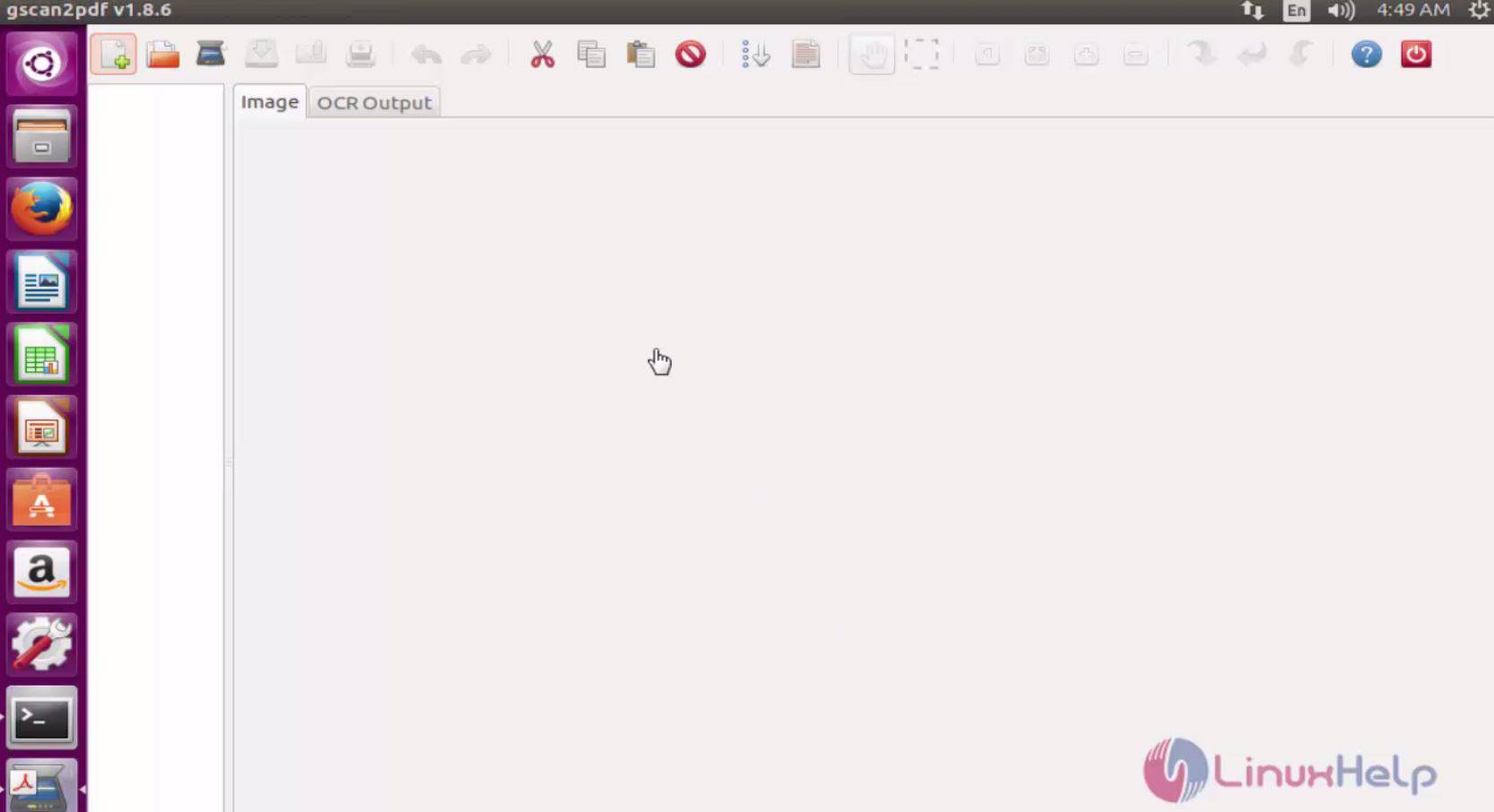
gscan2pdf

The installation procedure of GScan2PDF is running successfully.

Tags:
ethan
Author: 

Comments ( 0 )

No comments available

Add a comment
{{postCtrl.cmtErrMsg}}

Frequently asked questions ( 5 )

Q

How to diagnose a possible error, start gscan2pdf from the command line with logging enabled?

A

Run the following command,
gscan2pdf --log=file.log
and check file.log.

Q

what is the configuartion of GScan2PDF?

A

gscan2pdf creates a text resource file in ~/.config/gscan2pdfrc. The directory can be changed by setting the $XDG_CONFIG_HOME variable. Generally, however, preferences should be changed via the Edit/Preferences menu, or are captured automatically during normal usage of the program.

Q

how to Building gscan2pdf from source?

A

Having downloaded the source either from a Sourceforge file release, or from the Git repository, unpack it if necessary with tar xvfz gscan2pdf-x.x.x.tar.gz cd gscan2pdf-x.x.x

perl Makefile.PL, will create the Makefile.

make test should run several hundred tests to confirm that things will work properly on your system.

Q

Why can gscan2pdf not find my scanner?

A

If your scanner is not connected directly to the machine on which you are running gscan2pdf and you have not installed the SANE daemon, saned, gscan2pdf cannot automatically find it. In this case, you can specify the scanner device on the command line:

gscan2pdf --device

Q

When I update gscan2pdf using the Update Manager in Ubuntu, why is the list of changes never displayed?

A

As far as I can tell, this is pulled from changelogs.ubuntu.com, and therefore only the changelogs from official Ubuntu builds are displayed.

Back To Top!
Rank
User
Points

Top Contributers

userNamenaveelansari
135850

Top Contributers

userNameayanbhatti
92510

Top Contributers

userNamehamzaahmed
32150

Top Contributers

1
userNamelinuxhelp
31040

Top Contributers

userNamemuhammadali
24500
Can you help Owen ?
How to add SSH key to my Gitlab account

I need to add the SSH key in my gitlab account. How to do so ????

Networking
  • Routing
  • trunk
  • Netmask
  • Packet Capture
  • domain
  • HTTP Proxy
Server Setup
  • NFS
  • KVM
  • Memory
  • Sendmail
  • WebDAV
  • LXC
Shell Commands
  • Cloud commander
  • Command line archive tools
  • last command
  • Shell
  • terminal
  • Throttle
Desktop Application
  • Linux app
  • Pithos
  • Retrospect
  • Scribe
  • TortoiseHg
  • 4Images
Monitoring Tool
  • Monit
  • Apache Server Monitoring
  • EtherApe 
  • Arpwatch Tool
  • Auditd
  • Barman
Web Application
  • Nutch
  • Amazon VPC
  • FarmWarDeployer
  • Rukovoditel
  • Mirror site
  • Chef
Contact Us | Terms of Use| Privacy Policy| Disclaimer
© 2025 LinuxHelp.com All rights reserved. Linux™ is the registered trademark of Linus Torvalds. This site is not affiliated with linus torvalds in any way.