How to install gthumb in Ubuntu
To install gthumb in Ubuntu
gThumb is an image viewer and organizer which is designed with simple interface for Linux distributions. It allows the users to edit image including copying, moving, deleting or duplicating, format conversion and batch renaming. gThumb is available in an open-source. Installation of gthumb in Ubuntu is explained in this article.
Features
- Folders and catalogs can be bookmarked.
- Supports several image formats.
- Export web-based albums with various theme templates.
- Import images from digital camera.
- Comments can be added to images.
Installation of gthumb
Befor installing gthumb, run the below command to add the gthumb repo files to apt source.
root@linuxhelp:~# add-apt-repository ppa:webupd8team/gthumb

More info: https://launchpad.net/~webupd8team/+archive/ubuntu/gthumb
Press [ENTER] to continue or ctrl-c to cancel adding it

gpg: keyring `/tmp/tmpom6gim8h/secring.gpg'  created
gpg: keyring `/tmp/tmpom6gim8h/pubring.gpg'  created
gpg: requesting key EEA14886 from hkp server keyserver.ubuntu.com
gpg: /tmp/tmpom6gim8h/trustdb.gpg: trustdb created
gpg: key EEA14886: public key " Launchpad VLC"  imported
gpg: no ultimately trusted keys found
gpg: Total number processed: 1
gpg:               imported: 1  (RSA: 1)
OK
Next update the added repo files with " apt-get update" command.
root@linuxhelp:~# apt-get update
Get:1 http://security.ubuntu.com/ubuntu xenial-security InRelease [94.5 kB]
Hit:2 http://ppa.launchpad.net/atareao/sunflower/ubuntu xenial InRelease
Hit:3 http://ppa.launchpad.net/dhor/myway/ubuntu xenial InRelease
Hit:4 http://ppa.launchpad.net/djcj/hybrid/ubuntu xenial InRelease
Ign:5 https://www.arangodb.com/repositories/arangodb3/xUbuntu_16.04  InRelease
Hit:6 http://ppa.launchpad.net/elementary-os/daily/ubuntu xenial InRelease
Hit:7 https://www.arangodb.com/repositories/arangodb3/xUbuntu_16.04  Release
Hit:9 http://ppa.launchpad.net/enlightenment-git/ppa/ubuntu xenial InRelease
Hit:10 http://in.archive.ubuntu.com/ubuntu xenial InRelease
Hit:11 http://ppa.launchpad.net/forkotov02/ppa/ubuntu xenial InRelease
Get:12 http://in.archive.ubuntu.com/ubuntu xenial-updates InRelease [95.7 kB]
Hit:13 http://ppa.launchpad.net/gns3/ppa/ubuntu xenial InRelease
Hit:14 http://ppa.launchpad.net/me-davidsansome/clementine/ubuntu xenial InRelease
Hit:15 http://ppa.launchpad.net/mystic-mirage/komodo-edit/ubuntu xenial InRelease
Hit:16 http://ppa.launchpad.net/starws-box/deadbeef-player/ubuntu xenial InRelease
Hit:17 http://in.archive.ubuntu.com/ubuntu xenial-backports InRelease
Hit:18 http://ppa.launchpad.net/team-xbmc/unstable/ubuntu xenial InRelease
Hit:19 http://ppa.launchpad.net/teejee2008/ppa/ubuntu xenial InRelease
Get:20 http://ppa.launchpad.net/webupd8team/gthumb/ubuntu xenial InRelease [17.5 kB]
Hit:21 http://ppa.launchpad.net/wereturtle/ppa/ubuntu xenial InRelease
Get:22 http://ppa.launchpad.net/webupd8team/gthumb/ubuntu xenial/main amd64 Packages [2,240 B]
Get:23 http://ppa.launchpad.net/webupd8team/gthumb/ubuntu xenial/main i386 Packages [2,252 B]
Get:24 http://ppa.launchpad.net/webupd8team/gthumb/ubuntu xenial/main Translation-en [644 B]
Fetched 213 kB in 3s (54.3 kB/s)
Reading package lists... Done
W: https://www.arangodb.com/repositories/arangodb3/xUbuntu_16.04/Release.gpg: Signature by key 4497DA50FBD0158CCFD1996CEE611E131C42E360 uses weak digest algorithm (SHA1)
Finally, run the below command to install the gthumb image viewer.
root@linuxhelp:~# apt-get install gthumb
Reading package lists... Done
Building dependency tree
Reading state information... Done
The following packages were automatically installed and are no longer required:
  libwxbase3.0-0v5 libwxgtk3.0-0v5
Use ' sudo apt autoremove'  to remove them.
The following additional packages will be installed:
  bison flex gstreamer0.10-gnomevfs gthumb-data libbison-dev libfl-dev
  libgnomevfs2-0 libgnomevfs2-common libgnomevfs2-extra libgstreamer0.10-0
  libsigsegv2 m4
.
.
.
.
.
update-alternatives: using /usr/bin/bison.yacc to provide /usr/bin/yacc (yacc) in auto mode
Setting up libgnomevfs2-common (1:2.24.4-6.1ubuntu1) ...
Setting up libgnomevfs2-0:amd64 (1:2.24.4-6.1ubuntu1) ...
Setting up libgstreamer0.10-0:amd64 (0.10.36-1.5ubuntu1) ...
Setting up gstreamer0.10-gnomevfs:amd64 (0.10.36-2) ...
Setting up gthumb-data (3:3.4.3-1) ...
Setting up gthumb (3:3.4.3-1) ...
Setting up libgnomevfs2-extra:amd64 (1:2.24.4-6.1ubuntu1) ...
Processing triggers for libc-bin (2.23-0ubuntu3) ...
To open the gthumb software, enter gthumb in the terminal.
root@linuxhelp:~# gthumb
Home page of the gthumb package will display as shown below.
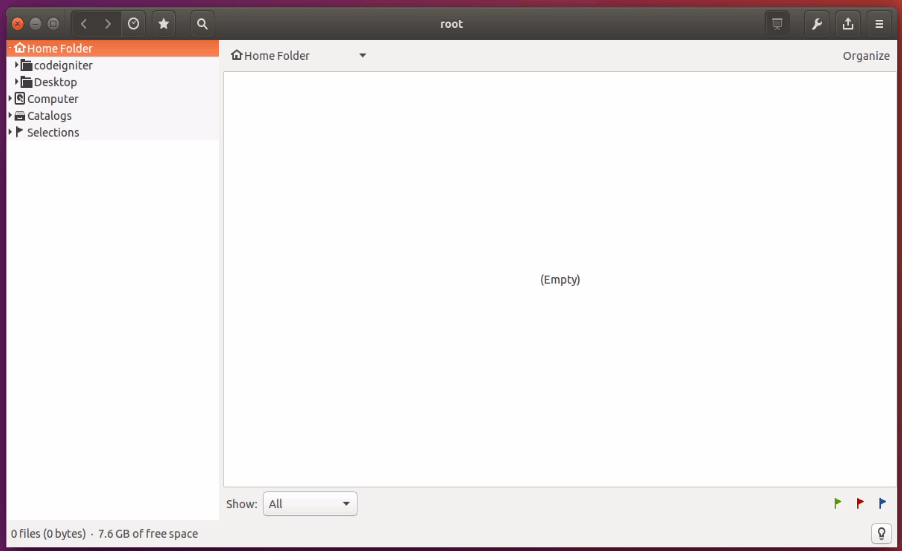
Here select your image directory to view all your images.
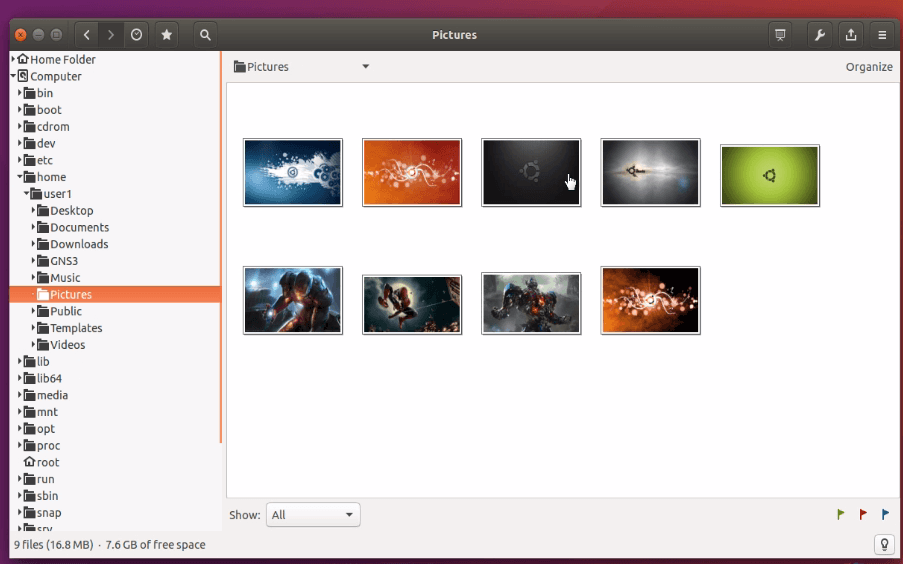
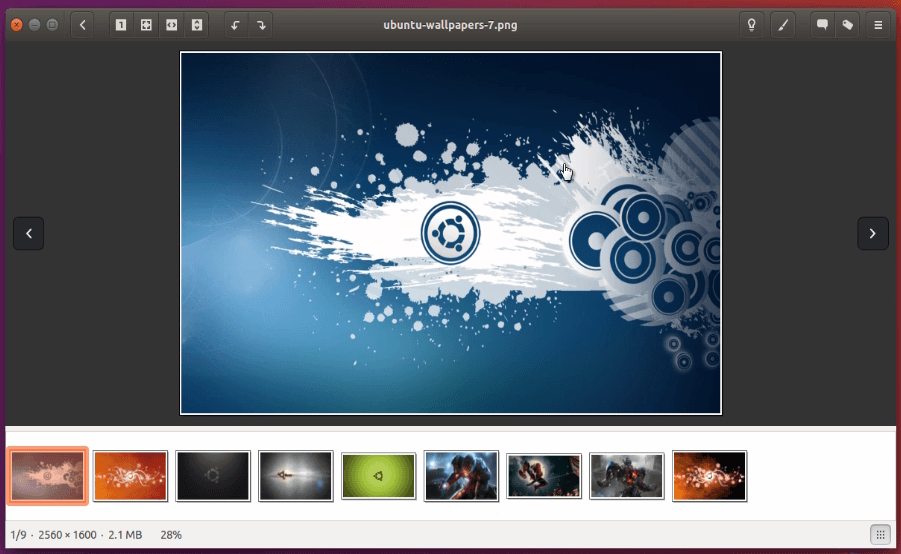
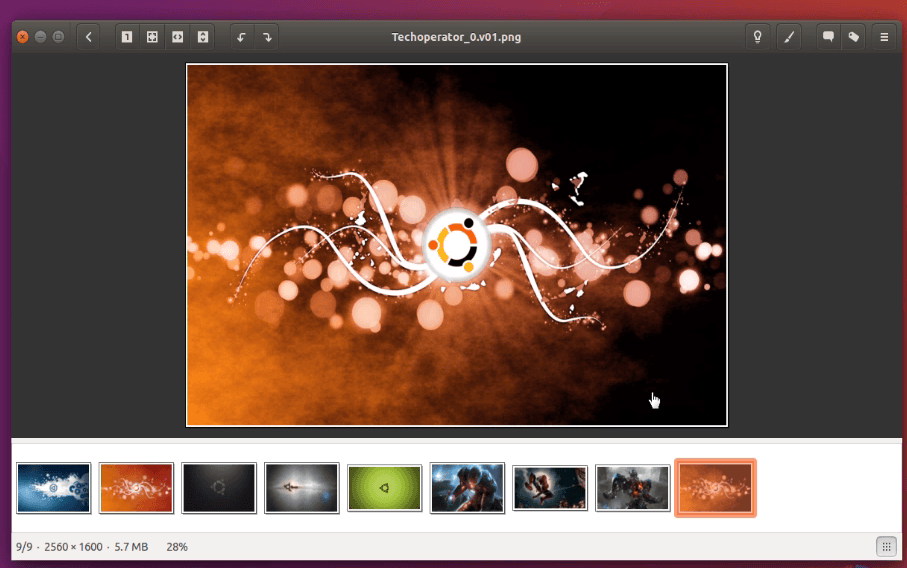
Select any image to view the images in order.
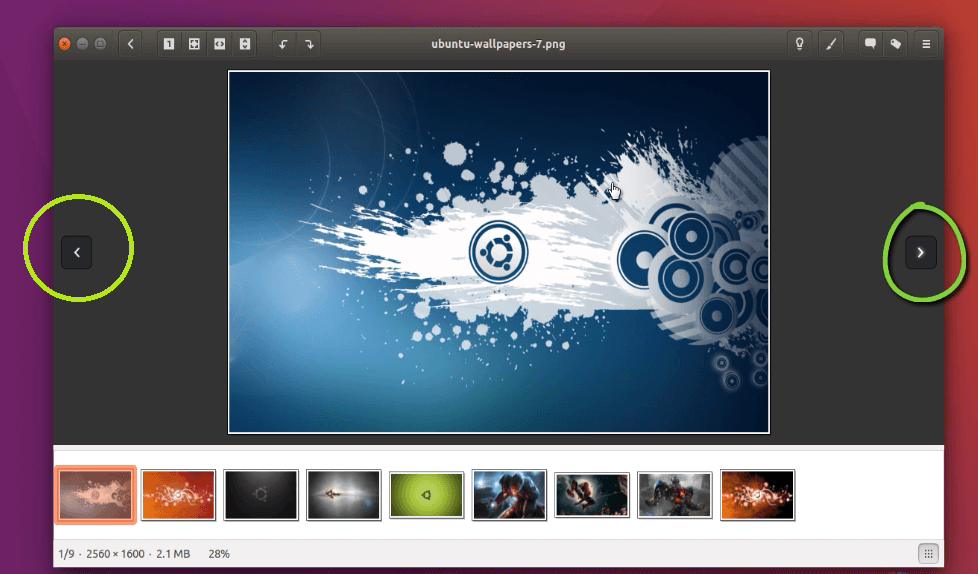
To change the images just make click on next and previous icon as shown below.
Comments ( 0 )
No comments available