How to Install GThumb on Centos 7
{{postValue.id}}
To Install GThumb on Centos 7
GThumb is designed with simple interface to view and organize image that can export images to Facebook, Flickr or Photo bucket. It allows the users to edit image including copying, moving, deleting or duplicating, format conversion and batch renaming. gThumb is also known as importer tool, which helps to transfer photos from cameras. In this tutorial, we will cover the installation of gthumb on centos 7.
Installation
Install the Gthumb application run the following command.
[root@linuxhelp1 ~]# yum install gthumb
Loaded plugins: fastestmirror, langpacks
base                                                                               | 3.6 kB  00:00:00
epel/x86_64/metalink                                                               | 3.5 kB  00:00:00
epel                                                                               | 3.2 kB  00:00:00
extras                                                                             | 3.4 kB  00:00:00
remi-php72                                                                         | 2.9 kB  00:00:00
remi-safe                                                                          | 2.9 kB  00:00:00
updates                                                                            | 3.4 kB  00:00:00
webtatic                                                                           | 3.6 kB  00:00:00
(1/4): remi-php72/primary_db                                                       | 196 kB  00:00:02
(2/4): epel/x86_64/updateinfo                                                      | 939 kB  00:00:03
(3/4): epel/x86_64/primary                                                         | 3.6 MB  00:00:10
(4/4): remi-safe/primary_db                                                        | 1.3 MB  00:00:11
Loading mirror speeds from cached hostfile
 * base: centos.mirror.snu.edu.in
 * epel: mirror.premi.st
 * extras: centos.mirror.snu.edu.in
 * remi-php72: mirror.reconn.ru
 * remi-safe: mirror.reconn.ru
 * updates: centos.mirror.snu.edu.in
 * webtatic: sp.repo.webtatic.com
epel                                                                                          12671/12671
Resolving Dependencies
--> Running transaction check
---> Package gthumb.x86_64 0:3.3.4-2.el7 will be installed
--> Processing Dependency: libexiv2.so.26()(64bit) for package: gthumb-3.3.4-2.el7.x86_64
--> Processing Dependency: libbrasero-burn3.so.1()(64bit) for package: gthumb-3.3.4-2.el7.x86_64
.
.
.
  Verifying  : gnome-color-manager-3.22.2-2.el7.x86_64                                                2/6
  Verifying  : gthumb-3.3.4-2.el7.x86_64                                                              3/6
  Verifying  : exiv2-libs-0.26-3.el7.x86_64                                                           4/6
  Verifying  : gnome-color-manager-3.22.2-1.el7.x86_64                                                5/6
  Verifying  : exiv2-libs-0.23-6.el7.x86_64                                                           6/6

Installed:
  gthumb.x86_64 0:3.3.4-2.el7

Dependency Installed:
  brasero-libs.x86_64 0:3.12.1-2.el7

Dependency Updated:
  exiv2-libs.x86_64 0:0.26-3.el7                 gnome-color-manager.x86_64 0:3.22.2-2.el7
Complete!
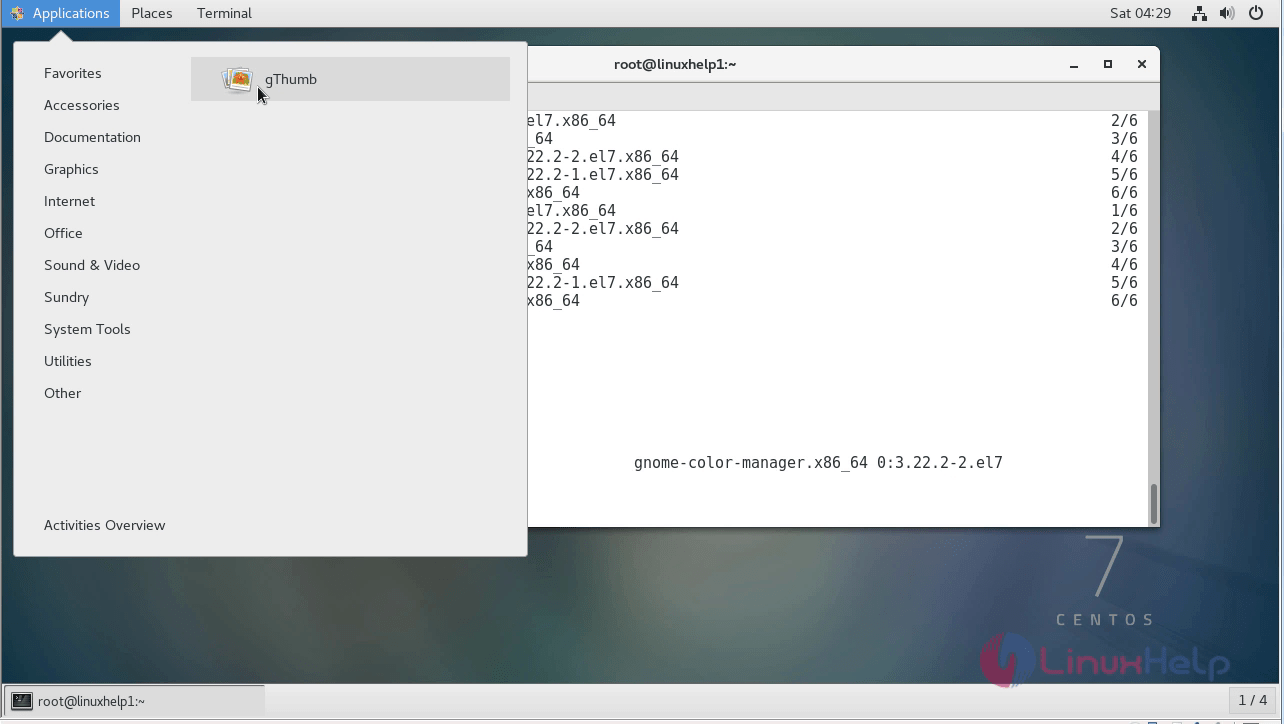
Once Installation is done you can access the application from the Menu as shown here
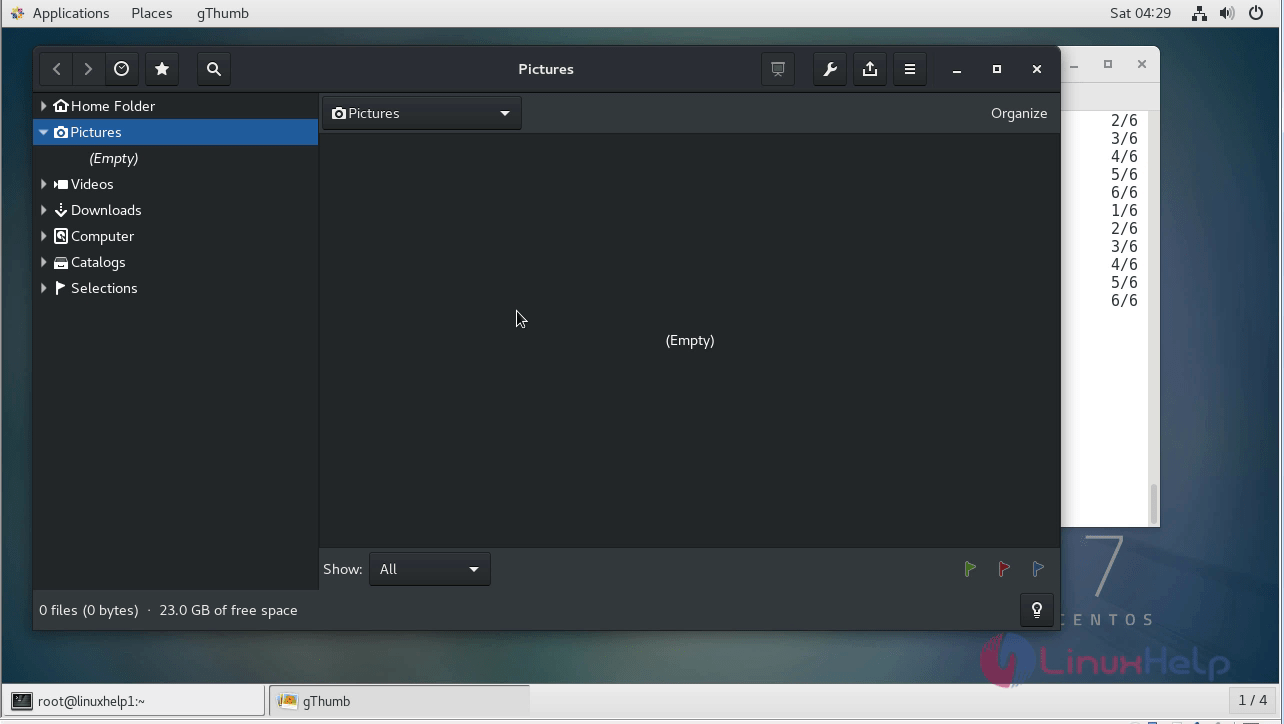
Now, you can able to use the gthumb application.
With this, the method to install gthumb on Centos 7 comes to an end.
Comments ( 0 )
No comments available