• Categories
    Category
    {{ postCtrl.tags }}
    • {{ category.tag_type }}

      • {{tag.tag_name}}
      • View more
  • Categories
    Category
    {{ postCtrl.tags }}
    • {{ category.tag_type }}

      • {{tag.tag_name}}
      • View more
  • News
  • Tutorials
  • Forums
  • Tags
  • Users
Tutorial News Comments FAQ Related Articles

How to install gThumb on Ubuntu 17.04

{{postValue.id}}

To install gThumb on Ubuntu 17.04

gThumb is designed with simple interface to view and organize image that can export images to PicasaWeb, Facebook, Flickr or Photobucket. It allows the users to edit image including copying, moving, deleting or duplicating, format conversion and batch renaming. gThumb is also known as importer tool, which helps to transfer photos from cameras. Users can easily browse a large photo collection and displays thumbnail for various image formats.gThumb also offers image editing operations for digital photographs such as image hue, saturation, lightness and red-eye. This tutorial covers the installation procedure of gThumb on Ubuntu 17.04.

Installation procedure

To proceed with the installation procedure, update the machine by running the apt-get update command.

root@linuxhelp:~# apt-get update
Hit:1 http://ppa.launchpad.net/dhor/myway/ubuntu zesty InRelease               
Hit:2 http://us.archive.ubuntu.com/ubuntu zesty InRelease                      
Get:3 http://security.ubuntu.com/ubuntu zesty-security InRelease [89.2 kB]
Get:4 http://us.archive.ubuntu.com/ubuntu zesty-updates InRelease [89.2 kB]    
Get:5 http://us.archive.ubuntu.com/ubuntu zesty-backports InRelease [89.2 kB]
Fetched 268 kB in 5s (48.6 kB/s)    
Reading package lists... Done


The target system has been updated. Now install gThumb application by executing the following command and press y to continue with the installation procedure.

root@linuxhelp:~# apt-get install -y gthumb
Reading package lists... Done
Building dependency tree       
Reading state information... Done
The following packages were automatically installed and are no longer required:
  gnome-software-common libgtkspell3-3-0 libmcrypt4
Use ' sudo apt autoremove'  to remove them.
The following additional packages will be installed:
  bison flex gstreamer0.10-gnomevfs gthumb-data libbison-dev libfl-dev libgnomevfs2-0 libgnomevfs2-common libgnomevfs2-extra
  libgstreamer0.10-0 libsigsegv2 m4
.
.
Setting up gthumb (3:3.4.3-1) ...
Setting up libgnomevfs2-extra:amd64 (1:2.24.4-6.1ubuntu1) ...
Processing triggers for libc-bin (2.23-0ubuntu3) ..

The gThumb application has been installed. To run the application, type the gThumb in the Ubuntu dashboard and click on the icon to run the application.
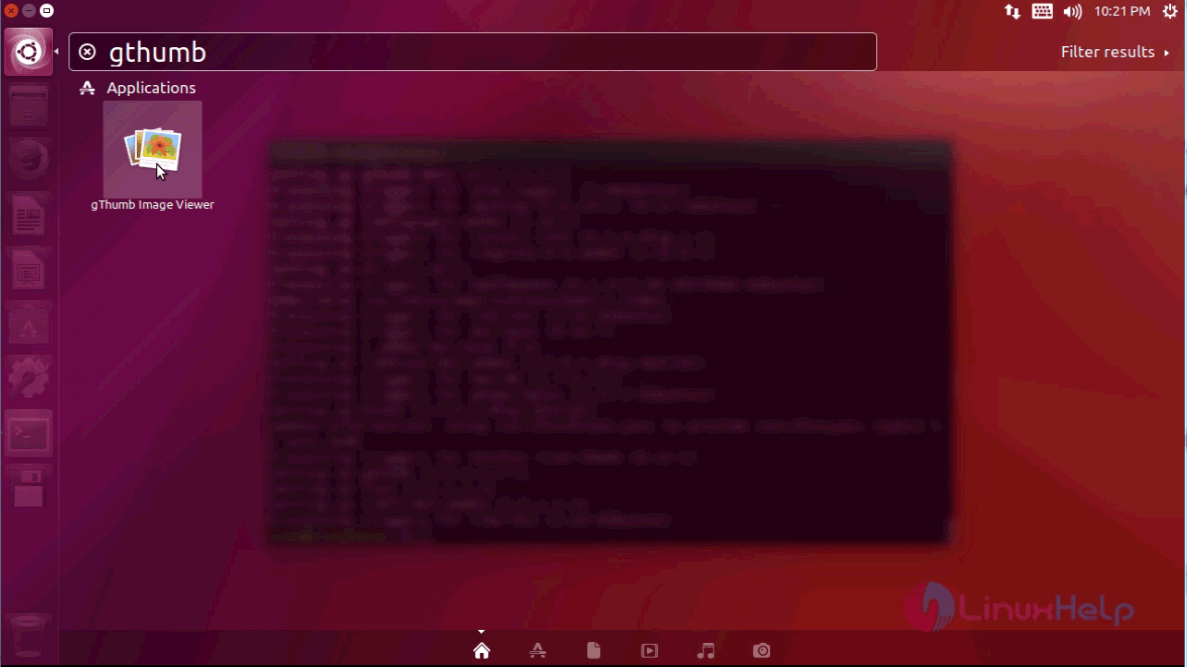
ubuntu dashboard

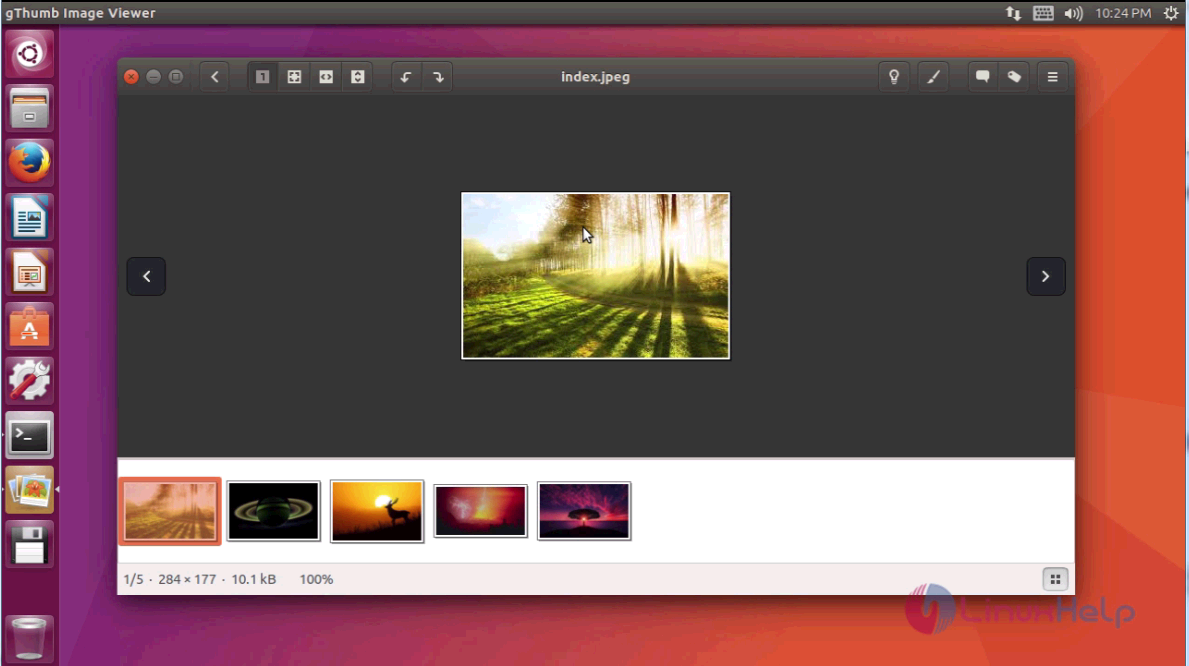
The application is up and running. Select any image file from local folders of the target system.
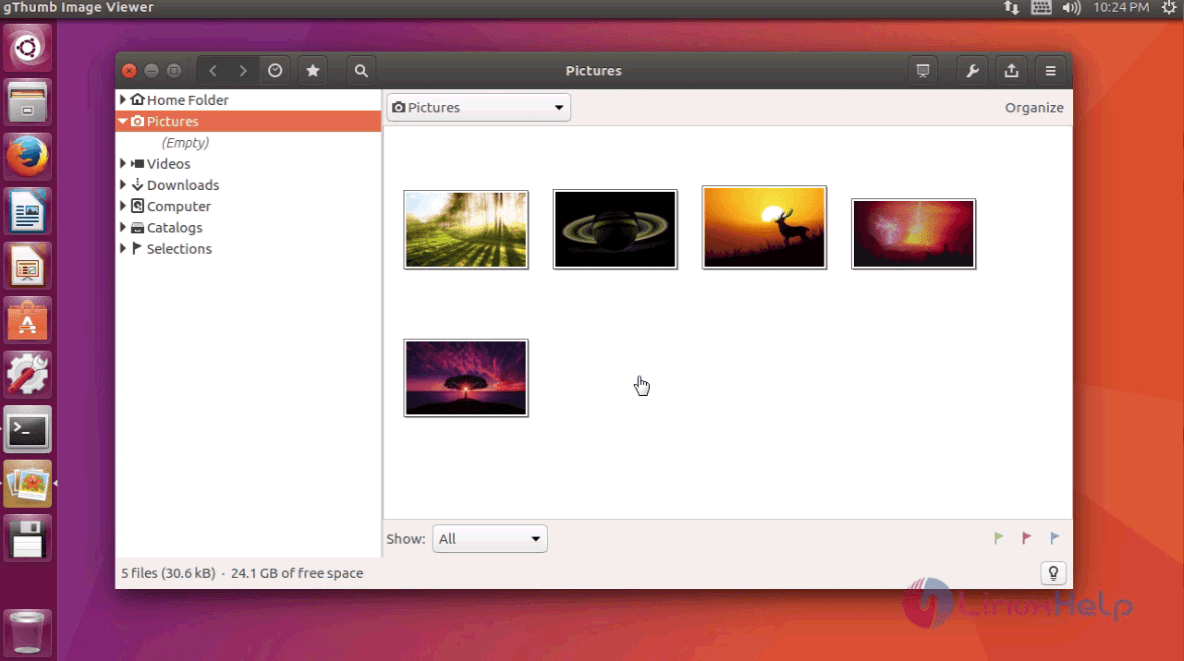
gThumb image viewer
image

The various tools to edit the selected photo are displayed on the right pane of application.
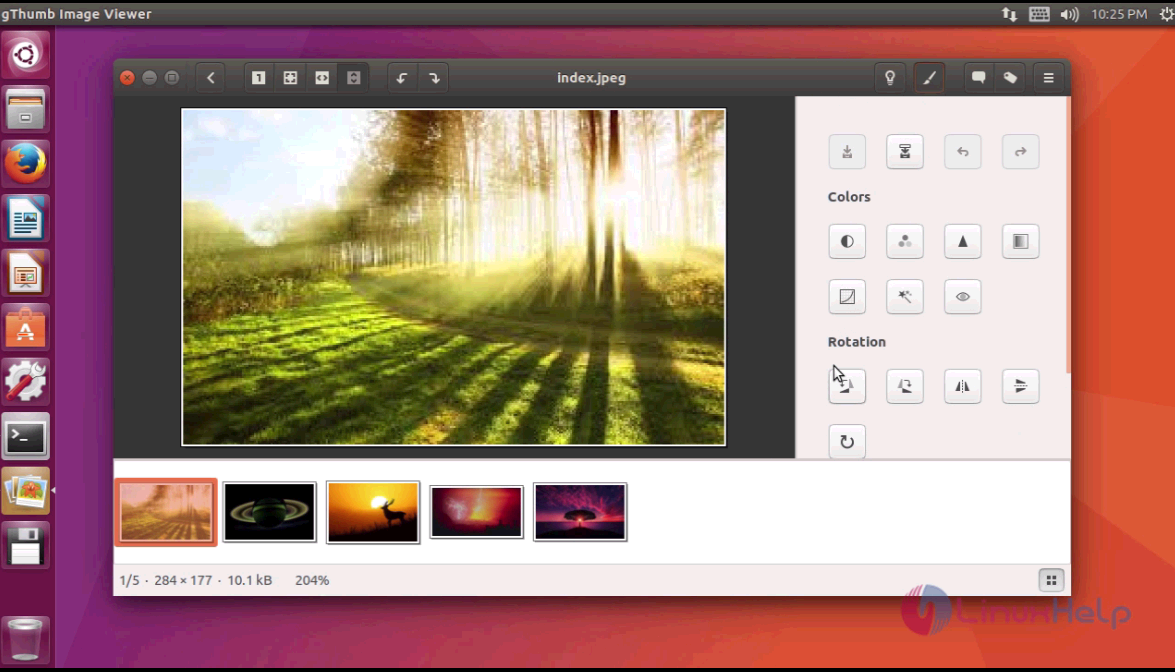
tools

Thus we conclude the installation procedure of gThumb on Ubuntu 17.04.

Tags:
mason
Author: 

Comments ( 0 )

No comments available

Add a comment
{{postCtrl.cmtErrMsg}}

Frequently asked questions ( 5 )

Q

What are the main terms of using the gThumb?

A

gThumb is designed with a simple interface to view and organize image that can export images to PicasaWeb,
Facebook, Flickr or Photobucket. It allows the users to edit image including copying,

Q

What are the alternative tools available for the gThumb?

A

The following tools are alternative for the gThumb,
"XnView MP,digiKam,shotwell"

Q

What are some useful shortcuts for using gthumbs?

A

The following useful shortcuts for using gthumbs, use the following link as given below "https://shortcutworld.com/gThumb/linux/gThumb_Shortcuts"

Q

How to access the Github for the gThumb?

A

For accessing the Github repository of the gThumb, use the following link as given below "https://github.com/GNOME/gthumb"

Q

How to access the extension of the gThumb ?

A

For accessing the extension of the gThumb, use the following link as given below "https://wiki.gnome.org/Apps/Gthumb/extensions"

Back To Top!
Rank
User
Points

Top Contributers

userNamenaveelansari
135850

Top Contributers

userNameayanbhatti
92510

Top Contributers

userNamehamzaahmed
32150

Top Contributers

1
userNamelinuxhelp
31040

Top Contributers

userNamemuhammadali
24500
Can you help David Lopez Guillen ?
Ayuda urgente instale SSL para servidor Opensuse y ahora no funciona tengo servicio web

hola segui este tutorial para tener un certificado ssl y ahora no se ve mi app en la red, espero alguien pueda ayudarme, tengo M9oodle en3.5 en un servidor open suse y ahora no funciona por favor ayuda.

https://www.linuxhelp.com/how-to-create-ssl-certificate-in-opensuse

Networking
  • Routing
  • trunk
  • Netmask
  • Packet Capture
  • domain
  • HTTP Proxy
Server Setup
  • NFS
  • KVM
  • Memory
  • Sendmail
  • WebDAV
  • LXC
Shell Commands
  • Cloud commander
  • Command line archive tools
  • last command
  • Shell
  • terminal
  • Throttle
Desktop Application
  • Linux app
  • Pithos
  • Retrospect
  • Scribe
  • TortoiseHg
  • 4Images
Monitoring Tool
  • Monit
  • Apache Server Monitoring
  • EtherApe 
  • Arpwatch Tool
  • Auditd
  • Barman
Web Application
  • Nutch
  • Amazon VPC
  • FarmWarDeployer
  • Rukovoditel
  • Mirror site
  • Chef
Contact Us | Terms of Use| Privacy Policy| Disclaimer
© 2025 LinuxHelp.com All rights reserved. Linux™ is the registered trademark of Linus Torvalds. This site is not affiliated with linus torvalds in any way.