How to install Gtop and its usage on OpenSUSE Leap 42.3
To install Gtop and its usage on OpenSUSE Leap 42.3
Gtop, expanded as graphic top, is a command which reads system process, memory, CPU, network, disk usage information and populate the results in graphic mode with a percentage. It is very simple to install, and using it is also very simple. This article covers the method to install Gtop on OpenSUSE Leap 42.3
Installing Gtop
It is very essential to install node.js for installing and using Gtop on your OpenSUSE Leap machine. So, make sure you run the following command to install it.
linuxhelp:~ # zypper install nodejs4
Loading repository data...
Reading installed packages...
Resolving package dependencies...

The following 4 NEW packages are going to be installed:
  nodejs-common nodejs4 nodejs4-devel npm4

The following recommended package was automatically selected:
  npm4

4 new packages to install.
Overall download size: 5.3 MiB. Already cached: 0 B. After the operation, additional 20.9 MiB will be used.
Continue? [y/n/...? shows all options] (y): y
Retrieving package nodejs-common-1.0-2.1.noarch                                                                                                         (1/4),   3.3 KiB (  105   B unpacked)
Retrieving: nodejs-common-1.0-2.1.noarch.rpm ..........................................................................................................................................[done]
Retrieving package nodejs4-4.8.4-8.1.x86_64                                                                                                             (2/4),   3.4 MiB ( 12.7 MiB unpacked)
Retrieving: nodejs4-4.8.4-8.1.x86_64.rpm ................................................................................................................................[done (323.9 KiB/s)]
Retrieving package nodejs4-devel-4.8.4-8.1.x86_64                                                                                                       (3/4), 117.5 KiB (591.6 KiB unpacked)
Retrieving: nodejs4-devel-4.8.4-8.1.x86_64.rpm ........................................................................................................................................[done]
Retrieving package npm4-4.8.4-8.1.x86_64                                                                                                                (4/4),   1.8 MiB (  7.7 MiB unpacked)
Retrieving: npm4-4.8.4-8.1.x86_64.rpm ...................................................................................................................................[done (292.4 KiB/s)]
Checking for file conflicts: ..........................................................................................................................................................[done]
(1/4) Installing: nodejs-common-1.0-2.1.noarch ........................................................................................................................................[done]
(2/4) Installing: nodejs4-4.8.4-8.1.x86_64 ............................................................................................................................................[done]
Additional rpm output:
update-alternatives: using /usr/bin/node4 to provide /usr/bin/node-default (node-default) in auto mode

(3/4) Installing: nodejs4-devel-4.8.4-8.1.x86_64 ......................................................................................................................................[done]
(4/4) Installing: npm4-4.8.4-8.1.x86_64 ...............................................................................................................................................[done]
Additional rpm output:
update-alternatives: using /usr/bin/npm4 to provide /usr/bin/npm-default (npm-default) in auto mode
Once you' ve installed Node.js, you shall simply proceed with the installation process by running the following command.
linuxhelp:~ # npm install gtop -g
/usr/local/bin/gtop ->  /usr/local/lib/node_modules/gtop/bin/gtop
gtop@0.1.5 /usr/local/lib/node_modules/gtop
??? systeminformation@3.33.7
??? blessed@0.1.81
??? blessed-contrib@4.8.5 (ansi-term@0.0.2, memorystream@0.3.1, x256@0.0.2, term-canvas@0.0.5, marked@0.3.6, strip-ansi@3.0.1, chalk@1.1.3, sparkline@0.1.2, memory-streams@0.1.2, map-canvas@0.1.5, picture-tube@0.0.4, marked-terminal@1.7.0, drawille-canvas-blessed-contrib@0.1.3, request@2.83.0, lodash@4.17.4)
You shall now access the gtop utility with the help of the following command.
linuxhelp:~ # gtop
Your Gtop interface appears on your screen, displaying the system related details.
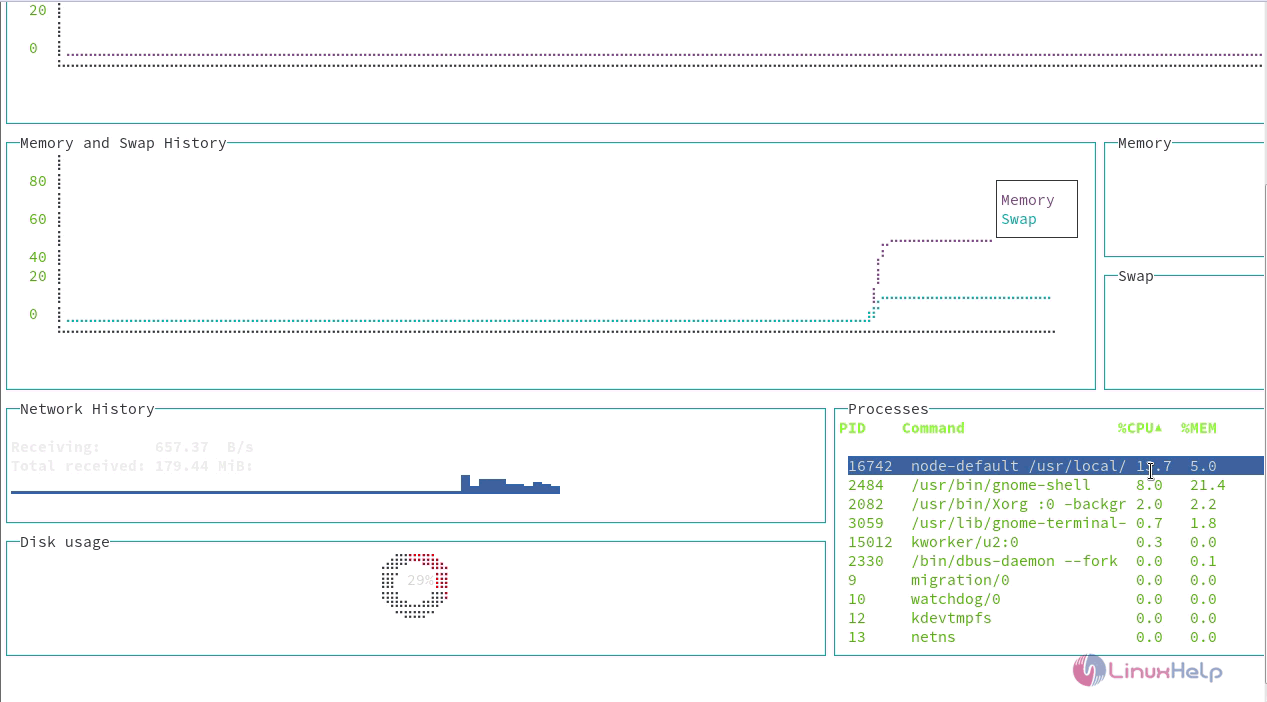
If you want to view your CPU history, you shall run with -c option.
linuxhelp:~ # gtop -c
The highest CPU usage will be displayed.
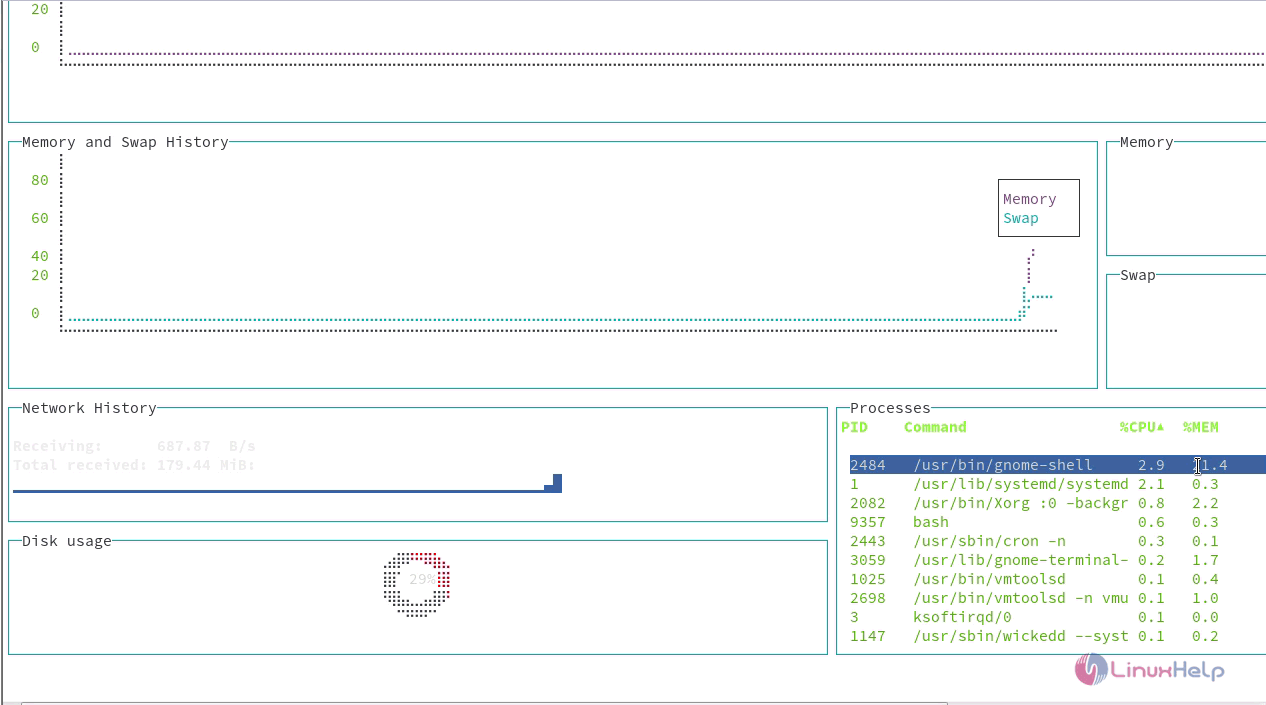
If you want to check the memory status, you shall run with &ndash m option.
linuxhelp:~ # gtop -m
The higest memory usage is displayed on the screen now.
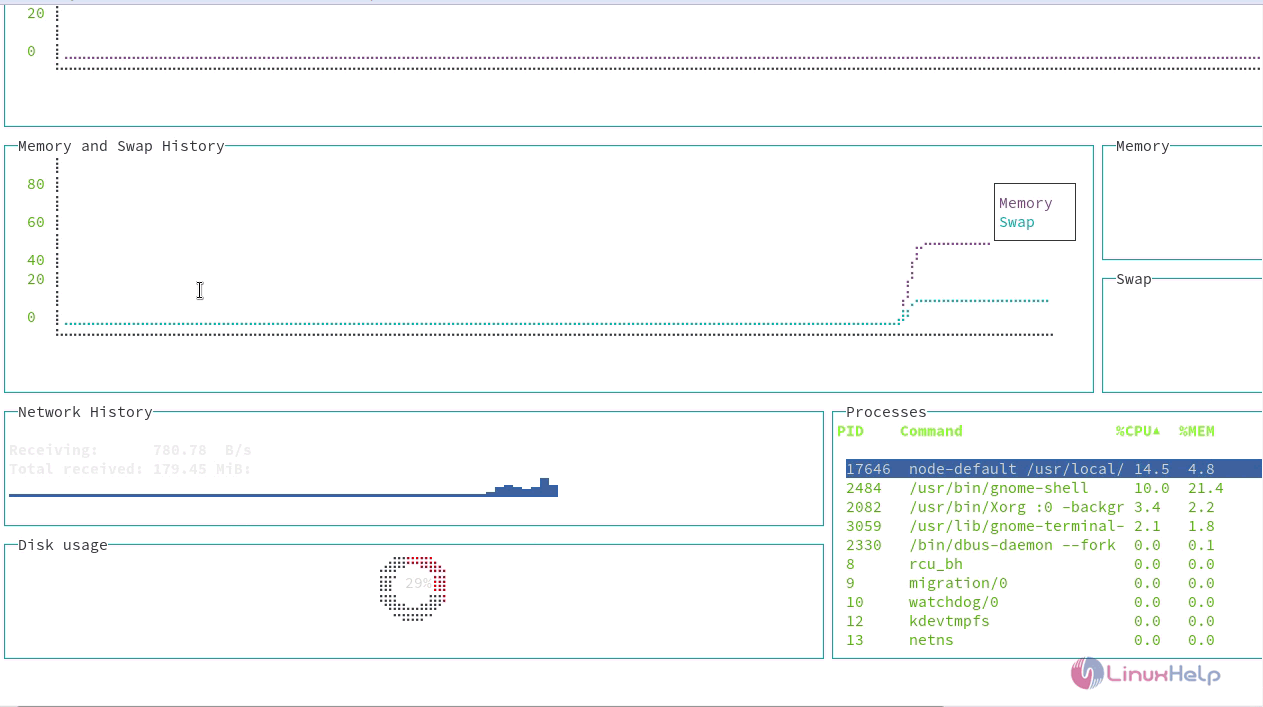
If you want to check all the system processes, you shall use the -p option.
linuxhelp:~ # gtop &ndash p
All the processes that run inside your system are now displayed on your screen. You can use your up and down arrows to toggle between the processes.
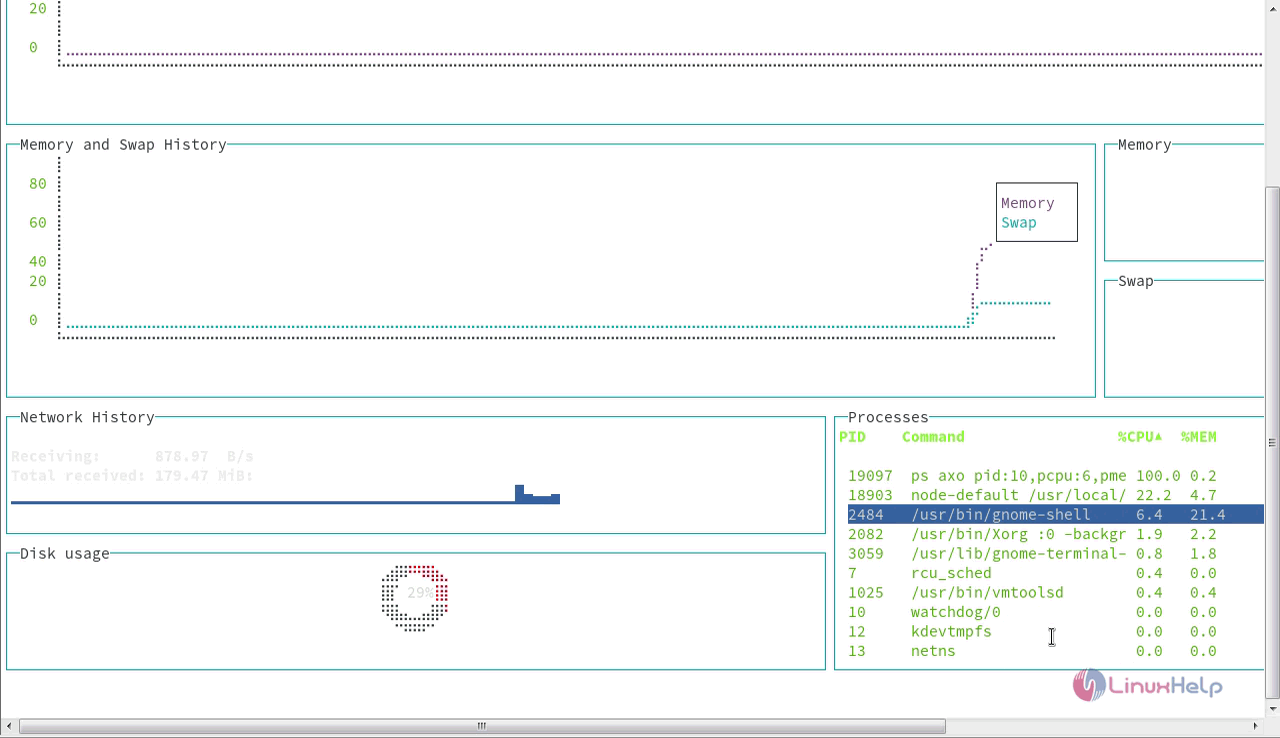
With this, the installation and the method to use Gtop on OpenSUSE leap 42.3, comes to an end.
Comments ( 0 )
No comments available