How to install Guake on Debian 8.3
To install Guake on Debian 8.3
Guake is a drop down terminal for the GNOME terminal environment. Not only is Guake simple to use, but also simple to install. We have already covered the method to install Guake on Ubuntu, and this article covers the installation of Guake on
Installing Guake
In order to install Guake, you need to add its repo to your apt source list. Use the following command to open the file.
root@linuxhelp:~# nano /etc/apt/sources.list
Once the file is opened, add the following lines in it.
deb http://ftp.debian.org/debian/ stable main contrib non-free
deb http://ftp.de.debian.org/debian jessie main
Once it is done, update the apt source as follows.
root@linuxhelp:~# apt-get update
Ign http://ftp.de.debian.org jessie InRelease
Hit http://ftp.de.debian.org jessie Release.gpg
Hit http://ftp.de.debian.org jessie Release
Hit http://ftp.de.debian.org jessie/main amd64 Packages
Hit http://ftp.de.debian.org jessie/main Translation-en
Get:1 http://ftp.debian.org jessie-updates InRelease [145 kB]
Ign http://ftp.debian.org stable InRelease
Get:2 http://ftp.debian.org jessie-updates/main Sources [15.5 kB]
Get:3 http://ftp.debian.org jessie-updates/contrib Sources [32 B]
Get:4 http://ftp.debian.org jessie-updates/main amd64 Packages/DiffIndex [7,408 B]
Get:5 http://ftp.debian.org jessie-updates/contrib amd64 Packages [32 B]
Get:6 http://ftp.debian.org jessie-updates/contrib Translation-en [14 B]
Get:7 http://ftp.debian.org jessie-updates/main Translation-en/DiffIndex [2,704 B]
Hit http://ftp.debian.org stable Release.gpg
Hit http://ftp.debian.org stable Release
Hit http://ftp.debian.org stable/main amd64 Packages
Hit http://ftp.debian.org stable/contrib amd64 Packages
Hit http://ftp.debian.org stable/non-free amd64 Packages
Hit http://ftp.debian.org stable/contrib Translation-en
Hit http://ftp.debian.org stable/main Translation-en
Hit http://ftp.debian.org stable/non-free Translation-en
Fetched 171 kB in 13s (13.1 kB/s)
Reading package lists... Done
Now is the time to install Guake. Use the following command to install the package.
root@linuxhelp:~# apt-get install guake
Reading package lists... Done
Building dependency tree
Reading state information... Done
The following extra packages will be installed:
  libvte-common libvte9 python-vte
The following NEW packages will be installed:
  guake libvte-common libvte9 python-vte
0 upgraded, 4 newly installed, 0 to remove and 2 not upgraded.
Need to get 1,761 kB of archives.
After this operation, 3,795 kB of additional disk space will be used.
Do you want to continue? [Y/n] y
Get:1 http://ftp.debian.org/debian/ stable/main libvte-common all 1:0.28.2-5 [435 kB]
Get:2 http://ftp.debian.org/debian/ stable/main libvte9 amd64 1:0.28.2-5 [726 kB]
Get:3 http://ftp.debian.org/debian/ stable/main python-vte amd64 1:0.28.2-5 [413 kB]
Get:4 http://ftp.debian.org/debian/ stable/main guake amd64 0.4.4-1 [186 kB]
Fetched 1,761 kB in 13s (128 kB/s)
Selecting previously unselected package libvte-common.
(Reading database ... 181105 files and directories currently installed.)
Preparing to unpack .../libvte-common_1%3a0.28.2-5_all.deb ...
Unpacking libvte-common (1:0.28.2-5) ...
Selecting previously unselected package libvte9.
Preparing to unpack .../libvte9_1%3a0.28.2-5_amd64.deb ...
Unpacking libvte9 (1:0.28.2-5) ...
Selecting previously unselected package python-vte.
Preparing to unpack .../python-vte_1%3a0.28.2-5_amd64.deb ...
Unpacking python-vte (1:0.28.2-5) ...
Selecting previously unselected package guake.
Preparing to unpack .../guake_0.4.4-1_amd64.deb ...
Unpacking guake (0.4.4-1) ...
Processing triggers for hicolor-icon-theme (0.13-1) ...
Processing triggers for desktop-file-utils (0.22-1) ...
Processing triggers for gnome-menus (3.13.3-6) ...
Processing triggers for mime-support (3.58) ...
Processing triggers for man-db (2.7.0.2-5) ...
Processing triggers for gconf2 (3.2.6-3) ...
Setting up libvte-common (1:0.28.2-5) ...
Setting up libvte9 (1:0.28.2-5) ...
Setting up python-vte (1:0.28.2-5) ...
Setting up guake (0.4.4-1) ...
Processing triggers for libc-bin (2.19-18+deb8u7) ...
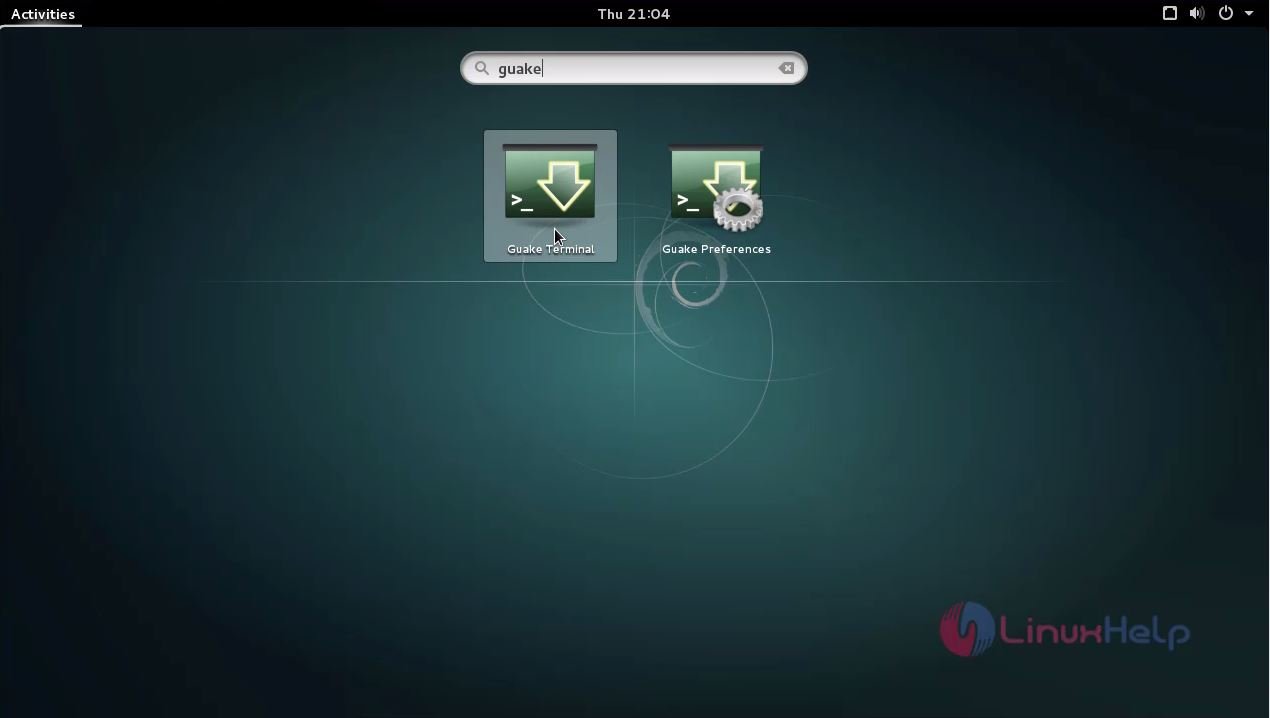
Guake has been installed, use your activities search bar to find and launch Guake.
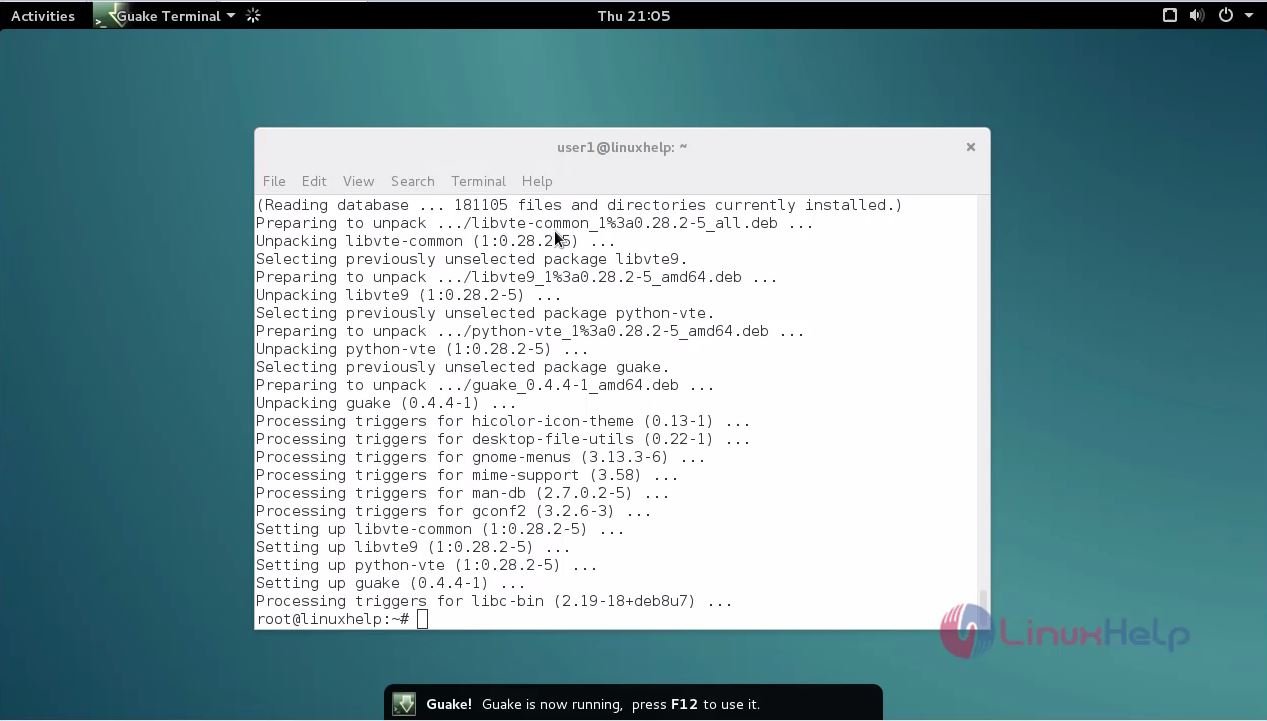
You can easily execute the terminal by pressing F12 key from your keyboard.
The terminal has started. You can easily use Guake to execute your Linux commands.
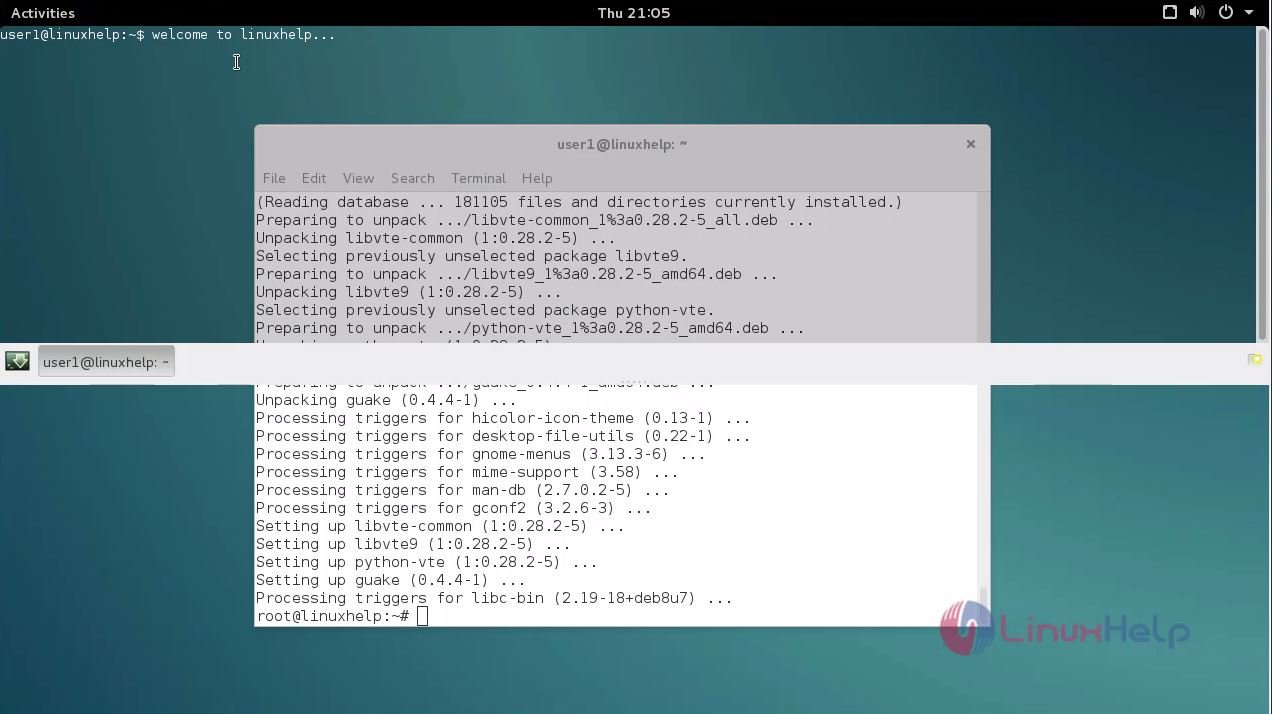
It was a simple installation, wasn' t it? Using Guake is also as easy as its installation. Guake lets you to instantaneously open and hide the terminal with a single key stroke. It is designed with impressive features and it enables the users to easily slide down and slide back-up the screen.
Comments ( 0 )
No comments available