How to install Guake on Ubuntu 17.04
To install Guake on Ubuntu 17.04
Guake is a drop-down terminal for Linux distributions. Users can instantaneously open and hide the terminal with a single key stroke. It is designed with an impressive features and it enables the users to easily slide down and slide back-up the screen. It is so simple to install Guake on Ubuntu 17.04, and this article covers the ground on the same process.
Installing Guake
It is really very essential to add the necessary repositories before you begin with the installation process. So, make sure you add them to your system by making use of the following command.
root@linuxhelp:~# add-apt-repository ppa:webupd8team/unstable
This PPA currently holds unreleased / git builds for different applications like Turpial, mc, Audacious.
PPA for WebUpd8: http://www.webupd8.org
More info: https://launchpad.net/~webupd8team/+archive/ubuntu/unstable
Press [ENTER] to continue or ctrl-c to cancel adding it

gpg: keybox ' /tmp/tmpr1353l7q/pubring.gpg'  created
gpg: /tmp/tmpr1353l7q/trustdb.gpg: trustdb created
gpg: key C2518248EEA14886: public key " Launchpad VLC"  imported
gpg: no ultimately trusted keys found
gpg: Total number processed: 1
gpg:               imported: 1
OK
Once the repository is added, you shall update your system by making use of the following command.
root@linuxhelp:~# apt-get update
Hit:1 http://ppa.launchpad.net/js-reynaud/kicad-4/ubuntu zesty InRelease
Hit:2 http://security.ubuntu.com/ubuntu zesty-security InRelease
Hit:3 http://in.archive.ubuntu.com/ubuntu zesty InRelease
Get:4 http://ppa.launchpad.net/webupd8team/unstable/ubuntu zesty InRelease [15.4 kB]
Hit:5 http://in.archive.ubuntu.com/ubuntu zesty-updates InRelease
Hit:6 http://in.archive.ubuntu.com/ubuntu zesty-backports InRelease
Get:7 http://ppa.launchpad.net/webupd8team/unstable/ubuntu zesty/main i386 Packages [592 B]
Get:8 http://ppa.launchpad.net/webupd8team/unstable/ubuntu zesty/main amd64 Packages [596 B]
Get:9 http://ppa.launchpad.net/webupd8team/unstable/ubuntu zesty/main Translation-en [284 B]
Fetched 16.9 kB in 3s (5,516 B/s)
Reading package lists... Done
You shall now proceed with the installation of Guake by making use of the following command.
root@linuxhelp:~# apt-get install guake
Reading package lists... Done
Building dependency tree
Reading state information... Done
The following additional packages will be installed:
  gconf-service gconf-service-backend gconf2 gconf2-common libgconf-2-4
  libglade2-0 libkeybinder0 libvte-common libvte9 python-cairo python-dbus
  python-gconf python-gi python-glade2 python-gobject-2 python-gtk2
  python-keybinder python-notify python-vte python-xdg
.

.

.
Setting up python-notify (0.1.1-4) ...
Setting up gconf-service-backend (3.2.6-3ubuntu7) ...
Setting up gconf-service (3.2.6-3ubuntu7) ...
Setting up python-gconf (2.28.1+dfsg-1.2) ...
Setting up gconf2 (3.2.6-3ubuntu7) ...
Setting up guake (0.8.10-1~webupd8~zesty0) ...
Processing triggers for libc-bin (2.24-9ubuntu2) ...
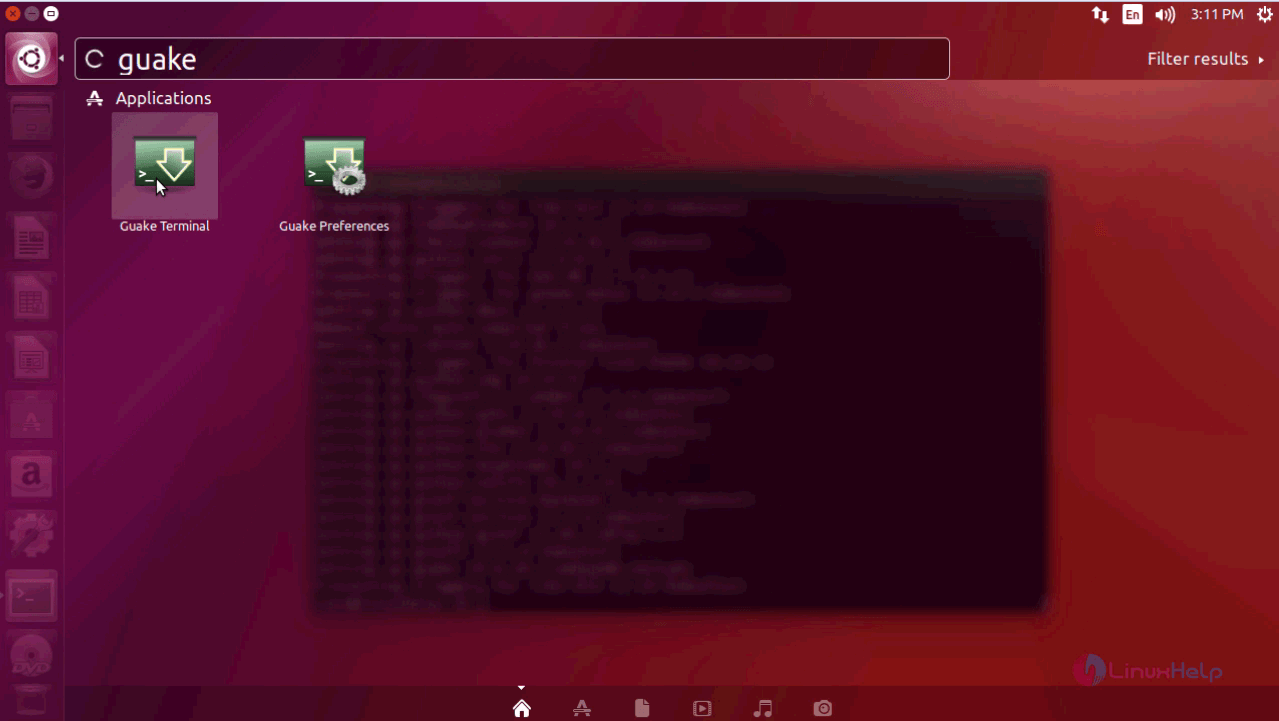
The installation of of Guake is now complete. You can launch Guake application directly from your Ubuntu dashboard. Just use the search field to find and launch it.
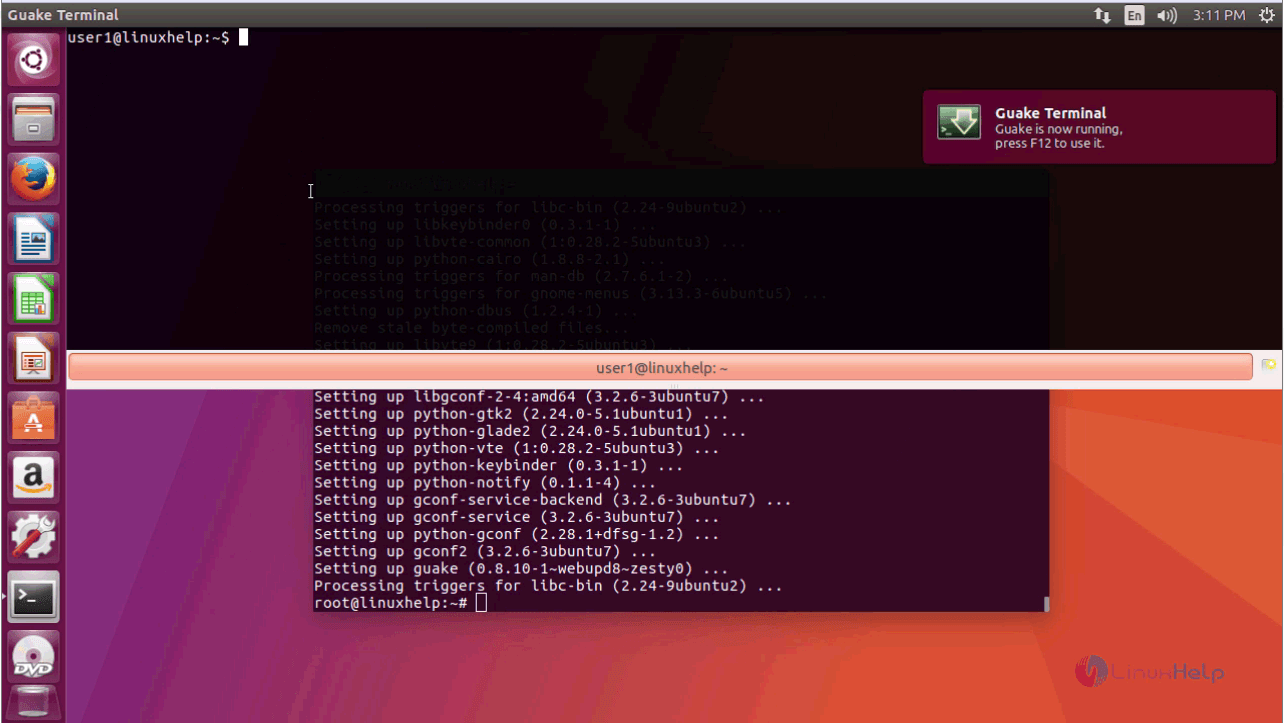
Your Guake Terminal will now appear on the screen as in the following image.
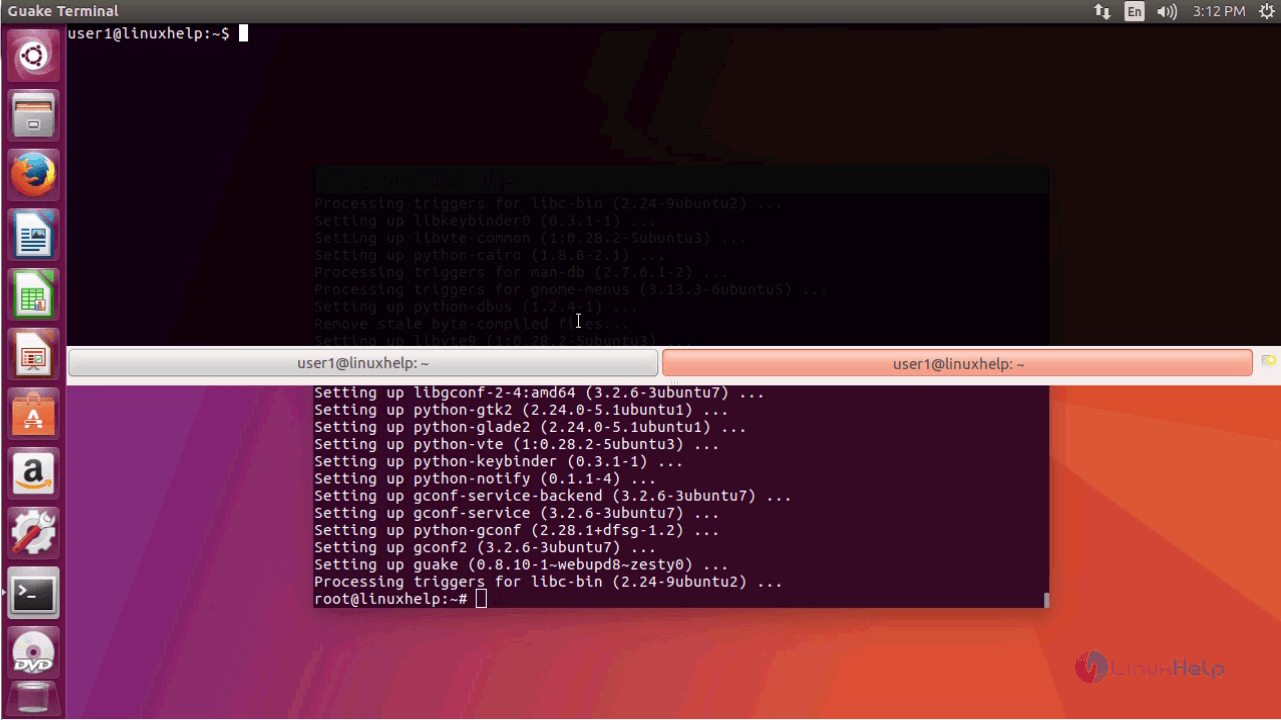
You can also open and use multiple terminals on Guake. All you need to do is to click on the small icon present in the bottom right corner. When you do that, a new terminal is opened.
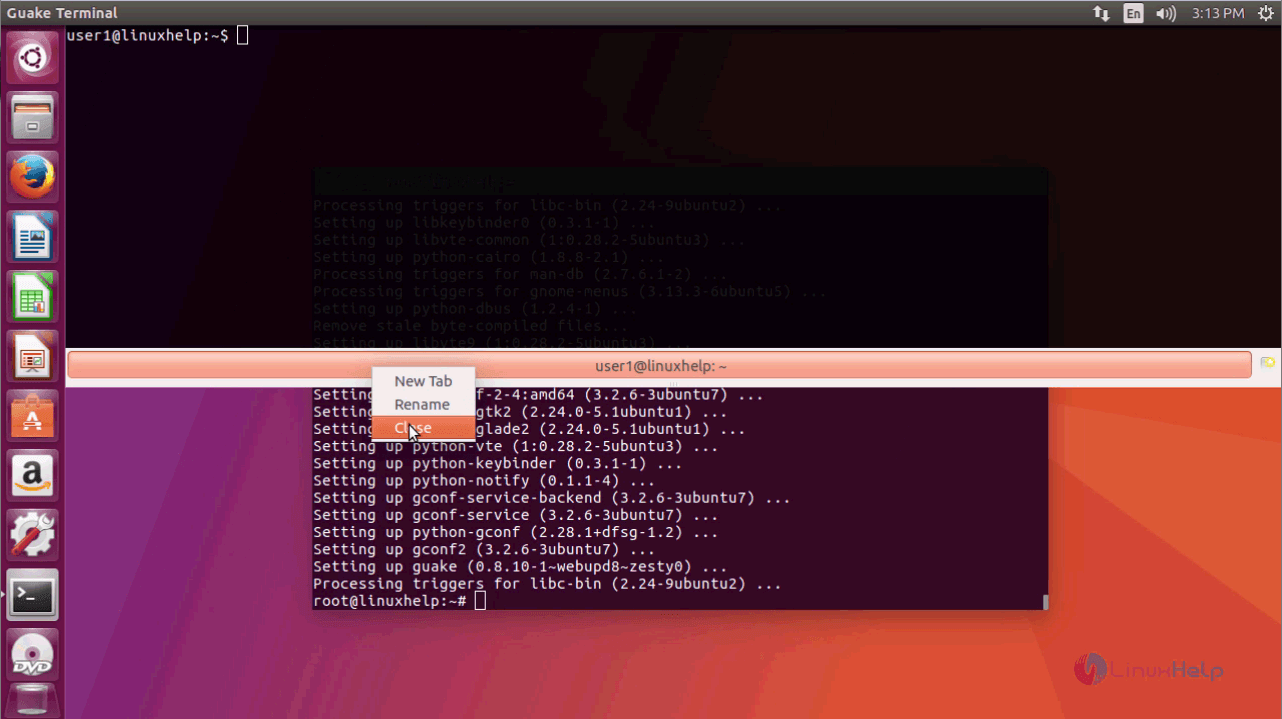
If you want to close the Guake terminal, you shall simply right click on the tip of the terminal and select close.
With this, the complete installation of Guake gets over.
Comments ( 0 )
No comments available