How To Install HandBrake V1.1.0 On Ubuntu-18.04
{{postValue.id}}
To Install HandBrake V1.1.0 On Ubuntu-18.04
HandBrake is an open-source, multiplatform video transcoder that performs conversion of media files from one format to the other. It can be used to easily transform DVD or Bluray discs to several formats like MP4, MKV, H.264, MPEG-4, etc
Installation
Let' s first add the repository that contains handbrake
root@linuxhelp1:~# add-apt-repository ppa:stebbins/handbrake-releases

 These are the official HandBrake releases for Ubuntu. Official web site http://handbrake.fr/

HandBrake is an open-source, GPL-licensed, multiplatform, multithreaded video transcoder, available for MacOS X, Linux and Windows.

After adding this PPA to your list of repositories (see " Adding this PPA to your system"  below), you can install the HandBrake gtk gui with the command

apt-get install handbrake-gtk

And you can install the HandBrake CLI with the command

apt-get install handbrake-cli

 More info: https://launchpad.net/~stebbins/+archive/ubuntu/handbrake-releases

Press [ENTER] to continue or Ctrl-c to cancel adding it.

Hit:1 http://ppa.launchpad.net/ondrej/php/ubuntu bionic InRelease
Hit:2 http://in.archive.ubuntu.com/ubuntu bionic InRelease
Hit:3 http://in.archive.ubuntu.com/ubuntu bionic-updates InRelease
Hit:4 http://security.ubuntu.com/ubuntu bionic-security InRelease
Hit:5 http://in.archive.ubuntu.com/ubuntu bionic-backports InRelease
Get:6 http://ppa.launchpad.net/stebbins/handbrake-releases/ubuntu bionic InRelease [15.4 kB]
Get:7 http://ppa.launchpad.net/stebbins/handbrake-releases/ubuntu bionic/main amd64 Packages [924 B]
Get:8 http://ppa.launchpad.net/stebbins/handbrake-releases/ubuntu bionic/main Translation-en [460 B]
Fetched 16.8 kB in 2s (9,804 B/s)
Reading package lists... Done
Update the system repository
root@linuxhelp1:~# apt-get update
Hit:1 http://ppa.launchpad.net/ondrej/php/ubuntu bionic InRelease
Hit:2 http://in.archive.ubuntu.com/ubuntu bionic InRelease
Hit:3 http://security.ubuntu.com/ubuntu bionic-security InRelease
Hit:4 http://in.archive.ubuntu.com/ubuntu bionic-updates InRelease
Hit:5 http://ppa.launchpad.net/stebbins/handbrake-releases/ubuntu bionic InRelease
Hit:6 http://in.archive.ubuntu.com/ubuntu bionic-backports InRelease
Reading package lists... Done
Now, install the handbrake application
root@linuxhelp1:~# apt-get install handbrake-gtk
Reading package lists... Done
Building dependency tree
Reading state information... Done

The following additional packages will be installed

  freepats gstreamer1.0-libav gstreamer1.0-plugins-bad gstreamer1.0-plugins-ugly
  i965-va-driver liba52-0.7.4 libaacs0 libass9 libavcodec57 libavfilter6 libavformat57
  libavresample3 libavutil55 libbdplus0 libbluray2 libbs2b0 libchromaprint1
  libcrystalhd3 libdc1394-22 libdca0 libde265-0 libdvdnav4 libdvdread4 libfaad2
  libflite1 libfluidsynth1 libgme0 libgsm1 libgssdp-1.0-3 libgstreamer-plugins-bad1.0-0
  libgupnp-1.0-4 libgupnp-igd-1.0-4 libkate1 liblilv-0-0 libmjpegutils-2.1-0 libmms0
.
.
.
Get:1 http://ppa.launchpad.net/stebbins/handbrake-releases/ubuntu bionic/main amd64 handbrake-cli amd64 1.1.0-zhb-1ppa1~bionic1 [6,097 kB]
Fetched 6,097 kB in 28s (219 kB/s)
Selecting previously unselected package handbrake-cli.
(Reading database ... 179981 files and directories currently installed.)
Preparing to unpack .../handbrake-cli_1.1.0-zhb-1ppa1~bionic1_amd64.deb ...
Unpacking handbrake-cli (1.1.0-zhb-1ppa1~bionic1) ...
Setting up handbrake-cli (1.1.0-zhb-1ppa1~bionic1) ...
After installation, you can access the application from the menu as follows
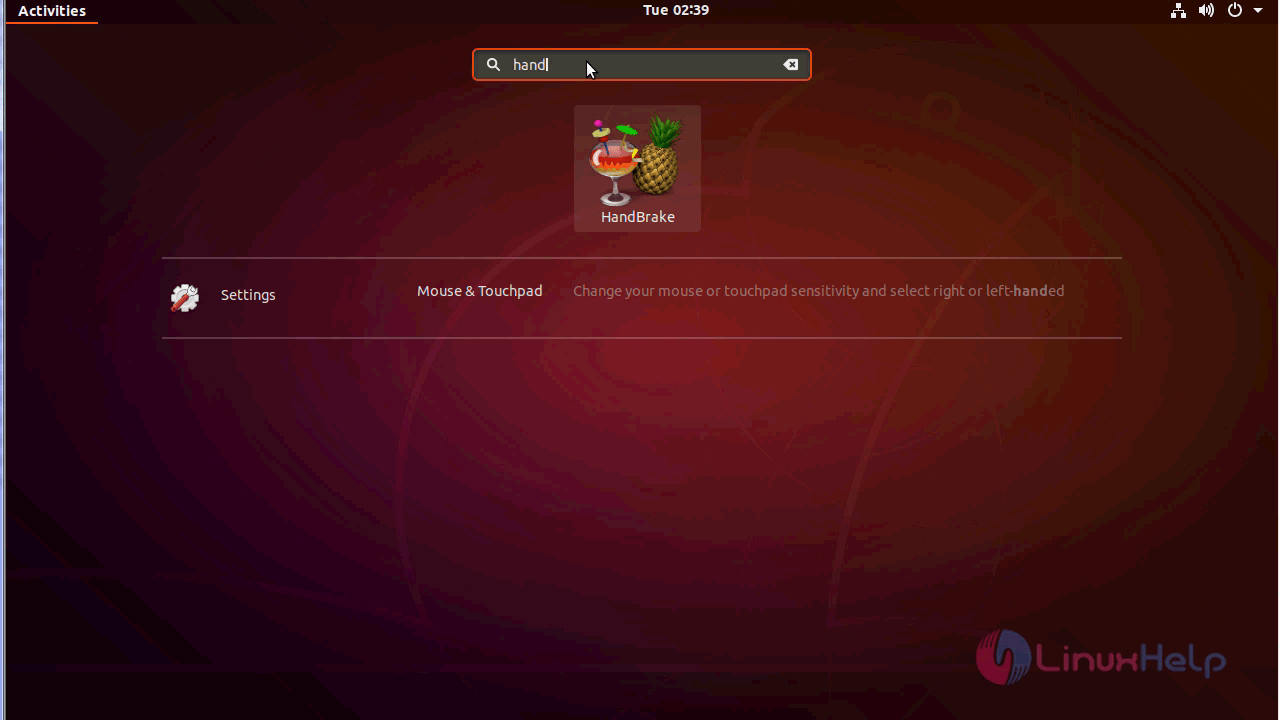
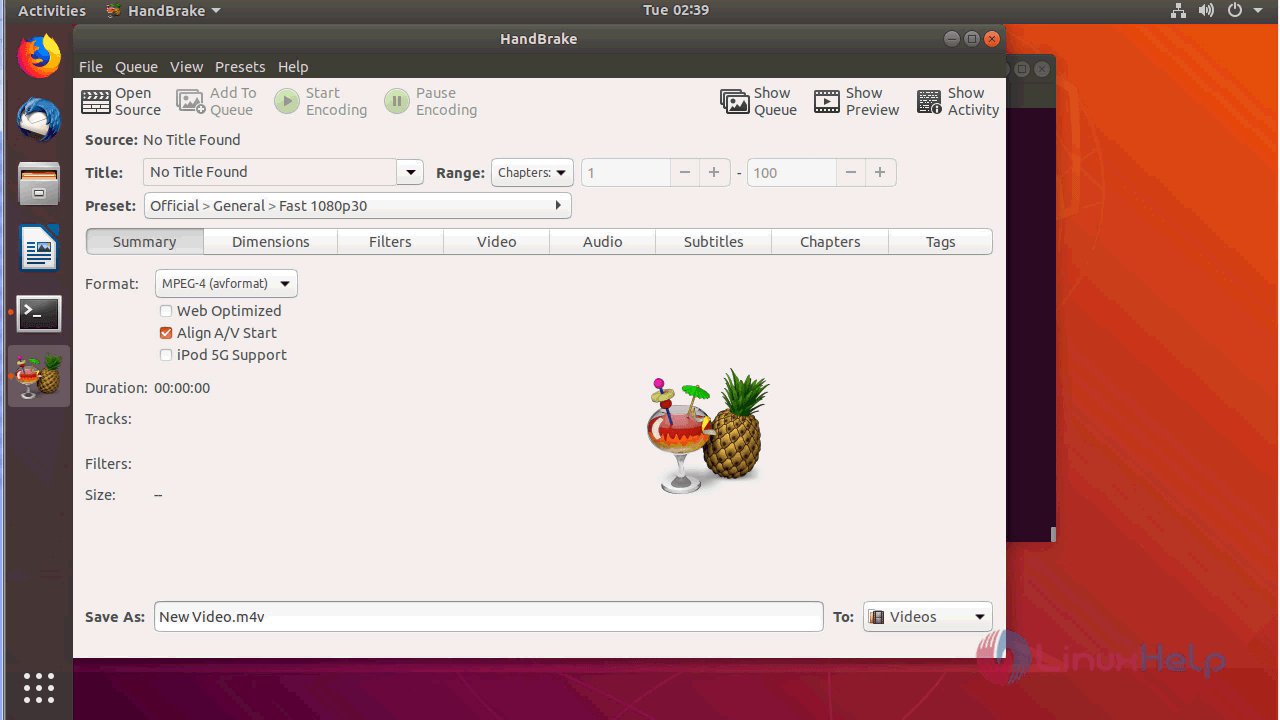
you can verify the version from the help menu as follows
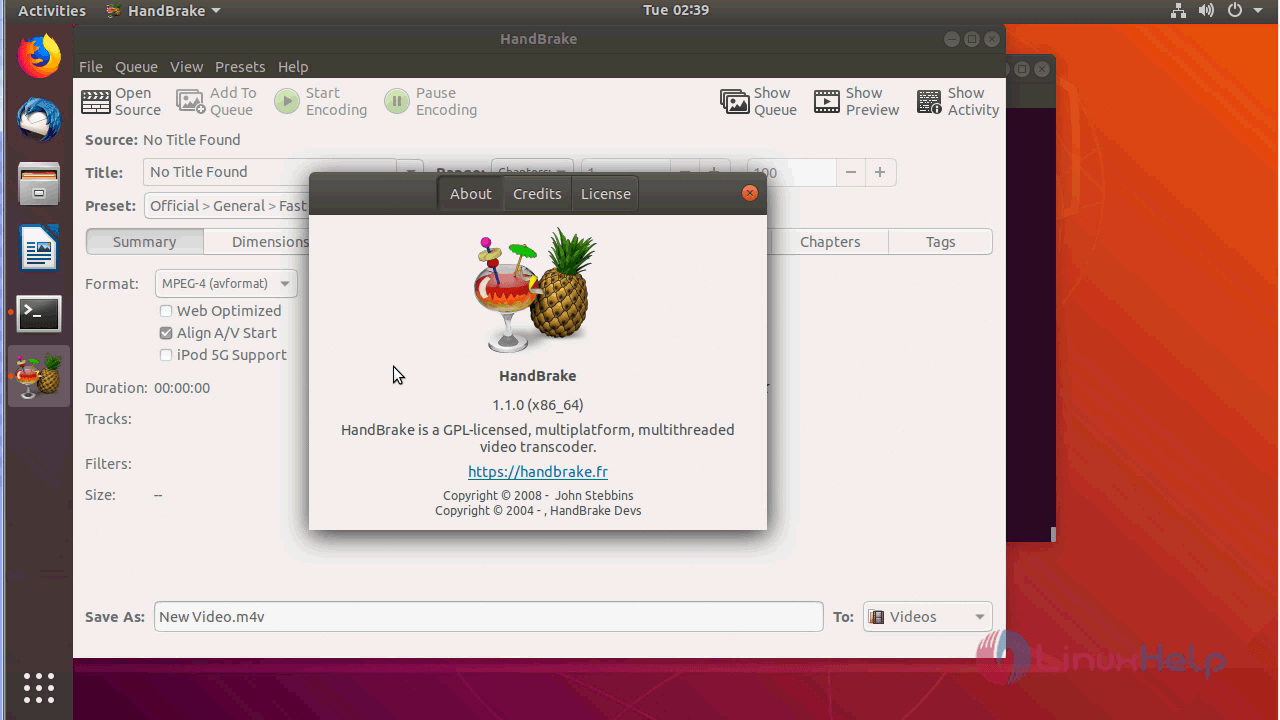
with this, the method to install HandBrake V1.1.0 On ubuntu 18.04 comes to an end.
Comments ( 0 )
No comments available