• Categories
    Category
    {{ postCtrl.tags }}
    • {{ category.tag_type }}

      • {{tag.tag_name}}
      • View more
  • Categories
    Category
    {{ postCtrl.tags }}
    • {{ category.tag_type }}

      • {{tag.tag_name}}
      • View more
  • News
  • Tutorials
  • Forums
  • Tags
  • Users
Tutorial News Comments FAQ Related Articles

How to install HomeBank in Linux

{{postValue.id}}

To install HomeBank in Linux

HomeBank is a free personal finance and money management application to manage your finance details. It has a powerful filtering tools and graphs that helps you to analyse your transactions. Installation of Homebank in Linux is explained in this article.

Features

  • Cross platform
  • Import bank statements
  • Duplicates transaction detection
  • Automatic cheque numbering
  • Internal transfer
  • Month/Annual budget
  • Dynamic powerful reports
  • Automatic category/payee assignment

Before installing Homebank, add the following repo.

root@linuxhelp:~# add-apt-repository ppa:mdoyen/homebank
 Official HomeBank PPA stable release
 More info: https://launchpad.net/~mdoyen/+archive/ubuntu/homebank
Press [ENTER] to continue or ctrl-c to cancel adding it

gpg: keyring `/tmp/tmprc5_6yik/secring.gpg'  created
gpg: keyring `/tmp/tmprc5_6yik/pubring.gpg'  created
.
.
.
gpg: Total number processed: 1
gpg:               imported: 1  (RSA: 1)
OK

Run the following command to update the repos.

root@linuxhelp:~# apt-get update
Ign http://extras.ubuntu.com trusty InRelease
Get:1 http://extras.ubuntu.com trusty Release.gpg [72 B]            
Get:2 http://security.ubuntu.com trusty-security InRelease [65.9 kB]           
.
.
.
Ign http://in.archive.ubuntu.com trusty/universe Translation-en_IN             
Fetched 33.0 MB in 1min 53s (291 kB/s)                                         
Reading package lists... Done

Now install the homebank package

root@linuxhelp:~# apt-get install homebank
Reading package lists... Done
Building dependency tree       
Reading state information... Done
.
.
.
Setting up libosp5 (1.5.2-10ubuntu3) ...
Setting up libofx4:amd64 (1:0.9.4-2.1ubuntu1) ...
Setting up homebank-data (4.5.5-2) ...
Setting up homebank (4.5.5-2) ...
Processing triggers for libc-bin (2.19-0ubuntu6.7) ...

To launch HomeBank, run the following command in the terminal.

root@linuxhelp:~# homebank
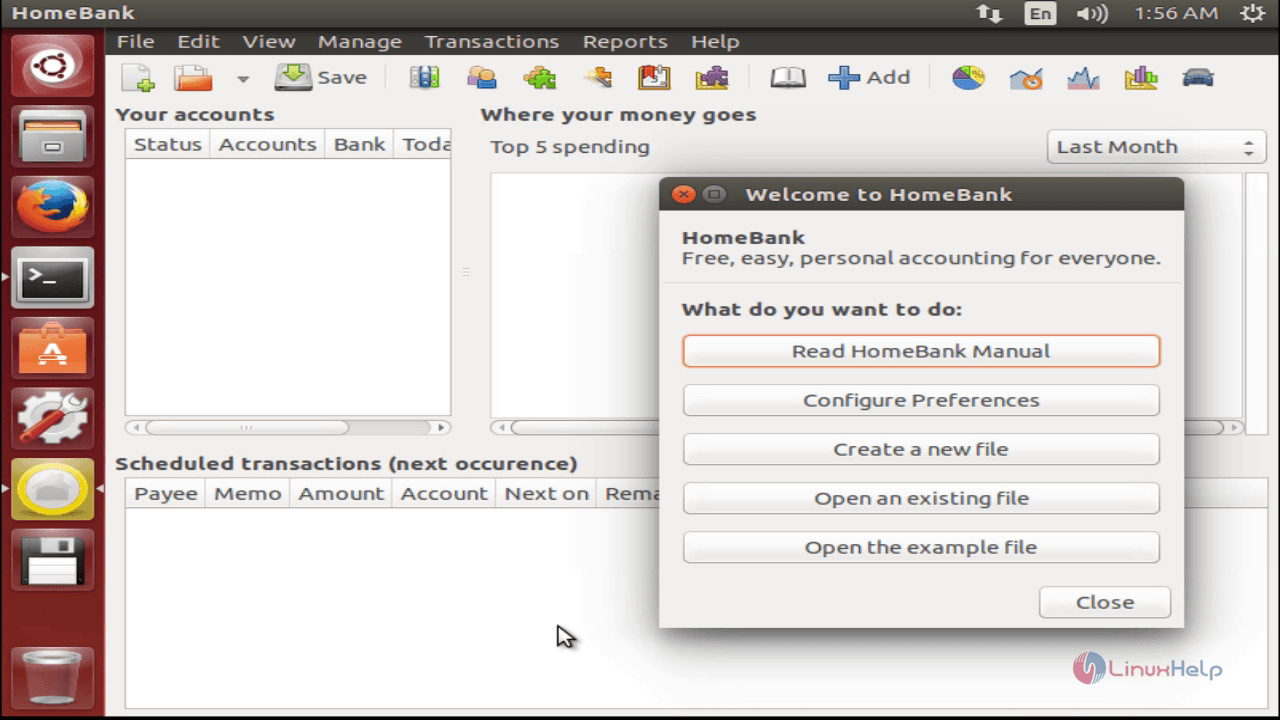
install-HomeBank-Linux-finance-money-management-application-manual

To create an account

Go to Manage -> Accounts from the Menu bar.
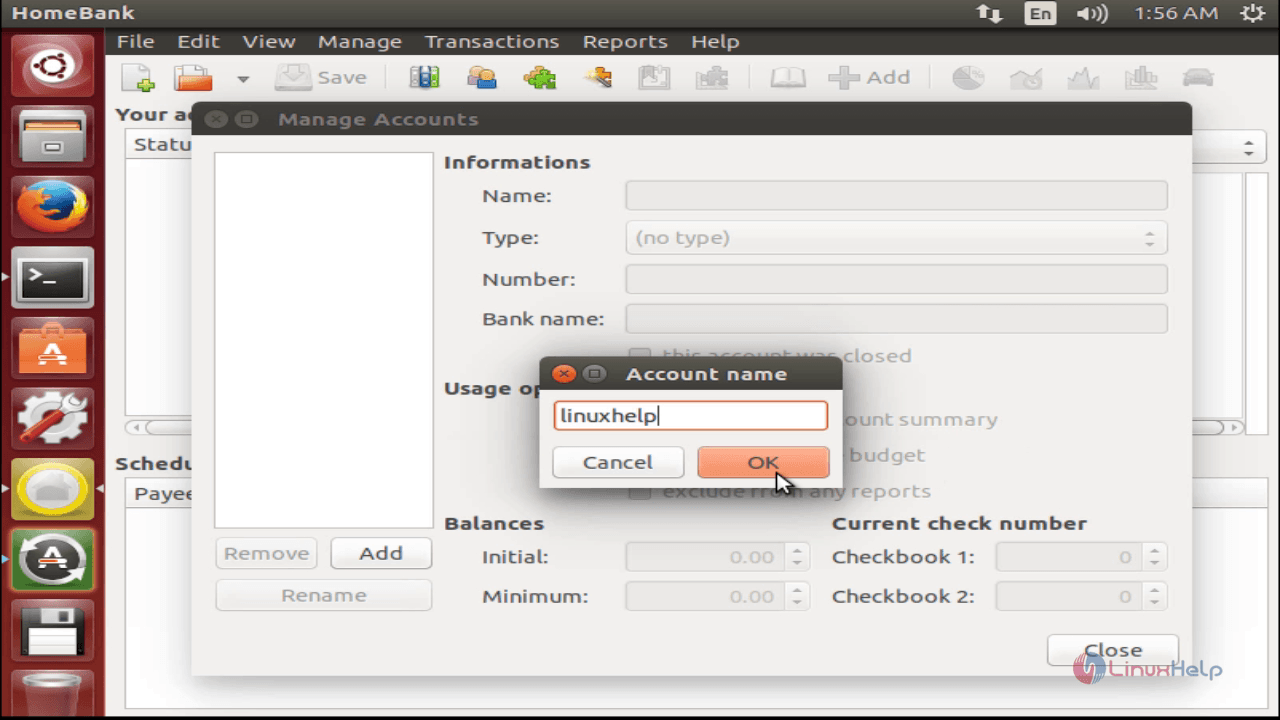
install-HomeBank-Linux-finance-money-management-application-Accounts
Select the type of account, bank details, account details and click Close.
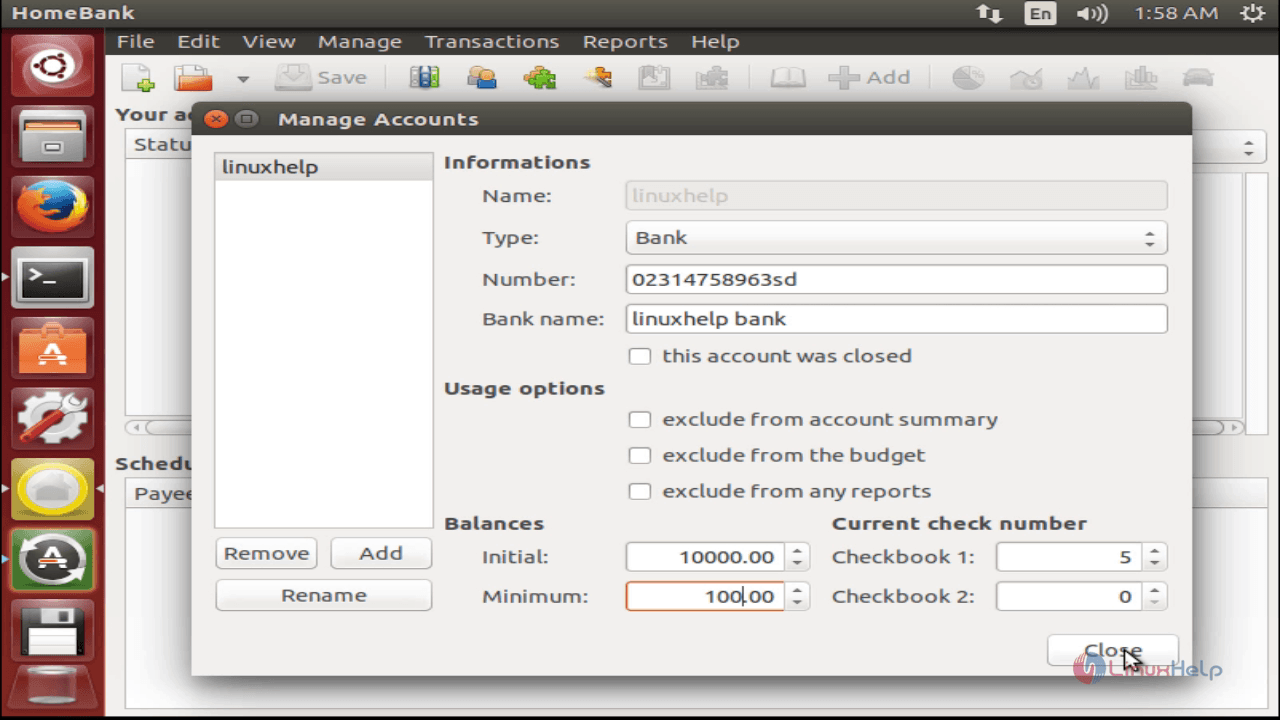
install-HomeBank-Linux-finance-money-management-application-account-bank-details
The account details will be shown in the main interface.
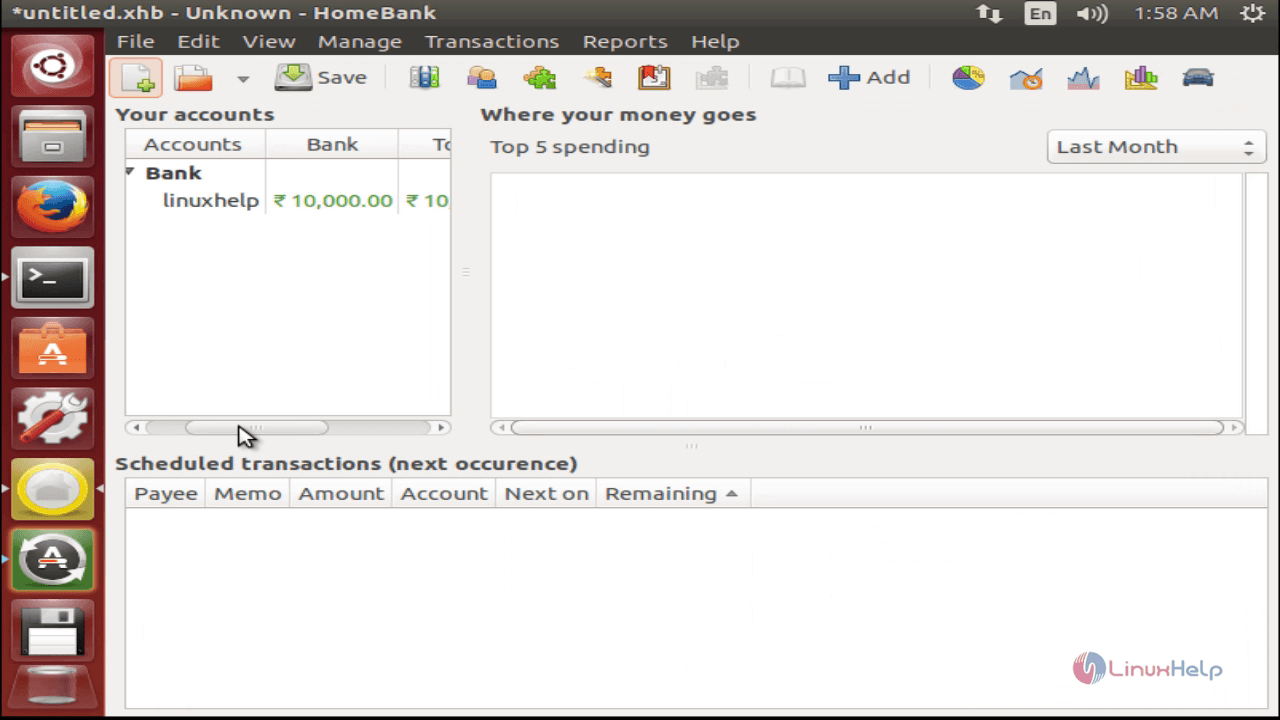
install-HomeBank-Linux-finance-money-management-application-account-details

To create payees

Go to Manage -> Payee from the Menu bar. Enter the name of the payee, and Click Add button.
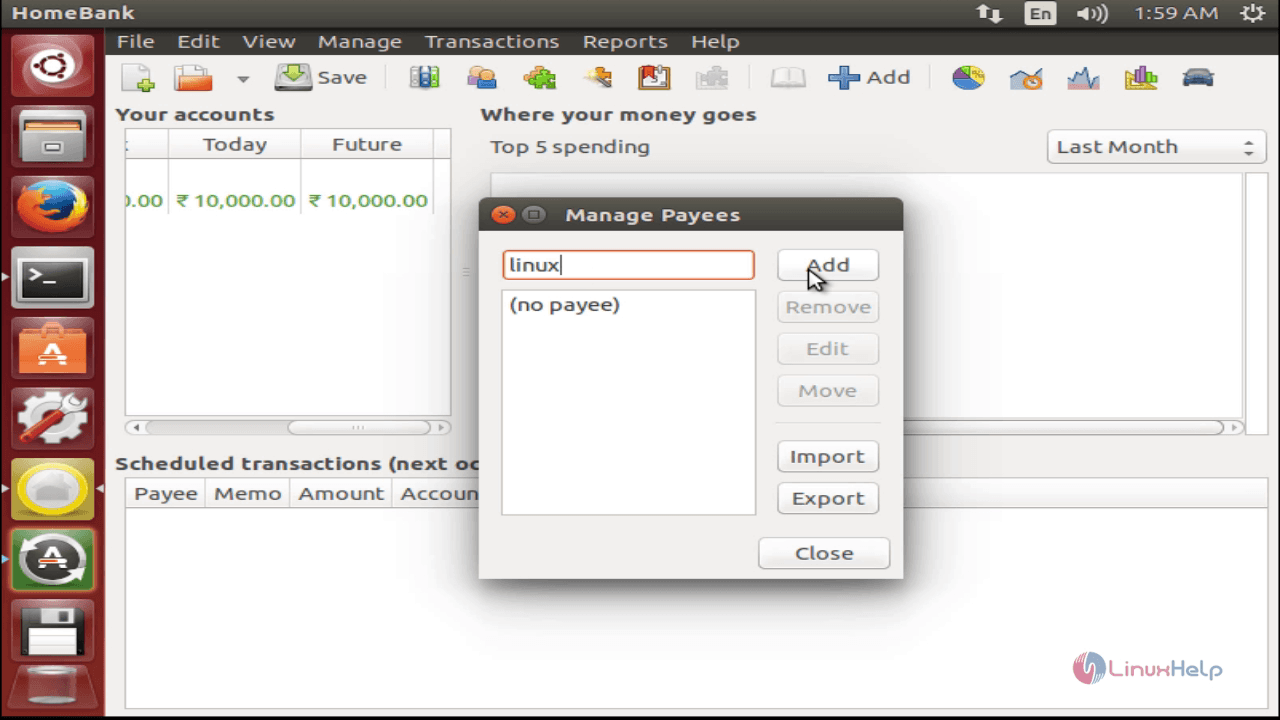
install-HomeBank-Linux-finance-money-management-application-Payee

To Create categories

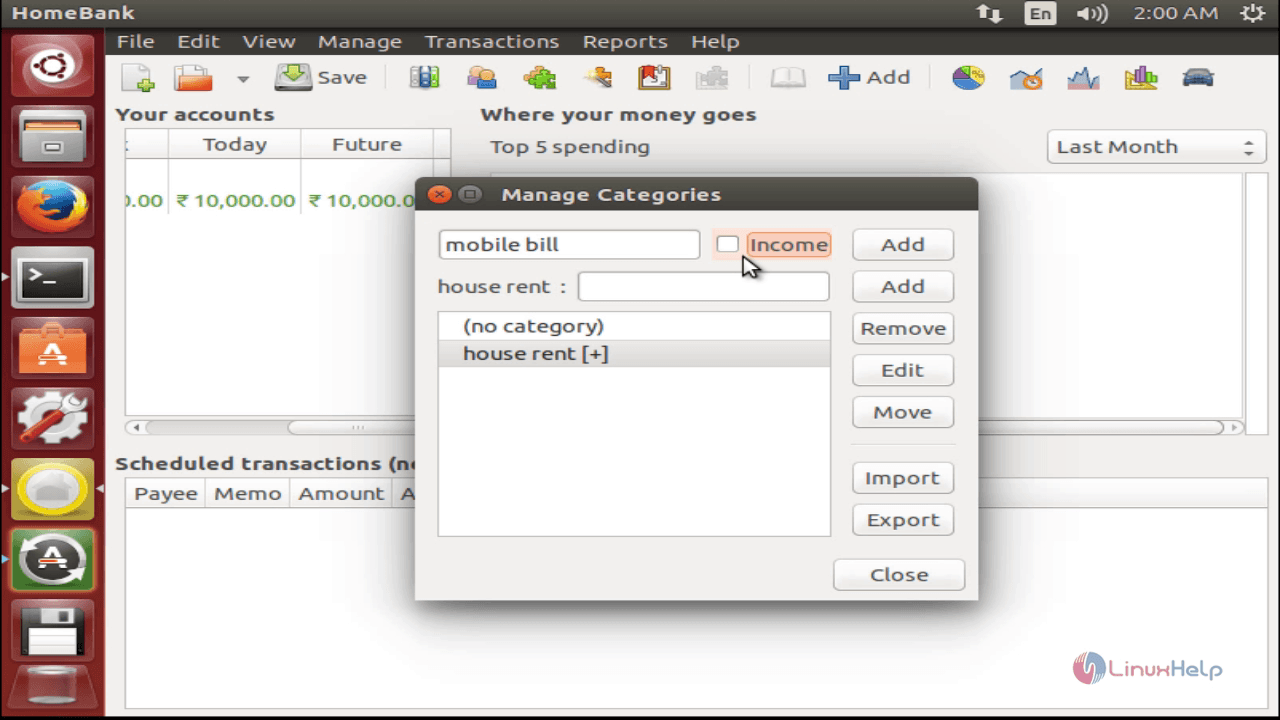
Go to Manage -> Category, Enter the name of the Category and Click Add.
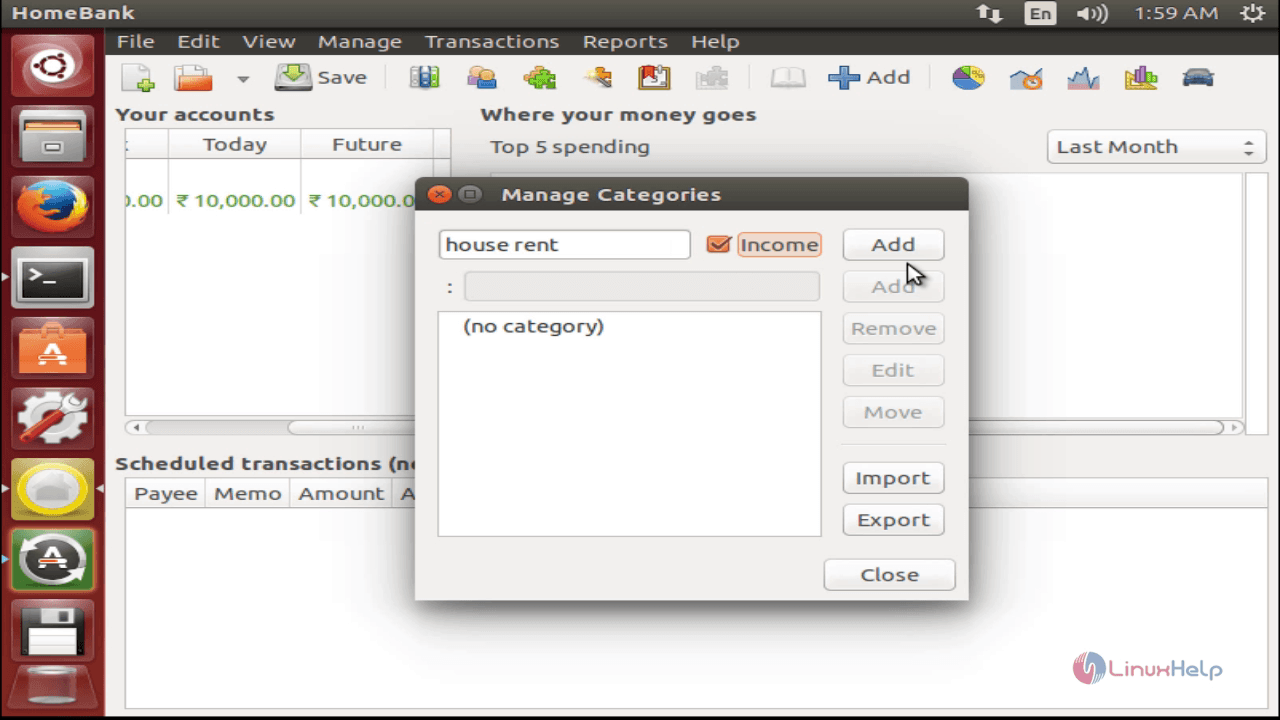
install-HomeBank-Linux-finance-money-management-application-income

install-HomeBank-Linux-finance-money-management-application-name-Category

To Add transaction

Go to Transactions -> Add from the Menu bar.
Fill up the details like date, amount, payment type, account, payee, category and status etc. Click Add to complete the transaction.
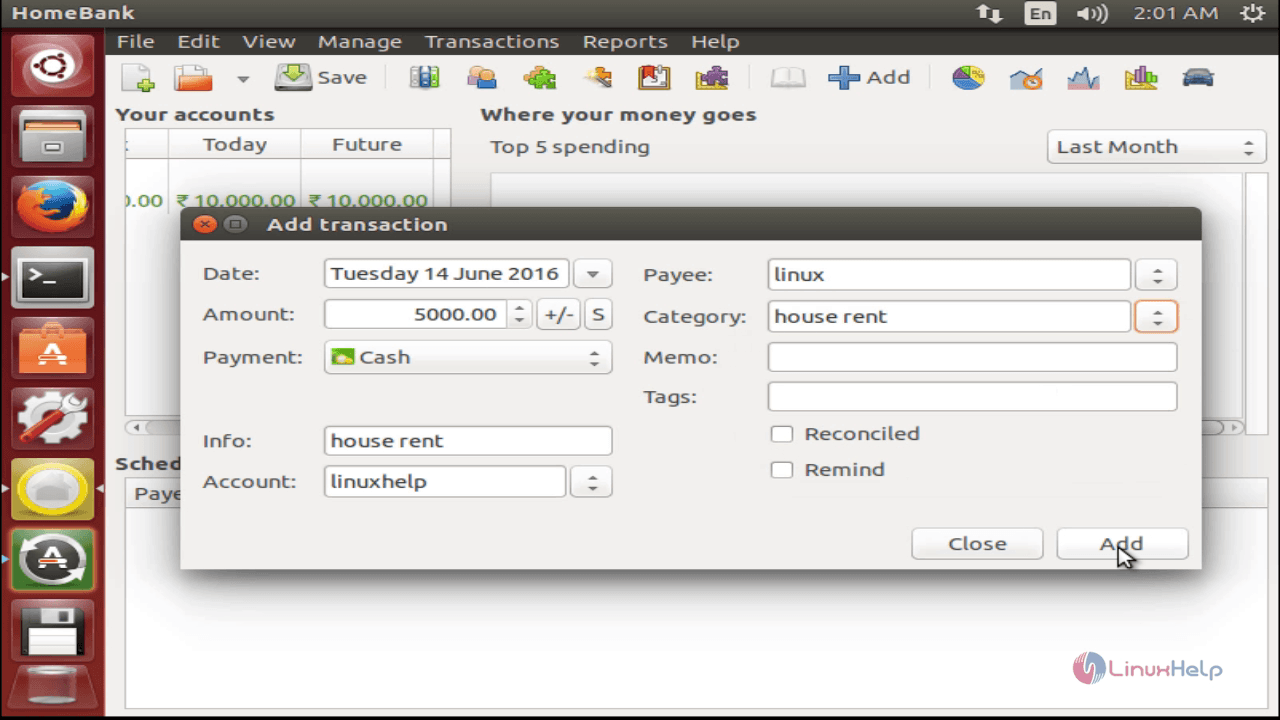
install-HomeBank-Linux-finance-money-management-application-complete-transaction
Now, move to main window and double click on the Account. It will display the recent transaction details.
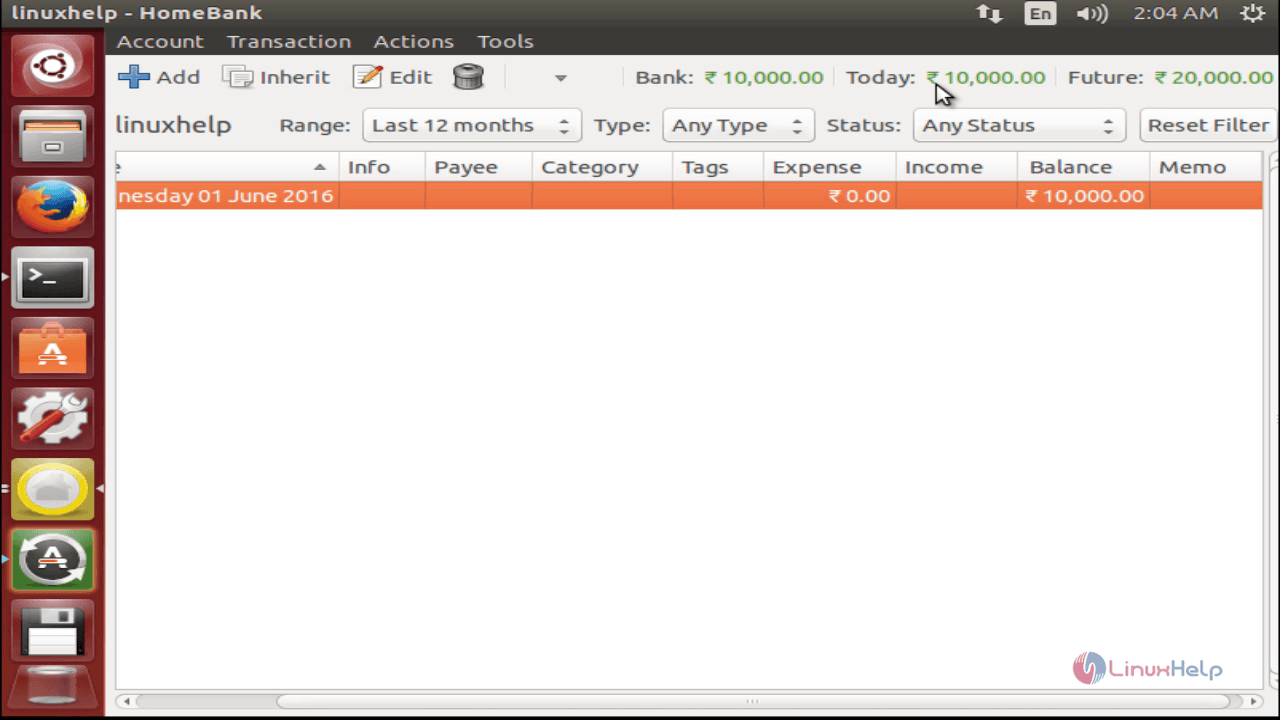
install-HomeBank-Linux-finance-money-management-application-recent-transaction-details

Tags:
cameron
Author: 

Comments ( 0 )

No comments available

Add a comment
{{postCtrl.cmtErrMsg}}

Frequently asked questions ( 5 )

Q

What is Homebank in Linux?

A

1.HomeBank is a free personal finance and money management application to manage your financial details.
2. It has powerful filtering tools and graphs that help you to analyze your transactions.

Q

How to install HomeBank in Linux?

A

Run the following command to install HomeBank
## apt-get install homebank

Q

How to add a new transaction in HomeBank?

A

Using the following steps
1. Go to Transactions -> Add from the Menu bar.
2.Fill up the details like date, amount, payment type, account, payee, category and status etc. Click Add to complete the transaction.

Q

Is there any alternatives for Homebank?

A

There are some alternatives in Homebank.
1.GnuCash
2.Mint.com
3.Money Manager Ex and etc.

Q

How to Install homebank on Mac with Brew?

A

use the follow the command
1.ruby -e "$(curl -fsSL https://raw.githubusercontent.com/Homebrew/install/master/install)" < /dev/null 2> /dev/null
2.brew install homebank

Back To Top!
Rank
User
Points

Top Contributers

userNamenaveelansari
135850

Top Contributers

userNameayanbhatti
92510

Top Contributers

userNamehamzaahmed
32150

Top Contributers

1
userNamelinuxhelp
31040

Top Contributers

userNamemuhammadali
24500
Can you help Jayce ?
What are the types of table used in IPtables

What are the various types of table used in IPtables and how to use that for my server security?

Networking
  • Routing
  • trunk
  • Netmask
  • Packet Capture
  • domain
  • HTTP Proxy
Server Setup
  • NFS
  • KVM
  • Memory
  • Sendmail
  • WebDAV
  • LXC
Shell Commands
  • Cloud commander
  • Command line archive tools
  • last command
  • Shell
  • terminal
  • Throttle
Desktop Application
  • Linux app
  • Pithos
  • Retrospect
  • Scribe
  • TortoiseHg
  • 4Images
Monitoring Tool
  • Monit
  • Apache Server Monitoring
  • EtherApe 
  • Arpwatch Tool
  • Auditd
  • Barman
Web Application
  • Nutch
  • Amazon VPC
  • FarmWarDeployer
  • Rukovoditel
  • Mirror site
  • Chef
Contact Us | Terms of Use| Privacy Policy| Disclaimer
© 2025 LinuxHelp.com All rights reserved. Linux™ is the registered trademark of Linus Torvalds. This site is not affiliated with linus torvalds in any way.