How to install Instant Lyrics on Ubuntu 16.04
How to install Instant Lyrics on Ubuntu 16.04
The Instant Lyrics is an application that automatically gets the lyrics to whatever current playing track is in desktop. It is a swift, responsive with a good UI that integrates seamlessly with all of the Linux desktop environments. This tutorial covers the installation procedure of Instant Lyrics on Ubuntu 16.04.
Installation procedure
To start the installation procedure, execute the following command to add the needed repositories.
root@linuxhelp1:~# add-apt-repository ppa:atareao/atareao
Applications from atareao
More info: https://launchpad.net/~atareao/+archive/ubuntu/atareao
Press [ENTER] to continue or ctrl-c to cancel adding it
gpg: keyring `/tmp/tmpi42ryccd/secring.gpg'  created
gpg: keyring `/tmp/tmpi42ryccd/pubring.gpg'  created
gpg: requesting key 36FD5529 from hkp server keyserver.ubuntu.com
gpg: /tmp/tmpi42ryccd/trustdb.gpg: trustdb created
gpg: key 36FD5529: public key " Launchpad PPA for atareao"  imported
gpg: Total number processed: 1
gpg:imported: 1(RSA: 1)
OK
The repositories have been added successfully. Now update the repo using the apt-get update command.
root@linuxhelp1:~# apt-get update
Get:1 http://security.ubuntu.com/ubuntu xenial-security InRelease [102 kB]
Get:2 http://ppa.launchpad.net/atareao/atareao/ubuntu xenial InRelease [17.5 kB]
Hit:3 http://in.archive.ubuntu.com/ubuntu xenial InRelease
Get:4 http://in.archive.ubuntu.com/ubuntu xenial-updates InRelease [102 kB]
Get:5 http://ppa.launchpad.net/atareao/atareao/ubuntu xenial/main amd64 Packages [6,296 B]
Get:6 http://ppa.launchpad.net/atareao/atareao/ubuntu xenial/main i386 Packages [6,288 B]
Get:7 http://ppa.launchpad.net/atareao/atareao/ubuntu xenial/main Translation-en [3,348 B]
Get:8 http://security.ubuntu.com/ubuntu xenial-security/main amd64 Packages [249 kB]
Get:9 http://in.archive.ubuntu.com/ubuntu xenial-backports InRelease [102 kB]
.
.
.
Get:38 http://in.archive.ubuntu.com/ubuntu xenial-updates/multiverse i386 Packages [7,712 B]
Get:39 http://in.archive.ubuntu.com/ubuntu xenial-updates/multiverse Translation-en [4,136 B]
Get:40 http://in.archive.ubuntu.com/ubuntu xenial-updates/multiverse amd64 DEP-11 Metadata [2,520 B]
Get:41 http://in.archive.ubuntu.com/ubuntu xenial-backports/main amd64 Packages [4,684 B]
Get:42 http://in.archive.ubuntu.com/ubuntu xenial-backports/main i386 Packages [4,684 B]
Get:43 http://in.archive.ubuntu.com/ubuntu xenial-backports/main Translation-en [3,216 B]
Get:44 http://in.archive.ubuntu.com/ubuntu xenial-backports/main amd64 DEP-11 Metadata [3,324 B]
Fetched 4,559 kB in 45s (101 kB/s)
AppStream cache update completed, but some metadata was ignored due to errors.
Reading package lists... Done
The repositories have been updated. Then install the instant lyrics package using the apt-get install command.
root@linuxhelp1:~# apt-get install instant-lyrics
Reading package lists... Done
Building dependency tree
Reading state information... Done
The following packages were automatically installed and are no longer required:
python3-croniter python3-crontab python3-cssselect python3-dateutil python3-tz
Use ' sudo apt autoremove'  to remove them.
The following NEW packages will be installed:
instant-lyrics
0 upgraded, 1 newly installed, 0 to remove and 475 not upgraded.
Need to get 7,592 B of archives.
After this operation, 37.9 kB of additional disk space will be used.
Get:1 http://ppa.launchpad.net/atareao/atareao/ubuntu xenial/main amd64 instant-lyrics all 0.1.0-0extras16.04.2 [7,592 B]
Fetched 7,592 B in 0s (13.5 kB/s)
Selecting previously unselected package instant-lyrics.
(Reading database ... 176667 files and directories currently installed.)
Preparing to unpack .../instant-lyrics_0.1.0-0extras16.04.2_all.deb ...
Unpacking instant-lyrics (0.1.0-0extras16.04.2) ...
Processing triggers for gnome-menus (3.13.3-6ubuntu3) ...
Processing triggers for desktop-file-utils (0.22-1ubuntu5) ...
Processing triggers for bamfdaemon (0.5.3~bzr0+16.04.20160415-0ubuntu1) ...
Rebuilding /usr/share/applications/bamf-2.index...
Processing triggers for mime-support (3.59ubuntu1) ...
Setting up instant-lyrics (0.1.0-0extras16.04.2) ...
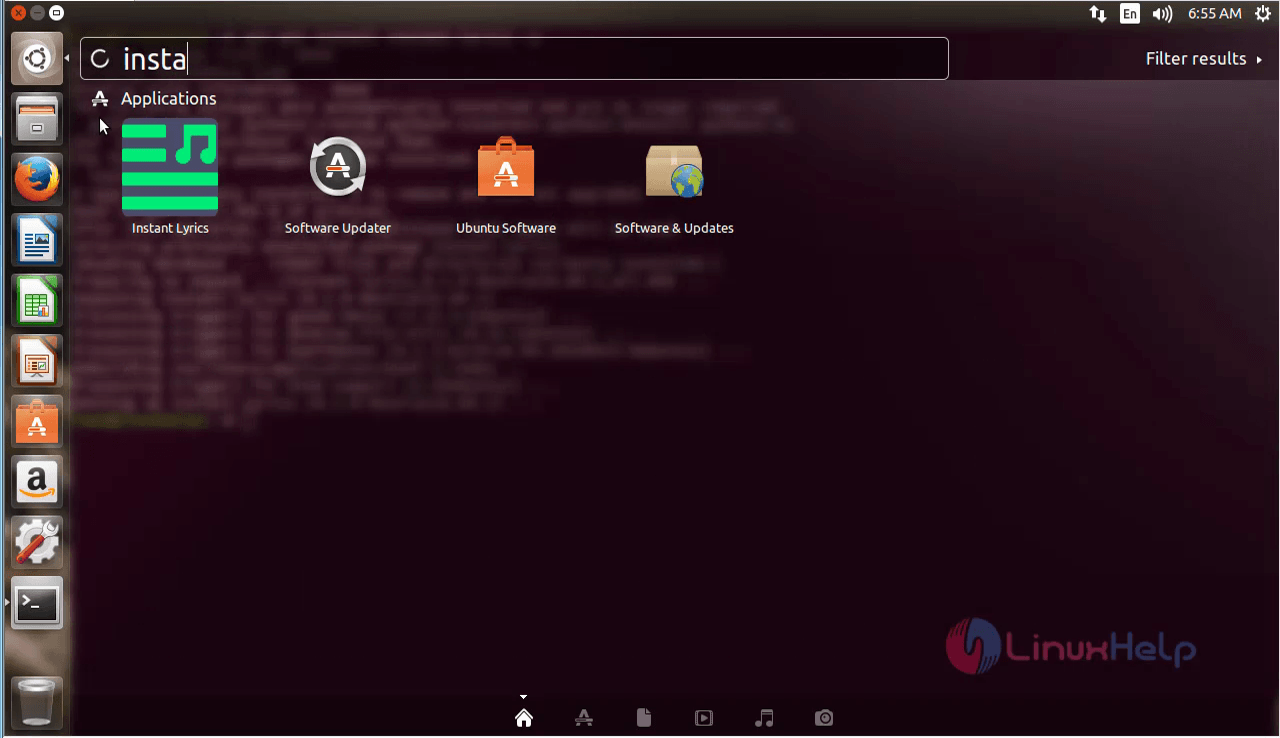
The package is successfully installed. To run the application, type the application name in the Ubuntu dashboard and run the application.
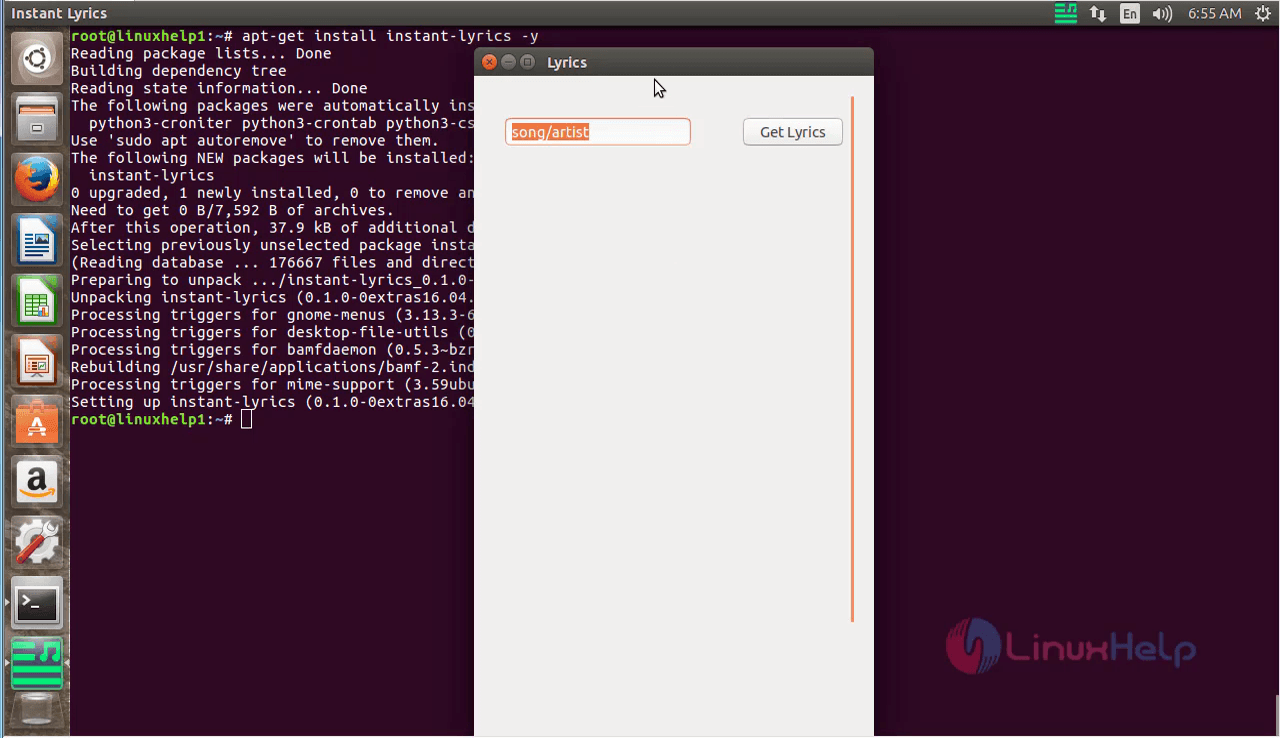
The application is running. Now the user can use it for to see many song lyrics.
For removing the package, run the following command and press y to continue with the uninstallation.
root@linuxhelp1:~# apt-get remove instant-lyrics -y
Reading package lists... Done
Building dependency tree
Reading state information... Done
The following packages were automatically installed and are no longer required:
python3-croniter python3-crontab python3-cssselect python3-dateutil python3-tz
Use ' sudo apt autoremove'  to remove them.
The following packages will be REMOVED:
instant-lyrics
0 upgraded, 0 newly installed, 1 to remove and 475 not upgraded.
After this operation, 37.9 kB disk space will be freed.
Do you want to continue? [Y/n]
(Reading database ... 176684 files and directories currently installed.)
Removing instant-lyrics (0.1.0-0extras16.04.2) ...
Processing triggers for gnome-menus (3.13.3-6ubuntu3) ...
Processing triggers for desktop-file-utils (0.22-1ubuntu5) ...
Processing triggers for bamfdaemon (0.5.3~bzr0+16.04.20160415-0ubuntu1) ...
Rebuilding /usr/share/applications/bamf-2.index...
Processing triggers for mime-support (3.59ubuntu1) ...
Wasn' t that an easy installation procedure? Instant Lyrics also integrates with system tray area without interfering with the user' s workflow.
Comments ( 0 )
No comments available