How to install INXI in Ubuntu
To install INXI in Ubuntu
Inxi is a command line tool used to find the complete system and hardware details including, CPU, Drivers, Kernel, Processes, etc. It can also be used for forum technical support and act as a debugging tool. Installation of INXI in Ubuntu is explained in this manual.
Installation of INXI
Run the below command to install the inxi package.
root@linuxhelp:/home/user1# apt-get install inxi
Reading package lists... Done
Building dependency tree
Reading state information... Done
The following additional packages will be installed:
.
.
.
Processing triggers for systemd (229-4ubuntu4) ...
Setting up hddtemp (0.3-beta15-52) ...
Setting up inxi (2.2.35-0ubuntu1) ...
If you want to display the basic hardware information, run the following command.
root@linuxhelp:/home/user1# inxi

Run the option ' A' with inxi to display the Audio and Sound card information.
root@linuxhelp:/home/user1# inxi &ndash A

Run the option ' b ' with inxi to display the basic system output in detail.
root@linuxhelp:/home/user1# inxi &ndash b

Run the option ' C ' with inxi to display the CPU information.
root@linuxhelp:/home/user1# inxi &ndash C

Run the option ' D ' with inxi to display the drivers information in detail.
root@linuxhelp:/home/user1# inxi &ndash D

Run the option ' G ' with inxi to display the Graphic card information in detail.
root@linuxhelp:/home/user1# inxi &ndash G

Run the option ' i ' with inxi to display the Network information in detail.
root@linuxhelp:/home/user1# inxi &ndash i

Run the option ' I ' with inxi to display the system information as shown below.
root@linuxhelp:/home/user1# inxi &ndash I

Run the option ' M ' with inxi to display the Machine information in detail.
root@linuxhelp:/home/user1# inxi &ndash M

Run the option ' n ' with inxi to display the basic network information in detail.
root@linuxhelp:/home/user1# inxi &ndash n

Run the option ' p ' with inxi to display the partitions information in detail.
root@linuxhelp:/home/user1# inxi &ndash p

Run the option ' R ' with inxi to display the RAID information.
root@linuxhelp:/home/user1# inxi &ndash R

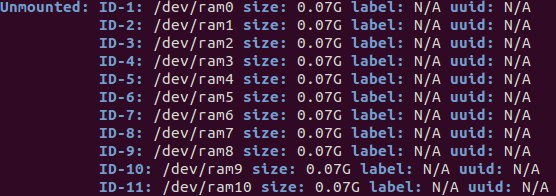
Run the option ' o ' with inxi to display the unmounted device information in detail.
root@linuxhelp:/home/user1# inxi &ndash o
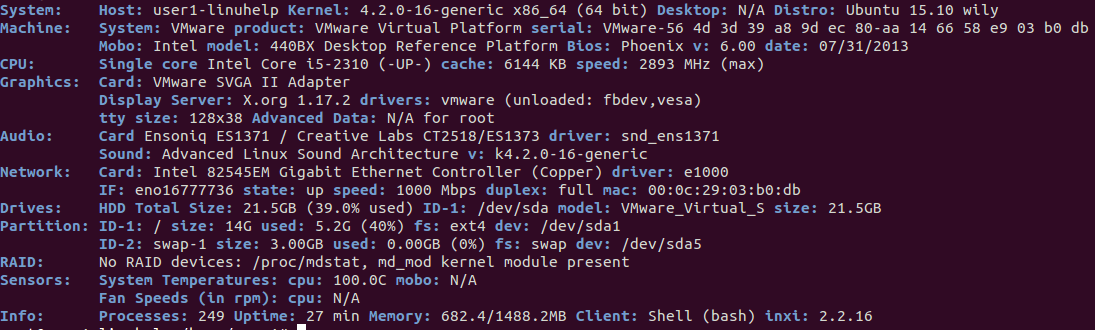
Run the option ' F ' with inxi to display the Full system information in detail.
root@linuxhelp:/home/user1# inxi &ndash F
If you want to view the sensor output use inxi with option &ndash s.
root@user1-linuhelp:/home/user1# inxi -s
Sensors:   System Temperatures: cpu: 100.0C mobo: N/A
           Fan Speeds (in rpm): cpu: N/A
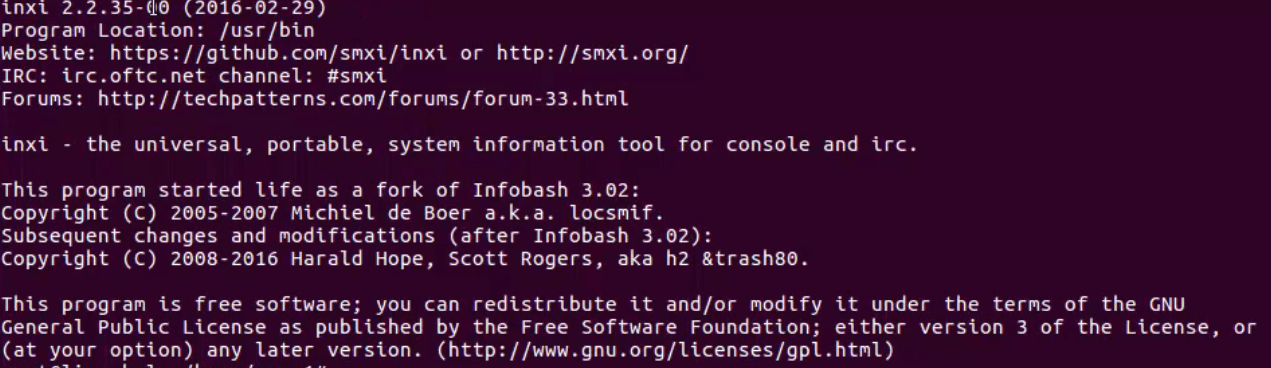
To check the version of inxi, enter the following command in the terminal.
root@linuxhelp:/home/user1# inxi &ndash V
To access more options of inxi means run below command.
root@linuxhelp:/home/user1# inxi &ndash h
Comments ( 0 )
No comments available