• Categories
    Category
    {{ postCtrl.tags }}
    • {{ category.tag_type }}

      • {{tag.tag_name}}
      • View more
  • Categories
    Category
    {{ postCtrl.tags }}
    • {{ category.tag_type }}

      • {{tag.tag_name}}
      • View more
  • News
  • Tutorials
  • Forums
  • Tags
  • Users
Tutorial News Comments FAQ Related Articles

How to install jAlbum on ParrotOs 3.9

{{postValue.id}}

To install jAlbum on ParrotOs 3.9

jAlbum is a shareware, cross-platform application to create professional, web-based photo albums. It contains paid-for photo-sharing service which can be used to publish them. It uses less RAM memory for larger albums. It is so simple to install jAlbum on ParrotOS 3.9, and this article covers the ground on the same process.

Installing jAlbum

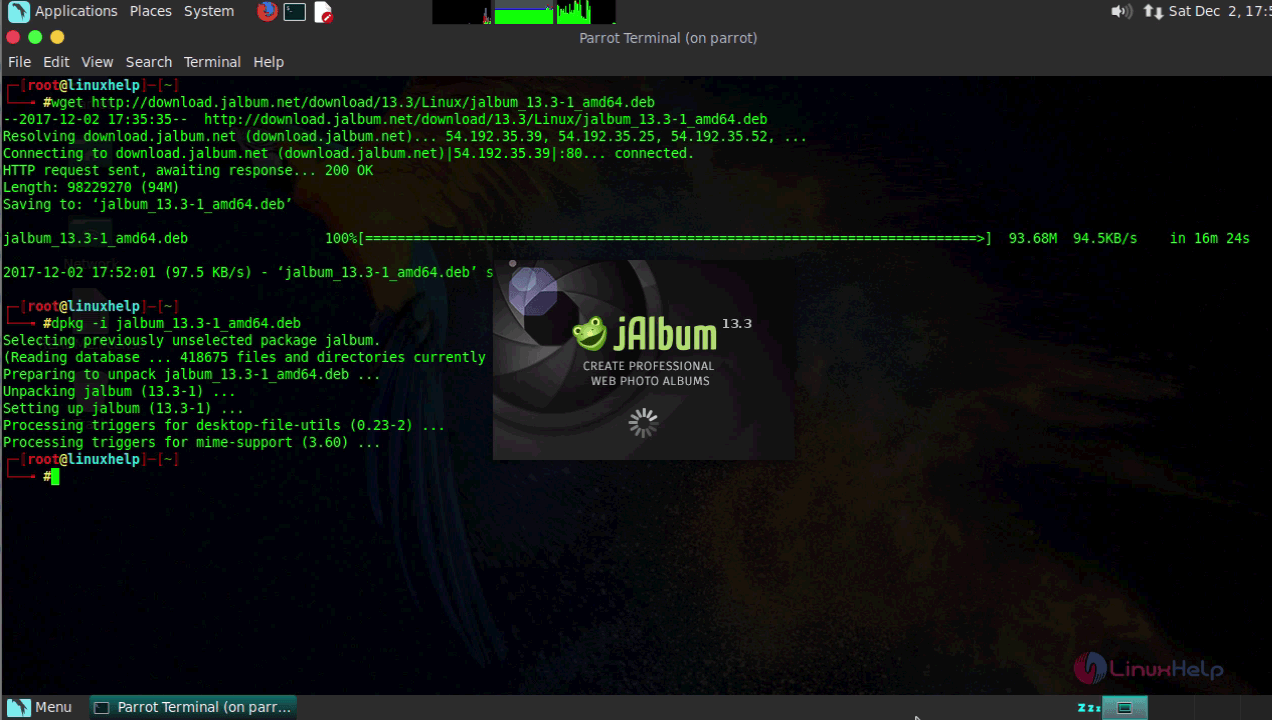
To start with the installation process, download the installation package using the wget command and execute the command.

┌─[root@parrot]─[~]
└──╼ #wget http://download.jalbum.net/download/13.3/Linux/jalbum_13.3-1_amd64.deb
--2017-12-02 15:07:55--  http://download.jalbum.net/download/13.3/Linux/jalbum_13.3-1_amd64.deb
Resolving download.jalbum.net (download.jalbum.net)... 13.32.14.215, 13.32.14.125, 13.32.14.155, ...
Connecting to download.jalbum.net (download.jalbum.net)|13.32.14.215|:80... connected.
HTTP request sent, awaiting response... 200 OK
Length: 98229270 (94M)
Saving to: ‘ jalbum_13.3-1_amd64.deb’ 

jalbum_13.3-1_amd64 100%[===================> ]  93.68M   736KB/s    in 5m 10s  

2017-12-02 15:13:07 (310 KB/s) - ‘ jalbum_13.3-1_amd64.deb’  saved [98229270/98229270]

Next, run the dpkg command to install the downloaded jAlbum .deb file in your system.

┌─[root@parrot]─[~]
└──╼ #dpkg -i jalbum_13.3-1_amd64.deb
Selecting previously unselected package jalbum.
(Reading database ... 418505 files and directories currently installed.)
Preparing to unpack jalbum_13.3-1_amd64.deb ...
Unpacking jalbum (13.3-1) ...
Setting up jalbum (13.3-1) ...
Processing triggers for desktop-file-utils (0.23-2) ...
Processing triggers for mime-support (3.60) ...

Once it is installed, you can open your jAlbum application.
App

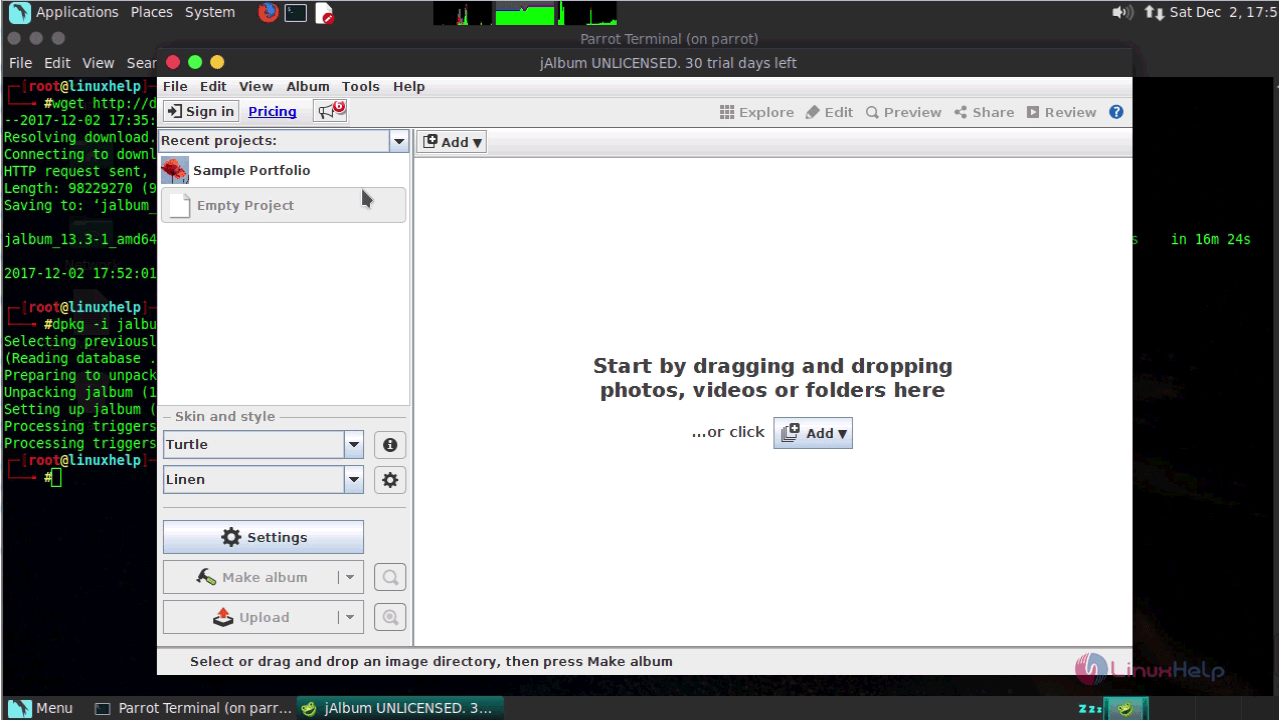
You shall now start using your jAlbum application by dragging and dropping your photos, videos or folders into the application or simply click on the Add button.
j album

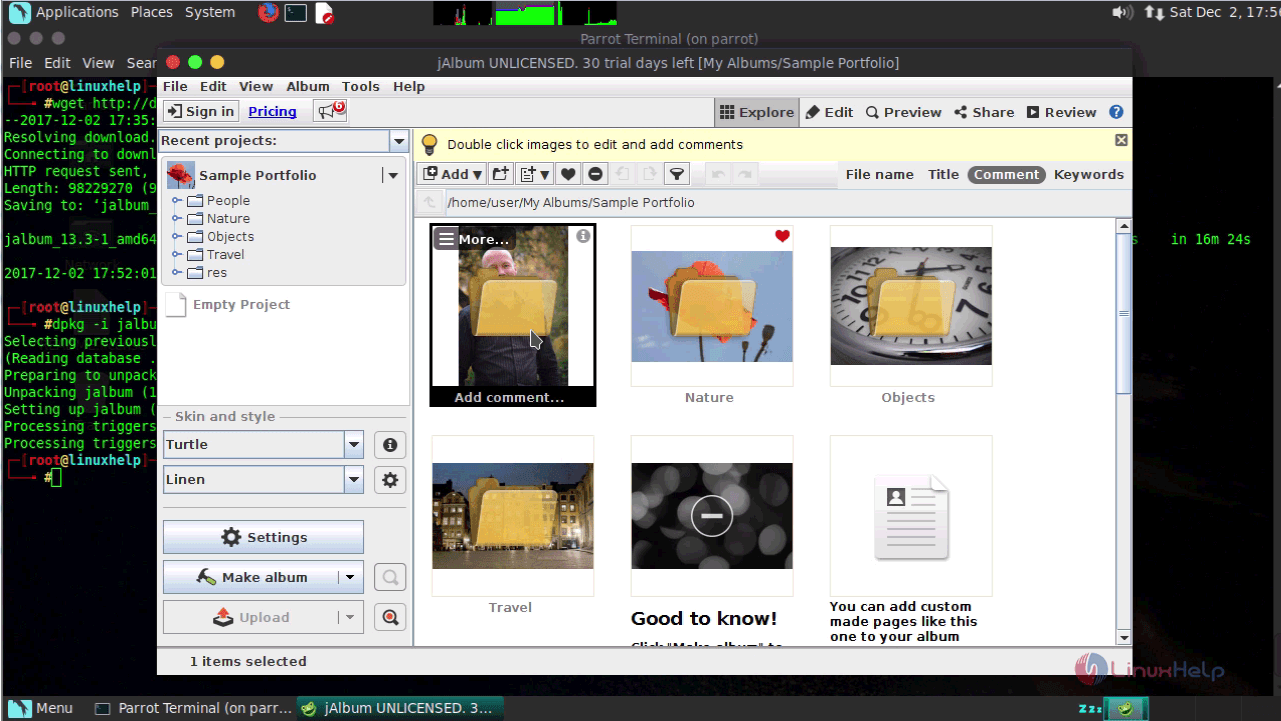
You can click on the sample portfolio to view its content.
Drag

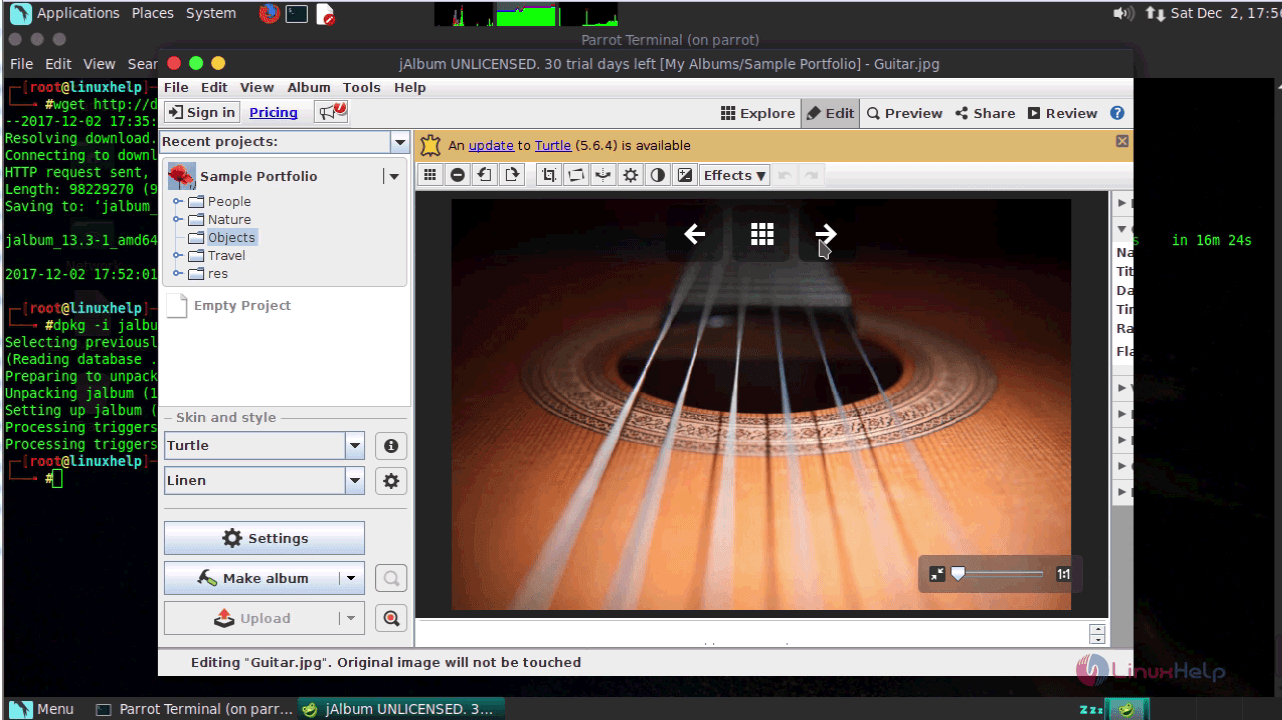
You can view each images.

Root

With this, the installation of jAlbum on ParrotOS 3.9 comes to an end.

Tags:
jayce
Author: 

Comments ( 0 )

No comments available

Add a comment
{{postCtrl.cmtErrMsg}}

Frequently asked questions ( 5 )

Q

How do I create my first album with Online jAlbum?

A

Go to http://jalbum.net/create,
Add your photos on the Photos tab. Add captions, change ordering,
Name your album on the Info tab,
Choose the layout on the Design tab,
Sav

Q

Is jAlbum storage only for hosting albums?

A

Yes and no, it is a general hosting solution, although it's tailored to the needs of jAlbum users so that they have an easy way to share their albums. With themes, share, privacy and password protect options.

Q

How to install jAlbum on ParrotOs 3.9?

A

Run thye following command:
#dpkg -i jalbum_13.3-1_amd64.deb

Q

What is jAlbum on ParrotOS?

A

jAlbum is a shareware, cross-platform application to create professional, web-based photo albums. It contains paid-for photo-sharing service which can be used to publish them. It uses less RAM memory for larger albums. It is so simple to install jAlbum on ParrotOS 3.9, and this article covers the ground on the same process.

Q

How to download the installation package?

A

Use the following command:
#wget http://download.jalbum.net/download/13.3/Linux/jalbum_13.3-1_amd64.deb

Back To Top!
Rank
User
Points

Top Contributers

userNamenaveelansari
135850

Top Contributers

userNameayanbhatti
92510

Top Contributers

userNamehamzaahmed
32150

Top Contributers

1
userNamelinuxhelp
31040

Top Contributers

userNamemuhammadali
24500
Can you help Isaac ?
How to run windows application in linux

I need to run the windows application in my Linux machine, instead of installing from yum repo or any other repos. How to do that..??

Networking
  • Routing
  • trunk
  • Netmask
  • Packet Capture
  • domain
  • HTTP Proxy
Server Setup
  • NFS
  • KVM
  • Memory
  • Sendmail
  • WebDAV
  • LXC
Shell Commands
  • Cloud commander
  • Command line archive tools
  • last command
  • Shell
  • terminal
  • Throttle
Desktop Application
  • Linux app
  • Pithos
  • Retrospect
  • Scribe
  • TortoiseHg
  • 4Images
Monitoring Tool
  • Monit
  • Apache Server Monitoring
  • EtherApe 
  • Arpwatch Tool
  • Auditd
  • Barman
Web Application
  • Nutch
  • Amazon VPC
  • FarmWarDeployer
  • Rukovoditel
  • Mirror site
  • Chef
Contact Us | Terms of Use| Privacy Policy| Disclaimer
© 2025 LinuxHelp.com All rights reserved. Linux™ is the registered trademark of Linus Torvalds. This site is not affiliated with linus torvalds in any way.