• Categories
    Category
    {{ postCtrl.tags }}
    • {{ category.tag_type }}

      • {{tag.tag_name}}
      • View more
  • Categories
    Category
    {{ postCtrl.tags }}
    • {{ category.tag_type }}

      • {{tag.tag_name}}
      • View more
  • News
  • Tutorials
  • Forums
  • Tags
  • Users
Tutorial News Comments FAQ Related Articles

How to install JEdit V5.5.0 on Linuxmint-18.03

{{postValue.id}}

To install JEdit V5.5.0 on Linuxmint-18.03
jedit is a free and open source Java programming text editor application. It’ s mainly developed for software developers.it’ s available for all major operating system such as Linux, windows and mac os.


Installation

Update the system repository using the following command.

linuxhelp ~ # apt-get update
Hit:1 http://archive.ubuntu.com/ubuntu xenial InRelease
Ign:2 http://packages.linuxmint.com sylvia InRelease                                                         
Get:3 http://archive.canonical.com/ubuntu xenial InRelease [11.5 kB]                      
Get:4 http://archive.canonical.com/ubuntu xenial/partner amd64 Packages [3,128 B]              
Get:5 http://archive.ubuntu.com/ubuntu xenial-updates InRelease [109 kB]                                     
Get:6 http://security.ubuntu.com/ubuntu xenial-security InRelease [107 kB]                           
Get:7 http://packages.linuxmint.com sylvia Release [24.2 kB]                                                 
Get:8 http://archive.canonical.com/ubuntu xenial/partner i386 Packages [3,124 B]                        
Get:9 http://archive.ubuntu.com/ubuntu xenial-backports InRelease [107 kB]                    

.
.
.
Get:41 http://archive.ubuntu.com/ubuntu xenial-backports/universe amd64 Packages [7,400 B]                   
Get:42 http://archive.ubuntu.com/ubuntu xenial-backports/universe i386 Packages [7,080 B]                    
Get:43 http://archive.ubuntu.com/ubuntu xenial-backports/universe Translation-en [3,996 B]                   
Fetched 5,849 kB in 11s (505 kB/s)                                                                           
Reading package lists... Done

Install JEdit application using the following command.

linuxhelp ~ # apt-get install jedit -y
Reading package lists... Done
Building dependency tree       
Reading state information... Done
The following additional packages will be installed:
  ca-certificates-java default-jre default-jre-headless java-wrappers openjdk-8-jre openjdk-8-jre-headless
Suggested packages:
  default-java-plugin icedtea-8-plugin fonts-ipafont-gothic fonts-ipafont-mincho fonts-wqy-zenhei
The following NEW packages will be installed:
  ca-certificates-java default-jre default-jre-headless java-wrappers jedit openjdk-8-jre
  openjdk-8-jre-headless
0 upgraded, 7 newly installed, 0 to remove and 374 not upgraded.
Need to get 29.4 MB of archives.
After this operation, 111 MB of additional disk space will be used.
Get:1 http://archive.ubuntu.com/ubuntu xenial/universe amd64 java-wrappers all 0.1.28 [9,456 B]
.
.
.
Adding debian:TÜ BİTAK_UEKAE_Kö k_Sertifika_Hizmet_Sağlayıcısı_-_Sü rü m_3.pem
Adding debian:Atos_TrustedRoot_2011.pem
Adding debian:COMODO_Certification_Authority.pem
Adding debian:Starfield_Class_2_CA.pem
Adding debian:USERTrust_ECC_Certification_Authority.pem
done.
Processing triggers for libc-bin (2.23-0ubuntu9) ...
Processing triggers for ca-certificates (20170717~16.04.1) ...
Updating certificates in /etc/ssl/certs...
0 added, 0 removed  done.
Running hooks in /etc/ca-certificates/update.d...

done.
done.

Once Installation is done you can access the application from the Menu as shown here
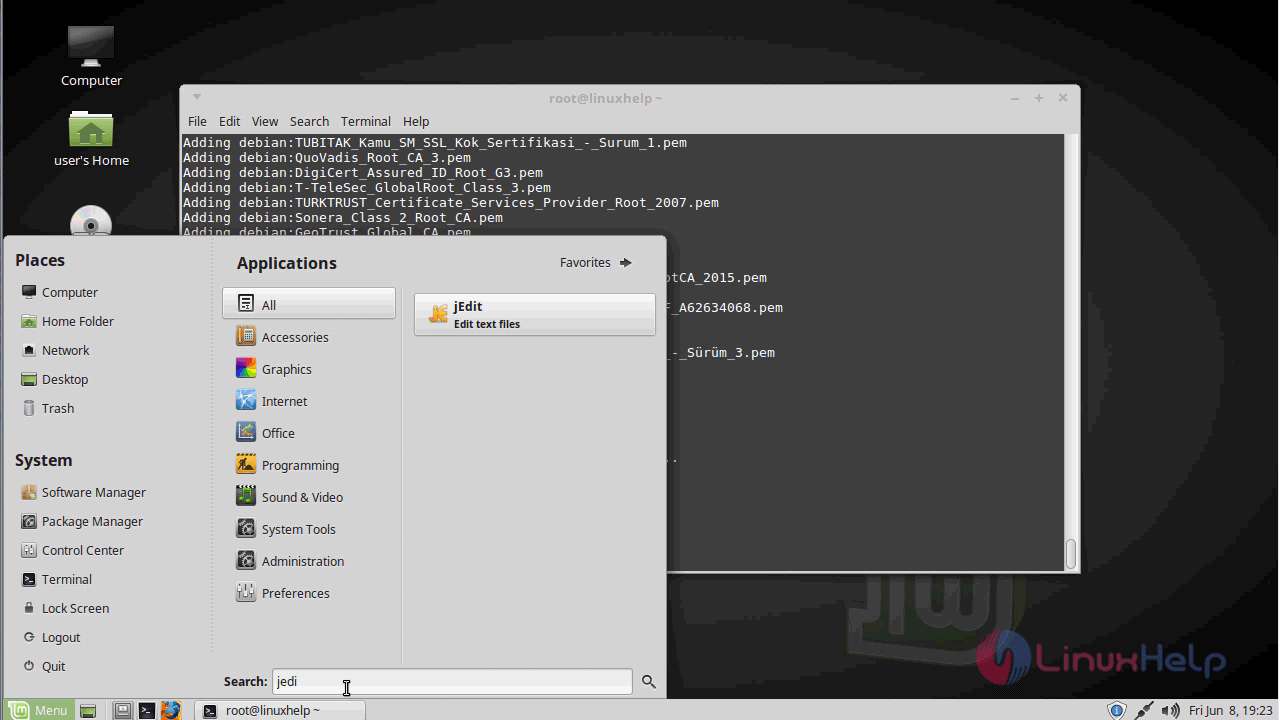
menu

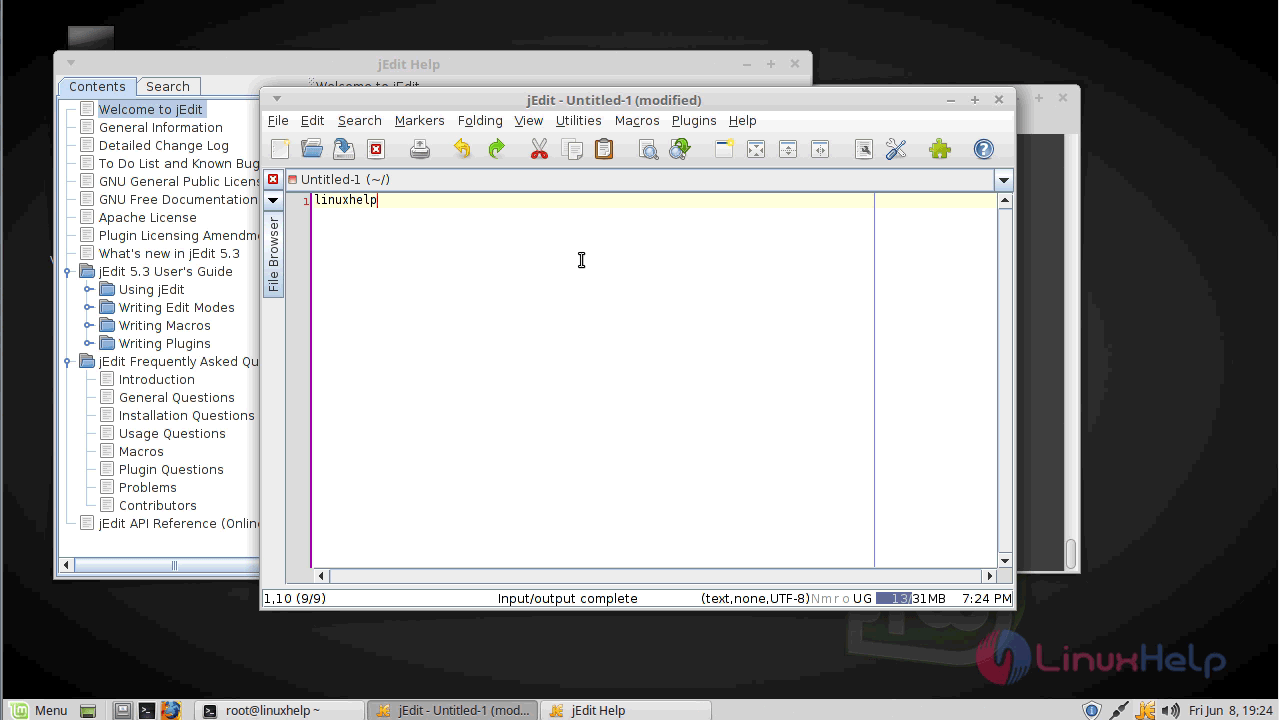
JEdit application
jedit_application

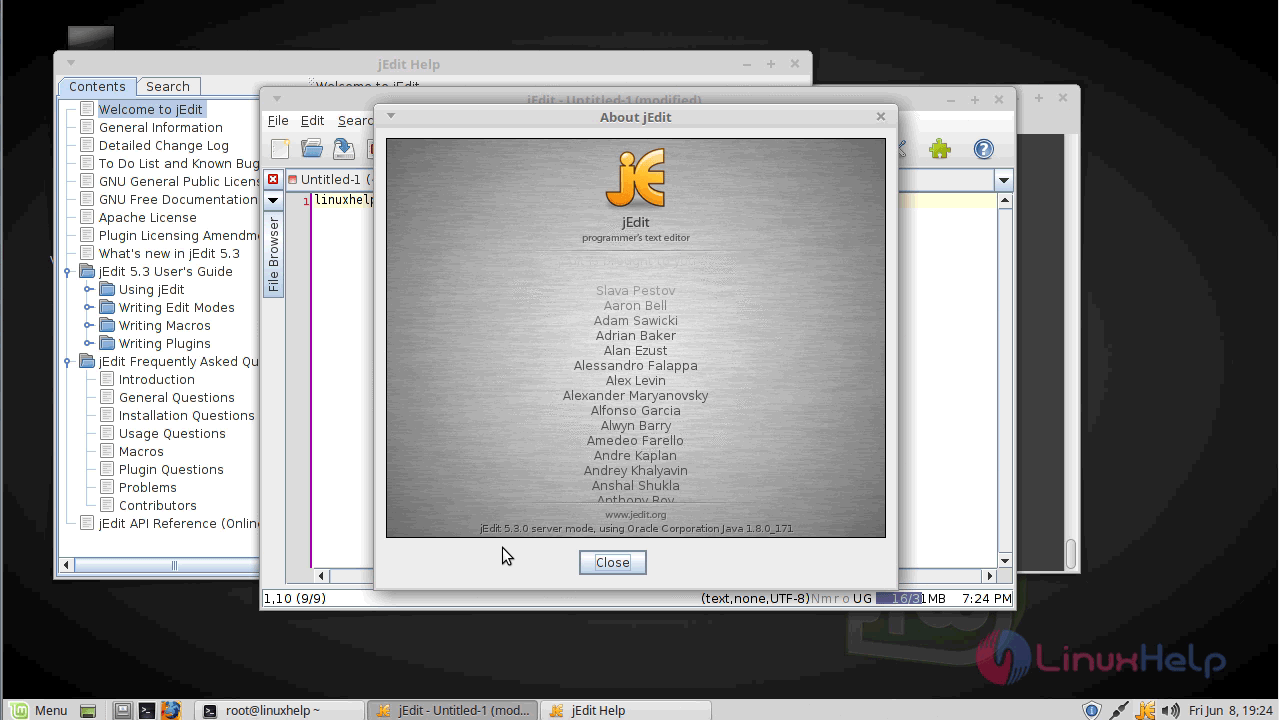
The version of JEdit
jedit_version

With this, the method to install JEdit V5.5.0 on Linuxmint-18.03 comes to an end.

Tags:
jayce
Author: 

Comments ( 0 )

No comments available

Add a comment
{{postCtrl.cmtErrMsg}}

Frequently asked questions ( 5 )

Q

how to remove the JEdit application on Ubuntu?

A

For uninstalling the JEdit application on Ubuntu, use the following command as given below "apt-get remove jedit -y"

Q

How to check the version of the JEdit?

A

For checking the version of JEdit, use the following command as given below "# jedit -V"

Q

is there any alternative of jedit?

A
Q

What are the alternative tools available for JEdit?

A

The following alternative tools are available for JEdit,
Notepad++,
Atom,
Sublime Text,
Visual Studio Code

Q

What is Customization in JEdit?

A

The customization of the JEdit as given below,
Syntax highlighting modes are defined in XML files and new ones are very easy to write
Many editor settings can be set on a global, per-mode, or per-file basis
Fully customizable keyboard shortcuts
Fully customizable toolbar and right-click context menu
Macros to automate complex editing tasks can be written in the BeanShell scripting language
Macros can be recorded from user actions

Back To Top!
Rank
User
Points

Top Contributers

userNamenaveelansari
135850

Top Contributers

userNameayanbhatti
92510

Top Contributers

userNamehamzaahmed
32150

Top Contributers

1
userNamelinuxhelp
31040

Top Contributers

userNamemuhammadali
24500
Can you help legeek ?
Installation of the call center module

hello

I wish to install a call center in virtual with issabel, I downloaded the latest version of it , but I don' t arrive to install the call center module in issabel. please help me

thanks!

Networking
  • Routing
  • trunk
  • Netmask
  • Packet Capture
  • domain
  • HTTP Proxy
Server Setup
  • NFS
  • KVM
  • Memory
  • Sendmail
  • WebDAV
  • LXC
Shell Commands
  • Cloud commander
  • Command line archive tools
  • last command
  • Shell
  • terminal
  • Throttle
Desktop Application
  • Linux app
  • Pithos
  • Retrospect
  • Scribe
  • TortoiseHg
  • 4Images
Monitoring Tool
  • Monit
  • Apache Server Monitoring
  • EtherApe 
  • Arpwatch Tool
  • Auditd
  • Barman
Web Application
  • Nutch
  • Amazon VPC
  • FarmWarDeployer
  • Rukovoditel
  • Mirror site
  • Chef
Contact Us | Terms of Use| Privacy Policy| Disclaimer
© 2025 LinuxHelp.com All rights reserved. Linux™ is the registered trademark of Linus Torvalds. This site is not affiliated with linus torvalds in any way.