How to install KKEdit in Ubuntu
{{postValue.id}}
To install KKEdit in Ubuntu
KKEdit is an open source graphical text editor used for programming tasks in Linux systems. It is designed with advanced features including jump to function declaration, search and replace option, save and restore option, supports multiple bookmarks and also runs external tools. Installation of KKEdit in Ubuntu is discussed in this manual.
Features
- Remote control
- Standardized source file
- Fixed undo/redo option
- Fixed regex anchors
- Minor doxy documentation
Installation of KKEdit Text Editor
Before install the KKedit, add the repository by using the following command.
root@linuxhelp1:~# add-apt-repository ppa:nilarimogard/webupd8

 The main Web Upd8 PPA maintained by: http://www.webupd8.org/

To add this PPA, simply paste this in a terminal:
sudo add-apt-repository ppa:nilarimogard/webupd8

Packages in this PPA: audacious, ap-hotspot, awn-applet-radio, awn-applet-wm, calise, cmus, dockbarx, dockbarx-themes-extra, dropbox-share, emerald, exaile, fbmessenger, gnome-subtitles, gnome-window-applets, grsync, grive, gthumb, launchpad-getkeys, mc, mdm (Mint Display Manager), minitunes, minitube, musique, notifyosdconfig, nautilus-columns, powertop, ppa-purge, rosa-media-player, fixed pulseaudio-equalizer, subtitleeditor, syncwall, umplayer, unity-reboot, wimlib, youtube-dl, xfce4-dockbarx-plugin, xournal, yad, yarock and others. Almost all packages are updated to their latest version.

For other (specialized) PPAs we maintain, see: https://launchpad.net/~webupd8team
 More info: https://launchpad.net/~nilarimogard/+archive/ubuntu/webupd8
Press [ENTER] to continue or ctrl-c to cancel adding it

gpg: keyring `/tmp/tmpiqkxm_i9/secring.gpg'  created
gpg: keyring `/tmp/tmpiqkxm_i9/pubring.gpg'  created
gpg: requesting key 4C9D234C from hkp server keyserver.ubuntu.com
gpg: /tmp/tmpiqkxm_i9/trustdb.gpg: trustdb created
gpg: key 4C9D234C: public key " Launchpad webupd8"  imported
gpg: Total number processed: 1
gpg:               imported: 1  (RSA: 1)
OK
Next you need to update the added repository with the " apt-get update" command.
root@linuxhelp1:~# apt-get update
Get:1 http://security.ubuntu.com/ubuntu xenial-security InRelease [94.5 kB]
Hit:2 http://in.archive.ubuntu.com/ubuntu xenial InRelease
Get:4 http://ppa.launchpad.net/nilarimogard/webupd8/ubuntu xenial InRelease [17.5 kB]
Hit:5 http://in.archive.ubuntu.com/ubuntu xenial-updates InRelease
Hit:6 http://in.archive.ubuntu.com/ubuntu xenial-backports InRelease
Ign:7 http://download.opensuse.org/repositories/home:/Horst3180/xUbuntu_16.04  InRelease
Hit:3 http://screenshots.getdeb.net wily-getdeb InRelease
Get:8 http://ppa.launchpad.net/nilarimogard/webupd8/ubuntu xenial/main amd64 Packages [25.6 kB]
Hit:9 http://download.opensuse.org/repositories/home:/Horst3180/xUbuntu_16.04  Release
Get:10 http://download.opensuse.org/repositories/home:/Horst3180/xUbuntu_16.04  Release.gpg [481 B]
Get:11 http://ppa.launchpad.net/nilarimogard/webupd8/ubuntu xenial/main i386 Packages [25.6 kB]
Get:12 http://ppa.launchpad.net/nilarimogard/webupd8/ubuntu xenial/main Translation-en [19.2 kB]
Fetched 183 kB in 2s (75.9 kB/s)
Reading package lists... Done
Now its time to install the KKedit with the " apt" command.
root@linuxhelp1:~# apt-get install kkedit -y
Reading package lists... Done
Building dependency tree
Reading state information... Done
The following packages were automatically installed and are no longer required:
  libkf5archive5 libqt5concurrent5
Use ' sudo apt autoremove'  to remove them.
The following additional packages will be installed:
  exuberant-ctags libjavascriptcoregtk-3.0-0 libwebkitgtk-3.0-0 libwebkitgtk-3.0-common
The following NEW packages will be installed:
  exuberant-ctags kkedit libjavascriptcoregtk-3.0-0 libwebkitgtk-3.0-0 libwebkitgtk-3.0-common
0 upgraded, 5 newly installed, 0 to remove and 1 not upgraded.
Need to get 15.8 MB of archives.
After this operation, 49.3 MB of additional disk space will be used.
Get:1 http://in.archive.ubuntu.com/ubuntu xenial/main amd64 exuberant-ctags amd64 1:5.9~svn20110310-11 [126 kB]
Get:2 http://ppa.launchpad.net/nilarimogard/webupd8/ubuntu xenial/main amd64 kkedit amd64 0.3.3-1~webupd8~xenial0 [5,862 kB]
Get:3 http://in.archive.ubuntu.com/ubuntu xenial-updates/universe amd64 libjavascriptcoregtk-3.0-0 amd64 2.4.11-0ubuntu0.1 [1,852 kB]
Get:4 http://in.archive.ubuntu.com/ubuntu xenial-updates/universe amd64 libwebkitgtk-3.0-common all 2.4.11-0ubuntu0.1 [367 kB]
Get:5 http://in.archive.ubuntu.com/ubuntu xenial-updates/universe amd64 libwebkitgtk-3.0-0 amd64 2.4.11-0ubuntu0.1 [7,593 kB]
Fetched 15.8 MB in 49s (319 kB/s)
Selecting previously unselected package exuberant-ctags.
(Reading database ... 208394 files and directories currently installed.)
Preparing to unpack .../exuberant-ctags_1%3a5.9~svn20110310-11_amd64.deb ...
Unpacking exuberant-ctags (1:5.9~svn20110310-11) ...
.
.
.
Processing triggers for mime-support (3.59ubuntu1) ...
Processing triggers for hicolor-icon-theme (0.15-0ubuntu1) ...
Setting up exuberant-ctags (1:5.9~svn20110310-11) ...
update-alternatives: using /usr/bin/ctags-exuberant to provide /usr/bin/ctags (ctags) in auto mode
update-alternatives: using /usr/bin/ctags-exuberant to provide /usr/bin/etags (etags) in auto mode
Setting up libjavascriptcoregtk-3.0-0:amd64 (2.4.11-0ubuntu0.1) ...
Setting up libwebkitgtk-3.0-common (2.4.11-0ubuntu0.1) ...
Setting up libwebkitgtk-3.0-0:amd64 (2.4.11-0ubuntu0.1) ...
Setting up kkedit (0.3.3-1~webupd8~xenial0) ...
Processing triggers for libc-bin (2.23-0ubuntu3) ...
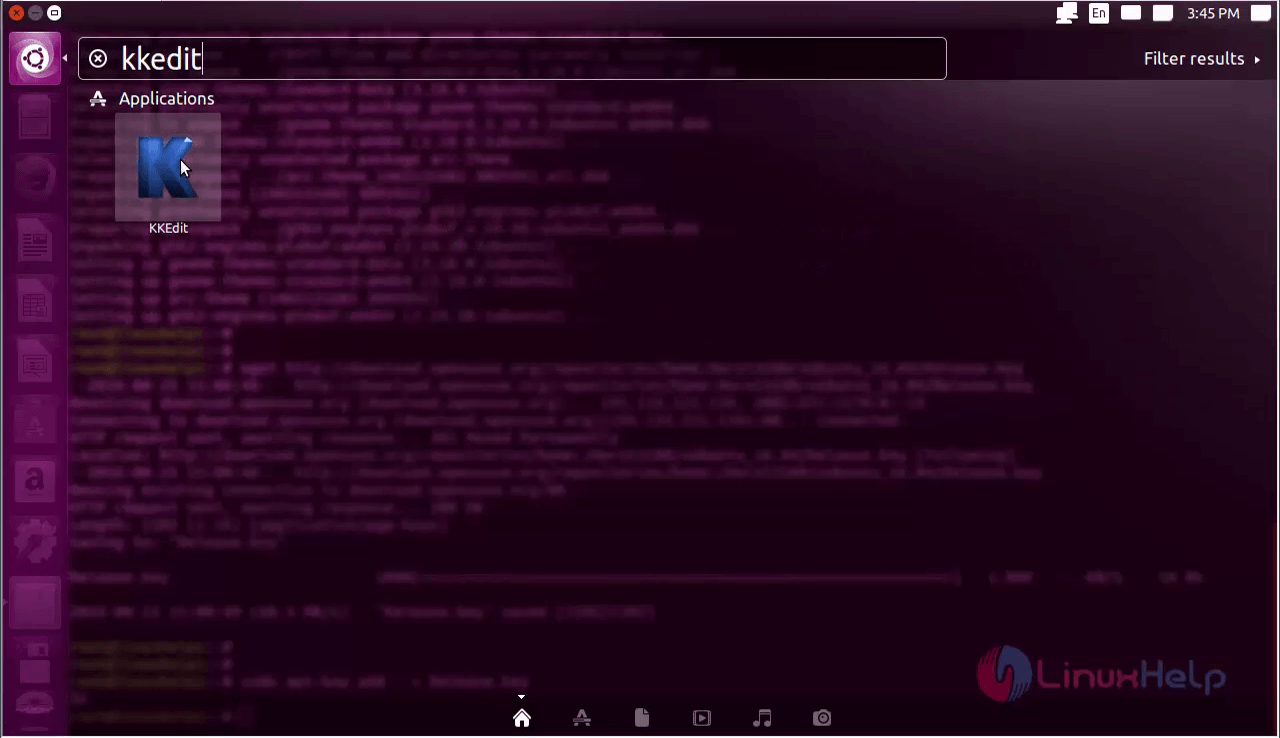
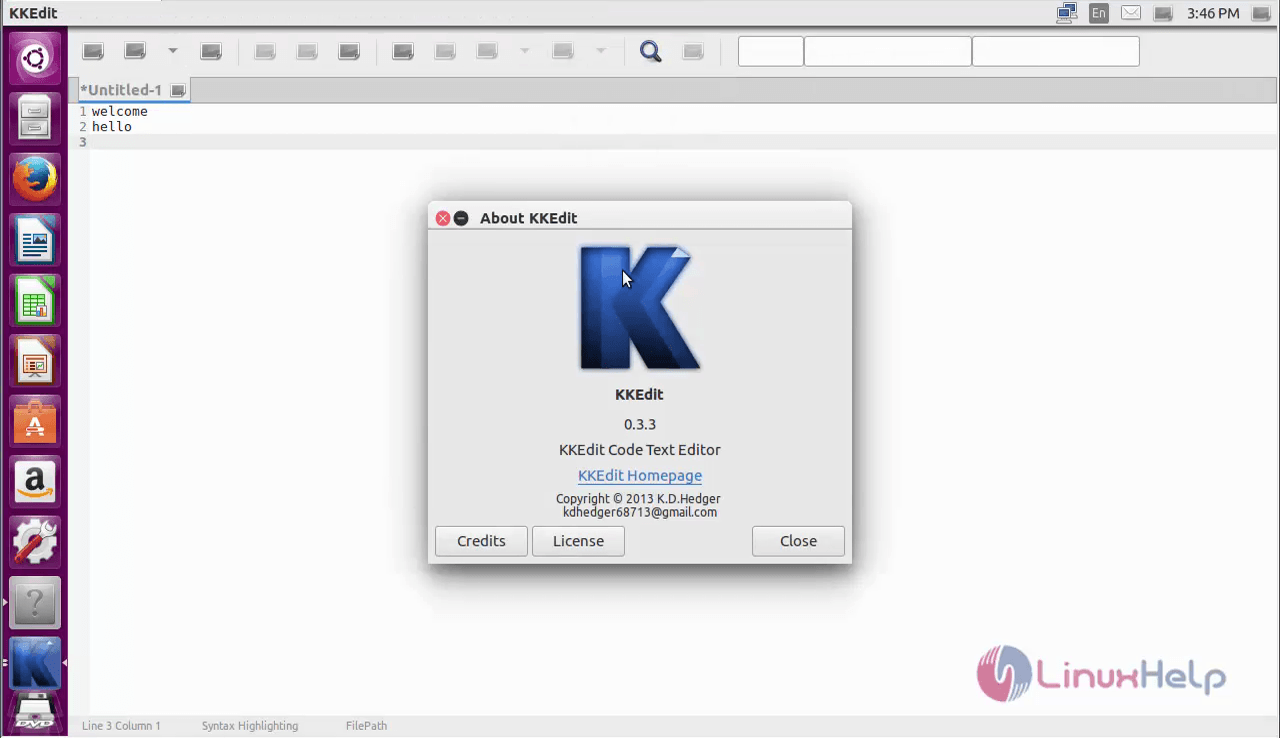
Open the KKedit application form the Unity dashboard.
Create you own script with this wonderful application.
To remove KKedit Text Editor
Run the below command to uninstall the KKEdit software.
root@linuxhelp1:~# apt-get remove kkedit -y
Reading package lists... Done
Building dependency tree
Reading state information... Done
The following packages were automatically installed and are no longer required:
  libjavascriptcoregtk-3.0-0 libkf5archive5 libqt5concurrent5 libwebkitgtk-3.0-0 libwebkitgtk-3.0-common
Use ' sudo apt autoremove'  to remove them.
The following packages will be REMOVED:
  kkedit
0 upgraded, 0 newly installed, 1 to remove and 1 not upgraded.
After this operation, 6,491 kB disk space will be freed.
(Reading database ... 208646 files and directories currently installed.)
Removing kkedit (0.3.3-1~webupd8~xenial0) ...
Processing triggers for hicolor-icon-theme (0.15-0ubuntu1) ...
Processing triggers for bamfdaemon (0.5.3~bzr0+16.04.20160701-0ubuntu1) ...
Rebuilding /usr/share/applications/bamf-2.index...
Processing triggers for gnome-menus (3.13.3-6ubuntu3.1) ...
Processing triggers for desktop-file-utils (0.22-1ubuntu5) ...
Processing triggers for mime-support (3.59ubuntu1) ...
Comments ( 0 )
No comments available