• Categories
    Category
    {{ postCtrl.tags }}
    • {{ category.tag_type }}

      • {{tag.tag_name}}
      • View more
  • Categories
    Category
    {{ postCtrl.tags }}
    • {{ category.tag_type }}

      • {{tag.tag_name}}
      • View more
  • News
  • Tutorials
  • Forums
  • Tags
  • Users
Tutorial News Comments FAQ Related Articles

How to Install Konqueror on Linux mint 18.03

{{postValue.id}}

To Install Konqueror on Linux mint 18.03
Konqueror, a free and open-source web browser and file manager, provides web access and file-viewer functionality for file systems. it is one of the super-fast and secured browsers. It forms a core part of the KDE Software Compilation. In this tutorial, we will cover the installation of a Konqueror on Linuxmint 18.03.

Installation.
Update the system repository using the following command.

linuxhelp ~ # apt-get update
Hit:1 http://archive.ubuntu.com/ubuntu xenial InRelease
Hit:2 http://archive.canonical.com/ubuntu xenial InRelease                                               
Ign:3 http://packages.linuxmint.com sylvia InRelease                                                     
Hit:4 http://packages.linuxmint.com sylvia Release                                             
Get:5 http://security.ubuntu.com/ubuntu xenial-security InRelease [107 kB]
Get:7 http://archive.ubuntu.com/ubuntu xenial-updates InRelease [109 kB]           
Get:8 http://archive.ubuntu.com/ubuntu xenial-backports InRelease [107 kB]
Fetched 323 kB in 1s (201 kB/s)    
Reading package lists... Done

Install the Konqueror package using the following command.

linuxhelp ~ # apt-get install konqueror
Reading package lists... Done
Building dependency tree       
Reading state information... Done
The following additional packages will be installed:
  breeze-icon-theme kate-data katepart kde-baseapps-bin kde-baseapps-data kde-runtime kde-runtime-data
  kde-style-breeze kde-style-breeze-qt4 kdelibs-bin kdelibs5-data kdelibs5-plugins kdoctools
  libattica0.4 libdlrestrictions1 libfam0 libkactivities6 libkatepartinterfaces4 libkcmutils4
  libkde3support4 libkdeclarative5 libkdecore5 libkdesu5 libkdeui5 libkdewebkit5 libkdnssd4
.
.
.
Setting up libntrack-qt4-1 (016-1.3) ...
Setting up kde-runtime (4:15.12.3-0ubuntu1) ...
update-alternatives: using /usr/lib/kde4/libexec/kdesu-distrib/kdesu to provide /usr/lib/kde4/libexec/kdesu (kdesu) in auto mode
Setting up kde-baseapps-bin (4:15.12.3-0ubuntu1) ...
Setting up konqueror (4:15.12.3-0ubuntu1) ...
Processing triggers for libc-bin (2.23-0ubuntu9) ...
Processing triggers for dbus (1.10.6-1ubuntu3.3) ...

Once Installation is done you can access the application from the Menu as shown here
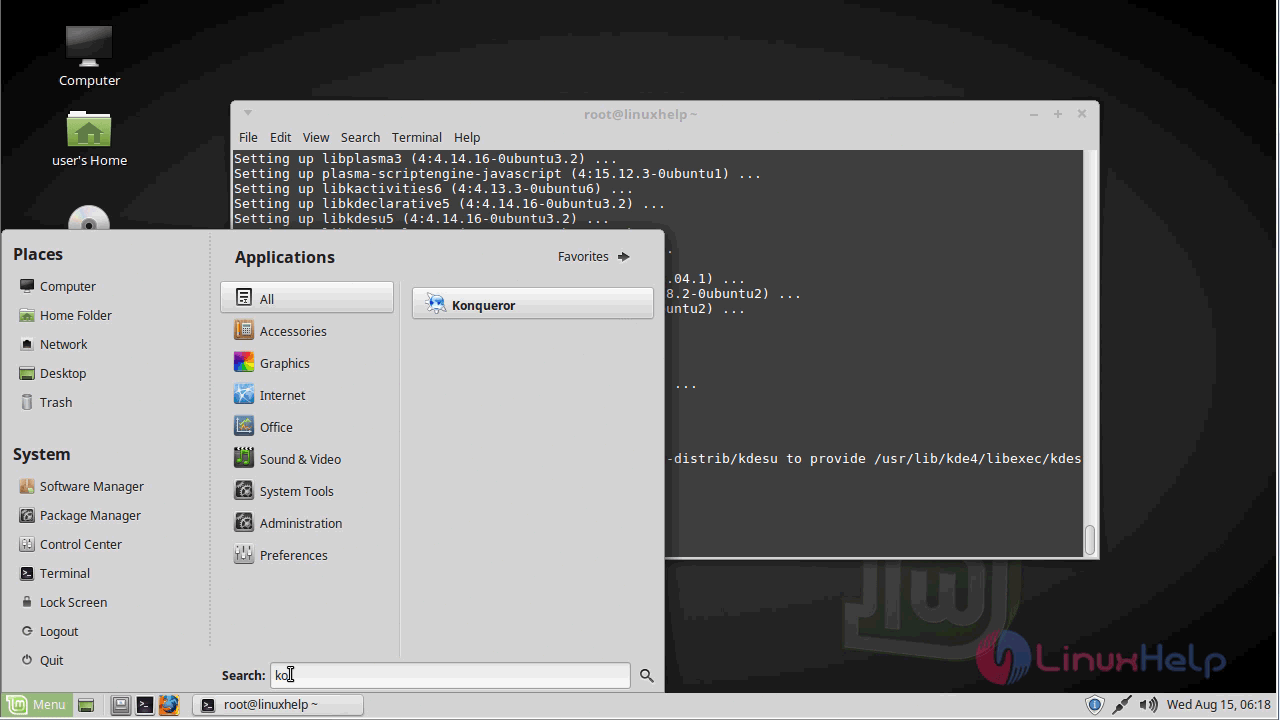
menu

Now, you can able to use the Konqueror web browser application.
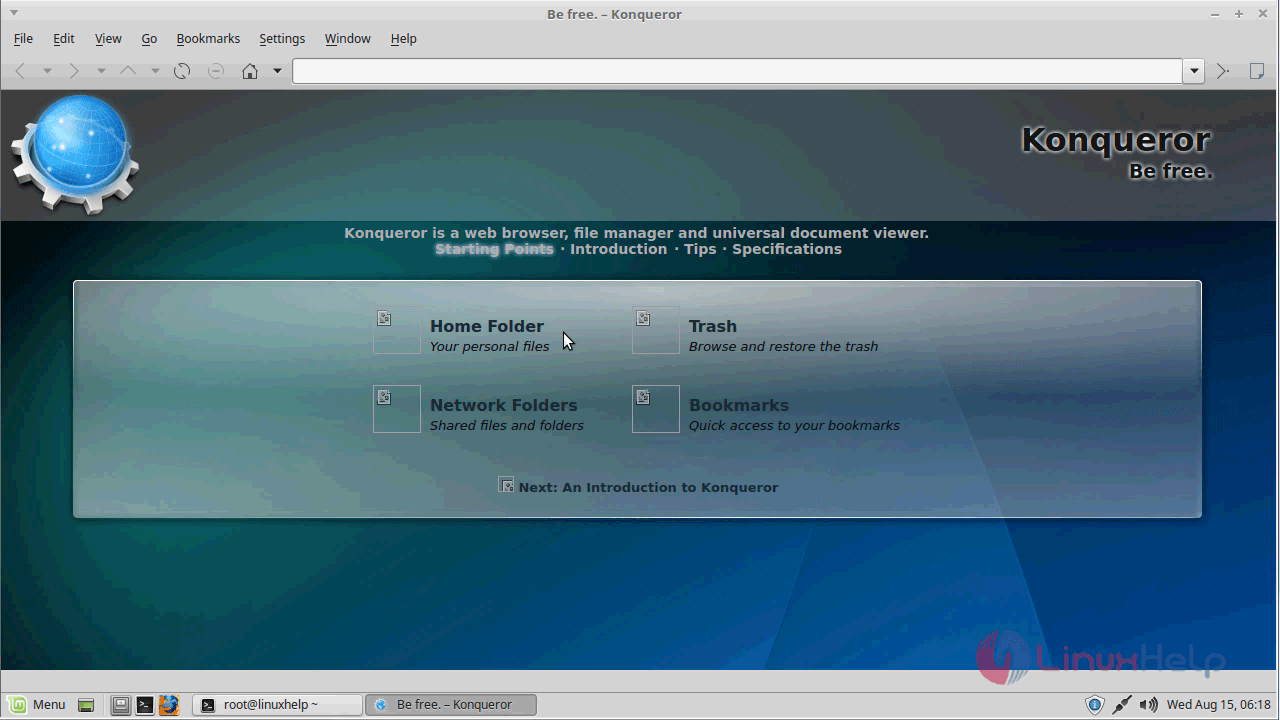
konqueror

The version of Konqueror browser application.
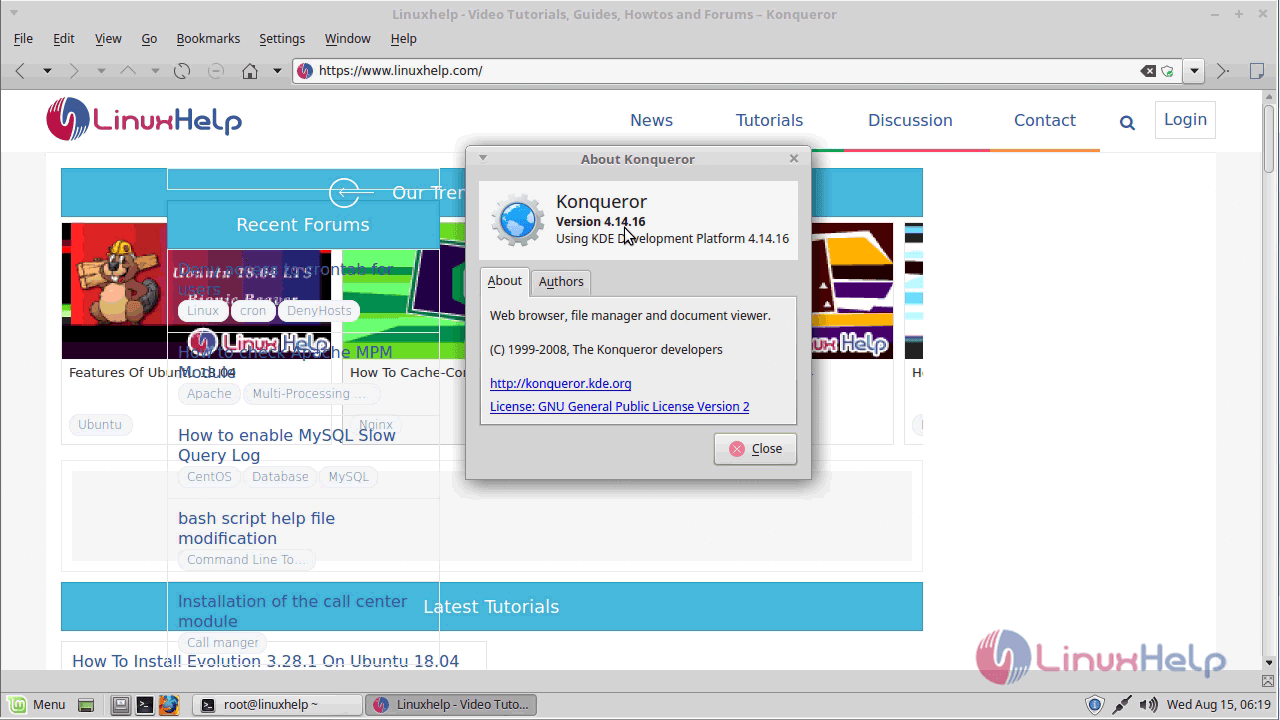
version

With this, the method to install Konqueror on Linuxmint 18.03 comes to an end

Tags:
sebastian
Author: 

Comments ( 0 )

No comments available

Add a comment
{{postCtrl.cmtErrMsg}}

Frequently asked questions ( 5 )

Q

How to Install Konqueror on Linux mint?

A

Run the following command:
# apt-get install konqueror

Q

What is Konqueror?

A

Konqueror, a free and open-source web browser and file manager, provides web access and file-viewer functionality for file systems. it is one of the super-fast and secured browsers. It forms a core part of the KDE Software Compilation.

Q

Why does Konqueror crash on every page with Flash? (old)

A

This could be a result of a clashing symbol in both the flash plugin and the XFree86 libGLU (OpenGL utility lib). Upon closing an embedded flash view, the wrong function is called which heavily corrupts memory and leads to either immediately or delayed crashes, lockups and worse.
The only solution that is currently known is either to install Qt without OpenGL support or to not use the Flash plugin. You can't combine both until this symbol clash is somehow solved. Unfortunately, we cannot do much about this issue, unless Macromedia is willing to help.

Q

How do I tell Konqueror to forget all the cached logins and passwords?

A

When you successfully log in to a website (using the login/password dialog, not using a form), or to an FTP/SMB/SSH/... site, Konqueror caches the username and password in the kdesud daemon. This information remains alive as long as kdesud runs, but isn't saved to any file. To ask it to forget all the currently cached logins and passwords, simply run
kdesu -s

Q

Where does the name Konqueror come from?

A

It's a wordplay on the other browsers' names. After the Navigator and the Explorer comes the Conqueror; it's spelled with a K to show that it's part of KDE. The name change also moves away from "kfm" (the KDE file manager, Konqueror's predecessor) which represented only file management

Back To Top!
Rank
User
Points

Top Contributers

userNamenaveelansari
135850

Top Contributers

userNameayanbhatti
92510

Top Contributers

userNamehamzaahmed
32150

Top Contributers

1
userNamelinuxhelp
31040

Top Contributers

userNamemuhammadali
24500
Can you help keel johnston ?
Unhide the folders on windows Explorer

Give any solutions to unhide folder using command prompt?

forum3

Networking
  • Routing
  • trunk
  • Netmask
  • Packet Capture
  • domain
  • HTTP Proxy
Server Setup
  • NFS
  • KVM
  • Memory
  • Sendmail
  • WebDAV
  • LXC
Shell Commands
  • Cloud commander
  • Command line archive tools
  • last command
  • Shell
  • terminal
  • Throttle
Desktop Application
  • Linux app
  • Pithos
  • Retrospect
  • Scribe
  • TortoiseHg
  • 4Images
Monitoring Tool
  • Monit
  • Apache Server Monitoring
  • EtherApe 
  • Arpwatch Tool
  • Auditd
  • Barman
Web Application
  • Nutch
  • Amazon VPC
  • FarmWarDeployer
  • Rukovoditel
  • Mirror site
  • Chef
Contact Us | Terms of Use| Privacy Policy| Disclaimer
© 2025 LinuxHelp.com All rights reserved. Linux™ is the registered trademark of Linus Torvalds. This site is not affiliated with linus torvalds in any way.