How to install Kwave audio editor on linuxmint-18.03
{{postValue.id}}
To install Kwave audio editor on linuxmint-18.03
Kwave is a sound editor built on the KDE Frameworks. Kwave you can record, playback, import and edit many sorts of audio files including multi-channel file.
Installation
Let' s first start with updating the system repositories
linuxhelp ~ # apt-get update
Hit:1 http://security.ubuntu.com/ubuntu xenial-security InRelease
Hit:2 http://archive.ubuntu.com/ubuntu xenial InRelease
Ign:3 http://packages.linuxmint.com sylvia InRelease
Hit:4 http://archive.ubuntu.com/ubuntu xenial-updates InRelease
Hit:5 http://archive.ubuntu.com/ubuntu xenial-backports InRelease
Hit:6 http://packages.linuxmint.com sylvia Release
Hit:8 http://archive.canonical.com/ubuntu xenial InRelease
Reading package lists... Done
Install the kwave audio editor application.
linuxhelp ~ # apt-get install kwave -y
Reading package lists... Done
Building dependency tree
Reading state information... Done
The following additional packages will be installed:
  breeze-icon-theme kate-data katepart kde-runtime kde-runtime-data kde-style-breeze
  kde-style-breeze-qt4 kdelibs-bin kdelibs5-data kdelibs5-plugins kdoctools libattica0.4 libaudiofile1
  libdlrestrictions1 libfam0 libflac++6v5 libkactivities6 libkatepartinterfaces4 libkcmutils4
  libkde3support4 libkdeclarative5 libkdecore5 libkdesu5 libkdeui5 libkdewebkit5 libkdnssd4
  libkemoticons4 libkf5auth-data libkf5auth5 libkf5codecs-data libkf5codecs5 libkf5config-data
  libkf5configcore5 libkf5configgui5 libkf5configwidgets-data libkf5configwidgets5
  libkf5coreaddons-data libkf5coreaddons5 libkf5guiaddons5 libkf5i18n-data libkf5i18n5
  libkf5iconthemes-data libkf5iconthemes5 libkf5itemviews-data libkf5itemviews5 libkf5style5
  libkf5widgetsaddons-data libkf5widgetsaddons5 libkf5windowsystem-data libkf5windowsystem5 libkfile4
  libkhtml5 libkio5 libkjsapi4 libkjsembed4 libkmediaplayer4 libknewstuff3-4 libknotifyconfig4
.
.
.
Setting up ntrack-module-libnl-0 (016-1.3) ...
Setting up libntrack0 (016-1.3) ...
Setting up libntrack-qt4-1 (016-1.3) ...
Setting up kde-runtime (4:15.12.3-0ubuntu1) ...
update-alternatives: using /usr/lib/kde4/libexec/kdesu-distrib/kdesu to provide /usr/lib/kde4/libexec/kdesu (kdesu) in auto mode
Setting up kwave (0.9.0-1-2) ...
Processing triggers for libc-bin (2.23-0ubuntu9) ...
Processing triggers for dbus (1.10.6-1ubuntu3.3) ...
Once Installation is done you can access the application from the terminal as follows.
linuxhelp ~ # kwave

This is kwave v0.9.0 (compiled for KDE 4.14.13)
Benchmarking memcpy methods (smaller is better):
    libc : 31268574
    linux kernel : 33227114
    MMX  : 34128559
    MMXEXT : 124867407
    SSE : 129627920
    AVX : 126849093
using ->  ' libc'
[..]
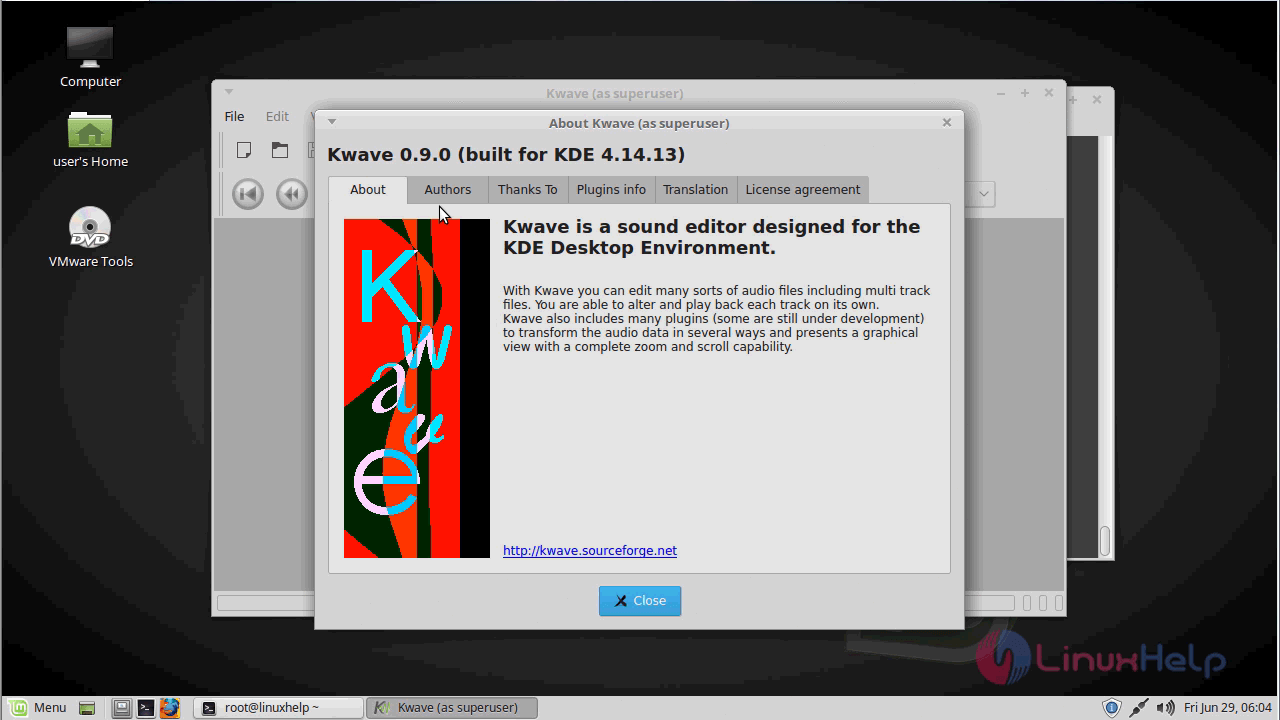
Kwave audio editor application.

The version of kwave audio editor
With this, the method to install the Kwave audio editor on linuxmint-18.03 comes to an end.
Comments ( 0 )
No comments available