• Categories
    Category
    {{ postCtrl.tags }}
    • {{ category.tag_type }}

      • {{tag.tag_name}}
      • View more
  • Categories
    Category
    {{ postCtrl.tags }}
    • {{ category.tag_type }}

      • {{tag.tag_name}}
      • View more
  • News
  • Tutorials
  • Forums
  • Tags
  • Users
Tutorial News Comments FAQ Related Articles

How to install LAMP by using Tasksel tool in Ubuntu

{{postValue.id}}

To Install Apache, MySQL and PHP using Tasksel tool in Ubuntu

Tasksel tool is used to perform specific task in Ubuntu. It allows the user to install any number of packages at the same time. In this manual we will learn how to install LAMP package.

To install Tasksel

Run the following command to install Tasksel.

root@linuxhelp1:~# apt-get install tasksel -y 
Reading package lists... Done
Building dependency tree
Reading state information... Done
The following packages were automatically installed and are no longer required:
libpango1.0-0 libpangox-1.0-0 linux-headers-4.4.0-21 linux-headers-4.4.0-21-generic linux-image-4.4.0-21-generic
linux-image-extra-4.4.0-21-generic
Use ' sudo apt autoremove'  to remove them.
The following additional packages will be installed:
tasksel-data
.
.
.
Unpacking tasksel-data (3.34ubuntu3) ...
Selecting previously unselected package tasksel.
Preparing to unpack .../tasksel_3.34ubuntu3_all.deb ...
Unpacking tasksel (3.34ubuntu3) ...
Processing triggers for man-db (2.7.5-1) ...
Setting up tasksel (3.34ubuntu3) ...
Setting up tasksel-data (3.34ubuntu3) ...


Open the Tasksel from the terminal by running the following command.

root@linuxhelp1:~# tasksel
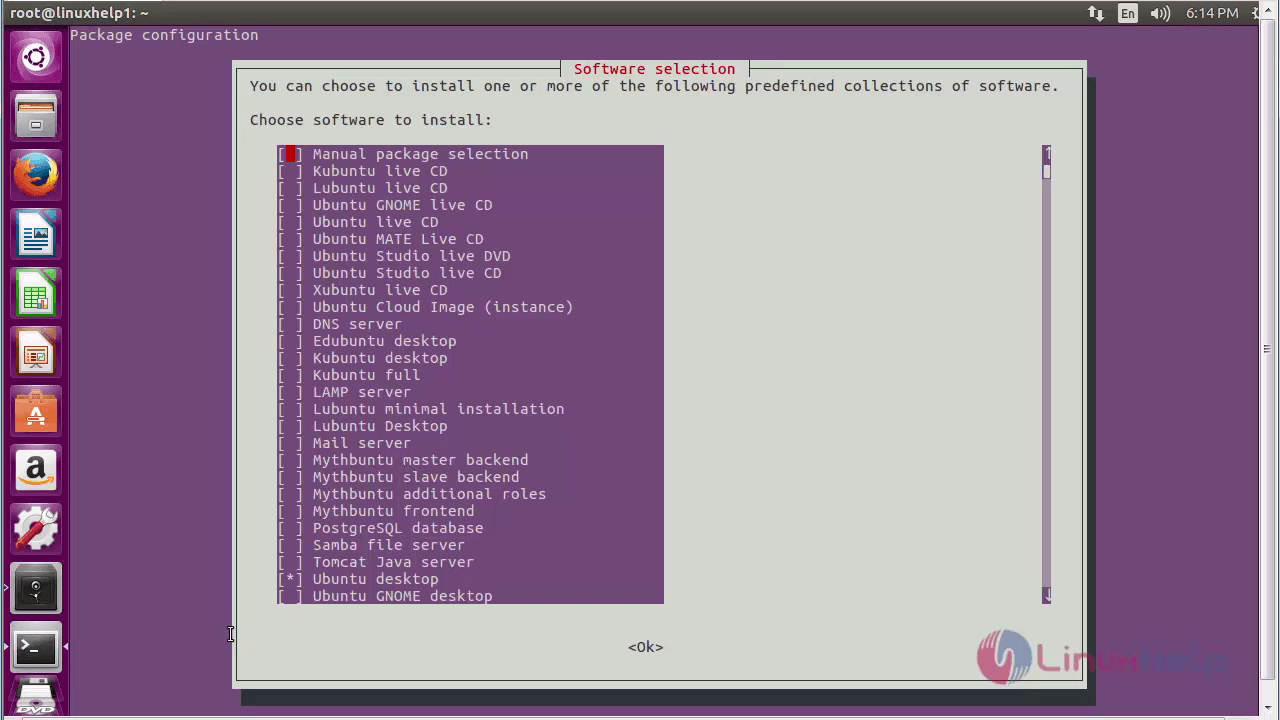
choose_software
Here, choosing LAMP server from the software list and click Ok.
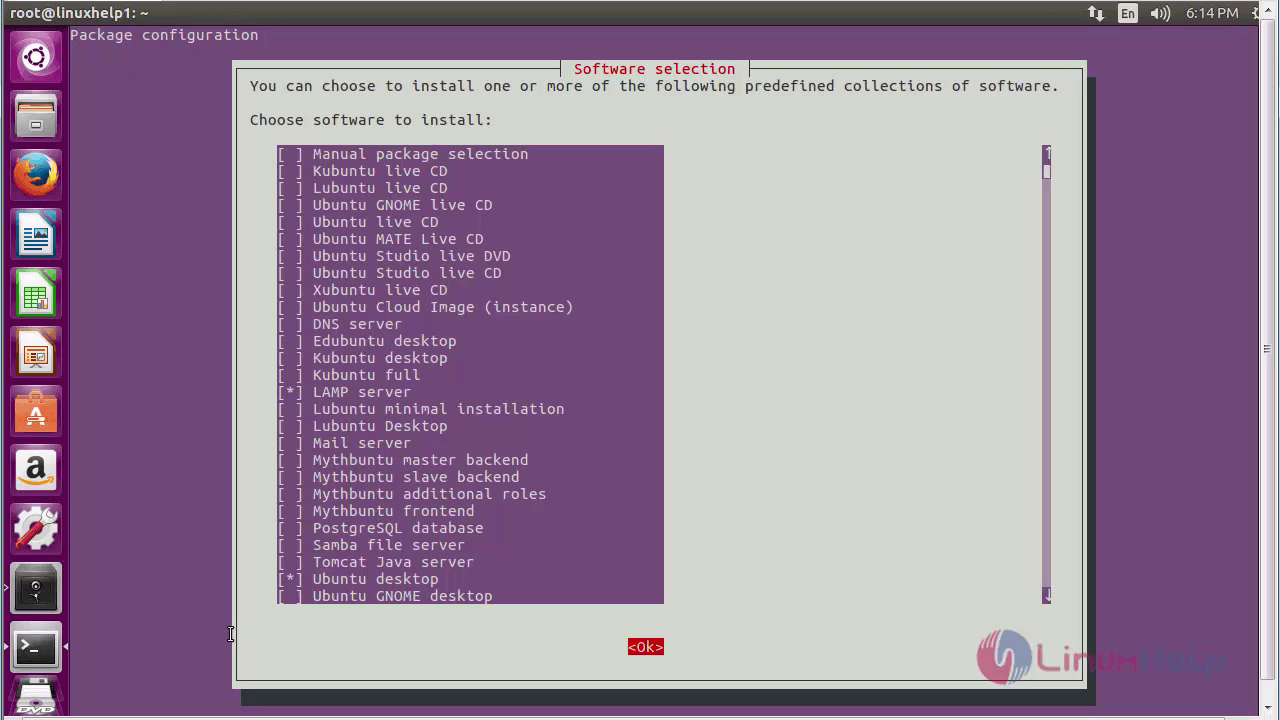
LAMP_Server
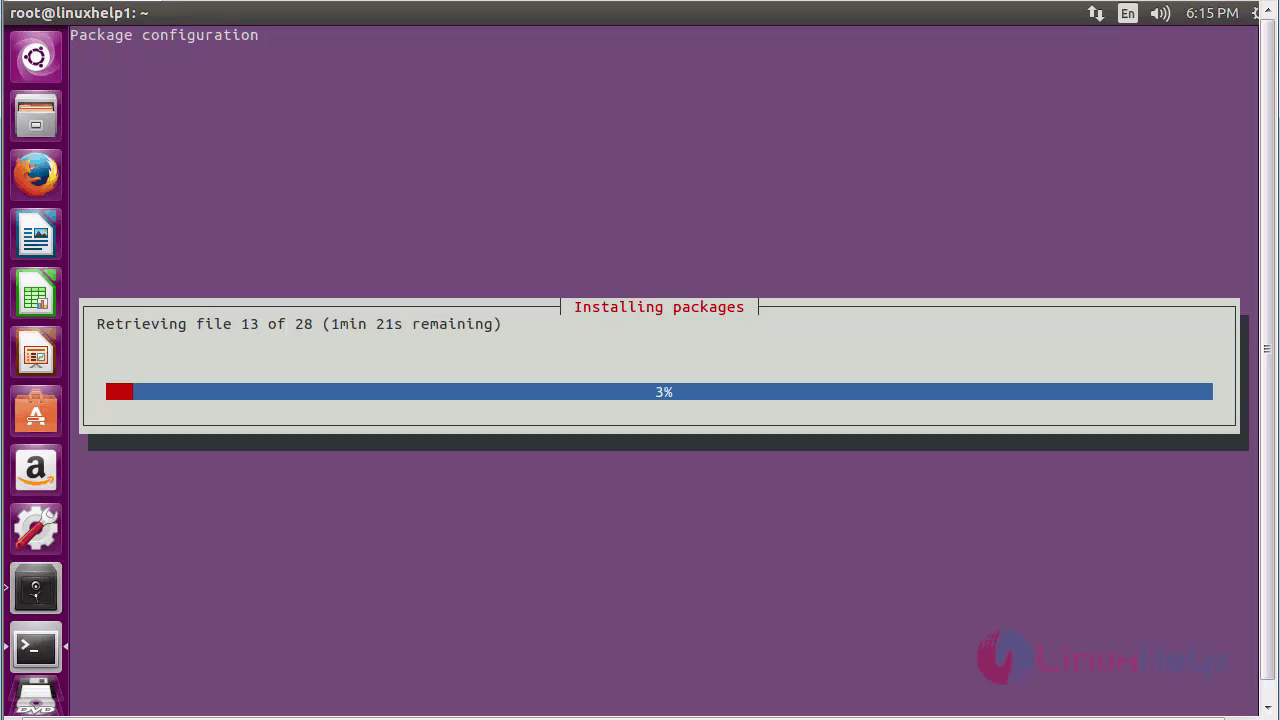
installing_packages
Set the password for the MySQL server and click Ok.
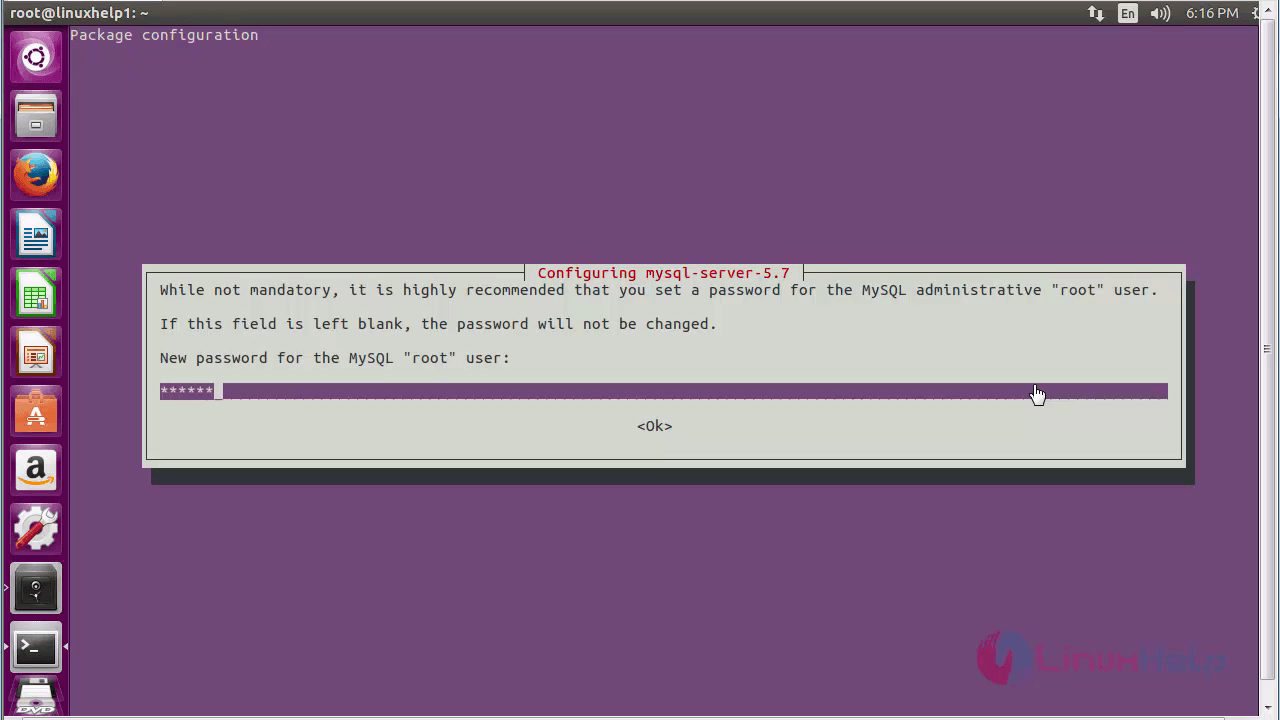
configure_MySQL server
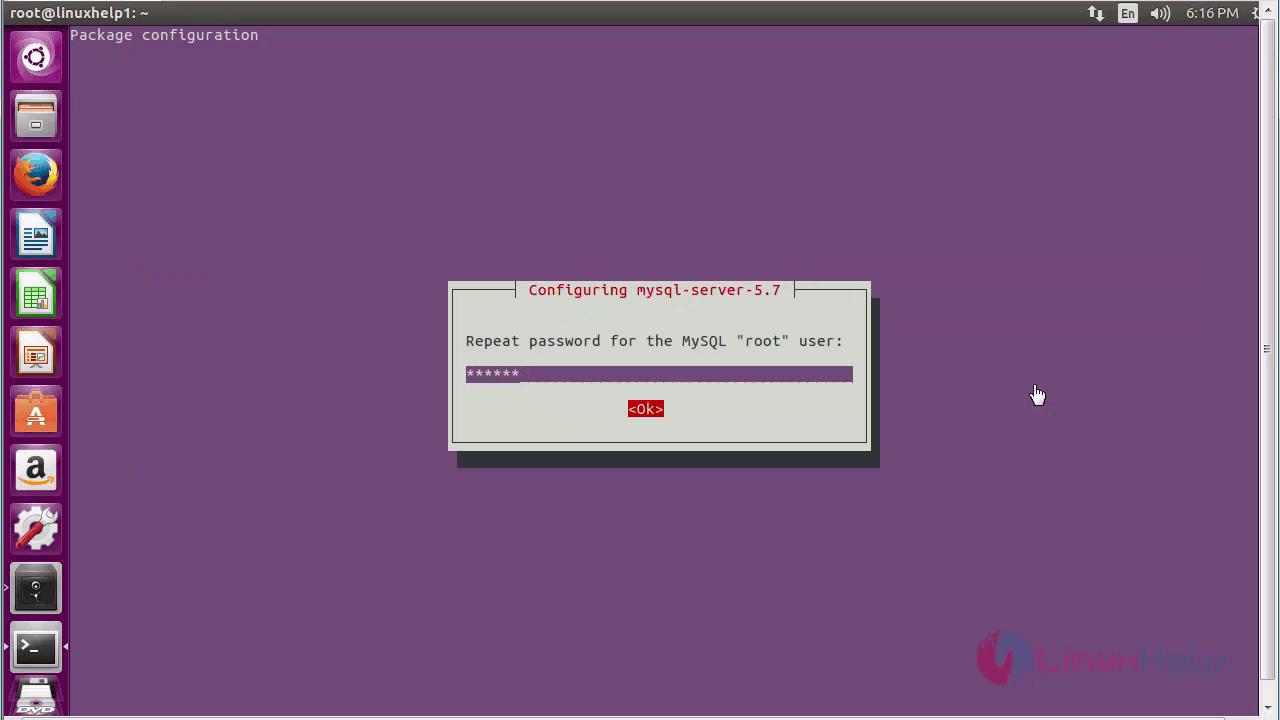
repeat_password
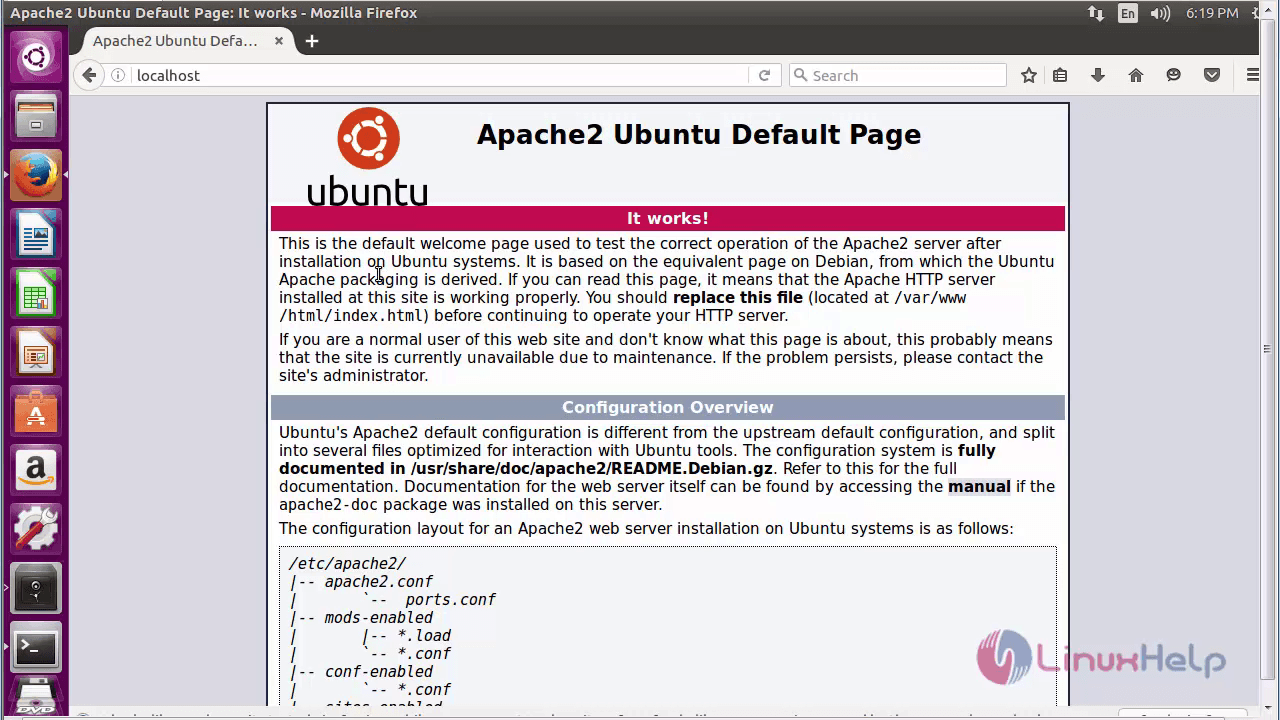
default_page

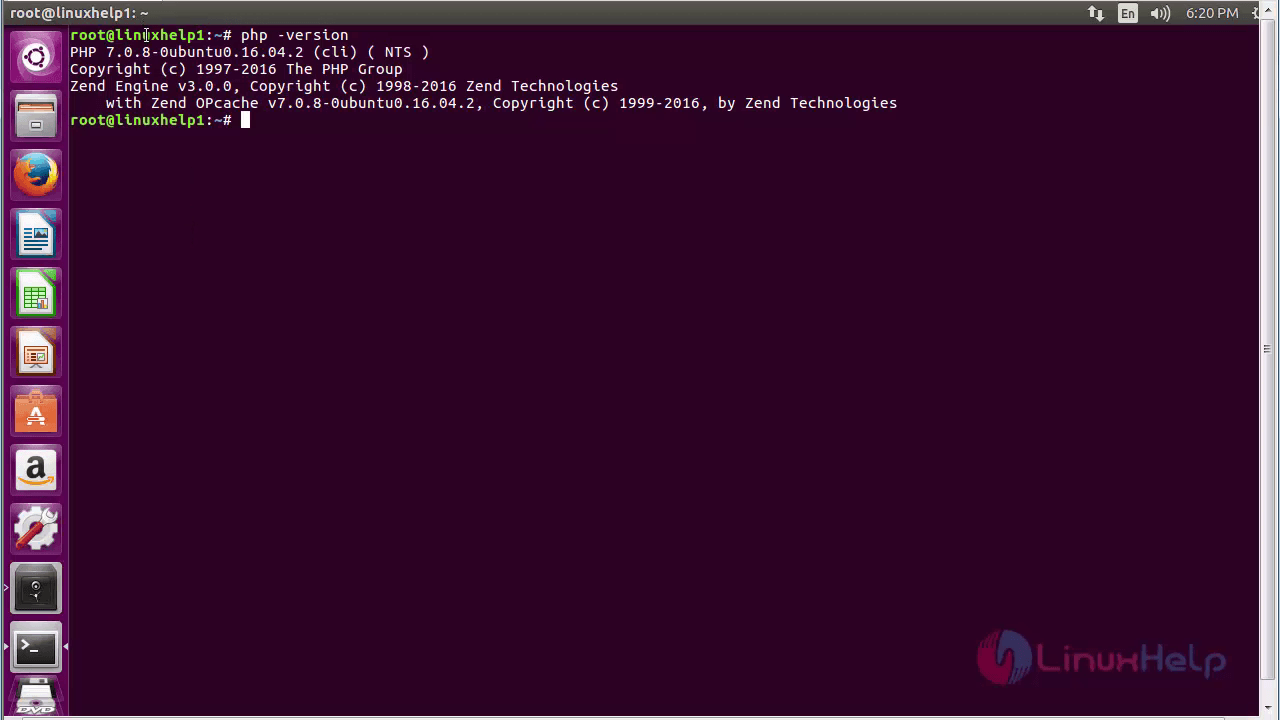
Once the installation process has been completed, open the terminal and check the LAMP services.
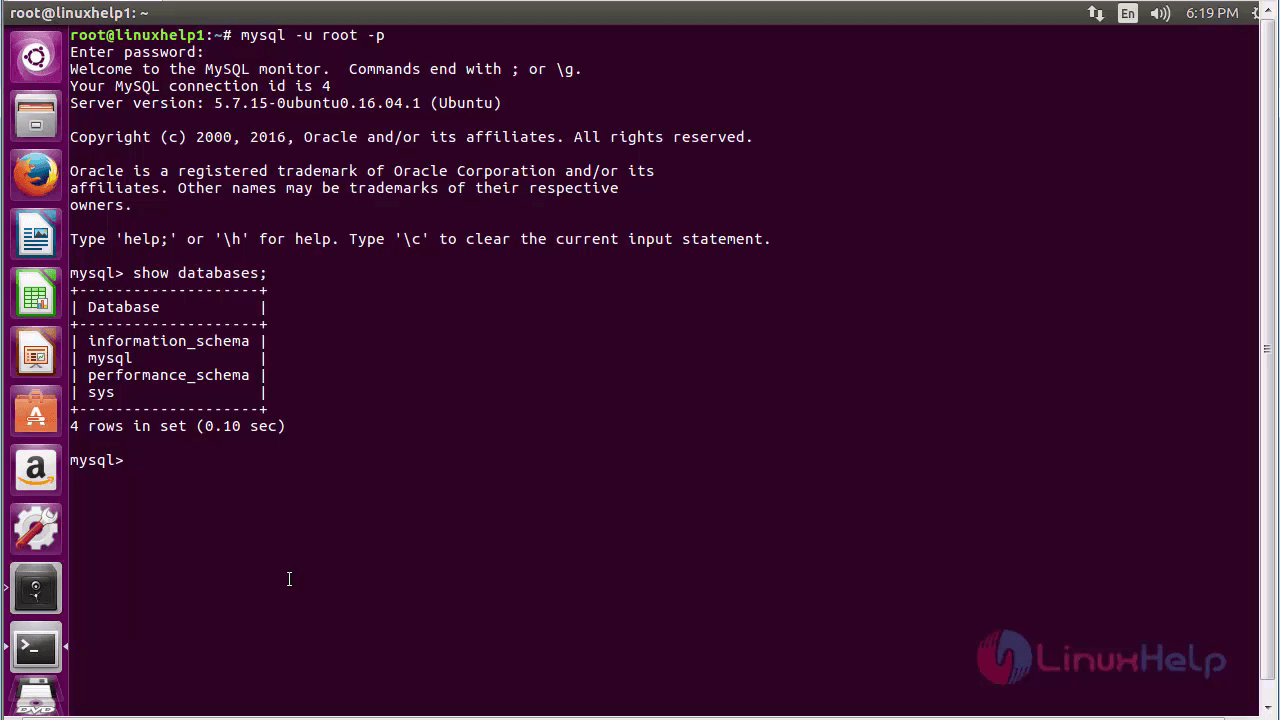
open_terminal
php_version

Tags:
mason
Author: 

Comments ( 0 )

No comments available

Add a comment
{{postCtrl.cmtErrMsg}}

Frequently asked questions ( 5 )

Q

How to destroy a session variable?

A

To destroy Session_unregister() Unregister a global variable from the current session

Q

State how can you take a backup of the whole database in MySQL?

A

You can use the command line utility to take a backup of all the mysql table or a specific mysql table easily with the following:

mysqldump –-user [user_name] –-password=[password] [database_name] > [dump_file_name]

Q

How can I install two software at the same time?

A

Yes, you can choose several applications but it gets installed one by one.

Q

How Can you increase the execution time of a php script?

A

Yes, we can use the max_execution_time variable to set the desired time you needed for executing a php script.

Q

What is SQL Injection and how do you deal with that?

A

SQL injection is a technique utilized by hackers to get access into your database by using malicious SQL statements. Using this, anyone can gain complete access to your database without any authorization or permission.

Back To Top!
Rank
User
Points

Top Contributers

userNamenaveelansari
135850

Top Contributers

userNameayanbhatti
92510

Top Contributers

userNamehamzaahmed
32150

Top Contributers

1
userNamelinuxhelp
31040

Top Contributers

userNamemuhammadali
24500
Can you help Isaiah ?
What is the use of SUID & SGID commands

How to set the special permissions to the files and folders using SUID and SGID commands...

Networking
  • Routing
  • trunk
  • Netmask
  • Packet Capture
  • domain
  • HTTP Proxy
Server Setup
  • NFS
  • KVM
  • Memory
  • Sendmail
  • WebDAV
  • LXC
Shell Commands
  • Cloud commander
  • Command line archive tools
  • last command
  • Shell
  • terminal
  • Throttle
Desktop Application
  • Linux app
  • Pithos
  • Retrospect
  • Scribe
  • TortoiseHg
  • 4Images
Monitoring Tool
  • Monit
  • Apache Server Monitoring
  • EtherApe 
  • Arpwatch Tool
  • Auditd
  • Barman
Web Application
  • Nutch
  • Amazon VPC
  • FarmWarDeployer
  • Rukovoditel
  • Mirror site
  • Chef
Contact Us | Terms of Use| Privacy Policy| Disclaimer
© 2025 LinuxHelp.com All rights reserved. Linux™ is the registered trademark of Linus Torvalds. This site is not affiliated with linus torvalds in any way.