How to install LAMP setup on Ubuntu 21
{{postValue.id}}
To Install Lamp on Ubuntu 21.04
Introduction
LAMP stands for Linux, Apache, Mysql, Php. Which is widely used for web hosting , All LAMP stacks are open source and free to use, it is also very secured one
Login as Root User
linuxhelp@linuxhelp:~$ sudo -s
Changing the directory
root@linuxhelp:/home/linuxhelp# cd /
Install apache webserver
root@linuxhelp:/# apt install apache2
Reading package lists... Done
Building dependency tree... Done
Reading state information... Done
The following additional packages will be installed:
  apache2-bin apache2-data apache2-utils libapr1 libaprutil1
  libaprutil1-dbd-sqlite3 libaprutil1-ldap
Suggested packages:
  apache2-doc apache2-suexec-pristine | apache2-suexec-custom
The following NEW packages will be installed:
  apache2 apache2-bin apache2-data apache2-utils libapr1 libaprutil1
  libaprutil1-dbd-sqlite3 libaprutil1-ldap
0 upgraded, 8 newly installed, 0 to remove and 254 not upgraded.
Need to get 1,739 kB of archives.
After this operation, 7,550 kB of additional disk space will be used.
Do you want to continue? [Y/n] y
Get:1 http://in.archive.ubuntu.com/ubuntu hirsute-updates/main amd64 libapr1 amd64 1.7.0-6ubuntu0.1 [96.9 kB]
Get:2 http://in.archive.ubuntu.com/ubuntu hirsute/main amd64 libaprutil1 amd64 1.6.1-5ubuntu1 [84.9 kB]
Install the Mariadb
root@linuxhelp:/# apt install mariadb*
Reading package lists... Done
Building dependency tree... Done
Reading state information... Done
Note, selecting 'mariadb-tokudb-engine-5.5' for glob 'mariadb*'
Note, selecting 'mariadb-server-core-5.5' for glob 'mariadb*'
Note, selecting 'mariadb-plugin-spider' for glob 'mariadb*'
Note, selecting 'mariadb-server' for glob 'mariadb*'
Note, selecting 'mariadb-plugin-s3' for glob 'mariadb*'
Note, selecting 'mariadb-galera-server-5.5' for glob 'mariadb*'
Note, selecting 'mariadb-test' for glob 'mariadb*'
Note, selecting 'mariadb-plugin-mroonga' for glob 'mariadb*'
Note, selecting 'mariadb-client-core-5.5' for glob 'mariadb*'
Note, selecting 'mariadb-connect-engine-10.0' for glob 'mariadb*'
Note, selecting 'mariadb-connect-engine-10.1' for glob 'mariadb*'
Note, selecting 'mariadb-oqgraph-engine-10.0' for glob 'mariadb*'
Note, selecting 'mariadb-oqgraph-engine-10.1' for glob 'mariadb*'
Note, selecting 'mariadb-gssapi-server-10.1' for glob 'mariadb*'
Note, selecting 'mariadb-gssapi-server-10.2' for glob 'mariadb*'
Note, selecting 'mariadb-test-data-10.0' for glob 'mariadb*'
Note, selecting 'mariadb-testsuite-10.1' for glob 'mariadb*'
Note, selecting 'mariadb-testsuite-10.3' for glob 'mariadb*'
Note, selecting 'mariadb-rocksdb-engine-10.2' for glob 'mariadb*'
Note, selecting 'mariadb-rocksdb-engine-10.3' for glob 'mariadb*'
Note, selecting 'mariadb-plugin-rocksdb' for glob 'mariadb*'
Note, selecting 'mariadb-test-10.0' for glob 'mariadb*'
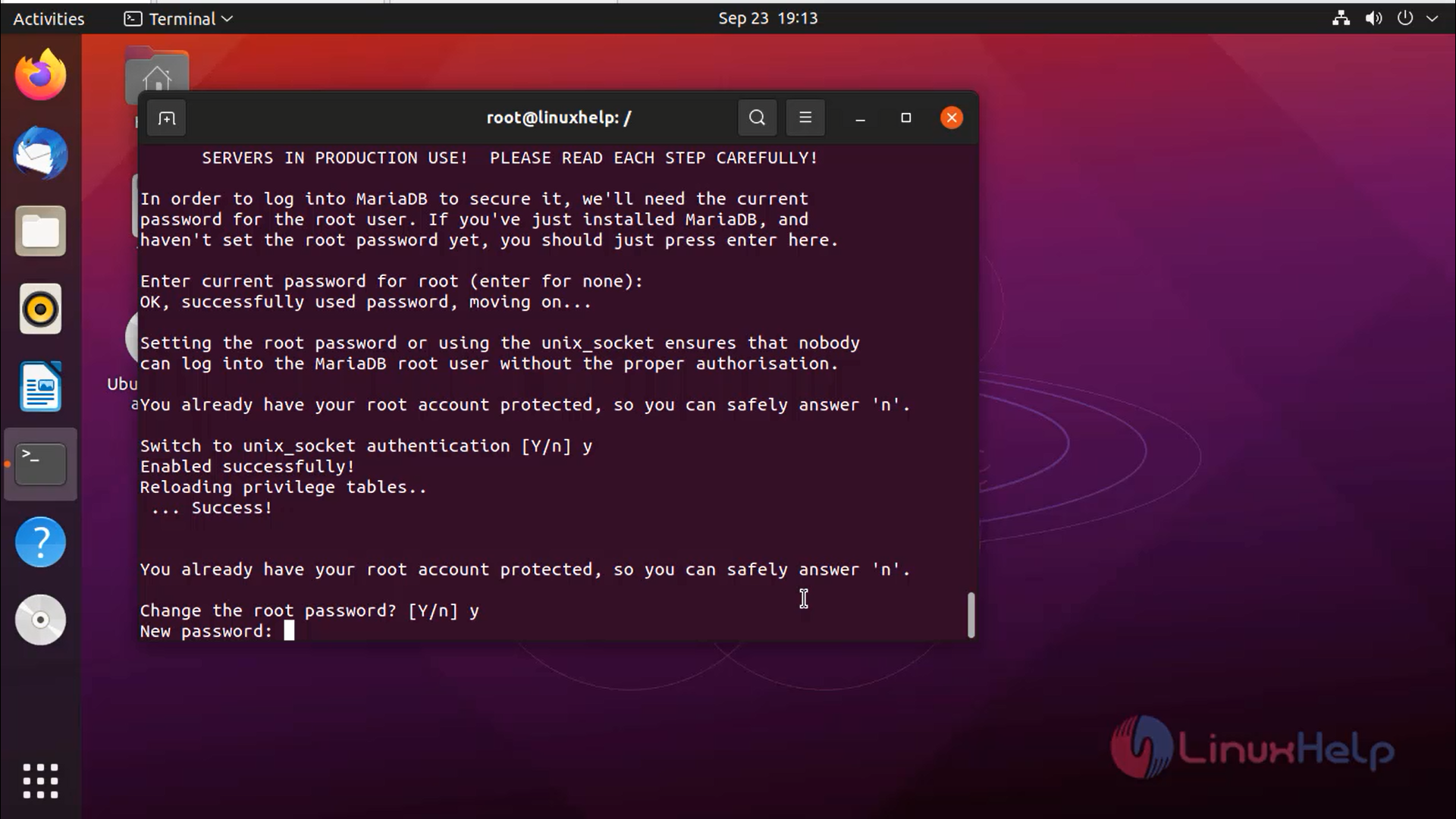
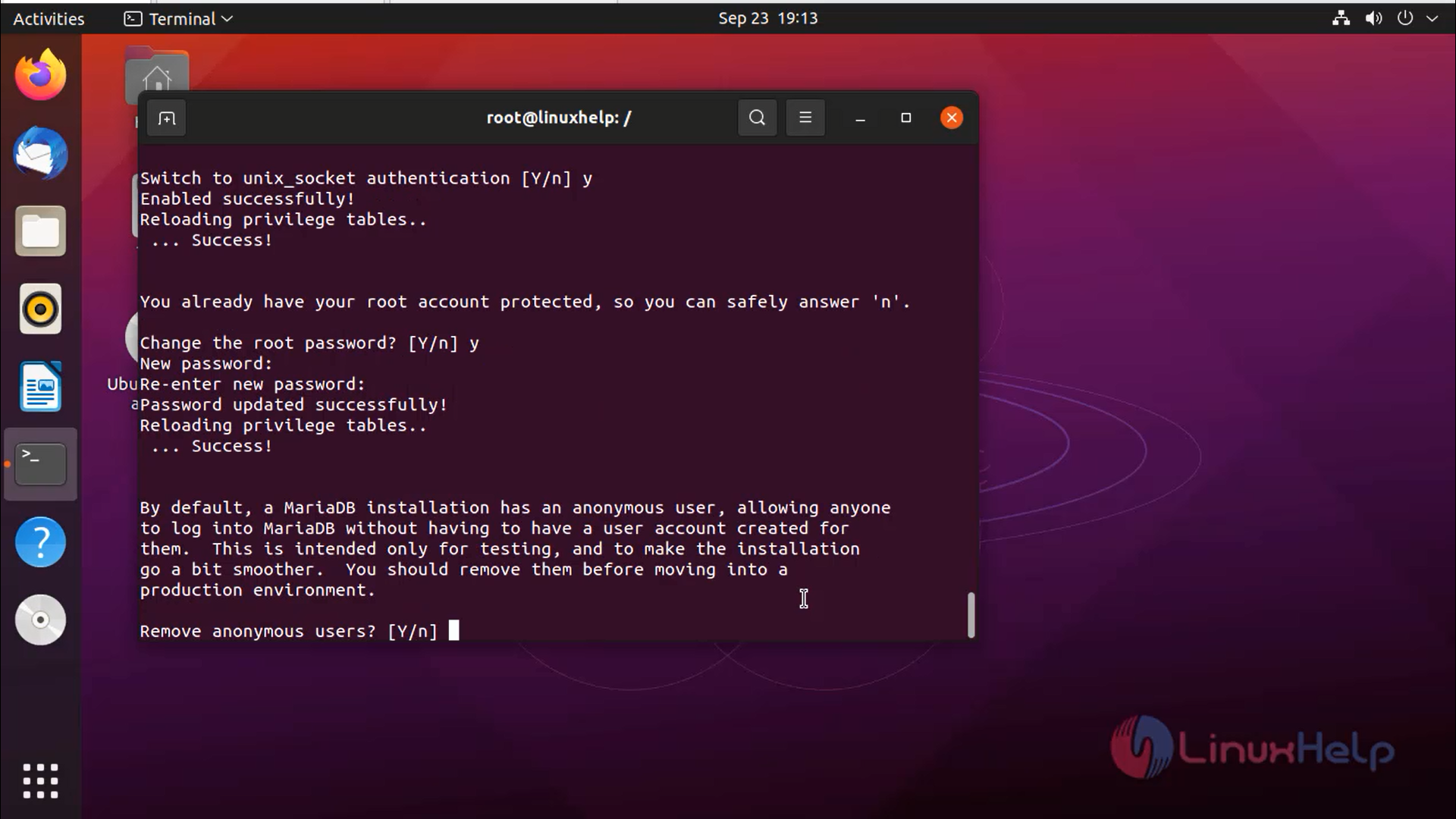
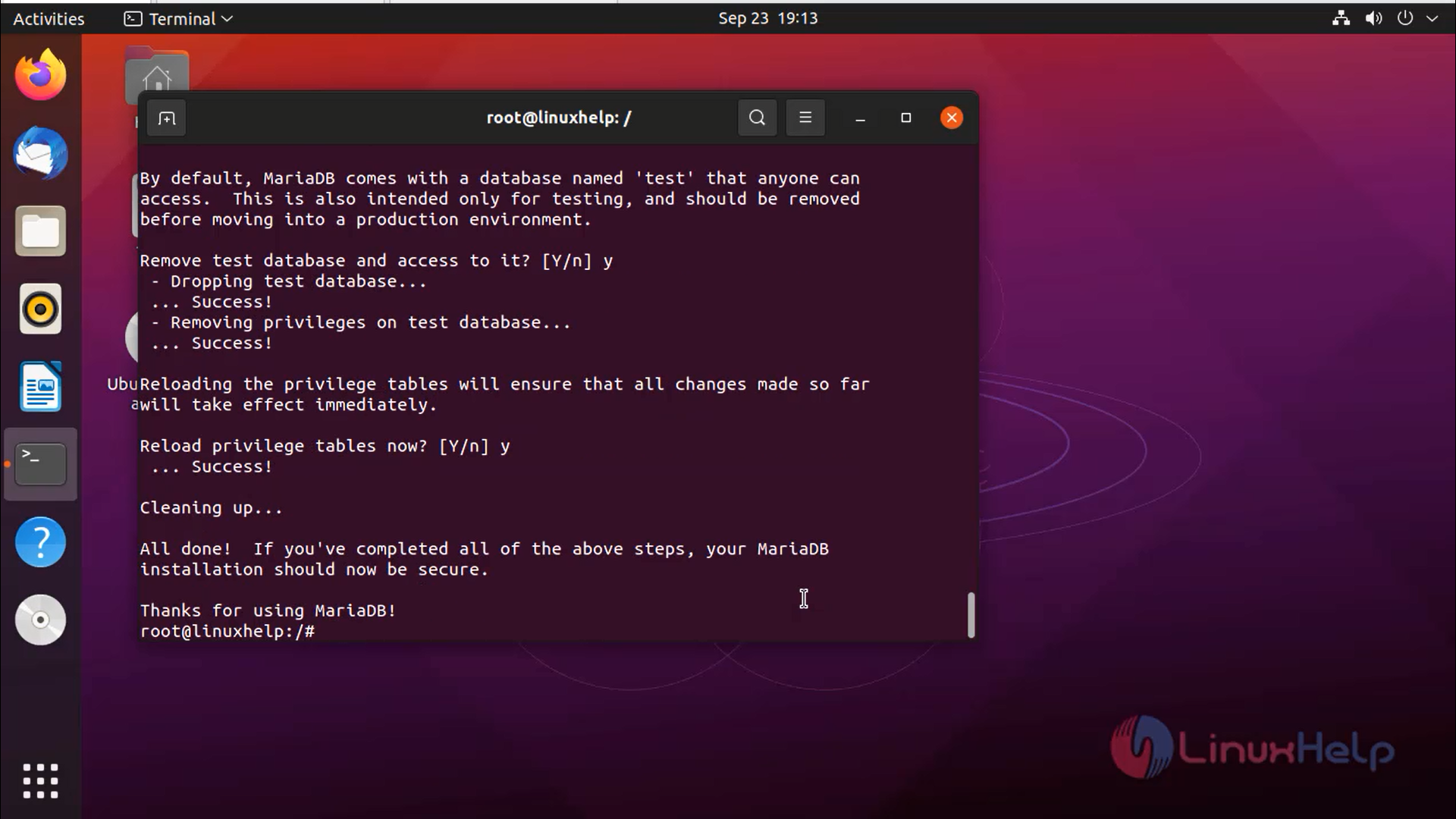
Configure the database by using following command
root@linuxhelp:/# mysql_secure_installation
Install the php
root@linuxhelp:/# apt install php libapache2-mod-php
Reading package lists... Done
Building dependency tree... Done
Reading state information... Done
The following additional packages will be installed:
  libapache2-mod-php7.4 php-common php7.4 php7.4-cli php7.4-common php7.4-json
  php7.4-opcache php7.4-readline
Suggested packages:
  php-pear
The following NEW packages will be installed:
  libapache2-mod-php libapache2-mod-php7.4 php php-common php7.4 php7.4-cli
  php7.4-common php7.4-json php7.4-opcache php7.4-readline
0 upgraded, 10 newly installed, 0 to remove and 254 not upgraded.
Need to get 4,042 kB of archives.
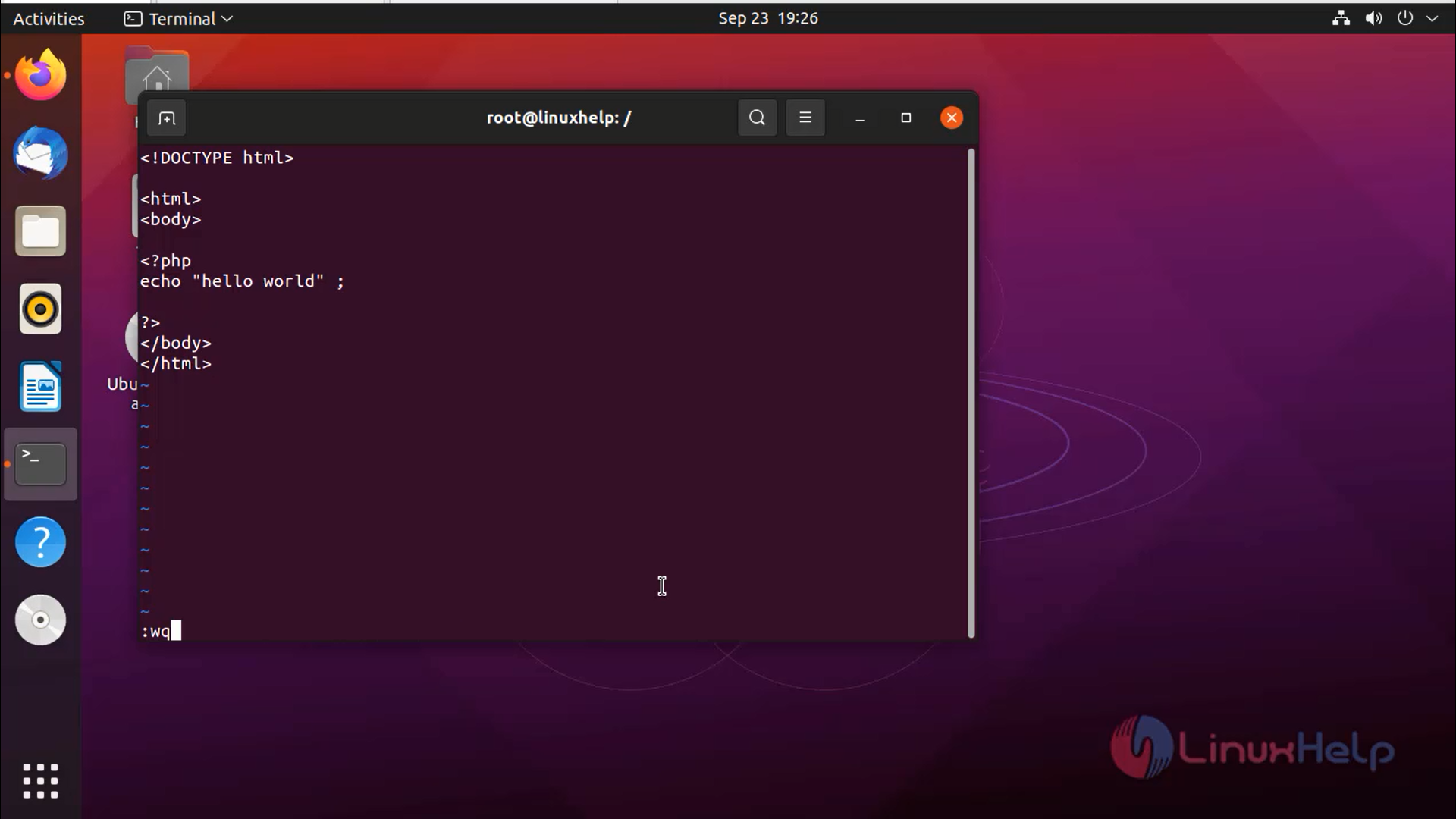
Create an php file
root@linuxhelp:/# vi /var/www/html/index.php
Opening by ping the IP in browser
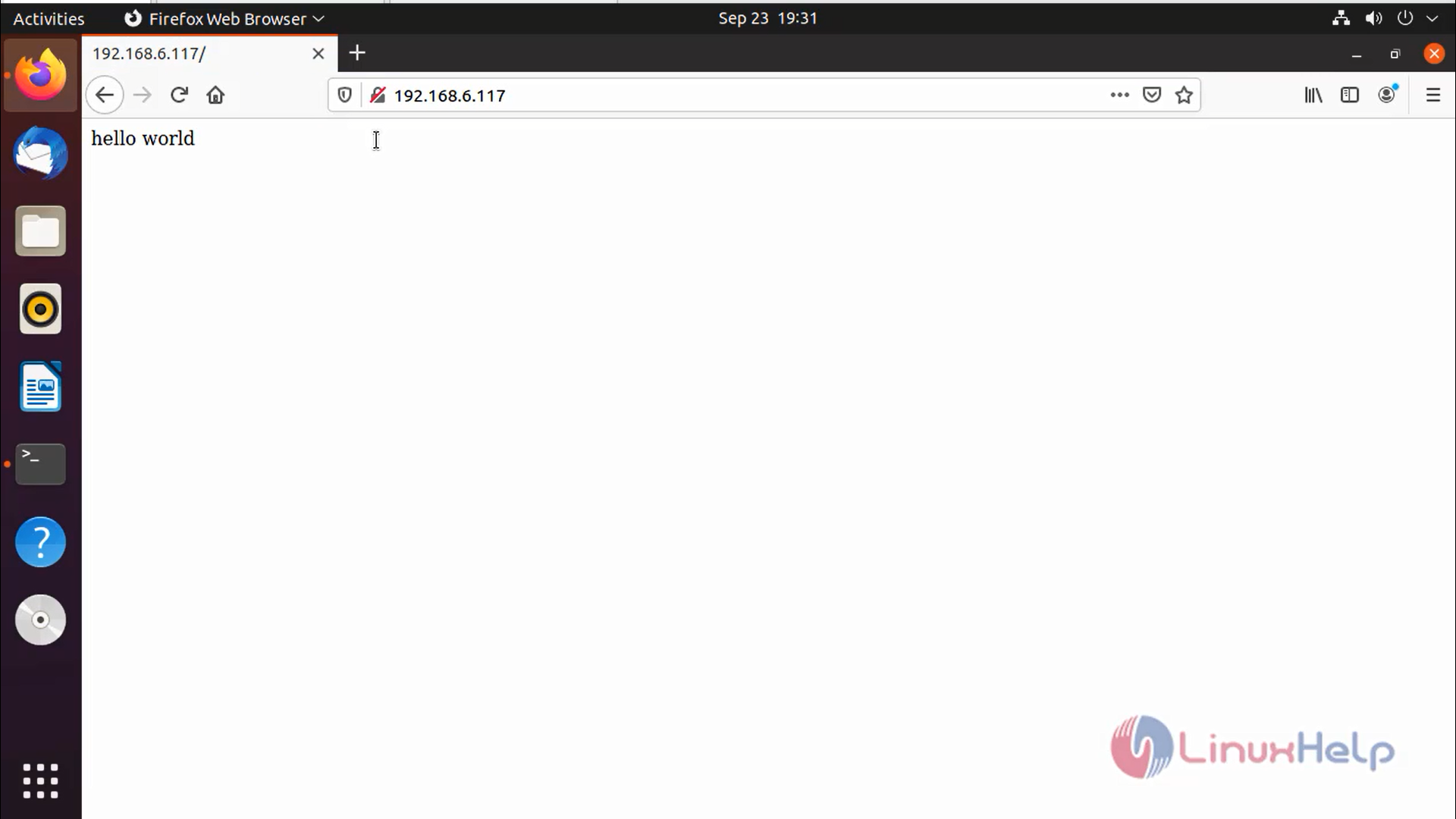
With this method, the installation of LAMP setup is comes to end.
Comments ( 0 )
No comments available