• Categories
    Category
    {{ postCtrl.tags }}
    • {{ category.tag_type }}

      • {{tag.tag_name}}
      • View more
  • Categories
    Category
    {{ postCtrl.tags }}
    • {{ category.tag_type }}

      • {{tag.tag_name}}
      • View more
  • News
  • Tutorials
  • Forums
  • Tags
  • Users
Tutorial News Comments FAQ Related Articles

How to Install LAMP stack using Tasksel on Linux mint 18.3

{{postValue.id}}

To Install LAMP Stack Using Tasksel on Linux Mint 18.3

Tasksel is a command line utility for Debian based Linux systems for installing a group of packages. Using Tasksel you can install the following stack/server related packages like LAMP Server” , “ DNS Server” , “ Mail Server” and “ Tomcat Java server.” It is so simple to install AMP server using Tasksel on Linux Mint 18.3 and this tutorial covers the ground on the same process.


Installation

The tasksel package is available under default repositories so you can make use of the following command to install it.

linuxhelp ~ # apt-get install tasksel
Reading package lists... Done
Building dependency tree       
Reading state information... Done
The following additional packages will be installed:
  tasksel-data
The following NEW packages will be installed:
  tasksel tasksel-data
0 upgraded, 2 newly installed, 0 to remove and 273 not upgraded.
.
.
Selecting previously unselected package tasksel.
Preparing to unpack .../tasksel_3.34ubuntu3_all.deb ...
Unpacking tasksel (3.34ubuntu3) ...
Processing triggers for man-db (2.7.5-1) ...
Setting up tasksel (3.34ubuntu3) ...
Setting up tasksel-data (3.34ubuntu3) ...

Now start the tasksel by running the following command.

linuxhelp ~ # tasksel
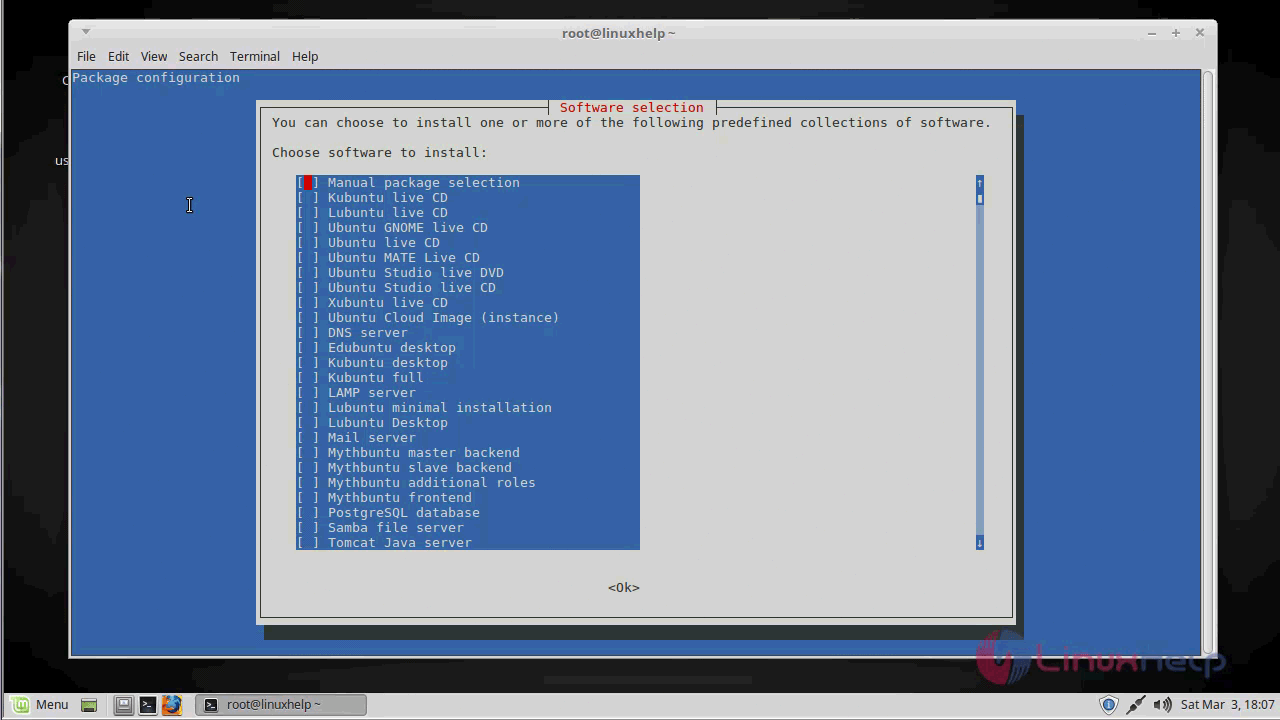
software_selection

Now, to install a LAMP package choose the lamp and click on Ok then the LAMP Must be installed on your system in few minutes.
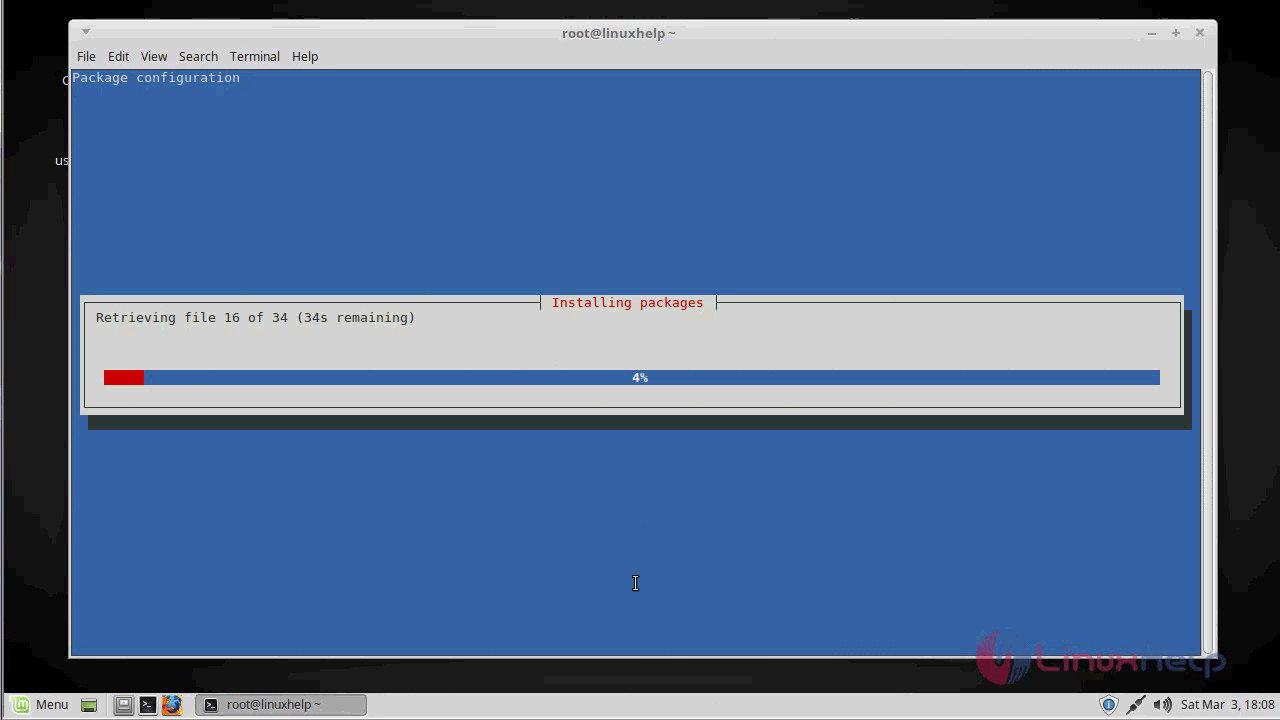
installing

Let’ s test the installation by testing apache installation, Go to the web browser and enter http://< ip-address> .
apache_page

Then let’ s try testing the PHP installation, Let’ s first create the phpinfo file.

linuxhelp ~ # vim /var/www/html/phpinfo.php
< ?php
  phpinfo() 
?> 
~                                                                                            
~   
.
.
" /var/www/html/phpinfo.php"  3L, 22C


Now go to the browser and enter the http://< ip-address> /phpinfo.php for confirming the php installation.

php_info

With this, the method to Install LAMP server using Tasksel on Linuxmint 18.3 comes to an end.

Tags:
aiden
Author: 

Comments ( 0 )

No comments available

Add a comment
{{postCtrl.cmtErrMsg}}

Frequently asked questions ( 5 )

Q

What's the modern equivalent to the LAMP stack for distributing software?

A

I'm not really sure what you are asking because anyone who could deploy software with PHP and MYSQL in "the old days" almost certainly does not qualify as "less technically minded people".

Q

The need of using the LAMP Stack using Tasksel

A

Tasksel is a command line utility for Debian based Linux systems for installing a group of packages. Using Tasksel you can install the following stack/server related packages like LAMP Server

Q

Any alternative

A

XAMPP, Bitnami LAMP stack, Appserv, OPEW, Zend Server Free Edition,

Q

What's the modern equivalent to the LAMP stack for distributing software?

A

I'm not really sure what you are asking because anyone who could deploy software with PHP and MYSQL in "the old days" almost certainly does not qualify as "less technically minded people".

Q

The need of using the LAMP Stack using Tasksel?

A

Tasksel is a command line utility for Debian based Linux systems for installing a group of packages. Using Tasksel you can install the following stack/server related packages like LAMP Server

Back To Top!
Rank
User
Points

Top Contributers

userNamenaveelansari
135850

Top Contributers

userNameayanbhatti
92510

Top Contributers

userNamehamzaahmed
32150

Top Contributers

1
userNamelinuxhelp
31040

Top Contributers

userNamemuhammadali
24500
Can you help Owen ?
How to add SSH key to my Gitlab account

I need to add the SSH key in my gitlab account. How to do so ????

Networking
  • Routing
  • trunk
  • Netmask
  • Packet Capture
  • domain
  • HTTP Proxy
Server Setup
  • NFS
  • KVM
  • Memory
  • Sendmail
  • WebDAV
  • LXC
Shell Commands
  • Cloud commander
  • Command line archive tools
  • last command
  • Shell
  • terminal
  • Throttle
Desktop Application
  • Linux app
  • Pithos
  • Retrospect
  • Scribe
  • TortoiseHg
  • 4Images
Monitoring Tool
  • Monit
  • Apache Server Monitoring
  • EtherApe 
  • Arpwatch Tool
  • Auditd
  • Barman
Web Application
  • Nutch
  • Amazon VPC
  • FarmWarDeployer
  • Rukovoditel
  • Mirror site
  • Chef
Contact Us | Terms of Use| Privacy Policy| Disclaimer
© 2025 LinuxHelp.com All rights reserved. Linux™ is the registered trademark of Linus Torvalds. This site is not affiliated with linus torvalds in any way.