How to Install Landing CMS on Ubuntu 20.4.1
- 00:36 lsb_release -a
- 00:52 wget https://github.com/Elias-Black/Landing-CMS/archive/0.0.6.zip
- 01:15 unzip 0.0.6.zip
- 01:36 mv Landing-CMS-0.0.6/ /var/www/landing
- 02:00 chown -R www-data.www-data /var/www/landing/
- 02:34 chmod -R 755 /var/www/landing/
- 02:56 vim /etc/apache2/sites-available/landing.conf
- 03:34 a2dissite 000-default.conf
- 03:57 a2ensite landing.conf
- 04:12 a2enmod rewrite
- 04:20 systemctl restart apache2
To Install Landing CMS on Ubuntu 20.4.1
Introduction:
Landing CMS is simple and cross-platform for management landing pages. It does not use any databases. In this tutorial, we will cover the installation of Landing CMS on Ubuntu20.4.1
Installation process:
Run lsb_release command to check the installed version of OS as follows.
root@linuxhelp:~# lsb_release -a
No LSB modules are available.
Distributor ID:	Ubuntu
Description:	Ubuntu 20.04.1 LTS
Release:	20.04
Codename:	focal
Download the landing cms package by using the wget command:
root@linuxhelp:~# wget https://github.com/Elias-Black/Landing-CMS/archive/0.0.6.zip
--2020-11-20 19:44:53--  https://github.com/Elias-Black/Landing-CMS/archive/0.0.6.zip
Resolving github.com (github.com)... 13.234.176.102
Connecting to github.com (github.com)|13.234.176.102|:443... connected.
HTTP request sent, awaiting response... 302 Found
Location: https://codeload.github.com/Elias-Black/Landing-CMS/zip/0.0.6 [following]
--2020-11-20 19:44:54--  https://codeload.github.com/Elias-Black/Landing-CMS/zip/0.0.6
Resolving codeload.github.com (codeload.github.com)... 13.127.152.42
Connecting to codeload.github.com (codeload.github.com)|13.127.152.42|:443... connected.
HTTP request sent, awaiting response... 200 OK
Length: unspecified [application/zip]
Saving to: ‘0.0.6.zip’
0.0.6.zip                            [          <=>                                              ]   2.25M  1.09MB/s    in 2.1s
2020-11-20 19:44:56 (1.09 MB/s) - ‘0.0.6.zip’ saved [2359509]
After the download is completed extract the download package using the unzip command
root@linuxhelp:~# unzip 0.0.6.zip
Archive:  0.0.6.zip
61d4ba5ff68cfe80e7f5a19d7d0e42d6c242acc0
   creating: Landing-CMS-0.0.6/
  inflating: Landing-CMS-0.0.6/LICENSE
  inflating: Landing-CMS-0.0.6/README.md
   creating: Landing-CMS-0.0.6/assets/
   creating: Landing-CMS-0.0.6/assets/_cms/
   creating: Landing-CMS-0.0.6/assets/_cms/css/
  inflating: Landing-CMS-0.0.6/assets/_cms/css/main.css
……………………………………………………………………..
…………………………………………………………………….
Move the landing cms directory to the Apache root directory
root@linuxhelp:~# mv Landing-CMS-0.0.6/ /var/www/landing
Set the ownership and permission for the Landing cms
root@linuxhelp:~# chown -R www-data.www-data /var/www/landing/
root@linuxhelp:~# chmod -R 755 /var/www/landing/
Create a new virtual host configuration for accessing the Landing cms
root@linuxhelp:~# vim /etc/apache2/sites-available/landing.conf
Disable default site access
root@linuxhelp:~# a2dissite 000-default.conf
Site 000-default disabled.
To activate the new configuration, you need to run:
  systemctl reload apache2
Enable the site access for landing cms
root@linuxhelp:~# a2ensite landing.conf
Enabling site landing.
To activate the new configuration, you need to run:
  systemctl reload apache2
Enable the rewrite module
root@linuxhelp:~# a2enmod rewrite
Enabling module rewrite.
To activate the new configuration, you need to run:
  systemctl restart apache2
After completing the above steps restart the Apache service by using the following command
root@linuxhelp:~# systemctl restart apache2
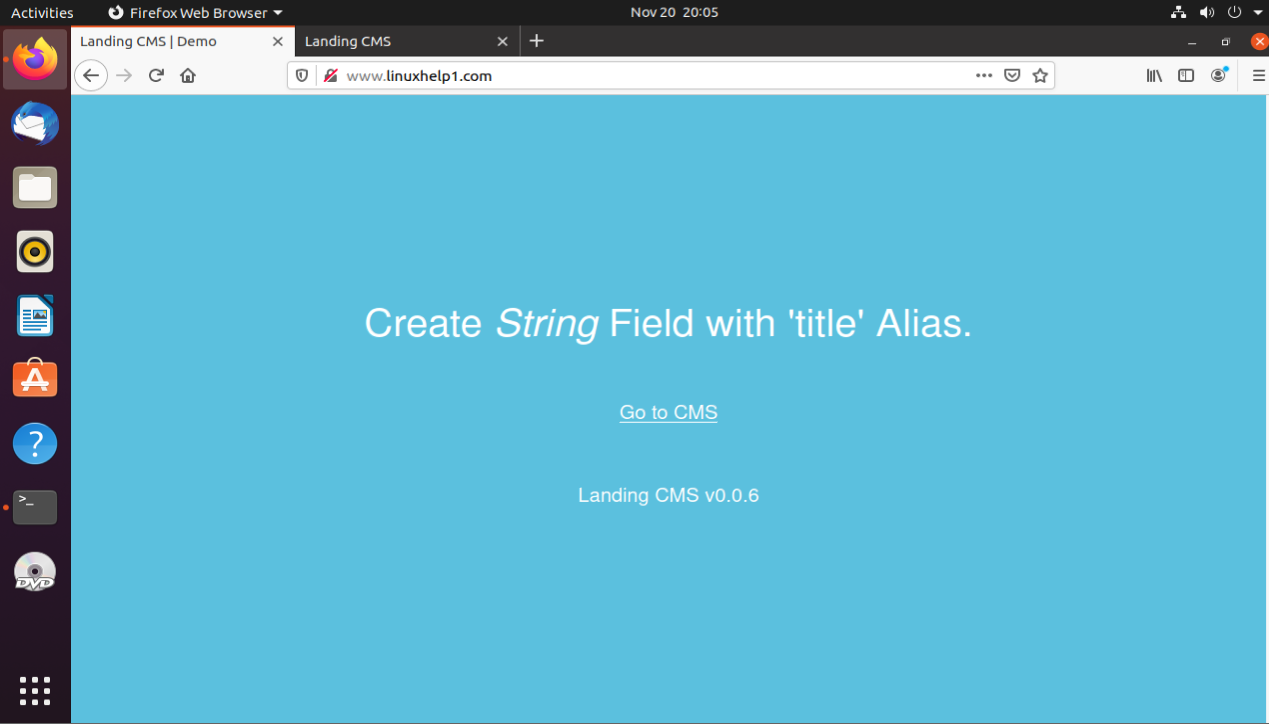
After completed the process, open the browser and type the domain name. It will show the Landing CMS DEMO page
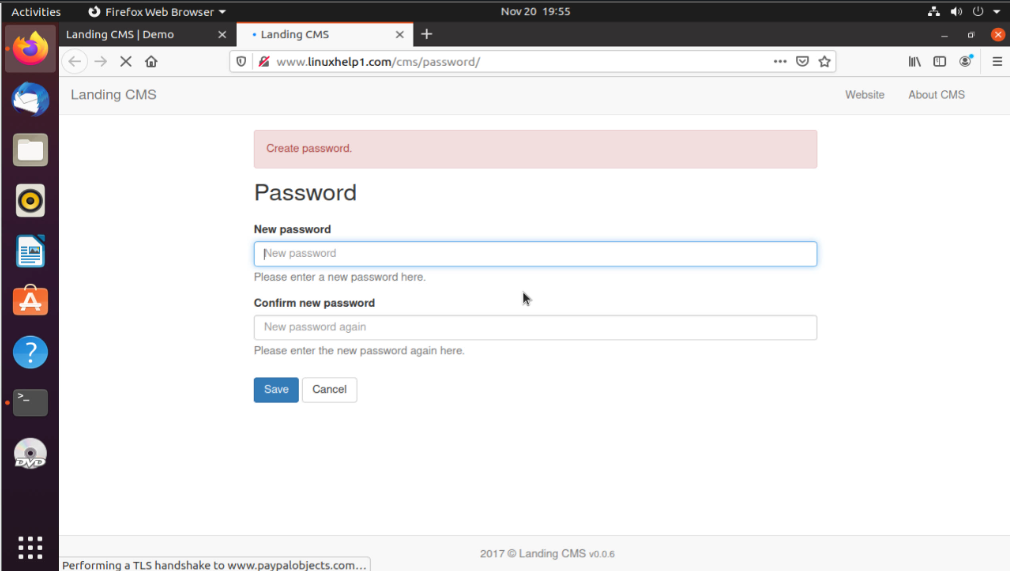
 Create a password for landing cms
 CLICK “GO TO CMS” TO OPEN LANDING CMS PAGE
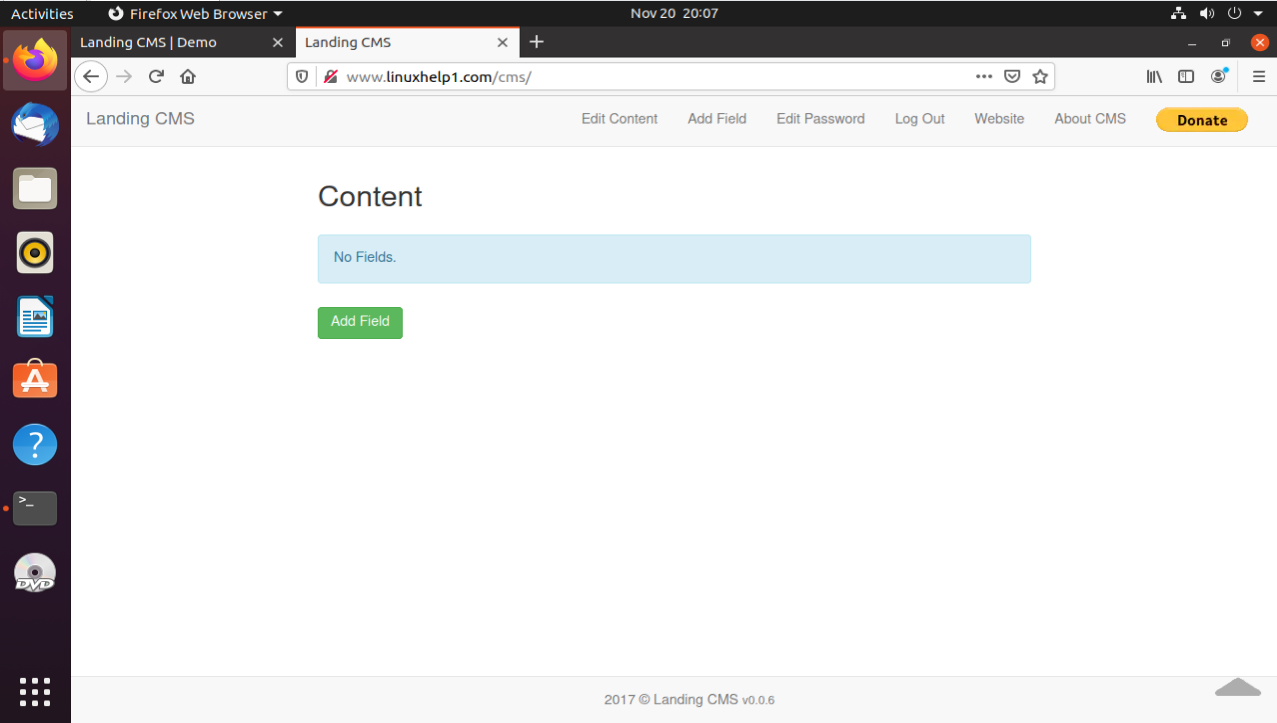
The process of Installation of Landing CMS on Ubuntu 20.4.1 comes to an end.
Comments ( 0 )
No comments available