How to install Landing CMS on Ubuntu 21.04
- 00:46 lsb_release -a
- 00:57 wget https://github.com/Elias-Black/Landing-CMS/archive/refs/heads/master.zip
- 01:06 unzip master.zip
- 01:19 mv Landing-CMS-master/ /var/www/land
- 01:38 chown -R www-data. /var/www/land
- 01:59 chmod -R 775 /var/www/land/
- 02:21 vi /etc/apache2/sites-available/land.conf
- 03:04 a2dissite 000-default.conf
- 03:26 a2ensite land.conf
- 03:43 systemctl restart apache2
- 03:57 vi /etc/hosts
To Install Landing CMS On Ubuntu 21.04
Introduction
CMS means content management system, a tool used by both professional designers and do-it-yourselfers to create and manage content on a website. Using an easy-to-use interface, enables users to manipulate their content. Landing CMS is a Flat CMS, meaning it does not run on a database.
Dependencies Apache Web Server PHP and its modules
Installation Procedure:
Step 1: Check the OS version by using the below command
root@linuxhelp:~# lsb_release -a
No LSB modules are available.
Distributor ID:	Ubuntu
Description:	Ubuntu 21.04
Release:	21.04
Codename:	hirsute
Step 2: Download the Landing CMS by using wget command
root@linuxhelp:~# wget https://github.com/Elias-Black/Landing-CMS/archive/refs/heads/master.zip
--2021-12-16 20:51:00--  https://github.com/Elias-Black/Landing-CMS/archive/refs/heads/master.zip
Resolving github.com (github.com)... 13.234.210.38
Connecting to github.com (github.com)|13.234.210.38|:443... connected.
HTTP request sent, awaiting response... 302 Found
Location: https://codeload.github.com/Elias-Black/Landing-CMS/zip/refs/heads/master [following]
--2021-12-16 20:51:00--  https://codeload.github.com/Elias-Black/Landing-CMS/zip/refs/heads/master
Resolving codeload.github.com (codeload.github.com)... 13.127.152.42

Connecting to codeload.github.com (codeload.github.com)|13.127.152.42|:443... connected.
HTTP request sent, awaiting response... 200 OK
Length: unspecified [application/zip]
Saving to: ‘master.zip’

master.zip                       [   <=>                                      ]   2.25M  5.51MB/s    in 0.4s

2021-12-16 20:51:01 (5.51 MB/s) - ‘master.zip’ saved [2360796]
Step 3: Extract the downloaded file by using the below command
root@linuxhelp:~# unzip master.zip
 inflating: Landing-CMS-master/cms/_templates/fields/input_file_uploader.php
  inflating: Landing-CMS-master/cms/_templates/fields/input_text.php
  inflating: Landing-CMS-master/cms/_templates/fields/textarea_html.php
  inflating: Landing-CMS-master/cms/_templates/fields/textarea_text.php
   creating: Landing-CMS-master/cms/_templates/forms/
  inflating: Landing-CMS-master/cms/_templates/forms/add-edit-copy_field.php
  inflating: Landing-CMS-master/cms/_templates/forms/login.php
  inflating: Landing-CMS-master/cms/_templates/forms/main.php
  inflating: Landing-CMS-master/cms/_templates/forms/password.php
  inflating: Landing-CMS-master/cms/_templates/index.php
   creating: Landing-CMS-master/cms/add-field/
  inflating: Landing-CMS-master/cms/add-field/index.php
   creating: Landing-CMS-master/cms/copy-field/
  inflating: Landing-CMS-master/cms/copy-field/index.php
   creating: Landing-CMS-master/cms/edit-field/
  inflating: Landing-CMS-master/cms/edit-field/index.php
  inflating: Landing-CMS-master/cms/index.php
   creating: Landing-CMS-master/cms/login/

inflating: Landing-CMS-master/cms/login/index.php
   creating: Landing-CMS-master/cms/password/
  inflating: Landing-CMS-master/cms/password/index.php
  inflating: Landing-CMS-master/index.php
  inflating: Landing-CMS-master/install.php
   creating: Landing-CMS-master/modules/
  inflating: Landing-CMS-master/modules/rand_num.php
  inflating: Landing-CMS-master/robots.txt
Step 4: Move the extracted file to the apache home directory by using the below command
root@linuxhelp:~# mv Landing-CMS-master/ /var/www/land
Step 5: Change ownership of land directory by using the below command
root@linuxhelp:~# chown -R www-data. /var/www/land
Step 6: Change Permission of land directory by using the below command
root@linuxhelp:~# chmod -R 775 /var/www/land/
Step 7: Create virtual host for landing CMS by using the below command
root@linuxhelp:~# vi /etc/apache2/sites-available/land.conf
Step 8: Disable the default virtual host by using the below command
root@linuxhelp:~# a2dissite 000-default.conf
Site 000-default disabled.
To activate the new configuration, you need to run:
  systemctl reload apache2
Step 9: Enable the virtual host of landing CMS by using the below command
root@linuxhelp:~# a2ensite land.conf
Enabling site land.
To activate the new configuration, you need to run:
  systemctl reload apache2
Step 10: Restart the apache web server by using the below command
root@linuxhelp:~# systemctl restart apache2
Step 11: Create the host entry by using the below command
root@linuxhelp:~# vi /etc/hosts
192.168.6.115  www.linuxhelp1.com
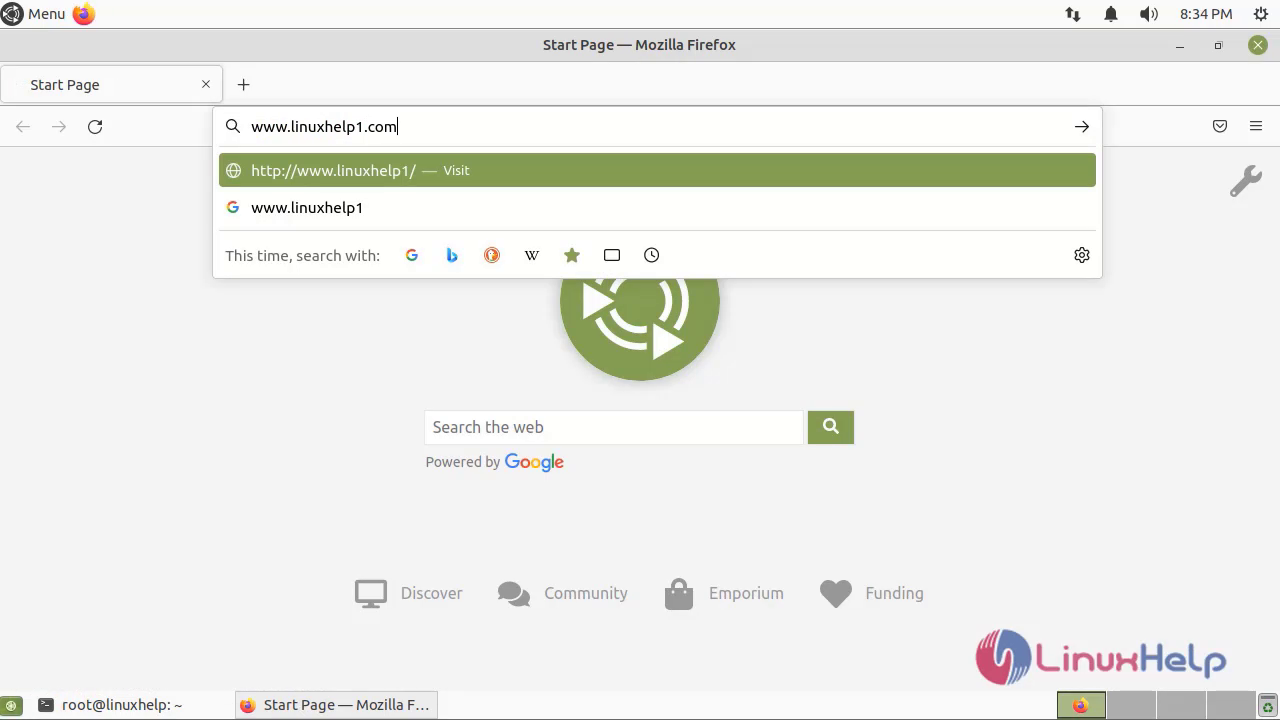
Step 12: Ping servername in browser as shown in the below image
Step 13: Create a password and login as shown in the below image
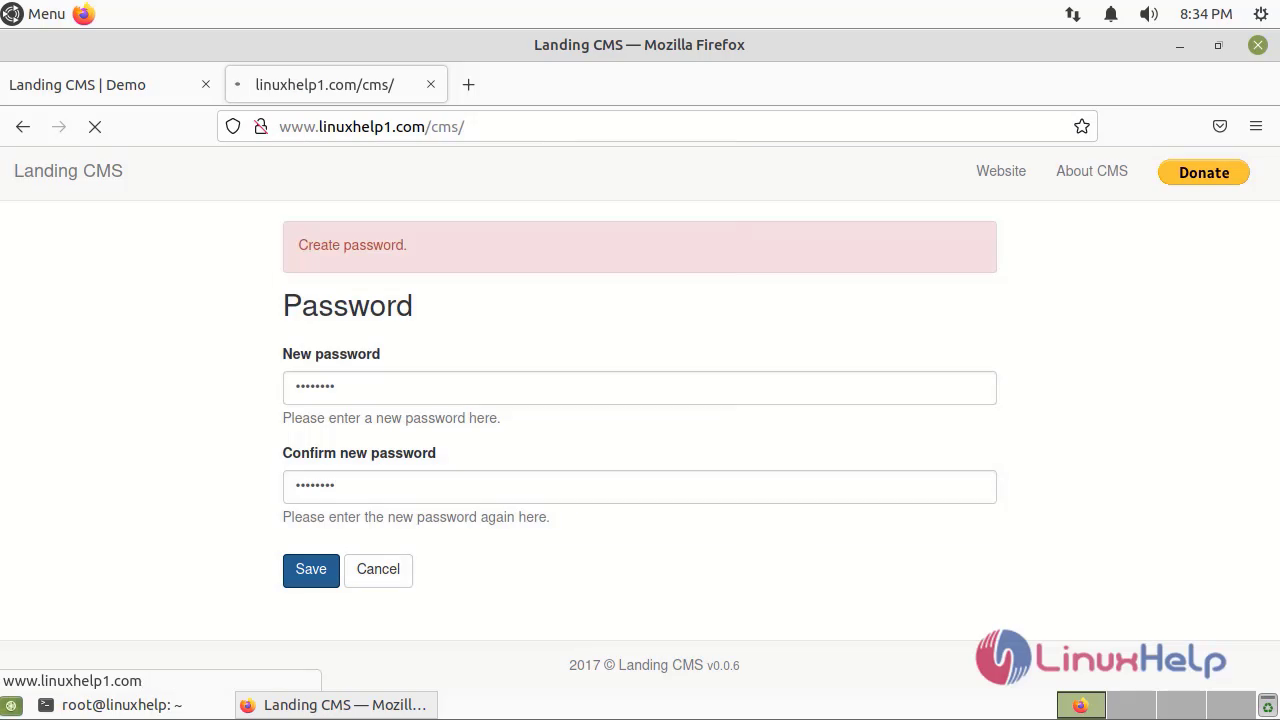
By this to install Landing CMS on Ubuntu 21.04 has been completed
Comments ( 0 )
No comments available