• Categories
    Category
    {{ postCtrl.tags }}
    • {{ category.tag_type }}

      • {{tag.tag_name}}
      • View more
  • Categories
    Category
    {{ postCtrl.tags }}
    • {{ category.tag_type }}

      • {{tag.tag_name}}
      • View more
  • News
  • Tutorials
  • Forums
  • Tags
  • Users
Tutorial News Comments FAQ Related Articles

How to install Latest version MPV Media Player on Ubuntu 16.04

{{postValue.id}}

How to install Latest version MPV Media Player on Ubuntu 16.04

MPV is a Ubuntu Video player based on MPlayer/mplayer2. It supports a wide variety of video file formats, audio and video codecs, and subtitle types. In this tutorial we are going to show installation of latest MPV Media Player (FFmpeg version) in Ubuntu 16.04.

Features

  • High quality video output &ndash The mpv has a OpenGL based video output that is capable of many features, such as video scaling, color management, frame timing, interpolation, and many more.
  • Streamlined CLI options &ndash MPlayer’ s options parser was improved to behave more like other CLI programs, and many option names and semantics were reworked.
  • GPU video decoding &ndash mpv leverages the FFmpeg hwaccel APIs to support VDPAU, VAAPI, DXVA2, VDA and VideoToolbox video decode acceleration.
  • On Screen Controller &ndash While mpv has no official GUI, it has a small controller that is triggered by mouse movement.

1. Add the mpv player package into repository via ppa.

root@linuxhelp:/home/user1# add-apt-repository ppa:mc3man/mpv-tests
More info: https://launchpad.net/~mc3man/+archive/ubuntu/mpv-tests
Press [ENTER] to continue or ctrl-c to cancel adding it
.
.
.
gpg: no ultimately trusted keys found
gpg: Total number processed: 1
gpg:               imported: 1  (RSA: 1)
OK

2. Update the machine to the added repository.

root@linuxhelp:/home/user1# apt-get update
Hit:1 http://in.archive.ubuntu.com/ubuntu xenial InRelease
Hit:2 http://security.ubuntu.com/ubuntu xenial-security InRelease                            
Get:3 http://ppa.launchpad.net/mc3man/mpv-tests/ubuntu xenial InRelease [17.6 kB]
.
.
.
Get:9 http://ppa.launchpad.net/mc3man/mpv-tests/ubuntu xenial/main Translation-en [2,792 B]
Fetched 31.9 kB in 1s (29.5 kB/s)        
Reading package lists... Done

3. Install the MPV package by entering the below command.

root@linuxhelp:/home/user1# apt-get install mpv
Reading package lists... Done
Building dependency tree      
Reading state information... Done
The following additional packages will be installed:
  i965-va-driver libaacs0 libaec0 libbdplus0 libbluray1 libbs2b0 libdvdnav4 libdvdread4 libfdk-aac1
.
.
.
Setting up va-driver-all:amd64 (1.7.3-1~xenial) ...
Setting up vdpau-driver-all:amd64 (1.1.1-3ubuntu1) ...
Processing triggers for libc-bin (2.23-0ubuntu3) ...

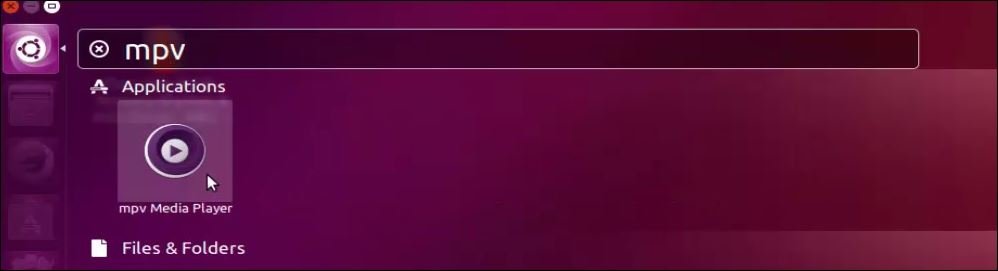
4. Open the MPV media player from Ubuntu dashboard.
ubuntu_dashboard

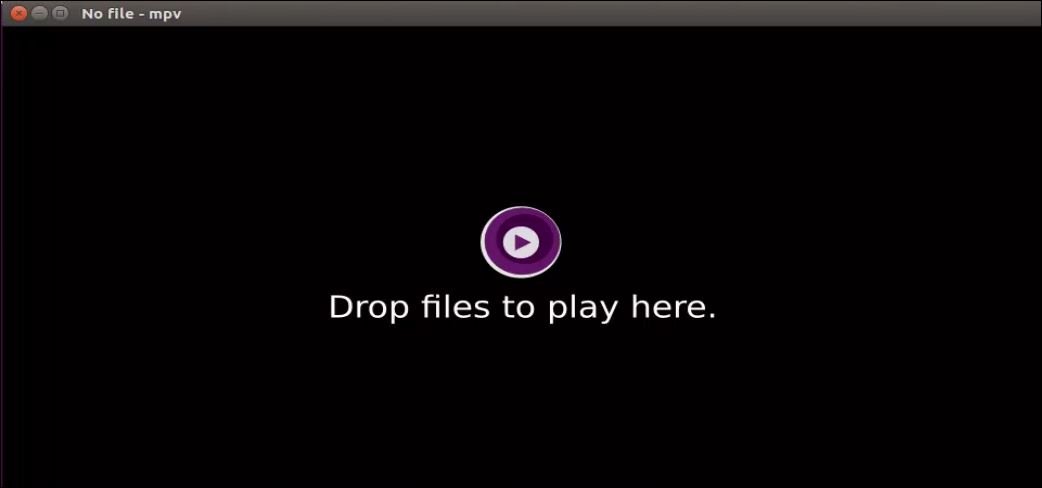
5. Drop files in the MPV player to play the audio or video content.
drop_files

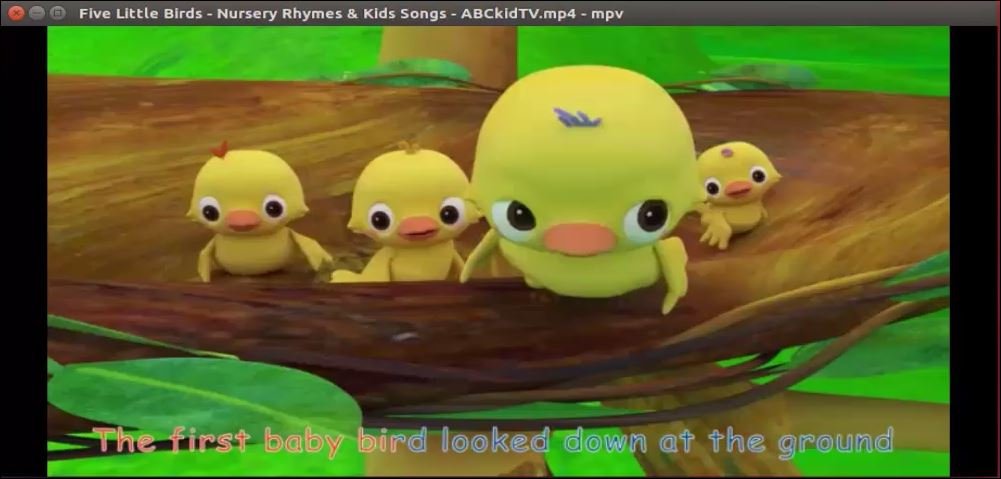
6. The audio or video content is being played successfully.
video_file

Tags:
matthew
Author: 

Comments ( 0 )

No comments available

Add a comment
{{postCtrl.cmtErrMsg}}

Frequently asked questions ( 5 )

Q

Do they have onscreen controller?

A

Yes they do have On Screen Controller – While mpv has no official GUI, it has a small controller that is triggered by mouse movement.

Q

Installation steps for MPV in debian jessie?

A

Almost same but instead of adding ppa you need to add repository in /etc/apt/sources.list

Q

What is the lastest version of ffmpeg or something else?

A

latest MPV Media Player (FFmpeg version is 12.0)

Q

what are all the features of installing Latest version MPV Media Player on Ubuntu?

A

High quality video output &ndash The mpv has a OpenGL based video output that is capable of many features, such as video scaling, color management, frame timing, interpolation, and many more.


Streamlined CLI options &ndash MPlayer&rsquo s options parser was improved to behave more like other CLI programs, and many option names and semantics were reworked.


GPU video decoding &ndash mpv leverages the FFmpeg hwaccel APIs to support VDPAU, VAAPI, DXVA2, VDA and VideoToolbox video decode acceleration.


On Screen Controller &ndash While mpv has no official GUI, it has a small controller that is triggered by mouse movement.

Q

how to add the repo for MPV media player in ubuntu?

A

Add the mpv player package into repository via ppa using following command
# add-apt-repository ppa:mc3man/mpv-tests

Back To Top!
Rank
User
Points

Top Contributers

userNamenaveelansari
135850

Top Contributers

userNameayanbhatti
92510

Top Contributers

userNamehamzaahmed
32150

Top Contributers

1
userNamelinuxhelp
31040

Top Contributers

userNamemuhammadali
24500
Can you help Luke ?
workbench for debian

I am using workbench in CentOS whereas now I need to use Debian Operating system so could you please help to install and use in Debian?

Networking
  • Routing
  • trunk
  • Netmask
  • Packet Capture
  • domain
  • HTTP Proxy
Server Setup
  • NFS
  • KVM
  • Memory
  • Sendmail
  • WebDAV
  • LXC
Shell Commands
  • Cloud commander
  • Command line archive tools
  • last command
  • Shell
  • terminal
  • Throttle
Desktop Application
  • Linux app
  • Pithos
  • Retrospect
  • Scribe
  • TortoiseHg
  • 4Images
Monitoring Tool
  • Monit
  • Apache Server Monitoring
  • EtherApe 
  • Arpwatch Tool
  • Auditd
  • Barman
Web Application
  • Nutch
  • Amazon VPC
  • FarmWarDeployer
  • Rukovoditel
  • Mirror site
  • Chef
Contact Us | Terms of Use| Privacy Policy| Disclaimer
© 2025 LinuxHelp.com All rights reserved. Linux™ is the registered trademark of Linus Torvalds. This site is not affiliated with linus torvalds in any way.