• Categories
    Category
    {{ postCtrl.tags }}
    • {{ category.tag_type }}

      • {{tag.tag_name}}
      • View more
  • Categories
    Category
    {{ postCtrl.tags }}
    • {{ category.tag_type }}

      • {{tag.tag_name}}
      • View more
  • News
  • Tutorials
  • Forums
  • Tags
  • Users
Tutorial News Comments FAQ Related Articles

How to install Latexila editor in Ubuntu

{{postValue.id}}

To install Latexila editor in Ubuntu

LaTeXila is an free editor that allows you to compile, convert and view documents on GNOME desktop. It works with the Latex command and edits document easily. Installation of Latexila is explained in this manual.


Features

  • Customization buttons to build, view and convert documents
  • Provides graphical lists of symbols for easy insertion
  • Contains templates for new document creation.
  • Project management
  • Does auto-completion of (La)TeX commands

To install Latexila

Run the following command to add the latexila package into repository.

root@linuxhelp:~# add-apt-repository ppa:latexila/ppa 
 Here you can find the latest stable version of LaTeXila.
Press [ENTER] to continue or ctrl-c to cancel adding it
.
.
.
gpg: requesting key E9FF11F6 from hkp server keyserver.ubuntu.com
gpg: /tmp/tmph5hr166w/trustdb.gpg: trustdb created
gpg: key E9FF11F6: public key " Launchpad PPA for LaTeXila"  imported
gpg: Total number processed: 1
gpg:               imported: 1  (RSA: 1)
OK


Update the machine by running the following command.

root@linuxhelp:~# apt-get update 
Hit:1 http://in.archive.ubuntu.com/ubuntu xenial InRelease
Hit:2 http://security.ubuntu.com/ubuntu xenial-security InRelease
Ign:3 http://ppa.launchpad.net/latexila/ppa/ubuntu xenial InRelease     
Hit:4 http://in.archive.ubuntu.com/ubuntu xenial-updates InRelease      
Ign:5 http://ppa.launchpad.net/latexila/ppa/ubuntu xenial Release      
.
.
.
Ign:11 http://ppa.launchpad.net/latexila/ppa/ubuntu xenial/main Translation-en
Ign:12 http://ppa.launchpad.net/latexila/ppa/ubuntu xenial/main amd64 DEP-11 Metadata
Ign:13 http://ppa.launchpad.net/latexila/ppa/ubuntu xenial/main DEP-11 64x64 Icons
Reading package lists... Done


Run the following command to install the latexila package.

root@linuxhelp:~# apt-get install latexila 
Reading package lists... Done
Building dependency tree       
Reading state information... Done
The following packages were automatically installed and are no longer required:
  libpango1.0-0 libpangox-1.0-0
.
.
.
Running mktexlsr. This may take some time... done.
Setting up libruby2.3:amd64 (2.3.1-2~16.04) ...
Setting up ruby2.3 (2.3.1-2~16.04) ...
Setting up ruby (1:2.3.0+1) ...
Setting up rake (10.5.0-2) ...
Processing triggers for libc-bin (2.23-0ubuntu3) ...


Now check the version of Latexila by using the following command.

root@linuxhelp:~# latexila -V 
LaTeXila 3.16.1


Open the latexila editor through command-prompt by running the following command.

root@linuxhelp:~# latexila 
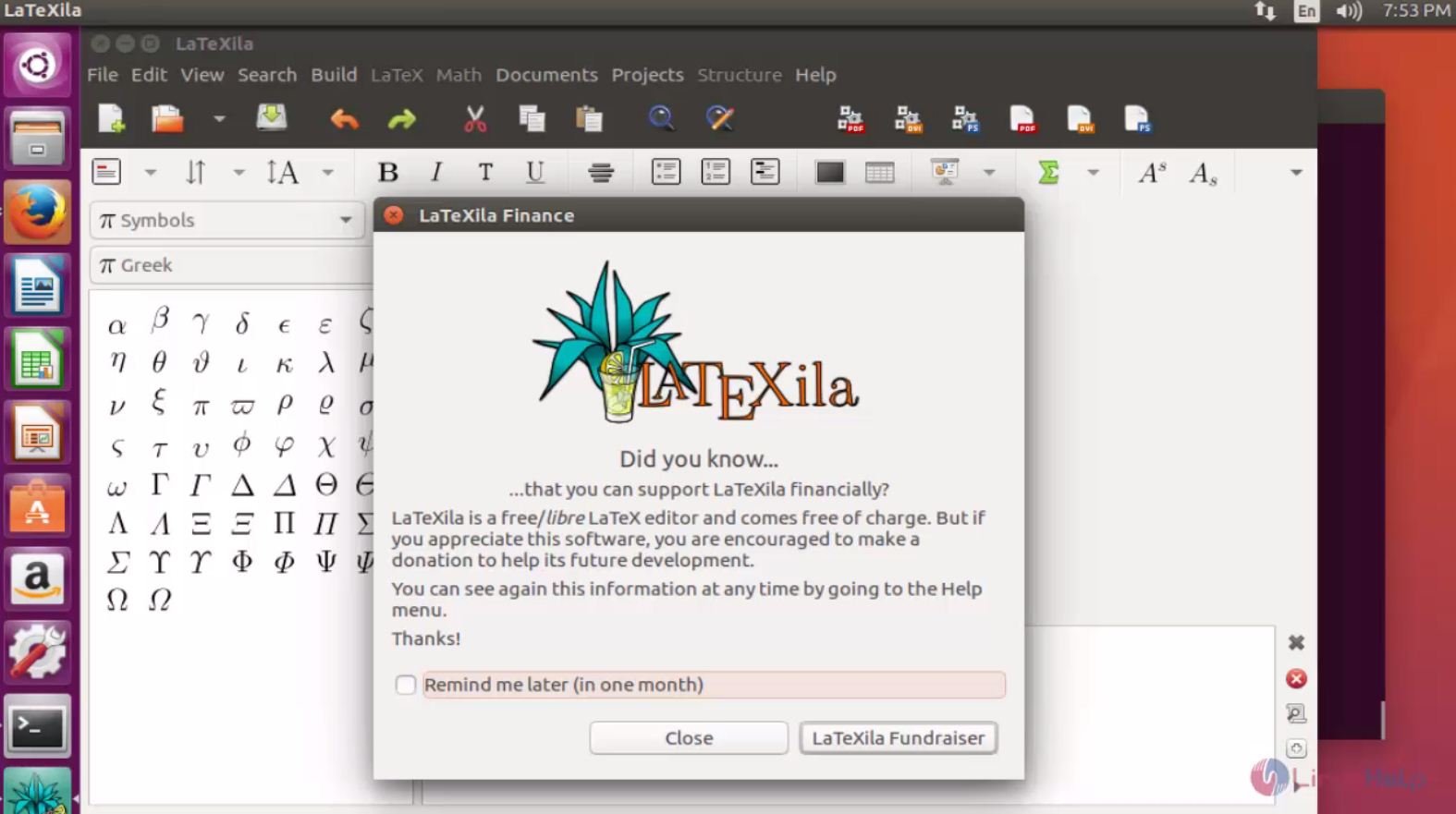

Latexila

Start creating documents using Latexila editor.
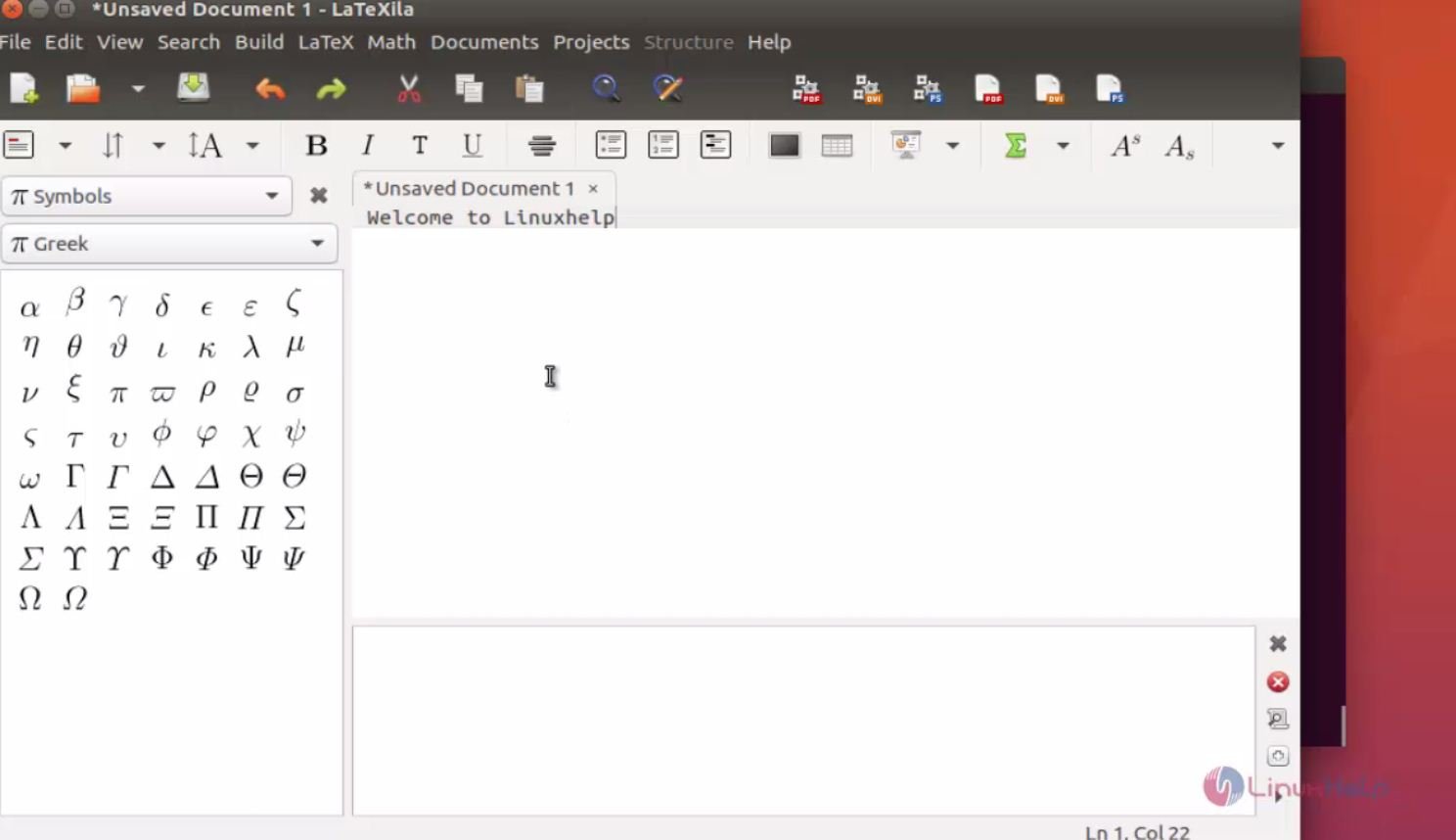
Latexila_Editor

Tags:
sebastian
Author: 

Comments ( 0 )

No comments available

Add a comment
{{postCtrl.cmtErrMsg}}

Frequently asked questions ( 5 )

Q

Whether its possible to Customize fonts into the Latexila editor?

A

No, its possible to Customize fonts into the Latexila editor.

Q

What is the Alternative for Latexila?

A

Some of the alternatives are
LyX,
TeXstudio,
Texmaker,
Overleaf,
Authorea,
TeXnicCenter

Q

Whether its possible to install Latexila on windows?

A

Yes, its possible to install Latexila on windows by checking the own website.

Q

What are the main features of Latexilla?

A

LaTeXila supports to use mathematics in the editor.

Q

How to convert the file format from .tex to .rtf?

A

LaTeXila saves your work in the standard “.tex” format which we can use to build a “rich text format” document that we can open with a word editor like LibreOffice. To do this, we need to install a package named “latex2rtf” which is available in all distributions. We then hop into the file destination, open a terminal there and type “latex2rtf filename”

Back To Top!
Rank
User
Points

Top Contributers

userNamenaveelansari
135850

Top Contributers

userNameayanbhatti
92510

Top Contributers

userNamehamzaahmed
32150

Top Contributers

1
userNamelinuxhelp
31040

Top Contributers

userNamemuhammadali
24500
Can you help Ganesh Konka ?
Zentya 6.1 http proxy configuration

please send link for creating zentyal 6.1 for http proxy and firewall as gateway.

Networking
  • Routing
  • trunk
  • Netmask
  • Packet Capture
  • domain
  • HTTP Proxy
Server Setup
  • NFS
  • KVM
  • Memory
  • Sendmail
  • WebDAV
  • LXC
Shell Commands
  • Cloud commander
  • Command line archive tools
  • last command
  • Shell
  • terminal
  • Throttle
Desktop Application
  • Linux app
  • Pithos
  • Retrospect
  • Scribe
  • TortoiseHg
  • 4Images
Monitoring Tool
  • Monit
  • Apache Server Monitoring
  • EtherApe 
  • Arpwatch Tool
  • Auditd
  • Barman
Web Application
  • Nutch
  • Amazon VPC
  • FarmWarDeployer
  • Rukovoditel
  • Mirror site
  • Chef
Contact Us | Terms of Use| Privacy Policy| Disclaimer
© 2025 LinuxHelp.com All rights reserved. Linux™ is the registered trademark of Linus Torvalds. This site is not affiliated with linus torvalds in any way.