How to Install LightWorks on Linuxmint 18.03
{{postValue.id}}
To Install LightWorks on Linuxmint 18.03
Light works is a full-featured non-linear fast editing app with all the power and performance. Light works support several formats and its Pro version is used by several top professional editors. It is supported for all major operating system such us Linux, Microsoft Windows and mac os.with this, the method to install LightWorks on Linuxmint-18.03 comes to an end.
Installation
Download the light works package by using wget command.
linuxhelp ~ # wget https://downloads.lwks.com/v14/lwks-14.0.0-amd64.deb
--2018-07-09 07:41:30--  https://downloads.lwks.com/v14/lwks-14.0.0-amd64.deb
Resolving downloads.lwks.com (downloads.lwks.com)... 64.64.4.94
Connecting to downloads.lwks.com (downloads.lwks.com)|64.64.4.94|:443... connected.
HTTP request sent, awaiting response... 200 OK
Length: 65869132 (63M) [application/x-debian-package]
Saving to: ‘;lwks-14.0.0-amd64.deb’;
lwks-14.0.0-amd64.deb     100%[=====================================>]  62.82M  1.11MB/s    in 60s
2018-07-09 07:42:31 (1.05 MB/s) - ‘;lwks-14.0.0-amd64.deb’; saved [65869132/65869132]
Install the Light works application by using gdebi command.
linuxhelp ~ # gdebi lwks-14.0.0-amd64.deb
Reading package lists... Done
Building dependency tree
Reading state information... Done
Reading state information... Done
Requires the installation of the following packages: freeglut3 libcg libcggl libpango1.0-0 libportaudiocpp0 nvidia-cg-dev nvidia-cg-toolkit

Hollywood-strength editing for everyone
 Lightworks is the fastest, most accessible and focused NLE in the industry,
 because it is based on the  simple idea that the editor, not the computer
 industry, knows what’;s best. The latest release of Lightworks is based on
 the cumulative knowledge from twenty years of top-flight editing.
Do you want to install the software package? [y/N]:y
Get:1 http://archive.ubuntu.com/ubuntu xenial/universe amd64 freeglut3 amd64 2.8.1-2 [73.4 kB]
.
.
.
Selecting previously unselected package lightworks.
(Reading database ... 225470 files and directories currently installed.)
Preparing to unpack lwks-14.0.0-amd64.deb ...
Unpacking lightworks (14.0.0.0) ...
Setting up lightworks (14.0.0.0) ...
Processing triggers for desktop-file-utils (0.22+linuxmint1) ...
Processing triggers for mime-support (3.59ubuntu1) ...
Processing triggers for fontconfig (2.11.94-0ubuntu1.1) ...
Once Installation is done you can access the application from the Menu as shown here

Now, you can able to use the Light work's application.
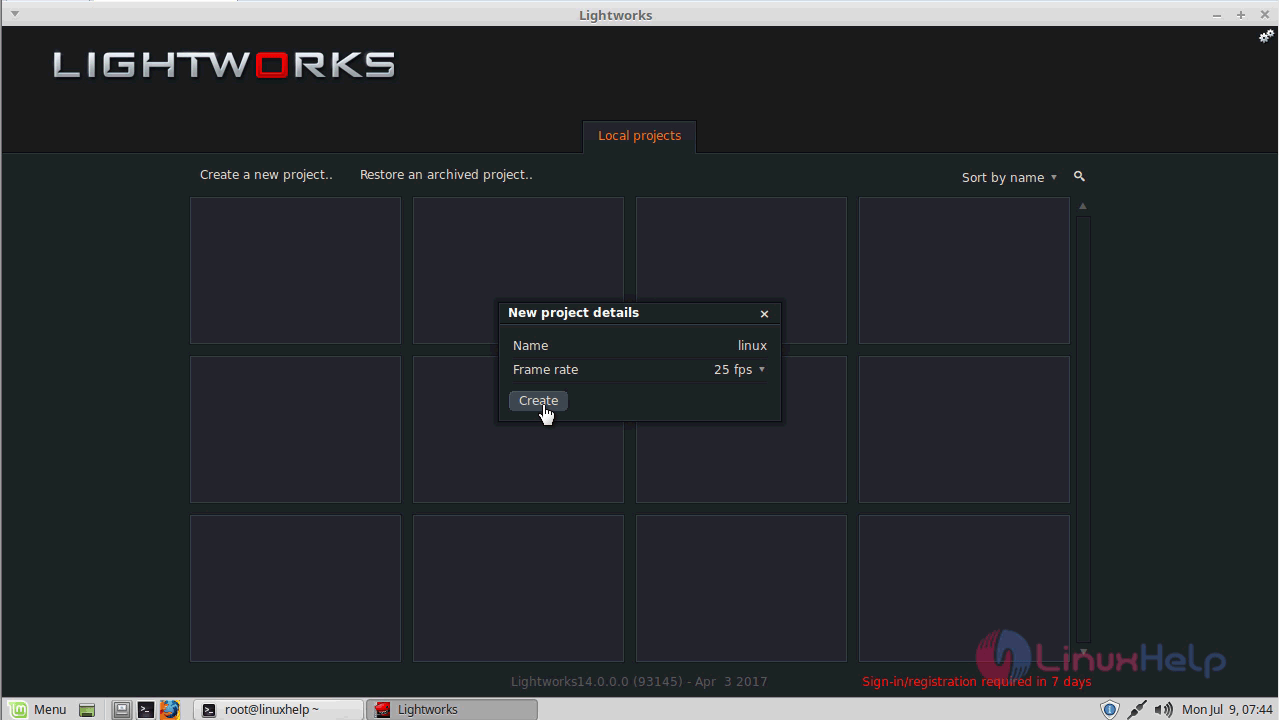

with this, the method to install Light works on Linuxmint-18.03 comes to an end.
Comments ( 0 )
No comments available