How to install LightZone in Ubuntu
To install LightZone in Ubuntu
Light Zone is a digital darkroom software used to edit raw photos and downloaded images in Linux distributions. It is a non-destructive editor that enables the users to copy the batch of photos at single click. Users can build up a stack of tools that can be rearranged, readjusted and turned off & on. Installation of LightZone in Ubuntu is discussed in this article.
Installation of LightZone
First add the lightzone repo file by using “ add-apt-repository” command.
root@linuxhelp:~# add-apt-repository ppa:otto-kesselgulasch/lightzone

 More info: https://launchpad.net/~otto-kesselgulasch/+archive/ubuntu/lightzone
Press [ENTER] to continue or ctrl-c to cancel adding it

gpg: keyring `/tmp/tmp4huamqo8/secring.gpg'  created
gpg: keyring `/tmp/tmp4huamqo8/pubring.gpg'  created
gpg: requesting key 614C4B38 from hkp server keyserver.ubuntu.com
gpg: /tmp/tmp4huamqo8/trustdb.gpg: trustdb created
gpg: key 614C4B38: public key " Launchpad otto06217"  imported
gpg: no ultimately trusted keys found
gpg: Total number processed: 1
gpg:               imported: 1  (RSA: 1)
OK
Update your apt source with the " apt-get update" command.
root@linuxhelp:~# apt-get update
Hit:1 http://in.archive.ubuntu.com/ubuntu xenial InRelease
Get:2 http://in.archive.ubuntu.com/ubuntu xenial-updates InRelease [95.7 kB]
Get:3 http://security.ubuntu.com/ubuntu xenial-security InRelease [94.5 kB]
Hit:4 http://ppa.launchpad.net/atareao/sunflower/ubuntu xenial InRelease
Hit:5 http://ppa.launchpad.net/dhor/myway/ubuntu xenial InRelease
Hit:6 http://ppa.launchpad.net/djcj/hybrid/ubuntu xenial InRelease
Get:7 http://ppa.launchpad.net/elementary-os/daily/ubuntu xenial InRelease [17.5 kB]
Hit:8 http://in.archive.ubuntu.com/ubuntu xenial-backports InRelease
Hit:9 http://ppa.launchpad.net/enlightenment-git/ppa/ubuntu xenial InRelease
Hit:10 http://ppa.launchpad.net/forkotov02/ppa/ubuntu xenial InRelease
Hit:11 http://ppa.launchpad.net/gns3/ppa/ubuntu xenial InRelease
Hit:12 http://ppa.launchpad.net/me-davidsansome/clementine/ubuntu xenial InRelease
Hit:13 http://ppa.launchpad.net/mystic-mirage/komodo-edit/ubuntu xenial InRelease
Get:14 http://ppa.launchpad.net/otto-kesselgulasch/lightzone/ubuntu xenial InRelease [17.5 kB]
Hit:15 http://ppa.launchpad.net/starws-box/deadbeef-player/ubuntu xenial InRelease
Hit:16 http://ppa.launchpad.net/team-xbmc/unstable/ubuntu xenial InRelease
Hit:17 http://ppa.launchpad.net/teejee2008/ppa/ubuntu xenial InRelease
Hit:18 http://ppa.launchpad.net/wereturtle/ppa/ubuntu xenial InRelease
Get:19 http://ppa.launchpad.net/elementary-os/daily/ubuntu xenial/main amd64 Packages [42.3 kB]
Ign:20 https://www.arangodb.com/repositories/arangodb3/xUbuntu_16.04  InRelease
Hit:21 https://www.arangodb.com/repositories/arangodb3/xUbuntu_16.04  Release
Get:22 http://ppa.launchpad.net/elementary-os/daily/ubuntu xenial/main i386 Packages [42.3 kB]
Get:23 http://ppa.launchpad.net/otto-kesselgulasch/lightzone/ubuntu xenial/main amd64 Packages [564 B]
Get:25 http://ppa.launchpad.net/otto-kesselgulasch/lightzone/ubuntu xenial/main i386 Packages [564 B]
Get:26 http://ppa.launchpad.net/otto-kesselgulasch/lightzone/ubuntu xenial/main Translation-en [516 B]
Fetched 311 kB in 10s (29.8 kB/s)
Reading package lists... Done
Run the below command to install the Lightzone.
root@linuxhelp:~# apt-get install lightzone
Reading package lists... Done
Building dependency tree
Reading state information... Done
The following packages were automatically installed and are no longer required:
  libwxbase3.0-0v5 libwxgtk3.0-0v5
Use ' sudo apt autoremove'  to remove them.
The following additional packages will be installed:
  ca-certificates-java fonts-dejavu-extra java-common javahelp2 libbonobo2-0
  libbonobo2-common libgnome-2-0 libgnome2-common libgnomevfs2-0
  libgnomevfs2-common liborbit-2-0 openjdk-8-jre openjdk-8-jre-headless
Suggested packages:
  default-jre javahelp2-doc libbonobo2-bin desktop-base libgnomevfs2-bin
  libgnomevfs2-extra gamin | fam gnome-mime-data icedtea-8-plugin
.
.
.
.
o provide /usr/bin/tnameserv (tnameserv) in auto mode
update-alternatives: using /usr/lib/jvm/java-8-openjdk-amd64/jre/lib/jexec to provide /usr/bin/jexec (jexec) in auto mode
Setting up openjdk-8-jre:amd64 (8u91-b14-3ubuntu1~16.04.1) ...
update-alternatives: using /usr/lib/jvm/java-8-openjdk-amd64/jre/bin/policytool to provide /usr/bin/policytool (policytool) in auto mode
Setting up javahelp2 (2.0.05.ds1-8) ...
Setting up lightzone (4.1.5.90-0x0~ppa) ...
Processing triggers for libc-bin (2.23-0ubuntu3) ...
Open the Unity dashboard and access the Lightzone application.
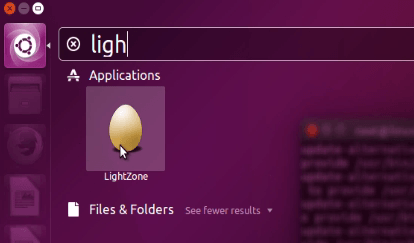
Either, enter lightzone in the command prompt to open the application.
root@linuxhelp:~# lightzone
At first, Help page will appear as shown below.
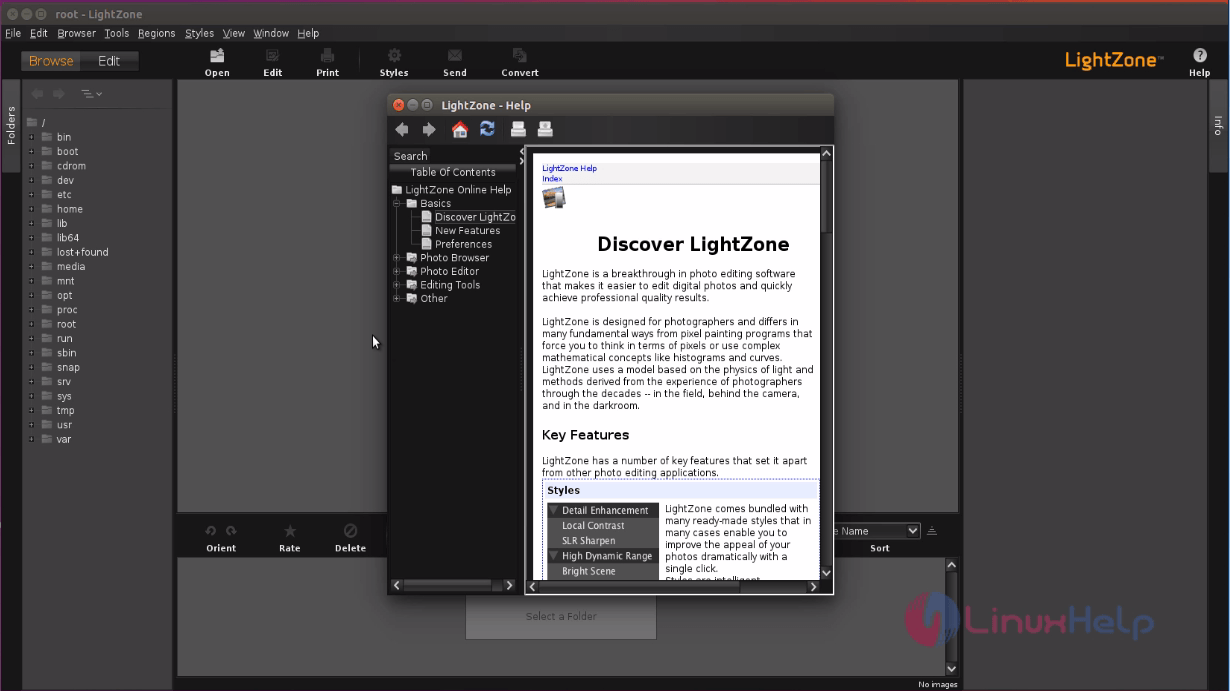
Open new workspace to start editing process.
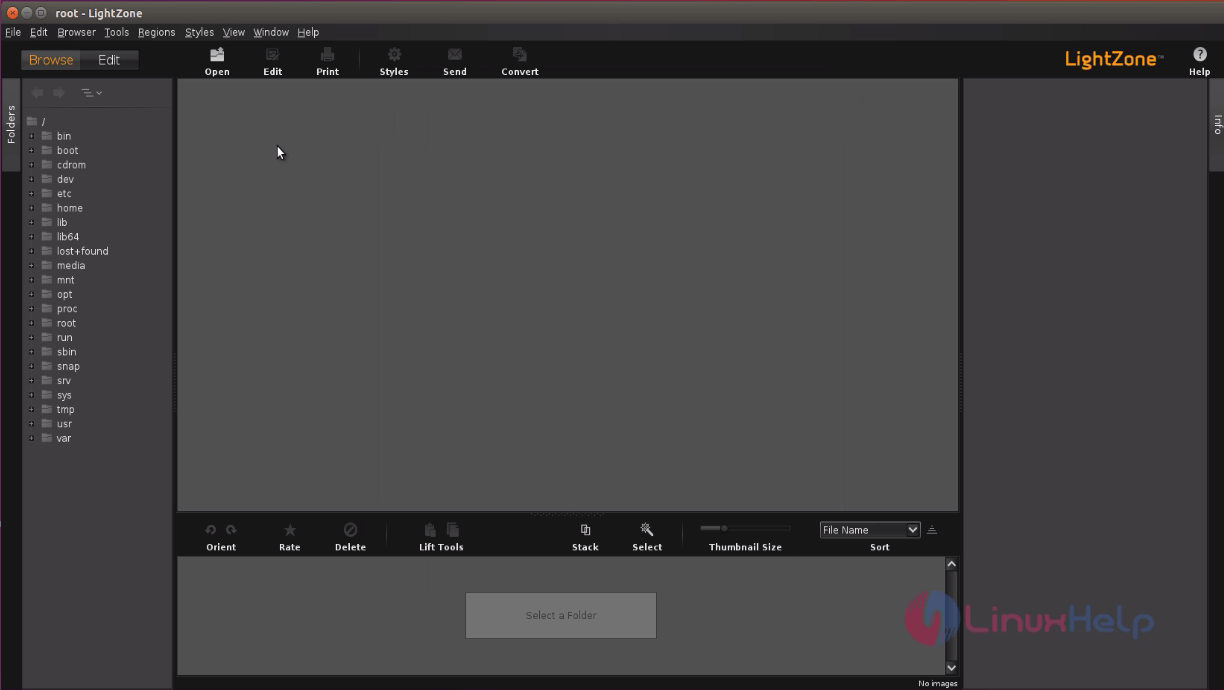
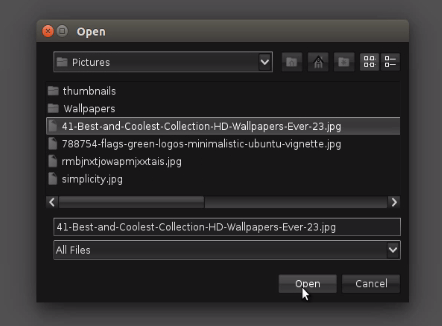
Click on the Open icon to select the image.
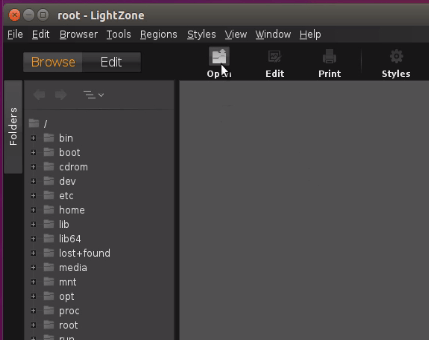
Select both image and its directory, then click on “ open” option.
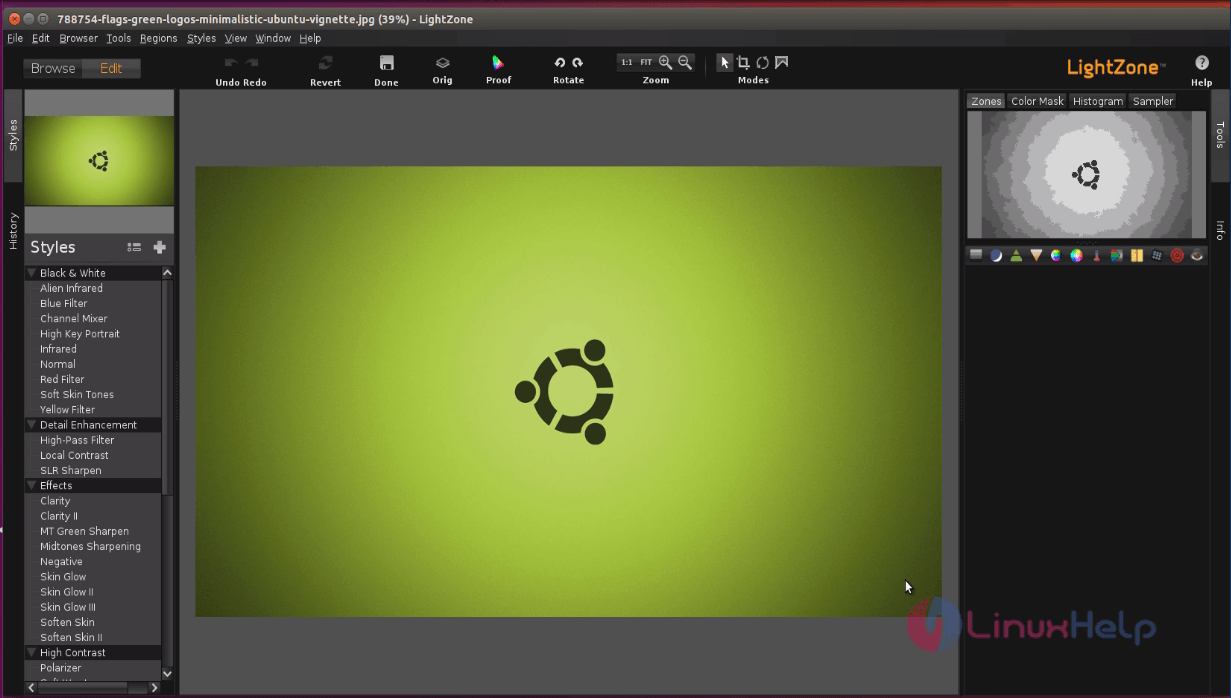
Now you can able to edit your favorite image.
Comments ( 0 )
No comments available