• Categories
    Category
    {{ postCtrl.tags }}
    • {{ category.tag_type }}

      • {{tag.tag_name}}
      • View more
  • Categories
    Category
    {{ postCtrl.tags }}
    • {{ category.tag_type }}

      • {{tag.tag_name}}
      • View more
  • News
  • Tutorials
  • Forums
  • Tags
  • Users
Tutorial News Comments FAQ Related Articles

How to install Linux Multimedia Studio on linuxmint-18.03

{{postValue.id}}

To install Linux Multimedia Studio on linuxmint-18.03
Linux Multimedia Studio is a cross-platform application, similar to FL Studio, allowing the users to produce and remix music. Formerly known as Linux Multimedia Studio, it is widely used to songs editor for composing, arranging samples, playing on a MIDI keyboard.


Installation

Update the system repository.

linuxhelp ~ # apt-get update
Hit:1 http://archive.ubuntu.com/ubuntu xenial InRelease
Hit:2 http://ppa.launchpad.net/george-edison55/nitroshare/ubuntu xenial InRelease         
Hit:3 http://archive.canonical.com/ubuntu xenial InRelease                                
Hit:4 http://security.ubuntu.com/ubuntu xenial-security InRelease                                    
Hit:5 http://archive.ubuntu.com/ubuntu xenial-updates InRelease                                      
Ign:6 http://packages.linuxmint.com sylvia InRelease                                           
Hit:7 http://archive.ubuntu.com/ubuntu xenial-backports InRelease                              
Hit:8 http://ppa.launchpad.net/ondrej/php/ubuntu xenial InRelease                             
Hit:9 http://packages.linuxmint.com sylvia Release                      
Reading package lists... Done 

Install the Linux Multimedia Studio application.

linuxhelp ~ # apt-get install lmms -y
Reading package lists... Done
Building dependency tree       
Reading state information... Done
The following additional packages will be installed:
  libfltk1.3 libfluidsynth1 librtaudio4v5 librtmidi2v5 libstk-4.5.0 lmms-common stk
Suggested packages:
  fil-plugins mcp-plugins omins freepats fluid-soundfont-gm
Recommended packages:
  tap-plugins caps
The following NEW packages will be installed:
  libfltk1.3 libfluidsynth1 librtaudio4v5 librtmidi2v5 libstk-4.5.0 lmms lmms-common stk
0 upgraded, 8 newly installed, 0 to remove and 353 not upgraded.
Need to get 14.3 MB of archives.
After this operation, 34.4 MB of additional disk space will be used.
Get:1 http://archive.ubuntu.com/ubuntu xenial/universe amd64 libfltk1.3 amd64 1.3.3-7 [501 kB]
Get:2 http://archive.ubuntu.com/ubuntu xenial/universe amd64 libfluidsynth1 amd64 1.1.6-3 [130 kB]
.
.
.
Setting up libfltk1.3:amd64 (1.3.3-7) ...
Setting up libfluidsynth1:amd64 (1.1.6-3) ...
Setting up librtaudio4v5:amd64 (4.1.1~ds0-4) ...
Setting up librtmidi2v5:amd64 (2.1.0~ds0-4) ...
Setting up libstk-4.5.0:amd64 (4.5.0-3) ...
Setting up lmms-common (1.1.3-1build1) ...
Setting up stk (4.5.0-3) ...
Setting up lmms (1.1.3-1build1) ...
Processing triggers for libc-bin (2.23-0ubuntu9) ...
linuxhelp ~ #

Once the application is installed you can access the application from the menu as follows
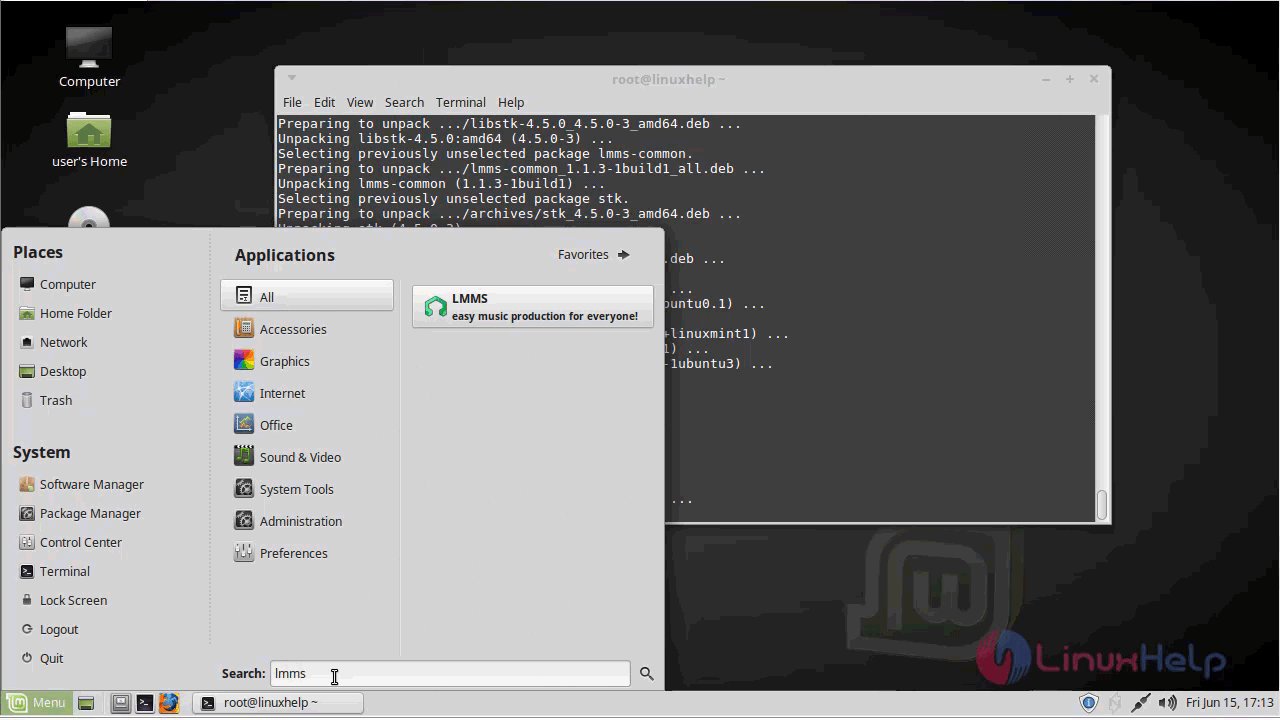
Menu

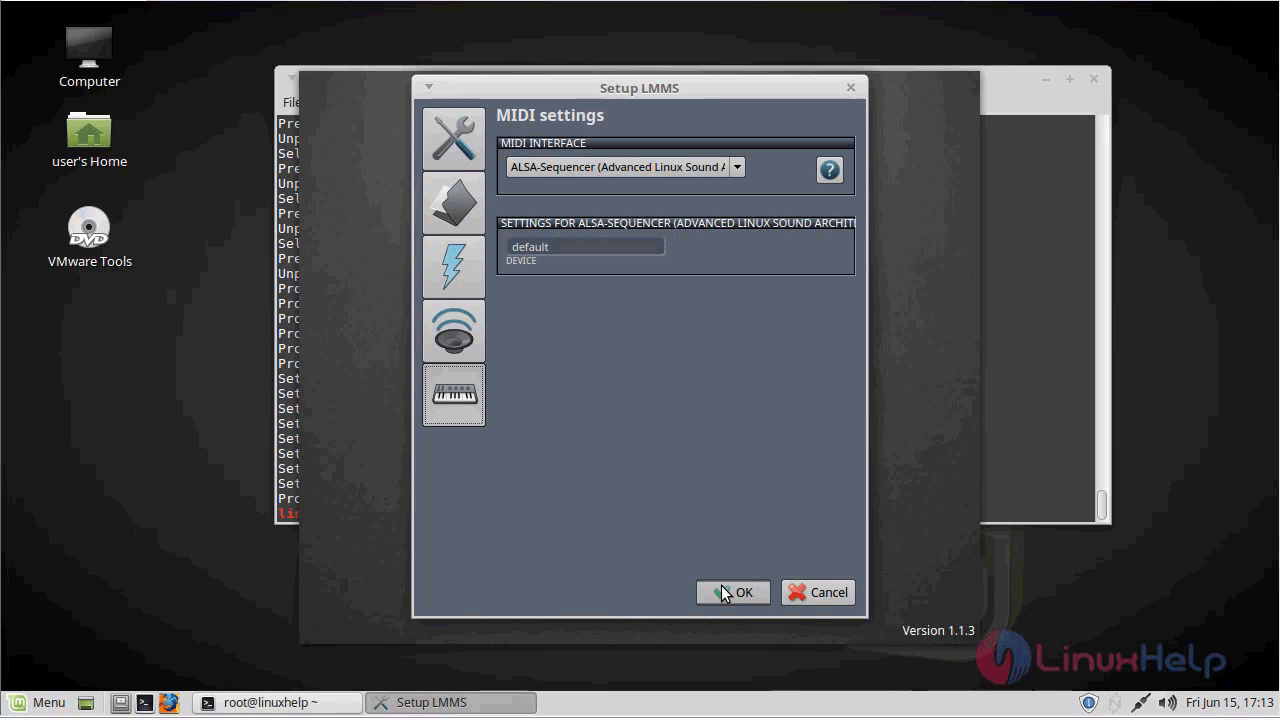
Setup MIDI settings as follows
midi_settings

Linux Multimedia Studio application.
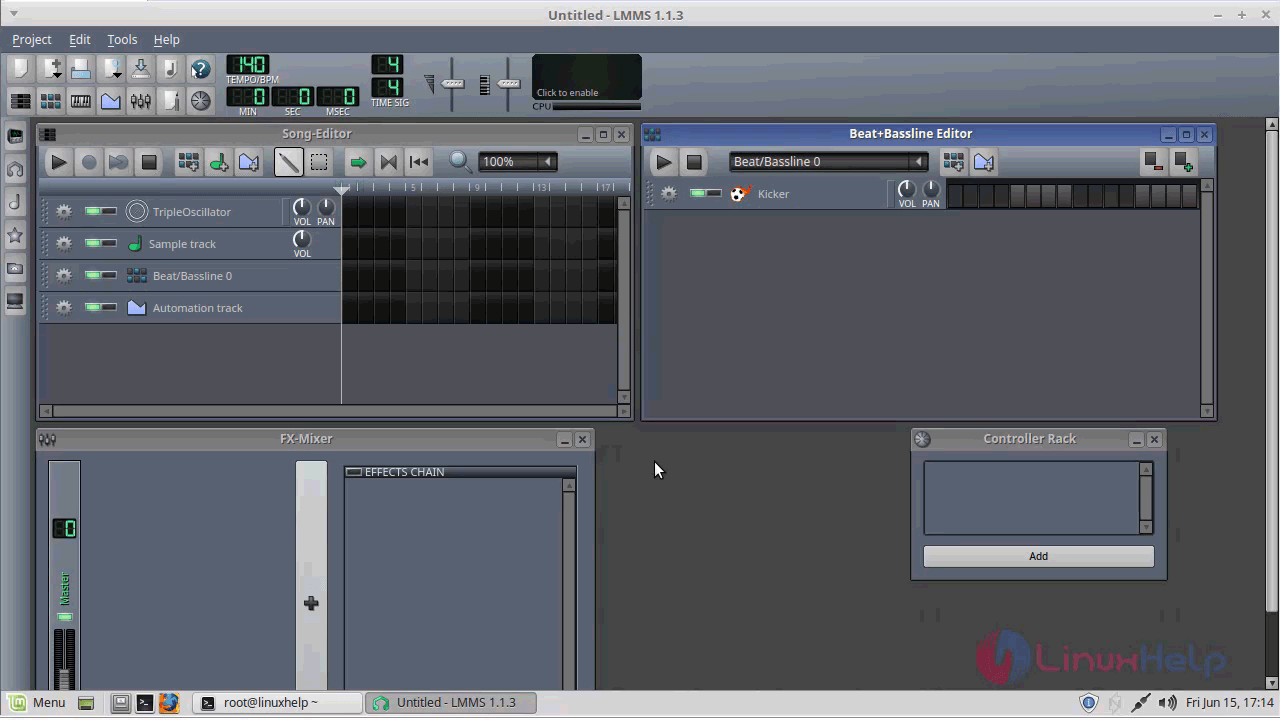
application

Version of Linux Multimedia Studio application.
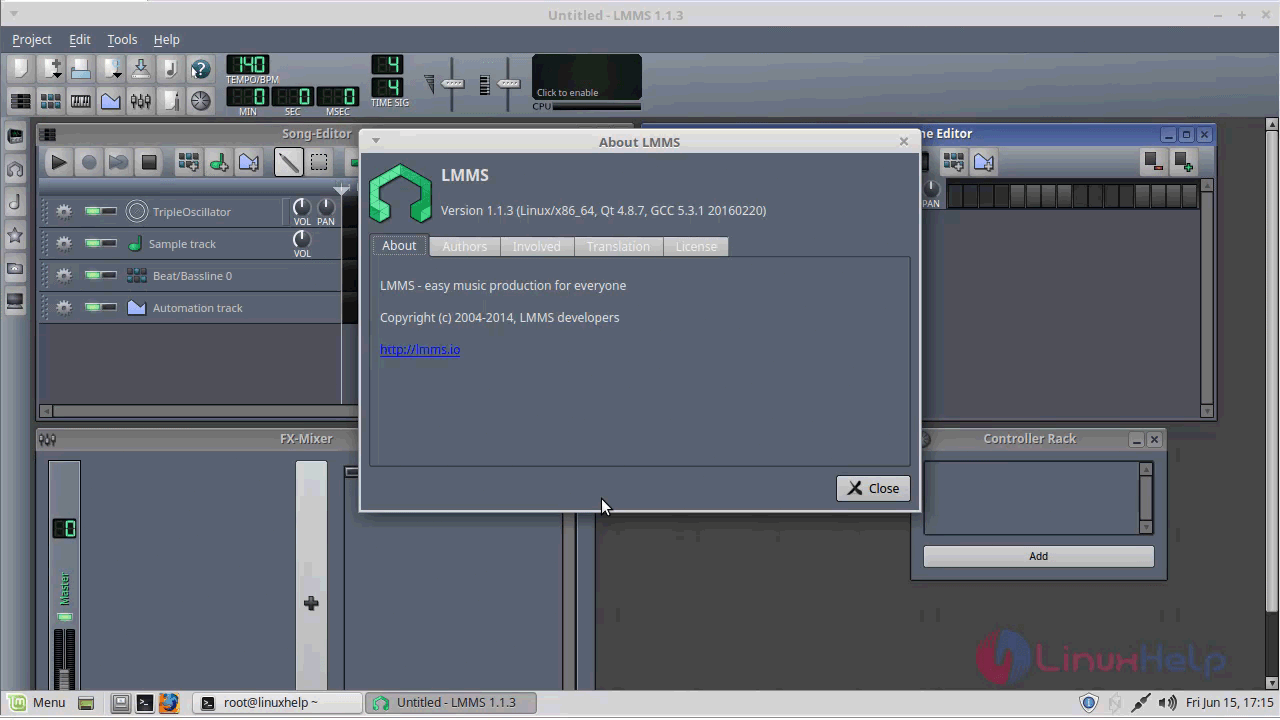
version

With this, the method to install Linux Multimedia Studio on linuxmint-18.03 comes to an end.

Tags:
yousuf
Author: 

Comments ( 0 )

No comments available

Add a comment
{{postCtrl.cmtErrMsg}}

Frequently asked questions ( 5 )

Q

Is there anything commercial to which LMMS might be comparable?

A

LMMS seems to have much in common (at least in principle) with Apple's Garage Band, FL Studio (formerly Fruity Loops), Logic Studio, Beat Machine Pro and similar powerful audio tools. In terms of capability, LMMS easily matches the lower to middle-tier professional tools available, making it a great introduction to audio production which is constantly developing.

Q

How do I edit the locations in the sidebar when you open a file in LMMS?

A

Highlight the folder that you want to be on the sidebar, select it, and drag it to the sidebar.

Q

I want to import MIDI files but it tells me I need to specify a default soundfont?

A

First download a soundfont for free from the internet. Then in LMMS go to Edit --> Settings --> Paths (folder icon). Under the "default soundfont file"-section, you can browse for the downloaded file.

Q

I want to use another soundcard than the default one with LMMS. How to achieve this?

A

It's recommended to set your preferred audio-interface and it's parameters using the setup-dialog. If this doesn't work for some reason, you can also set the environment-variable "AUDIODEV" to what ever your audio-device is (e.g. /dev/dsp for OSS or surround40:1,0 for ALSA).

Q

Can I sell my song that I made in LMMS?

A

Yes. As long as you have just used samples, instruments and effects from LMMS, or know that the external material has correct licences, you can sell your song created in LMMS.

Back To Top!
Rank
User
Points

Top Contributers

userNamenaveelansari
135850

Top Contributers

userNameayanbhatti
92510

Top Contributers

userNamehamzaahmed
32150

Top Contributers

1
userNamelinuxhelp
31040

Top Contributers

userNamemuhammadali
24500
Can you help Elijah ?
Remote Desktop Connection Has Stopped Working

When accessing my remote machine server using remote desktop on a windows machine I am getting this error

forum (1)

Networking
  • Routing
  • trunk
  • Netmask
  • Packet Capture
  • domain
  • HTTP Proxy
Server Setup
  • NFS
  • KVM
  • Memory
  • Sendmail
  • WebDAV
  • LXC
Shell Commands
  • Cloud commander
  • Command line archive tools
  • last command
  • Shell
  • terminal
  • Throttle
Desktop Application
  • Linux app
  • Pithos
  • Retrospect
  • Scribe
  • TortoiseHg
  • 4Images
Monitoring Tool
  • Monit
  • Apache Server Monitoring
  • EtherApe 
  • Arpwatch Tool
  • Auditd
  • Barman
Web Application
  • Nutch
  • Amazon VPC
  • FarmWarDeployer
  • Rukovoditel
  • Mirror site
  • Chef
Contact Us | Terms of Use| Privacy Policy| Disclaimer
© 2025 LinuxHelp.com All rights reserved. Linux™ is the registered trademark of Linus Torvalds. This site is not affiliated with linus torvalds in any way.