How to Install Log Navigator on CentOS 7
To Install Log Navigator on CentOS 7
Log File Navigator, also called as lnav, is an enhanced log file viewer. It is a free, easy-to-use and highly customizable tool. Since GNU/Linux stores log files in the /var/log directory, the admin has to open and read various log files in it whenever any problem occurs. Unavailability of additional tools, may make it impossible to know which log file contains the most relevant information. Sometimes, due to necessity, the problem has to be solved manually. But, with the help of lnav, this monotonous and time consuming task can be handled in an easy and quick way. lnav also has several features and some of them are listed below.
Features
- Single log view
- Filters
- Timeline view
- Live operation
- Tab completion
- Supports Linux and Mac
Log Navigator is so simple to install and we are going to see the installation of Log Navigator on CentOS 7 in this tutorial.
Installing Log Navigator
You can begin with the installation of lnav by triggering the following command on your terminal.
[root@linuxhelp1 ~]# yum install lnav  -y

Loaded plugins: fastestmirror, langpacks
Resolving Dependencies
-->  Running transaction check
--->  Package lnav.x86_64 0:0.7.3-1.el7 will be erased
-->  Finished Dependency Resolution

Dependencies Resolved
.
.
.
Transaction test succeeded
Running transaction
  Installing : lnav-0.7.3-1.el7.x86_64                                                                                                 1/1
  Verifying  : lnav-0.7.3-1.el7.x86_64                                                                                                 1/1

Installed:
  lnav.x86_64 0:0.7.3-1.el7

Complete!
Once installed, you can view logs using lnav. The following command, when run, syslogs by default.
[root@linuxhelp1 ~]# lnav
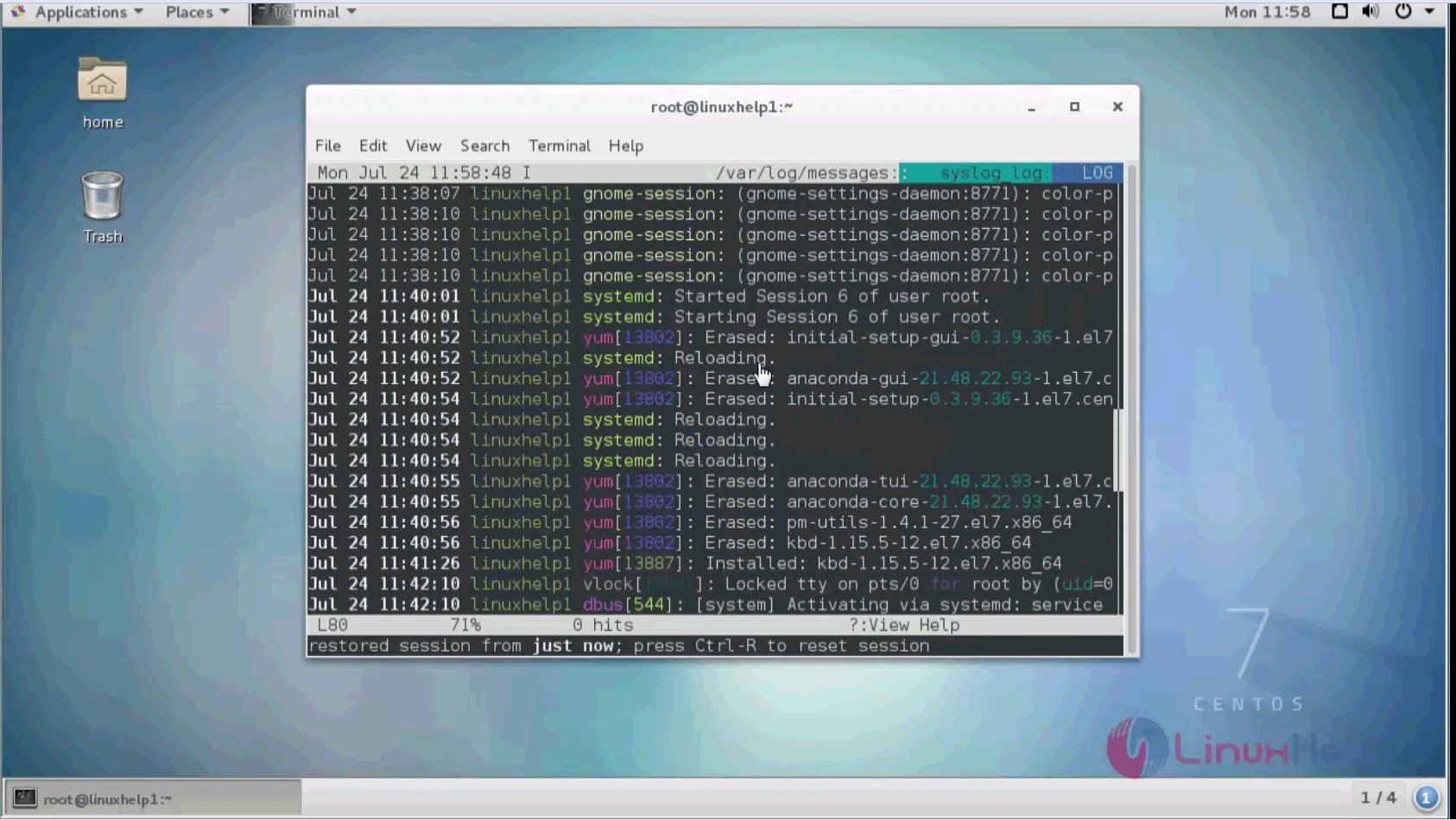
If you want to view specific logs, you need to provide the path.
[root@linuxhelp1 ~]# cd /var/log/
[root@linuxhelp1 log]# ls -l
total 1456

-rw-------. 1 root   root   787194 Jul 24 11:10 messages-20170724
drwxr-xr-x. 3 root   root       18 Apr 28 10:40 pluto
drwx------. 2 root   root        6 Jun 10  2014 ppp
drwxr-xr-x. 2 root   root        6 Nov  7  2016 qemu-ga
drwxr-xr-x. 2 root   root        6 Apr 28 10:51 rhsm
drwxr-xr-x. 2 root   root       42 Jul 24 11:10 sa
drwx------. 3 root   root       17 Jan 18  2017 samba
-rw-------. 1 root   root     5473 Jul 24 13:52 secure
-rw-------. 1 root   root    12277 Apr 29 12:13 secure-20170724
drwx------. 2 root   root        6 Jun 10  2014 speech-dispatcher
-rw-------. 1 root   root        0 Jul 24 11:10 spooler
-rw-------. 1 root   root        0 Apr 28 10:45 spooler-20170724
-rw-------. 1 root   root        0 Apr 28 10:37 tallylog
drwxr-xr-x. 2 root   root       23 Dec  7  2016 tuned
-rw-r--r--. 1 root   root     8221 Jul 24 11:00 vmware-vmsvc.log
-rw-r--r--. 1 root   root     3991 Apr 29 12:13 vmware-vmusr.log
-rw-r--r--. 1 root   root      200 Apr 29 12:13 wpa_supplicant.log
-rw-rw-r--. 1 root   utmp    16128 Jul 24 13:05 wtmp
-rw-r--r--. 1 root   root   141569 Jul 24 11:55 Xorg.0.log
[root@linuxhelp1 ~]# lnav /var/log/Xorg.0.log
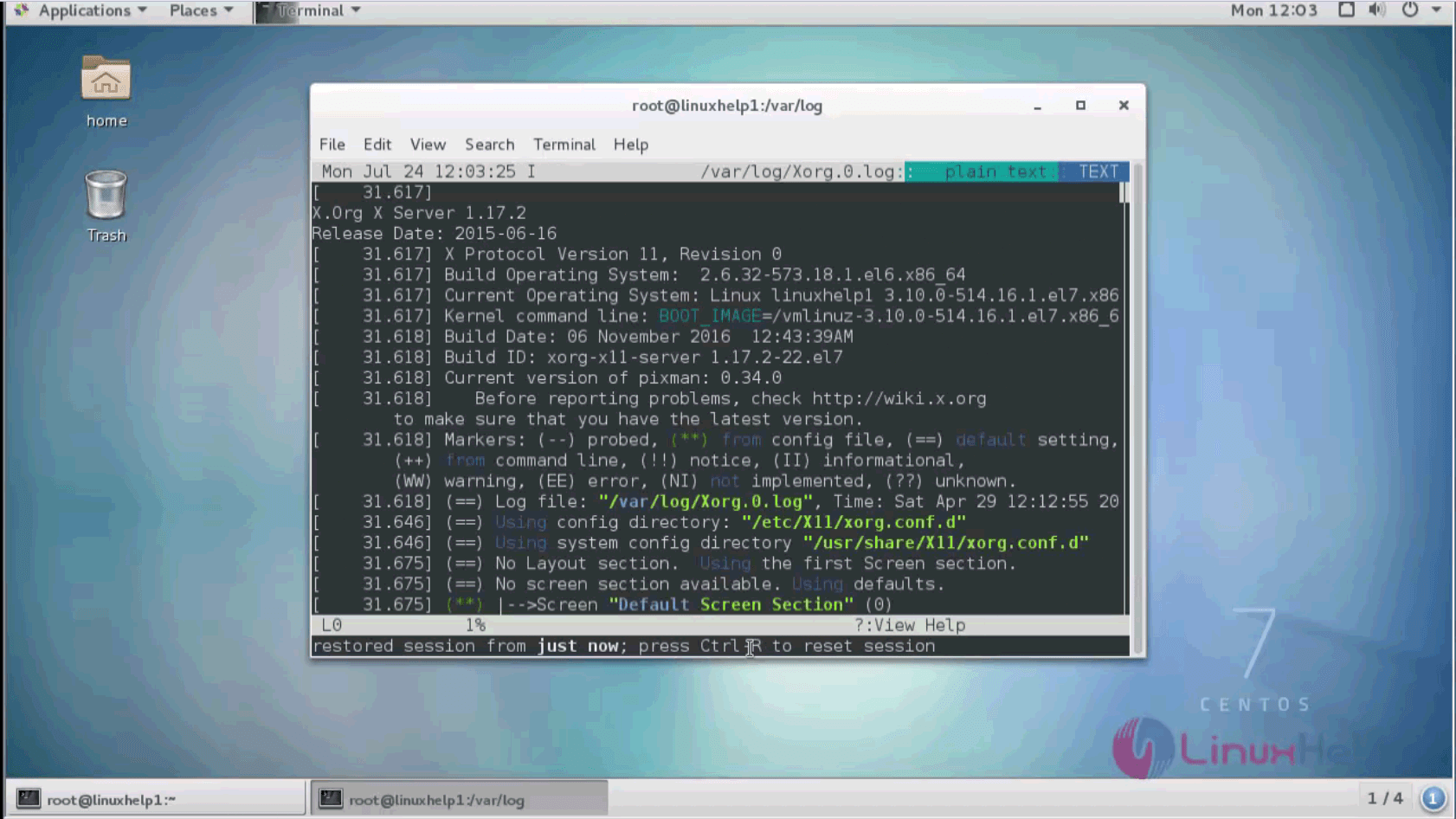
Thus, by using lnav, you can do things like interleaving messages from different files, generate histograms of messages over time, and providing hot-keys for navigating through the file.
Comments ( 0 )
No comments available