How to install Mahara in Ubuntu
To install Mahara in Ubuntu
Mahara is a free source web application for creating an electronic portfolio. It is used to upload files and create journals. Installation of Mahara in Ubuntu is explained in this article.
To install Mahara
Update your repositories by running the following command.
root@linuxhelp:~# apt-get update
Hit http://in.archive.ubuntu.com wily InRelease
Get:1 http://in.archive.ubuntu.com wily-updates InRelease [65.9 kB]
Hit http://in.archive.ubuntu.com wily-backports InRelease
Hit http://in.archive.ubuntu.com wily/main Sources
Hit http://in.archive.ubuntu.com wily/restricted Sources
Hit http://in.archive.ubuntu.com wily/universe Sources
Get:2 http://security.ubuntu.com wily-security InRelease [65.9 kB]
Hit http://in.archive.ubuntu.com wily/multiverse Sources
Hit http://in.archive.ubuntu.com wily/main amd64 Packages
.
.
.
Hit http://in.archive.ubuntu.com wily-backports/universe i386 Packages
Hit http://in.archive.ubuntu.com wily-backports/multiverse i386 Packages
Hit http://in.archive.ubuntu.com wily-backports/main Translation-en
Hit http://in.archive.ubuntu.com wily-backports/multiverse Translation-en
Hit http://in.archive.ubuntu.com wily-backports/restricted Translation-en
Hit http://in.archive.ubuntu.com wily-backports/universe Translation-en
Fetched 1,541 kB in 32s (47.0 kB/s)
Reading package lists... Done
Run the following command, to install Apache Webserver.
root@linuxhelp:~# apt-get install apache2 -y
Reading package lists... Done
Building dependency tree
Reading state information... Done
The following extra packages will be installed:
  apache2-bin apache2-data apache2-utils libapr1 libaprutil1 libaprutil1-dbd-sqlite3 libaprutil1-ldap liblua5.1-0
Suggested packages:
  apache2-doc apache2-suexec-pristine apache2-suexec-custom
.
.
.
Enabling conf other-vhosts-access-log.
Enabling conf security.
Enabling conf serve-cgi-bin.
Enabling site 000-default.
Processing triggers for libc-bin (2.21-0ubuntu4) ...
Processing triggers for ureadahead (0.100.0-19) ...
Processing triggers for systemd (225-1ubuntu9) ...
Processing triggers for ufw (0.34-2) ...
Utilise the following command to install the mariadb package.
root@linuxhelp:~# apt-get install mariadb-server -y
Reading package lists... Done
Building dependency tree
Reading state information... Done
The following extra packages will be installed:
  libaio1 libdbd-mysql-perl libdbi-perl libhtml-template-perl libmysqlclient18 libreadline5 libterm-readkey-perl mariadb-client-10.0 mariadb-client-core-10.0
  mariadb-common mariadb-server-10.0 mariadb-server-core-10.0 mysql-common
Suggested packages:
  libmldbm-perl libnet-daemon-perl libsql-statement-perl libipc-sharedcache-perl mailx mariadb-test tinyca
The following NEW packages will be installed:
  libaio1 libdbd-mysql-perl libdbi-perl libhtml-template-perl libmysqlclient18 libreadline5 libterm-readkey-perl mariadb-client-10.0 mariadb-client-core-10.0
  mariadb-common mariadb-server mariadb-server-10.0 mariadb-server-core-10.0 mysql-common
.
.
.
Setting up mariadb-server-10.0 (10.0.25-0ubuntu0.15.10.1) ...
160722 14:48:46 [Note] /usr/sbin/mysqld (mysqld 10.0.25-MariaDB-0ubuntu0.15.10.1) starting as process 9297 ...
Setting up libdbd-mysql-perl (4.028-2) ...
Setting up libhtml-template-perl (2.95-2) ...
Setting up mariadb-server (10.0.25-0ubuntu0.15.10.1) ...
Processing triggers for libc-bin (2.21-0ubuntu4) ...
Processing triggers for ureadahead (0.100.0-19) ...
Processing triggers for systemd (225-1ubuntu9) ...
Start and enable the services.
root@linuxhelp:~# systemctl start mysql
root@linuxhelp:~# systemctl enable mysql
mysql.service is not a native service, redirecting to systemd-sysv-install
Executing /lib/systemd/systemd-sysv-install enable mysql
Set the root password for mariadb by using the following command.
root@linuxhelp:~# mysql_secure_installation

NOTE: RUNNING ALL PARTS OF THIS SCRIPT IS RECOMMENDED FOR ALL MariaDB
      SERVERS IN PRODUCTION USE!  PLEASE READ EACH STEP CAREFULLY!

In order to log into MariaDB to secure it, we' ll need the current
password for the root user.  If you' ve just installed MariaDB, and
you haven' t set the root password yet, the password will be blank,
so you should just press enter here.

Enter current password for root (enter for none):
OK, successfully used password, moving on...

Setting the root password ensures that nobody can log into the MariaDB
root user without the proper authorisation.

Set root password? [Y/n] y
New password:
Re-enter new password:
Password updated successfully!
Reloading privilege tables..
 ... Success!

By default, a MariaDB installation has an anonymous user, allowing anyone
to log into MariaDB without having to have a user account created for
them.  This is intended only for testing, and to make the installation
go a bit smoother.  You should remove them before moving into a
production environment.

Remove anonymous users? [Y/n] y
 ... Success!

Normally, root should only be allowed to connect from ' localhost' .  This
ensures that someone cannot guess at the root password from the network.

Disallow root login remotely? [Y/n] y
 ... Success!

By default, MariaDB comes with a database named ' test'  that anyone can
access.  This is also intended only for testing, and should be removed
before moving into a production environment.

Remove test database and access to it? [Y/n] y
 - Dropping test database...
ERROR 1008 (HY000) at line 1: Can' t drop database ' test'   database doesn' t exist
 ... Failed!  Not critical, keep moving...
 - Removing privileges on test database...
 ... Success!

Reloading the privilege tables will ensure that all changes made so far
will take effect immediately.

Reload privilege tables now? [Y/n] y
 ... Success!

Cleaning up...

All done!  If you' ve completed all of the above steps, your MariaDB
installation should now be secure.

Thanks for using MariaDB!
Create the database and database user for Mahara.
root@linuxhelp:~# mysql -u root -p
Enter password:
Welcome to the MariaDB monitor.  Commands end with   or g.
Your MariaDB connection id is 50
Server version: 10.0.25-MariaDB-0ubuntu0.15.10.1 (Ubuntu)

Copyright (c) 2000, 2016, Oracle, MariaDB Corporation Ab and others.

Type ' help '  or ' h'  for help. Type ' c'  to clear the current input statement.

MariaDB [(none)]>  CREATE DATABASE maharadb character set UTF8
Query OK, 1 row affected (0.01 sec)

MariaDB [(none)]>  GRANT ALL PRIVILEGES ON maharadb.* TO ' maharauser' @' localhost'  IDENTIFIED BY ' linuxhelp'
Query OK, 0 rows affected (0.00 sec)

MariaDB [(none)]>  FLUSH PRIVILEGES
Query OK, 0 rows affected (0.01 sec)

MariaDB [(none)]>  exit
Bye
Then install the PHP and its extensions.
root@linuxhelp:~# apt-get install php5 libapache2-mod-php5 php5-mcrypt php5-mysql php5-gd -y
Reading package lists... Done
Building dependency tree
Reading state information... Done
The following extra packages will be installed:
  libmcrypt4 php5-cli php5-common php5-json php5-readline
Suggested packages:
  php-pear libmcrypt-dev mcrypt php5-user-cache
The following NEW packages will be installed:
  libapache2-mod-php5 libmcrypt4 php5 php5-cli php5-common php5-gd php5-json php5-mcrypt php5-mysql php5-readline
.
.
.
Creating config file /etc/php5/mods-available/readline.ini with new version
php5_invoke: Enable module readline for apache2 SAPI
php5_invoke: Enable module readline for cli SAPI
Processing triggers for libc-bin (2.21-0ubuntu4) ...
Processing triggers for libapache2-mod-php5 (5.6.11+dfsg-1ubuntu3.4) ...
Utilise the wget command to download the Mahara packages.
root@linuxhelp:~# wget https://launchpad.net/mahara/16.04/16.04.1/+download/mahara-16.04.1.zip
--2016-07-22 15:05:00--  https://launchpad.net/mahara/16.04/16.04.1/+download/mahara-16.04.1.zip
Resolving launchpad.net (launchpad.net)... 91.189.89.222, 91.189.89.223
Connecting to launchpad.net (launchpad.net)|91.189.89.222|:443... connected.
HTTP request sent, awaiting response... 302 Moved Temporarily
Location: https://launchpadlibrarian.net/264295817/mahara-16.04.1.zip [following]
--2016-07-22 15:05:02--  https://launchpadlibrarian.net/264295817/mahara-16.04.1.zip
Resolving launchpadlibrarian.net (launchpadlibrarian.net)... 91.189.89.228, 91.189.89.229
Connecting to launchpadlibrarian.net (launchpadlibrarian.net)|91.189.89.228|:443... connected.
HTTP request sent, awaiting response... 200 OK
Length: 21498313 (21M) [application/zip]
Saving to: ‘ mahara-16.04.1.zip’

mahara-16.04.1.zip                         100%[==========================================================================================> ]  20.50M   170KB/s   in 3m 22s s

2016-07-22 15:08:25 (104 KB/s) - ‘ mahara-16.04.1.zip’  saved [21498313/21498313]
Extract the downloaded package by using the following command.
root@linuxhelp:~# unzip mahara-16.04.1.zip
Archive:  mahara-16.04.1.zip
   creating: mahara-16.04.1/
  inflating: mahara-16.04.1/README.md
  inflating: mahara-16.04.1/COPYING
   creating: mahara-16.04.1/htdocs/
  inflating: mahara-16.04.1/htdocs/terms.php
   creating: mahara-16.04.1/htdocs/institution/
  inflating: mahara-16.04.1/htdocs/institution/index.php
.
.
.
  inflating: mahara-16.04.1/htdocs/lang/en.utf8/behat.php
  inflating: mahara-16.04.1/htdocs/lang/en.utf8/account.php
  inflating: mahara-16.04.1/htdocs/lang/en.utf8/langconfig.php
  inflating: mahara-16.04.1/htdocs/contact.php
  inflating: mahara-16.04.1/htdocs/homeinfo.json.php
  inflating: mahara-16.04.1/htdocs/downloadarchive.php
  inflating: mahara-16.04.1/htdocs/forgotpass.php
  inflating: mahara-16.04.1/ChangeLog
Rename the directory and move it to /var/www/html location.
root@linuxhelp:~# ls
Desktop  Documents  Downloads  examples.desktop  mahara-16.04.1  mahara-16.04.1.zip  Music  Pictures  Public  Templates  Videos
root@linuxhelp:~# mv mahara-16.04.1 mahara
root@linuxhelp:~# ls
Desktop  Documents  Downloads  examples.desktop  mahara  mahara-16.04.1.zip  Music  Pictures  Public  Templates  Videos
root@linuxhelp:~# mv mahara /var/www/html/
Create a new directory called upload for mahara.
root@linuxhelp:~# mkdir /var/www/html/mahara/upload/
Create a duplicate file config.php in the location " /var/www/html/mahara/htdocs/"
root@linuxhelp:~# cd /var/www/html/mahara/htdocs/
root@linuxhelp:/var/www/html/mahara/htdocs# ls
about.php  artefact    config-dist.php      edittags.php    group              index.php    js    local          privacy.php   selfsearch.php  terms.php  user
account    auth        contact.php          export          grouptype          init.php     json  minilogin.php  register.php  skin            testing    view
admin      blocktype   downloadarchive.php  favicon.ico     homeinfo.json.php  institution  lang  module         robots.txt    style.php       theme      webservice
api        collection  download.php         forgotpass.php  import             interaction  lib   notification   search        tags.php        thumb.php
root@linuxhelp:/var/www/html/mahara/htdocs# cp config-dist.php config.php
Open the config.php file and add the database details into it.
root@linuxhelp:/var/www/html/mahara/htdocs# vim config.php
$cfg-> dbtype   = ' mysql'
$cfg-> dbhost   = ' localhost'
$cfg-> dbport   = null
$cfg-> dbname   = ' maharadb'
$cfg-> dbuser   = ' maharauser'
$cfg-> dbpass   = ' linux'
$cfg-> dataroot = ' /var/www/html/mahara/upload/'
Change the ownership for the mahara directory by running the following command.
root@linuxhelp:~# chown www-data:www-data -R /var/www/html/mahara/
Create a new configuration file and make a soft link as follows.
root@linuxhelp:~# touch /etc/apache2/sites-available/mahara.conf
root@linuxhelp:~# ln -s /etc/apache2/sites-available/mahara.conf /etc/apache2/sites-enabled/mahara.conf
Open the configuration file of mahara and add the following entries into it.
root@linuxhelp:~# vim /etc/apache2/sites-available/mahara.conf
< Virtualhost *:80>
ServerAdmin admin@linuxhelp.com
DocumentRoot /var/www/html/mahara/htdocs/
ServerName linuxhelp.com
ServerAlias www.linuxhelp.com
< Directory /var/www/html/mahara/htdocs/>
Options FollowSymLinks
AllowOverride All
Order allow,deny
allow from all
< /Directory>
ErrorLog /var/log/apache2/linuxhelp.com-error_log
CustomLog /var/log/apache2/linuxhelp.com-access_log common
< /Virtualhost>
After creating entry, restart the apache service.
root@linuxhelp:~# systemctl restart apache2
Open your web browser and enter http://< IP_address> /mahara/htdocs/index.php
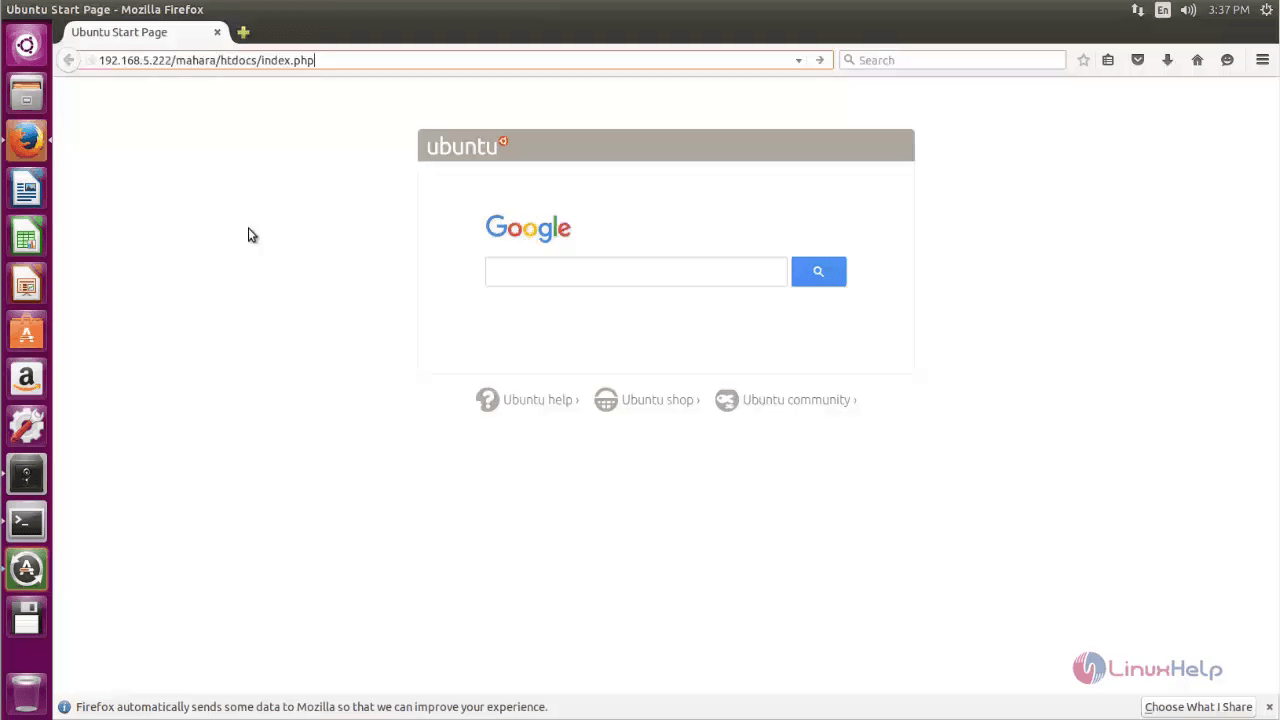
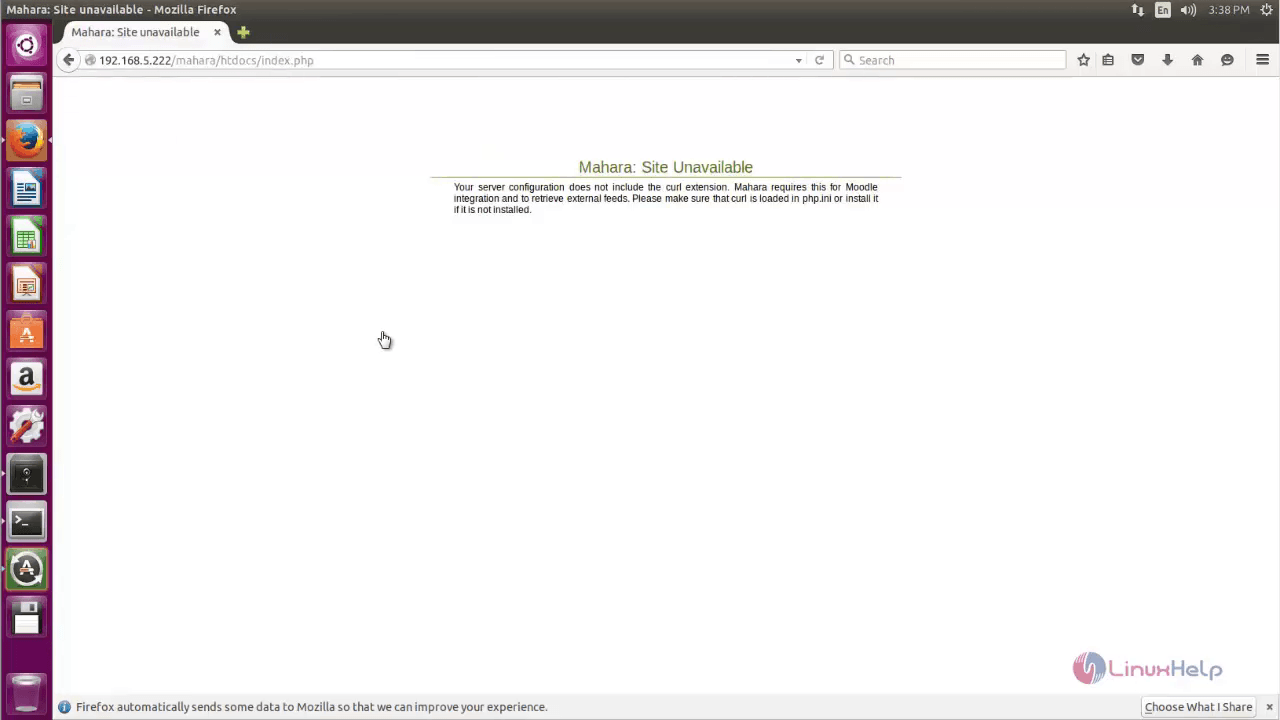
To overcome the above error, open the terminal and install the php5-curl package.
root@linuxhelp:~# apt-get install php5-curl -y
Reading package lists... Done
Building dependency tree
Reading state information... Done
The following NEW packages will be installed:
  php5-curl
0 upgraded, 1 newly installed, 0 to remove and 252 not upgraded.
Need to get 27.8 kB of archives.
After this operation, 112 kB of additional disk space will be used.
Get:1 http://in.archive.ubuntu.com/ubuntu/ wily-updates/main php5-curl amd64 5.6.11+dfsg-1ubuntu3.4 [27.8 kB]
Fetched 27.8 kB in 0s (32.6 kB/s)
Selecting previously unselected package php5-curl.
(Reading database ... 178209 files and directories currently installed.)
Preparing to unpack .../php5-curl_5.6.11+dfsg-1ubuntu3.4_amd64.deb ...
Unpacking php5-curl (5.6.11+dfsg-1ubuntu3.4) ...
Processing triggers for libapache2-mod-php5 (5.6.11+dfsg-1ubuntu3.4) ...
Setting up php5-curl (5.6.11+dfsg-1ubuntu3.4) ...

Creating config file /etc/php5/mods-available/curl.ini with new version
php5_invoke: Enable module curl for apache2 SAPI
php5_invoke: Enable module curl for cli SAPI
Processing triggers for libapache2-mod-php5 (5.6.11+dfsg-1ubuntu3.4) ...
Restart the apache services.
root@linuxhelp:~# systemctl restart apache2
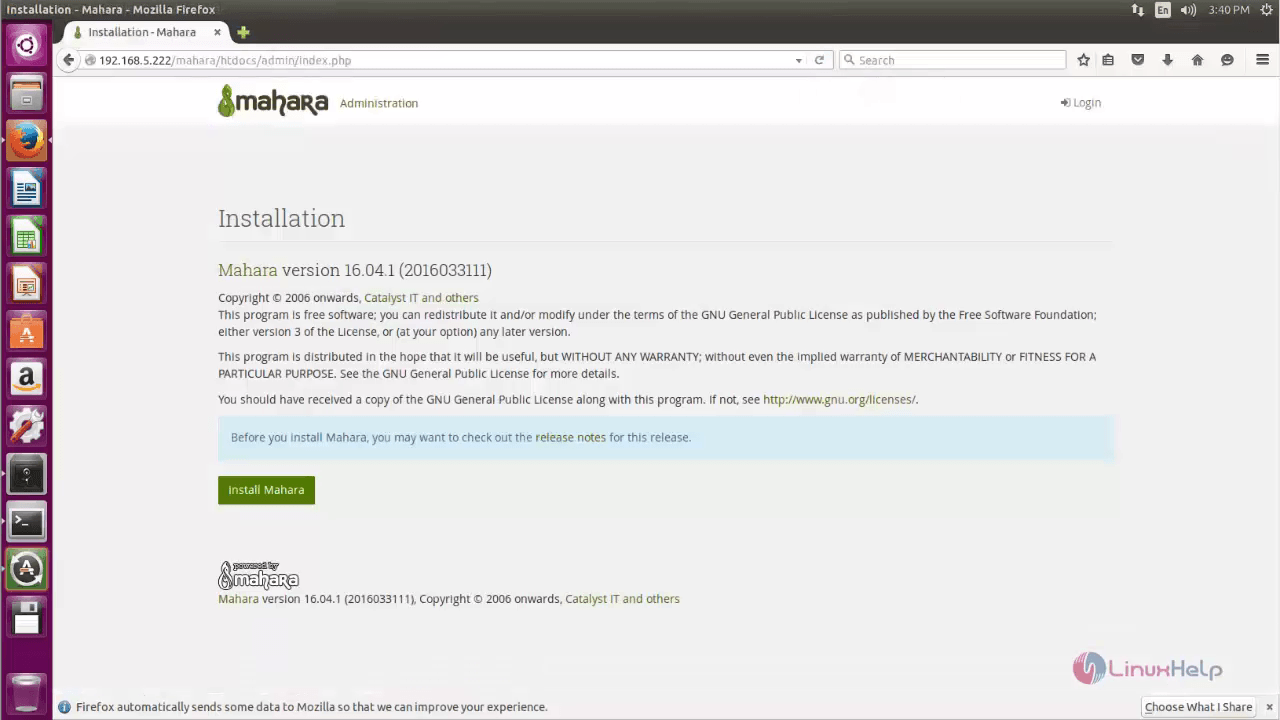
Reload the webpage, the Mahara installation wizard appears. Click Install Mahara.
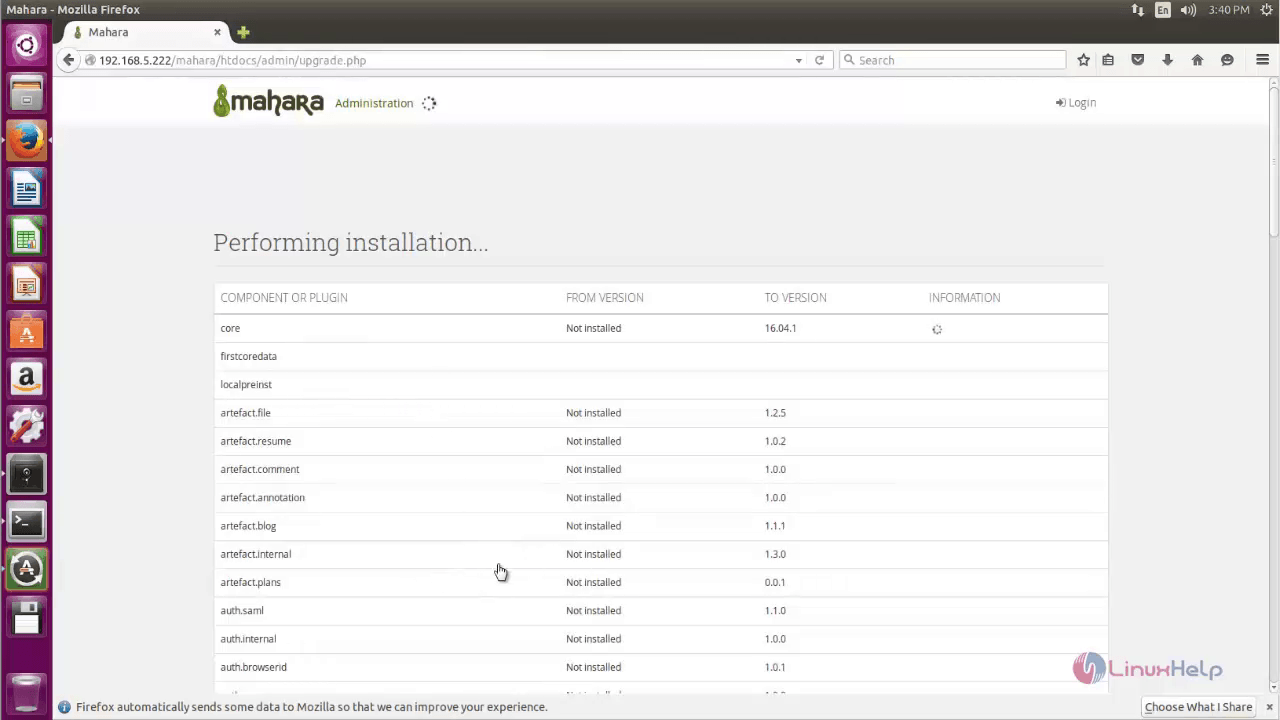
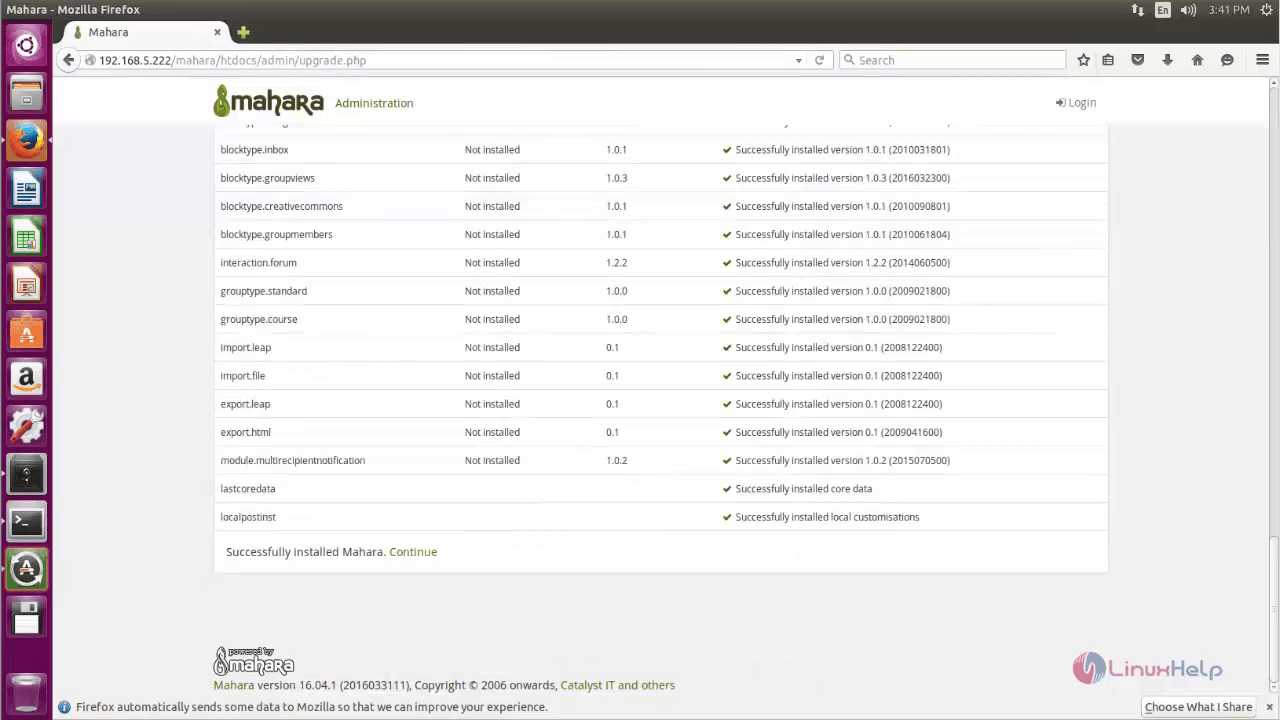
After the installation is completed, click Continue.
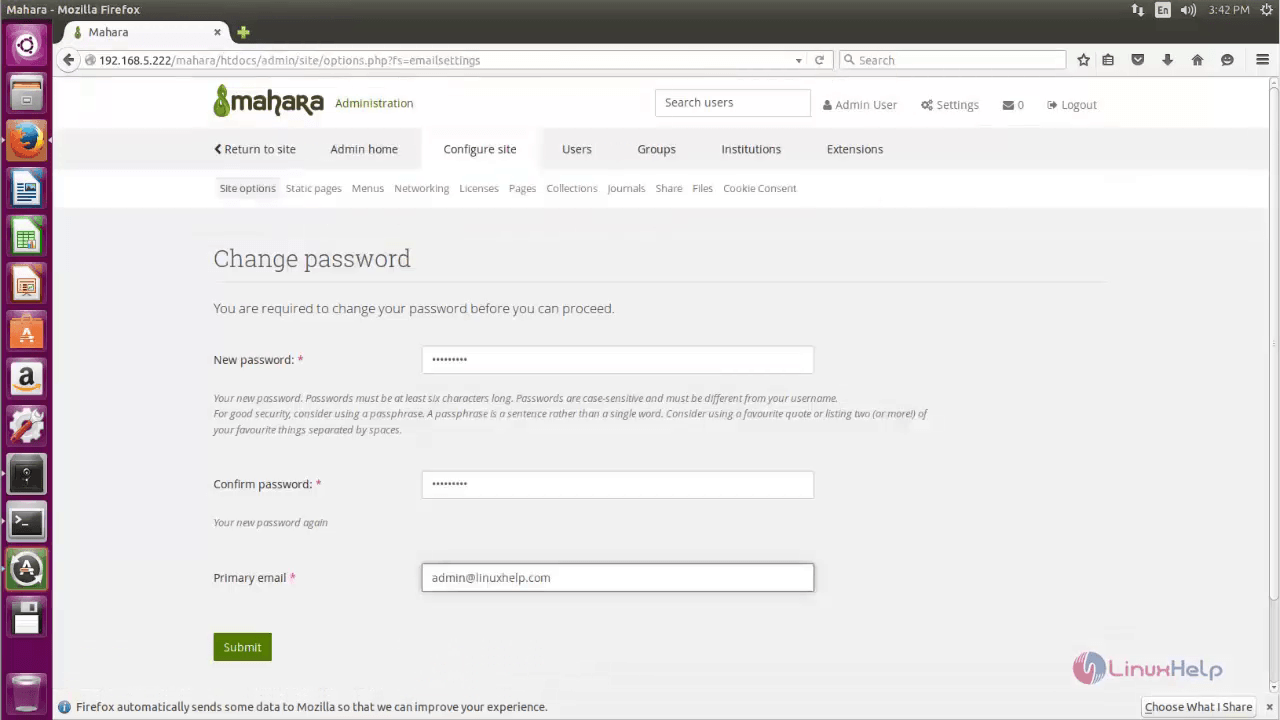
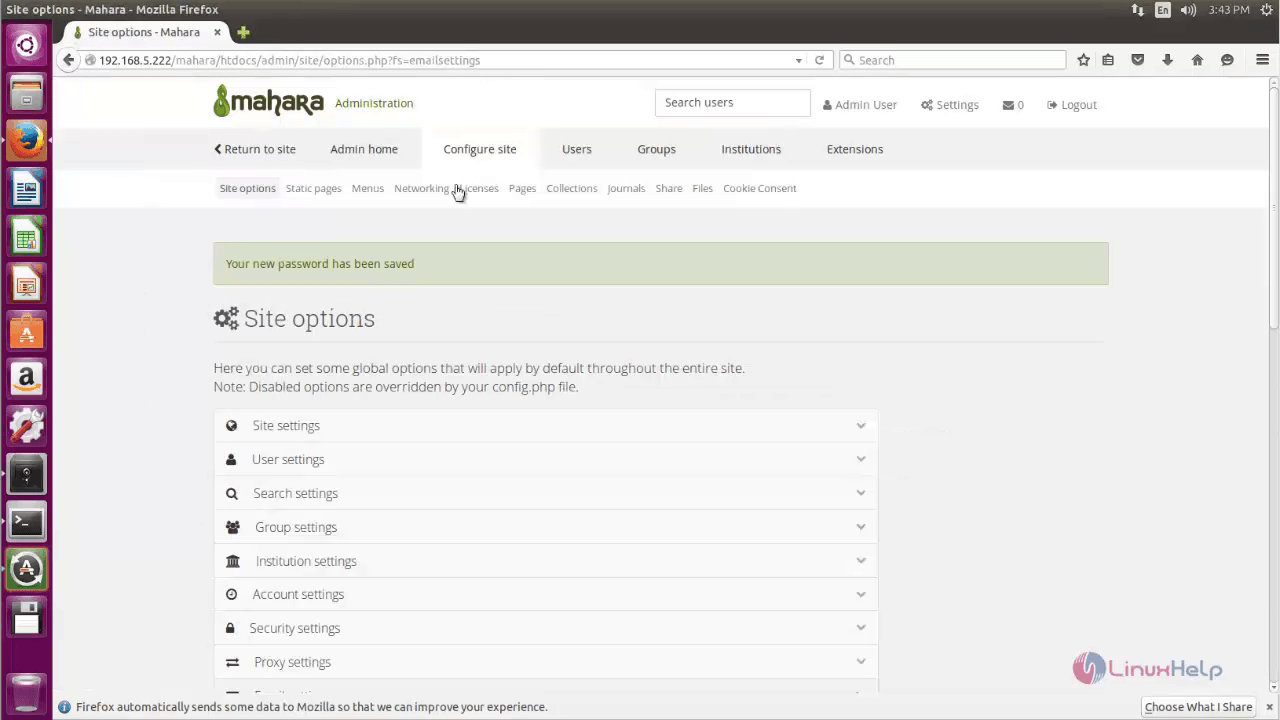
Then change the Password and click Submit.
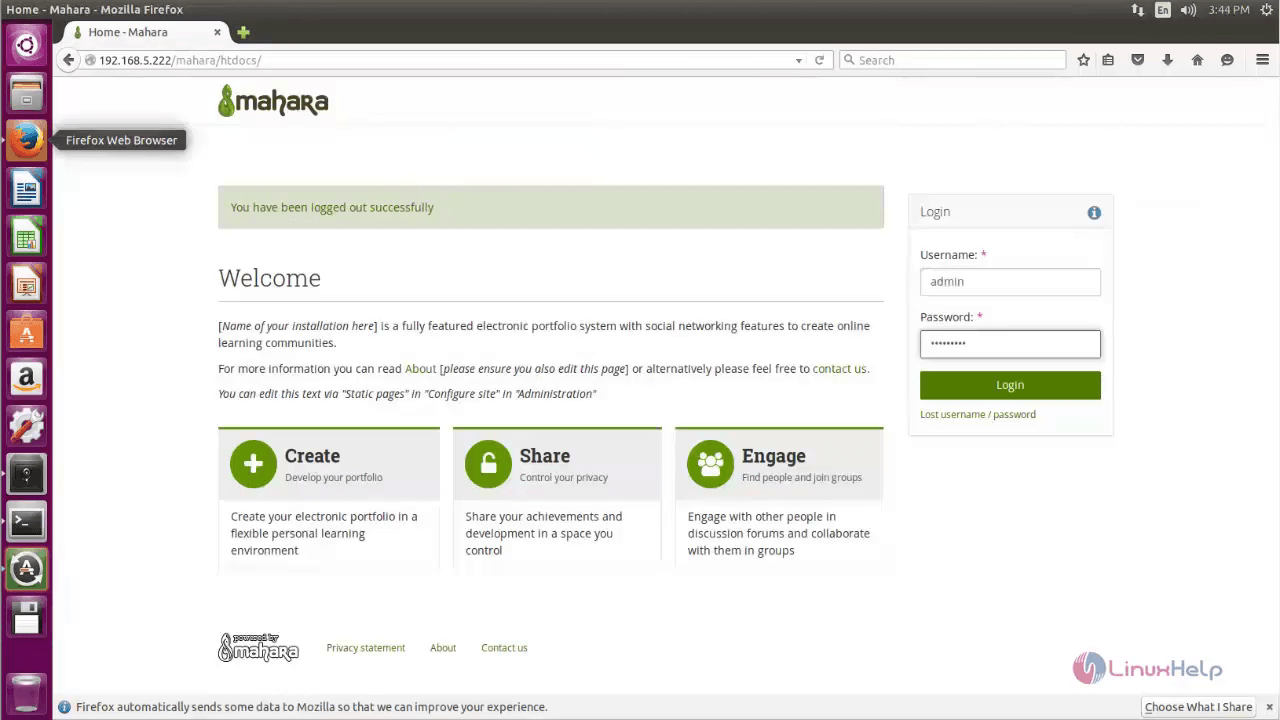
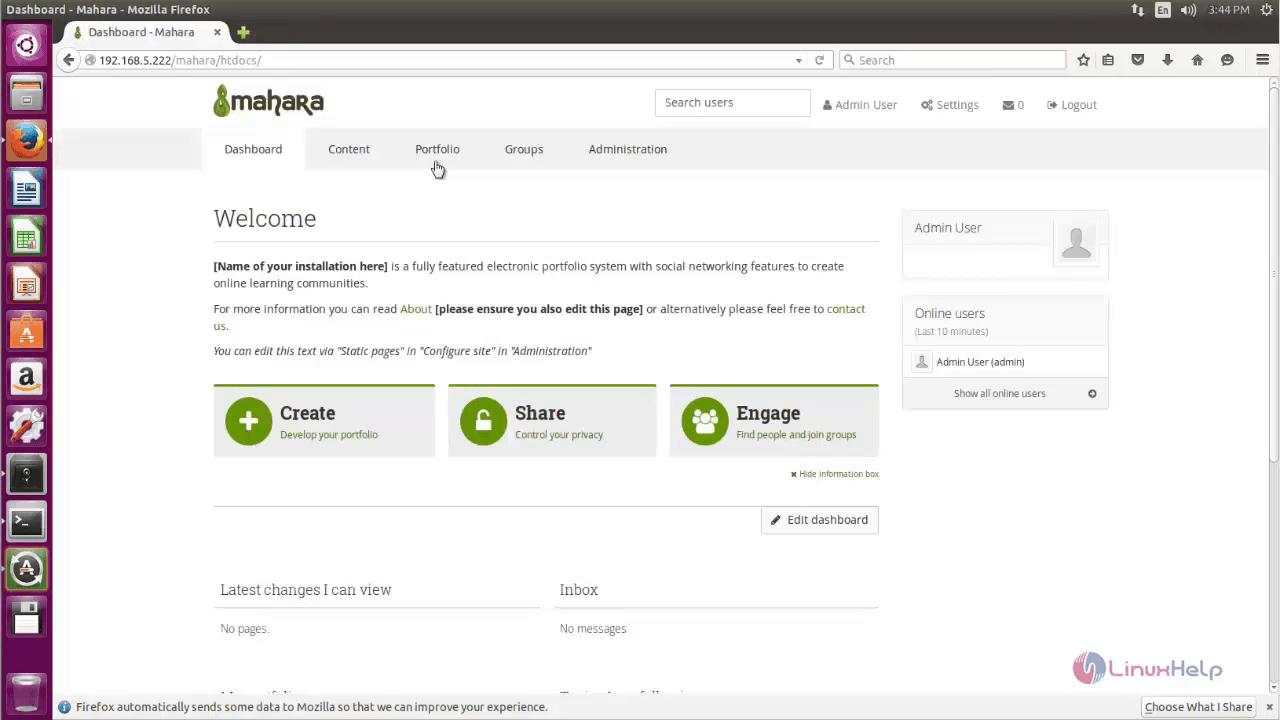
Login to Mahara using the credentials.
To create a new page click Portfolio
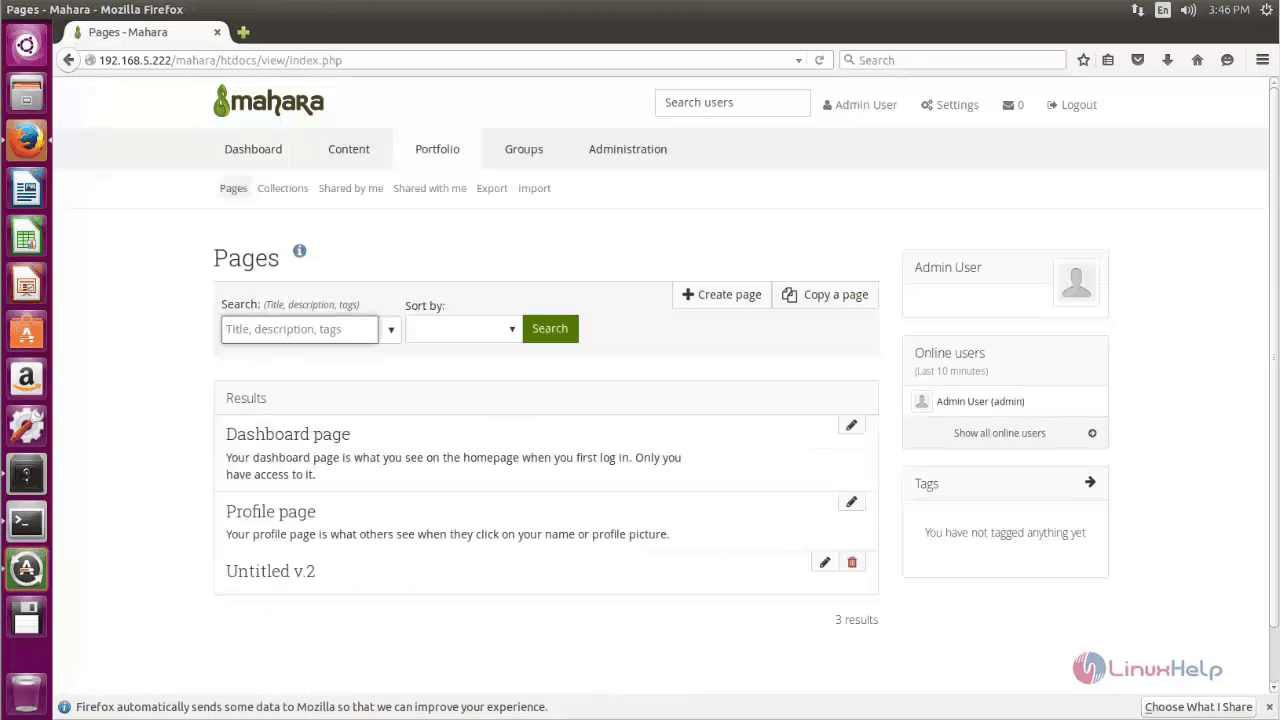
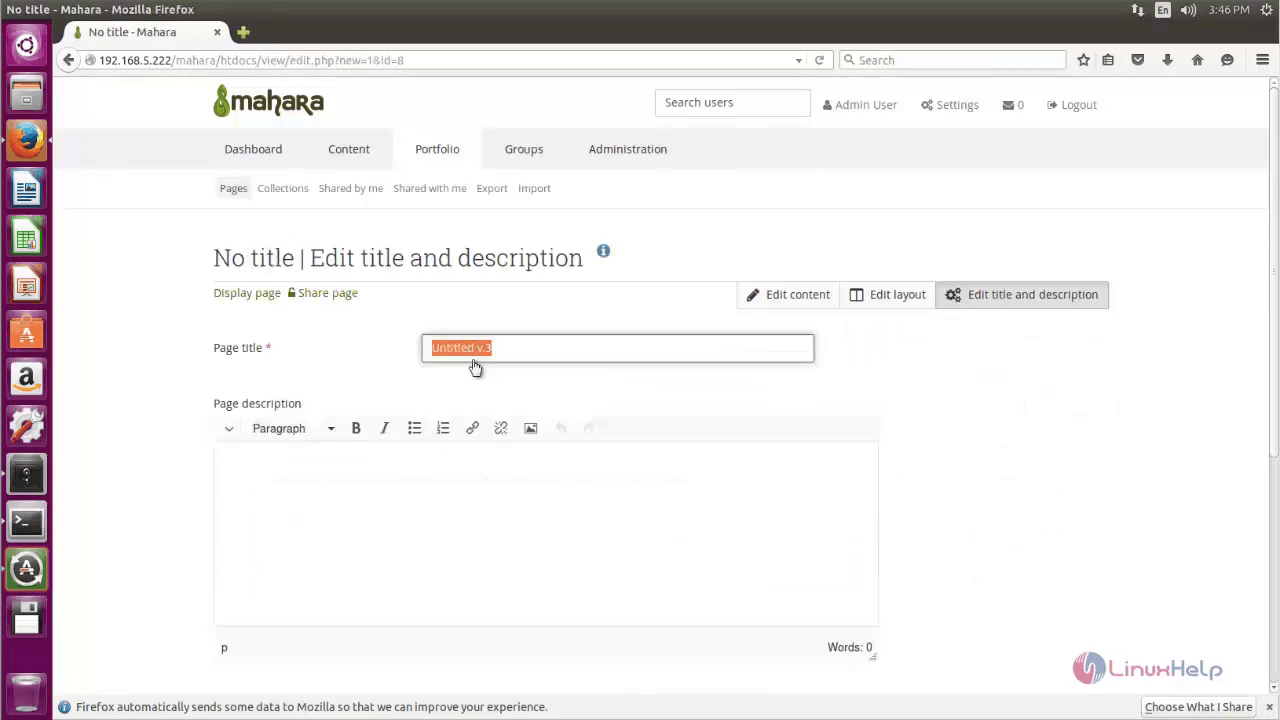
Enter the Title for the new page and start editing.
Comments ( 0 )
No comments available