• Categories
    Category
    {{ postCtrl.tags }}
    • {{ category.tag_type }}

      • {{tag.tag_name}}
      • View more
  • Categories
    Category
    {{ postCtrl.tags }}
    • {{ category.tag_type }}

      • {{tag.tag_name}}
      • View more
  • News
  • Tutorials
  • Forums
  • Tags
  • Users
Tutorial News Comments FAQ Related Articles

How To Install Matric COSEC on Windows 7

{{postValue.id}}

To Install Matric COSEC on Windows 7

In the previous article, we saw about various things to consider before the installation of Matrix COSEC. Now in this article, we will see about the installation of Matrix COSEC. Matrix COSEC is a flexible and scalable mobility management solution for organizations. The Matrix COSEC contains all the necessary hardware devices and a suite of software application modules.

To Install Matric COSEC

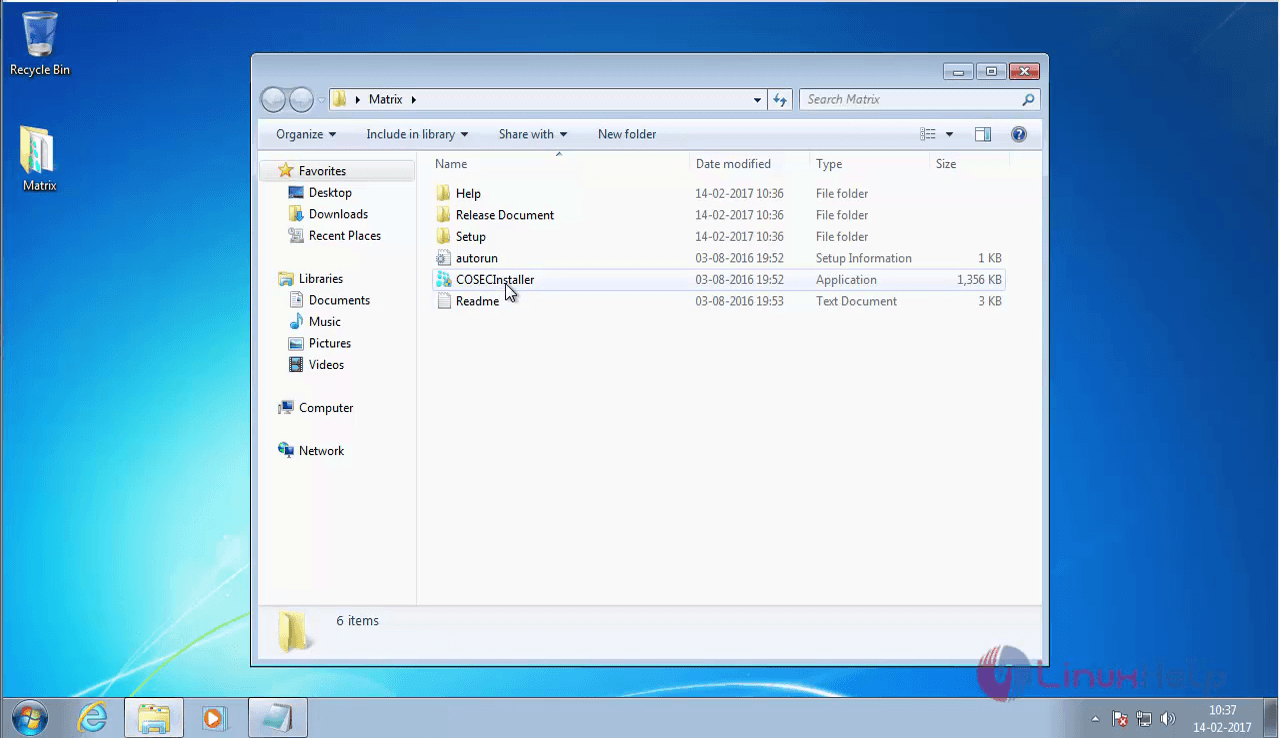
Before starting to install Matrix COSEC, make sure you have purchased the Matric COSEC. Open the purchased package.
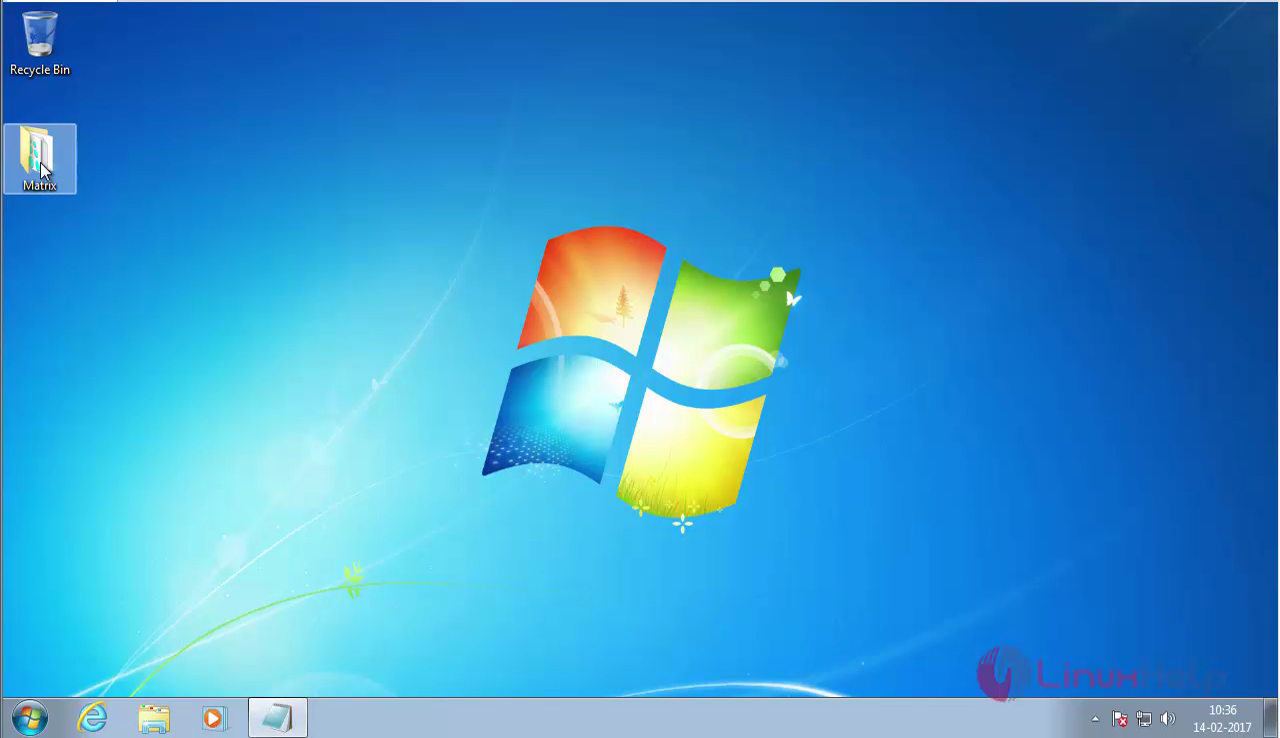
MATRIX_PACKAGE

Select the COSECInstaller package.
cosec_installer

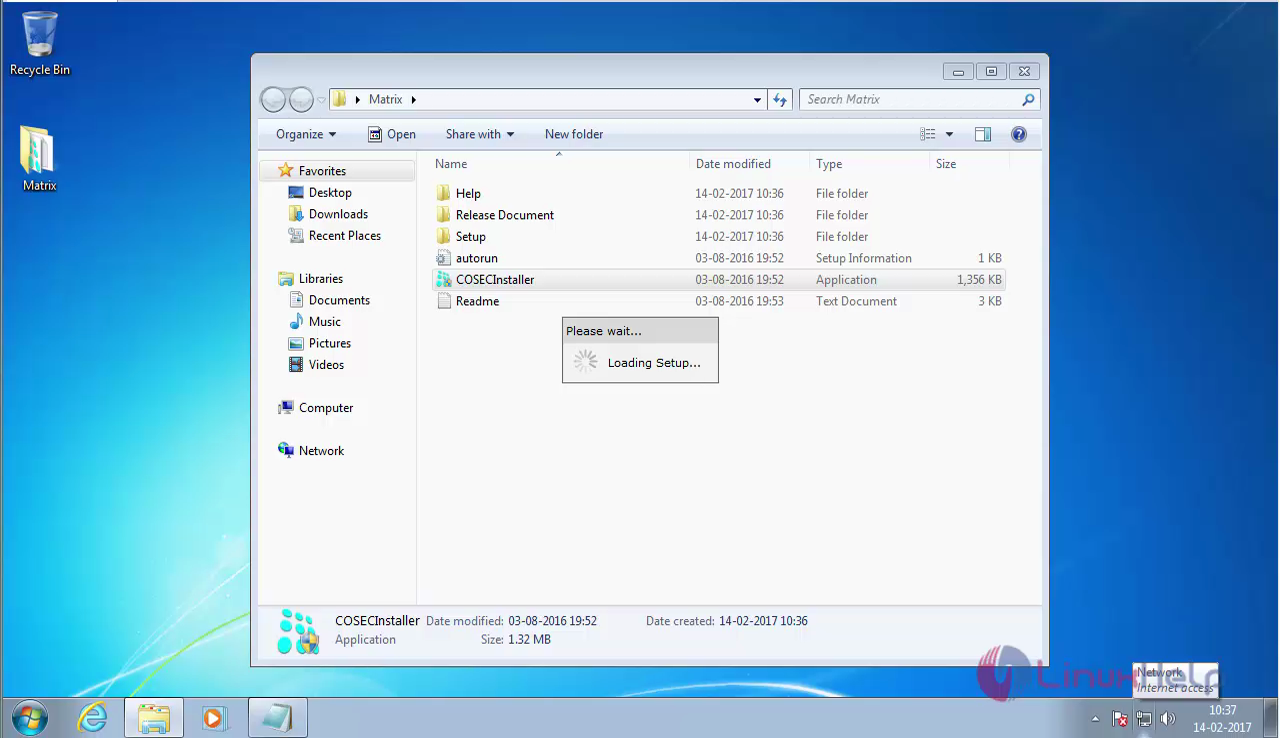
Click on yes to kickstart the installation.
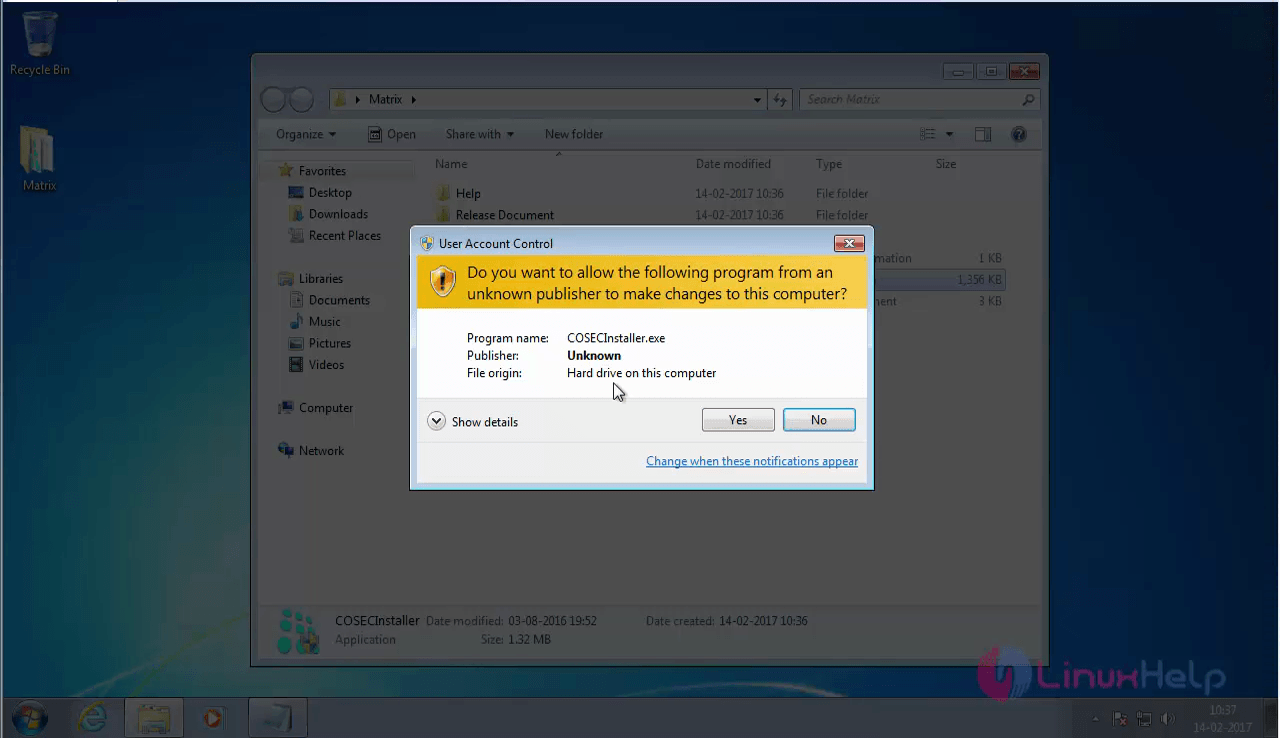
start_installation

installation

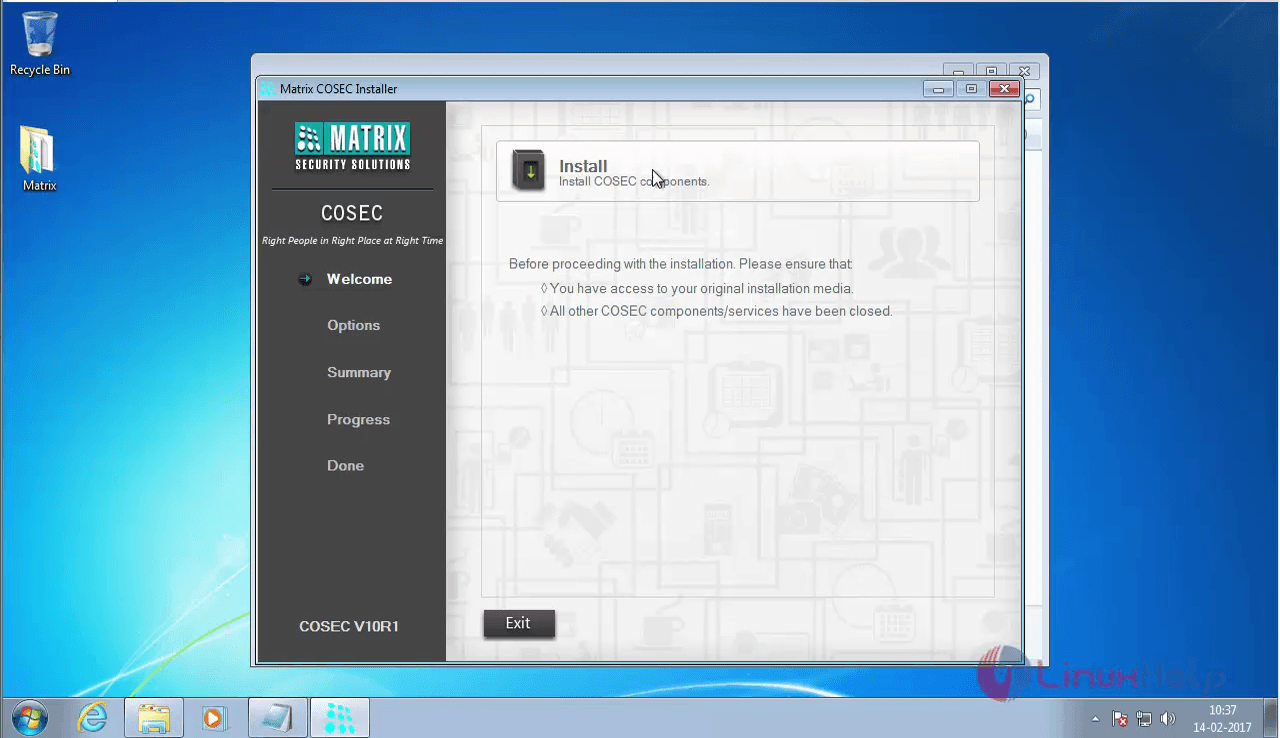
The Matrix installation window appears on your screen.
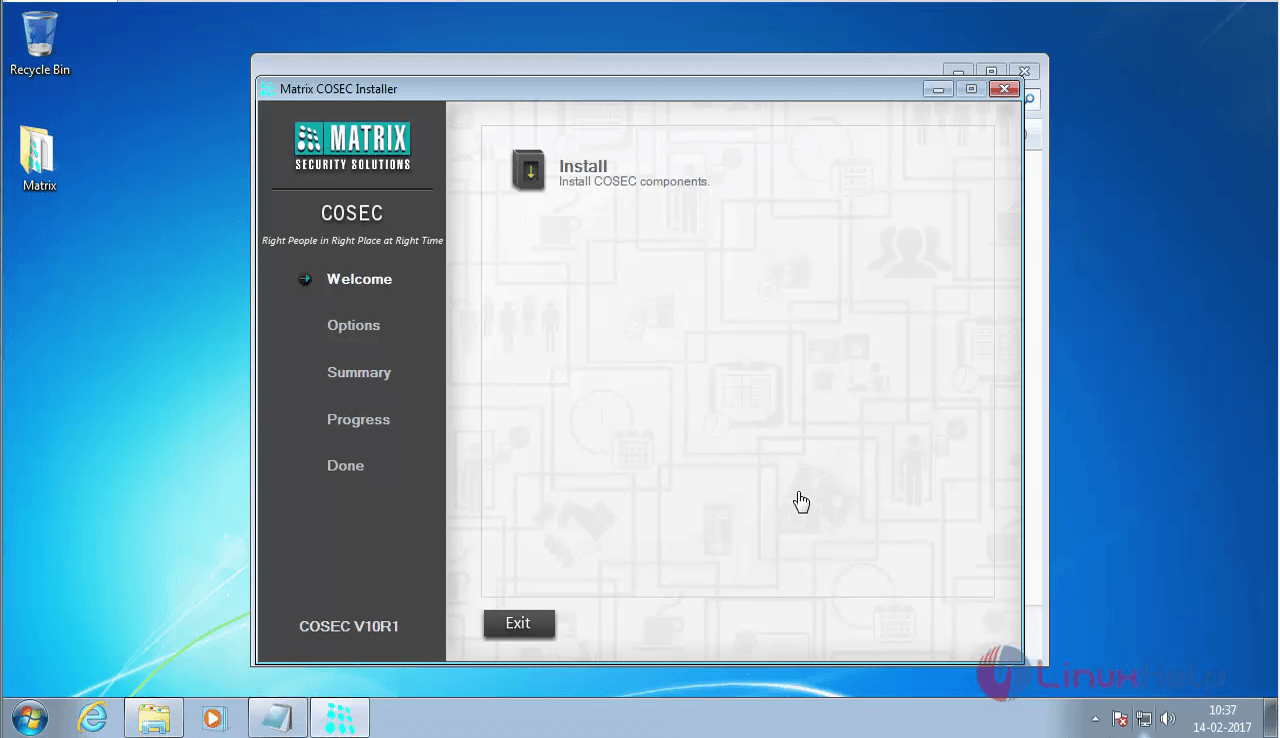
Matrix_install

Click the install option
click_install

Now, choose Typical option which installs the most needed packages.
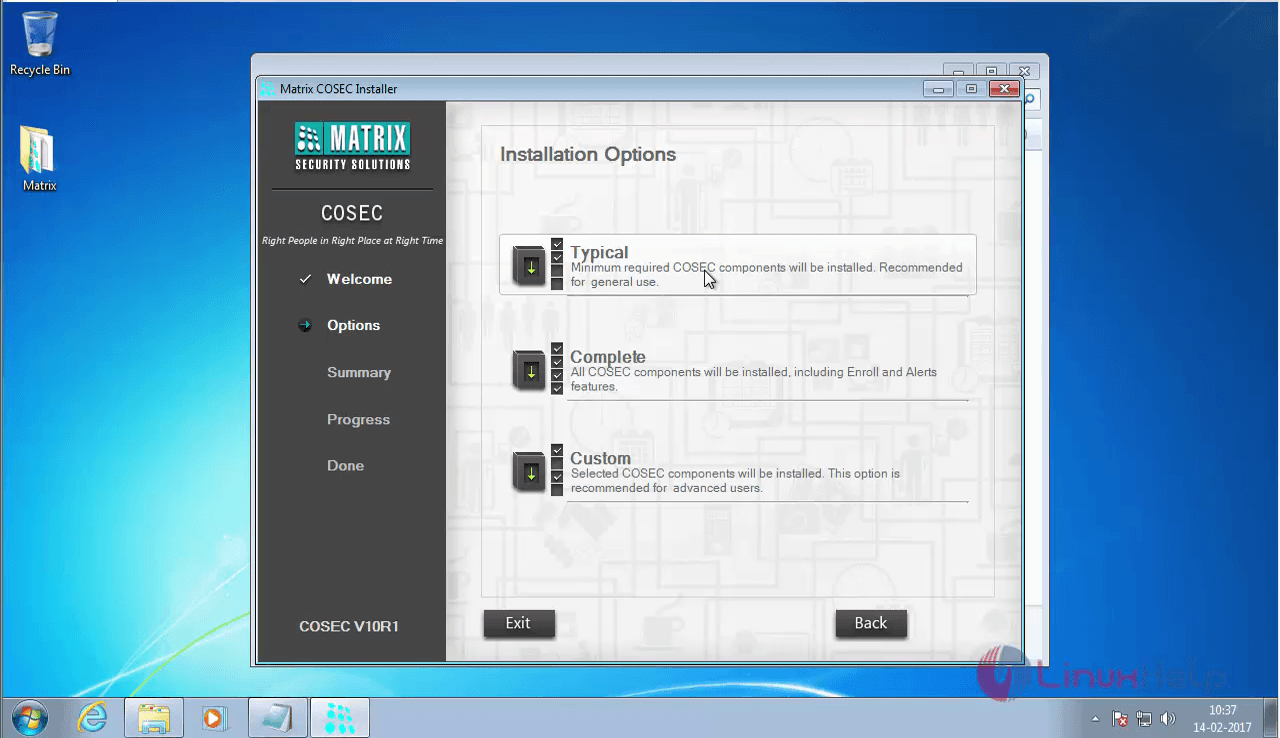
MATRIX_TYPICAL

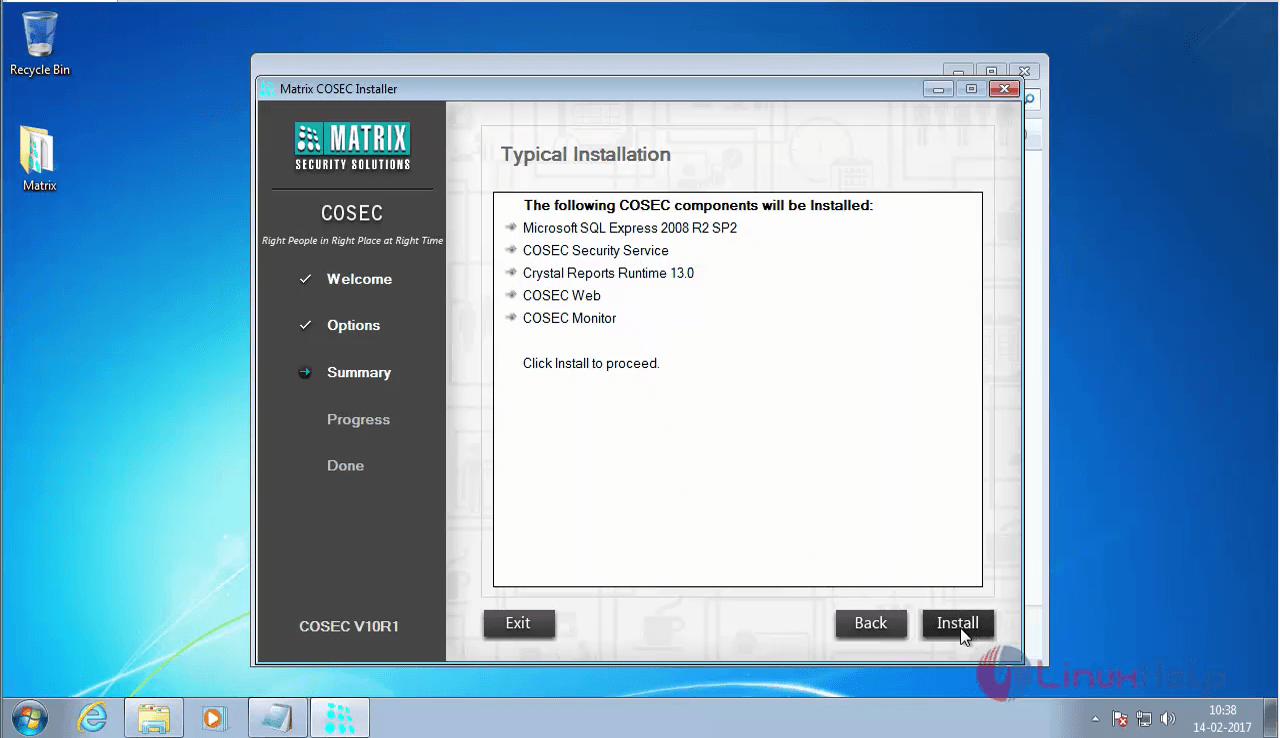
The packages that are to be installed are displayed on the window.
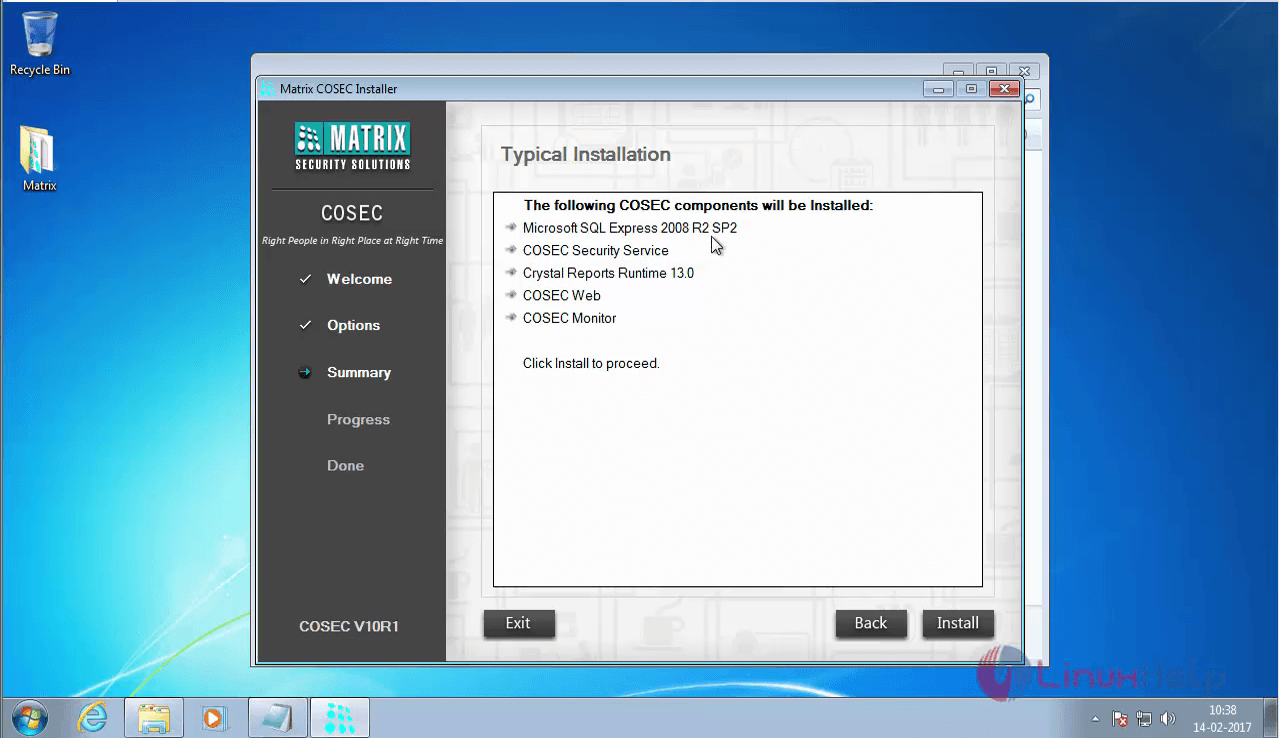
basic_packages

Click on the install option.
Typical_Installation

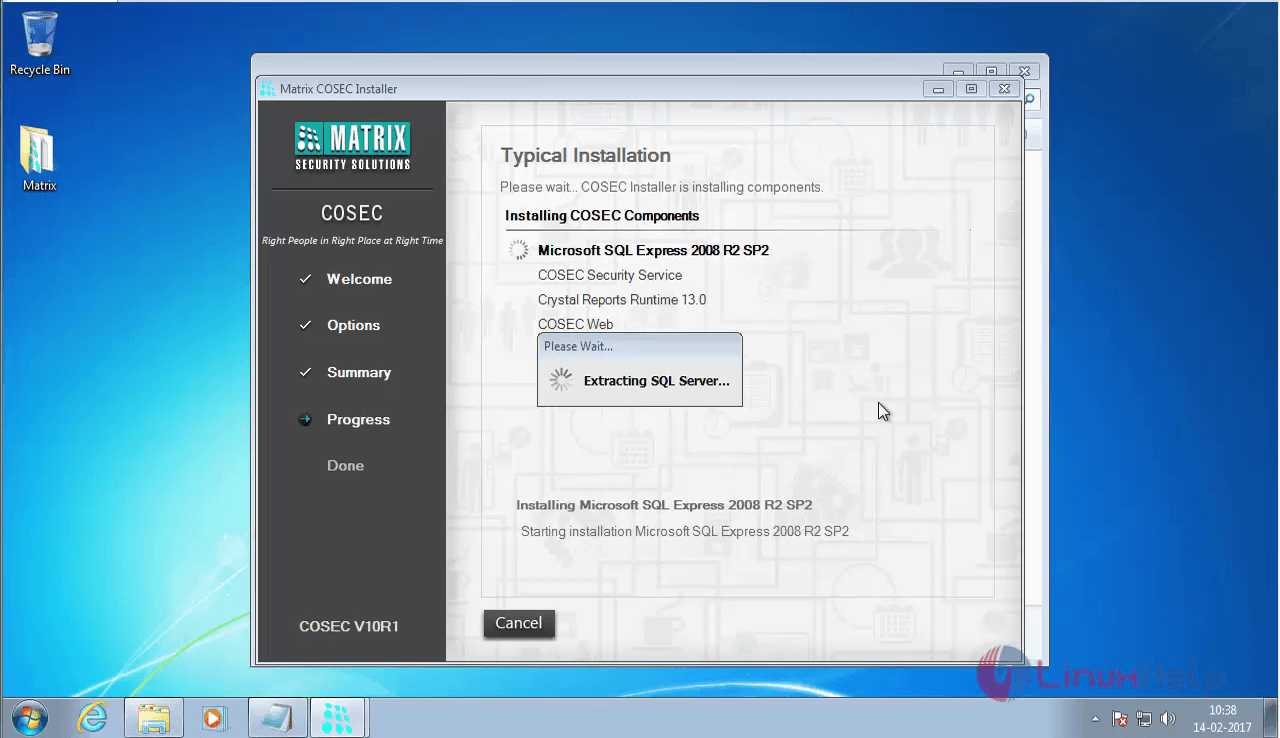
Installation has been started.
Matrix_installation

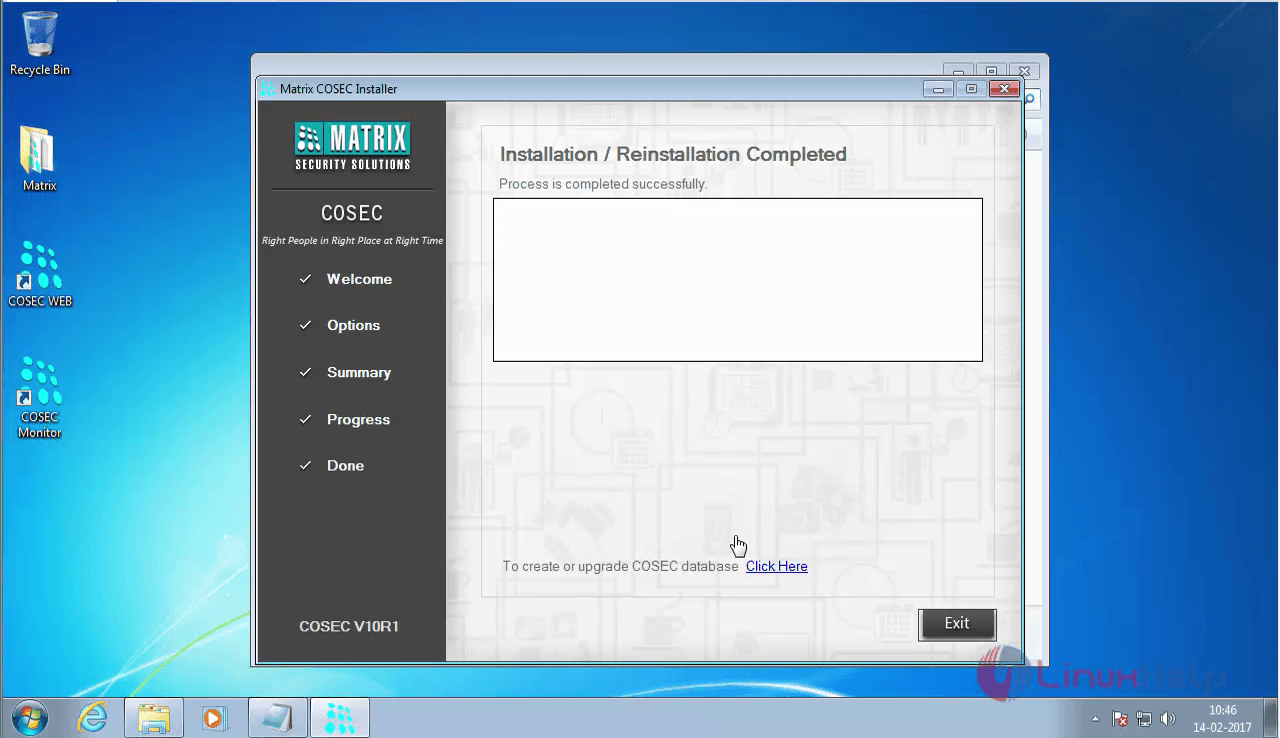
The installation is now completed.
installation_process

The database for Matrix COSEC is also created.
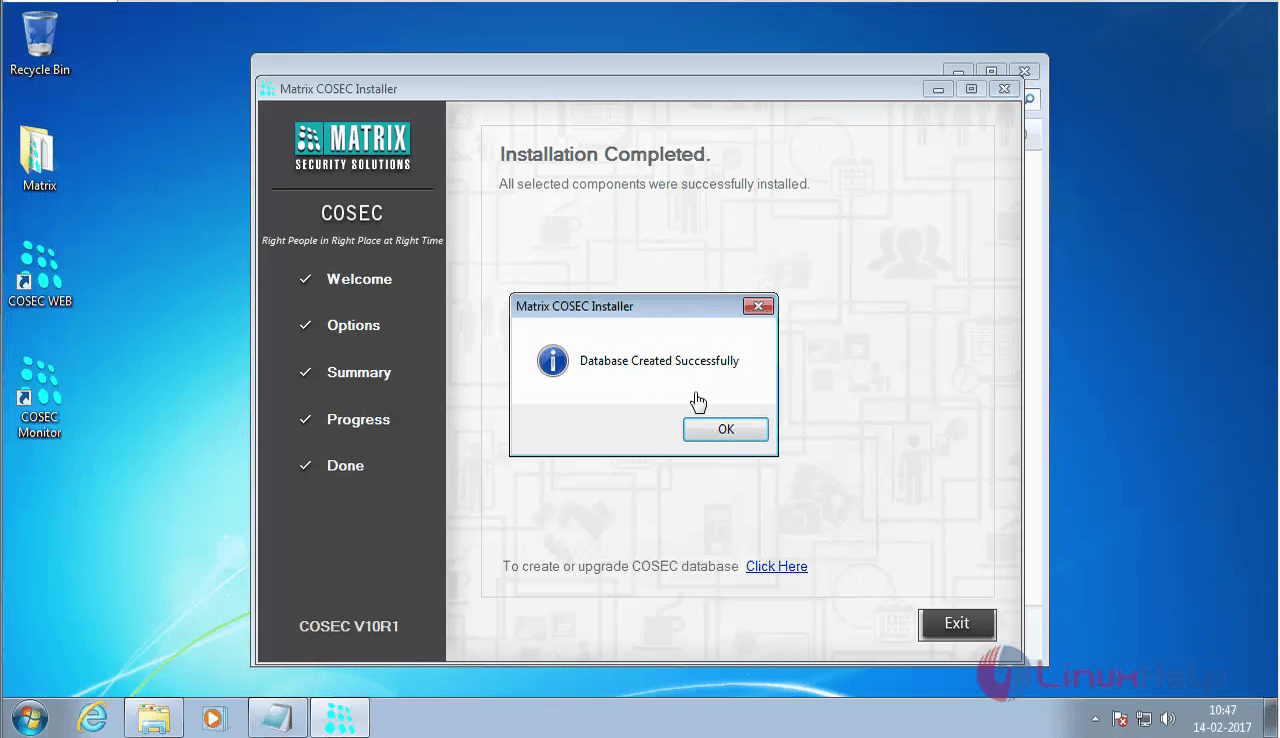
database_complete

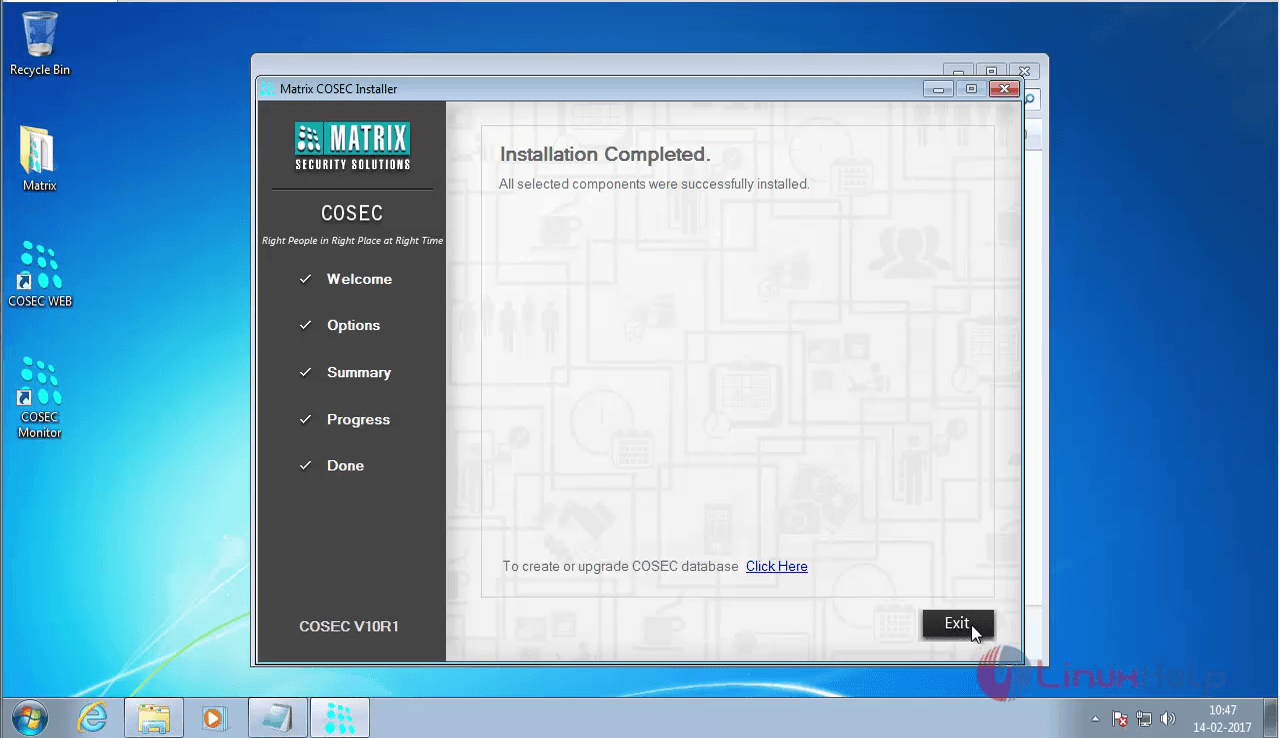
Now click on the Exit option.
Installation_complete

All the necessary packages are installed, but the COSEC tracker and the integrator are yet to installed. So, click on the Install option to add them.
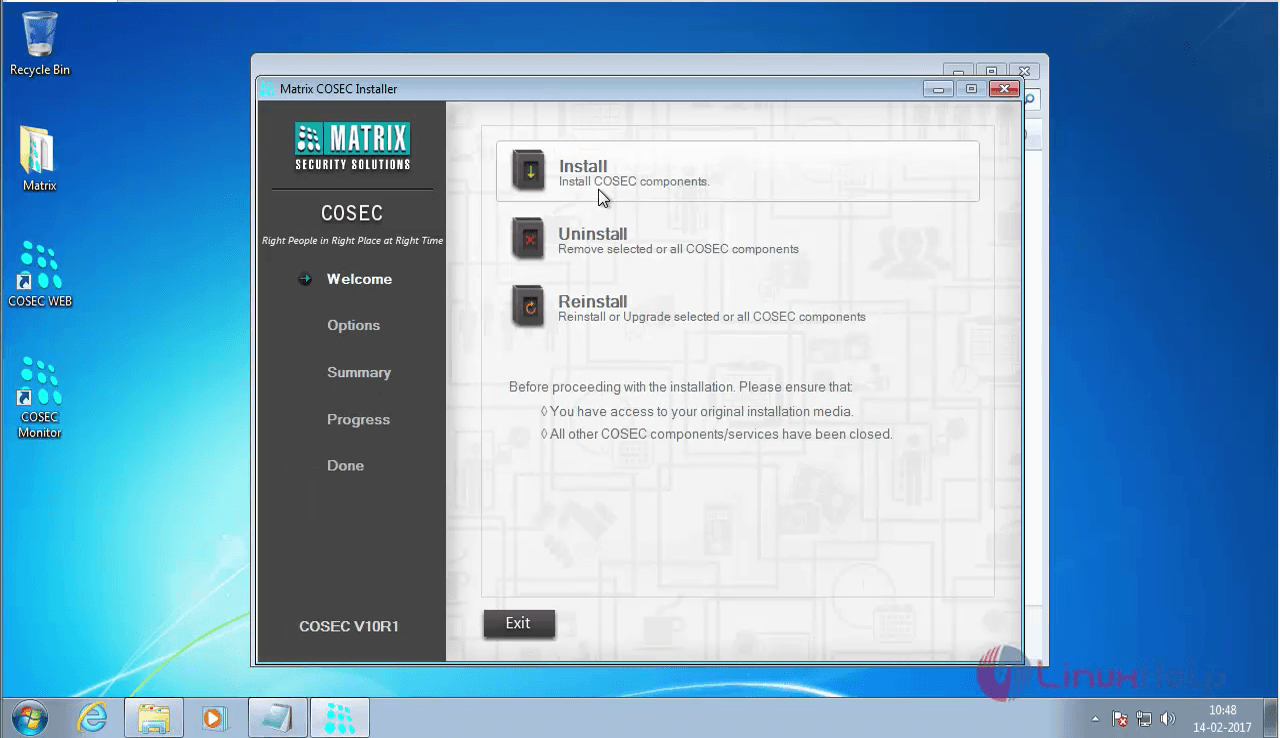
install_cosec

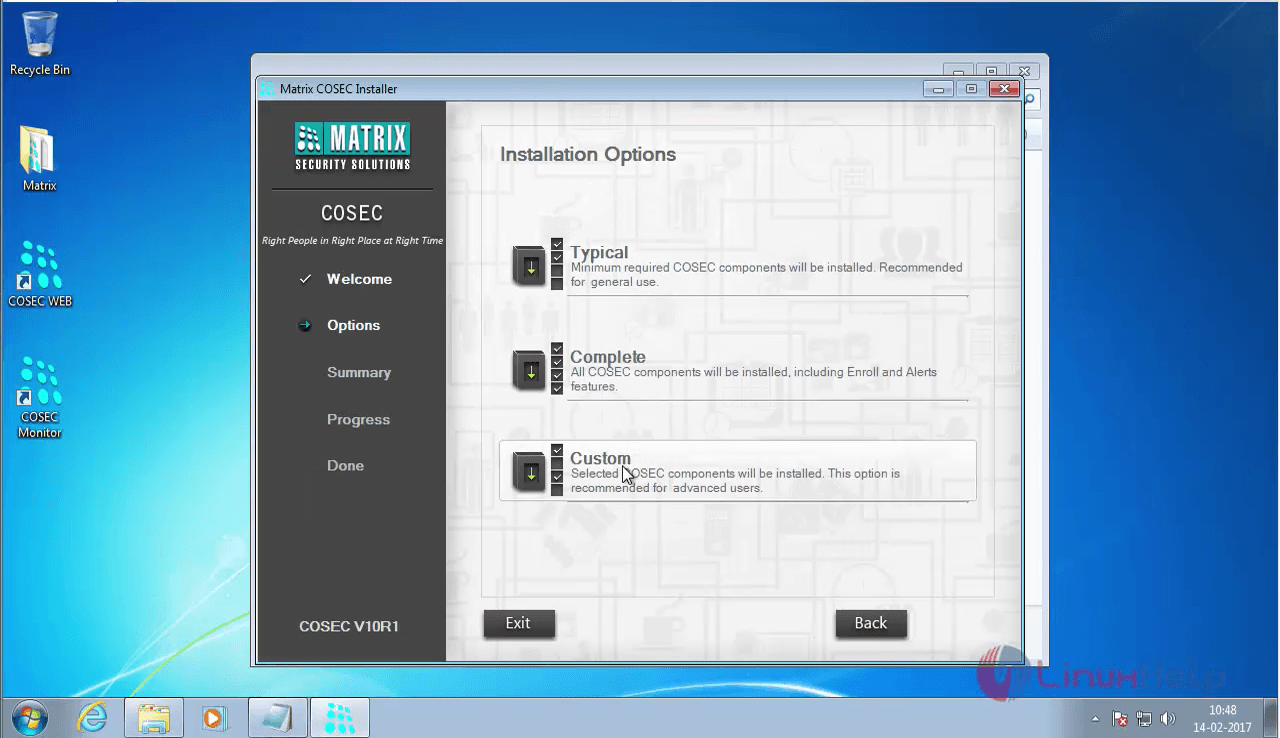
Now choose the custom option.

custom installation

The options available under the custom installation are listed.
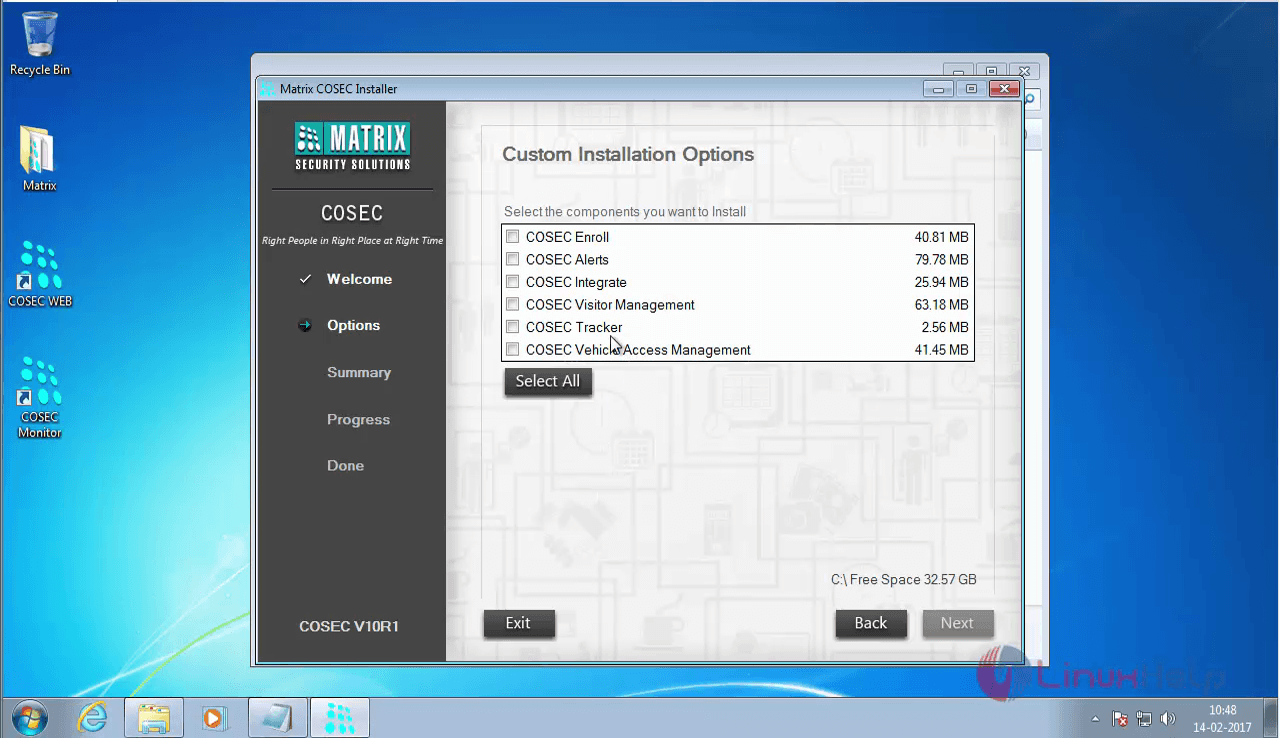
custm_options

Choose COSEC Integrate and COSEC Tracker and click Next
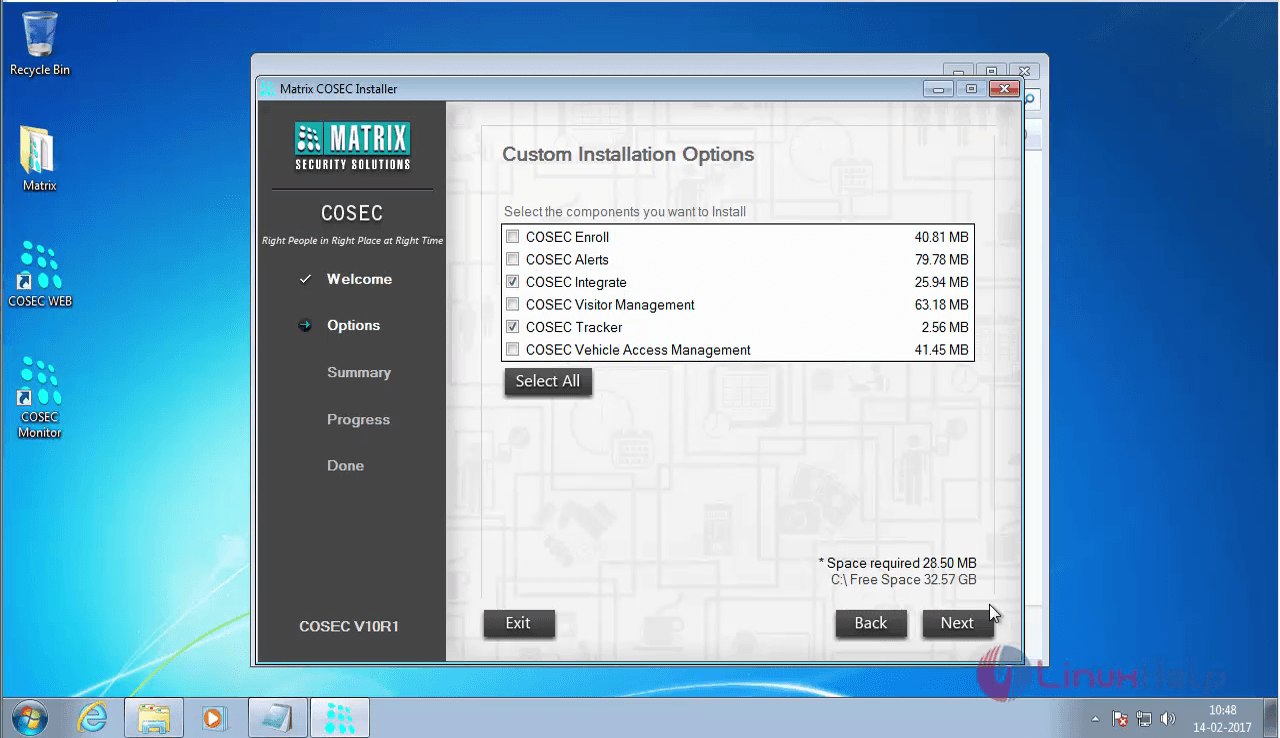
cosec_integrate

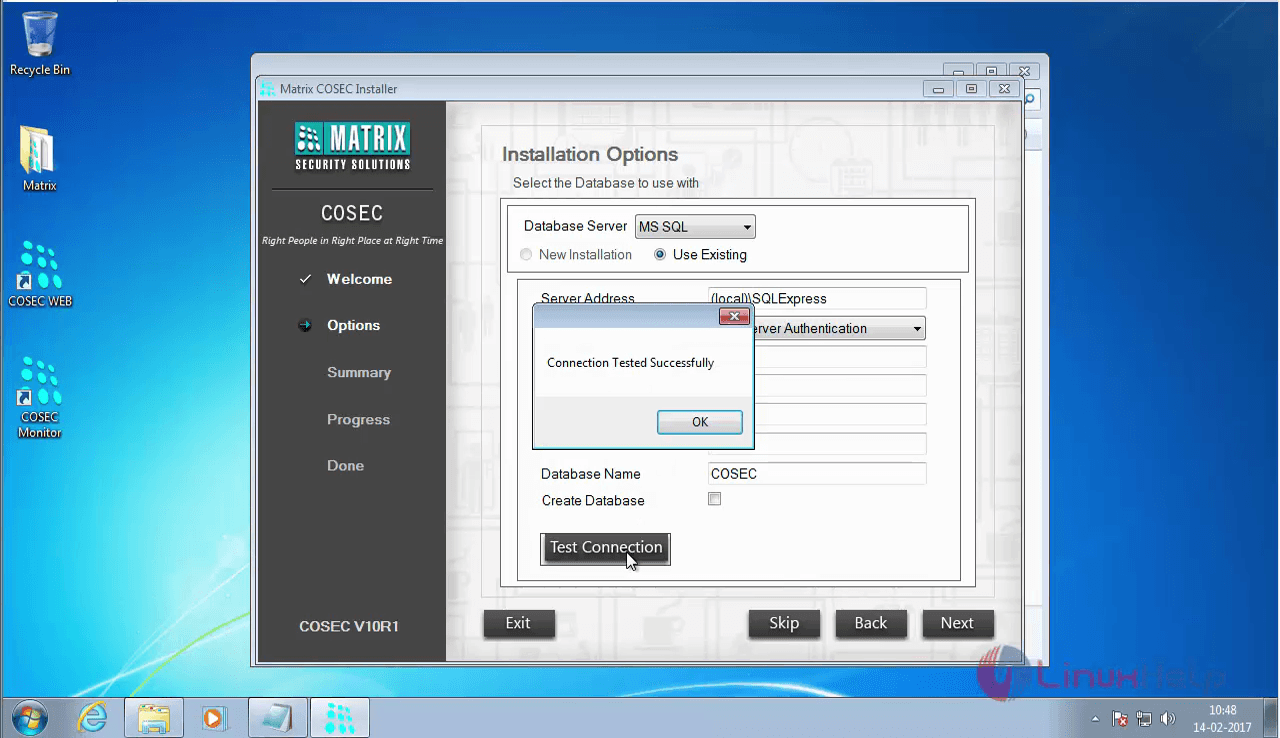
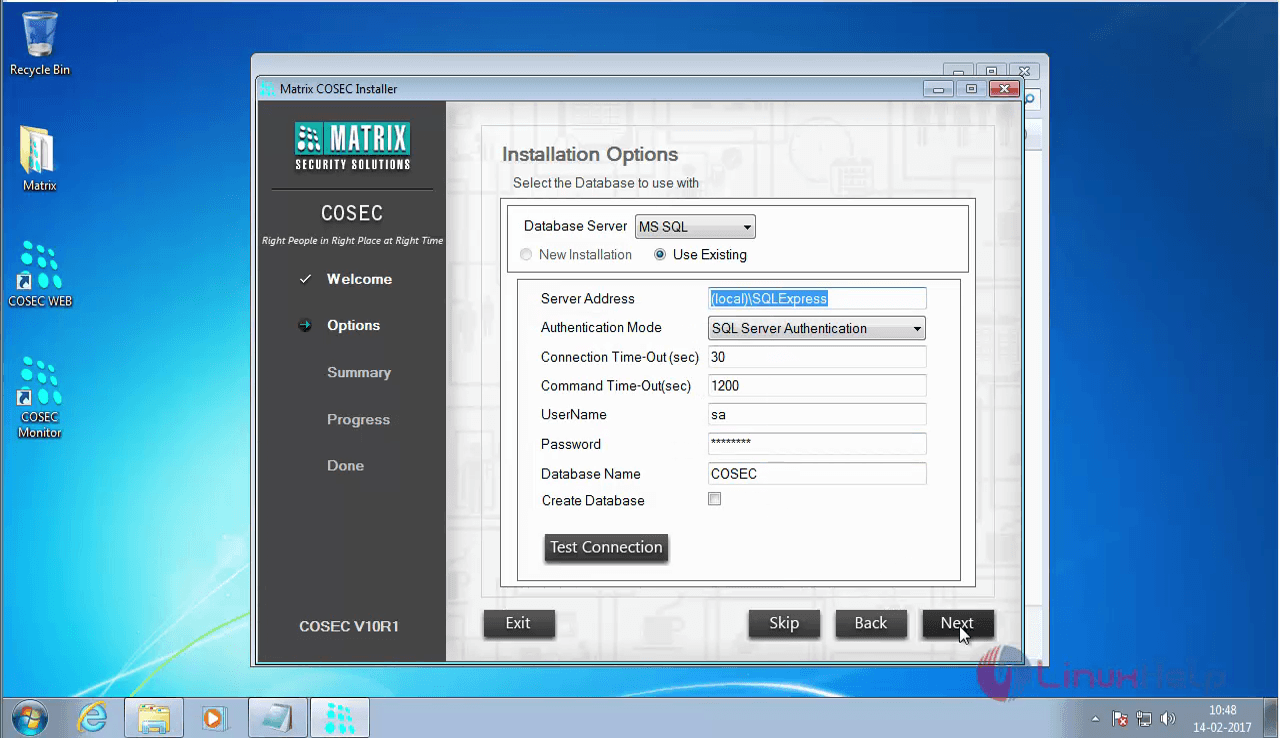
The existing database details are shown, now check the database connectivity by clicking on Test Connection option.
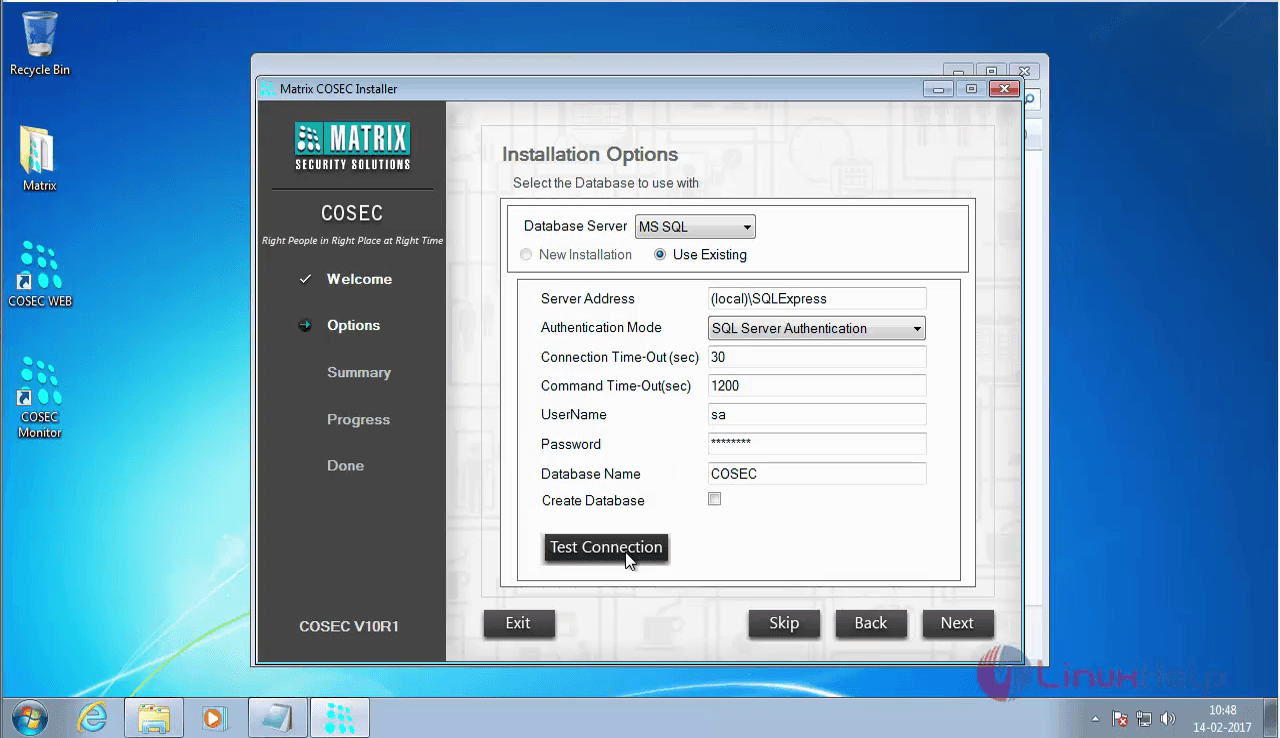
test_connection_options

The connection is successful
connection _succesful

Now click Next option.
next

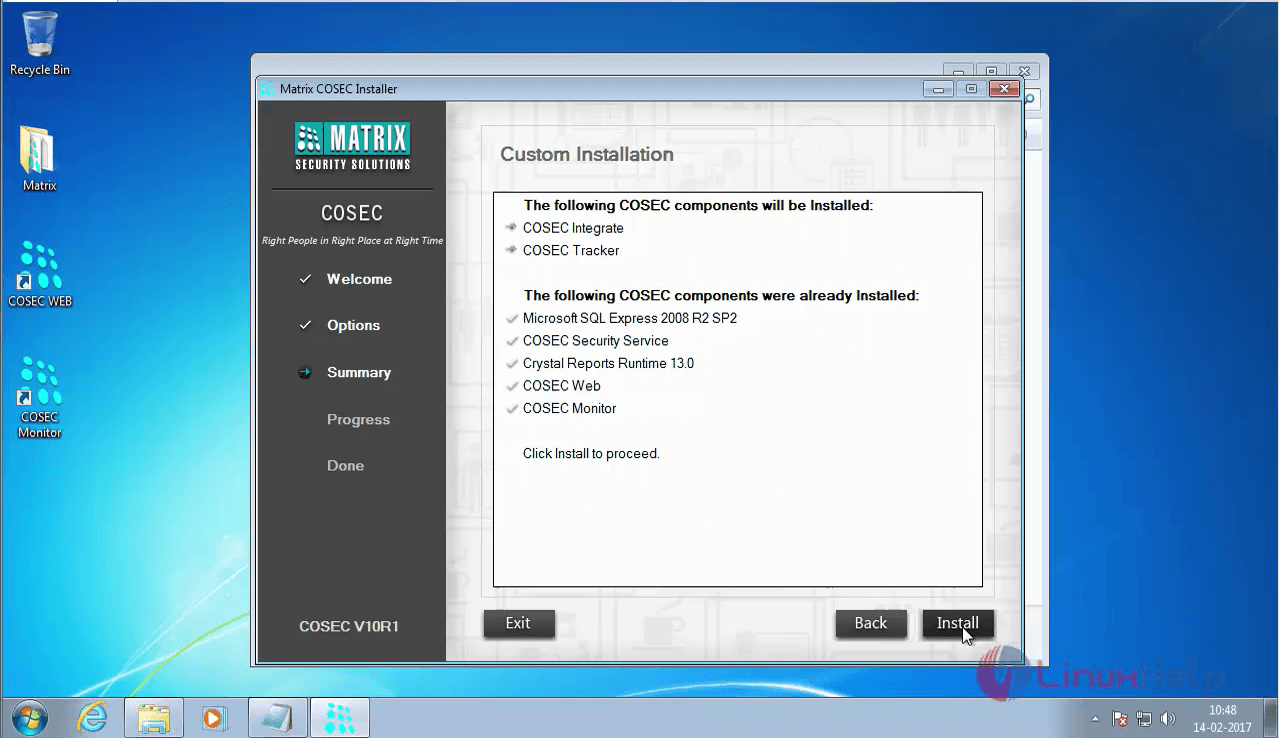
The details about the COSEC installation are displayed on the window. Verify it once.
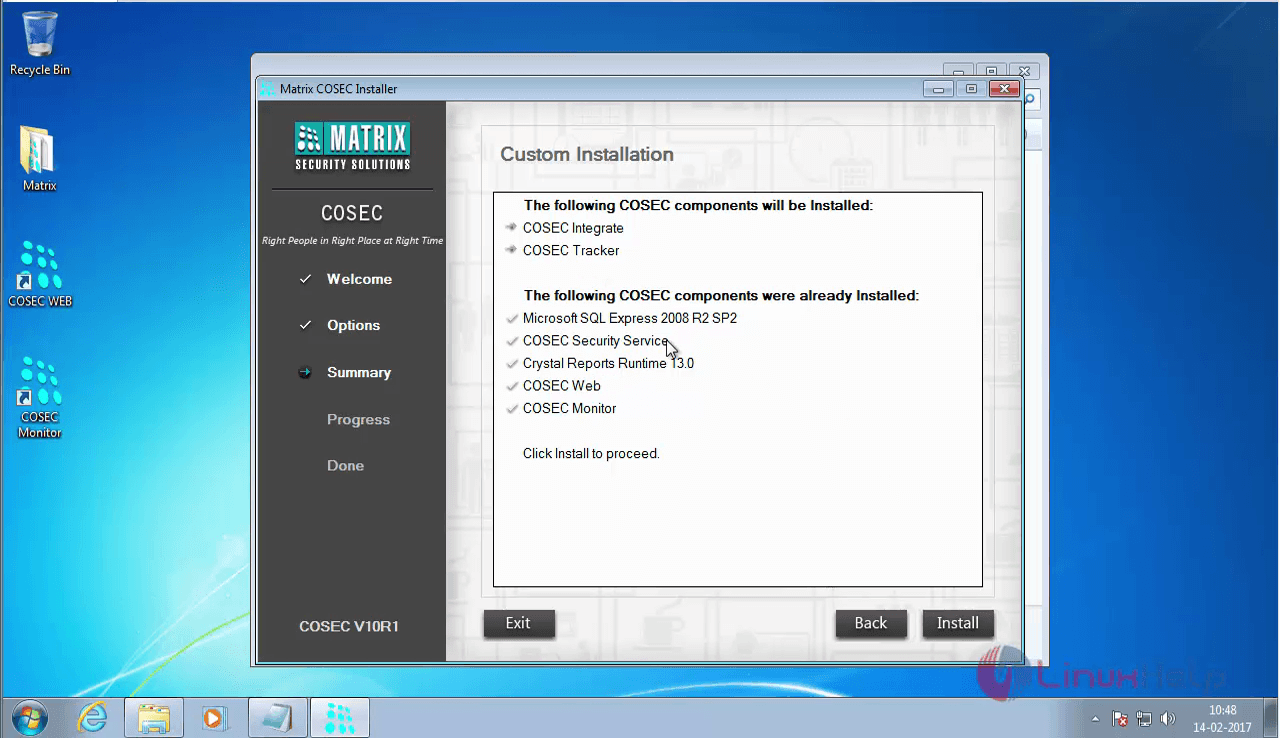
cosec_information

Click Install.
click_install

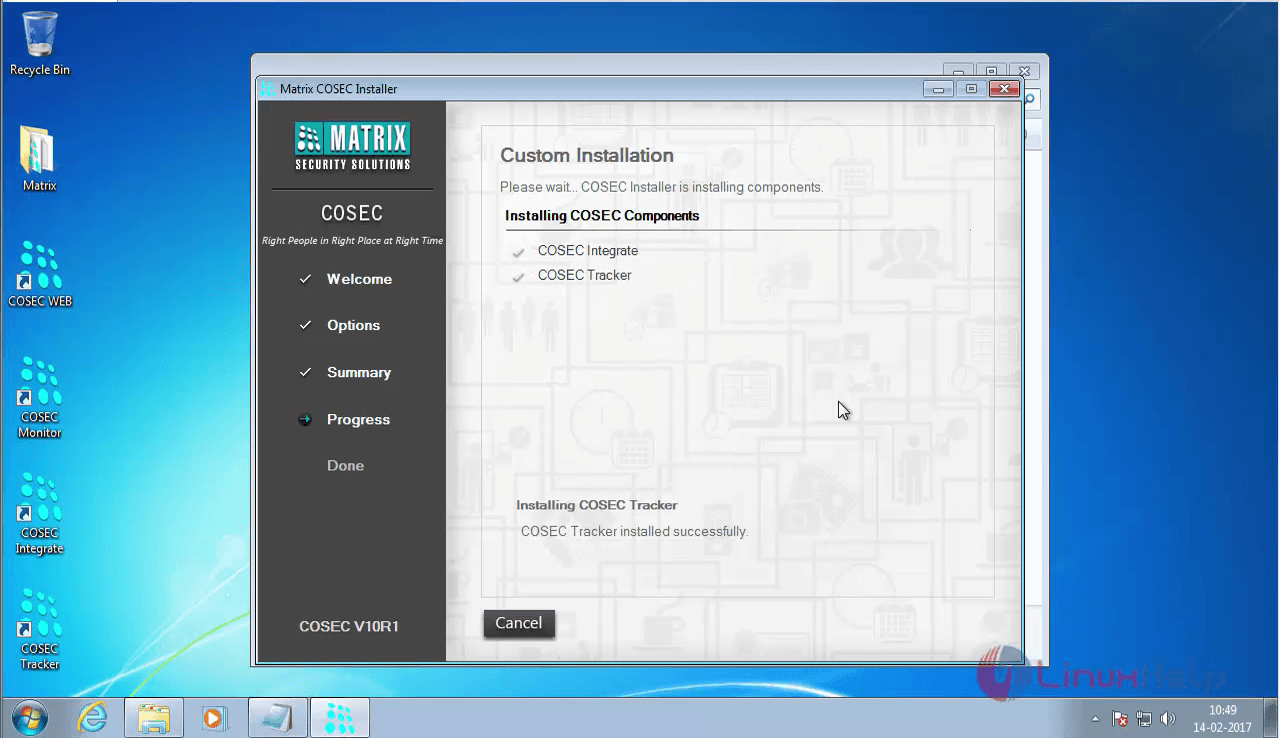
Custom Installation is taking place.
custom_installation

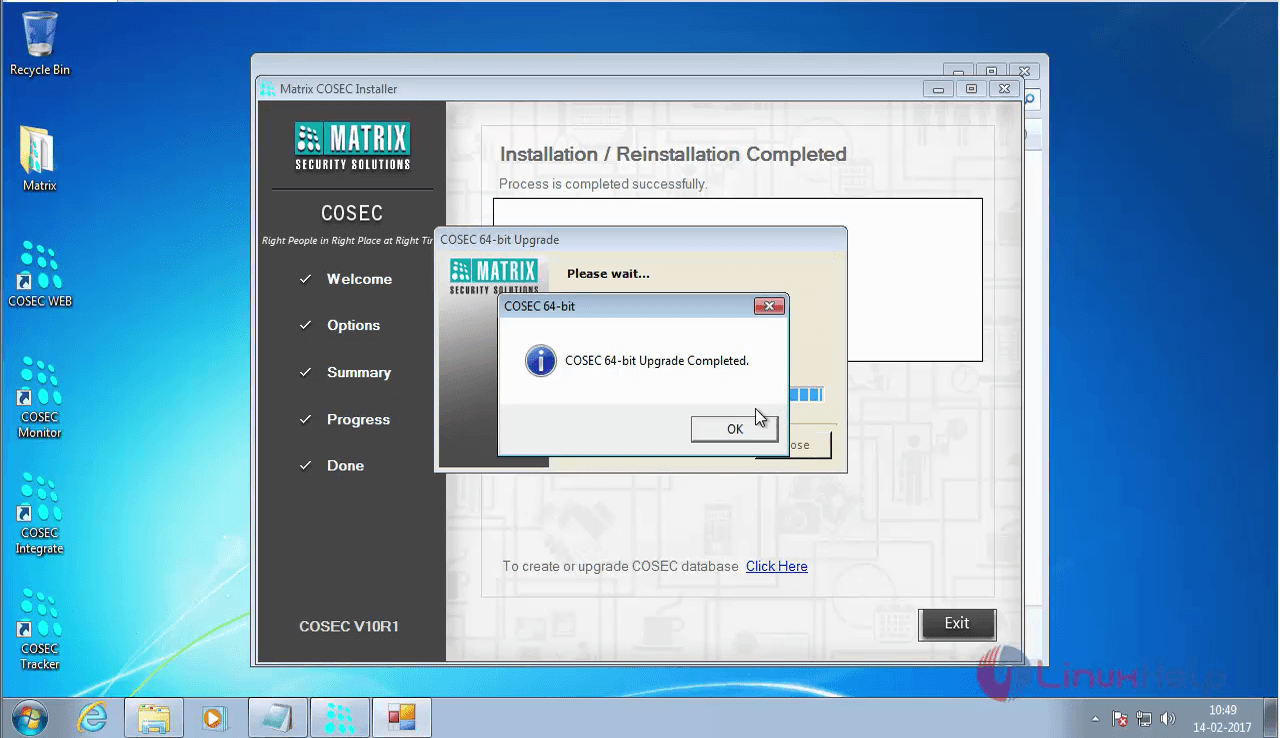
COSEC installation is now complete.
installation_complete

Tags:
noah
Author: 

Comments ( 0 )

No comments available

Add a comment
{{postCtrl.cmtErrMsg}}

Frequently asked questions ( 5 )

Q

Why COSEC Devices are not coming online in COSEC MONITOR application?

A

Follow the steps mentioned below:
 Try to ping the device and verify that the response is coming or not. If it is coming then
move to next step, else check the network cable connectivity.

Q

While opening COSEC WEB, it shows “License verification failed. License information not
found.”

A

This error comes when Matrix Security Dongle is not connected to server computer. To
resolve it, connect the Matrix Security Dongle to the server and refresh the page.

Q

When I open COSEC WEB, it shows a message “HTTP 404 not found”.how to solve it ?

A

This message comes when port number 80 of COSEC WEB application is being used by
some other application. Change the port number of COSEC WEB application from 80 to any other
through IIS and t

Q

How to connect EM Lock with COSEC Device using in-built power supply?

A

Connect the Lock Relay terminals NC and 0V of the device with EM Lock.
Short the terminals +12V and COM in device
For higher capacity lock, external power supply can be connected in series with EM lock.

Q

Why Exit switch is not working in COSEC Device?

A

By default, Exit Switch is disabled.
To enable it, open COSEC WEB -> Devices -> Device Configurations -> Exit switch.
Note: Make sure that the device is online in COSEC MONITOR application otherwise configurations
will not be transferred to the device.

Back To Top!
Rank
User
Points

Top Contributers

userNamenaveelansari
135850

Top Contributers

userNameayanbhatti
92510

Top Contributers

userNamehamzaahmed
32150

Top Contributers

1
userNamelinuxhelp
31040

Top Contributers

userNamemuhammadali
24500
Can you help Ryan ?
how to use visual traceroute tool

Am using traceroute command to check for the route. i got this tool while surfing. So pls help me out installation and usage of Visual traceroute tool.

Networking
  • Routing
  • trunk
  • Netmask
  • Packet Capture
  • domain
  • HTTP Proxy
Server Setup
  • NFS
  • KVM
  • Memory
  • Sendmail
  • WebDAV
  • LXC
Shell Commands
  • Cloud commander
  • Command line archive tools
  • last command
  • Shell
  • terminal
  • Throttle
Desktop Application
  • Linux app
  • Pithos
  • Retrospect
  • Scribe
  • TortoiseHg
  • 4Images
Monitoring Tool
  • Monit
  • Apache Server Monitoring
  • EtherApe 
  • Arpwatch Tool
  • Auditd
  • Barman
Web Application
  • Nutch
  • Amazon VPC
  • FarmWarDeployer
  • Rukovoditel
  • Mirror site
  • Chef
Contact Us | Terms of Use| Privacy Policy| Disclaimer
© 2025 LinuxHelp.com All rights reserved. Linux™ is the registered trademark of Linus Torvalds. This site is not affiliated with linus torvalds in any way.