• Categories
    Category
    {{ postCtrl.tags }}
    • {{ category.tag_type }}

      • {{tag.tag_name}}
      • View more
  • Categories
    Category
    {{ postCtrl.tags }}
    • {{ category.tag_type }}

      • {{tag.tag_name}}
      • View more
  • News
  • Tutorials
  • Forums
  • Tags
  • Users
Tutorial News Comments FAQ Related Articles

How to install Maxthon cloud browser in Ubuntu

{{postValue.id}}

To install Maxthon cloud browser in Ubuntu

Maxthon browser is a free high level web browser which is available for Linux,Windows and Mac. It has a mix of technologies and security patches of Mozilla Firefox, Google Chrome , web person, Apple hunting expedition and Opera browser. It is so simple to install Maxthon Cloud Browser on Ubuntu, and this article sheds light on it.

Installing Maxthon

To start with the installation, make sure you download the Maxthon installation package on your system.

root@linuxhelp:/home/user1# wget http://dl.maxthon.com/linux/deb/packages/amd64/maxthon-browser-stable_1.0.0.10_amd64.deb
--2017-06-23 13:34:35--  http://dl.maxthon.com/linux/deb/packages/amd64/maxthon-browser-stable_1.0.0.10_amd64.deb
Resolving dl.maxthon.com (dl.maxthon.com)... 8.18.216.151
Connecting to dl.maxthon.com (dl.maxthon.com)|8.18.216.151|:80... connected.
HTTP request sent, awaiting response... 200 OK
Length: 51350386 (49M) [text/plain]
Saving to: ‘ maxthon-browser-stable_1.0.0.10_amd64.deb’ 
100%[===================================================================================================================================================================> ] 5,13,50,386  607KB/s   in 3m 28s 
2017-06-23 13:38:03 (242 KB/s) - ‘ maxthon-browser-stable_1.0.0.10_amd64.deb’  saved [51350386/51350386]


Once downloaded, install the package as follows.

root@linuxhelp:/home/user1# dpkg -i maxthon-browser-stable_1.0.0.10_amd64.deb
Selecting previously unselected package maxthon-browser-stable.
(Reading database ... 168112 files and directories currently installed.)
Preparing to unpack maxthon-browser-stable_1.0.0.10_amd64.deb ...
Unpacking maxthon-browser-stable (1.0.0.10) ...
Setting up maxthon-browser-stable (1.0.0.10) ...


Marathon has been installed, you can open it by running the following command.

user1@linuxhelp:~$ maxthon


You can view that Adblock extension has been installed.
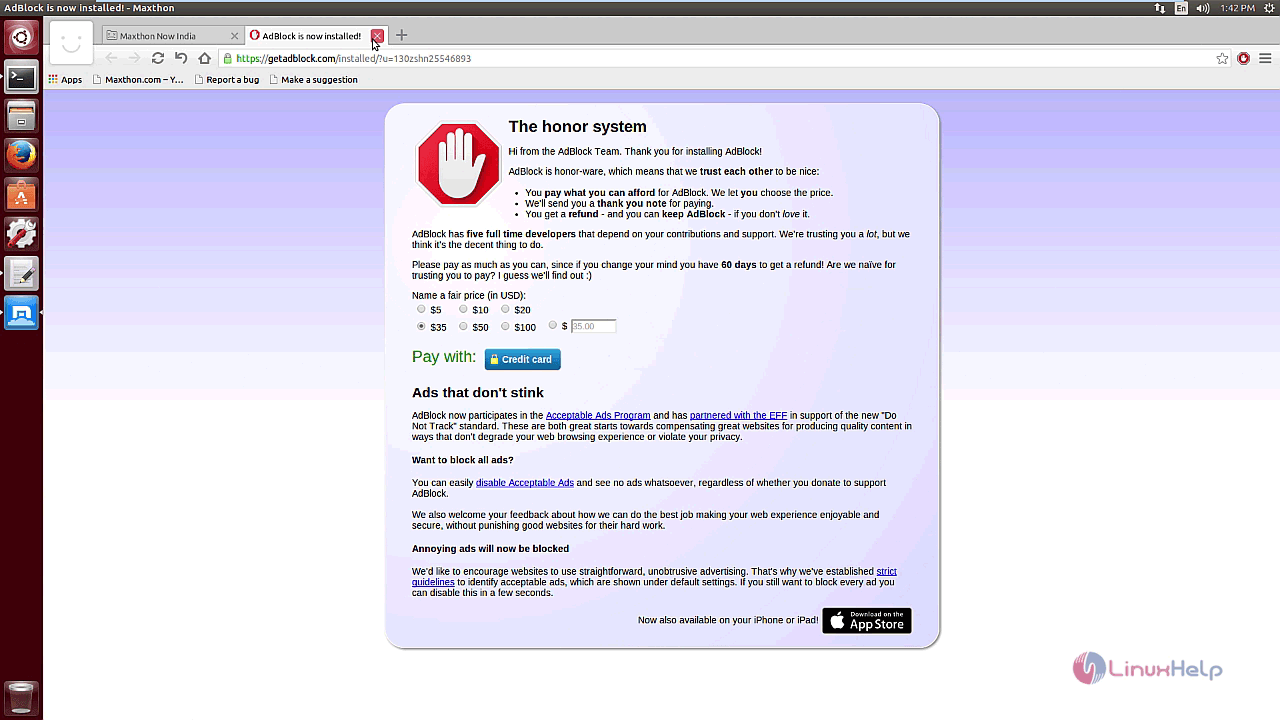
Maxthon
You can customize the Maxthon options.
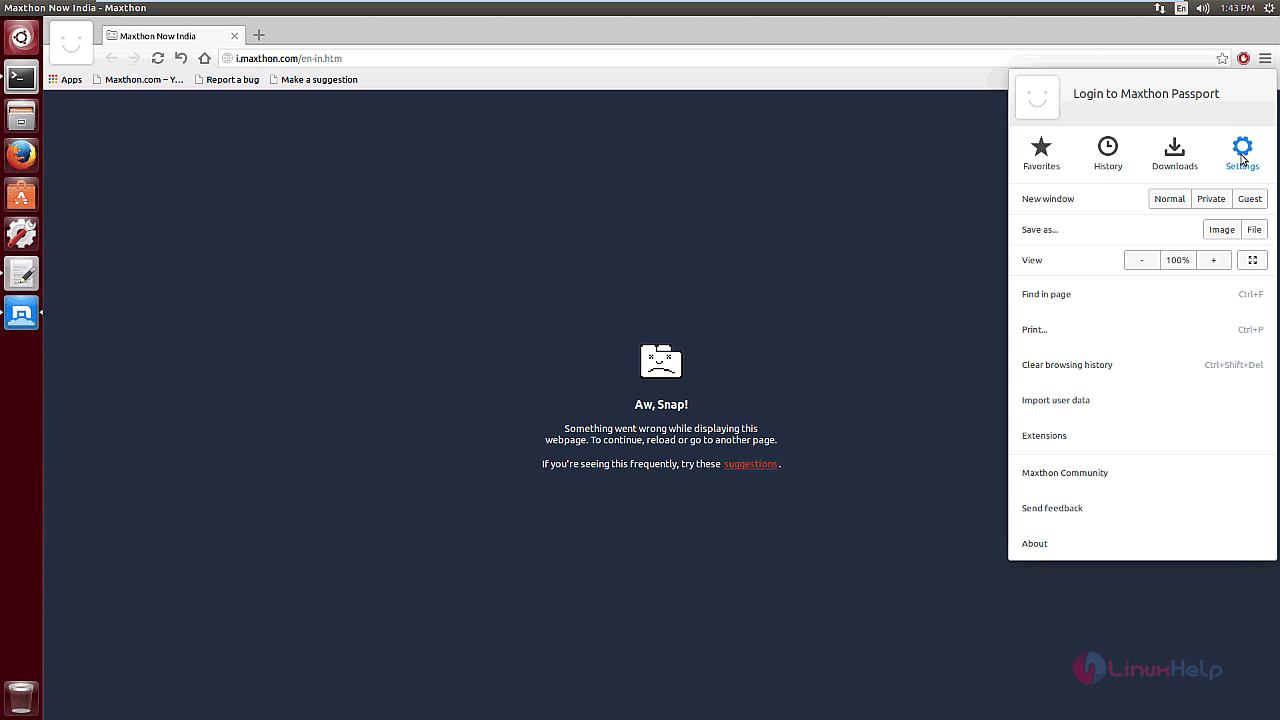
Maxthon Options
Click on the Settings icons to configure Maxthon.
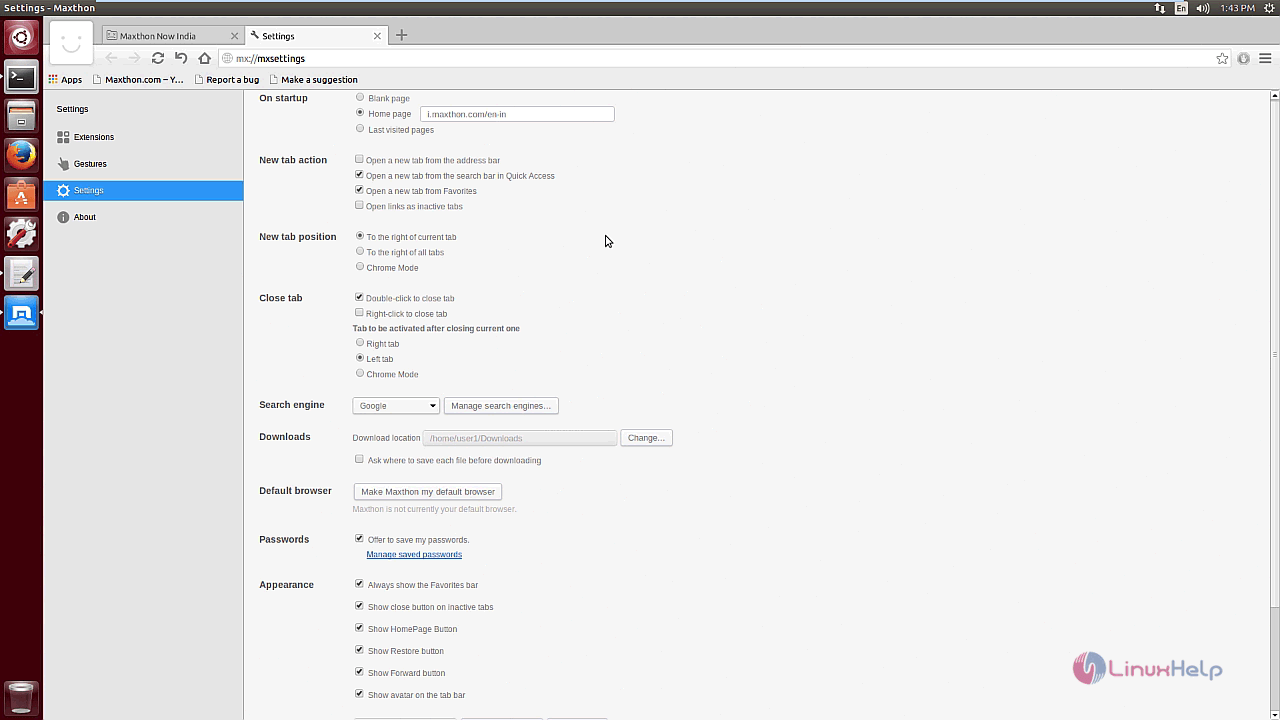
Maxthon Settings

You can learn about the Maxthon package by clicking on the About icon.
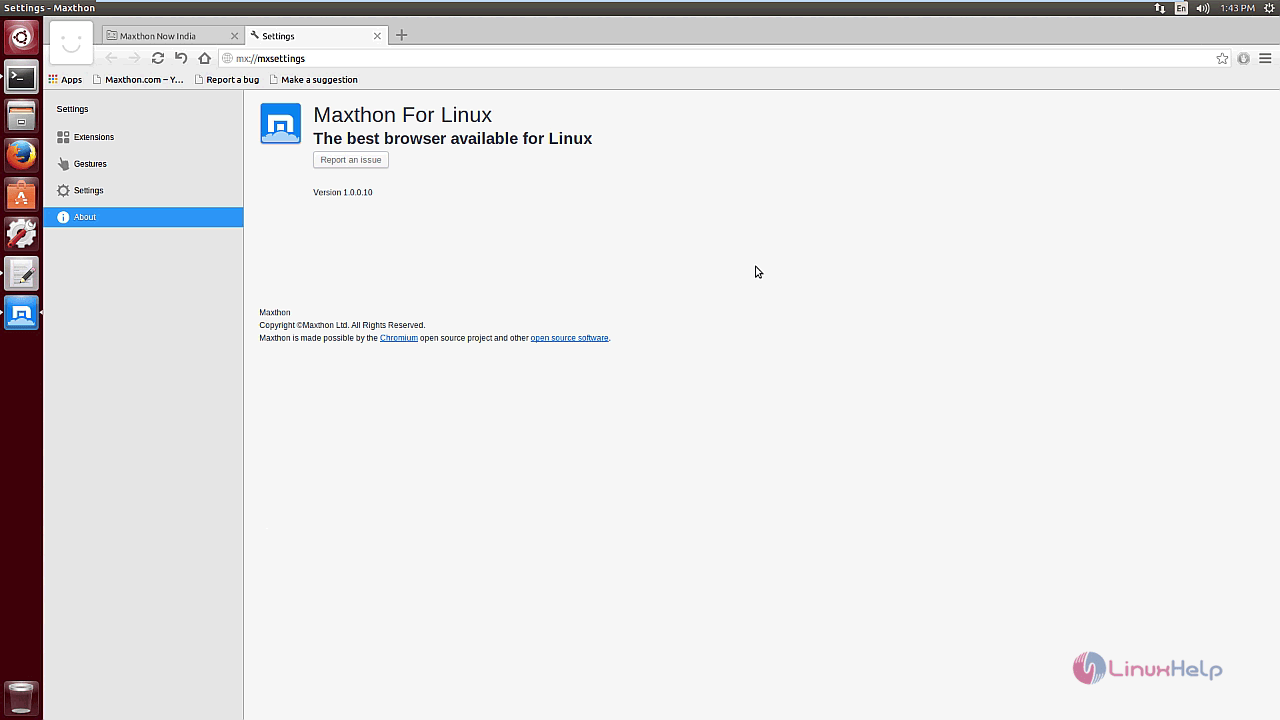
About Maxthon

With this the complete installation of Maxthon is complete. Enjoy browsing on Maxthon. ???????

Tags:
jackson
Author: 

Comments ( 2 )

parthiban
Are you installed the package from your root account? if so, please remove the package and try re-installing the package from your sudo user account.
jaroslavpopelka
Having just installed Maxthon on Ubuntu 14.04. but nothing just a black screen saying that there is an error with displaying the page. No setting screen available. What to do?
Add a comment
{{postCtrl.cmtErrMsg}}

Frequently asked questions ( 5 )

Q

What is Maxthon 4?

A

Maxthon 4 (Cloud Browser) is the newest member of the Maxthon family on PC. Maxthon 4, much like the previous Maxthon 3, has Dual Display Engines, two website rendering states that cover the whole web in two modes: Ultra and Retro. Ultra, which uses Webkit, makes surfing faster for newer, more current websites built to newer standards. Retro, which uses Trident, handles old, outdated and Microsoft IE optimized sites.

Q

Where is the Maxthon 4 Changelog?

A

Maxthon 4's Changelog can be found on the forum's release threads, which are posted in this subsection of the forum: News Sub-forum

Q

What is Webkit?

A

WebKit is a browser rendering engine. Maxthon's Ultra mode uses this for displaying web pages. This engine is used by Apple's Safari, forked originally from KDE's KHTML engine, and Google's later Chrome browser derived from the Chromium browser by its original authors. It is and has been, since Maxthon 3, used by our browser, Maxthon 4, included.

Q

What if I want to use both Maxthon 3 and Maxthon Cloud Browser?

A

You can, but because of name discrepancies, you will need to either migrate Maxthon 3 over to portable, and install Maxthon Cloud Browser, non-portable, or vice versa. If you want to use Maxthon 1 (Classic) or Maxthon 2, you can definitely use these simultaneously with later versions of the Maxthon browser.

Q

How to install Maxthon cloud browser in Debian?

A

Run the following command:
# wget http://dl.maxthon.com/linux/deb/packages/amd64/maxthon-browser-stable_1.0.0.10_amd64.deb

Back To Top!
Rank
User
Points

Top Contributers

userNamenaveelansari
135850

Top Contributers

userNameayanbhatti
92510

Top Contributers

userNamehamzaahmed
32150

Top Contributers

1
userNamelinuxhelp
31040

Top Contributers

userNamemuhammadali
24500
Can you help Luk Van De Looverbosch ?
How to create a root ?

Hello,
How to create root@linuxhelp in Linux Mint 20.1 64-bit ?
Thanks in advance for your reply.
Best regards.

Networking
  • Routing
  • trunk
  • Netmask
  • Packet Capture
  • domain
  • HTTP Proxy
Server Setup
  • NFS
  • KVM
  • Memory
  • Sendmail
  • WebDAV
  • LXC
Shell Commands
  • Cloud commander
  • Command line archive tools
  • last command
  • Shell
  • terminal
  • Throttle
Desktop Application
  • Linux app
  • Pithos
  • Retrospect
  • Scribe
  • TortoiseHg
  • 4Images
Monitoring Tool
  • Monit
  • Apache Server Monitoring
  • EtherApe 
  • Arpwatch Tool
  • Auditd
  • Barman
Web Application
  • Nutch
  • Amazon VPC
  • FarmWarDeployer
  • Rukovoditel
  • Mirror site
  • Chef
Contact Us | Terms of Use| Privacy Policy| Disclaimer
© 2025 LinuxHelp.com All rights reserved. Linux™ is the registered trademark of Linus Torvalds. This site is not affiliated with linus torvalds in any way.